
The October 2025 cumulative update for Windows 11 (KB5066835) shipped critical security patches — but it also introduced multiple regressions that broke localhost HTTP/2 connections for developers, disabled USB input inside the Windows Recovery Environment (WinRE), interfered with File Explorer’s preview pane, and caused a string of installation errors and peripheral quirks that forced Microsoft into emergency remediation.
Microsoft’s October Patch Tuesday (released October 14, 2025 as KB5066835) was intended to deliver standard security hardening and stability updates across Windows 11 24H2 and 25H2 (and Windows Server counterparts). Shortly after broad deployment, a cluster of largely unrelated but high-impact bugs emerged and quickly attracted developer and IT attention. Microsoft acknowledged several of the problems on its release-health pages and used both Known Issue Rollback (KIR) and out‑of‑band (OOB) updates to remediate or mitigate the worst effects. This article dissects what broke, why it matters, the short‑term workarounds and Microsoft’s official fixes, and practical guidance for developers, sysadmins, and home users who must choose between security and availability during a fraught update window.
Source: futura-sciences.com Critical Bug on Windows 11: The Update That Crashes Everything - Futura-Sciences
 Background / Overview
Microsoft’s October Patch Tuesday (released October 14, 2025 as KB5066835) was intended to deliver standard security hardening and stability updates across Windows 11 24H2 and 25H2 (and Windows Server counterparts). Shortly after broad deployment, a cluster of largely unrelated but high-impact bugs emerged and quickly attracted developer and IT attention. Microsoft acknowledged several of the problems on its release-health pages and used both Known Issue Rollback (KIR) and out‑of‑band (OOB) updates to remediate or mitigate the worst effects. This article dissects what broke, why it matters, the short‑term workarounds and Microsoft’s official fixes, and practical guidance for developers, sysadmins, and home users who must choose between security and availability during a fraught update window.What went wrong: the technical picture
Localhost (127.0.0.1) and HTTP.sys regression
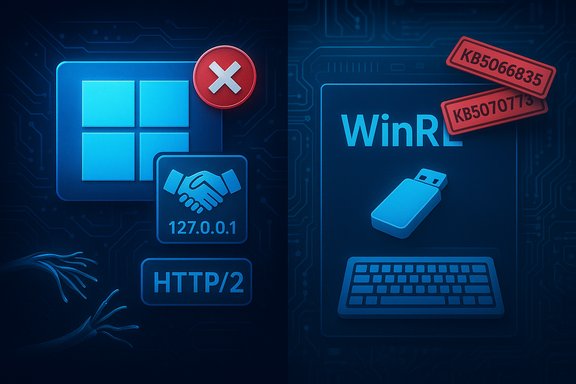
One of the most consequential regressions affected loopback HTTP/2 connections. After installing KB5066835 (and related September preview packages on some machines), browsers and local clients attempting to talk to HTTP/2 services on 127.0.0.1 began failing with protocol-level errors such as ERR_CONNECTION_RESET and ERR_HTTP2_PROTOCOL_ERROR. Investigations pointed to a regression in the kernel HTTP stack (HTTP.sys) that caused the OS to terminate HTTP/2 sessions during handshake/negotiation before any user-mode web server saw traffic. Because modern developer tooling and many desktop agents rely on local loopback endpoints for OAuth callbacks, device attestation, and embedded web UIs, the failure mode had immediate, outsized impact: Visual Studio debugging, IIS, Docker bind mounts that surface local services, Duo Desktop, and other products that expect a working localhost suddenly could not complete basic operations. The impact cut across personal workstations and production-oriented test rigs alike.Windows Recovery Environment (WinRE) input failure
A second, urgent bug prevented USB keyboards and mice from operating within the Windows Recovery Environment (WinRE) after the same update. That left users unable to navigate the repair interface on systems that relied on USB input — a particularly dangerous regression because WinRE is the fallback for systems that fail to boot or need corruption repair. Microsoft acknowledged the issue and released an out‑of‑band update (KB5070773) to resolve it.Other symptoms: preview pane, peripherals, and install errors
Additional, widely reported problems included:- File Explorer’s Preview pane blocking document previews and showing a “file could harm your computer” message for certain cloud-downloaded documents.
- Certain Logitech device features or vendor utilities failing after the update (reported in community forums and Microsoft Q&A).
- Update installation rollbacks or errors (various 0x800f0xxx and 0x80071a2d codes) preventing KB5066835 from installing cleanly on some configurations.
Microsoft’s response: Known Issue Rollback and emergency patches
Known Issue Rollback (KIR) — server-side and Group Policy options
Microsoft leveraged Known Issue Rollback (KIR) to quickly reverse specific behavioral changes that caused some of the breakages. For enterprise-managed devices, Microsoft published special Group Policy packages that deploy a KIR-based workaround; for consumer and many unmanaged devices the server-side rollback mechanism propagated the reversal automatically through Windows Update channels. The release-health notes and KB pages point administrators to KIR MSI packages and explain the “check for updates then restart” flow to get the rollback applied. KIR is a pragmatic mechanism: it flips a small configuration/feature flag on a device rather than removing a large cumulative update. That reduced the need to uninstall security fixes, but it is not a substitute for permanent code corrections — KIR is expressly intended as a temporary mitigation while Microsoft develops a proper fix.Out‑of‑band emergency update: KB5070773
Because the WinRE USB input issue could not be undone by a server-side toggle, Microsoft released an out‑of‑band cumulative update (KB5070773) on October 20, 2025 to resolve the WinRE regression. Devices that had the problem and could boot normally received the fix via Windows Update; machines stuck in WinRE needed alternative recovery methods (touchscreen, PS/2 devices, or a pre-created recovery drive) to install the patch. Microsoft’s release notes explicitly list those workarounds.At‑a‑glance: confirmed timeline and fixes
- October 14, 2025 — KB5066835 (cumulative update) released and widely deployed. Problems begin surfacing within hours.
- Mid‑October 2025 — Microsoft documents the localhost/HTTP.sys issues and other known regressions on the Windows release-health dashboard and Microsoft Support pages. KIR packages and guidance are published for enterprise admins.
- October 20, 2025 — Microsoft issues KB5070773 (out‑of‑band) to fix the WinRE USB input failure. Some other issues are resolved in subsequent cumulative or preview updates (for example, KB5067036 and later).
Deep dive: root cause analysis and what the evidence shows
The HTTP.sys regression: kernel-level HTTP/2 negotiation
Multiple independent investigations and Microsoft’s own notes point to a regression in HTTP.sys — the kernel-mode HTTP server stack used for IIS and for kernel-assisted HTTP operations on Windows. The update altered how HTTP/2 sessions were negotiated on loopback (127.0.0.1) and terminated sessions prematurely, causing browsers and clients to see connection resets during the HTTP/2 handshake. Because HTTP.sys operates at kernel level, failures here manifest as reproducible, broad-spectrum connectivity errors that stop web servers from receiving requests at all. This explains why the problem was both widespread (affecting many applications that rely on HTTP.sys) and hard to patch quickly — kernel regressions require careful testing and an out‑of‑band quality process to avoid introducing further instability.Why WinRE input could break after a cumulative update
WinRE runs a slimmed-down environment loaded from the system recovery partition; it relies on a different set of drivers or driver-loading logic than the full OS. A change in USB stack initialization, filtering drivers, or driver compatibility in KB5066835 produced a scenario where USB Human Interface Device (HID) drivers did not initialize properly inside WinRE. That left USB keyboards and mice non-functional inside the recovery environment while they continued to work normally once the full OS booted — a distinguishing symptom that pointed to driver init sequence regressions rather than permanent driver deletion. Microsoft resolved this with an OOB update.Who was affected and how badly
- Developers and local test servers: severely impacted because many development workflows depend on localhost HTTP/2 endpoints. A broken loopback can block OAuth flows, embedded dashboards, and debugging sessions.
- End users needing recovery: critically impacted where WinRE was the only path to repair an unbootable system and USB input was the only interface available.
- General users and small businesses: productivity hit from File Explorer previews and peripheral oddities, plus time spent troubleshooting failed installs.
Practical remediation: step‑by‑step guidance
The correct mitigation depends on your role and how the machine is used. Below are prioritized actions for developers, IT administrators, and home users.For IT administrators and enterprise fleets
- Check Microsoft’s release‑health pages and your management console for the presence of KIR Group Policy packages and the KB5070773 OOB update. Follow Microsoft’s published KIR rollout instructions where appropriate.
- If a device is affected and cannot boot to apply KB5070773, use the documented workarounds: touchscreen input, PS/2 keyboard/mouse, or boot from a previously created USB recovery drive so you can navigate WinRE and apply updates.
- For managed environments using WSUS or Configuration Manager, synchronize and approve the OOB update and KIR MSI as recommended by Microsoft; document devices that required rollback so you can re‑enable fixes once a permanent update is released.
For developers and single‑user environments
- If you can boot normally and want the easiest, supported path: open Settings → Windows Update → Check for updates; install any available updates and restart. Microsoft’s server-side KIR (or subsequent CUs) may resolve the localhost issue without removing security fixes.
- If localhost HTTP/2 is still failing and you need immediate functionality, consider the temporary registry workaround to force HTTP/1.1 at the OS HTTP stack:
- Open regedit as Administrator.
- Navigate to HKEY_LOCAL_MACHINE\SYSTEM\CurrentControlSet\Services\HTTP\Parameters.
- Create two DWORD (32‑bit) values: EnableHttp2Tls = 0 and EnableHttp2Cleartext = 0.
- Reboot.
This forces the Windows HTTP stack to avoid HTTP/2 negotiation and fall back to HTTP/1.1, which restores many local services. Use this only as a short-term mitigation and track the change so you can revert it when a permanent fix is installed. - As a last resort, if mitigations fail and you cannot operate, uninstall KB5066835 (and, in some reports, the September preview KB5065789) via Settings → Windows Update → Update history → Uninstall updates, or via wusa /uninstall /kb:5066835 and reboot. This restores local services but reintroduces the security exposures that the updates addressed — treat this as a temporary triage step only.
For home users
- First, check Windows Update and install any available fixes; restart even if Windows Update reports no new items (KIR sometimes requires a restart to take effect).
- If you are comfortable with risk and your workflow is blocked (for example, the Preview pane is unusable), you can temporarily uninstall KB5066835 — but understand you will remove security patches and should reapply fixes as soon as Microsoft publishes a corrected cumulative update.
Risks and trade‑offs: security vs. availability
The dilemma forced on users was stark: uninstall the cumulative update to restore functionality or keep the update installed and accept broken workflows and higher support costs. Uninstalling an LCU removes security patches that may close critical vulnerabilities; leaving a faulty update installed can break recovery scenarios and developer pipelines. Microsoft’s KIR approach attempted to thread that needle by enabling targeted rollbacks, but KIR is not omnipotent — some failures required an OOB CU. The registry workaround (disabling HTTP/2 at the OS layer) is effective and restores compatibility, but it carries long-term performance and compatibility trade-offs: HTTP/2 features such as multiplexing, header compression and improved TLS performance will be disabled, potentially affecting latency-sensitive services. For production servers, this workaround is not a sustainable substitute for a permanent patch.What went well — Microsoft’s strengths in the response
- Microsoft documented the problems on its release-health pages and published explicit KIR packages and Group Policy guidance for enterprise deployments, which is the correct enterprise‑grade response path.
- The company issued an out‑of‑band cumulative update (KB5070773) swiftly to address the WinRE USB input failure, showing willingness to break the regular update cadence for critical user-impacting regressions.
Where the response fell short — weaknesses and risks
- The cluster of regressions that made it past pre-release validation raises questions about test coverage, particularly for kernel‑level HTTP/2 changes and WinRE initialization sequences. A regression in HTTP.sys and one in WinRE during the same update window suggests test gaps for interoperability and recovery scenarios.
- Community-sourced workarounds (registry edits, uninstalling KBs) circulated widely, and while practical, they increased the risk of inconsistent mitigation across enterprise fleets and raised the specter of users applying unsafe or unsupported fixes. Microsoft appropriately warned against chasing “random online solutions,” but the flood of DIY fixes illustrated how rapidly serious mitigations propagate outside official channels.
How to harden your update strategy going forward
- For enterprises: use phased deployment rings with telemetry and automated rollback triggers. Validate not just user-mode apps but kernel paths and recovery environments on representative hardware. Keep a tested recovery drive and PS/2 or alternative input method available for critical systems.
- For developers: document local fallback options (e.g., disable HTTP/2 for local environments, keep alternative authentication flows), and consider adding automated checks into CI that catch localhost handshake failures. Maintain snapshots or restore points before applying major updates in production-like test machines.
- For home users: don’t panic‑uninstall security updates; instead check Windows Update for KIR or OOB patches first, reboot when advised, and only apply community workarounds after understanding the tradeoffs.
Final assessment and outlook
The October 2025 Patch Tuesday episode demonstrates how a single cumulative update can surface multiple, unrelated regressions with real operational consequences. Microsoft’s use of Known Issue Rollback and an out‑of‑band update was appropriate and reduced the need for wholesale uninstallations, but the incident also exposed brittle points in the update-test-deploy pipeline — especially for kernel-level networking and recovery-mode drivers. For now, the practical path is straightforward: check for and install Microsoft’s fixes (including KB5070773 and subsequent rollups), apply KIR guidance in enterprise environments if required, and use conservative short‑term mitigations (registry toggle to disable HTTP/2 or uninstall the offending KB) only when absolutely necessary and with mitigation plans for the security exposures they create. Developers and sysadmins should take this as a wake‑up call to improve local resiliency plans around loopback dependencies and to keep trusted recovery media and alternate input options on hand. The next patch cycle should tidy up remaining edge cases. Until then, proceed cautiously: apply Microsoft’s official guidance first, document any manual changes, and prioritize restoring both security posture and operational capability in a balanced, auditable way.Source: futura-sciences.com Critical Bug on Windows 11: The Update That Crashes Everything - Futura-Sciences
