

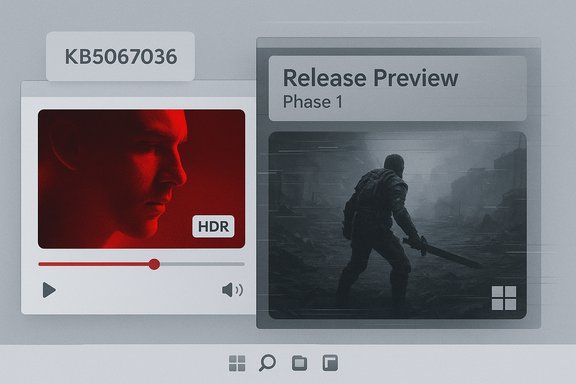
Microsoft has confirmed that a pair of recent Windows 11 servicing updates introduced display and rendering regressions for some users — ranging from videos and games appearing unexpectedly red to apps and browsers failing to refresh correctly when a full‑screen game or app ran in the background — and the vendor has rolled fixes into the October preview (KB5067036) with broader distribution coming in November’s Patch Tuesday.
Microsoft shipped an optional, non‑security preview update in late August (delivered as KB5064081) and folded those changes into later cumulative rollups. Shortly after those rollouts, users began reporting visual anomalies and playback failures in a small but noticeable subset of scenarios, especially those involving legacy media pipelines, HDR handling and certain full‑screen app interactions. Microsoft’s October 28, 2025 preview cumulative (delivered as KB5067036) lists targeted fixes that explicitly address the red‑tinted playback reports and the partial‑screen refresh problem, and the vendor states the fixes will roll out more broadly in phased updates. The story is twofold and worth treating separately:
The staged approach Microsoft used — preview updates, Release Preview validation, and KIR — is the right playbook for reducing risk, but the public visibility of these regressions emphasizes the need for better pre‑release coverage for edge workflows and clearer communications to affected user groups.
Source: Windows Latest Windows 11 bug tinted games and videos red and froze content, says Microsoft
 Background / Overview
Microsoft shipped an optional, non‑security preview update in late August (delivered as KB5064081) and folded those changes into later cumulative rollups. Shortly after those rollouts, users began reporting visual anomalies and playback failures in a small but noticeable subset of scenarios, especially those involving legacy media pipelines, HDR handling and certain full‑screen app interactions. Microsoft’s October 28, 2025 preview cumulative (delivered as KB5067036) lists targeted fixes that explicitly address the red‑tinted playback reports and the partial‑screen refresh problem, and the vendor states the fixes will roll out more broadly in phased updates. The story is twofold and worth treating separately:- A colour‑rendering/display regression that made some videos and games appear red (Microsoft: “some videos and games might be unexpectedly red”).
- A repaint/refresh regression where apps and browsers did not redraw correctly while a full‑screen or maximized app updated in the background, producing partially frozen content when scrolling or interacting.
What Microsoft officially acknowledged
The fixes included in KB5067036 (October preview)
Microsoft’s support notes for the October 28, 2025 preview update list multiple quality fixes under Display and Graphics, including:- Fixed: “Apps and browsers might display partially unresponsive onscreen content when other maximized or full‑screen apps are updating in the background.”
- Fixed: “After you install KB5064081, some videos and games might be unexpectedly red.”
- Additional fixes for Settings crashes and text rendering issues in multiline edit boxes.
Microsoft’s broader timeline and targeted remediations
Telemetry and community reporting tied the earliest reports to the August optional update (KB5064081), which later got folded into September cumulative servicing. Microsoft used Release Preview and targeted remediation channels to stage fixes (a typical pattern when a fix is validated in Insider/Release Preview channels before broader rollout). Community troubleshooting and vendor driver updates were part of the ecosystem response while Microsoft prepared cumulative corrections for the stable channels.What users actually saw (symptoms and reproducibility)
Red‑tinted videos and games
- A subset of users reported that after installing updates tied to KB5064081 and subsequent cumulative updates, certain videos and games displayed a red tint or otherwise incorrect color rendering. The exact effects varied: in some cases colors were shifted strongly toward red; in others HDR tone mapping appeared off. Microsoft’s KB language — “unexpectedly red” — is deliberately concise and does not fully define the colour‑space or rendering path implicated.
- Community tests and Insider release notes indicate the problem was observed across a mix of hardware and drivers, and that turning off HDR/Auto HDR or rolling back GPU drivers sometimes mitigated symptoms for individual users — but these were not universal fixes and did not identify a single vendor or driver version as the sole cause. Independent reporting and forum threads documented a variety of workarounds while Microsoft prepared an integrated fix.
Partial screen refresh / frozen content when a full‑screen app runs
- Another reproducible symptom was that when a full‑screen or maximized app (often a game) was updating or running, other apps’ windows could stop redrawing correctly. Scrolling a webpage in a browser might update only a portion of the view; only moving the pointer or interacting in specific ways would force the rest of the page to repaint. Microsoft’s notes describe this precisely and KB5067036 lists it as fixed.
- This problem manifested in mainstream browsers (Edge/Chrome) and in traditional desktop apps; tests from outlets and forum reproductions show reliable reproduction when a full‑screen application is actively presenting frames while another app tries to repaint. GPU vendors’ drivers were investigated during the troubleshooting cycle, but community reports confirmed that driver rollbacks alone did not always resolve the symptom, pointing toward a platform‑level interaction in how Windows schedules rendering and compositing for full‑screen surfaces.
Technical context — why a small change can cause big visible regressions
Windows’ video and compositor stacks are complex and involve multiple components: application renderers, Media Foundation paths, the Desktop Window Manager (DWM), GPU drivers, HDR tone‑mapping, and platform DRM/HDCP negotiation for protected playback. When a servicing update touches low‑level media or display code, the behavior of older or legacy renderers can change in ways that only show up in narrow scenarios.- Legacy renderers such as the Enhanced Video Renderer (EVR) are still used by many DVD/Blu‑ray and some digital‑TV apps. EVR participates in a protected presentation pipeline with HDCP and DRM. If the platform handshake or secure rendering path is altered, those apps can see playback freeze, black screens or error dialogs — behavior that is intentional for protected content because the system is designed to “fail closed” when the protected chain cannot be guaranteed. This is why some playback problems looked like freezes rather than noisy artifacts.
- HDR and Auto HDR involve tone‑mapping SDR content to HDR presentation and interact closely with GPU drivers and monitor capabilities (EDIDs, HDMI/DP link capabilities). Small changes in how Windows performs color conversion or engages HDR stacks can yield dramatic visual differences (washed‑out colours, oversaturation, or a strong red cast). Because HDR handling is distributed — OS, driver, monitor — root cause analysis can require coordinated testing across vendors. Community reports that disabling Auto HDR sometimes helped are consistent with the problem touching HDR conversion paths rather than the apps themselves.
Independent verification and reporting
Multiple independent outlets and community channels reproduced and reported the issues during the preview rollout. Microsoft’s KB entry is the authoritative confirmation of both fixes and the reference for the October preview. Independent coverage includes technical news sites and mainstream tech press documenting:- The red tint / video colour regression referenced in the KB and reproduced by Insiders and users.
- The partial painting / repaint regression when full‑screen apps run in the background.
What this means for users — practical guidance
The combined guidance below reflects Microsoft’s staged remediation approach, community best practices, and safe troubleshooting for affected users.Immediate, low‑risk steps for affected users
- If you rely on protected media playback (Blu‑ray/DVD, legacy TV tuner apps) or experience the red tint, avoid forcing installation of optional previews on production/critical devices. Wait for the cumulative fix to reach your device via Windows Update or a validated vendor driver.
- If you have the October preview (KB5067036) installed and see the Task Manager duplication bug, don’t repeatedly close Task Manager with the window X — use End task from Task Manager’s Apps list or run the command
taskkill /im taskmgr.exe /ffrom an elevated command prompt to kill orphaned instances until Microsoft issues the follow‑up patch. Multiple outlets and community posts provide these workarounds. - If you encounter partial redraws (frozen content) while a full‑screen app runs, temporarily disable HDR/Auto HDR and test again. Also try closing the full‑screen app to see if repainting returns to normal. These mitigations are not cures but can help isolate whether HDR/compositor interactions are involved.
For power users and system administrators
- Pilot updates in a controlled set of devices before broad rollout, particularly on machines used for media playback, capture, or broadcast tasks. If you manage HTPCs, kiosks, or business systems that depend on legacy playback flows, consider blocking the implicated optional updates until Microsoft’s fixes are staged and validated.
- Collect logs (Event Viewer, application logs, GPU driver logs) and, if possible, reproduce the issue with a minimal test case (e.g., a known EVR‑based player + copy of protected media) and engage vendor support if the app is third‑party. This speeds vendor and Microsoft troubleshooting when field data is available.
- For enterprise fleets, track the Windows Release Health dashboard and Microsoft’s KB update notes for the official Known Issue Rollback (KIR) or out‑of‑band hotfixes. Those mechanisms are typically used to stage mitigations server‑side before a cumulative patch lands broadly.
Critical analysis — strengths, risks and what went wrong in process
Strengths in Microsoft’s response
- Microsoft publicly documented the problems and included fixes in a staged preview cumulative (KB5067036). The vendor’s documentation explicitly lists the affected symptoms and the preview changelog indicates the company is treating these as platform‑level regressions rather than purely driver issues. This is the correct engineering approach when an OS servicing change impacts multiple vendors and scenarios.
- Using the Release Preview and phased rollout model allows Microsoft to validate fixes across a representative set of devices before broad distribution. It reduces the blast radius of regressions introduced by fixes and gives the company time to coordinate with GPU and application vendors.
Risks and problematic aspects
- The incidents illustrate the perennial risk of wide scope, narrow condition regressions: a change intended to improve the platform can break a relatively small but critical set of workflows (legacy DRM pipelines, HDR tone‑mapping) that are hard to catch in automated testing. Those narrow conditions mean many customers won’t see the bug, but those who do are seriously impacted. The EVR/HDCP case is an example of “fail closed” behavior for protected content that’s protective by design — but disruptive when it triggers erroneously.
- Preview updates like KB5067036 are meant for testing, but the visibility of problems in preview builds underscores that even staged updates can reach a broad enough audience to produce significant community friction and press coverage. Microsoft’s release notes indicate fixes, but the staggered enablement of features can leave users unsure whether a fix is present on their device even when the preview is installed. Community threads repeatedly highlight that fixes may be present only on some machines because of feature flags or gradual rollout behavior.
- The Task Manager duplication regression that accompanied the October preview is an unfortunate demonstration of the second‑order risks of changes: a fix intended to adjust process‑grouping behaviour produced an unrelated usability/regression that can degrade system performance if left running. Regressions that affect core system utilities (Task Manager) are particularly visible and damaging to user trust.
Where uncertainty remains
- Microsoft’s phrase “unexpectedly red” is deliberately non‑specific. It is likely a colour‑space or HDR tone‑mapping regression — particularly given the contemporaneous Auto HDR issues and community reports — but the KB does not publish a full root‑cause post‑mortem detailing which internal component or driver interaction produced the red tint. Until Microsoft publishes a definitive post‑mortem, some technical details remain inferred rather than fully verified. Flagging this lack of a formal root‑cause write‑up is important for readers.
Step‑by‑step remediation and safe habits (recommended checklist)
- Pause optional preview updates on production machines. Because KB5067036 is a preview cumulative, deferring optional packages until Microsoft’s fixes are validated reduces exposure to regressions.
- If you already installed the October preview and see the Task Manager duplication bug:
- Use Task Manager’s “End task” entry in the Apps list to close the visible Task Manager instance(s).
- If that doesn’t work, open an elevated command prompt and run: taskkill /im taskmgr.exe /f to kill all lingering instances.
- If playback shows a red tint or HDR problems: temporarily disable HDR/Auto HDR in Settings > System > Display and test whether colors return to normal. If so, document GPU driver versions and consider trying the GPU vendor’s WHQL release or a known‑good older driver for comparison.
- For protected‑content failures on Blu‑ray/DVD or tuner apps: prioritize testing the affected app with the Release Preview remediation or wait for the official cumulative fix; consider switching to alternate modern playback paths (apps that use app‑managed DRM and newer renderers) as a temporary workaround.
- Monitor Microsoft’s KB release notes and the Windows Release Health dashboard for Known Issue Rollback (KIR) or an out‑of‑band hotfix; apply those when they become available, and always test in a lab or small pilot before broad deployment.
The bigger picture — update testing, HDR, and legacy media pipelines
This episode highlights a recurring tension for modern operating systems: adding features and hardening security while supporting decades‑old media pipelines. HDR and Auto HDR are valuable features for modern displays, but their complexity increases the surface area for bugs across drivers and firmware. Similarly, legacy components like EVR and platform DRM are still essential for users who rely on physical media or broadcast apps; changes to platform behavior therefore require cautious coordination.The staged approach Microsoft used — preview updates, Release Preview validation, and KIR — is the right playbook for reducing risk, but the public visibility of these regressions emphasizes the need for better pre‑release coverage for edge workflows and clearer communications to affected user groups.
Conclusion
Microsoft has acknowledged and addressed two visible Windows 11 regressions — videos/games appearing red after an earlier optional update, and partial onscreen freezes when full‑screen apps are running in the background — by including fixes in the October 28, 2025 preview cumulative (KB5067036) and rolling them toward general availability. The vendor’s documentation and the independent reporting confirm that fixes are staged, but some behaviour (notably a Task Manager duplication regression that emerged in the same preview) created fresh usability problems that Microsoft is preparing to remedy in upcoming updates. Users should apply caution with optional previews, follow Microsoft’s staged rollout guidance, and use the practical mitigations above until the November Patch Tuesday rollouts fully land and the company publishes further validation or a post‑mortem. This sequence is a reminder that OS servicing yields both essential security and reliability improvements and, occasionally, spiky regressions in narrow but highly visible scenarios — and that careful testing, staged rollouts, and clear vendor communications are essential to minimize disruption for users and administrators alike.Source: Windows Latest Windows 11 bug tinted games and videos red and froze content, says Microsoft
