

Windows 11’s latest reputation hit is not a rumor: a widely circulated speed comparison that installed Windows XP through Windows 11 on identical vintage hardware has reignited complaints that Microsoft’s flagship OS is slower than many of its predecessors — but the truth is both more technical and more nuanced than the “slowest in 25 years” headline suggests. Independent tests and mainstream coverage confirm the basic outcomes: on constrained hardware the Windows 11 image used in the experiment shows a larger idle memory footprint, longer shell latencies and weaker battery endurance than older Windows releases. At the same time, multiple analysts and vendor notices make clear that the result is driven strongly by hardware assumptions, feature trade‑offs and a few recent update‑driven regressions that Microsoft and GPU vendors have been scrambling to mitigate.
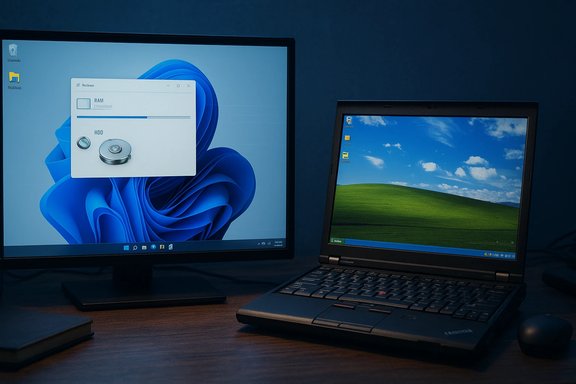
Windows 11 arrived in October 2021 promising a modern UI, tighter cloud integration and an architecture built around newer hardware assumptions. Over the last year that product strategy collided with three realities: millions of older PCs still in use, an aggressive cadence for major feature updates, and the arrival of agentic/AI features that add background services and telemetry. The recent public flashpoint was a methodical comparison by a community tester who installed six Windows generations on identical Lenovo ThinkPad X220 notebooks (Intel Core i5‑2520M, 8 GB RAM, 256 GB mechanical HDD) and ran a long list of practical and synthetic workloads. The video and its press coverage produced two immediate takeaways: Windows 11 used the most idle RAM and often finished last in perceived responsiveness on that hardware; Windows 8.1 and 7 frequently felt and tested snappier on that constrained platform. Those findings spread quickly through tech media and social feeds because they cut against expectations: newer should equal faster. The experiment’s single‑hardware, single‑workload design intentionally magnified OS‑level differences and therefore offered a clean, repeatable demonstration of the resource cost of modern Windows features. It also revealed the biggest caveat — an OS optimized for NVMe SSDs, modern CPUs and 16+ GB RAM will look heavy on a decade‑old machine with a spinning disk and limited memory.
For Microsoft, the strategic question is not whether to pursue AI and cloud features — those are defensible long‑term bets — but how to deliver them without breaking the day‑to‑day expectations of the millions of users who measure quality in seconds and clicks, not in feature checklists. The company’s next moves — from modular install images to stronger cross‑vendor QA and clear user controls — will determine whether Windows 11 becomes known as a secure, modern platform that scales down to modest hardware, or a powerful but heavy OS best suited only for the newest machines.
Source: WebProNews Windows 11 Faces Backlash as Slowest OS in 25 Years, Benchmarks Show
 Background
Windows 11 arrived in October 2021 promising a modern UI, tighter cloud integration and an architecture built around newer hardware assumptions. Over the last year that product strategy collided with three realities: millions of older PCs still in use, an aggressive cadence for major feature updates, and the arrival of agentic/AI features that add background services and telemetry. The recent public flashpoint was a methodical comparison by a community tester who installed six Windows generations on identical Lenovo ThinkPad X220 notebooks (Intel Core i5‑2520M, 8 GB RAM, 256 GB mechanical HDD) and ran a long list of practical and synthetic workloads. The video and its press coverage produced two immediate takeaways: Windows 11 used the most idle RAM and often finished last in perceived responsiveness on that hardware; Windows 8.1 and 7 frequently felt and tested snappier on that constrained platform. Those findings spread quickly through tech media and social feeds because they cut against expectations: newer should equal faster. The experiment’s single‑hardware, single‑workload design intentionally magnified OS‑level differences and therefore offered a clean, repeatable demonstration of the resource cost of modern Windows features. It also revealed the biggest caveat — an OS optimized for NVMe SSDs, modern CPUs and 16+ GB RAM will look heavy on a decade‑old machine with a spinning disk and limited memory.What the Benchmarks Actually Measured
The test battery and independent follow‑ups focused on everyday tasks as much as synthetic scores. Key, reproducible observations included:- Idle memory footprint: On the test rigs Windows 11 sat at roughly 3.3–3.7 GB of RAM at idle, typically about 1 GB higher than Windows 10 on the same machine. This elevated baseline reduces headroom for applications on 8 GB systems.
- Boot and shell readiness: While Windows 11 sometimes painted the desktop faster, the taskbar, system tray and File Explorer often finished rendering later — producing a perception of a “desktop visible but not fully usable.” Windows 8.1’s hybrid Fast Startup behavior delivered faster perceived cold and resume boots on the HDD‑based testbed.
- Application launch and File Explorer responsiveness: Simple built‑ins like Paint and File Explorer opened noticeably slower on Windows 11 in the experiment. Microsoft has publicly acknowledged Explorer responsiveness complaints and is trialing background preload strategies in Insider builds to reduce cold‑open latency.
- Storage footprint: The test recorded large differences in on‑disk use across generations; Windows XP remained the smallest, while Windows 11’s default image (with modern inbox apps and telemetry) consumed substantially more space than the legacy builds in that setup.
- Browser memory and tab density: Using a legacy‑compatible Chromium fork to span the OSes, older releases (7 and 8.1) sustained many more tabs before hitting a 5 GB memory cap than Windows 11, again reflecting Windows 11’s higher baseline memory consumption.
- Battery and content‑creation tasks: Under the test’s defined drain loop Windows 11 ran shorter than older builds, and it performed more slowly in several consumer video‑editing tasks. The absolute deltas were not enormous in minutes, but they were consistent within that hardware profile.
Why those particular metrics matter
Everyday users care about the felt performance more than throughput numbers. Cold launches, right‑click latency, folder navigation, and perceived boot readiness are disproportionately important in user satisfaction. The experiment intentionally emphasized those metrics rather than optimizing for synthetic peak throughput, which is why its results resonated beyond raw benchmark circles.Why Windows 11 Looks Heavy on Older Machines
The technical reasons Windows 11 trailed on the ThinkPad testbed are concrete and predictable:- Modern hardware baseline: Windows 11 was engineered assuming NVMe SSDs, modern CPU microarchitectures and 16+ GB RAM. On HDD‑backed Sandy Bridge machines the same OS design choices increase I/O contention and waiting times rather than hiding them. The storage subsystem is the single biggest multiplier in perceived responsiveness.
- Richer default service set: Windows 11 ships with more resident agents — telemetry, background indexing, cloud syncs (OneDrive and Teams hooks), security agents, and Copilot‑related services. These increase idle RAM and introduce periodic CPU and I/O activity that erode tight headroom on 8 GB machines. The experiments and independent analyses repeatedly point to background services as a major factor.
- Heavier UI compositor and WinUI stack: Rounded corners, animations, and a modern compositor offload some work to GPU drivers and expect well‑supported driver stacks. Old Intel HD 3000 drivers and legacy DWM interactions don’t pair as efficiently with the WinUI behaviors used in Windows 11, amplifying shell sluggishness in the test.
- Virtualization‑based security (VBS) and integrity checks: Enterprise security features like VBS and memory integrity can impose measurable overhead in latency‑sensitive workloads. Independent tests show enabling these protections can influence application and gaming performance, even on modern hardware, and the penalty is more visible on older platforms.
Gaming: The October 2025 Update and GPU Fallout
Performance coverage expanded beyond the X220 test when gamers began reporting stuttering and frame‑rate drops after Microsoft’s October 2025 cumulative update (KB5066835). The problem was heterogeneous — variable by title, driver version, anti‑cheat middleware and system configuration — but the empirical signals were clear enough that GPU vendor Nvidia issued an emergency hotfix driver (GeForce Hotfix Display Driver 581.94) that explicitly references reduced performance after the October update. Multiple outlets and community telemetry reproduced significant regressions for some combinations of titles and hardware; installing Nvidia’s hotfix restored expected performance for many affected users. Microsoft’s KB notes for the October update do not list GPU gaming performance as a known issue, which left the remediation burden partially on GPU vendors and users until the interaction was better understood. The practical takeaway: some Windows 11 performance problems in the wild were induced or exacerbated by cumulative updates that touched deep system components, and vendor hotfixes (or driver rollbacks) were necessary stopgaps. This sequence reinforced the perception that Windows 11 is fragile versus Windows 10, even if the underlying causes are complex and mixed across layers of OS, drivers and middleware.Bloat, Copilot, OneDrive and Feature Creep
Beyond raw code efficiency, user sentiment has hardened around perceived bloat: persistent preloads, in‑OS ads and bundled services that run by default. Two patterns stand out:- OneDrive and background syncing: Microsoft has admitted that OneDrive syncing can slow down a PC, and the company’s public guidance includes pausing sync as a troubleshooting step. Users who upgraded into Windows 11 without adjusting sync policies or onboarding found background IO and metadata indexing noisy on constrained storage.
- Copilot and agentic features: The inclusion of Copilot‑class features and other AI hooks increased the number of resident components in the default image. For some users — notably power users and admins who prize minimalism — this felt like an unnecessary baseline cost introduced before the platform was fully optimized for responsiveness. Independent commentators and former Microsoft engineers publicly argued the company should “fix the suck” of foundational responsiveness before layering agentic features.
Microsoft’s Response: Band‑Aids, Experiments and Official Guidance
Microsoft’s public posture is multi‑pronged:- Troubleshooting guidance: Official support pages and community answers point users at standard mitigations: update drivers, turn off visual effects, manage startup items, and pause OneDrive syncing where appropriate. Microsoft’s support and community forums have repeated these tips since the early complaints.
- Insider experiments and targeted mitigations: Microsoft is trialing practical fixes such as File Explorer preloading to reduce cold‑open latency (an experimental toggle appeared in Insider builds), and it has shipped targeted rollbacks and fixes for specific regressions in recent cumulative updates. Those changes show engineering attention but also underscore the iterative — sometimes reactive — nature of the rollout.
- Collaborative remediation with vendors: In the gaming regressions case, Nvidia issued a hotfix driver; Microsoft coordinated to address related WinRE and HTTP/localhost issues in separate patches. These cross‑vendor remediation workflows are normal but conspicuous when broad user-impact regressions make headlines.
What This Means for Users, IT Pros and Developers
The practical, defensible guidance for different audiences is straightforward and actionable:- For home users on older machines:
- Prioritize hardware upgrades before blaming the OS: install an SSD and expand RAM to 16 GB where possible — the single biggest payoff for perceived responsiveness.
- Apply the standard fixes: update GPU and chipset drivers, pause OneDrive, disable unneeded startup apps, and consider turning off heavy visual effects.
- If you run mission‑critical workflows on legacy hardware, evaluate using a lightweight Linux distribution or keeping a secure Windows 10 ESU arrangement rather than forcing an unusably slow Windows 11 on constrained hardware. Microsoft’s lifecycle notes and ESU guidance make the trade‑offs explicit.
- For IT administrators and enterprises:
- Treat upgrades as a project, not a click‑through event. Inventory endpoints, budget for SSD/RAM refreshes where necessary, and pilot Windows 11 images on representative hardware classes before broad rollouts. Where compatibility matters, Extended Security Updates or staged migration remains preferable to a hasty fleetwide upgrade.
- For developers and game studios:
- Expand testing matrices to include both VBS enabled/disabled states and recent cumulative update builds; monitor vendor driver hotfix channels; and instrument runtimes to collect frame‑time and telemetry that distinguish OS‑level regressions from app code or middleware effects. Recent gaming regressions show how fragile interactions between OS updates, drivers and anti‑cheat stacks can be.
Paths Forward: What Microsoft Could Do (and Should Prioritize)
There are concrete product and delivery moves that would materially reduce the “sluggishness” perception without undoing the security and cloud benefits Windows 11 pursued:- Modular install/first‑boot opt‑outs: Let users choose a lean, minimal image at first setup — no Copilot, no preloaded cloud agents, and only essential inbox apps. Opt‑in rather than opt‑out reduces background surface area for users who want maximum responsiveness.
- Telemetry & agent controls: Provide a clear, persistent UI to throttle or schedule background agents (indexing, telemetry uploads, sync) so those processes run when the device is idle rather than opportunistically during interactive use.
- Tiered feature channels: Ship agentic AI features behind hardware gating that does more than check TPM or NPU presence; test low‑resource fallback modes for environments without NPUs or fast storage.
- Preserve user‑visible performance metrics: Add a lightweight “Responsiveness” dashboard in Settings that shows the top background resource consumers and gives one‑click ways to pause or defer them.
- Strengthen update verification for critical stacks: Expand test matrices and partner QA for storage and GPU driver interactions. There’s a pattern where deep servicing updates touch platform code that vendors and ISVs assume remains steady; broadened testing would reduce post‑release fractures.
Critical Analysis: Strengths, Risks and the Broader Market Impact
Strengths- Security and platform continuity: Windows 11 consolidates modern security primitives (VBS, memory integrity) that materially raise the attack bar for local exploits and kernel‑level attacks on modern hardware.
- Feature roadmap alignment: The focus on integrated AI and cloud sync supports scenarios Microsoft believes will define productivity over the next decade.
- Active engineering response: Microsoft’s Insider experiments, targeted fixes and coordinated vendor patches demonstrate the company’s ability to iterate — even if sometimes reactively.
- Perception of bloat and instability: Repeated regressions, the need for vendor hotfixes, and the high baseline resource cost risk eroding user trust — especially among power users, developers and enterprises that notice comparatively minor regressions more.
- Upgrade friction and market consequences: With Windows 10 having reached end‑of‑support and many organizations and consumers resistant to upgrade, Microsoft risks a prolonged dual‑platform era where many systems remain on older, unsupported software, or users migrate to macOS or Linux alternatives in marginal segments.
- Ecosystem complexity: The interplay between OS updates and third‑party drivers or middleware (notably anti‑cheat stacks and GPU drivers) increases testing burdens for developers and hardware partners. Short‑term hotfixes are practical, but they are not a substitute for robust upstream validation.
Practical Checklist: Quick Wins for Users Experiencing Sluggishness
- Check Windows Update and install the latest cumulative fixes and OEM drivers.
- If gaming issues appeared after an October/November 2025 cumulative, install the GPU vendor’s hotfix driver (for affected Nvidia systems) or follow the vendor guidance.
- Add an NVMe/SATA SSD and expand RAM to 16 GB where feasible — this is the highest ROI change for responsiveness.
- Pause OneDrive sync while troubleshooting and use the OneDrive settings to limit background I/O.
- Disable non‑essential startup apps, and consider disabling VBS/memory integrity in scenarios where compatibility is critical (after assessing security trade‑offs).
Conclusion
The recent speed tests and the ensuing media storm exposed a real and technically grounded tension: Windows 11’s richer defaults and security posture increase the baseline resource cost of the platform in ways that are visible and meaningful on legacy hardware. Independent benching, vendor hotfixes and Microsoft’s own Insider experiments all confirm that the issue is real, diagnosable and largely addressable — but it demands pragmatic engineering choices, clearer defaults and better tooling for users who value minimalism and responsiveness.For Microsoft, the strategic question is not whether to pursue AI and cloud features — those are defensible long‑term bets — but how to deliver them without breaking the day‑to‑day expectations of the millions of users who measure quality in seconds and clicks, not in feature checklists. The company’s next moves — from modular install images to stronger cross‑vendor QA and clear user controls — will determine whether Windows 11 becomes known as a secure, modern platform that scales down to modest hardware, or a powerful but heavy OS best suited only for the newest machines.
Source: WebProNews Windows 11 Faces Backlash as Slowest OS in 25 Years, Benchmarks Show
