Microsoft has issued another high‑visibility reminder to Windows 10 users as the operating system reaches its planned end of support, urging migrations, outlining a limited Extended Security Updates (ESU) bridge, and prompting renewed discussion about security, hardware compatibility, and upgrade choices for millions of PCs worldwide.
Microsoft’s official lifecycle calendar set a firm cutoff for mainstream Windows 10 servicing: October 14, 2025. After that date Microsoft stopped delivering routine cumulative security updates, feature updates, and standard technical support for mainstream Windows 10 editions unless a device is enrolled in a qualifying Extended Security Updates (ESU) program. This change is calendar‑driven — affected PCs will continue to boot and run, but they will no longer receive vendor‑issued OS patches that fix newly discovered kernel, driver, and platform vulnerabilities. The message from Microsoft has been stepped up in recent months. Users have reported fullscreen alerts and repeated notifications on Windows 10 machines, the company has updated its public support pages and update rollups to reflect the end‑of‑service milestone, and community forums have been awash with migration guides, compatibility checks, and real‑world upgrade experiences. These community archives and reporting threads capture the heightened urgency as the clock ran down to October 14.
The transition is as much about security as it is about economics and sustainability. Thoughtful planning — backed by backup, testing, and measured procurement — will minimize both risk and cost. Forums, local technicians, and independent outlets will continue to be valuable resources during this migration window, but the core imperative is straightforward: make a plan and execute it before unsupported systems become unmanageable liabilities.
Source: The Mirror US https://www.themirror.com/tech/tech-news/microsoft-warning-users-windows-10-1475245/
 Background / Overview
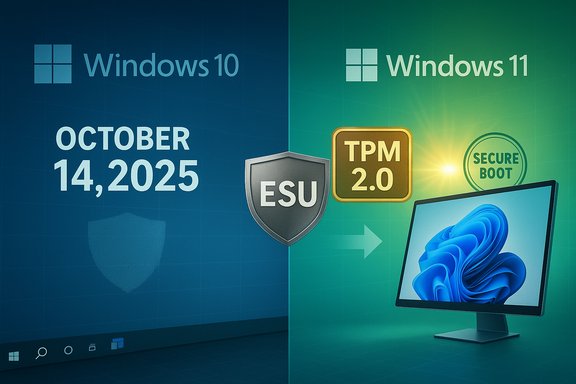
Microsoft’s official lifecycle calendar set a firm cutoff for mainstream Windows 10 servicing: October 14, 2025. After that date Microsoft stopped delivering routine cumulative security updates, feature updates, and standard technical support for mainstream Windows 10 editions unless a device is enrolled in a qualifying Extended Security Updates (ESU) program. This change is calendar‑driven — affected PCs will continue to boot and run, but they will no longer receive vendor‑issued OS patches that fix newly discovered kernel, driver, and platform vulnerabilities. The message from Microsoft has been stepped up in recent months. Users have reported fullscreen alerts and repeated notifications on Windows 10 machines, the company has updated its public support pages and update rollups to reflect the end‑of‑service milestone, and community forums have been awash with migration guides, compatibility checks, and real‑world upgrade experiences. These community archives and reporting threads capture the heightened urgency as the clock ran down to October 14.What Microsoft actually warned — the facts you need to know
- End of free OS security updates and feature updates: Microsoft’s support pages explicitly state that Windows 10 support ended on October 14, 2025; after that date Microsoft will not provide security fixes, feature updates, or standard technical support for mainstream Windows 10 SKUs unless the device is enrolled in ESU.
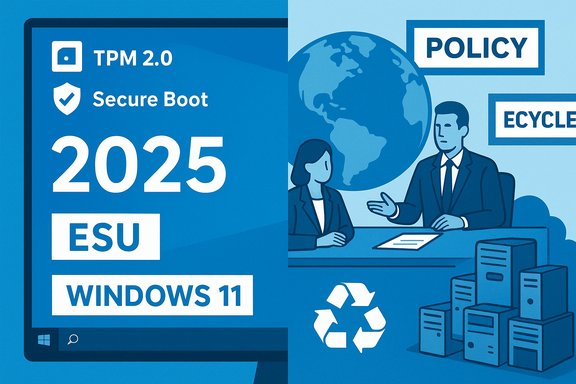
- Consumer Extended Security Updates (ESU): Microsoft published a time‑boxed consumer ESU that provides security‑only updates for eligible Windows 10 devices through October 13, 2026. Enrollment routes include account‑linked options and a paid one‑time acquisition in some markets. ESU does not include feature updates, non‑security quality fixes, or general Microsoft technical support.
- Microsoft 365 and app servicing: Microsoft will continue certain application‑layer protections (for example, Defender definition updates and Microsoft 365 app security updates on a separate timetable), but those protections are not a substitute for OS‑level security patches and do not cover kernel/driver vulnerabilities.
Why the warnings matter: security and operational risks
Every month that a connected PC runs without vendor security patches increases its exposure to exploitation. A few concrete consequences:- Higher risk of malware and ransomware: New vulnerabilities that affect OS kernels, drivers, or privilege‑escalation paths will not receive vendor fixes on Windows 10 machines that are not protected by ESU, leaving those devices more attractive targets for automated attacks.
- Compatibility drift: Over time, third‑party software and device drivers may be tested primarily against supported OS releases. That raises the chance of degraded functionality or dropped support from software vendors.
- Compliance and enterprise risk: Organizations subject to regulatory or industry standards may find unsupported OSs non‑compliant, creating audit and liability concerns.
- Operational support challenges: Microsoft’s official support channels will generally direct users toward upgrade or ESU options rather than troubleshooting Windows‑10‑specific problems.
What the fullscreen warnings mean — marketing, migration nudges, and limits
Microsoft’s fullscreen notices on Windows 10 systems are both informational and strategic: they inform users of the impending end of support and point to upgrade options — either installing Windows 11 on compatible devices, buying a Windows 11 PC, or enrolling in ESU as a short‑term bridge.- The notices emphasize the benefits of Windows 11 (security features, performance and modern platform integrations).
- They also act as a commercial nudge: for many users whose hardware does not meet Windows 11 requirements, the implicit recommendation is a hardware refresh — and that’s where environmental and financial considerations enter the picture.
Windows 11 upgrade: requirements, caveats, and gotchas
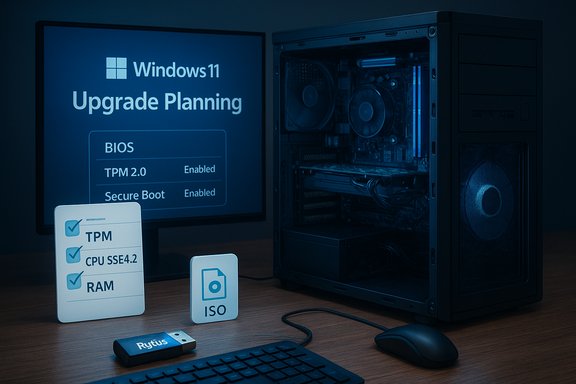
Upgrading to Windows 11 is the primary long‑term path Microsoft advocates, but the upgrade comes with precise hardware and firmware requirements:- TPM 2.0 and Secure Boot are mandatory on supported configurations.
- CPUs are limited to lists Microsoft supports (modern generations of Intel, AMD, and Arm processors).
- Typical minimums include 4 GB RAM and 64 GB storage, though recommended specs are higher for a smoother experience.
Extended Security Updates (ESU) — the short, limited lifeline
Microsoft’s consumer ESU is designed as a migration buffer, not a permanent fix. Key properties to understand:- Scope: Security‑only fixes classified as Critical or Important; no feature updates, no non‑security quality patches, and no full technical support.
- Duration: Consumer ESU covers eligible devices through October 13, 2026 (one year after the OS EOL).
- Enrollment constraints: Microsoft requires enrollment prerequisites (device must be on Windows 10 version 22H2 and meet specific update baselines). Some ESU acquisition paths require linkage to a Microsoft Account, and there are reported paid and points‑based redemption options in certain regions.
Alternatives to upgrading: options beyond Windows 11
If your current hardware can’t run Windows 11 or you choose not to pay for ESU, consider these alternatives — each with tradeoffs:- Switch to a supported Linux distribution (Ubuntu, Fedora, Mint): Modern desktop Linux is friendly for many use cases, especially web‑centric workflows. Linux drastically reduces exposure to Windows‑specific threats but requires software compatibility checks (e.g., native Office alternatives, Steam Proton for many games).
- ChromeOS Flex: Google’s ChromeOS Flex can be installed on many older PCs to repurpose devices as lightweight, secure web‑first machines. It’s particularly effective for kiosks, browsing, and cloud apps.
- Buy a new or refurbished Windows 11 PC: A direct path to full support and parity with Microsoft’s ecosystem. Many OEMs and retailers offer trade‑in and recycling programs.
- Isolate and harden: For devices that must remain on Windows 10 for specific legacy applications, implement strong compensating controls — strict network segmentation, minimal internet exposure, application whitelisting, and offline operation where feasible.
Environmental and economic angles — planned obsolescence concerns
The transition raises two broader concerns:- E‑waste risk: When millions of PCs are deemed “incompatible” with Windows 11, the environmental cost of hardware replacement is real. Advocacy groups have warned that the lifecycle decision could accelerate disposal of otherwise functional devices. Community forums and consumer advocates have pressed Microsoft and OEMs to offer robust trade‑in, recycling, and extended support options to mitigate that impact.
- Household economics: For some households, the cost of forced replacement or repeated paid ESU cycles creates a burden. Refurbished hardware markets and migration to lightweight OS alternatives can reduce cost, but practical migration assistance is unevenly available to consumers.
Practical, step‑by‑step migration checklist (actionable guidance)
- Check eligibility for Windows 11:
- Open Settings > Privacy & Security > Windows Update, and use the compatibility checks. If eligible, plan the upgrade path (in‑place upgrade vs. clean install).
- Inventory critical apps and peripherals:
- Confirm the software and hardware you rely on (printers, scanners, specialty drivers) will work on Windows 11 or a chosen alternative.
- Back up everything:
- Use image backups (third‑party or built‑in tools) and cloud backups for documents and critical settings.
- Consider ESU only as temporary relief:
- If you need time to migrate safely, enroll in ESU where eligible — but do not treat it as a long‑term solution.
- Test on a spare machine or virtual environment:
- Before broad deployment, test apps on Windows 11 or a Linux alternative to limit surprises.
- If buying hardware, choose sustainable options:
- Consider refurbished systems or trade‑in programs and validate that the new device includes TPM 2.0 and Secure Boot.
- Harden machines that must stay on Windows 10:
- Use endpoint protection, strict firewall rules, application allow‑listing, disable unnecessary services, and keep third‑party apps updated.
- Document and retain recovery media:
- For business users, maintain clear rollback steps and recovery media in case a migration needs to be reversed.
Critical analysis — strengths, shortcomings, and risks in Microsoft’s approach
Strengths:- Clear timeline and consistent messaging: Microsoft’s public lifecycle documentation and KB updates give a firm date and defined migration options, which simplifies planning for organizations.
- Security rationale: Requiring modern hardware (TPM 2.0, Secure Boot) raises the baseline for platform security across the Windows ecosystem — a defensible stance in the face of sophisticated threats.
- A short ESU bridge: Providing a consumer ESU option is pragmatic and recognizes that not all consumers can migrate immediately.
- Access and equity: The hardware requirements exclude many functional devices, and ESU’s time‑boxing and account prerequisites raise fairness concerns for users unwilling or unable to link Microsoft accounts or buy paid ESU options. Independent reporting flagged account‑linking and cost friction as real barriers.
- Environmental pressure: The push toward hardware refreshes risks accelerating e‑waste unless robust recycling and refurbishment pathways are scaled alongside the migration messaging. Consumer advocacy groups and forum discussions have repeatedly raised this point.
- Perception of marketing vs. support: Fullscreen warnings and upgrade prompts can be perceived as marketing for Windows 11 devices rather than purely protective messaging, particularly when the upgrade path requires new hardware.
- Some third‑party reports and social posts suggest exact pricing, local availability, or promotional terms for ESU vary by market and reseller. Those details are subject to change and should be verified in your region before purchase. Any claim about “free” universal ESU beyond the official Microsoft enrollment paths should be treated with caution until confirmed by Microsoft’s account‑linked enrollment details.
Community reaction and what users actually reported
Windows‑focused forums, local repair shops, and community threads captured a wide range of experiences: users with upgrade‑eligible machines found the process straightforward; others encountered driver issues or app incompatibilities; still others reported that their older hardware was forced into replacement or into alternative operating systems. Technical communities tracked the rollout of final October cumulative updates and discussed the practical limits of ESU enrollment and Microsoft support. These grassroots discussions were a real‑time window into how the policy played out at scale.Final recommendations — how to act now
- Prioritize a measured migration: inventory, backup, test, and then migrate. Rushed moves increase the chance of lost data or broken workflows.
- Treat ESU as a temporary bridge — only enroll if it gives you time to complete a safe migration.
- Where possible, favor refurbished or upgraded hardware rather than disposing of perfectly serviceable machines; seek trade‑in and recycling programs.
- For users with constrained budgets, evaluate Linux distributions or ChromeOS Flex as legitimate, secure alternatives for non‑Windows‑dependent workflows.
- For businesses, document compliance impacts and factor EOL into procurement and patching policies now.
Conclusion
Microsoft’s renewed warnings about Windows 10’s end of support are not mere rhetoric — they reflect a deliberate, calendar‑driven shift in vendor servicing and a broader platform security posture. The company provided a clear cut‑off date, a limited ESU safety net, and a strong recommendation to move to Windows 11 where hardware allows. That means responsible Windows 10 users face a practical set of choices: upgrade in place, invest in new or refurbished Windows 11 hardware, enroll in ESU for a short period, or migrate to alternative operating systems.The transition is as much about security as it is about economics and sustainability. Thoughtful planning — backed by backup, testing, and measured procurement — will minimize both risk and cost. Forums, local technicians, and independent outlets will continue to be valuable resources during this migration window, but the core imperative is straightforward: make a plan and execute it before unsupported systems become unmanageable liabilities.
Source: The Mirror US https://www.themirror.com/tech/tech-news/microsoft-warning-users-windows-10-1475245/