

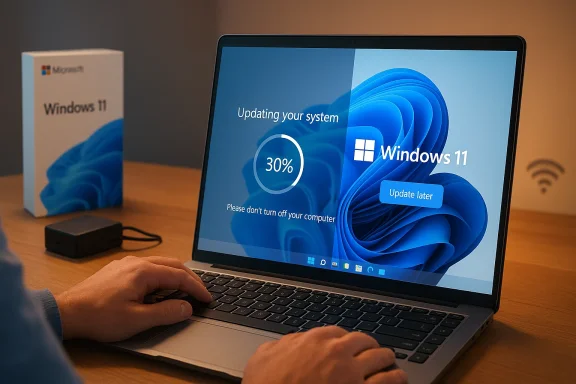
Microsoft is finally tackling one of Windows 11’s most irritating first-run problems: the mandatory update detour during setup. The company is now adding an “update later” option to the out-of-box experience, letting new PCs reach the desktop faster instead of forcing users through a potentially long patching phase first. That sounds like a small UX tweak, but it changes the emotional feel of a brand-new device in a very real way. Instead of beginning ownership with a waiting screen, Windows 11 is trying to start with a usable desktop.
For years, Windows setup has been a balancing act between security, convenience, and control. Microsoft has long wanted new machines to leave setup in a more current, safer state than the factory image that shipped on day one. That goal makes sense: a PC can sit in a warehouse, on a retail shelf, or in transit long enough for updates to become stale before the buyer even opens the box. But the cost of that policy has been visible to almost every Windows user at one point or another: a new machine that feels like it is already asking for maintenance before it has done any real work.
That tension has only grown more obvious in the Windows 11 era. The operating system’s out-of-box experience, or OOBE, now does much more than collect a region, a keyboard layout, and an account. It can also apply update logic, security logic, and provisioning logic before the desktop appears. Microsoft’s own support documentation confirms that OOBE updates are a real part of the setup process for Windows 11, and that they are installed when internet access is available. Microsoft also notes that this setup-phase update work can materially affect the first sign-in experience, depending on timing and device conditions
This is not a brand-new philosophy on Microsoft’s part. The company has been steadily refining setup and update behavior through successive OOBE releases across Windows 11 22H2, 23H2, 24H2, and newer branches. In other words, the “update later” button is not a random one-off convenience feature. It fits into a broader pattern: Microsoft is trying to make Windows Update less of a blunt instrument and more of a policy-driven experience that can adapt to different kinds of users and devices
The change also reflects a bigger competitive reality. Users now judge onboarding against the instant feel of smartphones, tablets, macOS, Chrome OS, and even some Linux distributions. A 20- to 40-minute setup delay can feel antiquated in that environment, especially when the new PC is supposed to represent a premium purchase. Microsoft appears to have recognized that the first hour of ownership is part of the product, not just a technical prelude.
That matters because the practical difference is not only measured in minutes. It changes setup from a forced checkpoint into a decision point. Users who just bought a laptop, replaced an aging desktop, or are setting up a family machine can now choose immediate usability over immediate patch completeness. That is a very different emotional contract, and it is one most consumers will prefer at least some of the time.
That broader context suggests Microsoft is trying to separate timing from necessity. Updates remain necessary. But the company seems more willing to admit that forcing them at the worst possible moment is not always the best product decision.
This is especially true for consumer setups. If a parent is unboxing a laptop for a student, or someone is trying to get a replacement machine running before a meeting, the difference between “desktop in 20 minutes” and “desktop in 40 minutes” is not trivial. It is the difference between a reasonably smooth experience and a first impression that feels broken.
For consumers, though, the priorities are different. A home user usually wants to get to the desktop quickly, start logging in, and begin using the device. They care less about a theoretically perfect first boot and more about a practical one. That is why one size rarely fits all in Windows servicing.
That is a meaningful caveat. The feature is not a free pass to stay outdated forever. It is a delay, not an exemption. In practical terms, Microsoft is moving from forced immediacy to user-managed timing.
That matters because a more modern servicing model can reduce the need for every single patch to land before the desktop appears. If the setup experience itself is more current and the operating system’s update plumbing is better, then Microsoft has more room to give users a choice without feeling like it is abandoning security.
So the right way to read this change is not as a security rollback. It is a more nuanced acknowledgment that some update friction is tolerable, but not all of it is worth forcing during setup.
Microsoft has also been investing in setup-related servicing across multiple Windows 11 branches. The existence of repeated OOBE update packages for 22H2, 23H2, 24H2, 25H2, and even 26H1 shows that the company is actively improving setup itself rather than treating it as a static installer that ends at first boot
That makes setup-time decisions more important than they used to be. A smoother OOBE can reduce friction for the entire lifecycle that follows. It can also make Windows feel less like an old installation routine and more like a modern consumer operating system.
Microsoft cannot satisfy all of those priorities with one rigid flow. So the company appears to be moving toward a dual-track model: strict where control is needed, flexible where frustration is highest.
A faster setup flow can therefore improve the perceived quality of the whole device category. That matters especially in retail, where the buyer often associates a polished first-run experience with a more expensive or better-engineered product.
That does not mean updates are optional forever. It means setup should not turn into a bottleneck for people who need the PC right now.
Windows has not always been able to match that feeling. And in the consumer market, feeling matters a lot.
The challenge is harder for Windows because it has to serve far more device types, more hardware diversity, and far more management scenarios. But that also makes this update-later choice more significant. It is Microsoft admitting that the old “finish updates first” approach was too rigid for how people actually use PCs today.
That means the consumer-facing “update later” option is unlikely to be the main story in business environments. Administrators already have better tools than a single button. But the broader philosophy still matters because it suggests Microsoft is standardizing a more flexible servicing model across the platform.
In fact, the enterprise benefit may be indirect: if Microsoft can make the Windows lifecycle less frustrating for ordinary users, it may reduce some of the resistance organizations encounter when rolling out new devices or reimaging endpoints.
That separation is healthy. It keeps Windows flexible without turning it into a free-for-all.
Microsoft’s own support and servicing documentation already point toward a more nuanced future. OOBE updates continue to evolve, setup binaries continue to be refined, and Windows 11’s update controls are steadily becoming more explicit and more policy-aware The direction of travel is clear: the company wants Windows to feel less like a machine that interrupts the user and more like one that cooperates with the user.
Watch for a few things next:
Source: Gadget Review Windows 11 Setup No Longer Traps You in a 30-Minute Update Cycle
 Background
For years, Windows setup has been a balancing act between security, convenience, and control. Microsoft has long wanted new machines to leave setup in a more current, safer state than the factory image that shipped on day one. That goal makes sense: a PC can sit in a warehouse, on a retail shelf, or in transit long enough for updates to become stale before the buyer even opens the box. But the cost of that policy has been visible to almost every Windows user at one point or another: a new machine that feels like it is already asking for maintenance before it has done any real work.That tension has only grown more obvious in the Windows 11 era. The operating system’s out-of-box experience, or OOBE, now does much more than collect a region, a keyboard layout, and an account. It can also apply update logic, security logic, and provisioning logic before the desktop appears. Microsoft’s own support documentation confirms that OOBE updates are a real part of the setup process for Windows 11, and that they are installed when internet access is available. Microsoft also notes that this setup-phase update work can materially affect the first sign-in experience, depending on timing and device conditions
This is not a brand-new philosophy on Microsoft’s part. The company has been steadily refining setup and update behavior through successive OOBE releases across Windows 11 22H2, 23H2, 24H2, and newer branches. In other words, the “update later” button is not a random one-off convenience feature. It fits into a broader pattern: Microsoft is trying to make Windows Update less of a blunt instrument and more of a policy-driven experience that can adapt to different kinds of users and devices
The change also reflects a bigger competitive reality. Users now judge onboarding against the instant feel of smartphones, tablets, macOS, Chrome OS, and even some Linux distributions. A 20- to 40-minute setup delay can feel antiquated in that environment, especially when the new PC is supposed to represent a premium purchase. Microsoft appears to have recognized that the first hour of ownership is part of the product, not just a technical prelude.
What Actually Changed
The headline change is straightforward: Windows 11 setup now gives users a visible “update later” choice during the OOBE update phase. Instead of making the update step an unavoidable gate before the desktop, Microsoft is allowing users to defer it and continue setup first. According to the reporting and Microsoft’s own guidance, the skipped updates are not gone forever; they are simply delayed until the user chooses to install them after reaching the desktopThat matters because the practical difference is not only measured in minutes. It changes setup from a forced checkpoint into a decision point. Users who just bought a laptop, replaced an aging desktop, or are setting up a family machine can now choose immediate usability over immediate patch completeness. That is a very different emotional contract, and it is one most consumers will prefer at least some of the time.
A small button with a big psychological effect
The UI itself may be tiny, but the implication is bigger. The old model said, effectively, “finish this maintenance step before you use your PC.” The new model says, “you may choose when to do the maintenance, but you still need to do it.” That distinction sounds subtle, yet it changes how the operating system is perceived.- It reduces the sense that Windows owns the user’s time.
- It makes the device feel usable sooner.
- It gives the buyer a little more agency at the moment of first boot.
- It does not eliminate patching, only postpones it.
- It makes the setup flow feel less like a toll booth.
Why the timing matters
Microsoft is not doing this in a vacuum. The company has already been refining update behavior elsewhere in Windows 11, including clearer controls for pausing, rescheduling, and managing updates. Microsoft’s IT guidance also shows that update behavior in Windows 11 is increasingly configurable, including a registry-backed setting that allows updates to install before initial user sign-in in specific scenarios (learn.microsoft.com)That broader context suggests Microsoft is trying to separate timing from necessity. Updates remain necessary. But the company seems more willing to admit that forcing them at the worst possible moment is not always the best product decision.
Why Users Care So Much
People do not usually object to updates in the abstract. They object to updates when the timing is terrible. That is why Windows update complaints have remained so persistent for so long: the system often behaves as if maintenance should happen on Microsoft’s schedule, not the user’s. A reboot during a workday, a download during a weak Wi-Fi session, or a setup delay on a new laptop all feel like the machine is getting in the way of the task it was purchased to do.This is especially true for consumer setups. If a parent is unboxing a laptop for a student, or someone is trying to get a replacement machine running before a meeting, the difference between “desktop in 20 minutes” and “desktop in 40 minutes” is not trivial. It is the difference between a reasonably smooth experience and a first impression that feels broken.
First impressions are product memory
Windows setup is not just a technical procedure; it is a brand moment. The user is forming an opinion about the device, the OS, and the ecosystem all at once. If the first thing the system does is ask for patience, the user may never fully shake that impression.- Fast onboarding makes the machine feel modern.
- Long update waits make the machine feel unfinished.
- Visible control makes the platform feel respectful.
- Forced progress makes the platform feel paternalistic.
- A smoother first hour can shape satisfaction for months.
Consumer versus enterprise expectations
Microsoft’s move also highlights an important split between consumer and enterprise use cases. In managed environments, administrators generally want deterministic provisioning, policy compliance, and patch consistency. In that world, setup-time update behavior can actually be a benefit because it helps ensure that devices arrive in a more controlled state. Microsoft’s documentation around additional Windows Update settings reflects exactly that enterprise mindset, with admin tools for controlling update sources, detection frequency, and user access to Windows Update features (learn.microsoft.com)For consumers, though, the priorities are different. A home user usually wants to get to the desktop quickly, start logging in, and begin using the device. They care less about a theoretically perfect first boot and more about a practical one. That is why one size rarely fits all in Windows servicing.
The Security Trade-Off
No discussion of this change is complete without the obvious question: does skipping setup-time updates make the device less secure? The short answer is yes, but only temporarily, and with important limits. Microsoft’s explanation, as surfaced in the reporting, is that users who skip updates will not receive those latest features and security fixes until they choose to install them later through Windows UpdateThat is a meaningful caveat. The feature is not a free pass to stay outdated forever. It is a delay, not an exemption. In practical terms, Microsoft is moving from forced immediacy to user-managed timing.
Why Microsoft can afford to be more flexible
Microsoft has been tightening the update ecosystem in other ways. It has added OOBE-focused updates, continued improving setup binaries, and refined the servicing pipeline for newer Windows 11 versions. Those changes suggest the company is trying to keep the platform current by design, not by brute forceThat matters because a more modern servicing model can reduce the need for every single patch to land before the desktop appears. If the setup experience itself is more current and the operating system’s update plumbing is better, then Microsoft has more room to give users a choice without feeling like it is abandoning security.
The real risk is user inertia
The bigger danger is behavioral, not technical. Once a user reaches the desktop, they may postpone updates longer than they intended. That is the classic trade-off with any “later” button. It often becomes “much later” or even “not today, not tomorrow, maybe never.”- Casual users may ignore the follow-up prompt.
- Busy users may forget the machine is still unpatched.
- Families may assume setup is “done” once the desktop appears.
- Small delays can stretch into extended exposure windows.
- Security teams may dislike any feature that normalizes deferral.
The critical patch exception still matters
Microsoft has not stopped caring about urgent protections. In related servicing guidance, the company draws a distinction between general update work and scenarios where updates must happen for the device to begin regular use. That distinction is important, because not every patch carries the same urgency. A routine quality update is not the same thing as a zero-day response.So the right way to read this change is not as a security rollback. It is a more nuanced acknowledgment that some update friction is tolerable, but not all of it is worth forcing during setup.
Microsoft’s Broader Strategy
The “update later” button looks minor on the surface, but it makes more sense when you look at Microsoft’s broader Windows 11 strategy. The company has been working to make Windows feel more predictable, more manageable, and less hostile to the user’s schedule. That is true in enterprise policy, in servicing, and in the consumer-facing UI.Microsoft has also been investing in setup-related servicing across multiple Windows 11 branches. The existence of repeated OOBE update packages for 22H2, 23H2, 24H2, 25H2, and even 26H1 shows that the company is actively improving setup itself rather than treating it as a static installer that ends at first boot
Setup is now part of the platform
That shift is easy to underestimate. In older Windows versions, setup was largely a one-time task. In Windows 11, it is part of the live servicing model. The OS is no longer just being installed; it is being configured, updated, and prepared for continuous maintenance from the start.That makes setup-time decisions more important than they used to be. A smoother OOBE can reduce friction for the entire lifecycle that follows. It can also make Windows feel less like an old installation routine and more like a modern consumer operating system.
Microsoft is trying to respect different user types
The new behavior also suggests Microsoft is getting more comfortable serving distinct audience expectations. Enterprise admins want controls, auditability, and policy. Home users want speed, autonomy, and fewer surprises. Power users want choices. Casual users want the easiest possible path to a usable PC.Microsoft cannot satisfy all of those priorities with one rigid flow. So the company appears to be moving toward a dual-track model: strict where control is needed, flexible where frustration is highest.
- Enterprises get managed policy surfaces.
- Consumers get visible escape hatches.
- Security remains the default goal.
- Setup becomes less punitive.
- User trust gets a chance to recover.
What It Means for OEMs and PC Buyers
Original equipment manufacturers, or OEMs, also stand to benefit. A slow first boot is often blamed on the PC itself, even when the real culprit is the update pipeline. If a customer opens a new laptop and spends half an hour waiting before the desktop appears, the machine feels less premium regardless of its hardware specs. That is bad for the vendor and bad for Microsoft.A faster setup flow can therefore improve the perceived quality of the whole device category. That matters especially in retail, where the buyer often associates a polished first-run experience with a more expensive or better-engineered product.
Better first impressions help the hardware story
This is a subtle but important point. Windows often gets blamed for delays that are really caused by background servicing. If Microsoft can trim those delays, the benefit flows outward to the OEM ecosystem too.- Retail buyers reach the desktop sooner.
- Support calls about “why is my new PC still setting up?” may decline.
- Demo units are more likely to feel responsive.
- Hardware reviews may judge setup more favorably.
- Manufacturers can present a cleaner out-of-box story.
The feature is especially useful for time-sensitive setups
There are also practical cases where speed matters more than full patch completion. Think of a student setting up a laptop the night before class, a small business replacing an aging machine, or someone configuring a device while traveling. In those moments, a usable desktop matters more than a perfect first update state.That does not mean updates are optional forever. It means setup should not turn into a bottleneck for people who need the PC right now.
Comparison With Other Platforms
Microsoft is also responding, indirectly, to the way competing platforms handle onboarding. Apple’s ecosystem has long benefited from the impression that its devices are ready quickly. Chrome OS is known for fast sign-in and a relatively light onboarding experience. Even Linux distributions often let users move through installation and into the desktop without feeling trapped in a mandatory maintenance sequence.Windows has not always been able to match that feeling. And in the consumer market, feeling matters a lot.
A race for perceived simplicity
The key word here is perceived. Windows may be more powerful, more flexible, and more enterprise-ready than many alternatives. But if first boot feels slow, none of that matters to the average user standing over a new laptop on a kitchen table.- Faster setup improves perceived simplicity.
- A shorter wait reduces platform friction.
- Optional updates feel less authoritarian.
- The desktop arrives before irritation does.
- The product begins to feel more immediate.
Why Apple is the obvious comparison
The iPhone comparison in the reporting is not accidental. Apple has built enormous customer expectation around fast, intuitive setup. Microsoft has spent years trying to make Windows feel similarly modern without giving up the platform’s depth or flexibility.The challenge is harder for Windows because it has to serve far more device types, more hardware diversity, and far more management scenarios. But that also makes this update-later choice more significant. It is Microsoft admitting that the old “finish updates first” approach was too rigid for how people actually use PCs today.
The Enterprise Angle
Enterprise customers should read this change differently from home users. For managed fleets, the key question is not whether setup becomes faster; it is whether setup remains controllable. Microsoft’s documentation shows that Windows 11 already supports a rich set of update and policy tools for organizations, including options to control update services, targeting, and access to Windows Update features (learn.microsoft.com)That means the consumer-facing “update later” option is unlikely to be the main story in business environments. Administrators already have better tools than a single button. But the broader philosophy still matters because it suggests Microsoft is standardizing a more flexible servicing model across the platform.
More flexibility does not mean less discipline
Enterprise IT will still care about compliance, deadlines, and patch hygiene. The good news is that Microsoft’s policy stack already supports those needs. The new consumer change should not be mistaken for a wholesale weakening of servicing discipline.In fact, the enterprise benefit may be indirect: if Microsoft can make the Windows lifecycle less frustrating for ordinary users, it may reduce some of the resistance organizations encounter when rolling out new devices or reimaging endpoints.
Business fleets still need predictability
In a managed environment, the ideal setup is one where the device behaves exactly as the administrator expects. The new button is mostly irrelevant there because policy should win. What matters is that Microsoft continues separating consumer convenience from enterprise enforceability.That separation is healthy. It keeps Windows flexible without turning it into a free-for-all.
Strengths and Opportunities
Microsoft’s move has real upside if it is implemented cleanly and explained clearly. The most important thing is that it improves the first-run experience without dismantling the broader security model. That balance is exactly what Windows has needed for a long time.- Shorter setup time improves the first impression for new PCs.
- More user control aligns Windows with modern consumer expectations.
- Less friction can reduce support complaints and buyer frustration.
- Better perception may help Windows compete with faster onboarding experiences.
- Policy flexibility preserves enterprise manageability.
- Deferred updates let users prioritize urgency over maintenance timing.
- A more humane setup flow makes Windows feel less imposed upon.
Risks and Concerns
The obvious risk is that convenience could beat security in the real world. If users skip updates and then never return to them, Microsoft may have simply moved the problem from setup to the desktop. That would be a win for patience, but not necessarily a win for patch hygiene.- Delayed updates leave devices exposed longer.
- User inertia may turn “later” into “much later.”
- Mixed messaging could make users think skipping is the preferred path.
- Support confusion may rise if people think setup is “finished” before patching.
- Fragmented timing could produce more stale devices in circulation.
- Security-conscious admins may worry about the precedent.
- Expectation creep could lead users to want more and more deferment.
Looking Ahead
The real test will be whether Microsoft uses this as part of a broader redesign of Windows maintenance. If the company keeps expanding flexibility while preserving strong defaults and clear security messaging, this could be remembered as one of those small changes that quietly improved the product in a big way. If it stops here, the feature will still be useful, but it will only be one piece of a larger trust problem.Microsoft’s own support and servicing documentation already point toward a more nuanced future. OOBE updates continue to evolve, setup binaries continue to be refined, and Windows 11’s update controls are steadily becoming more explicit and more policy-aware The direction of travel is clear: the company wants Windows to feel less like a machine that interrupts the user and more like one that cooperates with the user.
Watch for a few things next:
- Whether the “update later” button becomes standard across more Windows 11 editions.
- Whether Microsoft adds clearer guidance after setup to encourage timely patching.
- Whether enterprise admins get even more granular control over OOBE behavior.
- Whether future setup updates shave more minutes off the first-boot process.
- Whether Microsoft continues separating urgent security installs from routine maintenance.
Source: Gadget Review Windows 11 Setup No Longer Traps You in a 30-Minute Update Cycle
Last edited:
