

Windows 11’s latest setup tweak is small in appearance but meaningful in practice: during first-time out-of-box setup, users can now defer time-consuming updates and finish installation later. That change trims a long-standing annoyance from new-PC setup, especially on devices that would otherwise spend 20 to 30 minutes—or longer—pulling down security and quality updates before the desktop is even usable. Microsoft has been steadily reshaping the Windows setup experience through a series of Out of Box Experience updates, and this latest move fits a broader push to reduce disruption while giving users more control. (support.microsoft.com)
For years, one of the most common complaints about a fresh Windows install has been the same: the machine ships from the factory, you power it on, and immediately you’re asked to sit through a pile of updates. That friction is not just cosmetic. It is the kind of first impression that can make a brand-new laptop feel unfinished, slow, and strangely old before you’ve even logged in. Microsoft has tried to reduce the pain with repeated servicing changes, but the basic reality remained that setup and updating were tightly coupled. (support.microsoft.com)
The technical reason is straightforward. Windows setup does not merely create an account and land on the desktop; it also needs to align the device with the current servicing baseline, sometimes fetching additional components during the OOBE flow if internet access is present. Microsoft’s support pages for recent Out of Box Experience releases show that these updates are specifically targeted at the setup process itself, not the broader operating system after first boot. In other words, the company has been iterating on setup as its own product surface, not as an incidental stage before “real” use begins. (support.microsoft.com)
That matters because Windows has been under unusual pressure to improve first-run satisfaction. Consumer buyers want a device that feels ready immediately. IT administrators want predictable provisioning. And Microsoft wants Windows 11 to compete more cleanly with platforms that often appear to finish onboarding faster. ChromeOS and macOS have long sold the idea that a new device should be quickly usable, even if they still perform background downloads afterward. Windows has historically been more honest about the work involved, but honesty is not always a selling point. (blogs.windows.com)
The company’s public messaging in 2026 makes the direction even clearer. Pavan Davuluri, Microsoft’s Windows + Devices executive vice president, has said the team is focused on reducing “disruption from Windows Updates” and improving “performance, reliability, and the overall experience” across 2026. That language is important because it suggests this is not a one-off usability patch. It is part of a larger philosophy shift: Windows should update more predictably, interrupt the user less, and expose more control at the exact moments when control matters most. (blogs.windows.com)
This may sound modest, but in setup design, small choices change the whole texture of the experience. The old model made the device feel as though it belonged more to servicing infrastructure than to the person holding it. The new model restores a degree of agency, even if only for a short window. That matters because onboarding is not just functional; it is psychological, and first impressions are sticky. (blogs.windows.com)
At the same time, Microsoft is not pretending that delayed updates are equivalent to completed updates. The security posture is weaker until the device is fully patched, and the company’s own guidance on OOBE updates makes it clear these packages are part of keeping the setup experience current. A deferred update is a tradeoff, not a free lunch. Users gain convenience now and accept some exposure until they complete the update later. (support.microsoft.com)
The support pages are revealing in another way: they show recurring OOBE servicing across multiple Windows 11 versions and dates, including November 2025 and March 2026 releases. That cadence suggests Microsoft is tuning the first-run experience almost continuously, likely in response to telemetry, OEM feedback, and user complaints. In a product as vast as Windows, a smoother setup is not just polish. It is a retention strategy. (support.microsoft.com)
This also aligns with Microsoft’s broader 2026 promise to reduce update disruption. When Davuluri says the company wants a “single monthly reboot” for many users and more direct control over updates, he is describing a Windows experience that feels less like a series of compulsory interruptions and more like a negotiated maintenance cycle. The new setup deferral fits that pattern neatly. (blogs.windows.com)
Gamers are likely to notice this most, because the first boot of a gaming laptop often happens under less-than-ideal conditions: excitement, impatience, and a strong desire to install Steam or launch a game immediately. If the setup flow lets them defer updates, they can get to the usable state sooner and handle the patching when they are not staring at progress bars. That may not save total time, but it does save frustration, which is often the scarcer resource. (support.microsoft.com)
Power users will appreciate the control too. Enthusiasts already think in terms of staging, snapshotting, and post-install cleanup, so an explicit “later” option maps well to the way they use Windows. Instead of fighting the installer, they can complete provisioning on their own schedule and keep the setup path as short as possible. That is the kind of small UX win that people remember. (support.microsoft.com)
In managed environments, first boot often occurs under automation anyway. That means the practical benefit may be less about the human sitting in front of the screen and more about reducing setup friction in imaging, staging, and depot workflows. If a device can complete OOBE faster, it can enter the enterprise provisioning chain sooner, which is valuable when thousands of endpoints are involved. Small time savings scale dramatically at fleet size. (support.microsoft.com)
There is also a policy signal here. Microsoft’s public emphasis on “less disruption” and clearer control over restarts suggests a servicing model that is increasingly aligned with enterprise expectations. Businesses do not want surprise reboots or intrusive update prompts at inconvenient times, and they have been pushing Microsoft in that direction for years. The OOBE change is a consumer-friendly symptom of a broader enterprise-friendly philosophy. (blogs.windows.com)
That does not mean Windows will suddenly beat Linux, ChromeOS, or macOS in every setup benchmark. The enthusiast community will always point out that a carefully chosen Linux distribution can be astonishingly lean, and they are not wrong. But Microsoft does not need to win the purity contest. It only needs to make Windows 11 feel less like a chore for mainstream buyers, retail customers, and business users who want to move on with their day. (support.microsoft.com)
There is also an important branding element. Microsoft has spent years trying to reposition Windows 11 as modern, fluid, and service-driven rather than heavy and legacy-bound. Every little friction removed from setup reinforces that story. Every needless wait removed from first boot says the company is listening, even if the change is modest in isolation. Perception compounds. (blogs.windows.com)
Microsoft’s own documentation makes clear that OOBE updates are there to improve the setup process and are delivered during setup when internet access is available. That means skipping them is not trivial housekeeping; it is bypassing a servicing step that Microsoft considers part of a healthy first-run experience. Users can absolutely do it, but they should understand that the shortcut comes with a real cost. (support.microsoft.com)
This is where messaging becomes important. If the new prompt is too easy to treat as an invitation to ignore updates indefinitely, it could create a modest security problem, especially among less technical users. Microsoft will need to make sure the later reminders are persistent enough to close the gap without feeling naggy. Convenience without follow-through would defeat the purpose. (blogs.windows.com)
There is also room for Microsoft to make the deferred-update path smarter. Future iterations could tie the reminder to usage patterns, connection quality, or device state so that users are nudged at a better moment rather than merely reminded at an arbitrary one. That would preserve convenience while encouraging better patch discipline, which is the real balancing act here. Better timing, not just more timing, is the prize. (blogs.windows.com)
Source: PC Gamer Windows 11 streamlines first-time setup by allowing you to do time-consuming updates later
 Background
For years, one of the most common complaints about a fresh Windows install has been the same: the machine ships from the factory, you power it on, and immediately you’re asked to sit through a pile of updates. That friction is not just cosmetic. It is the kind of first impression that can make a brand-new laptop feel unfinished, slow, and strangely old before you’ve even logged in. Microsoft has tried to reduce the pain with repeated servicing changes, but the basic reality remained that setup and updating were tightly coupled. (support.microsoft.com)The technical reason is straightforward. Windows setup does not merely create an account and land on the desktop; it also needs to align the device with the current servicing baseline, sometimes fetching additional components during the OOBE flow if internet access is present. Microsoft’s support pages for recent Out of Box Experience releases show that these updates are specifically targeted at the setup process itself, not the broader operating system after first boot. In other words, the company has been iterating on setup as its own product surface, not as an incidental stage before “real” use begins. (support.microsoft.com)
That matters because Windows has been under unusual pressure to improve first-run satisfaction. Consumer buyers want a device that feels ready immediately. IT administrators want predictable provisioning. And Microsoft wants Windows 11 to compete more cleanly with platforms that often appear to finish onboarding faster. ChromeOS and macOS have long sold the idea that a new device should be quickly usable, even if they still perform background downloads afterward. Windows has historically been more honest about the work involved, but honesty is not always a selling point. (blogs.windows.com)
The company’s public messaging in 2026 makes the direction even clearer. Pavan Davuluri, Microsoft’s Windows + Devices executive vice president, has said the team is focused on reducing “disruption from Windows Updates” and improving “performance, reliability, and the overall experience” across 2026. That language is important because it suggests this is not a one-off usability patch. It is part of a larger philosophy shift: Windows should update more predictably, interrupt the user less, and expose more control at the exact moments when control matters most. (blogs.windows.com)
Why this change lands now
Microsoft did not arrive here overnight. The company has been shipping a steady cadence of OOBE updates for Windows 11 24H2, 25H2, and now 26H1, each of which refines setup and installation behavior. Recent support documentation shows separate OOBE releases in November 2025, February 2026, and March 2026, underscoring just how active this area has become. The “update later” option is therefore best understood as a visible user-facing expression of an ongoing servicing effort. (support.microsoft.com)The practical effect for users
The immediate benefit is obvious. Users can get to the desktop faster, postpone the wait, and decide for themselves when to absorb the update hit. That does not remove the need to patch a new machine, and it does not eliminate the security tradeoff of running briefly without current fixes. But it does eliminate the feeling that setup itself has become a mandatory maintenance session. That is the emotional win Microsoft is chasing. (support.microsoft.com)What the New Setup Flow Changes
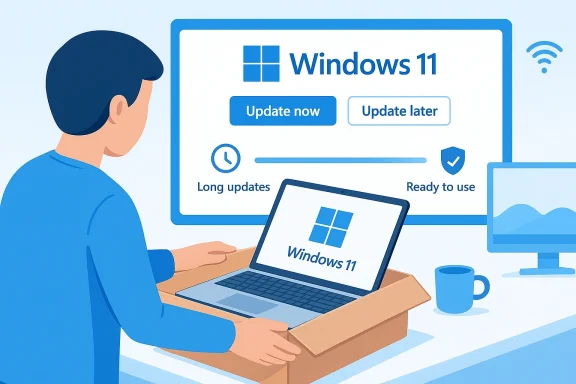
The new flow gives users an explicit choice during first boot: update now or update later. On a fresh Windows 11 device, that means the system is no longer forcing the initial update cycle as a hard gate before setup can conclude. Instead, the user can defer the work, acknowledge the choice on a confirmation screen, and move on. The result is a more flexible onboarding sequence and a less punishing first impression. (support.microsoft.com)This may sound modest, but in setup design, small choices change the whole texture of the experience. The old model made the device feel as though it belonged more to servicing infrastructure than to the person holding it. The new model restores a degree of agency, even if only for a short window. That matters because onboarding is not just functional; it is psychological, and first impressions are sticky. (blogs.windows.com)
At the same time, Microsoft is not pretending that delayed updates are equivalent to completed updates. The security posture is weaker until the device is fully patched, and the company’s own guidance on OOBE updates makes it clear these packages are part of keeping the setup experience current. A deferred update is a tradeoff, not a free lunch. Users gain convenience now and accept some exposure until they complete the update later. (support.microsoft.com)
User experience versus security posture
This tradeoff is central to the feature’s appeal. Many people will be happy to get a machine to the desktop quickly, especially if they are standing in a retail store, unboxing a new gaming laptop, or provisioning multiple systems in a short period. But the safer path is still to patch immediately, because fresh devices are often the least forgiving if something goes wrong before updates are applied. Microsoft’s documentation and update cadence underline that these setup-specific packages exist precisely because setup reliability and current servicing are tightly connected. (support.microsoft.com)Why the wording matters
The term “update later” is smart product language. It does not say “skip updates,” which would sound reckless. It says defer, which sounds temporary, reversible, and practical. That semantic framing is classic Microsoft: reduce friction without undermining the company’s security message. It is not a promise that Windows is becoming optional about patching; it is a promise that patching will be less intrusive in the moment. (blogs.windows.com)- Faster first boot
- Less waiting during setup
- More control over timing
- A clearer separation between onboarding and maintenance
- A better fit for busy users and IT workflows
How Microsoft Got Here
Windows setup has evolved through a series of quiet refinements rather than one dramatic redesign. Microsoft has been changing the underlying setup and dynamic update machinery across Windows 11 releases, including Setup Dynamic Update packages that improve binaries and files used during installation and feature updates. These updates show that the company is actively treating setup as a living workflow, not a frozen installer screen. (support.microsoft.com)The support pages are revealing in another way: they show recurring OOBE servicing across multiple Windows 11 versions and dates, including November 2025 and March 2026 releases. That cadence suggests Microsoft is tuning the first-run experience almost continuously, likely in response to telemetry, OEM feedback, and user complaints. In a product as vast as Windows, a smoother setup is not just polish. It is a retention strategy. (support.microsoft.com)
This also aligns with Microsoft’s broader 2026 promise to reduce update disruption. When Davuluri says the company wants a “single monthly reboot” for many users and more direct control over updates, he is describing a Windows experience that feels less like a series of compulsory interruptions and more like a negotiated maintenance cycle. The new setup deferral fits that pattern neatly. (blogs.windows.com)
OOBE as a strategic battleground
Out of Box Experience used to be an afterthought. Now it is a strategic battleground because the first hour of a device’s life shapes user sentiment, support burden, and even return rates. The more Microsoft can make that hour feel fast and intentional, the more likely the user is to see Windows 11 as modern rather than cumbersome. That is especially important as new devices increasingly arrive with security, cloud, and AI services layered into onboarding. (support.microsoft.com)The role of setup dynamic update
Microsoft’s Setup Dynamic Update channel matters because it updates the setup engine itself. That means the company can alter installation behavior without waiting for a major OS release. The latest March 2026 setup package explicitly says it improves Windows setup binaries and files used for feature updates in Windows 11 24H2 and 25H2, which makes it plausible that the new “update later” path is part of the same plumbing modernization. (support.microsoft.com)- Setup is now a serviced subsystem
- OOBE updates ship frequently
- Microsoft can tune onboarding independently
- User control is increasing at key decision points
- The first boot is becoming a product surface of its own
Why Users Will Care
For consumers, the appeal is immediate and easy to understand. When you buy a new laptop, you usually want to open it, sign in, and start using it. Waiting for a stack of updates feels like being charged twice: once for the hardware and again for the privilege of getting to the desktop. The new option turns that dead time into a choice, and choice is often enough to change how an experience feels. (support.microsoft.com)Gamers are likely to notice this most, because the first boot of a gaming laptop often happens under less-than-ideal conditions: excitement, impatience, and a strong desire to install Steam or launch a game immediately. If the setup flow lets them defer updates, they can get to the usable state sooner and handle the patching when they are not staring at progress bars. That may not save total time, but it does save frustration, which is often the scarcer resource. (support.microsoft.com)
Power users will appreciate the control too. Enthusiasts already think in terms of staging, snapshotting, and post-install cleanup, so an explicit “later” option maps well to the way they use Windows. Instead of fighting the installer, they can complete provisioning on their own schedule and keep the setup path as short as possible. That is the kind of small UX win that people remember. (support.microsoft.com)
Consumer convenience versus best practice
There is still a sensible best practice here: if you can wait, install the updates immediately. That remains the cleaner security choice, and it reduces the chance of bugs or compatibility issues being discovered after you have already started loading your apps and data. But the existence of a defer option is still valuable because it acknowledges real-world behavior. Not every buyer has the patience, network speed, or attention span to sit through setup updates on day one. (support.microsoft.com)A more humane setup experience
The deeper value is that Windows setup becomes more humane. It no longer insists that maintenance must be completed before you are allowed to begin using the product you bought. That distinction sounds philosophical, but it affects how “finished” a device feels when it comes out of the box. Perceived readiness is a powerful thing in consumer tech. (support.microsoft.com)- Faster handoff from box to desktop
- Less idle waiting for new owners
- Better fit for slow or metered connections
- More flexibility for travelers and commuters
- Easier setup when the user plans to patch later at home
Why Enterprises Should Pay Attention
The enterprise angle is more nuanced. Large organizations already operate with deployment tooling, maintenance windows, and update rings, so they are not likely to celebrate a consumer-facing setup tweak with the same enthusiasm as a home user. Still, the change reflects a more important principle: Microsoft is moving toward a Windows experience that gives organizations and users more precise control over when maintenance happens. (blogs.windows.com)In managed environments, first boot often occurs under automation anyway. That means the practical benefit may be less about the human sitting in front of the screen and more about reducing setup friction in imaging, staging, and depot workflows. If a device can complete OOBE faster, it can enter the enterprise provisioning chain sooner, which is valuable when thousands of endpoints are involved. Small time savings scale dramatically at fleet size. (support.microsoft.com)
There is also a policy signal here. Microsoft’s public emphasis on “less disruption” and clearer control over restarts suggests a servicing model that is increasingly aligned with enterprise expectations. Businesses do not want surprise reboots or intrusive update prompts at inconvenient times, and they have been pushing Microsoft in that direction for years. The OOBE change is a consumer-friendly symptom of a broader enterprise-friendly philosophy. (blogs.windows.com)
Provisioning and imaging implications
For IT teams, the main question is whether this change complicates deployment scripts or simply shortens the first phase of provisioning. Based on Microsoft’s servicing pattern, it is likely the latter. Setup-specific updates remain part of the process, but the user-interaction layer now gives more flexibility before those updates are completed. That should help, not hinder, environments that need to hand devices to employees quickly and finish patch compliance afterward. (support.microsoft.com)Compliance and timing
The new flow may also help teams coordinate patching with first logon, especially in remote and hybrid scenarios. A user can start working sooner, while the device can be brought into compliance once it is connected to corporate networks or management tools. Still, the policy burden does not disappear. It shifts from first boot to post-boot enforcement, which means IT will need to keep stricter tabs on that transition. (support.microsoft.com)- Faster endpoint handoff
- Better fit for provisioning pipelines
- Less time wasted during imaging
- More room for post-setup compliance workflows
- Potentially fewer support calls about setup delays
The Competitive Context
The competitive framing here is obvious: Microsoft wants Windows 11 to feel less slow than it has historically felt in the setup phase. That matters because onboarding is one of the few moments when users compare platforms very directly. If Windows can get from box to usable state faster, it weakens one of the simplest arguments favoring ChromeOS and macOS: they often feel more immediate out of the gate. (support.microsoft.com)That does not mean Windows will suddenly beat Linux, ChromeOS, or macOS in every setup benchmark. The enthusiast community will always point out that a carefully chosen Linux distribution can be astonishingly lean, and they are not wrong. But Microsoft does not need to win the purity contest. It only needs to make Windows 11 feel less like a chore for mainstream buyers, retail customers, and business users who want to move on with their day. (support.microsoft.com)
There is also an important branding element. Microsoft has spent years trying to reposition Windows 11 as modern, fluid, and service-driven rather than heavy and legacy-bound. Every little friction removed from setup reinforces that story. Every needless wait removed from first boot says the company is listening, even if the change is modest in isolation. Perception compounds. (blogs.windows.com)
What rivals are already doing better
Apple has long leaned on the elegance of fast provisioning, even when the underlying work continues after setup. ChromeOS, meanwhile, often sells the idea that the web is already your environment, so the device becomes useful almost immediately. Windows has had to catch up on that emotional terrain, and the new update deferral is one more attempt to close the gap without compromising the Windows servicing model. (support.microsoft.com)Why timing matters in 2026
The timing is especially interesting because 2026 is shaping up as a year of servicing anxiety across the ecosystem, from Windows update cadence to security-related certificate transitions. In that context, giving users more explicit control over setup timing is not just a courtesy. It is a way to reduce the sense that Windows is always about to interrupt you. (support.microsoft.com)- Windows is competing on perceived readiness
- Faster first-run flows matter for retail buyers
- Simple UX wins can shift brand sentiment
- Microsoft is trying to feel less intrusive
- The setup screen is now part of the competitive story
The Security Tradeoff
No honest analysis should pretend this is a pure win. Deferring setup updates can create a short-lived window where the system is not fully patched, and that matters because the first days of device ownership are often when users are least careful. They may connect to public Wi-Fi, sign into accounts, install software quickly, or move data around before the machine has received current protections. (support.microsoft.com)Microsoft’s own documentation makes clear that OOBE updates are there to improve the setup process and are delivered during setup when internet access is available. That means skipping them is not trivial housekeeping; it is bypassing a servicing step that Microsoft considers part of a healthy first-run experience. Users can absolutely do it, but they should understand that the shortcut comes with a real cost. (support.microsoft.com)
This is where messaging becomes important. If the new prompt is too easy to treat as an invitation to ignore updates indefinitely, it could create a modest security problem, especially among less technical users. Microsoft will need to make sure the later reminders are persistent enough to close the gap without feeling naggy. Convenience without follow-through would defeat the purpose. (blogs.windows.com)
The “later” problem
Any “later” button risks turning into “never” if the product does not reinforce the next step. The best design here is probably one that lets users delay setup updates, then makes it easy and obvious to finish the job afterward. If Microsoft gets that balance wrong, the feature could become another excuse for people to remain on stale builds longer than they should. (support.microsoft.com)A better compromise
The ideal compromise is simple: let users proceed, but surface a clear post-setup reminder and keep the update path friction-light. That would preserve the convenience gain while reducing the chance that users forget or avoid the patch process altogether. In Windows terms, it is a minor concession that can still deliver major goodwill if implemented well. (blogs.windows.com)- Slightly higher exposure until updates are installed
- Risk of users treating deferral as abandonment
- Need for strong post-setup reminders
- Dependence on internet access later anyway
- Greater importance of clear security messaging
Strengths and Opportunities
This update is most compelling because it solves a familiar pain point without asking users to learn anything new. It also aligns with Microsoft’s public emphasis on smoother updates, more control, and less disruption, which suggests a coherent roadmap rather than a random usability tweak. The opportunity is to make Windows 11 feel lighter, quicker, and more respectful of the user’s time. (blogs.windows.com)- Shorter and less annoying first boot
- Better first impression for new PCs
- Stronger fit for retail and gaming buyers
- More control for users and IT admins
- A more modern, less compulsory setup flow
- Improved perception of Windows 11 usability
- Supportive of Microsoft’s broader update simplification goals
Risks and Concerns
The main concern is not that the feature exists, but that it could encourage complacency. Users who defer updates may leave the device in a less secure state longer than intended, especially if they do not understand that the delay is temporary. There is also the possibility that Microsoft’s growing emphasis on flexibility could make Windows feel more complex if too many choices appear during onboarding. (support.microsoft.com)- Users may postpone critical updates too long
- Security posture is weaker until patching finishes
- The “later” option may be misunderstood as optional forever
- Setup could become more choice-heavy, not less
- IT teams may need to adjust compliance workflows
- Microsoft will need strong follow-up reminders
- A bad implementation could dilute the goodwill gain
Looking Ahead
The most interesting question is not whether Windows 11 can now skip setup updates, but whether Microsoft will keep moving in this direction. If the company is serious about reducing disruption, then first boot is just one part of a bigger project that should also cover reboots, restarts, feature delivery, and recovery from update problems. The new OOBE choice suggests the company wants to separate getting into Windows from maintaining Windows, which is exactly the kind of distinction users have wanted for years. (blogs.windows.com)There is also room for Microsoft to make the deferred-update path smarter. Future iterations could tie the reminder to usage patterns, connection quality, or device state so that users are nudged at a better moment rather than merely reminded at an arbitrary one. That would preserve convenience while encouraging better patch discipline, which is the real balancing act here. Better timing, not just more timing, is the prize. (blogs.windows.com)
What to watch next
- Whether Microsoft expands the option to more Windows 11 versions and device classes
- How prominently Windows reminds users to finish deferred updates
- Whether setup timing improves enough to change first-impression sentiment
- How enterprise deployment tools adapt, if at all
- Whether this becomes part of a wider update-control overhaul
Source: PC Gamer Windows 11 streamlines first-time setup by allowing you to do time-consuming updates later
Last edited:
