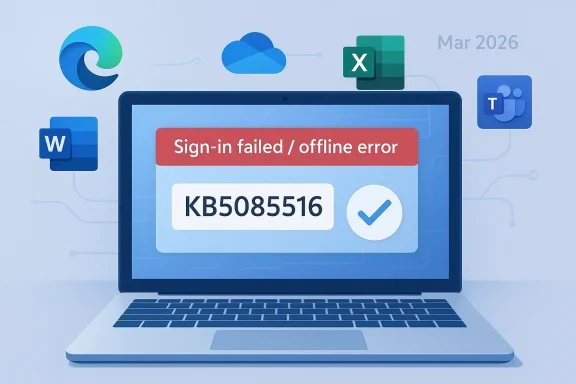
Microsoft’s March 2026 Windows 11 cumulative update has turned into a classic Patch Tuesday headache: a security fix that was supposed to quietly improve reliability instead disrupted Microsoft account sign-ins across some of the company’s most important apps. The issue affects Windows 11 versions 24H2 and 25H2, and Microsoft has now documented it in Windows Release Health alongside a follow-up out-of-band repair, KB5085516, that addresses the problem. What makes this bug especially irritating is not just that it breaks authentication, but that it often tells users they are offline even when their internet connection is working. com](March 10, 2026—KB5079473 (OS Builds 26200.8037 and 26100.8037) - Microsoft Support))
March 2026 is shaping up to be one of those months that reminds Windows users why monthly servicing still feels like a high-wire act. Microsoft shipped KB5079473 on March 10 as the standard cumulative update for Windows 11 24H2 and 25H2, bundling security fixes and quality improvements into the normal Patch Tuesday cadence. Days later, the company amended its release notes to add a known issue: signing in with a Microsoft account might fail for Teams Free and other apps, including OneDrive, Edge, Excel, Word, and Microsoft 365 Copilot. (support.microsoft.com)
The sequence matters. Microsoft did not describe this as a vague rumor or a community-level complaint; it elevated the bug into official release-health documentation on March 19, nine days after the original release date. That kind of post-release admission usually means the defect escaped the initial testing net and then became significant enough in telemetry or support volume to warrant a public status change. In practical terms, that is a strong signal that this was not an isolated edge case. (support.microsoft.com)
The more interesting part is where the bug sits in the Windows stack. This is not a random application crash, nor a single broken feature buried inside one app. It affects identity plumbing, cloud access, and account validation, which are now central to the everyday Windows experience. When login state becomes unreliable, users do not just lose one service; they lose the connective tissue that ties together browser profiles, OneDrive sync, Office licensing, and Copilot features. (support.microsoft.com)
Microsoft’s workaround is simple but revealing: the company says KB5085516 resolves the issue. That means the March 10 update was not merely flawed in a cosmetic way; it introduced a stateful authentication bug serious enough to require an emergency out-of-band patch. For a platform as mature as Windows, those are the kinds of incidents that draw attention well beyond mbers. (support.microsoft.com)
In older versions of Windows, a bad patch might break a driver, disrupt a printer, or cause a reboot loop. Today, the blast radius can be much broader because the desktop depends on Microsoft account authentication for services most consumers and small-business users touch every day. OneDrive, Teams Free, Office apps, Edge profile sync, and Copilot all rely on identity flows that are supposed to feel invisible. When that invisibility fails, the whole machine can feel unstable. (support.microsoft.com)
This is also part of a larger shift in Microsoft’s servicing model. Microsoft has been layering monthly cumulative updates, optional previews, and out-of-band releases into a more flexible but also more complex support cadence. The company’s own KB5079473 documentation includes references to Windows monthly updates, out-of-band updates, servicing-stack changes, and version-specific release health pages. That complexity helps Microsoft respond faster, but it also means regressions can slip through into widely deployed updates before the company fully understands them. (support.microsoft.com)
The timing of this particular defect is telling because Microsoft added the issue on March 19 and then, according to the release notes, pointed users to KB5085516 as the remediation. In other words, the company recognized that the normal Patch Tuesday package had become part of the problem. That is exactly why out-of-band updates exist: not as a theoretical servicing option, but as a pressure valve for urgent regressions. (support.microsoft.com)
There is also a broader historical lesson here. The more Windows leans on online identity, the more failure-prone the user experience becomes when something in the network-state logic goes wrong. A bug that can masquerade as “no internet” while the browser works fine is particularly nasty because it misleads both users and support staff. It shifts troubleshooting toward Wi-Fi, DNS, VPN, and routers when the real defect sits inside Windows’ account and connectivity state. (support.microsoft.com)
The distinction between Microsoft accounts and Entra ID matters a great deal. Microsoft says business users relying on Entra ID for app authentication are not affected, which sharply narrows the enterprise blast radius. That makes the problem feel like a consumer and prosumer defect more than a broad corporate outage, but it also highlights how central Microsoft account login has become to everyday Windows use. (support.microsoft.com)
There is also a psychological cost. A broken login prompt is more alarming than a failed sync indicator or a temporary app crash because authentication sits at the center of trust. Once the platform claims your account cannot be verified, the problem feels bigger than a single app and closer to a platform-wide failure. In that sense, KB5079473 is a small technical bug with an outsized emotional impact.
Out-of-band patches are always significant, even when they are small. They are a sign that Microsoft does not want to wait for the next routine cumulative cycle to clean up the mess. In practice, that usually means the company believes the bug is disruptive enough to justify a separate servicing action, and it often indicates that support pressure, public reports, and telemetry all pointed in the same direction. (support.microsoft.com)
The existence of KB5085516 also tells us something about modern Windows support economics. Microsoft no longer treats Patch Tuesday as a one-shot event; it increasingly treats it as the start of a feedback loop. When that loop catches a serious regression, tn emergency fix fast, but the reputational damage is already done. The question becomes not whether Microsoft can patch the problem, but whether users still trust the monthly cycle afterward.
That makes the issue feel bigger than a sign-in prompt. If a laptop can no longer verify a Microsoft account properly, users may lose access to documents, cloud backups, or synced browser state at the exact moment they need them most. The result is a frustrating form of lockout that feels personal, even though the root cause is technical. (support.microsoft.com)
That’s why the story resonates so strongly on consumer forums. It is not just that Microsoft broke something; it is that the break happens at the seam between device and cloud, where users expect Windows to simply take care of the details. When that seam tears, the product feeting system and more like a dependency chain with too many moving parts. That is the real user-facing story here.
Still, many business users do not live inside a perfectly sealed enterprise boundary. Hybrid workers, consultants, small businesses, and shared-device environments often blur the line between personal Microsoft accounts and work identities. In those environments, a login regression can quickly become a support ticket storm, even if the strict enterprise policy layer is technically unaffected.
That is precisely why release-health documentation matters. Microsoft’s formal acknowledgement gives administrators a clean explanation to share with users and a remediation path to test. Without that, the issue would be a speculative “something is wrong with Windows” complaint, which is much harder to triage and much easier to dismiss. (support.microsoft.com)
KB5079473 is a textbook example of that coupling. The symptom looks like a network failure, but the effect is an identity failure. The operating system is effectively confusing a healthy connection with a broken login state, which suggests a defect in how the update interacts with connection validation or post-update session handling. That is the kind of bug that is hard to reproduce consistently and therefore hard to catch before release. (support.microsoft.com)
The paradox is that Microsoft’s servicing model is getting more responsive at the same time it is becoming more visible. Out-of-band updates show agility, but they also make every regression publicly legible. That means the company may be better at containment than it was years ago, yet worse at avoidingsment that travels fast across the Windows ecosystem. That is the tradeoff of modern servicing. (support.microsoft.com)
That does not mean competitors are suddenly in a stronger position overall, but it does mean Microsoft has to defend the reliability of its integrated model more aggressively. Consumers may tolerate occasional bugs, yet they do not tolerate repeated confusion around account access. The more Microsoft insists that Windows should be the hub for cloud productivity, the more it has to prove that the hub stays up under pressure.
The lesson for rivals is straightforward: reliability can be a differentiator, especially in the era of cloud identity and AI-linked workflows. The lesson for Microsoft is equally straightforward: if the company wants Windows to be the always-on center of the productivity universe, it cannot afford to keep having updates that make users question whether the internet is working in the first place. That is the credibility test.
The opportunity now is to turn a painful update cycle into a better servicing pattern. Microsoft can use this incident to sharpen validation around account-state transitions, improve recovery behavior, and reduce the chance that Windows mistakes a healthy connection for an authentication failure. If the company does that well, KB5079473 may become a lesson rather than a long-term liability.
There is also a risk that the underlying defect was not an isolated state bug but a symptom of deeper complexity in Windows’ account plumbing. If Microsoft keeps relying on similar connectivity assumptions, similar regressions could recur in later monthly releases. That would be far more damaging than one bad March update. (support.microsoft.com)
What to watch next is simple but important: whether the emergency fix fully stabilizes Microsoft account sign-ins, whether Microsoft clarifies the underlying connectivity-state trigger, and whether any additional apps are added to the affected list. It will also be worth seeing how enterprise admins describe the issue in mixed-use environments, especially where personal and work identities overlap.
Source: Windows Central The Windows 11 March 2026 update was causing sign-in problems
Source: PCWorld Windows 11's emergency update fixes broken Microsoft app logins
Source: El-Balad.com Microsoft Windows 11 Emergency Update: 5 Critical App Failures Trigger Out-of-Band Patch
 Overview
March 2026 is shaping up to be one of those months that reminds Windows users why monthly servicing still feels like a high-wire act. Microsoft shipped KB5079473 on March 10 as the standard cumulative update for Windows 11 24H2 and 25H2, bundling security fixes and quality improvements into the normal Patch Tuesday cadence. Days later, the company amended its release notes to add a known issue: signing in with a Microsoft account might fail for Teams Free and other apps, including OneDrive, Edge, Excel, Word, and Microsoft 365 Copilot. (support.microsoft.com)The sequence matters. Microsoft did not describe this as a vague rumor or a community-level complaint; it elevated the bug into official release-health documentation on March 19, nine days after the original release date. That kind of post-release admission usually means the defect escaped the initial testing net and then became significant enough in telemetry or support volume to warrant a public status change. In practical terms, that is a strong signal that this was not an isolated edge case. (support.microsoft.com)
The more interesting part is where the bug sits in the Windows stack. This is not a random application crash, nor a single broken feature buried inside one app. It affects identity plumbing, cloud access, and account validation, which are now central to the everyday Windows experience. When login state becomes unreliable, users do not just lose one service; they lose the connective tissue that ties together browser profiles, OneDrive sync, Office licensing, and Copilot features. (support.microsoft.com)
Microsoft’s workaround is simple but revealing: the company says KB5085516 resolves the issue. That means the March 10 update was not merely flawed in a cosmetic way; it introduced a stateful authentication bug serious enough to require an emergency out-of-band patch. For a platform as mature as Windows, those are the kinds of incidents that draw attention well beyond mbers. (support.microsoft.com)
Background
Windows Update has always been more than a delivery mechanism. It is a trust system, and Patch Tuesday is the moment when that trust is renewed or strained. Users install updates because Microsoft says they contain security fixes and quality improvements, but every cumulative update also carries the risk of changing how Windows behaves in subtle ways that only become visible at scale. That tension is especially acute now that Windows is deeply tied to cloud identity and subscription services.In older versions of Windows, a bad patch might break a driver, disrupt a printer, or cause a reboot loop. Today, the blast radius can be much broader because the desktop depends on Microsoft account authentication for services most consumers and small-business users touch every day. OneDrive, Teams Free, Office apps, Edge profile sync, and Copilot all rely on identity flows that are supposed to feel invisible. When that invisibility fails, the whole machine can feel unstable. (support.microsoft.com)
This is also part of a larger shift in Microsoft’s servicing model. Microsoft has been layering monthly cumulative updates, optional previews, and out-of-band releases into a more flexible but also more complex support cadence. The company’s own KB5079473 documentation includes references to Windows monthly updates, out-of-band updates, servicing-stack changes, and version-specific release health pages. That complexity helps Microsoft respond faster, but it also means regressions can slip through into widely deployed updates before the company fully understands them. (support.microsoft.com)
The timing of this particular defect is telling because Microsoft added the issue on March 19 and then, according to the release notes, pointed users to KB5085516 as the remediation. In other words, the company recognized that the normal Patch Tuesday package had become part of the problem. That is exactly why out-of-band updates exist: not as a theoretical servicing option, but as a pressure valve for urgent regressions. (support.microsoft.com)
There is also a broader historical lesson here. The more Windows leans on online identity, the more failure-prone the user experience becomes when something in the network-state logic goes wrong. A bug that can masquerade as “no internet” while the browser works fine is particularly nasty because it misleads both users and support staff. It shifts troubleshooting toward Wi-Fi, DNS, VPN, and routers when the real defect sits inside Windows’ account and connectivity state. (support.microsoft.com)
What Broke
Microsoft’s wording is unusually specific. After installing KB5079473, users might experience failures signing into apps with a Microsoft account even when the device has a working internet connection. The error can suggest that the machine is offline and block access to Microsoft services and apps such as Teams Free and OneDrive. Microsoft also says affected applications include Edge, Excel, Word, and Microsoft 365 Copilot whenever they need Microsoft account authentication. (support.microsoft.com)The distinction between Microsoft accounts and Entra ID matters a great deal. Microsoft says business users relying on Entra ID for app authentication are not affected, which sharply narrows the enterprise blast radius. That makes the problem feel like a consumer and prosumer defect more than a broad corporate outage, but it also highlights how central Microsoft account login has become to everyday Windows use. (support.microsoft.com)
Why the Error Message Is So Damaging
The real frustration is not merely that sign-in fails; it is that the failure is misdiagnosed by the operating system itself. If Windows tells you that you need the internet when you are clearly online, it destroys the user’s confidence in the system’s own feedback loop. That is why these bugs generate so much support friction: people spend time checking the wrong layer first. (support.microsoft.com)There is also a psychological cost. A broken login prompt is more alarming than a failed sync indicator or a temporary app crash because authentication sits at the center of trust. Once the platform claims your account cannot be verified, the problem feels bigger than a single app and closer to a platform-wide failure. In that sense, KB5079473 is a small technical bug with an outsized emotional impact.
- It affects high-visibility Microsoft apps.
- It can display a misleading offline message.
- It targets Microsoft account sign-ins, not Entra ID.
- It complicates user troubleshooting.
- It can interrupt cloud-linked workflows instantly.
The Emergency Fix
KB5085516 is the critical follow-up here, because it signals that Microcknowledgment to containment. The company’s release-health entry for KB5079473 now explicitly says the sign-in issue is addressed in KB5085516. That is the clearest possible evidence that Microsoft views the March 10 update as having crossed from annoyance into operational defect territory. (support.microsoft.com)Out-of-band patches are always significant, even when they are small. They are a sign that Microsoft does not want to wait for the next routine cumulative cycle to clean up the mess. In practice, that usually means the company believes the bug is disruptive enough to justify a separate servicing action, and it often indicates that support pressure, public reports, and telemetry all pointed in the same direction. (support.microsoft.com)
Why Out-of-Band Matters
For consumers, an emergency update is mostly about relief. For enterprises, it is about confidence and change control. Administrators would rather deploy one targeted remediation than watch users repeatedly fail to open Office files or sign in to Teams Free, but they still have to weigh that against the risk of installing another patch immediately after a troubled one. (support.microsoft.com)The existence of KB5085516 also tells us something about modern Windows support economics. Microsoft no longer treats Patch Tuesday as a one-shot event; it increasingly treats it as the start of a feedback loop. When that loop catches a serious regression, tn emergency fix fast, but the reputational damage is already done. The question becomes not whether Microsoft can patch the problem, but whether users still trust the monthly cycle afterward.
- KB5085516 is the remediation path.
- The fix is out-of-band rather than waiting for the next monthly cycle.
- The issue was serious enough to merit a separate release.
- Enterprises may prefer targeted deployment.
- Consumers will mainly care that sign-ins work again.
Consumer Impact
This bug lands hardest on ordinary users because it touches the parts of Windows that most people interact with every day. OneDrive is where files disappear and reappear across devices. Edge is where saved profiles and account sync matter. Word and Excel are no longer just standalone apps; they are identity-aware services that depend on Microsoft login for licensing, cloud access, and modern collaboration features. (support.microsoft.com)That makes the issue feel bigger than a sign-in prompt. If a laptop can no longer verify a Microsoft account properly, users may lose access to documents, cloud backups, or synced browser state at the exact moment they need them most. The result is a frustrating form of lockout that feels personal, even though the root cause is technical. (support.microsoft.com)
The Everyday Workflow Break
The hidden pain is workflow interruption. A user trying to open a Word file may be forced into a login loop. Someone using OneDrive to move photos or PDFs could find sync stalled. Edge users may be pushed into repeated account prompts that look like network issues rather than a Windows regression. (support.microsoft.com)That’s why the story resonates so strongly on consumer forums. It is not just that Microsoft broke something; it is that the break happens at the seam between device and cloud, where users expect Windows to simply take care of the details. When that seam tears, the product feeting system and more like a dependency chain with too many moving parts. That is the real user-facing story here.
- OneDrive access can be interrupted.
- Edge profiles may fail to authenticate.
- Office sign-ins can loop or fail.
- Copilot features may stop loading normally.
- The error can look like an internet outage.
Enterprise Impact
The enterprise story is more nuanced, but it is still important. Microsoft says the issue does not affect organizations using Entra ID, which reduces the risk for managed fleets that rely on business authentication. That is an important containment detail, especially for IT departments that separate corporate identity from consumer Microsoft accounts. (support.microsoft.com)Still, many business users do not live inside a perfectly sealed enterprise boundary. Hybrid workers, consultants, small businesses, and shared-device environments often blur the line between personal Microsoft accounts and work identities. In those environments, a login regression can quickly become a support ticket storm, even if the strict enterprise policy layer is technically unaffected.
The Support Burden
From an IT perspective, the hardest part is diagnosis. A misleading offline message sends support teams down the wrong path, and that costs time. Help desks may ask about VPNs, proxies, home routers, and DNS before they realize they are dealing with a Microsoft-side authentication defect introduced by KB5079473. (support.microsoft.com)That is precisely why release-health documentation matters. Microsoft’s formal acknowledgement gives administrators a clean explanation to share with users and a remediation path to test. Without that, the issue would be a speculative “something is wrong with Windows” complaint, which is much harder to triage and much easier to dismiss. (support.microsoft.com)
- Entra ID environments are spared.
- Hybrid users may still feel the pain.
- Help desks face misleading diagnostics.
- Shared devices can be especially confusing.
- Release-health notes improve triage speed.
Why Windows 11 KeepIssues
Windows 11 is not uniquely broken, but it is uniquely exposed. Microsoft has tied more of the platform’s useful behavior to cloud identity, synchronized settings, and account-linked services. That makes the OS feel more seamless when everything works, but it also means one state-machine bug can ripple into multiple apps and services at once.KB5079473 is a textbook example of that coupling. The symptom looks like a network failure, but the effect is an identity failure. The operating system is effectively confusing a healthy connection with a broken login state, which suggests a defect in how the update interacts with connection validation or post-update session handling. That is the kind of bug that is hard to reproduce consistently and therefore hard to catch before release. (support.microsoft.com)
The Trust Problem
There is also a trust issue. The more often users see emergency fixes after routine monthly updates, the more they begin to associate Patch Tuesday with risk rather than protection. That is a dangerous place for Microsoft to be, because the company depends on users and enterprises accepting a monthly update rhythm as normal, necessary, and safe.The paradox is that Microsoft’s servicing model is getting more responsive at the same time it is becoming more visible. Out-of-band updates show agility, but they also make every regression publicly legible. That means the company may be better at containment than it was years ago, yet worse at avoidingsment that travels fast across the Windows ecosystem. That is the tradeoff of modern servicing. (support.microsoft.com)
- More cloud integration means larger blast radius.
- Identity bugs are harder to diagnose.
- Cumulative updates bundle many changes together.
- Fast fixes can’t undo early user frustration.
- Visibility makes every regression feel bigger.
The Competitive Angle
This incihe immediate bug because it touches on how Microsoft positions Windows against the broader computing market. Windows 11 is increasingly being marketed as an identity-aware, cloud-connected platform that blends local productivity with online services and AI features. If sign-in reliability becomes a recurring weak spot, rivals gain a useful contrast: simpler login paths, fewer bundled dependencies, and less exposure to one-company ecosystem failures. (support.microsoft.com)That does not mean competitors are suddenly in a stronger position overall, but it does mean Microsoft has to defend the reliability of its integrated model more aggressively. Consumers may tolerate occasional bugs, yet they do not tolerate repeated confusion around account access. The more Microsoft insists that Windows should be the hub for cloud productivity, the more it has to prove that the hub stays up under pressure.
Ecosystem Lock-In Cuts Both Ways
There is a strategic upside to Microsoft’s approach. If OneDrive, Word, Excel, Edge, Teams Free, and Copilot all work together, the user experience feels coherent and sticky. But when sign-in fails across all of them at once, the ecosystem itself becomes the point of failure. That is not jem; it is a brand problem. (support.microsoft.com)The lesson for rivals is straightforward: reliability can be a differentiator, especially in the era of cloud identity and AI-linked workflows. The lesson for Microsoft is equally straightforward: if the company wants Windows to be the always-on center of the productivity universe, it cannot afford to keep having updates that make users question whether the internet is working in the first place. That is the credibility test.
Strengths and Opportunities
There is a reasonable case that Microsoft handled this better than a decade ago. The company quickly documented the issue, narrowed the blast radius, and pointed users to a dedicated fix. That is not the same as avoiding the bug, but it does show that the support machinery is built to acknowledge real-world regressions instead of burying them. (support.microsoft.com)The opportunity now is to turn a painful update cycle into a better servicing pattern. Microsoft can use this incident to sharpen validation around account-state transitions, improve recovery behavior, and reduce the chance that Windows mistakes a healthy connection for an authentication failure. If the company does that well, KB5079473 may become a lesson rather than a long-term liability.
- Microsoft documented the issue publicly.
- The affected surface area is clearly named.
- Entra ID users are not impacted.
- An out-of-band fix exists.
- The incident may improve future validation.
Risks and Concerns
The biggest concern is that this bug may reinforce an already fragile perception of Windows Update. Even a well-handled emergency patch cannot erase the fact that a routine cumulative update broke a fundamental sign-in flow. For some users, that will confirm the belief that installing updates immediately is risky.There is also a risk that the underlying defect was not an isolated state bug but a symptom of deeper complexity in Windows’ account plumbing. If Microsoft keeps relying on similar connectivity assumptions, similar regressions could recur in later monthly releases. That would be far more damaging than one bad March update. (support.microsoft.com)
- User trust can erode fast.
- Update hesitation may increase.
- Support teams may face repeat confusion.
- Similar bugs could recur later.
- Cloud identity dependence raises stakes.
Looking Ahead
The next few days will determine whether KB5079473 becomes a brief support spike or another durable Windows cautionary tale. If KB5085516 rolls out cleanly and the sign-in issue disappears without side effects, Microsoft can frame the incident as a fast containment success. If not, the story will linger as an example of how brittle identity-linked servicing can be when Windows is under pressure. (support.microsoft.com)What to watch next is simple but important: whether the emergency fix fully stabilizes Microsoft account sign-ins, whether Microsoft clarifies the underlying connectivity-state trigger, and whether any additional apps are added to the affected list. It will also be worth seeing how enterprise admins describe the issue in mixed-use environments, especially where personal and work identities overlap.
- Watch for KB5085516 deployment success.
- Monitor for additional affected Microsoft apps.
- Check whether Microsoft explains the trigger.
- Track enterprise feedback in hybrid environments.
- See whether the workaround remains consistent.
Source: Windows Central The Windows 11 March 2026 update was causing sign-in problems
Source: PCWorld Windows 11's emergency update fixes broken Microsoft app logins
Source: El-Balad.com Microsoft Windows 11 Emergency Update: 5 Critical App Failures Trigger Out-of-Band Patch
Last edited: