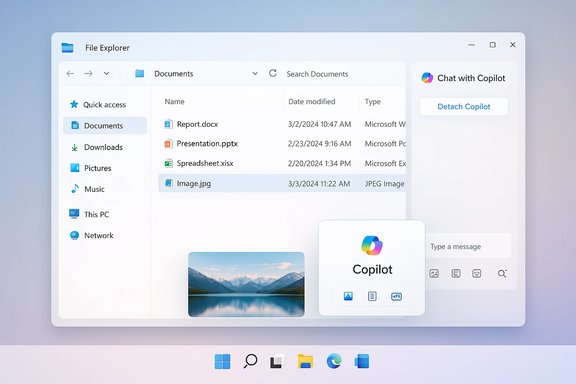
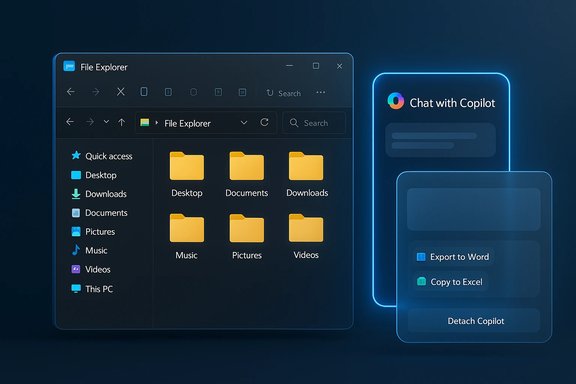
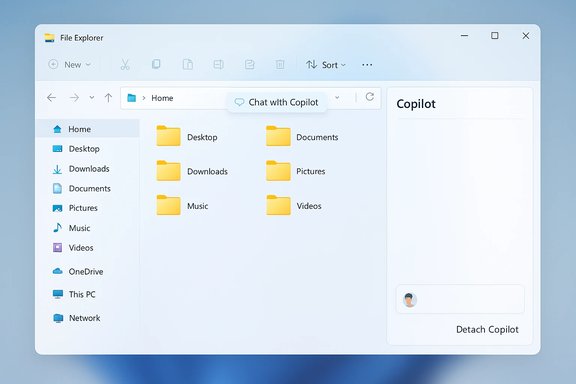
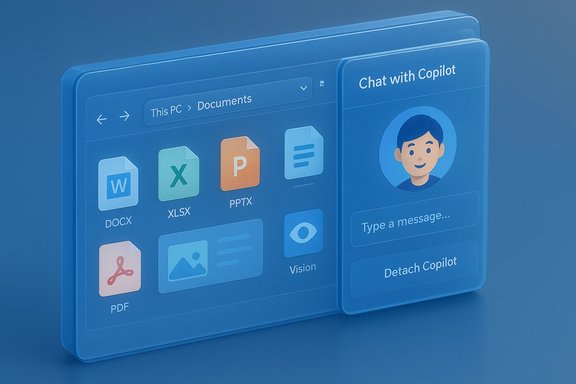
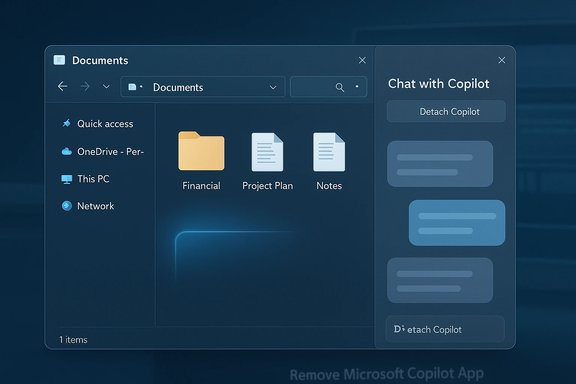
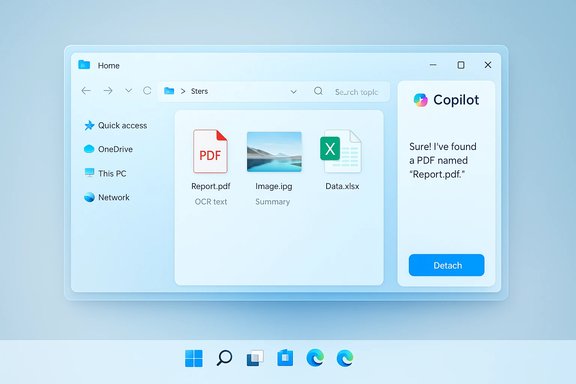
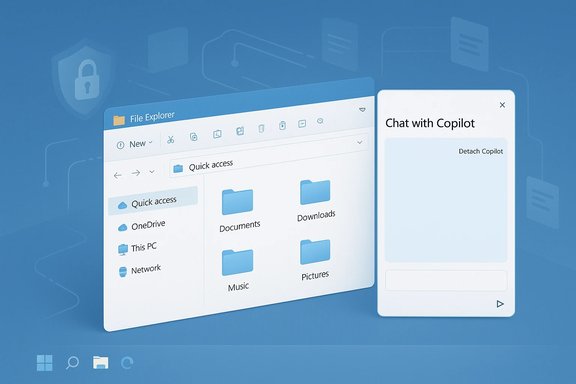
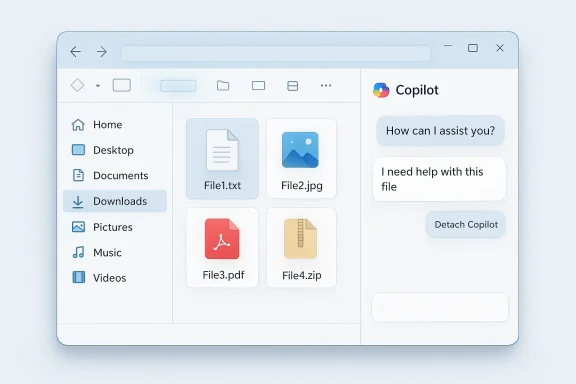
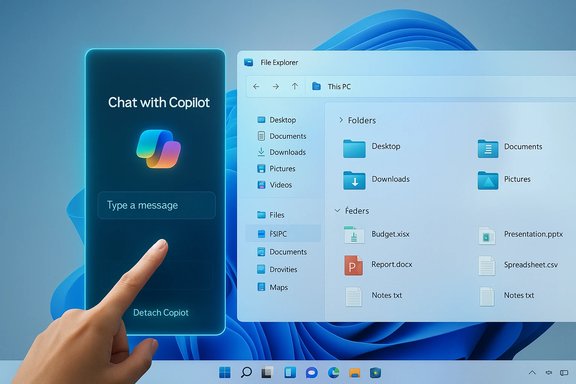
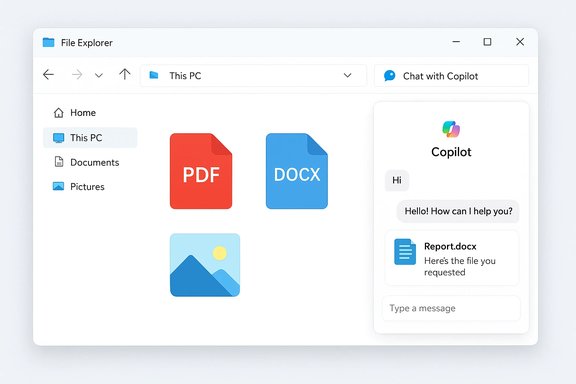
A new, faint UI cue in a Windows 11 Insider build suggests Microsoft is testing a tighter Copilot tie‑in inside File Explorer — an invisible button that appears when you hover over a blank spot in the navigation bar and which, according to strings found in preview code, may be labeled "Chat with Copilot" with an option to detach the Copilot interface from File Explorer into a floating pane. This discovery, visible only to Windows Insiders in preview builds and not yet functional, is the clearest signal so far that Microsoft is experimenting with a more integrated, conversational Copilot surface directly inside File Explorer rather than forcing users to jump out to the standalone Copilot app.
Windows 11 has been steadily evolving from a traditional desktop OS into a platform that surfaces AI assistance across core components — taskbar search, the Copilot sidebar, Microsoft 365 companion apps, and now File Explorer. Over the last year Microsoft introduced the "Ask Copilot" context‑menu action, taskbar Copilot composers, Copilot Vision for screen analysis, and experimental agent workflows; each moved the assistant closer to the places users actually work. Those earlier changes are established in preview channels and have been documented in multiple hands‑on reports. File Explorer has not been an afterthought in Microsoft's Copilot strategy. Right‑click actions already let users send a file to Copilot for analysis — a convenience that uploads the selected file to the Copilot app and opens a chat session — but that flow still forces a context switch away from the explorer window. The invisible button discovery hints at a different UX: one where a Copilot conversation can be started and kept within File Explorer, so the assistant can refer to the currently selected file or folder without the user leaving the file‑browsing context.
Why that matters: this pattern mirrors recent changes across Windows where Copilot can be invoked in situ (for example, from the taskbar composer or from the OneDrive web UI). Embedding a chat trigger directly in File Explorer would reduce friction for common tasks — summarizing a document, extracting text, identifying objects in an image, or producing a quick FAQ for a file — without launching separate apps or switching work contexts. Practical proofs of concept for similar behaviors already appear in other Microsoft surfaces.
Technical specifics to note:
Key risks and mitigations:
Administrators should prepare for:
However, the feature raises important governance, privacy, and security questions that Microsoft must answer before broad release. Administrators should be ready to manage entitlements and control exposure, and users should expect opt‑in defaults and explicit consent dialogs if the feature reaches wider release. For now, this is a test in progress — an intriguing preview of a desktop assistant that may soon be able to work alongside users inside the very app they use to manage their files.
Source: Windows Central Microsoft might be bringing Copilot Chat to the File Explorer on windows 11
 Background
Windows 11 has been steadily evolving from a traditional desktop OS into a platform that surfaces AI assistance across core components — taskbar search, the Copilot sidebar, Microsoft 365 companion apps, and now File Explorer. Over the last year Microsoft introduced the "Ask Copilot" context‑menu action, taskbar Copilot composers, Copilot Vision for screen analysis, and experimental agent workflows; each moved the assistant closer to the places users actually work. Those earlier changes are established in preview channels and have been documented in multiple hands‑on reports. File Explorer has not been an afterthought in Microsoft's Copilot strategy. Right‑click actions already let users send a file to Copilot for analysis — a convenience that uploads the selected file to the Copilot app and opens a chat session — but that flow still forces a context switch away from the explorer window. The invisible button discovery hints at a different UX: one where a Copilot conversation can be started and kept within File Explorer, so the assistant can refer to the currently selected file or folder without the user leaving the file‑browsing context. What was found in preview builds
Windows Insiders and sleuths monitoring recent preview builds noticed a responsive hotspot in File Explorer’s navigation bar — no visible icon until hover, and then only an affordance that indicates an interactive element is present. String constants in the build files reference "Chat with Copilot" and a setting that would detach Copilot from File Explorer into a separate window or pane. The control is non‑functional in public preview builds; it does not yet open a panel or accept input. The strings, however, point to the intended behavior and the naming convention Microsoft is using for in‑app Copilot prompts.Why that matters: this pattern mirrors recent changes across Windows where Copilot can be invoked in situ (for example, from the taskbar composer or from the OneDrive web UI). Embedding a chat trigger directly in File Explorer would reduce friction for common tasks — summarizing a document, extracting text, identifying objects in an image, or producing a quick FAQ for a file — without launching separate apps or switching work contexts. Practical proofs of concept for similar behaviors already appear in other Microsoft surfaces.
Technical contours and verified build context
Reporters and Insider documentation have repeatedly tied recent Copilot experiments to specific preview builds and cumulative packages. The taskbar "Ask Copilot" pill and early agent frameworks were surfaced in the 26220.x family of Insider builds, which Microsoft distributed across Dev and Beta channels while gating feature exposure server‑side. File Explorer Copilot behaviors (context‑menu "Ask Copilot," hover affordances in Home views, and companion app handoffs) have been rolling out in a similar staged fashion. That rollout approach is important because having the binary installed does not guarantee feature visibility — server flags, account entitlements and region gating influence whether a particular device sees the test.Technical specifics to note:
- The existing context‑menu "Ask Copilot" is added via a shell extension and currently appears for documents, PDFs, and many image types; it hands files off to Copilot for analysis. Multiple outlets confirm the option and provide registry workarounds to remove it for users who prefer not to have it.
- The taskbar Copilot composer integrates Windows Search index results with conversational prompts and supports vision/voice flows; it was introduced as an opt‑in toggle in preview settings. The composer shares architectural patterns — permissioned access to local data, session‑bound vision captures, and hybrid on‑device/ cloud inference — with the broader Copilot stack.
UX possibilities: how Copilot could behave in File Explorer
If the invisible button is a preview of an integrated Copilot chat, a few design outcomes are likely:- A docked Copilot sidebar or small floating pane that remains attached to File Explorer and updates contextually as the user selects different files.
- A detachable mode to let users "pop out" the chat into a separate window for sustained work, editing, or copying responses — consistent with the detach string discovered in the build.
- Per‑file quick actions: summarize document, extract bullets from slides, list image contents, create a caption, or export content to Office formats (Word, Excel, PowerPoint).
- Multimodal inputs: paste an image into the chat or use Copilot Vision to analyze an open image preview in the Explorer pane.
Benefits for everyday users and power users
A truly integrated Copilot in File Explorer could yield real productivity gains:- Faster triage: glance at a folder of documents and ask Copilot which file contains the quarterly figures; get a quick summary without opening large files.
- Reduced app switching: avoid launching Word, Acrobat, or Photos just to get the gist of a file.
- Contextual file actions: generate a short email draft referencing a selected PDF, or extract a table from a spreadsheet preview.
- Accessibility gains: Copilot could read or summarize content for users who rely on assistive workflows, offering a new layer of desktop accessibility.
Privacy, security, and governance — the central tension
Embedding Copilot in File Explorer raises the same fundamental questions that surfaced when Microsoft expanded Copilot elsewhere — and adds a few new considerations because File Explorer is the local file hub for users and organizations.Key risks and mitigations:
- Data exposure: uploading a file to a cloud service (even to provide richer answers) creates telemetry and storage considerations. Microsoft’s current posture emphasizes permissioned uploads and session‑bound Vision captures, but the UX must make consent explicit when files are being analyzed.
- Prompt injection and agentic threats: when agents can act on files, adversarial content embedded in documents could try to influence Copilot’s behavior (cross‑prompt injection). Microsoft’s approach — sandboxed agent workspaces, opt‑in agent enabling, and tamper‑evident logs — will likely be applied here, but they are mitigations, not absolute guarantees. Security teams will need to evaluate the additional attack surface.
- Enterprise controls and licensing: deeper Microsoft 365 grounding (tenant‑aware Copilot) requires paid Copilot licensing. Organizations will want admin controls to opt out of automatic feature rollouts, disable Copilot access to certain folders, and audit file handoffs. Microsoft has previously provided tenant‑level opt‑outs for companion apps and admin toggles for Copilot features; similar controls will be essential for File Explorer integrations.
Licensing and product strategy implications
Not all Copilot features are created equal. Microsoft today distinguishes between:- The system Copilot experiences built into Windows (taskbar composer, local assistant).
- Microsoft 365 Copilot, which can reason over tenant data and is gated behind paid licensing for commercial customers.
Administrators should prepare for:
- Policy controls to block or allow Copilot file access.
- Audit and logging requirements to track file handoffs.
- Communication plans for end users explaining when files will be shared with cloud services.
Reality check: what’s verified, and what remains speculative
Verified:- The right‑click "Ask Copilot" context menu exists in current preview builds and uploads selected files to the Copilot app. This behavior has been observed and documented.
- Microsoft has tested and shipped other Copilot integrations in the taskbar, companion apps, and vision/voice flows; these are proven in preview builds and public documentation.
- Insider builds in the 26220.x family include many of these Copilot experiments, and feature visibility is often server‑gated.
- The invisible button’s full functionality (what the chat panel looks like, what file types are supported, whether analysis happens locally or is uploaded) is not functional in public builds and therefore not confirmed. The strings indicate intent but not final behavior, and Microsoft could change or cancel the feature before public release. Treat the button as a preview artifact rather than a shipping guarantee.
Enterprise and admin guidance (practical recommendations)
For IT teams and administrators preparing for more Copilot surface area inside Windows:- Inventory entitlement and licensing: map who in the organization has Microsoft 365 Copilot paid entitlements; tenant‑aware features typically require those licenses.
- Review update policies: Microsoft uses staged, server‑side rollouts; confirm whether your managed devices receive Insider builds or opt‑in updates that might expose preview features.
- Prepare governance controls: plan Group Policy / Intune settings to restrict Copilot behaviors (if and when Microsoft provides them), and test registry or extension blocking approaches for quick remediation on endpoints where needed.
- Establish logging and monitoring: when Copilot actions involve external connectors or file handoffs, ensure logs capture the file, user consent, and the agent interaction for audit trails.
What to expect next and rollout signals to watch
Microsoft’s pattern has been gradual: introduce the binary to preview channels, gate visibility server‑side, collect telemetry, iterate UI and privacy controls, then widen availability. For the File Explorer Copilot button specifically, watch for:- Official Windows Insider blog entries or Microsoft product documentation that mentions a new "Chat with Copilot" File Explorer affordance.
- Release notes for cumulative preview packages (the 26220.x family has been a recent vector) that list File Explorer Copilot tests.
- UI walkthroughs and early hands‑on reporting from outlets that frequently cover Insider builds; those stories typically include screenshots and behavior notes.
Critical analysis: strength, product reasoning, and potential pitfalls
Strengths- Reduction of context switching is the most compelling win: users often open multiple apps just to verify what a file contains; an in‑Explorer Copilot removes that friction.
- Task efficiency: for content triage, quick summaries and extractions are high ROI operations for knowledge workers.
- Consistent platform strategy: bringing Copilot to the file discovery surface aligns with Microsoft’s broader aim to make the assistant natively discoverable across Windows and Microsoft 365.
- Privacy surprise: if the UI or consent model is insufficiently transparent, users may unintentionally upload sensitive files. Clear, per‑action permission prompts are essential.
- Fragmented Copilot experiences: Microsoft currently runs multiple Copilot surfaces (system Copilot, Microsoft 365 Copilot, companion apps). Without a consistent mental model, users and admins may be confused about which Copilot instance is active and what data it can access.
- Security attack surface: agentic features and file handoffs invite new prompt‑injection and exfiltration risks that require robust runtime protections and observability.
Conclusion
The invisible Copilot affordance spotted in File Explorer is a meaningful data point in Microsoft’s ongoing strategy to make Copilot the assistant users meet where they work. While the current preview artifact is non‑functional and could change, the strings and surrounding preview activity suggest an intention to let users start Copilot chats directly from File Explorer, with a detachable option for longer interactions. That would deliver clear productivity value, especially for fast triage and content extraction tasks.However, the feature raises important governance, privacy, and security questions that Microsoft must answer before broad release. Administrators should be ready to manage entitlements and control exposure, and users should expect opt‑in defaults and explicit consent dialogs if the feature reaches wider release. For now, this is a test in progress — an intriguing preview of a desktop assistant that may soon be able to work alongside users inside the very app they use to manage their files.
Source: Windows Central Microsoft might be bringing Copilot Chat to the File Explorer on windows 11