

Microsoft’s own support bulletin has confirmed a provisioning-time regression that leaves core Windows 11 shell components — Start Menu, Taskbar, File Explorer and Settings — failing to initialize in certain upgrade or provisioning scenarios, and the ripple effects have exposed a worrying tension between Microsoft’s modular servicing model and the stability expectations of enterprise and consumer users.
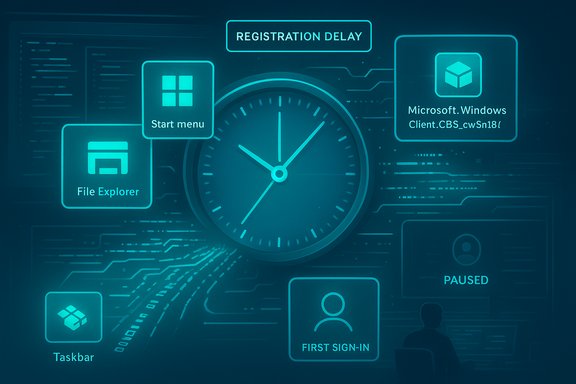
The problem traces back to the July 2025 monthly cumulative update (commonly tracked in community reporting as KB5062553) and later monthly rollups. Community reproductions and telemetry reported a reproducible timing-dependent failure: updated in-box XAML/AppX packages sometimes do not register in time during provisioning or first sign-in after an update, causing shell processes that depend on those packages to attempt UI activation too early and either crash or render nothing. Microsoft documented the behavior publicly in a support advisory (registered in community tracking as KB5072911) and published immediate mitigations while it works on a permanent servicing fix.
That admission arrived after months of scattered but high-impact incidents across Windows servicing: developer workflows broken by local HTTP loopback regressions, emergency driver hotfixes from third parties, WinRE input failures that rendered recovery environments unusable for some hardware, and a notable Microsoft 365 outage affecting file access. The incidents combined to sharpen user and administrator scrutiny over Microsoft’s monthly update cadence and testing coverage.
However, the episode underscores three enduring challenges:
Microsoft’s admission was blunt: provisioning flows broke in a way that prevented core shell components from initializing, and the company is working on a fix. The route to restoring confidence will be technical — fixing registration ordering and extending test coverage — but equally important will be clearer, faster communications and better telemetry so those who run and rely on Windows can make informed operational decisions while the platform evolves.
Source: themercury.co.za Microsoft faces mounting challenges: Windows 11 core functions ‘broken’
 Background / Overview
The problem traces back to the July 2025 monthly cumulative update (commonly tracked in community reporting as KB5062553) and later monthly rollups. Community reproductions and telemetry reported a reproducible timing-dependent failure: updated in-box XAML/AppX packages sometimes do not register in time during provisioning or first sign-in after an update, causing shell processes that depend on those packages to attempt UI activation too early and either crash or render nothing. Microsoft documented the behavior publicly in a support advisory (registered in community tracking as KB5072911) and published immediate mitigations while it works on a permanent servicing fix.That admission arrived after months of scattered but high-impact incidents across Windows servicing: developer workflows broken by local HTTP loopback regressions, emergency driver hotfixes from third parties, WinRE input failures that rendered recovery environments unusable for some hardware, and a notable Microsoft 365 outage affecting file access. The incidents combined to sharpen user and administrator scrutiny over Microsoft’s monthly update cadence and testing coverage.
What actually broke: the technical anatomy
Modular UI + registration ordering = fragile timing
Over recent Windows releases Microsoft has moved many built-in UI elements into modular AppX/MSIX packages that use XAML for rendering. This modular approach makes the UI surface updatable without a full OS feature update—but it also introduces extra lifecycle steps during servicing:- Replace package files on disk during update.
- Register those packages for the OS and for active user sessions.
- Allow shell/XAML-hosted processes to start only after registration completes.
Packages implicated
Microsoft’s advisory explicitly names the kinds of packages whose delayed registration is implicated, including modules often referenced in community reproductions such as:- Microsoft.Windows.Client.CBS_cw5n1h2txyewy
- Microsoft.UI.Xaml.CBS_8wekyb3d8bbwe
- Microsoft.Windows.Client.Core_cw5n1h2txyewy
Symptoms and real-world impact
The failures are not merely cosmetic. Multiple independent reports and enterprise reproductions show these symptoms across a range of deployment scenarios:- Start menu fails to open or crashes (sometimes showing “critical error”).
- Taskbar missing or blank while Explorer.exe runs.
- Settings app silently refuses to open; XAML-hosted views fail to initialize.
- Non-persistent VDI (pooled desktops, Cloud PCs) see failures on every user sign-in because packages must be installed/registered at logon.
- Developer workflows disrupted by unrelated kernel-mode HTTP regressions that broke localhost and developer servers.
- Windows Recovery Environment (WinRE) input failures where USB keyboard/mouse did not respond during recovery sessions on affected machines.
Timeline: how the issue surfaced and Microsoft’s response
- July 8, 2025 — the July monthly cumulative update commonly tracked as KB5062553 is released; community reporting later traces the regression to cumulative updates released on or after this package.
- July–October 2025 — community, enterprise and forum reports accumulate describing Start menu, taskbar and VDI provisioning regressions; administrators create ad-hoc workarounds and rollbacks.
- October/November 2025 — third-party vendors (for example, GPU vendors) publish emergency mitigations addressing performance regressions believed to be caused or exposed by recent Windows servicing.
- November 20, 2025 — Microsoft publishes support article KB5072911, formally acknowledging a provisioning-time regression for Windows 11, version 24H2, and provides manual workarounds (re-registration commands and a synchronous logon script for non-persistent environments) while a permanent fix is developed.
Short-term mitigations — what Microsoft recommended and what admins are doing
Microsoft published two immediate classes of mitigation:- Interactive re-registration: run Add-AppxPackage or similar package re-registration commands in the affected user session to force registration of the updated XAML/AppX packages, then restart the shell or sign out/in. This is useful for single-machine recovery or help-desk remediation.
- Synchronous logon script: for non-persistent environments (VDI, instant-clone pools, Cloud PCs), use a logon script that blocks or delays shell start until package registration completes, preventing the race at each sign-in.
- Pause or stage updates to limit exposure to the problematic cumulative updates on image-creation and provisioning servers.
- Use scripted re-registration in mass remediation scenarios (PowerShell-based) when many machines show symptoms.
- Roll back the offending update where immediate remediation is required, accepting the security tradeoffs while planning phased remediation.
Why this matters beyond the visible bugs
The modularization trade-off
The modularization of Windows UI delivers agility—Microsoft can patch a UI component without shipping a full OS feature update. But that agility demands robust orchestration across update installation, package registration and session startup ordering. When an ordering guarantee fails, the UI’s most fundamental elements can become non-functional. The advisory demonstrates precisely that trade-off: improved update velocity at the expense of added lifecycle complexity that has to be validated in a wide spectrum of provisioning scenarios.Scale and the enterprise problem
Large enterprise environments often build standard images and rely on automated provisioning. When provisioning-time regressions occur, entire pools of devices or virtual desktops can fail at sign-in, creating expensive support waves and lost productivity. Because non-persistent VDI environments re-register packages at every sign-in, the same fault can reoccur on every session, multiplying the impact. Microsoft’s mitigations (synchronous logon scripts) are pragmatic, but they are operational workarounds rather than long-term fixes.Signal amplification across ecosystems
This servicing window coincided with other high-visibility incidents — Nvidia issued hotfix drivers for gaming performance regressions, and Microsoft 365 experienced outages that disrupted file access. These combined events have amplified perception risk: when cloud services, device drivers, and OS updates all surface issues in a short time, users and enterprises begin to question the reliability of the entire stack. That perception is costly, even if the technical causes are distinct.The user migration narrative: are people switching to macOS (or Linux)?
Several outlets and community threads frame these incidents as contributing to a broader user discontent that could accelerate moves to macOS or Linux. There are indicators of exploration — download spikes for Linux distributions and increased discussion around alternatives — but the actual scale of migration is much more constrained.- Market-share claims (for example, Windows ~72% / macOS ~15%) are often cited in commentary but vary by measurement provider and region; such figures should be treated as estimates and verified against current market analytics before being used as firm evidence of mass migration. The community evidence shows interest in alternatives but not a mass exodus.
Recommendations — what Microsoft should do next (and what IT teams can implement now)
For Microsoft (engineering, servicing, and communications)
- Ship a permanent servicing fix with an explicit ETA that enforces package registration ordering during provisioning and first sign-in flows. Temporary mitigations are not sufficient for enterprise-grade dependability.
- Publish coarse telemetry and impact estimates so IT can triage risk (percent of devices impacted, top configurations affected) rather than relying solely on anecdote and forums.
- Expand validation matrices to include first-logon and non-persistent VDI/Cloud PC workflows, and integrate those cases into the gating criteria for monthly cumulative rollouts.
- Tighten coordinated testing with major OEMs, driver vendors, and cloud partners to catch cross-stack regressions earlier (for example, HTTP.sys regressions or driver interactions affecting WinRE).
- Improve release controls: staged rollouts, telemetry-based opt-out for high-risk images, and clearer guidance for enterprise image builders.
For administrators and power users
- Inventory and identify high-risk images: non-persistent VDI pools, freshly provisioned devices, and automated imaging pipelines.
- Stage updates on a small pilot before broad rollout; simulate first-logon provisioning flows and non-persistent sign-ins.
- Prepare remediation scripts (Add-AppxPackage re-registration, synchronous logon wrapper) and test them in a safe environment.
- If widespread impact occurs, consider a temporary pause on deploying specific cumulative updates to image-building servers; plan mitigation timelines and re-test after Microsoft’s permanent fix.
- Communicate proactively with support teams and end users: explain the nature of the issue, outline remediation steps, and provide triage guidance for common symptoms.
Risks, unknowns and unverifiable claims
- Estimates of the number of users still on Windows 10 (figures such as 400 million to 650 million) are often quoted in commentary but are approximate and depend on measurement methodology. Treat these as indicative rather than precise; verify against current telemetry or trusted third-party analytics before making program-level migration decisions.
- Market-share claims about macOS adoption and the speed of user switching are similarly sensitive to sampling and region; anecdotal spikes in interest (for example, Linux distro downloads) do not necessarily translate into enterprise migrations at scale.
Final assessment: severity, recoverability and what the story means for Windows’ future
This incident is serious because it affects the fundamental ways users interact with Windows: the Start menu, Taskbar, Explorer and Settings are not optional conveniences — they are the primary interface. The technical root cause (a registration ordering race in modular UI packages) is both fixable and conceptually straightforward, which is the silver lining. Microsoft’s published mitigations are practical and usable for administrators, and re-registration restores functionality in many cases, indicating the regression is not destructive of user data.However, the episode underscores three enduring challenges:
- The complexity introduced by modularization demands rigorous orchestration, broader test coverage for provisioning scenarios, and stronger telemetry-driven gating.
- Monthly cumulative servicing accelerates security and stability fixes, but it leaves little margin for regressions that impact provisioning or recovery workflows.
- When multiple high-profile incidents cluster (OS servicing regressions, third-party driver hotfixes, and cloud outages), perception and trust are eroded even if each problem has a different technical origin.
Microsoft’s admission was blunt: provisioning flows broke in a way that prevented core shell components from initializing, and the company is working on a fix. The route to restoring confidence will be technical — fixing registration ordering and extending test coverage — but equally important will be clearer, faster communications and better telemetry so those who run and rely on Windows can make informed operational decisions while the platform evolves.
Source: themercury.co.za Microsoft faces mounting challenges: Windows 11 core functions ‘broken’
