

Microsoft has officially acknowledged a provisioning‑time regression that can leave core Windows 11 shell components — the Start Menu, Taskbar, File Explorer, Settings and other XAML‑backed interfaces — failing to initialize after cumulative updates released on or after the July 2025 Patch Tuesday rollup, and the company has published manual mitigations while it develops a permanent fix.
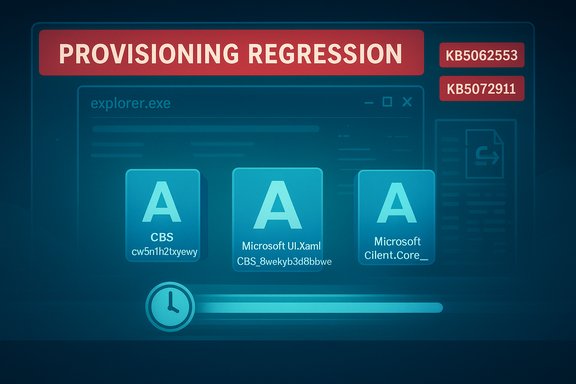
Microsoft’s support advisory (documented as KB5072911) ties the problem to monthly cumulative updates beginning with the July 8, 2025 rollup (commonly tracked as KB5062553). The vendor describes a timing‑dependent failure: when certain in‑box XAML/AppX dependency packages are updated, they may not be registered into a newly created interactive user session quickly enough. If shell processes start before registration completes, XAML activation calls fail and essential UI surfaces either crash or render blank. Community and enterprise reports surfaced soon after July 2025, with reproductions and thread collections showing repeated cases of missing taskbar elements, Start menu “critical error” dialogs, Explorer crashes and silent failures when launching Settings — symptoms that map precisely to Microsoft’s described registration race. The issue has proven particularly disruptive for provisioning workflows and non‑persistent virtual desktop infrastructure (VDI) images, where package registration occurs at logon and a race can trigger on every session.
When provisioning or first sign‑in happens immediately after an update, package registration may lag behind the point where shell processes spawn. If Explorer.exe, StartMenuExperienceHost or ShellHost starts before their XAML dependencies are registered, activation calls fail, exceptions occur and the UI either crashes or renders nothing — a classical race condition between registration and activation. The result is not a single app crash but a broken interactive surface: missing taskbar, non‑responsive Start, and silent Settings failures.
Independent reporting and community threads early in the incident provided the telemetry signal that surfaced this problem; the public KB, subsequent clarifications targeting enterprise administrators, and third‑party coverage are now converging to give operators the information needed to mitigate risk while Microsoft works on a permanent fix. Administrators should monitor Microsoft’s Release Health and KB changes for the definitive patch.
Source: The Daily Ittefaq Microsoft admits system bug causing Windows 11 instability
 Background / Overview
Microsoft’s support advisory (documented as KB5072911) ties the problem to monthly cumulative updates beginning with the July 8, 2025 rollup (commonly tracked as KB5062553). The vendor describes a timing‑dependent failure: when certain in‑box XAML/AppX dependency packages are updated, they may not be registered into a newly created interactive user session quickly enough. If shell processes start before registration completes, XAML activation calls fail and essential UI surfaces either crash or render blank. Community and enterprise reports surfaced soon after July 2025, with reproductions and thread collections showing repeated cases of missing taskbar elements, Start menu “critical error” dialogs, Explorer crashes and silent failures when launching Settings — symptoms that map precisely to Microsoft’s described registration race. The issue has proven particularly disruptive for provisioning workflows and non‑persistent virtual desktop infrastructure (VDI) images, where package registration occurs at logon and a race can trigger on every session. What Microsoft said (short summary)
- The condition affects Windows 11, version 24H2, and Microsoft later expanded guidance to include 25H2 for certain enterprise scenarios.
- The problem is not described as file corruption; Microsoft identifies the root cause as updated XAML dependency packages that are present on disk but not registering in time for the interactive user session, producing an activation/race condition.
- Affected processes and components include Explorer.exe, StartMenuExperienceHost, ShellHost/SiHost, SystemSettings, the Taskbar, and other XAML‑island views. Symptoms include Start menu failures, a missing taskbar while Explorer.exe appears to run, and applications that crash when initializing XAML views.
- Microsoft is “working on a resolution” and has published immediate mitigations — principally manual Add‑AppxPackage re‑registration commands and a sample synchronous logon script for non‑persistent environments — while a permanent servicing fix is developed.
Timeline — how the regression unfolded
- July 8, 2025 — Microsoft released the monthly cumulative rollup tracked as KB5062553 (OS Build 26100.4652). This servicing wave is identified by community and Microsoft notes as the change that initiated the regression.
- July–October 2025 — Community, imaging and help‑desk reports accumulated describing Start Menu, Taskbar, Explorer and VDI provisioning failures consistent with a registration timing bug. Administrators experimented with rollbacks, reimaging, and ad‑hoc mitigations.
- November 2025 — Microsoft published the formal advisory KB5072911, acknowledging the provisioning‑time regression and documenting the root cause and interim mitigations. The advisory explicitly references cumulative updates released on or after the July 2025 rollup (including KB5062553).
- December 2025 — Microsoft updated the advisory language for clarity targeted at enterprise administrators; work on a permanent servicing fix continued at press time.
Technical anatomy — why late registration breaks the shell
Windows’ modern shell increasingly ships large portions of its UI as modular AppX/MSIX packages backed by XAML. That design allows Microsoft to update individual UI surfaces more rapidly, but it introduces an operational lifecycle step: after servicing replaces package files on disk, the servicing stack must register those packages for the OS and each interactive user session so COM/XAML activation succeeds.When provisioning or first sign‑in happens immediately after an update, package registration may lag behind the point where shell processes spawn. If Explorer.exe, StartMenuExperienceHost or ShellHost starts before their XAML dependencies are registered, activation calls fail, exceptions occur and the UI either crashes or renders nothing — a classical race condition between registration and activation. The result is not a single app crash but a broken interactive surface: missing taskbar, non‑responsive Start, and silent Settings failures.
Packages Microsoft identified as relevant
- Microsoft.Windows.Client.CBS_cw5n1h2txyewy
- Microsoft.UI.Xaml.CBS_8wekyb3d8bbwe
- Microsoft.Windows.Client.Core_cw5n1h2txyewy
Who is at risk — scope and exposure
- Non‑persistent VDI and pooled images (instant clones, Windows 365 Cloud PCs): Highest exposure. Because packages are often installed/registered at logon in these scenarios, the race can reproduce on every session and affect whole pools.
- Provisioned systems / first sign‑in after update: Systems that receive servicing and immediately proceed to first user logon (imaging sequences used by IT) are more likely to encounter the race.
- Enterprises and institutions using scaled provisioning workflows: These environments see the operational impact amplified across thousands of devices and users.
- Typical personal devices used by individual consumers: Microsoft classifies the condition as much less likely for personal, persistent devices used by single users because registration timing is less likely to be exposed in everyday update flows.
Symptoms — real observable failures
- Start menu shows a “critical error” or fails to open.
- Taskbar missing, blank or unresponsive while Explorer.exe remains in Task Manager.
- Settings → System fails to launch (silent no‑op) or crashes.
- ShellHost.exe, StartMenuExperienceHost or other immersive shell processes crash during XAML view initialization.
- Applications that embed XAML “islands” fail to initialize their UI, leading to app crashes or blank windows.
Microsoft’s recommended workarounds — what they are and how they work
Microsoft’s advisory provides two primary interim measures:- Manual re‑registration of the implicated system AppX packages in the affected user session. This must be executed inside an elevated PowerShell instance and generally restores shell functionality in many observed cases. Specific commands Microsoft published include: Add-AppxPackage -Register -Path 'C:\Windows\SystemApps\MicrosoftWindows.Client.CBS_cw5n1h2txyewy\appxmanifest.xml' -DisableDevelopmentMode
Add-AppxPackage -Register -Path 'C:\Windows\SystemApps\Microsoft.UI.Xaml.CBS_8wekyb3d8bbwe\appxmanifest.xml' -DisableDevelopmentMode
Add-AppxPackage -Register -Path 'C:\Windows\SystemApps\MicrosoftWindows.Client.Core_cw5n1h2txyewy\appxmanifest.xml' -DisableDevelopmentMode
After running these, administrators are advised to restart the Shell Infrastructure Host (SiHost), sign out and back in, or reboot for changes to take full effect. - A sample synchronous logon script intended for non‑persistent environments that ensures package registration completes before the shell is allowed to start. This is suitable for managed VDI pools and image‑deployment automation. Microsoft provided a sample in the KB and recommends deploying it via the standard management channels used in the environment.
Practical notes and caveats
- These mitigations are operational workarounds, not code‑level fixes. They re‑register packages for the current session or force synchronous registration during logon; they do not change the underlying servicing behavior that caused the race.
- Manual re‑registration requires administrator privileges and familiarity with PowerShell; the commands directly manipulate AppX package registration. They are suited to helpdesk or imaging teams, not general end users.
- Because the workaround modifies package registration, administrators should test it in a lab image and have rollback steps (system restore / image snapshots) available before broad deployment.
Step‑by‑step for administrators (operational checklist)
- Validate the environment: identify whether devices were provisioned or imaged immediately after installing a cumulative update released on or after July 8, 2025 (KB5062553 or later). Prioritise VDI pools and recently imaged endpoints.
- Reproduce in a controlled lab: avoid running heavy remediation on production pools without testing. A single repro will help confirm whether the race is the cause.
- Use an elevated PowerShell session (Run as Administrator) to run the three Add‑AppxPackage registration commands Microsoft published. Execute them inside the affected user session for correct registration context.
- Restart SiHost or sign out/in, or reboot the affected device to validate the fix. Monitor for restored Start menu, Taskbar and Settings behavior.
- For non‑persistent VDI images, implement Microsoft’s sample synchronous logon script in the provisioning pipeline so registration completes before shell processes start. Test the script against pooled images and scale gradually.
- Track Microsoft’s KB and Release Health dashboard for the permanent fix and any targeted Known Issue Rollback (KIR) actions; subscribe to release notes and apply any later servicing patches as they become available.
Risks and tradeoffs of the workaround
- Operational complexity: The PowerShell re‑registration and synchronous logon script introduce extra steps and potential friction in large‑scale automation. They require testing, deployment controls and rollback plans.
- Incomplete repair: Manually re‑registering packages can restore shell functionality for the current session or image, but it does not guarantee that newly provisioned sessions will be immune unless the deployment pipeline is changed to include synchronous registration. The underlying servicing ordering must be fixed by Microsoft for a permanent resolution.
- Support burden: For large enterprises, the mitigations will increase help‑desk workload and may require changes to imaging and provisioning tooling. Some organizations may prefer to block the offending monthly rollups in pilot rings until a permanent patch is available.
- User risk: Non‑technical users attempting the PowerShell commands without guidance risk making mistakes; administrators should avoid instructing end users to run elevated scripts themselves.
Critical analysis — what this reveals about Windows servicing
- The modularization of the Windows shell — shipping UI components as AppX/MSIX packages — delivers clear advantages: smaller, targeted updates and faster iteration for UI surfaces. However, this incident highlights a key fragility introduced by that model: registration ordering becomes a first‑class concern. When servicing requires an extra step (registration) that must align with process startup ordering, timing bugs can cause broad functional regressions across the desktop.
- The four‑month gap between initial community reports (from July) and Microsoft’s formal advisory (November) has heightened concerns in IT circles about telemetry coverage, validation for provisioning scenarios and the adequacy of pre‑deployment testing for non‑persistent images. Large scale rollouts and mandatory security servicing create operational pressure; any regression that affects provisioning or recovery surfaces will be particularly costly.
- Microsoft’s pragmatic response — publish a KB, provide re‑registration commands and sample scripts — is appropriate as an immediate mitigation, but it leaves the onus on administrators to implement sometimes invasive workarounds at scale. The incident is a useful case study in the tradeoffs between delivery velocity (modular updates) and the need for conservative guards in core OS pathways such as provisioning and recovery.
Recommendations — what users and IT teams should do now
- For individual users experiencing these symptoms: avoid trying ad‑hoc fixes unless comfortable with elevated PowerShell. Contact your IT support or follow guidance from a trusted administrator. If the device is in a managed environment, escalate to the provisioning/imaging team.
- For IT administrators and imaging teams:
- Prioritise testing of the workaround in lab images and VDI pools before broad deployment.
- Consider implementing Microsoft’s synchronous logon script for non‑persistent images to force registration ordering until a servicing fix is released.
- Maintain a clear rollback plan for affected updates; consider holding cumulative updates in pilot rings until the permanent fix is available for mission‑critical pools.
- For security‑minded teams: weigh the risk of temporarily delaying a non‑emergency cumulative update against the operational impact of the shell outage. Keep in mind that many cumulative updates include security fixes; coordinate with vendors and risk owners when making deferral decisions.
Wider implications for Windows users and the ecosystem
This event underlines an important lesson: as OS vendors shift to modular, independently serviced components, update ordering and registration semantics become a core reliability surface. The Windows shell is not a single application; it is the host for navigation, recovery and a raft of dependent subsystems. Failures that affect the shell can look like catastrophic system breakage even when lower‑level services remain functional. The industry — both platform maintainers and third‑party ISVs — must adapt test suites and deployment practices accordingly to protect provisioning and recovery scenarios.Independent reporting and community threads early in the incident provided the telemetry signal that surfaced this problem; the public KB, subsequent clarifications targeting enterprise administrators, and third‑party coverage are now converging to give operators the information needed to mitigate risk while Microsoft works on a permanent fix. Administrators should monitor Microsoft’s Release Health and KB changes for the definitive patch.
Conclusion
Microsoft’s admission that a servicing change introduced a provisioning‑time regression affecting XAML package registration is a frank acknowledgement of a painful class of update‑time failure that can degrade the interactive Windows desktop. The company has published concrete interim mitigations — re‑registering AppX/XAML packages and a synchronous logon script for non‑persistent environments — but these remain operational workarounds rather than permanent fixes. Administrators must prioritise testing, adjust provisioning pipelines where necessary, and balance security needs against operational risk until Microsoft issues a servicing patch that resolves the registration race at its root. The incident is a reminder that modern, modular delivery systems require more than functional tests: they demand robust, scenario‑based validation (provisioning, recovery, VDI) and clearer telemetry for administrators so fleet‑scale impacts can be measured and mitigated quickly. For now, power users and admins have actionable mitigations; everyone else should monitor Microsoft’s KB and Release Health updates for the permanent correction.Source: The Daily Ittefaq Microsoft admits system bug causing Windows 11 instability
