Windows 11 Ready Print (July 2026): IPP Default Printing With OEM Escape Hatch

Microsoft is preparing Windows 11 to prefer its built-in IPP-based Windows Ready Print path for new eligible printer installations starting in July 2026, while still allowing users and administrators to fall back to traditional OEM driver workflows where needed. That is the plain-English version of a change buried beneath Start menu customization and taskbar polish in Experimental build 26300.8553. The larger story is that Microsoft is no longer treating printer drivers as a boring compatibility layer. It is treating them as technical debt, security exposure, and one of the last stubbornly vendor-specific rituals left in everyday Windows administration.

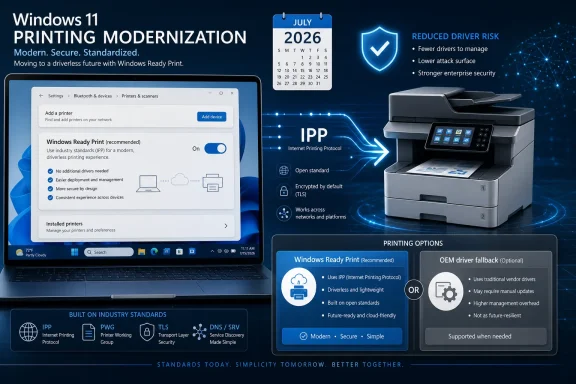
Windows 11 printing modernization ad showing a printer using IPP with secure driverless options and comparison panel.Microsoft Gives Driverless Printing a Consumer Name​

The rename from Modern Print Platform to Windows Ready Print is not cosmetic in the way many Microsoft rebrands are cosmetic. “Modern Print Platform” sounded like plumbing, the sort of phrase that appears in deployment documentation and then disappears into a procurement spreadsheet. “Windows Ready Print” is a promise: buy or connect the right printer, and Windows should be ready to use it without a scavenger hunt through manufacturer utilities, unsigned-looking installers, or control panels that appear to have been preserved in amber since Windows 7.
That promise matters because printing remains one of the least modern parts of the Windows experience. The industry has spent two decades moving toward class drivers, app-store-delivered extensions, and network printing standards, yet many users still understand printer setup as a small act of superstition. Plug in the device, wait, download a package, refuse a toolbar, install a scan utility, reboot if threatened, and hope the right queue appears.
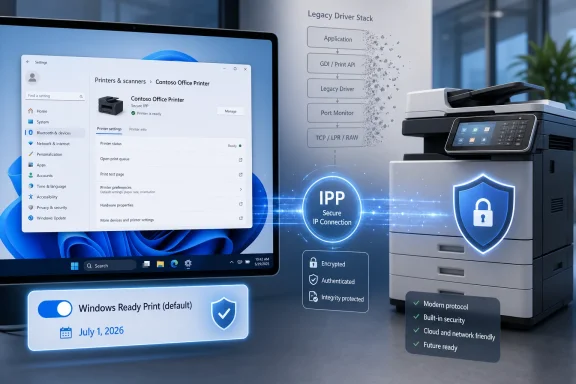
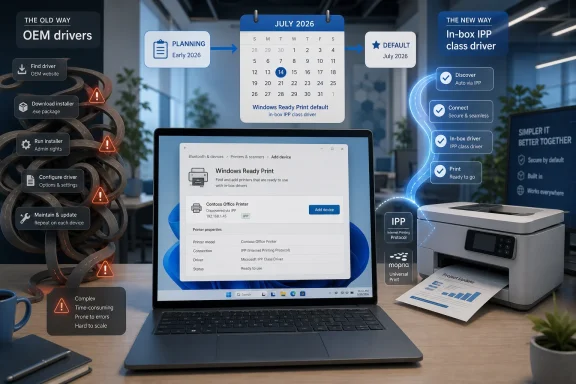
Windows Ready Print is Microsoft’s attempt to make the default path the standards-based path. On eligible devices, new printer installations will favor the native Windows IPP printer driver rather than the traditional vendor driver route. If this works as advertised, printer installation becomes less about matching a PC to a manufacturer’s driver package and more about letting Windows talk to a compliant device through a common protocol.
The word “eligible” is doing a lot of work. Microsoft is not saying that every printer on every desk will suddenly become driverless in the useful sense of the word. It is saying that when Windows can make the modern choice, it intends to make that choice first.

The July 2026 Switch Is a Default, Not a Guillotine​

The most important practical detail is that Microsoft is changing the default behavior for new installations, not ripping out every installed legacy queue overnight. Beginning in July 2026, newly added eligible printers are expected to default to Windows Ready Print. Existing installations are not the immediate target of this specific toggle, which is an important distinction for anyone managing print queues in offices, labs, classrooms, warehouses, or medical environments.
Microsoft is also building in a visible escape hatch. Users will be able to choose between installing through Windows Ready Print or using the traditional OEM process through the Printers & Scanners area in Settings. Administrators get a corresponding Group Policy control, which means this is not just a consumer convenience toggle but part of a managed transition strategy.
That design tells us Microsoft knows the migration will be uneven. The home user with a recent network printer may never notice the shift except that setup becomes quieter. The IT admin with label printers, specialty finishing hardware, secure release systems, badge-driven print stations, or MFP workflows tied to vendor utilities will notice immediately if a default changes what features appear after installation.
This is why the framing matters. Microsoft is not simply “ending printer drivers,” even if that makes for a cleaner headline. It is demoting third-party printer drivers from the default path and pushing the ecosystem toward standards that make those drivers less necessary for ordinary printing.

PrintNightmare Still Haunts the Architecture​

Microsoft’s printer strategy cannot be separated from the last several years of print spooler security history. The Windows print stack has been a recurring source of pain because it sits at a dangerous intersection: privileged services, device drivers, network discovery, remote installation, and user expectations that printing should just work. When something in that chain goes wrong, it is not merely annoying. It can become a security incident.
That is the context behind Windows protected print mode, which restricts printing to the modern print stack and removes third-party drivers when enabled. Microsoft’s documentation has been blunt about the direction of travel: fewer third-party print drivers means less driver management and a smaller attack surface. Windows Ready Print is the more approachable front door to the same strategic house.
For years, the print driver model asked Windows to trust a large and varied supply chain of vendor code. Some of that code is excellent. Some of it is old, overprivileged, rarely updated, or bundled with management utilities that belong nowhere near a hardened endpoint. Microsoft’s security argument is that the safest third-party driver is often the one you never had to install.
That argument will resonate with security teams, especially in organizations that have lived through emergency print spooler mitigations, driver signing headaches, or change-control fights over printer packages. It will not automatically satisfy users who depend on vendor-specific features. Security simplification almost always arrives with a compatibility invoice.

IPP Is the Bet, Mopria Is the Gatekeeper​

The technical center of Windows Ready Print is the Internet Printing Protocol, or IPP. In modern printing, IPP is not an exotic feature; it is the basis for a broad class of driverless or near-driverless printing experiences across platforms. Microsoft’s built-in IPP class driver is intended to let Windows communicate with compatible printers without requiring the old model of a vendor-supplied driver package for every device family.
Mopria certification is the other half of the story. Windows protected print mode is designed around Mopria-certified devices, and Microsoft has said many existing printers already meet that bar. For buyers, that means certification labels and compatibility databases are going to matter more than they used to. For IT departments, it means printer procurement is becoming endpoint-security procurement by another name.
This is the part of the transition that could quietly improve the market. If Windows increasingly rewards standards-compliant printers with smoother installation, vendors have a stronger incentive to make the standard path good. The old playbook of shipping a minimally functional class-driver experience while reserving the “real” experience for a bloated proprietary package becomes harder to defend.
But standards do not magically cover every edge case. Printing a document is one thing; scanning, finishing, stapling, secure pull printing, accounting codes, watermarks, color controls, fax functions, and device-specific management are another. The future Microsoft wants is one where the base print path is standardized and vendor differentiation moves into apps, extensions, cloud management, or device-side services rather than privileged drivers.

The Escape Hatch Is Also a Warning Label​

The new Settings toggle and Group Policy option are not merely nice touches. They are Microsoft’s acknowledgment that Windows Ready Print will not be universally better on day one for every environment. A default that can be overridden is both a migration tool and a liability-management tool.
For home users, the choice may be simple: use the Windows path unless something is missing. If a printer installs cleanly, prints reliably, and exposes enough basic options, most people will never seek out an OEM package again. That is exactly the outcome Microsoft wants.
For managed fleets, the decision is less casual. Admins will want to test whether Windows Ready Print preserves required capabilities for each printer class before allowing it to become the default. The risk is not just that a printer fails to install; the subtler risk is that it installs successfully but lacks a workflow someone depends on.
That is the classic enterprise compatibility trap. A change that looks harmless in a lab can become expensive when it removes a finishing option used by legal, a badge-authenticated release flow used by finance, or a scan-to-folder behavior used by operations. Microsoft is giving organizations a policy lever because it knows the real migration will be governed by exceptions.

OEMs Lose the Installer as Their First Line of Defense​

Printer manufacturers have long used driver packages as a distribution channel for more than drivers. Those packages install utilities, monitoring tools, ink or toner prompts, scanning suites, firmware update agents, cloud print connectors, and sometimes far more than the user intended. Windows Ready Print threatens that arrangement by making the driverless path the normal path.
That does not mean OEMs disappear from the experience. It means their software has to justify itself after the printer already works. That is a very different power dynamic. If Windows can print without the vendor bundle, users are less likely to install the bundle unless it delivers clear value.
This could be good for users and uncomfortable for vendors. The best OEM utilities may become cleaner and more modular because they are no longer smuggled in as part of basic device enablement. The worst may simply be ignored. Either way, Microsoft is trying to separate “I need to print” from “I need to accept the manufacturer’s entire Windows software stack.”
There is a historical irony here. Windows became dominant partly because it supported an enormous universe of hardware through vendor drivers. Now Microsoft is using that dominance to compress a messy driver ecosystem into a smaller, more controlled, more standards-based model. The company is not abandoning hardware compatibility, but it is redefining what compatibility should require.

The Old Printer in the Corner Becomes a Policy Decision​

The hardest cases will be older printers that still function mechanically but do not fit comfortably into the modern model. Windows users are famously reluctant to retire printers that still print. Offices are full of devices that survive not because they are elegant, secure, or easy to manage, but because toner is stocked, the lease is paid, and nobody wants to touch the print server.
Microsoft’s shift puts those devices on a more visible clock. Not necessarily because they will stop working in July 2026, but because the default Windows experience will increasingly route around the legacy assumptions that kept them convenient. A printer that requires a vendor V3 or V4 driver may remain usable, but it becomes an exception to manage rather than the center of the Windows printing model.
That distinction is critical for avoiding panic. If a printer works today, this specific Windows Ready Print default does not automatically mean it stops working tomorrow. But if an organization is buying hardware in 2026, it should treat Mopria and IPP compatibility as baseline requirements, not nice-to-have features. Buying a printer that depends on legacy driver workflows now is like buying a new line-of-business app that requires Internet Explorer mode and hoping the future will be patient.
There is also a sustainability angle that Microsoft will have to navigate carefully. Users dislike being told that functioning hardware is obsolete because a platform vendor changed its security model. Microsoft’s best defense will be making the modern path broad enough that the number of stranded devices is small, and making the fallback path clear enough that specialist environments are not blindsided.

Windows Protected Print Is the Destination, Windows Ready Print Is the On-Ramp​

Windows Ready Print should be read as the approachable consumer and admin-facing on-ramp to the more consequential Windows protected print mode. Protected print mode is the hard-edged version of the strategy: it uses the modern print stack exclusively and removes unsupported third-party driver queues when enabled. Windows Ready Print is gentler because it changes how new printers are ranked and installed while preserving choice.
That sequencing is smart. Microsoft learned from past Windows transitions that users rebel when compatibility changes arrive as a wall. A toggle, a policy, and a phased default give the ecosystem time to adapt while still making the direction unmistakable.
The company is also aligning printing with the broader Windows security posture. Windows 11 has steadily moved toward hardware-backed security, tighter driver controls, virtualization-based protections, and more opinionated defaults. Printing could not remain an exception forever, especially when print drivers historically enjoyed deep system integration.
The uncomfortable truth is that old printer compatibility has often been purchased with trust Windows should not have to extend. Windows Ready Print is Microsoft saying that trust now has to be earned through standards, certification, and modern architecture rather than inherited from decades of driver compatibility.

The Admin Work Starts Before the Toggle Arrives​

For IT departments, the right response is not to wait for July 2026 and then discover what changed. The right response is to inventory printers and queues now, identify which devices are Mopria-certified, test Windows Ready Print behavior on representative hardware, and document where OEM drivers remain necessary. That work is tedious, but it is less tedious than a help-desk spike caused by missing finishing options or broken scan workflows.
Print servers complicate the picture. Many organizations have spent years centralizing printer deployment precisely because local printer installation is unreliable and hard to govern. A Windows default that improves local discovery does not automatically replace the governance, accounting, security, and deployment logic built into enterprise print systems.
The more interesting question is how third-party print management vendors adapt. If Windows standardizes the endpoint driver layer, vendors may shift further toward identity, policy, analytics, secure release, and cloud orchestration. That would be a healthier market than one built around packaging and repackaging drivers.
For smaller businesses, the transition could be a relief. A world where most printers install through Windows without an OEM package means fewer admin credentials typed into random installers, fewer support calls about driver updates, and fewer mysteries when replacing a PC. That is the upside Microsoft will emphasize, and it is real.
The Printer Driver Era Ends One Default at a Time​

The concrete lesson from Microsoft’s move is that the future of Windows printing will not arrive as a single dramatic cutoff. It will arrive through defaults, rankings, policies, certifications, and security baselines that gradually make the old model feel abnormal. That is how platform transitions usually succeed: not by removing every old path immediately, but by making the new path the one users encounter first.
  • Windows 11 will begin preferring Windows Ready Print for new eligible printer installations starting in July 2026.
  • The change applies to new printer installations rather than automatically converting every existing printer queue.
  • Users will still be able to choose the traditional OEM installation path where it is needed.
  • Administrators will be able to govern the behavior through Group Policy, which makes testing and staged rollout essential.
  • Windows protected print mode remains the stricter version of Microsoft’s strategy because it relies exclusively on the modern print stack and removes unsupported third-party driver queues.
  • Printer procurement should now treat IPP, Mopria certification, and standards-based feature support as core requirements.
The optimistic reading is that Microsoft is finally dragging Windows printing into the same century as the rest of the operating system. The skeptical reading is that another Windows compatibility transition is coming, and the people with weird hardware will once again be asked to absorb the pain. Both can be true. If Microsoft gets the defaults right, Windows Ready Print may make printers less memorable, which is the highest praise any printing system can realistically earn; if it gets them wrong, the old printer-driver headache will simply return wearing a cleaner name.

References​

  1. Primary source: Neowin
    Published: Wed, 10 Jun 2026 08:10:00 GMT
  2. Official source: learn.microsoft.com
  3. Related coverage: notebookcheck.net
  4. Related coverage: notebookcheck.org
  5. Related coverage: fdaytalk.com
  6. Related coverage: myq-solution.com
  1. Related coverage: pureinfotech.com
  2. Related coverage: tomshardware.com
  3. Related coverage: techspot.com
  4. Related coverage: teknoburada.net
  5. Related coverage: windowscentral.com
  6. Related coverage: bunyaminkaya.com
  7. Related coverage: techradar.com
  8. Related coverage: kyoceradocumentsolutions.us
  9. Related coverage: delmarvadocumentsolutions.com
 

Microsoft said on June 9, 2026, that Windows Ready Print will become the preferred default for supported new printer installations beginning in July 2026, moving Windows 11 toward IPP-based, inbox-driver printing while preserving OEM driver choices for users and managed enterprise environments. The announcement sounds small because printing announcements almost always do. It is not small. It is Microsoft trying, after years of print-spooler pain and driver sprawl, to make printer setup less like archaeology and more like plugging in a modern peripheral.
The name change from Modern Print Platform to Windows Ready Print is the least important part of the news and also the most revealing. Microsoft is not merely polishing a label; it is reframing printer compatibility around a Windows-managed path rather than a vendor-driver scavenger hunt. The company’s bet is that a standards-based model, built around IPP and the Windows inbox IPP printer driver, can finally reduce one of the oldest sources of Windows friction without breaking the fleets that still depend on specialized print features.

Tech office scene showing Windows printing settings and secure IPP Everywhere supported printers with policy tools.Microsoft Is Turning Printer Drivers Into a Policy Choice​

Windows printing has always lived in a strange corner of the PC experience. It is ordinary enough that users expect it to work without thinking, yet complicated enough that administrators still build procedures around driver packages, print servers, vendor utilities, and the occasional ritual reboot. Microsoft’s Windows Ready Print rollout is an attempt to move that complexity away from the default path.
Starting in July 2026, supported new printer installations will prefer Windows Ready Print. In practical terms, that means Windows will lean on standards-based printing through IPP and the built-in Windows IPP printer driver where the printer and environment support it. That is a very different assumption from the older world, where the “right” printer installation often meant locating the manufacturer’s full driver stack, accepting a helper utility, and hoping Windows Update had not served a stale or incompatible package.
The important phrase is “new printer installations.” Microsoft is not saying that existing printers will suddenly be reconfigured, nor that every old driver disappears overnight. Existing device setups remain untouched by the new preference, which is exactly the kind of caveat enterprise admins look for before deciding whether a feature is a migration plan or a landmine.
That restraint matters because printer drivers are not merely plumbing. In many offices, they expose finishing options, stapling, secure release, accounting codes, color controls, tray mappings, badge workflows, and other features that generic drivers may not fully replicate. Microsoft knows it cannot simply declare victory over OEM drivers and expect the physical world to comply.
The more interesting shift is that Windows Ready Print turns driver selection into something users and administrators can explicitly govern. Microsoft is adding a Settings toggle under Printers & Scanners for whether Windows should default to Windows Ready Print when installing printers. For managed machines, Group Policy adds the heavier lever: “Configure Windows Ready Print driver ranking” under Administrative Templates for Printers.

The Default Is the Product Strategy​

Microsoft’s most consequential product decisions often hide in defaults. Browsers, file associations, update timing, local account friction, backup prompts, search providers, and security baselines all tell the same story: Windows changes most dramatically when Microsoft changes what happens unless the user intervenes. Windows Ready Print follows that playbook.
By making Windows Ready Print the default where supported, Microsoft is not banning OEM printer drivers. It is changing which path has momentum. That matters because most home users and many small-business users never make a driver strategy decision; they click through setup and accept whatever Windows offers.
For those users, the promise is obvious. A printer that installs without a vendor package is less likely to drag along extra services, startup agents, update checkers, registration nags, and opaque background components. Even when OEM software is well behaved, it adds another maintenance surface to a system already groaning under vendors’ “value-added” utilities.
For IT departments, the default is more complicated. A predictable inbox driver can reduce packaging work and shrink the risk of third-party driver bugs. But predictable is not the same as complete. A legal department’s multifunction device, a school district’s fleet of copiers, or a hospital’s label-printing workflow may rely on vendor-specific behavior that a clean IPP path does not expose.
That is why the Settings and Group Policy controls are not a minor administrative courtesy. They are the pressure valve that makes the whole transition plausible. Without them, Windows Ready Print would look like a forced simplification. With them, it looks more like Microsoft is trying to change the center of gravity while allowing exceptions to survive.

IPP Is Doing the Work Microsoft Used to Ask Drivers to Do​

The Internet Printing Protocol is not new, glamorous, or particularly marketable. That is precisely why it matters here. IPP gives Windows a standards-based way to discover, describe, and use printers without treating every device as a bespoke driver project.
For years, the PC printing model normalized the idea that each manufacturer needed its own code path on the client. That made sense when printers were less consistent and operating systems were less capable. But in 2026, the cost of that model is harder to justify: every third-party driver is another thing to validate, patch, deploy, trust, and eventually explain when it breaks.
Windows Ready Print is Microsoft’s attempt to make the common path driverless in the way users already expect many devices to be driverless. That does not mean there is no driver at all. It means the relevant driver is the Windows inbox IPP printer driver rather than a vendor-specific package installed for each model.
The distinction is important. “Driverless” is sometimes used as marketing shorthand, but Windows still needs a print path, a rendering pipeline, and device capability information. The difference is that Windows can increasingly obtain enough of that information through modern standards rather than through manufacturer-specific software.
This also gives Microsoft more control over the security characteristics of the print subsystem. If fewer machines depend on arbitrary third-party print drivers, fewer machines inherit the bugs, privileges, and maintenance schedules of those drivers. That does not make printing magically safe, but it narrows one historically messy attack and reliability surface.

The Ghost of PrintNightmare Still Haunts the Room​

It is impossible to read Microsoft’s printing strategy without remembering the print spooler’s recent history. The PrintNightmare era turned what had long been an invisible Windows subsystem into a boardroom-visible security problem. Suddenly, printer deployment was not merely a help-desk nuisance; it was part of the enterprise risk register.
Windows Ready Print is not a one-line answer to that history, and Microsoft is careful not to present it as a magic patch. Still, the direction is unmistakable. Reducing reliance on third-party driver workflows is a security move as much as a usability move.
Printer drivers traditionally occupy an uncomfortable place in the operating system. They interact with system services, are often deployed broadly, and tend to remain installed long after anyone remembers why they were added. In enterprise environments, a single problematic driver package can replicate across fleets through print servers, imaging processes, or endpoint management tools.
That is exactly the kind of legacy surface Microsoft has been trying to tame across Windows. The same philosophical thread runs through driver blocklists, virtualization-based security, Smart App Control, protected print mode, and the gradual tightening of kernel-adjacent trust. Windows Ready Print belongs in that lineage: less arbitrary code, more standardized behavior, fewer places for ancient assumptions to hide.
The tradeoff is that security hardening often arrives as compatibility negotiation. Users do not experience a reduced attack surface directly. They experience whether duplex printing still works, whether the accounting prompt still appears, and whether the printer in the shipping room still accepts labels at 7:30 a.m.

Protected Print Mode Is the Sharp Edge​

The strongest signal in Microsoft’s announcement is not the July default. It is the connection between Windows Ready Print and Windows protected print mode. When protected print mode is enabled, printers are installed exclusively with Windows Ready Print, and devices that do not support Windows Ready Print cannot be installed.
That is the point where Microsoft’s flexible transition becomes a firm boundary. In normal operation, Windows can prefer Windows Ready Print while allowing OEM driver installation. In protected print mode, the escape hatch closes.
This is the right design for a security mode, even if it will make some deployments uncomfortable. A protected mode that quietly falls back to legacy third-party drivers would be a branding exercise, not a security boundary. If the point is to reduce exposure to legacy print components, then unsupported devices must fail rather than silently downgrading the model.
The practical consequence is that protected print mode becomes a forcing function for hardware inventory. Before enabling it broadly, administrators will need to know which devices support the modern path and which do not. That means printer compatibility is no longer a dusty spreadsheet in facilities management; it becomes part of endpoint security planning.
For consumer users, the distinction may be invisible until something old fails to install. For enterprises, it is a migration project. The devices that cannot support Windows Ready Print will either remain on less restrictive configurations, be replaced over time, or be isolated into workflows where the risk is accepted rather than ignored.

The OEM Driver Is Not Dead, but Its Throne Is Smaller​

Printer manufacturers should not be surprised by this direction. The industry has been moving toward standards-based printing for years, and Microsoft has already signaled its desire to move away from legacy driver distribution. Still, Windows Ready Print makes the market reality harder to dodge: the best printer experience on Windows is increasingly the one that does not require a vendor-specific Windows driver.
That changes the incentive structure for OEMs. If a printer works well through Windows Ready Print, setup becomes simpler and support calls may decline. If a printer’s value depends on a sprawling driver package and companion utility, that value has to be justified against the friction it introduces.
There will still be good reasons for OEM drivers. High-end production printers, specialty devices, managed print platforms, label printers, scanners with complex workflows, and office devices with advanced finishing features may need vendor software. Microsoft is not pretending otherwise.
But the center of the market is moving. For the everyday printer, the default expectation will be that Windows can install and use it without a detour through a support portal. That expectation is healthy for users and painful for vendors whose software experience has too often been a moat rather than a service.
OEMs that embrace the modern path can treat Windows Ready Print as a baseline and layer optional management or advanced features on top. OEMs that resist it risk making their devices feel old before the hardware itself is obsolete.

Home Users Get Less Drama, Assuming Their Printer Speaks the Language​

For home users, the dream is simple: add printer, print document, move on with life. Windows Ready Print is designed to make that sequence less dependent on whether a vendor’s installer likes the current Windows build, whether a support site still offers the right package, or whether an all-in-one app has decided to take over the experience.
The benefit will be most obvious on new devices and newer printers that already support the relevant standards. A Windows 11 PC should be able to discover a compatible printer, install it using the inbox IPP driver, and avoid the usual software bundle. That is the version of printing users have wanted for decades.
The catch is that “supported” is doing real work. A printer bought in the last few years is more likely to cooperate than a venerable laser printer that has survived three routers, two home offices, and one pandemic. Old printers often keep working precisely because Windows has been willing to carry legacy baggage; reducing that baggage necessarily changes the long-term compatibility equation.
Microsoft’s decision not to disturb existing installations softens the blow. If a printer already works, Windows Ready Print does not automatically rewire it. The trouble point comes later, when a user buys a new PC, resets Windows, replaces a router, or tries to reinstall a printer that only behaves under the old model.
That is when the difference between “existing configuration” and “new installation” becomes very real. Users who rely on older hardware should not panic, but they should understand that Microsoft is steering the road away from vendor-driver dependency, not promising indefinite first-class treatment for every device ever sold.

Enterprise IT Gets a Migration Lever, Not a Free Pass​

Administrators will likely read this announcement with mixed feelings. On one hand, a smaller universe of print drivers is a welcome prospect. Print drivers are tedious to package, test, sign, deploy, roll back, and audit. Anything that reduces that burden deserves attention.
On the other hand, printing is one of those enterprise functions where “mostly works” is not good enough. A failed print job can stop a warehouse shipment, delay a patient form, disrupt a classroom, or break a finance process. The boringness of printing is deceptive; in many organizations, it is woven into business operations more tightly than anyone admits until it fails.
The Group Policy control is therefore the key enterprise feature. By allowing administrators to enable or disable Windows Ready Print driver ranking, Microsoft gives organizations a way to phase adoption. A pilot group can test the modern path. A department with sensitive workflows can stay on OEM drivers. A greenfield device deployment can default to Windows Ready Print without touching legacy queues.
This is how Microsoft should handle aging Windows infrastructure: change the default for the future, leave the past alone until administrators choose to move it, and provide policy knobs for the messy middle. It will not eliminate migration work, but it avoids the blunt trauma of a forced cutover.
The best-run IT shops will treat July 2026 not as a surprise date but as a planning marker. They will inventory printers, identify models that support Windows Ready Print, document workflows that need OEM features, and decide where protected print mode is appropriate. The worst-run shops will discover the policy only after a help desk ticket turns into a fleet-wide mystery.

The Settings Toggle Is a Small UI With a Big Message​

Microsoft’s new Settings path matters because it exposes a decision that used to be implicit. Under Bluetooth & Devices, then Printers & Scanners, users will find a default-install option for Windows Ready Print. It is a small control, but it says that driver choice is now part of the Windows printing model rather than an accidental outcome of setup.
For enthusiasts, this is welcome transparency. Windows has often hidden too much of the device-installation process behind ambiguous progress bars and generic “setting up device” messages. A clear preference gives users a chance to understand why one installation path was chosen over another.
For administrators, the consumer-facing toggle is less important than the policy layer, but the two reinforce each other. The Settings app tells users what Windows is trying to do. Group Policy tells managed machines what they are allowed to do. That is a better alignment than burying the whole behavior in driver ranking heuristics.
There is still room for Microsoft to improve the explanation. Users will need plain-language cues about whether a printer supports Windows Ready Print, whether an OEM driver is available, and what functionality might differ between the two paths. A toggle without context can easily become another mysterious switch that users flip only when something breaks.
The company has already shown compatibility indicators around protected print concepts in earlier reporting. Extending that clarity to Windows Ready Print installations will be crucial. If Microsoft wants people to trust the modern path, Windows must explain not only that it selected the path, but why.

This Is Also a Windows Update Story​

Printer drivers have long been tied to Windows Update, for better and worse. Windows Update made drivers easier to obtain, but it also became a distribution channel for vendor packages that could be old, incomplete, or unexpectedly changed. Moving toward Windows Ready Print changes that relationship.
If the default print experience relies more on inbox Windows components, Microsoft can service and secure more of the stack through its own update mechanisms. That creates a more predictable baseline. It also reduces the frequency with which a printer setup depends on a vendor driver being correctly staged, published, and matched to a device.
That does not mean Windows Update exits the story. Firmware, device metadata, vendor apps, and optional drivers may still matter. But the core setup path can become less dependent on each printer model carrying its own Windows baggage.
There is a strategic elegance here. Microsoft does not need to win an argument with every printer vendor at once. It only needs to make the standards-based path good enough, visible enough, and default enough that users and administrators prefer it unless they have a specific reason not to.
Over time, that preference becomes a platform constraint. Printers that work cleanly with Windows Ready Print will feel modern. Printers that require traditional drivers will feel like exceptions, even when they remain supported.

The Risk Is Not That Microsoft Moves Too Fast​

The obvious criticism of Microsoft’s plan is that it could strand older devices or flatten advanced printer features into a generic experience. That risk is real, but it is not the main one. The bigger risk is that Microsoft moves just far enough to create two confusing paths and not far enough to make the modern one obviously better.
Windows has a long history of transitional layers that survive for years because compatibility matters. Sometimes that is a strength. Sometimes it leaves users with duplicated settings pages, overlapping tools, and support articles that read like a family tree. Printing is especially vulnerable to this kind of half-modernization because the ecosystem is old, fragmented, and business-critical.
To avoid that outcome, Microsoft has to do more than change the default. It must make Windows Ready Print observable, diagnosable, and supportable. Users should be able to see which driver path a printer uses. Admins should be able to report on adoption. Troubleshooting tools should distinguish between IPP capability issues, network discovery problems, policy restrictions, and vendor-driver fallbacks.
Microsoft also needs to be honest about feature gaps. If some OEM-only functions do not translate to Windows Ready Print, the company should say so clearly. A cleaner security model loses credibility if users discover missing features only after deployment.
The July 2026 default is therefore the opening move, not the end state. The success of Windows Ready Print will be determined by the next layer of documentation, tooling, telemetry, and vendor cooperation.

July’s Printer Shift Gives Admins Homework Before Users Notice​

The immediate message is not that every printer changes in July, but that the default assumptions around new printer installations are changing. Windows Ready Print is a platform nudge today; in protected print mode, it becomes a hard requirement. That distinction is where planning should begin.
  • New supported printer installations in Windows 11 are expected to prefer Windows Ready Print starting in July 2026.
  • Existing printer configurations are not automatically changed by the new default.
  • Users will still be able to choose OEM printer installation paths where Microsoft’s normal configuration allows it.
  • Administrators can control Windows Ready Print driver ranking through Group Policy under the Printers administrative templates.
  • Windows protected print mode installs printers exclusively through Windows Ready Print and blocks devices that do not support it.
  • Organizations should inventory printer models and advanced print workflows before enabling protected print mode broadly.
Microsoft’s Windows Ready Print rollout is one of those Windows changes that will look mundane until it starts shaping purchasing decisions, help-desk scripts, and security baselines. That is the pattern with infrastructure: the headline arrives first, the operational consequences arrive slowly, and the old way becomes visibly old only after the new default has lived on enough machines. If Microsoft can make the standards-based path reliable without pretending legacy print workflows do not exist, July 2026 may mark the beginning of the end for one of Windows’ most stubborn maintenance burdens.

References​

  1. Primary source: Windows Report
    Published: 2026-06-10T12:10:08.373042
 

Microsoft is preparing Windows Ready Print as the default installation path for newly added supported printers starting July 1, 2026, shifting Windows 11 and Windows Server 2025 toward IPP-based, driver-light printing while keeping legacy vendor drivers available outside the new default workflow. The change is not a sudden guillotine for old printers, but it is a clear declaration of where Windows printing is going. Microsoft wants the print stack to behave less like a museum of vendor code and more like a modern platform service. The argument from Redmond is security and reliability; the anxiety from everyone else is control.

A Windows print settings screen shows secure IPP connectivity with a glowing shield on a modern office printer.Microsoft Is Finally Treating Printing Like an Attack Surface​

Printing has always been one of the strangest corners of Windows: mundane enough to be ignored, privileged enough to be dangerous, and old enough to contain layers of technical sediment from several eras of PC history. The average user experiences it as the ritual of finding a device, installing a driver, and hoping the next job does not vanish into the spooler. Administrators experience it as a fleet-management problem where a single model change can mean a new package, a new queue, a new compatibility test, and a new complaint from accounting.
Windows Ready Print is Microsoft’s latest attempt to end that pattern by making the built-in IPP class driver the path of least resistance. IPP, short for Internet Printing Protocol, is not new, and neither is Microsoft’s modern print push. What is new is the degree to which Windows is being steered away from the assumption that every printer needs its own vendor-supplied software stack.
That is why this is bigger than a settings toggle. Windows Ready Print sits at the intersection of three separate Microsoft projects: the retirement plan for third-party printer driver servicing, the rise of Windows Protected Print Mode, and the broader effort to make Windows behave more consistently across x86, Arm, local networks, USB connections, and cloud-managed environments.
The company’s pitch is sensible. If Windows can talk to a printer through standardized protocols, it should not need to load sprawling third-party drivers into a historically sensitive subsystem. But the print world has never moved on Microsoft’s schedule alone. Offices are full of devices that work precisely because some ancient package, vendor utility, finishing module, or management convention still behaves the way it did ten years ago.

The Default Is the Message​

Microsoft has learned, sometimes painfully, that Windows transitions rarely succeed by prohibition alone. The company is not saying every legacy printer stops working in July 2026. Instead, it is changing the ranking order so that, when a supported printer is newly installed, Windows prefers the Microsoft IPP inbox class driver.
That sounds bureaucratic, but defaults are policy in consumer clothing. Most users never override them. Many small businesses do not even know there is a decision to make. Once Windows starts choosing Windows Ready Print by default, the practical center of gravity shifts even if the old route remains available.
The new Windows 11 Insider builds already show the shape of this transition. A printer settings toggle allows users and administrators to decide whether supported printers should be installed using Windows Ready Print by default. When the toggle is enabled, Windows uses IPP for supported devices; when it is disabled, Windows may fall back to other installation methods, including vendor drivers where available.
That toggle matters because it softens the blow. Microsoft can say, accurately, that it is giving customers control. But the strategic direction is unmistakable: modern print becomes the normal path, and traditional drivers become the exception that must be chosen, justified, packaged, or retained.
For home users, this may feel like a cleaner setup experience. For enterprise IT, it is more complicated. A default change can silently alter testing assumptions, support scripts, imaging practices, print server behavior, and vendor escalation paths. Administrators do not fear new defaults because they are new; they fear them because defaults are often where “it worked yesterday” begins.

The Ghost of PrintNightmare Still Haunts the Spooler​

Microsoft’s print security posture cannot be understood without the memory of PrintNightmare. The 2021 vulnerability mess turned the Windows Print Spooler from a dull background service into a front-page enterprise risk. It exposed a truth administrators already knew: printing was a privileged, extensible, network-facing subsystem that had accumulated too much trust.
Windows Protected Print Mode is the hard-edged version of Microsoft’s response. When enabled, it removes third-party printer drivers from the equation and restricts printing to the modern Windows print platform. Printers that are not compatible with that model do not work while the mode is active.
That is the security bargain in its cleanest form. Fewer third-party drivers mean fewer privileged components from dozens of vendors, fewer legacy code paths, and fewer opportunities for a print driver to become a compromise vector. In a world where endpoint hardening increasingly means shrinking what can run with elevated privileges, this logic is hard to dismiss.
But security improvements that break workflows tend to be adopted slowly. Microsoft appears to understand that, which is why Windows Ready Print is being framed as simplification first and enforcement second. The company is not merely building a locked-down print mode; it is trying to normalize the driverless model before the locked-down model becomes operationally attractive.
That sequencing is important. If users and IT departments find that Windows Ready Print works well enough for common devices, Windows Protected Print Mode becomes less scary. If they find missing features, unreliable discovery, poor scanning support, or broken finishing options, protected printing will remain the security feature everyone respects but disables.

The Legacy Driver Is Not Dead, but It Is Losing Its Throne​

Microsoft’s third-party printer driver plan has already caused confusion, in part because the company’s messaging has had to be corrected. Earlier reporting suggested Windows 11 was ending support for legacy V3 and V4 printer drivers outright. Microsoft later clarified that this was not the case: existing printers and existing drivers can continue to work, and users can still install vendor-supplied packages.
That clarification matters. The difference between “Windows will not support your printer” and “Windows will stop favoring new third-party driver distribution through Windows Update” is enormous. One is a compatibility cliff. The other is a managed decline.
The timeline still points in one direction. Microsoft announced the end-of-servicing plan for legacy third-party printer drivers in 2023. As of January 15, 2026, new printer drivers for Windows 11 and Windows Server 2025 are no longer broadly published through Windows Update without case-by-case approval. On July 1, 2026, Windows modifies driver ranking to prefer the IPP inbox class driver. On July 1, 2027, non-security updates for third-party printer drivers are largely cut off.
That is not a ban, but it is a retirement plan. Vendor drivers become supported baggage rather than the recommended future. Printer makers can still provide packages, but Microsoft is making clear that the Windows Update pipeline and default installation experience will not revolve around them forever.
The result is a two-track ecosystem. Modern printers that speak IPP cleanly get a smoother, standardized path. Older or specialized devices continue through legacy channels, but with more friction, less visibility, and a growing sense that they are living on borrowed time.

Standards Are the Cure, Until They Meet Printer Reality​

IPP, eSCL scanning, Mopria compatibility, and Universal Print all sound like exactly what Windows printing should have become years ago. A PC should not need a vendor’s ancient installer to print a document or scan a receipt. A printer should describe its capabilities through a standard interface, and the operating system should handle the rest.
That is the clean architectural vision behind Windows Ready Print. Printing becomes less about each manufacturer shipping a mini-platform and more about Windows consuming standard device capabilities. Print Support Apps can provide customization without dragging the whole stack back into the old driver model.
The challenge is that printers are not merely printers. They are scanners, fax devices, badge-release endpoints, finishing systems, accounting meters, staplers, booklet makers, secure-release stations, departmental workhorses, and occasionally cursed appliances held together by a 2014 driver and a prayer. Standards can describe a lot, but real deployments often depend on the edge cases.
This is where the new model will be judged. Basic printing is not enough for enterprise acceptance. Administrators will want to know whether finishing options are exposed correctly, whether device status is accurate, whether authentication workflows survive, whether scanning behaves consistently, and whether vendor management tools still have a place.
Microsoft’s position is that modern protocols and app-based extensions can cover the gap. That may be true for mainstream printers and newer fleets. It will be less comforting in environments where printer replacement cycles are long, contracts are rigid, and devices are tied to regulated workflows.

Arm PCs Make the Old Driver Model Look Even Older​

One underappreciated reason Microsoft wants this shift is Windows on Arm. For years, printer compatibility has been one of the quiet frictions in moving Windows beyond x86 assumptions. If a device depends on a vendor driver that was built, tested, and distributed for traditional PCs, Arm users are at the mercy of whatever that vendor decided to support.
A standards-based print path changes that equation. If Windows can use the same IPP class driver model across architectures, printers become less dependent on vendor-specific binaries. That is good for Arm laptops, cloud PCs, and any future Windows device category Microsoft wants to cultivate.
This is also why the change is not merely about security. It is about platform portability. Microsoft cannot credibly sell a more flexible Windows ecosystem while leaving basic peripherals chained to old driver models. Printing is one of those boring subsystems that becomes strategically important only when it blocks a larger hardware story.
For users, the benefit is simple: fewer hunts for the right download, fewer architecture mismatches, and fewer vendor utilities that feel like they were designed for another era. For Microsoft, the benefit is deeper. A standardized print model reduces the amount of third-party code that must exist, be trusted, be serviced, and be made compatible with every future Windows direction.
That is the kind of infrastructure change that does not look exciting in a keynote but matters enormously over time. Windows Ready Print is not flashy. It is Microsoft trying to make a stubborn old subsystem fit the operating system it wants Windows to become.

Enterprise IT Will Measure This in Exceptions​

In a home office, the Windows Ready Print experience will be judged by whether the printer appears and whether the first page comes out correctly. In an enterprise, it will be judged by the exception list. How many models need legacy drivers? How many print queues behave differently? How many help desk tickets appear after the default changes?
The new Group Policy controls are therefore not a footnote. They are the difference between a platform transition and a support incident. Administrators need to be able to enforce Windows Ready Print where it works, block it where it does not, and phase adoption by department, device class, or risk profile.
This is also where Microsoft’s strategy becomes politically delicate. Security teams may want Windows Protected Print Mode enabled as broadly as possible. Desktop engineering teams may want to avoid changing a print environment that took years to stabilize. Help desks will be caught between a better security posture and users who only care that the label printer stopped working.
The likely near-term pattern is selective adoption. Organizations with modern, Mopria-compatible fleets and cloud print ambitions may move quickly. Organizations with specialized hardware, heavy finishing requirements, print servers, or vendor-managed fleets will test slowly and preserve escape hatches.
That does not mean Microsoft’s plan fails. It means the transition will be uneven, just as Windows driver transitions always are. The company can set the platform direction, but the pace will be determined by procurement cycles, vendor readiness, and the oldest device still considered business-critical.

Printer Vendors Are Being Pushed Out of the Driver Business​

For printer manufacturers, Windows Ready Print is both a relief and a threat. It relieves them of the burden of maintaining complex Windows driver packages for every version, architecture, and distribution path. It also reduces one of the traditional ways vendors differentiated their devices inside Windows.
The old model gave manufacturers broad control over the experience: custom preferences panes, bundled utilities, status monitors, consumables prompts, scanning software, and various branded layers between the user and the printer. Some of that software was useful. Some of it was bloat. Much of it was fragile.
Microsoft’s preferred model moves customization into Print Support Apps and standardized capability descriptions. That is cleaner for Windows, but it forces vendors to express value without owning the whole driver path. The printer becomes more like a standards-compliant endpoint and less like a proprietary Windows subsystem.
That shift could be good for users. A world with fewer vendor installers is a world with fewer unwanted background services, fewer update agents, and fewer mystery processes named after printers that were removed years ago. But it could also flatten device experiences if vendors do not invest in modern app-based extensions.
The best outcome is that manufacturers compete on hardware, reliability, management features, and well-built support apps. The worst outcome is that advanced features become harder to discover, inconsistently exposed, or trapped behind separate tools that administrators must still deploy manually. Windows Ready Print reduces one category of complexity, but it does not magically eliminate the incentives that created printer software sprawl in the first place.

Small Offices Will Feel the Trade-Off First​

Small office and home office users are the group most likely to benefit from Microsoft’s simplification story and the group least prepared for subtle compatibility changes. They often lack dedicated IT staff, rely on mixed old-and-new hardware, and keep printers far longer than PC upgrade cycles would suggest. A device that still prints invoices is not “legacy” to them; it is working equipment.
For these users, Windows Ready Print may be a blessing when buying a new printer. Setup should be faster, cleaner, and less dependent on downloading a vendor package from a support site full of model numbers and suspiciously similar executables. If the device supports the right protocols, Windows can do more of the work.
The risk comes when a printer’s advanced features require the old software path. Duplexing, tray selection, secure printing, scan-to-PC behavior, ink status, maintenance tools, and photo-specific settings are the kinds of features that can turn a theoretically compatible printer into an annoying compromise. Users may not know whether Windows Ready Print or a vendor driver is responsible; they will only know that something changed.
Microsoft’s decision to expose a toggle helps, but only if users can understand when to use it. A setting buried under printer preferences is not the same thing as an explanation at the moment a feature goes missing. If Microsoft wants trust, it needs transparent messaging when Windows chooses the modern path and clear guidance when the old path is more appropriate.
This is the recurring Windows problem: the technically correct architecture must survive contact with normal people. Driverless printing can be better and still feel worse if the user loses a feature with no explanation.

The Real Fight Is Between Reliability and Choice​

The TechSpot framing that Windows Ready Print could strip users of some choices while improving reliability gets to the heart of the issue. Microsoft is not removing every choice today. It is changing which choices are encouraged, which are hidden, and which require administrative intent.
That is how modern platform governance works. Security improvements often arrive as a narrowing of options. App stores, driver signing, kernel protections, Smart App Control, and now protected printing all follow the same pattern: reduce arbitrary code paths, standardize behavior, and make exceptions explicit.
The problem is that Windows owes much of its success to the opposite instinct. It ran the odd peripheral, the strange business app, the old accounting printer, the industrial labeler, the discontinued scanner, and the device whose vendor site has not been redesigned since the Windows 7 era. Compatibility is not a side feature of Windows; it is part of the brand promise.
Windows Ready Print therefore has to walk a narrow line. If Microsoft pushes too softly, the legacy driver ecosystem lingers indefinitely, and the security and reliability gains remain partial. If it pushes too hard, it risks turning printers into another example of Windows modernization that users experience as coercion.
The smartest version of this strategy is not “driverless printing at all costs.” It is “standards by default, exceptions by design.” Users and administrators should be able to see what Windows is doing, understand why, and reverse course when a device or workflow demands it.

The July 2026 Switch Is a Test of Microsoft’s Discipline​

The most important thing Microsoft can do before July 1, 2026, is avoid overclaiming. Windows Ready Print will not make printing universally painless. It will not instantly fix the economic incentives of printer vendors. It will not erase the complexity of enterprise print management. It will not make every old multifunction device behave like a modern network appliance.
What it can do is set a better default. For supported printers, Windows should no longer need to rummage through vendor driver packages when a standards-based route exists. For new fleets, the modern path should become the expected path. For security-conscious environments, Windows Protected Print Mode should become more practical because fewer devices depend on the components it forbids.
Microsoft also needs to respect the transition costs. The company’s clarification that legacy printers will continue to work was not just damage control; it was necessary trust maintenance. Administrators need stable facts, not roadmap ambiguity. Printer vendors need clear certification targets. Users need to know whether their device is unsupported, merely not preferred, or fully compatible with the new model.
This is where the Windows Insider period matters. The toggle, policy controls, and installation behavior must be tested against messy real-world devices, not just ideal IPP implementations. If the feedback loop works, July 2026 becomes a managed turning point. If it does not, it becomes another printer story in which everyone agrees the old system was bad until the new system breaks something important.

Redmond’s Printer Reset Comes With a Checklist​

The practical reading of Windows Ready Print is neither panic nor complacency. Microsoft is not killing every old printer this summer, but it is making the modern print path the default future. That gives users and administrators time to prepare, provided they treat the change as a fleet-readiness issue rather than a mere Windows setting.
  • Newly installed supported printers are expected to use Windows Ready Print by default beginning July 1, 2026.
  • Existing legacy printer drivers are not being broadly disabled, and vendor-supplied installation packages can still be used where needed.
  • Windows Protected Print Mode is stricter than Windows Ready Print because it removes third-party drivers from use while enabled.
  • Organizations should test representative printers for finishing, scanning, authentication, tray handling, and line-of-business workflows before enforcing the new model.
  • Printer purchases made from now on should be evaluated for IPP, eSCL, Mopria, and Windows Protected Print compatibility rather than only for old-style driver availability.
  • The most successful deployments will use policy to make modern printing the default while preserving documented exceptions for devices that still require vendor drivers.
The broader lesson is that Windows printing is finally being pulled into the same security-and-standards gravity well that has reshaped the rest of the operating system. Microsoft is right that the old driver model cannot remain the center of Windows printing forever, but being right architecturally is not the same as winning operationally. Windows Ready Print will succeed if it makes the secure path boring, predictable, and reversible when reality demands it; if it becomes another opaque platform mandate, the spooler may be safer, but the printer room will remain undefeated.

References​

  1. Primary source: TechSpot
    Published: Wed, 10 Jun 2026 19:13:00 GMT
  2. Official source: learn.microsoft.com
  3. Related coverage: tomshardware.com
  4. Related coverage: myq-solution.com
  5. Related coverage: support.lexmark.com
  6. Related coverage: windowscentral.com
  1. Official source: techcommunity.microsoft.com
  2. Related coverage: techradar.com
  3. Related coverage: ezeep.com
  4. Related coverage: reality-tech.com
  5. Official source: cdn-dynmedia-1.microsoft.com
 

Microsoft is rebranding its Modern Print Platform as Windows Ready Print in June 2026, with new eligible printer installations set to prefer the built-in Windows IPP printing path by default starting in July 2026. The name change is not the important part. The important part is that Microsoft is turning a long-running technical migration into an explicit Windows promise: printing should work without the old driver hunt, the old vendor installer, and the old admin dread. That promise is attractive, but anyone who has supported real office printers knows the last mile is where printing schemes go to die.

Infographic shows shifting from complex OEM printer drivers to an in-box IPP class driver with a Windows Ready Print setup.Microsoft Gives Driverless Printing a Consumer-Friendly Name​

“Windows Ready Print” sounds like a certification sticker, and that is probably the point. “Modern Print Platform” described an architecture. “Windows Ready Print” describes an expectation: plug in, discover, print, and move on.
This is Microsoft trying to reframe a backend transition as a front-end user benefit. The company has been pushing Windows toward standards-based printing for years, leaning on IPP, Mopria-compatible devices, eSCL scanning, Universal Print, and the inbox Microsoft IPP class driver. The rebrand turns that pile of plumbing into a brand that can appear in Settings, policy documentation, partner materials, and eventually the mental model of IT teams.
The timing matters. Microsoft’s broader plan to wind down reliance on third-party V3 and V4 printer drivers has already caused confusion, especially among users who interpreted driver deprecation as imminent printer death. Windows Ready Print is a softer wrapper around the same strategic direction: fewer vendor drivers in the operating system, more common protocol behavior, and a cleaner line between basic printing and vendor-specific extras.
It is not a ban on legacy printers. It is not a sudden execution date for every office LaserJet, Ricoh, Canon, Epson, Xerox, Brother, or Zebra device sitting in a corner. But it is a default change, and defaults are how Microsoft moves the Windows ecosystem when mandates would start a riot.

The Old Windows Print Model Became a Security Liability​

The traditional Windows printing stack has always been a strange bargain. Users got broad hardware compatibility and advanced device-specific controls, but they paid for it with brittle drivers, vendor utilities, sprawling print servers, and decades of attack surface.
For home users, that bargain usually showed up as annoyance. A printer worked fine on one PC, failed on another, demanded a driver package from a website, or installed a background service nobody asked for. For IT departments, the same problem scaled into driver staging, print server hardening, queue deployment, version drift, user privilege headaches, and the fear that a routine driver update could break accounting, labels, badges, prescriptions, shipping documents, or invoices.
Security gave Microsoft the decisive argument. PrintNightmare was not the only reason to modernize printing, but it made the problem impossible to ignore. A print subsystem that requires privileged, third-party code to make ordinary office hardware function is exactly the sort of legacy dependency modern platform vendors are trying to squeeze out.
Windows Ready Print is best understood as part of that cleanup campaign. Microsoft wants the operating system to talk to printers through standard protocols and built-in class drivers rather than through a constantly refreshed pile of OEM packages. That does not eliminate all risk, but it narrows where the risk lives.
The trade-off is obvious. Generic, standards-based printing is easier to secure and maintain. Vendor-specific drivers are often where the weird but business-critical features live.

IPP Is the Escape Hatch Microsoft Should Have Used Years Ago​

At the center of Windows Ready Print is IPP, the Internet Printing Protocol. That name sounds old because it is old, but its age is part of the appeal. IPP is not a moonshot; it is a mature standards path already used across modern print ecosystems.
That matters because Microsoft is not asking printer makers to accept a Windows-only fantasy. IPP, Mopria, and related standards already sit behind a great deal of modern printing, including cross-platform print behavior that users now expect from phones, tablets, Chromebooks, Macs, and managed Windows devices. The Windows move is less about inventing the future than about making Windows stop being the exception that still defaults to legacy baggage.
The inbox Microsoft IPP class driver is the mechanism. Instead of matching a printer to a vendor-provided package, Windows can discover and configure a compatible printer using common capabilities exposed through the protocol. In theory, that means fewer downloads, fewer architecture mismatches, fewer surprise installers, and fewer administrator decisions.
The phrase “in theory” is doing work here. Printing is not only about sending a page to a device. It is also about finishing options, stapling, hole punching, secure release, departmental accounting, PIN codes, color policies, tray mapping, duplex defaults, scan workflows, label stock, and obscure settings that are invisible until the day they become essential.
That is why the Windows Ready Print shift is not only a Microsoft story. It is also a printer vendor story. If OEMs want the modern model to feel complete, they need to expose capabilities properly through standards and provide clean support apps where the base protocol does not cover the entire experience.

July 2026 Turns a Preference Into a Platform Signal​

The key date is July 2026, when new printer installations on eligible Windows devices are expected to default to Windows Ready Print where supported. That means the inbox IPP path becomes the first choice rather than the fallback.
This is not the same as ripping out every existing print queue. Installed printers should not suddenly vanish because Microsoft changed branding. Environments that still need traditional OEM drivers will retain ways to use them, including through driver selection controls in Settings and through Group Policy.
But default behavior has consequences. A help desk script that once assumed “download the manufacturer driver” will increasingly begin with “try Windows Ready Print.” A procurement checklist that once asked whether a device had a Windows driver will increasingly ask whether it behaves correctly with IPP and modern Windows printing. A vendor that ships a powerful multifunction printer but provides a poor standards-based experience will look increasingly out of step.
This is how Windows transitions often work. Microsoft rarely flips the entire enterprise estate overnight. It changes defaults, rewrites guidance, adjusts driver ranking, narrows update channels, and waits for hardware and software vendors to notice that the old path is now the exception.
For administrators, July 2026 should be treated as a planning date rather than a panic date. The machines most likely to hurt are not the ordinary office printers that already speak modern protocols. The machines to audit are the specialized devices, the ancient workhorses, the print-server-dependent workflows, and the business processes where “printing” really means “printing with one exact driver setting that nobody has documented since 2014.”

Compatibility Is Microsoft’s Safety Valve and Its Weakness​

Microsoft is emphasizing gradual migration for a reason. The company knows printing is one of the few areas where a technically superior platform story can be defeated by a single missing checkbox in a driver dialog.
Windows Ready Print must coexist with legacy compatibility because the installed base is messy. Enterprises do not replace fleets simply because a cleaner model exists. Schools, clinics, warehouses, government offices, libraries, law firms, and manufacturing floors often keep printers for years after consumer hardware would have been recycled.
That coexistence is the strength of Microsoft’s approach. Users and administrators can move to the modern path where it works and fall back to OEM drivers where it does not. Group Policy gives managed environments a way to standardize the decision rather than leaving users to discover the difference at the worst possible time.
It is also the weakness. A transition that keeps the old path alive can stall if the new path feels merely adequate. IT departments are pragmatic; if the IPP queue prints but loses a finishing option that the old driver handled, the old driver wins. If a Windows Ready Print install is simpler but causes help desk tickets about tray selection, the old driver wins. If the vendor support app is clumsy, the old driver wins.
Microsoft’s challenge is not to prove that Windows can print without OEM drivers. It can. The challenge is to prove that modern printing is good enough for the workflows that made OEM drivers sticky in the first place.

Windows Protected Print Shows the Destination More Clearly Than the Rebrand​

Windows Ready Print is the friendly name. Windows Protected Print Mode is the sharper signal.
Protected Print is Microsoft’s more security-forward version of the same philosophy: remove third-party print drivers from the equation and constrain printing to the modern Windows print stack. For security teams, that is the cleanest version of the argument. For compatibility teams, it is where the anxiety begins.
The existence of Protected Print shows that Microsoft’s long game is not just easier setup. It is a smaller, more controlled print surface. Microsoft wants printing to behave more like the rest of the modern Windows platform, where inbox components, signed code, sandboxing, standards, and policy control matter more than whatever utility a hardware vendor shipped years ago.
That is a reasonable goal. The print subsystem has historically enjoyed too much privilege for too little scrutiny. Every unnecessary driver package is another component that must be trusted, serviced, and explained during an incident review.
But the Windows ecosystem is not iOS. Microsoft cannot simply declare a clean break and tell the world to buy new printers. Windows’ value proposition has always included a stubborn willingness to work with old, weird, and business-critical equipment. Windows Ready Print is therefore a balancing act: modernize the default without breaking the social contract that made Windows the default in the first place.

Printer Makers Are Being Pushed Out of the Kernel-Era Comfort Zone​

The rebrand also sends a message to printer manufacturers. The old model let vendors treat drivers as the center of the product experience. The new model pushes them toward standards compliance, firmware quality, and companion apps for advanced features.
That is a healthier division of labor. The operating system should not need a heavyweight vendor package to perform ordinary printing. The vendor should not need to wedge itself deep into Windows merely to expose basic device capabilities. If a printer is genuinely modern, Windows should discover it and print to it with minimal drama.
The hard part is the middle layer. Many printer vendors have historically used drivers not only to support hardware but to differentiate it. Advanced finishing, secure print release, cost accounting, managed print integration, and device-specific workflows often live in software that was never designed for a driverless world.
Microsoft’s preferred answer is to move those experiences into cleaner support apps and standards-based extensions. That is sensible, but it depends on vendor execution. A polished support app can make Windows Ready Print feel like progress. A neglected one can make the modern stack feel like a downgrade wearing a new badge.
This is where business buyers should apply pressure. The question for a printer vendor in 2026 is not simply “Do you have a Windows driver?” It is “Does your device work well with Windows Ready Print, and can you demonstrate the features our users actually need without a legacy driver dependency?”

Home Users Get the Best Version of the Deal​

For consumers, Windows Ready Print is likely to be an uncomplicated win. Most home printing failures are not exotic finishing problems; they are discovery, setup, driver, and maintenance problems.
A standards-first experience reduces the number of things a user must understand. If Windows can find the printer, install it, and print without a vendor installer, that is a better outcome for almost everyone. It also reduces the opportunity for users to download the wrong package, install unnecessary utilities, or accept bundled services they do not need.
The consumer printer market has its own dysfunctions, of course. Ink subscriptions, firmware restrictions, hostile cartridge policies, and unreliable Wi-Fi setups will not be cured by IPP. Windows Ready Print does not make a bad printer good.
But it can remove Windows from the list of suspects. If setup becomes boring, Microsoft has done its job. In the home market, boring is victory.

Enterprise IT Will Treat the New Default as a Change-Control Event​

In managed environments, no one should treat July 2026 as a casual UX improvement. A default driver-selection change is still a change, and printing remains one of the least glamorous ways to disrupt a business day.
The right response is inventory. IT teams should identify which printers are already using modern IPP-friendly paths, which queues still depend on V3 or V4 drivers, and which business processes rely on vendor-specific options. The point is not to block Windows Ready Print. The point is to know where it will succeed before it arrives by default.
Pilot testing matters more than policy purity. A printer that works for basic Word documents may fail the real test when accounting needs duplex color invoices from tray three, legal needs precise envelope handling, or a warehouse needs thermal labels that scan reliably. The only useful compatibility test is the one that resembles the workflow users actually perform.
Group Policy will be the pressure release valve for many organizations. Microsoft’s more flexible driver selection model should let administrators decide whether Windows Ready Print or traditional OEM drivers are appropriate for specific environments. That is exactly how the transition should work: modern by default, exception-based where the business case is real.
The danger is organizational complacency. Printing is often ignored until it breaks, and then it becomes an emergency. Windows Ready Print gives admins a reason to drag print infrastructure back into the light before the next default change does it for them.

The Rebrand Is Also a Trust Repair Job​

Microsoft has a communication problem around Windows printing because too many users heard “legacy drivers are going away” as “your printer is about to be bricked.” That fear was exaggerated, but it was not irrational. Printer compatibility is one of those areas where users have been trained by experience to expect pain.
Windows Ready Print is partly a trust repair exercise. The name tells users what they should expect instead of what Microsoft is removing. It shifts attention from “third-party driver deprecation” to “ready-to-use printing.”
That is good messaging, but it can backfire if the product experience is uneven. A user who chooses Windows Ready Print and loses access to a needed setting will not care that the security model is cleaner. An admin who must explain why a feature disappeared will not be comforted by a brand name.
The trust test will be transparency. Microsoft needs to make it obvious when Windows is using the IPP class driver, when an OEM driver is available, what trade-offs exist, and how administrators can control the behavior. Hidden automation is convenient only when it works. When it fails, users need a clear path back.
Microsoft’s best move is to avoid pretending this is a magic simplification. It should say plainly that the modern path is preferred, safer, and easier, while legacy drivers remain available for scenarios that still require them. That message respects the reality of printing instead of trying to market around it.

The Print Server Era Is Being Quietly Rewritten​

The Windows Ready Print story is not only about client PCs. It also changes the long-term logic of print servers and managed print architecture.
Traditional Windows print management often revolved around centralized queues, driver deployment, and print servers that existed partly because clients could not be trusted to manage printer complexity cleanly. If clients can discover and use standards-based printers with inbox support, some of that infrastructure begins to look less inevitable.
Universal Print extends the same logic into the cloud. Microsoft would clearly prefer organizations to think about printing as a managed service rather than a tangle of local servers, vendor drivers, and manual queue mapping. Windows Ready Print fits that cloud-management future because it makes the endpoint side less dependent on local driver baggage.
That does not mean print servers disappear overnight. Large organizations still need access control, auditing, secure release, routing, redundancy, and integration with existing managed print platforms. In many environments, print servers are not just driver depots; they are policy enforcement points.
But the center of gravity is moving. The less Windows needs a vendor driver to print, the easier it becomes to modernize the rest of the print pipeline. That will not excite anyone outside IT, but it matters to the people responsible for keeping print infrastructure patched, documented, and boring.

Standards Reduce Chaos, but They Also Flatten Experience​

The strongest case for Windows Ready Print is consistency. A printer discovered through standards, managed through Windows, and driven by an inbox class driver is easier to support than a bespoke vendor installation path.
Consistency, however, often comes with flattening. The generic path is rarely the richest path. It is the path most likely to work everywhere, not the path most likely to expose every feature in the most elegant way.
That is the central tension of the transition. Microsoft is optimizing for the median print job: find printer, print document, avoid driver mess. Many users live entirely inside that median. Others live in the edges, and the edges are where Windows compatibility has historically mattered most.
The answer is not to preserve the old model forever. The old model created real costs. But the modern model must be judged by more than first-page success. It must handle scanning, finishing, authentication, color management, accessibility, policy, and fleet-scale deployment without sending admins back to vendor driver packages by reflex.
If Windows Ready Print becomes the reliable baseline and vendor support apps become the clean extension layer, Microsoft wins. If Windows Ready Print becomes the basic mode and “install the real driver” remains the first troubleshooting step, the rebrand will look cosmetic.

The Most Important Printer Upgrade May Be Firmware, Not Hardware​

One underappreciated part of this shift is firmware. A standards-based print model depends heavily on what the printer advertises and how well it implements the protocol.
That changes the maintenance conversation. In the old world, a flaky Windows printing experience could often be addressed with a different driver package. In the Windows Ready Print world, the printer’s own standards implementation becomes more important. Firmware quality, IPP behavior, Mopria certification, and vendor support cadence matter more than they used to.
This is especially important for organizations with long hardware lifecycles. A printer may be physically fine but strategically obsolete if its modern protocol support is weak. Conversely, a device that supports IPP cleanly may survive the transition with little drama even if it is not new.
Procurement teams should adjust accordingly. The cheapest compatible printer is not necessarily the cheapest printer to support. A device that behaves properly with Windows Ready Print may save time in deployment, help desk calls, security reviews, and future Windows upgrades.
That is the practical heart of Microsoft’s move. The company is not merely changing how Windows installs printers. It is changing which printer qualities matter.

The July Default Makes Printing a Procurement Test​

Windows Ready Print should push organizations to stop treating printing as an afterthought. That is a cultural shift as much as a technical one.
A modern Windows fleet now needs printer validation the same way it needs application validation. If an organization tests Windows feature updates against VPN clients, endpoint security agents, Office add-ins, and line-of-business apps, it should test them against printing workflows too. The fact that printing is boring does not make it low impact.
This is particularly true for regulated and operationally sensitive environments. Healthcare, logistics, education, government, manufacturing, finance, and legal services all contain printing workflows that cannot be reduced to “does a test page come out?” A missed tray, failed label format, unavailable secure-release option, or broken scan path can become a real business incident.
The July 2026 default is therefore a forcing function. It gives IT teams a calendar reason to ask vendors better questions and document which devices are safe for modern printing. The organizations that do this early will experience Windows Ready Print as a simplification. The ones that wait may experience it as another mysterious Windows change that arrived through an update and made users angry.
Microsoft’s job is to keep the escape hatch visible. IT’s job is to stop relying on the escape hatch as an undocumented strategy.

The Calendar Now Belongs in Every Print Migration Plan​

The concrete lesson is that Microsoft’s print modernization is no longer an abstract roadmap. Windows Ready Print gives it a brand, July 2026 gives it a default-change moment, and the driver-servicing plan gives it a long tail.
Here is the practical shape of the transition:
  • New eligible printer installations will increasingly favor the Windows Ready Print path rather than traditional OEM drivers.
  • Existing printers and legacy drivers are not supposed to stop working merely because the modern platform has a new name.
  • Administrators should test real workflows, not just basic printing, before allowing a standards-based queue to replace a vendor-specific one.
  • Printer procurement should prioritize strong IPP, Mopria, scanning, firmware, and support-app behavior instead of treating a downloadable Windows driver as proof of compatibility.
  • Group Policy and driver selection controls will matter because the right answer may differ between ordinary office printing and specialized line-of-business devices.
  • Security teams should view the move as part of a broader reduction in third-party driver exposure, not as a cosmetic Settings change.
The era of treating printer drivers as an unavoidable nuisance is ending slowly, unevenly, and with plenty of room for vendor mischief. But it is ending.
Microsoft’s rebrand is easy to dismiss because printing has trained everyone to be cynical. Yet Windows Ready Print is more than a label slapped on the Modern Print Platform; it is the user-facing banner for a serious attempt to make Windows printing less fragile, less privileged, and less dependent on third-party code. The next year will show whether Microsoft and printer makers can make the standards-first path rich enough for real offices, not just clean enough for demos, and whether IT departments can use the July 2026 default as a planning milestone rather than another reason to curse the printer room.

References​

  1. Primary source: Petri IT Knowledgebase
    Published: Thu, 11 Jun 2026 16:22:23 GMT
  2. Official source: support.microsoft.com
  3. Official source: learn.microsoft.com
  4. Related coverage: techspot.com
  5. Related coverage: windowscentral.com
  6. Related coverage: tomshardware.com
  1. Related coverage: osnews.com
  2. Related coverage: frandroid.com
  3. Related coverage: techradar.com
  4. Related coverage: myq-solution.com
  5. Related coverage: delmarvadocumentsolutions.com
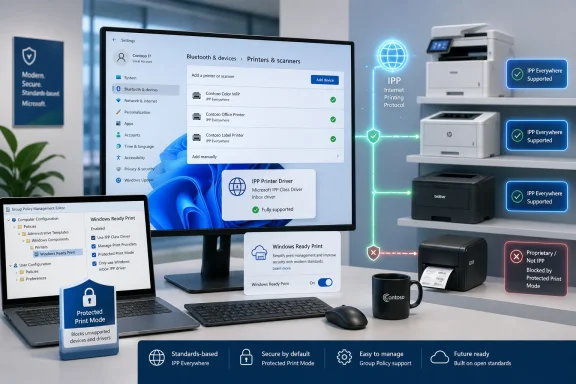
 

Back
Top