

Windows 11’s newest Release Preview — appearing as builds 26100.7918 and 26200.7918 — pivots away from headline AI experiments and instead delivers a collection of pragmatic, troubleshooting‑first updates: a one‑click network speed test from the taskbar, native Sysmon for improved endpoint visibility, better Quick Machine Recovery availability, UI and settings polish, and several enterprise‑focused fixes that prioritize reliability over spectacle. (hothardware.com)
Microsoft’s recent Release Preview update (packaged as KB5077241) lands in a moment when debate over Windows’ AI ambitions has been as loud as any technical changelog. Rather than doubling down on new Copilot hooks or expanded on‑device AI actions, this drop leans into foundational tooling and operational improvements that directly reduce friction for end users and administrators alike. The announcement and community reporting note the arrival of a built‑in network speed test linked from the taskbar and quick settings, integrated Sysmon (System Monitor) functionality, camera pan/tilt controls, Emoji 16.0 support, .webp desktop background support, and wider settings polish for Widgets and account entry points. (hothardware.com)
This is an intentional shift in tone: treat this build as Microsoft choosing to “tighten bolts” rather than add wings. The move has been characterized by multiple outlets and community threads as a welcome rebalancing of priorities — from flashy AI features back to the day‑to‑day problems users actually file bug reports about.
Why this matters:
Why IT teams should care:
Key enterprise considerations:
That doesn’t mean the AI story is dead. Rather, Microsoft appears to be threading AI capabilities through a more disciplined release strategy — continue testing in Dev/Canary where the company can iterate quickly, while using Release Preview to shore up the platform for billions of users. For IT pros and security teams, the immediate takeaway is actionable: pilot KB5077241, validate Sysmon configs, and update support playbooks to incorporate the new taskbar speed test as a first‑line triage step. For everyday users, the change is quieter but welcome: useful tools in familiar places, fewer surprises, and an OS that feels a little less experimental and a bit more dependable. (hothardware.com)
Source: HotHardware Windows 11's New Preview Build Drops AI Focus For Practical Improvements
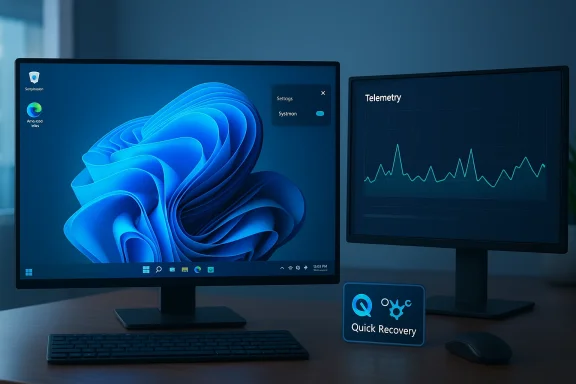 Background / Overview
Microsoft’s recent Release Preview update (packaged as KB5077241) lands in a moment when debate over Windows’ AI ambitions has been as loud as any technical changelog. Rather than doubling down on new Copilot hooks or expanded on‑device AI actions, this drop leans into foundational tooling and operational improvements that directly reduce friction for end users and administrators alike. The announcement and community reporting note the arrival of a built‑in network speed test linked from the taskbar and quick settings, integrated Sysmon (System Monitor) functionality, camera pan/tilt controls, Emoji 16.0 support, .webp desktop background support, and wider settings polish for Widgets and account entry points. (hothardware.com)This is an intentional shift in tone: treat this build as Microsoft choosing to “tighten bolts” rather than add wings. The move has been characterized by multiple outlets and community threads as a welcome rebalancing of priorities — from flashy AI features back to the day‑to‑day problems users actually file bug reports about.
What’s new in this Release Preview
Built‑in taskbar network speed test — convenience, with caveats
One of the most visible changes is the introduction of a network speed test shortcut surfaced in two key locations: the right‑click context menu on the network (system tray) icon and a dedicated button inside the Wi‑Fi quick settings flyout. Activating either control launches the default browser and opens Bing’s web‑hosted speed test, supplying the familiar download, upload, and latency metrics. In short, it’s a launcher to a web service rather than a native in‑OS measurement engine. (hothardware.com)Why this matters:
- It reduces friction for nontechnical users who previously had to remember third‑party sites or apps when diagnosing slow connections.
- It increases discoverability of a basic diagnostic tool by placing it where users already look when connectivity fails.
- Because the test is web‑backed, Microsoft retains flexibility over the backend measurement provider and can iterate without shipping OS patches.
- The shortcut funnels users to Bing’s speed‑test widget (historically backed by established providers), which means the measurement endpoint, methodology, and server selection are controlled by the web service rather than the OS. That has implications for reproducibility and enterprise testing standards. Power users and IT teams doing rigorous throughput validation may still prefer dedicated tools and controlled measurement environments.
Sysmon becomes a first‑class Windows feature
Arguably the most consequential change for security teams is the inclusion of Sysmon — the System Monitor from the Sysinternals suite — as a native, optional Windows feature. Previously downloaded and managed as a separate Sysinternals utility, Sysmon enhances Windows event‑logging with high‑fidelity telemetry: process creation, network connections, file activity, and more. Microsoft’s Insider documentation confirms the capability is present in preview builds and disabled by default, requiring explicit enablement via Settings or command‑line.Why IT teams should care:
- Lower barrier to deployment: native availability removes the friction of per‑device utility installation.
- Standardized telemetry: shipping Sysmon as a platform feature improves the chance for consistent baseline logs across managed fleets.
- Compatibility considerations: administrators who have previously deployed Sysmon from Sysinternals will need to uninstall that version before enabling the built‑in feature; configuration still requires a Sysmon config file and initialization.
- Go to Settings > System > Optional features > More Windows features and enable “Sysmon.”
- From an elevated shell run: Dism /Online /Enable-Feature /FeatureName:Sysmon.
- Finish by initializing with: sysmon -i and apply your organization’s configuration file.
These steps are described in Microsoft’s Insider notes and community documentation; the built‑in feature remains off by default to avoid unintended logging volume or performance impact.
Quick Machine Recovery (QMR) and other recovery refinements
The update expands Quick Machine Recovery (QMR) availability to Windows 11 Pro devices that are not domain‑joined and not managed by enterprise endpoint tools. This extends the convenience of cloud‑assisted recovery workflows to more consumer and small business devices. While QMR remains a cloud‑assisted function — which raises design questions about offline recoverability and enterprise control — the practical upside is that more users can self‑service recovery from certain boot failures without a formal IT intervention. (hothardware.com)Surface-level polish: emoji, camera controls, WebP and widgets
Smaller but widely visible updates include:- Emoji 16.0 support, aligning Windows emoji with recent Unicode updates.
- Camera pan and tilt controls surfaced in Settings for supported webcams.
- Support for .webp images as desktop backgrounds.
- A full‑page Widgets settings experience rather than a dialog, plus a new Microsoft account entry point in Start.
These refinements reflect Microsoft’s ongoing work to make everyday UI feel smoother and more modern without dramatic functional upheaval. (hothardware.com)
Why this signals a temporary AI pullback — and why that matters
The Release Preview’s restraint is meaningful in three interlocking ways:- Product focus reset: Microsoft’s public posture — as framed by Windows leadership and reiterated in recent interviews — is actively addressing reliability and performance pain points. This build’s contents are tangible evidence of that pivot. (hothardware.com)
- Risk management: shipping complex AI features widely requires hardware gating, regulatory scrutiny, and meaningful telemetry controls; stepping back to prioritize stability reduces exposure to user confusion and high‑profile regressions.
- User sentiment: many enterprise and consumer users have voiced “AI fatigue” — a preference for sensible, incremental improvements over headline AI features. Microsoft’s choice to prioritize practical fixes maps directly to that sentiment and to IT administrators who need predictable behavior above experimental value.
Technical analysis and implications
For administrators: telemetry, reproducibility, and configuration
Built‑in Sysmon is a major operational win for detection engineering, but it introduces configuration, storage, and processing choices that administrators must make deliberately.- Storage and ingestion: Sysmon produces detailed logs; organizations must ensure log retention, SIEM ingestion, and storage quotas are planned to avoid disk utilization and ingestion spikes.
- Performance tradeoffs: While the Insider notes emphasize the feature is optional and off by default, teams must validate Sysmon configs in staging to avoid high‑volume logging during normal workloads.
- Coordination: Existing endpoint detection tooling often depends on specific event IDs and formats; standardizing on the built‑in Sysmon will require coordination with SIEM and EDR owners to validate parity.
For support desks: quick diagnosis, but not a replacement for lab testing
The taskbar speed‑test shortcut is a boon for support desks: it brings a common triage action within two clicks, increasing first‑call resolution rates for basic connectivity complaints. However, because the test runs on a web page, support teams should treat its results as an informal health check rather than authoritative lab data.- Use the taskbar test for quick triage and visible proof to users.
- For SLA‑critical investigations, continue to use dedicated test tools and controlled endpoints to avoid measurement variability introduced by browser stacks, CDNs, and variable routing.
For privacy‑minded users and enterprises
The speed‑test shortcut opens an external web service; the telemetry and endpoints probed are therefore subject to Bing’s privacy and data retention policies. Organizations with strict data governance should consider communicating to users that this is an internet‑hosted test before broadly enabling it in managed environments. Where policy forbids external measurement, administrators may choose to disable the UI entry (via policy or taskbar customization) and rely on in‑house tools instead. Community reporting underscores this is a web‑backed launcher and not a local diagnostic, so implications for outbound connections and telemetry need attention.Security assessment: Sysmon’s net benefit and pitfalls
Making Sysmon an optional, integrated Windows feature has clear security benefits:- Faster forensic readiness and standardized telemetry makes cross‑device investigations simpler.
- Encourages adoption of richer event streams by organizations that previously avoided extra tooling.
- Misconfiguration risk: poorly tuned Sysmon profiles generate high noise, which can drown meaningful signals in SIEMs.
- Upgrade complexity: the need to uninstall older Sysmon instances before enabling the built‑in version adds an operational step that must be scripted for large deployments.
- Administrator permissions: enabling Sysmon remains an elevated action; organizations mies and automation handle the rollout safely.
- Pilot Sysmon configs in a staged environment to measure event volume.
- Map Sysmon outputs to existing detection rules and update SIEM parsers before large‑scale enablement.
- Automate uninstall and enablement steps for existing Sysmon installations to avoid manual drift.
The enterprise rollout picture and compatibility concerns
Microsoft distributes preview features via the Release Preview and Insider channels, with selective server‑side toggles. This build is in the Release Preview ring, which often precedes public rollouts tied to cumulative updates or patch cycles.Key enterprise considerations:
- Staged deployment: test KB5077241 in a pilot ring before broader deployment; validate critical business apps, drivers, and imaging processes.
- GPO and management: determine whether IT wants the taskbar speed‑test shortcut visible; there may be policy controls or configuration possibilities to hide or disable quick‑settings entries if required.
- Recovery policy: QMR’s cloud dependency means offline recovery remains the fallback; enterprises must retain local recovery images for air‑gapped or heavily regulated systems. Community and Windows Forum threads already outline installation/uninstallation steps for the Sysmon feature and capture early admin guidance.
What Microsoft didn’t ship — and why that’s notable
HotHardware and other reporting call attention to what’s missing from this Release Preview: there are no fresh Copilot expansions, no new AI Actions in File Explorer, and no dramatic on‑device AI accessibility launches for general availability in this drop. That absence is a statement: Microsoft appears to be pausing mass AI feature expansion into the stable channel until reliability, discoverability, and user feedback loops are prioritized. This may be temporary, but for now the OS is getting practical fixes rather than further AI surface area. (hothardware.com)Recommendations: what users, IT admins, and security teams should do now
For end users:- Treat the taskbar speed‑test as a quick triage tool. Use it to confirm whether an ISP or local network issue is likely, but don’t replace formal diagnostics with it.
- If you rely on Sysmon from Sysinternals, plan an uninstall before enabling the built‑in version and follow established configuration guidance to avoid noisy logs. (hothardware.com)
- Pilot KB5077241 in a small ring and validate app compatibility and imaging scripts.
- Update change control documents to include the Sysmon enablement path and the prerequisite removal of older Sysmon packages.
- Communicate to support teams how the taskbar‑launched speed test works and when to escalate to lab tests.
- Evaluate a standard Sysmon configuration and test ingestion into SIEM and EDR — adopt detection engineering practices to avoid false positives.
- Monitor disk and ingestion volumes during pilot phases to ensure retention policies are adequate.
Strengths, tradeoffs, and longer‑term implications
Strengths- The build demonstrates Microsoft listening: tangible fixes address long‑standing user pain points rather than adding novelty.
- Sysmon’s inclusion materially improves native Windows telemetry and reduces deployment friction for security teams.
- Quick access tools (speed test) and UI polish reduce everyday friction for general users and support desks. (hothardware.com)
- Web‑backed shortcuts like the taskbar speed test trade native control for agility; policy and privacy issues may follow.
- Exposing Sysmon natively creates both operational overhead and a new surface where configuration mistakes could flood telemetry systems.
- The decision to de‑emphasize AI in this release is helpful for stability, but it may slow feature parity for Copilot‑dependent scenarios that enterprises are evaluating.
- If Microsoft continues to prioritize reliability and security instrumentation in stable channels, organizations will benefit from a more predictable upgrade path and improved baseline security telemetry.
- Conversely, if the company staggers AI features into gated hardware or channels, fragmentation of user experience (Copilot+ vs. baseline Copilot) may persist as a governance challenge for IT. (hothardware.com)
Verification notes and cautionary points
- Build numbers and the list of changes cited here reference Microsoft Insider documentation, community reporting, and coverage from multiple technology outlets; these sources corroborate the presence of the taskbar speed test and the Sysmon integration in preview builds 26100.7918 and 26200.7918 (KB5077241). (hothardware.com)
- The speed‑test control is a web launcher to Bing’s speed test; treat any claim that this is a fully native measurement engine as inaccurate without further Microsoft documentation. We flag that as a potential point of confusion for users expecting purely local OS diagnostics.
- Sysmon is included but disabled by default; any guidance implying automatic activation would be misleading. Administrators must explicitly enable and initialize Sysmon after uninstalling older copies if present.
Final assessment: practical over profane
Microsoft’s Release Preview for builds 26100.7918 and 26200.7918 reads like a pragmatic course correction. For months, Windows’ public messaging and channel experiments leaned heavily into AI narratives that, while exciting, sometimes distracted from basic reliability and manageability needs. This update signals a reprioritization: make the OS measurably easier to troubleshoot, more transparent to enterprise security, and friendlier in daily interactions.That doesn’t mean the AI story is dead. Rather, Microsoft appears to be threading AI capabilities through a more disciplined release strategy — continue testing in Dev/Canary where the company can iterate quickly, while using Release Preview to shore up the platform for billions of users. For IT pros and security teams, the immediate takeaway is actionable: pilot KB5077241, validate Sysmon configs, and update support playbooks to incorporate the new taskbar speed test as a first‑line triage step. For everyday users, the change is quieter but welcome: useful tools in familiar places, fewer surprises, and an OS that feels a little less experimental and a bit more dependable. (hothardware.com)
Source: HotHardware Windows 11's New Preview Build Drops AI Focus For Practical Improvements
