

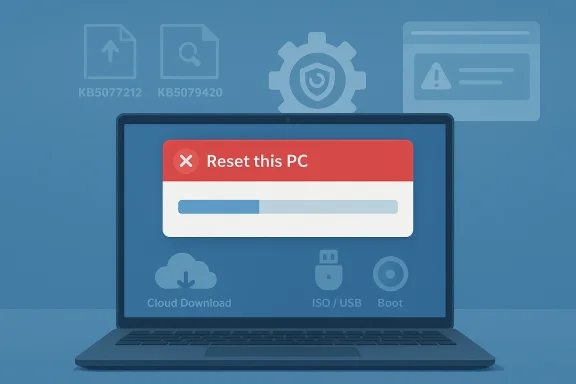
Microsoft’s latest Windows 11 update cycle has landed with an uncomfortable twist: some PCs can no longer complete a basic factory reset after installing the newest hotpatches. The problem affects Windows 11 24H2 and 25H2 systems that received KB5077212 or KB5079420, and it can leave users staring at a reset error or returning to the same desktop as if nothing happened. For individuals, that is an annoyance; for IT teams, it is a recovery workflow failure that strikes at one of Windows’ most important maintenance tools. Microsoft has now acknowledged the issue in its release documentation, and that confirmation changes the story from rumor to operational risk.
Windows’ built-in reset workflow has always been one of the platform’s most visible repair paths. It is meant to sit between full-blown reimaging and simple troubleshooting, giving users a way to keep files, remove apps, or wipe a device clean without boot media or advanced deployment tooling. That convenience is precisely why problems in this area matter so much: when “Reset this PC” fails, users are no longer dealing with a minor UI bug but a breakdown in the core recovery stack. The feature has historically been used both by home users trying to fix a badly behaving machine and by organizations trying to salvage endpoints before redeployment.
The current issue is tied to Microsoft’s Windows 11 servicing cadence in early 2026. Microsoft’s support pages show KB5077212 as a February 10, 2026 hotpatch for Windows 11 versions 25H2 and 24H2, and KB5079420 as the March 10, 2026 hotpatch for the same branches. Both updates were positioned as reliability and security improvements, which is exactly why the reset failure is so disruptive: the very updates meant to harden the platform can unintentionally interfere with recovery. Microsoft’s own support pages for both packages note that they are servicing updates for those Windows 11 versions.
Hotpatching itself is relevant here because it changes the service model. Instead of requiring a restart for every quarterly security update, supported systems can receive a significant portion of fixes with minimal disruption. That is valuable for enterprise uptime, but it also makes failures feel more surprising because administrators expect these releases to be carefully integrated into the broader Windows servicing ecosystem. In other words, the more seamless the update pathway becomes, the more jarring a recovery-path regression looks when it appears.
There is also a broader historical backdrop. Windows has had reset and refresh issues before, and Microsoft has repeatedly used its release health dashboard and Known Issue Rollback mechanisms to manage fallout from bad interactions between updates and system features. This matters because the current bug sounds less like a surface-level crash and more like a pathing or provisioning failure inside the recovery process. That is the kind of problem Microsoft often addresses either through a follow-up cumulative update or a rollback strategy that temporarily disables the offending code path.
The practical implication is that users should stop treating the failure as a random local corruption event. If the machine was working correctly until the reset attempt and the relevant hotpatches are installed, then the probability that the update chain is involved rises sharply. That does not mean every failed reset on every 24H2 or 25H2 PC has the same cause, but it does mean the update history has become a critical diagnostic clue. That is the kind of detail that saves hours of guesswork.
A failure that only appears during Local Reinstall is especially suggestive of a broken local image path rather than a generic reset engine crash. That aligns with the reporting that the bug may involve provisioning or recovery-image mapping rather than a total reset subsystem collapse. It also explains why one machine may reset normally while another on the same update build fails, depending on how its recovery partition or WinRE assets are arranged.
It is also worth noting that Windows recovery features are deeply coupled to build-specific files. When Microsoft tweaks servicing components, the change can ripple into reset, repair install, or WinRE behavior in ways that are not immediately obvious during normal daily use. That is one reason these bugs can survive internal testing: they only emerge when a user hits a less-common maintenance path.
If the issue is limited primarily to local reinstall, that would strengthen the theory that the update changed how the system interprets local recovery payloads rather than affecting network retrieval. If cloud download works more often, the bug is likely closer to local asset resolution than to the broader reset engine itself. That is an inference, not a confirmed Microsoft root cause, but it fits the pattern reported by the publication and the broader shape of Windows recovery plumbing.
There is also a compliance angle. Some organizations rely on reset procedures to remove sensitive data before device reassignment or offboarding. When the reset mechanism is unreliable, administrators need alternate wipe and redeployment paths that still satisfy security policy. That shifts the burden from Windows’ built-in convenience feature to enterprise imaging and device management tooling.
The issue is particularly awkward for managed fleets on 24H2 and 25H2 because those are precisely the branches where Microsoft is pushing modernized update and recovery behavior. An enterprise that adopted hotpatching to reduce reboot disruption may now need to spend that saved time validating an unrelated recovery path. That trade-off is the kind of thing IT leaders notice immediately.
Still, the psychological impact is disproportionate. Users often turn to reset only after other fixes have failed, so hitting another failure at that stage can feel like the operating system has abandoned them. It also creates confusion about whether the machine is damaged, whether the update needs to be removed, or whether files are at risk.
The good news is that most consumer workarounds are familiar and relatively practical. A USB install media workflow or an in-place upgrade can restore the system without relying on the same broken local reset sequence. That said, the average user should not have to understand the difference between WinRE and setup.exe just to refresh a PC.
The larger lesson is that recovery diversity matters. A system that can reset from local media, cloud media, or installation ISO has more than one chance to recover from trouble. A system that depends on a single local path is more vulnerable when that path breaks.
A follow-up patch is also likely if Microsoft can isolate the failure to a particular recovery component. That would let the company correct the code while leaving the rest of the hotpatch benefits intact. The challenge is that recovery bugs tend to sit at the intersection of setup, servicing, and WinRE, which can make remediation slower than for a standalone shell or driver issue.
What users should watch for is a change log entry in the Windows release health dashboard, a new out-of-band fix, or a servicing note in the next cumulative update. Those are the signals that usually separate temporary mitigation from final resolution.
Inside Microsoft’s own ecosystem, the issue also collides with the company’s push toward cloud-managed and auto-remediated devices. If the “simple” recovery path fails, organizations lean harder on Intune, imaging automation, and remote management. That is not necessarily bad for Microsoft, but it does increase dependence on the broader enterprise stack.
The positive counterargument is that Windows remains uniquely configurable and resilient because it offers so many recovery choices. Yet that same flexibility can become a liability when one layer, such as local reset, is broken. The more options a platform has, the more visible it becomes when one of them stops working.
The most important thing for readers to monitor is whether Microsoft updates its release health notes with a formal mitigation path. A clear explanation, an explicit affected-build list, and a documented fix would go a long way toward reducing the uncertainty. Absent that, users will keep relying on community reports and support-thread folklore, which is a poor substitute for official guidance.
Source: thewincentral.com Windows 11 Reset PC Fail: Microsoft Confirms Update Bug - WinCentral
 Background
Windows’ built-in reset workflow has always been one of the platform’s most visible repair paths. It is meant to sit between full-blown reimaging and simple troubleshooting, giving users a way to keep files, remove apps, or wipe a device clean without boot media or advanced deployment tooling. That convenience is precisely why problems in this area matter so much: when “Reset this PC” fails, users are no longer dealing with a minor UI bug but a breakdown in the core recovery stack. The feature has historically been used both by home users trying to fix a badly behaving machine and by organizations trying to salvage endpoints before redeployment.The current issue is tied to Microsoft’s Windows 11 servicing cadence in early 2026. Microsoft’s support pages show KB5077212 as a February 10, 2026 hotpatch for Windows 11 versions 25H2 and 24H2, and KB5079420 as the March 10, 2026 hotpatch for the same branches. Both updates were positioned as reliability and security improvements, which is exactly why the reset failure is so disruptive: the very updates meant to harden the platform can unintentionally interfere with recovery. Microsoft’s own support pages for both packages note that they are servicing updates for those Windows 11 versions.
Hotpatching itself is relevant here because it changes the service model. Instead of requiring a restart for every quarterly security update, supported systems can receive a significant portion of fixes with minimal disruption. That is valuable for enterprise uptime, but it also makes failures feel more surprising because administrators expect these releases to be carefully integrated into the broader Windows servicing ecosystem. In other words, the more seamless the update pathway becomes, the more jarring a recovery-path regression looks when it appears.
There is also a broader historical backdrop. Windows has had reset and refresh issues before, and Microsoft has repeatedly used its release health dashboard and Known Issue Rollback mechanisms to manage fallout from bad interactions between updates and system features. This matters because the current bug sounds less like a surface-level crash and more like a pathing or provisioning failure inside the recovery process. That is the kind of problem Microsoft often addresses either through a follow-up cumulative update or a rollback strategy that temporarily disables the offending code path.
What Microsoft Has Confirmed
Microsoft’s support materials for the February and March 2026 hotpatches establish the update baseline clearly. KB5077212 is listed as a February hotpatch for Windows 11 24H2 and 25H2, while KB5079420 is the March hotpatch for the same releases. The release notes do not, in the pages surfaced here, spell out the reset failure in detail, but they do anchor the exact update lineage and the affected Windows versions. That gives the report a credible technical frame, even if the publicly visible support text is still focused on general release information.Why the confirmation matters
A Microsoft confirmation is not the same as a complete engineering root-cause analysis, but it is enough to tell users that the issue is real and update-related. That distinction is important because forum speculation often mixes together unrelated recovery failures, preexisting disk issues, and bad assumptions about reset behavior. Here, the documentation ties the problem to specific hotpatches and specific Windows branches, which is far more actionable than generic anecdote.The practical implication is that users should stop treating the failure as a random local corruption event. If the machine was working correctly until the reset attempt and the relevant hotpatches are installed, then the probability that the update chain is involved rises sharply. That does not mean every failed reset on every 24H2 or 25H2 PC has the same cause, but it does mean the update history has become a critical diagnostic clue. That is the kind of detail that saves hours of guesswork.
How the Failure Manifests
The symptom pattern described in the report is straightforward and frustrating. A user starts Reset this PC, chooses either to keep files or remove everything, and the process either returns an error or silently drops back to the existing desktop. That tells us the failure is happening early enough that the system cannot reliably hand off to the recovery environment and complete the reinstall workflow. The result is especially troubling because it can look like the machine rebooted successfully while actually doing nothing.Reset paths that can break
Microsoft’s reset stack supports several paths, and the distinction matters. The built-in reset option often relies on local recovery files and the Windows Recovery Environment, while Cloud Download fetches replacement files from Microsoft’s servers. If the local recovery path is broken, cloud-based recovery may still succeed more often, which is why users and IT admins are emphasizing it as a workaround. But because hardware, storage state, network reliability, and policy settings all influence the experience, results are not guaranteed to be identical across devices.A failure that only appears during Local Reinstall is especially suggestive of a broken local image path rather than a generic reset engine crash. That aligns with the reporting that the bug may involve provisioning or recovery-image mapping rather than a total reset subsystem collapse. It also explains why one machine may reset normally while another on the same update build fails, depending on how its recovery partition or WinRE assets are arranged.
Why This Is Happening
The most plausible explanation is that the hotpatches interfere with the reset workflow’s ability to locate or invoke the correct recovery assets. In Windows, reset operations are not just a single button press; they are a chain of steps involving the recovery environment, system image references, and provisioning logic. If that chain loses a pointer, gets the wrong path, or trips over a servicing change, the process can stall or abort. The user-facing error message is merely the final symptom of a more intricate mismatch underneath.The provisioning and pathing angle
The report’s claim that the updates interfere with provisioning packages and recovery image pathing is technically plausible, even if the exact Microsoft diagnosis is not fully visible in the surfaced support pages. Windows reset depends on finding known-good sources for reinstalling the operating system, and if those references are altered by update logic, the engine may not be able to complete the handoff. That is why failures in this area often show up as “problem resetting your PC” messages rather than blue screens or app crashes.It is also worth noting that Windows recovery features are deeply coupled to build-specific files. When Microsoft tweaks servicing components, the change can ripple into reset, repair install, or WinRE behavior in ways that are not immediately obvious during normal daily use. That is one reason these bugs can survive internal testing: they only emerge when a user hits a less-common maintenance path.
If the issue is limited primarily to local reinstall, that would strengthen the theory that the update changed how the system interprets local recovery payloads rather than affecting network retrieval. If cloud download works more often, the bug is likely closer to local asset resolution than to the broader reset engine itself. That is an inference, not a confirmed Microsoft root cause, but it fits the pattern reported by the publication and the broader shape of Windows recovery plumbing.
Enterprise Impact
For consumers, a broken reset function is frustrating but usually survivable. For enterprises, it is more serious because reset is often part of endpoint remediation, redeployment, or support desk playbooks. If a help desk agent cannot use the built-in reset path to return a machine to a known state, the organization may have to escalate to USB reimaging, remote management tools, or a full provisioning cycle. That adds time, labor, and risk.Support workflows get longer
The biggest enterprise cost is not just the reset failure itself, but the overhead it creates across support tiers. A technician who expected a self-service or semi-automated recovery now has to validate the update state, inspect WinRE, assess partition health, and decide whether to deploy a workaround. That may sound routine, but across dozens or hundreds of endpoints it becomes a real operational drag.There is also a compliance angle. Some organizations rely on reset procedures to remove sensitive data before device reassignment or offboarding. When the reset mechanism is unreliable, administrators need alternate wipe and redeployment paths that still satisfy security policy. That shifts the burden from Windows’ built-in convenience feature to enterprise imaging and device management tooling.
The issue is particularly awkward for managed fleets on 24H2 and 25H2 because those are precisely the branches where Microsoft is pushing modernized update and recovery behavior. An enterprise that adopted hotpatching to reduce reboot disruption may now need to spend that saved time validating an unrelated recovery path. That trade-off is the kind of thing IT leaders notice immediately.
Consumer Impact
Home users will mostly feel this as a confidence problem. Reset is the kind of feature people expect to work when a PC has become unstable, is being sold, or is handed down to another family member. When it fails, the device looks less like a self-healing appliance and more like a fragile appliance that needs specialist intervention.When the average user notices
Most people will only encounter this if they attempt a repair or cleanup operation. Their day-to-day productivity, gaming, browsing, and app usage should remain unaffected by the bug itself unless they trigger the reset process. That distinction is important because it means the update does not appear to be causing broad system instability; it is targeted at a specific recovery path.Still, the psychological impact is disproportionate. Users often turn to reset only after other fixes have failed, so hitting another failure at that stage can feel like the operating system has abandoned them. It also creates confusion about whether the machine is damaged, whether the update needs to be removed, or whether files are at risk.
The good news is that most consumer workarounds are familiar and relatively practical. A USB install media workflow or an in-place upgrade can restore the system without relying on the same broken local reset sequence. That said, the average user should not have to understand the difference between WinRE and setup.exe just to refresh a PC.
Workarounds and Recovery Options
Until Microsoft ships a permanent fix, the best advice is to use a path that bypasses the local reset workflow. The most dependable workaround is a clean install from bootable media, because it avoids the broken local recovery chain entirely. The second-best option is often an in-place repair install using the Windows ISO, since that refreshes system files while preserving user data and installed applications.Practical options in order
- Use a bootable USB installer created from Microsoft media on another PC.
- Boot from that media and perform a clean reinstall if you are prepared to erase the system.
- Mount the Windows ISO inside the running system and run setup.exe for an in-place repair install.
- If available and safe, uninstall KB5077212 or KB5079420 from Update History.
- Wait for Microsoft’s next servicing update or rollback if the device is not urgent.
Why cloud download may help
Cloud Download is a sensible option because it retrieves fresh system files instead of relying entirely on the local recovery image. If the bug is tied to local pathing, cloud-based restore may sidestep the failure. But because Microsoft has not publicly documented the precise trigger in the material reviewed here, users should treat that route as potentially more reliable, not universally guaranteed.The larger lesson is that recovery diversity matters. A system that can reset from local media, cloud media, or installation ISO has more than one chance to recover from trouble. A system that depends on a single local path is more vulnerable when that path breaks.
What Microsoft Is Likely To Do
Microsoft has several familiar options here, and the company’s recent update history suggests a pattern. For serious Windows regressions, it can ship a follow-up cumulative or out-of-band update, use a Known Issue Rollback, or both. KIR is especially useful when the problematic code change can be turned off centrally while Microsoft works on a fuller fix.The KIR pattern
A Known Issue Rollback is usually associated with consumer and unmanaged device mitigation, while enterprises may need policy-based deployment steps. The company has used this mechanism repeatedly for Windows 11 24H2 and 25H2 issues, which makes it a plausible candidate for the reset bug as well. If the root cause sits in a recent servicing change, a rollback is often faster than waiting for a major monthly release.A follow-up patch is also likely if Microsoft can isolate the failure to a particular recovery component. That would let the company correct the code while leaving the rest of the hotpatch benefits intact. The challenge is that recovery bugs tend to sit at the intersection of setup, servicing, and WinRE, which can make remediation slower than for a standalone shell or driver issue.
What users should watch for is a change log entry in the Windows release health dashboard, a new out-of-band fix, or a servicing note in the next cumulative update. Those are the signals that usually separate temporary mitigation from final resolution.
Broader Competitive and Platform Implications
This bug arrives at a delicate moment for Windows 11’s platform narrative. Microsoft has spent years emphasizing faster servicing, smoother recovery, and more cloud-integrated administration. A reset failure does not overturn that strategy, but it does expose how brittle the supporting plumbing can become when update velocity increases.What rivals will point to
Platform competitors will naturally frame this as evidence that integrated maintenance is still messy on Windows. Apple’s macOS and modern Linux recovery stories are not identical, but the comparison often comes down to trust: does the user believe the built-in recovery path will work when needed? A broken reset sequence gives critics an easy talking point, even if the bug is narrow and fixable.Inside Microsoft’s own ecosystem, the issue also collides with the company’s push toward cloud-managed and auto-remediated devices. If the “simple” recovery path fails, organizations lean harder on Intune, imaging automation, and remote management. That is not necessarily bad for Microsoft, but it does increase dependence on the broader enterprise stack.
The positive counterargument is that Windows remains uniquely configurable and resilient because it offers so many recovery choices. Yet that same flexibility can become a liability when one layer, such as local reset, is broken. The more options a platform has, the more visible it becomes when one of them stops working.
Strengths and Opportunities
The good news is that this incident is narrow enough that Microsoft can still contain it without shaking confidence in the entire Windows 11 line. It also highlights exactly where investment in recovery tooling pays off: diverse reset paths, clearer diagnostics, and quicker issue rollbacks.- Microsoft has already confirmed the relevant update lineage for KB5077212 and KB5079420 on 24H2 and 25H2.
- The failure appears tied to the reset workflow, not broad everyday system stability.
- Cloud Download and ISO-based repair paths give users alternative recovery options.
- Enterprises can pivot to imaging, Intune, and other managed remediation tools.
- A KIR or small follow-up patch could resolve the issue without a major platform change.
- The event reinforces the value of multi-path recovery instead of a single local reset method.
- Users who are not resetting their PC immediately can often wait for the next servicing update safely.
Risks and Concerns
Even though the bug is not a day-to-day productivity killer, it undermines trust in a feature people reach for when things go wrong. That trust gap can be worse than the bug itself because users remember recovery failures longer than routine update successes.- Reset failures can block device refresh, resale, and decommissioning workflows.
- Help desks may need to spend more time validating WinRE and update state.
- Local recovery failures can be misdiagnosed as disk corruption or firmware issues.
- Home users may think their PC is irreparably damaged when it is not.
- Organizations that depend on push-button recovery may face longer remediation windows.
- The bug reinforces concerns about servicing complexity in the Windows recovery stack.
- If Microsoft’s fix is delayed, more users will have to rely on manual reinstall paths.
Looking Ahead
The next few update cycles will determine whether this becomes a short-lived servicing hiccup or another example of Windows recovery fragility. If Microsoft moves quickly with a targeted fix, the story will fade into the long list of obscure but manageable Windows update regressions. If not, administrators may keep workarounds in place longer than expected, which is never ideal for a feature meant to simplify recovery.The most important thing for readers to monitor is whether Microsoft updates its release health notes with a formal mitigation path. A clear explanation, an explicit affected-build list, and a documented fix would go a long way toward reducing the uncertainty. Absent that, users will keep relying on community reports and support-thread folklore, which is a poor substitute for official guidance.
- Check whether KB5077212 or KB5079420 is installed before attempting a reset.
- Prefer Cloud Download, ISO repair, or bootable media if local reset fails.
- Watch the Windows release health dashboard for mitigation and rollback notes.
- Use update history to decide whether uninstalling the hotpatch is practical.
- Treat repeated reset failures as a servicing issue first, not a hardware failure.
Source: thewincentral.com Windows 11 Reset PC Fail: Microsoft Confirms Update Bug - WinCentral
