

Microsoft is preparing one of the most significant Windows 11 course corrections since launch, and the timing is telling. After years of complaints about taskbar rigidity, Copilot clutter, sluggish everyday workflows, and an update experience that too often felt intrusive rather than helpful, the company is now signaling that it wants Windows to feel faster, calmer, and more respectful of how people actually work. The shift is not just about adding features; it is about undoing friction that has shaped public perception of the platform for years. That makes this moment more important than a single Insider build or a single UI tweak. d with a clear visual identity and an equally clear message: Microsoft wanted a cleaner, more modern desktop. The centered taskbar, rounded corners, and simplified shell were supposed to represent a refreshed Windows for hybrid work and a new generation of PCs. But the launch also set off a familiar backlash, because many of the design choices came paired with reduced flexibility, unfamiliar defaults, and the sense that the company had traded user control for visual polish.
That criticism never really disappeared. as not one dramatic flaw but the accumulation of smaller ones: limited taskbar customization, awkward context menus, inconsistent search behavior, UI rough edges, and a desktop that often felt less configurable than Windows 10. Microsoft’s own Insider cadence shows how long it has been trying to answer those complaints with incremental fixes rather than a wholesale redesign.
At the same time, Microsoft spent much of the Windows 11 era pushing Copilot and rpt strategy made sense from a product-marketing standpoint, but it also created a new source of irritation: many users did not want every corner of the desktop to become a launchpad for Microsoft’s AI ambitions. The result was a tension between ambition and restraint, and Windows 11 often looked like a platform still searching for the right balance.
What is notable now is that Microsoft appears to be acknowledging that tension more openly. The new emphasis is not “look at acook at how much less Windows gets in your way.” That is a meaningful rhetorical shift because operating systems are judged less by keynote demos than by the emotional experience of daily use. If users feel interrupted, nagged, or constrained, they stop thinking of the OS as infrastructure and start thinking of it as friction.
The broader context matters too: Windows 10 support has already ended, so Microsoft has more leverage than it did a few years ago. But leverage cuts both ways. If users tures and annoying defaults become more visible, not less. That makes Microsoft’s quality push both strategic and defensive. It is trying to win back goodwill precisely when many users have been forced forward whether they liked it or not.
Microsoft’s new posture is best understood as a reset in priorities. The company is no longer acting as though every complaint can be offset by a new feature or atce, reliability, and control as first-class product goals. That sounds obvious, but for Windows 11 it is actually a notable admission that the platform has drifted away from the basics users care about most.
The company is also reacting to a market reality that has become hard to ignore. Users on midrange hardware care deeply about responsiveness, battery life, and memory overhead. When taskbar interactions lag, File Explorer stutters, or search feels incons issues; they are daily annoyances that shape how people feel about the whole operating system. Microsoft’s current roadmap appears designed to reduce those pain points rather than explain them away.
The company also seems to be narrowing where AI belongs. Rather than treating Copilot as a mandatory layer in every interface, Microsoft is moving toward a model where AI is useful but not omnipresent. That is a subtle but important correction because one of the loudest complaints around Windows 11 has been clutter: too many prompts, toodtion in places where users just want to get work done.
A few implications follow from that shift:
Restoring top and side e concession. It is Microsoft admitting that a long-standing Windows behavior should never have been removed so aggressively in the first place. That admission matters because it suggests the company is willing to reverse course when enough users say a change crossed the line from modernizing to constraining.
This is one of those features that sounds trivial in a releaias symbolic weight because Windows has historically won loyalty by being the most adaptable mainstream desktop platform. If Microsoft strips away adaptability, it weakens one of the core reasons people tolerate the complexity of Windows in the first place. Restoring flexibility helps repair that bargain.
The implementation will matter almost as much as the decision. Microsoft has to ensure that Start, Search, notifications, and flyouts behave kbar is no longer confined to the bottom edge. If it gets that right, this could become one of the most celebrated Windows 11 changes in years. If it gets it wrong, it will only reinforce the perception that Microsoft still treats power users as an afterthought.
This is important because the backlash was never really anti-AI in general. It was anti-noise. Many people are open to AI featuied, and optional. They are much less receptive when AI becomes a recurring interruption in tools they already know how to use. Microsoft’s current direction suggests it finally understands that distinction.
The change also helps Microsoft separate genuine assistant behavior from clutter. If Copilot is used where it clearly saves time, it can earn trust. If it appears everywhere by default, it risks becoming background noise. The company seems to be moving toward the first model, and that is likely the right call if i * and more dependable.
Key consequences include:
There is a delicate balance here. Too much user control can create security risk if people defer updates indefinitely. Too littlefr own machines. Microsoft’s challenge is to make the system feel respectful without becoming lax. That may sound philosophical, but in Windows it has real operational consequences.
For enterprises, this could be the most important part of the reset. IT teams care deeply about fewer surprise reboots, clearer deferral behavior, and smoot businesses more confidence in update timing, it reduces support overhead and makes Windows 11 easier to manage at scale. That is a quiet win, but a significant one.
A better feedback pipeline is valuable only if it changes outcomes. Still, Microsoft’s decision to simplify submission, improve categorization, modernize forms, and make the process more approaerstands that feedback quality depends on feedback usability. If reporting bugs is painful, users stop reporting them, and the company loses the signal it needs to improve the platform.
There is a second-order effect too. Better feedback tools can help Microsoft separate noise from repeated pain points. That makes it more likely the company will notice which issues are widespread and which are just niche preferences. In a platform as large as Windows, that distinction is crucial, because some of the most important changes are the ones that look minor until enough users repeat them.
A few practical benefits stand out:
That is why the current emphasis on reliability is so important. Microsoft appears to understand that a modern operating system is judged by the speed and smoothness of routine interactions more than by headline features. Search needs to feel dependable, Explorer needs to feel quick, and the shell needs to stop distracting users with needless friction.
Thitter everyday performance can help reduce the sense that Windows 11 is heavier or more cluttered than its predecessor. That could matter on lower-cost machines, older business hardware, and consumer PCs where users have enough friction already. A few seconds saved many times a day is not glamorous, but it is how loyalty is earned.
The risk is that Microsoft could satisfy neither group fully if the changes are uneven or too slow. Consumers will notice if the interface still feels noisy. Enterprisvtoo volatile. So the company needs to deliver meaningful improvements, not just promises of future polish. That is a higher bar, but also the right one.
In practical terms, the likely split looks like this:
The taskbar decision is especially revealing from a competitive standpoint. Windows has always distinguished itself by being the more malleable mainstream desktop. macOS tends to be more opinionated, and ChromeOS is intentionally streamlined. If Microsoft takes away too many adjustment points, it h strengths. Restoring flexibility helps preserve the identity that made Windows dominant in the first place.
There is also a subtle market-message effect. A calmer Windows 11 can make new PCs more appealing because buyers no longer have to assume that Microsoft’s defaults will fight them. That helps OEMs, retailers, and enterprise procurement teams alike. A better Windows experience is not just a software win; it is a hardware-market advantage.
The most important thing to watc keeps shipping these improvements across Insider channels and tes without losing momentum. Windows users have become very good at spotting ecome defaults. If the company wants this reset to matter, it must keep turning behavior, not just polished language.
A few developments will tell the story early:
Source: Neowin Microsoft gives Windows 11 massive rework to address top user complaints and feedback
Source: ZDNET Microsoft announces sweeping Windows changes - but no apologies
That criticism never really disappeared. as not one dramatic flaw but the accumulation of smaller ones: limited taskbar customization, awkward context menus, inconsistent search behavior, UI rough edges, and a desktop that often felt less configurable than Windows 10. Microsoft’s own Insider cadence shows how long it has been trying to answer those complaints with incremental fixes rather than a wholesale redesign.
At the same time, Microsoft spent much of the Windows 11 era pushing Copilot and rpt strategy made sense from a product-marketing standpoint, but it also created a new source of irritation: many users did not want every corner of the desktop to become a launchpad for Microsoft’s AI ambitions. The result was a tension between ambition and restraint, and Windows 11 often looked like a platform still searching for the right balance.
What is notable now is that Microsoft appears to be acknowledging that tension more openly. The new emphasis is not “look at acook at how much less Windows gets in your way.” That is a meaningful rhetorical shift because operating systems are judged less by keynote demos than by the emotional experience of daily use. If users feel interrupted, nagged, or constrained, they stop thinking of the OS as infrastructure and start thinking of it as friction.
The broader context matters too: Windows 10 support has already ended, so Microsoft has more leverage than it did a few years ago. But leverage cuts both ways. If users tures and annoying defaults become more visible, not less. That makes Microsoft’s quality push both strategic and defensive. It is trying to win back goodwill precisely when many users have been forced forward whether they liked it or not.
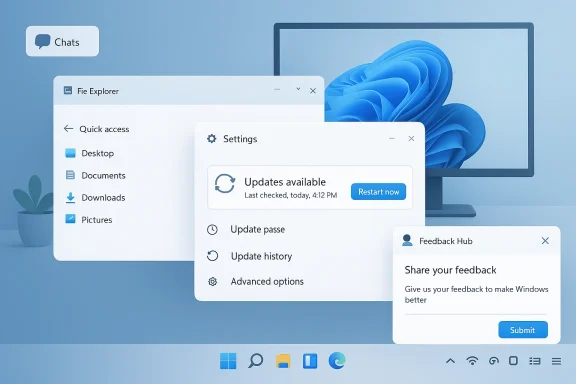 Why Microsoft Is Reframing Windows 11
Microsoft’s new posture is best understood as a reset in priorities. The company is no longer acting as though every complaint can be offset by a new feature or atce, reliability, and control as first-class product goals. That sounds obvious, but for Windows 11 it is actually a notable admission that the platform has drifted away from the basics users care about most.The company is also reacting to a market reality that has become hard to ignore. Users on midrange hardware care deeply about responsiveness, battery life, and memory overhead. When taskbar interactions lag, File Explorer stutters, or search feels incons issues; they are daily annoyances that shape how people feel about the whole operating system. Microsoft’s current roadmap appears designed to reduce those pain points rather than explain them away.
The strategic pivot
A major part of the pivot is tonal. Microsoft’s public language now emphasizes craft, responsiveness, and predictability rather than novelty alone. That matters because Windows is not a greenfield product: it is a massive installed base with millions of workflows, aed on top. In that environment, stability is not boring. It is the feature that makes everything else possible.The company also seems to be narrowing where AI belongs. Rather than treating Copilot as a mandatory layer in every interface, Microsoft is moving toward a model where AI is useful but not omnipresent. That is a subtle but important correction because one of the loudest complaints around Windows 11 has been clutter: too many prompts, toodtion in places where users just want to get work done.
A few implications follow from that shift:
- Windows 11 is being repositioned as a trustworthy daily driver rather than a showcase for novelty.
- Microsoft is acknowledging that user frustration is not a minor branding problem; it is a product problem.
- Quality-of-life improvements now carry more weight than another flashy shell feature.
- The company is trying to rebuild crea mainstream users.
- AI is being recast as a tool, not a default personality of the OS.
Taskbar Flexibility Returns
Few Windows 11 complaints have been as durable as the taskbar issue. The inability to move the taskbar freely felt like a small thing to outsiders and a major workflow regression to power users. For people with ultrawide monitors, vertical displays, or multi-screen setups, taskbar placement affects efficiency, ergonomics, and muscle memory every single day.Restoring top and side e concession. It is Microsoft admitting that a long-standing Windows behavior should never have been removed so aggressively in the first place. That admission matters because it suggests the company is willing to reverse course when enough users say a change crossed the line from modernizing to constraining.
Why placement matters
Taskbar placement influences how people interact with everythoe eye lands, how app switching feels, how notifications are processed, and how much physical movement is needed to reach common controls. On a portrait monitor or a tall external display, a side taskbar can feel natural. On a wide layout, a top taskbar can better match the way some users organize their workspaces.This is one of those features that sounds trivial in a releaias symbolic weight because Windows has historically won loyalty by being the most adaptable mainstream desktop platform. If Microsoft strips away adaptability, it weakens one of the core reasons people tolerate the complexity of Windows in the first place. Restoring flexibility helps repair that bargain.
The implementation will matter almost as much as the decision. Microsoft has to ensure that Start, Search, notifications, and flyouts behave kbar is no longer confined to the bottom edge. If it gets that right, this could become one of the most celebrated Windows 11 changes in years. If it gets it wrong, it will only reinforce the perception that Microsoft still treats power users as an afterthought.
Copilot Gets Less Invasive
The other major story is that Microsoft seems to be stepping back from the “Copilot everywhere” era, or at lea ppears from Windows 11. It means Microsoft is starting to recognize that there is a difference between helpful integration and visual overreach. Users have been frustrated by AI being pushed into apps and surfaces where it adds little value and sometimes feels like branding more than utility.This is important because the backlash was never really anti-AI in general. It was anti-noise. Many people are open to AI featuied, and optional. They are much less receptive when AI becomes a recurring interruption in tools they already know how to use. Microsoft’s current direction suggests it finally understands that distinction.
A quieter Windows experience
A quieter Copilot presence could have a surprisingly large effect on how Windows 11 is perceived. When the OS feels less promotional, it feels more mature. When the desktop stops trying to sell every idea all the time, users are more likely to srpsell pressure. That emotional shift is subtle, but it matters.The change also helps Microsoft separate genuine assistant behavior from clutter. If Copilot is used where it clearly saves time, it can earn trust. If it appears everywhere by default, it risks becoming background noise. The company seems to be moving toward the first model, and that is likely the right call if i * and more dependable.
Key consequences include:
- Fewer unnecessary prompts in core Windows apps.
- A better chance for Copilot to feel optional rather than forced.
- Less visual clutter in everyday workflows.
- A clearer line between utility and marketing.
- Improved odds of user acceptance for future AI features.
Windows Update Finally Becomes a Trust Issue
Windows Updssential, but for many users it has also been one of the most emotionally irritating parts of Windows. The problem is not simply that updates exist. It is that the process has often felt unpredictable, poorly timed, and overly invasive, especially when reboots interrupt work or changes appear with too little warning. Microsoft now seems to be treating that as a trust problem, nobon matters. A technical update system can be efficient and still feel hostile if it does not respect how people use their PCs. Consumers want control over timing. IT teams want predictability. Microsoft is trying to reconcile both demands without weakening security discipline, which is not easy but is absolutely necessary.Control without chaos
The ideal outcome is a Windows Update flow that remains secure while becoming less disruptive. That means fewer surprise restarts, better scheduling, more understandable prompts, and a clearer relationship between patching and user activity. If Microsoft can make that work, it will solve one of Windows’ longest-running emotional liabilities.There is a delicate balance here. Too much user control can create security risk if people defer updates indefinitely. Too littlefr own machines. Microsoft’s challenge is to make the system feel respectful without becoming lax. That may sound philosophical, but in Windows it has real operational consequences.
For enterprises, this could be the most important part of the reset. IT teams care deeply about fewer surprise reboots, clearer deferral behavior, and smoot businesses more confidence in update timing, it reduces support overhead and makes Windows 11 easier to manage at scale. That is a quiet win, but a significant one.
Feedback Hub Becomes a Product Strategy
The redesigned Feedback Hub is easy to dismiss as housekeeping, but that would miss the point. Microsoft is not merely redesigning a reporting tool; it i user feedback can shape the operating system again. That matters because a lot of Windows 11 users have spent years feeling like they were shouting into the void.A better feedback pipeline is valuable only if it changes outcomes. Still, Microsoft’s decision to simplify submission, improve categorization, modernize forms, and make the process more approaerstands that feedback quality depends on feedback usability. If reporting bugs is painful, users stop reporting them, and the company loses the signal it needs to improve the platform.
Why the tool matters
The Feedback Hub is also symbolic. It reflects whether Microsoft is willing to hear criticism in a structured way and act on it. In the Windows 11 era, where complaints have centered on missing controls, awkward defaults, and feature clutter, that loop matters a great deal. A more effective reporting system can make the company appear more responsive, even before every complaint is fully resolved.There is a second-order effect too. Better feedback tools can help Microsoft separate noise from repeated pain points. That makes it more likely the company will notice which issues are widespread and which are just niche preferences. In a platform as large as Windows, that distinction is crucial, because some of the most important changes are the ones that look minor until enough users repeat them.
A few practical benefits stand out:
- Easier submission of meaningful bug reports.
- Better categorization of recurring complaints.
- Faster triage for Microsoft engineers.
- More trust in the Insider feedback loop.
- A more visible path from complaint to correction.
File Explorer, Search, and the Small Things That Matter
The biggest quality gains in Windows are often the least glamorous. File Explorer, Windows Search, context menus, and notification behavior do not generate much excitement in a launch event, but they dominate the lived experience of the platform. When these surfaces feel sluggish or inconsistent, users do not say, “the shell lTannoying.That is why the current emphasis on reliability is so important. Microsoft appears to understand that a modern operating system is judged by the speed and smoothness of routine interactions more than by headline features. Search needs to feel dependable, Explorer needs to feel quick, and the shell needs to stop distracting users with needless friction.
Why incremental polish beats ster is that they compound. A small delay in Explorer, a confusing restart prompt, and a noisy Start menu may each seem tolerable on their own. Together, they make the OS feel like it is asking for attention at the wrong moments. Microsoft’s current strategy is to attack those little moments before they harden into a broader reputation problem.
That approach is also more realistic than another major redesign. Windows already had a major redesign. What it needs now is coherence. If Microsoft can make repeated actions faster and clearer, users will notice even if the changes are not dramatic in screenshots. In operating systems, repetition is destiny; the things people do a hundred times a day matter more than the thing they do once a month.Thitter everyday performance can help reduce the sense that Windows 11 is heavier or more cluttered than its predecessor. That could matter on lower-cost machines, older business hardware, and consumer PCs where users have enough friction already. A few seconds saved many times a day is not glamorous, but it is how loyalty is earned.
Consumer Impaanterprise stories overlap, but they are not identical. For consumers, the payoff is mostly about comfort: a desktop that feels calmer, a taskbar that behaves more naturally, less Copilot noise, and an update process that does not constantly interrupt life. Those changes may not make headlines forever, but they directly affect whether Windows feels pleasant to use.
For enterprises, the benefits are more operational. IT ictable reboot behavior, clearer rollout patterns, fewer support tickets, and a shell that does not surprise users at the worst possible time. The more Microsoft can reduce variability across devices and channels, the easier Windows 11 becomes to support across a fleet.Two audiences, one roadmap
The interesting part is that one roadmap can serve both audiences if Microsoft executes well. A more easkbar flexibility helps enthusiasts and productivity users alike. A less invasive Copilot presence helps home users who want a cleaner desktop and enterprises that want fewer distractions on managed machines.The risk is that Microsoft could satisfy neither group fully if the changes are uneven or too slow. Consumers will notice if the interface still feels noisy. Enterprisvtoo volatile. So the company needs to deliver meaningful improvements, not just promises of future polish. That is a higher bar, but also the right one.
In practical terms, the likely split looks like this:
- Consumers gain a less intrusive, more configurable desktop.
- IT teams gain more predictability and easier support planning.
- Enthusiasts regain some of the control Windows 11 had taken away.
- Microsoft gains a better om.
- Everyone benefits if the reliability work actually sticks.
Competitive Implications
Microsoft is not making these changes in a vacuum. Windows 11 is competing not only with its own history but also with macOS, ChromeOS, and a more credible Linux desktop ecosystem than it faced a decade ago. In that environment, flexibility and trustras. If Windows feels too rigid or too noisy, alternatives start to look more appealing.The taskbar decision is especially revealing from a competitive standpoint. Windows has always distinguished itself by being the more malleable mainstream desktop. macOS tends to be more opinionated, and ChromeOS is intentionally streamlined. If Microsoft takes away too many adjustment points, it h strengths. Restoring flexibility helps preserve the identity that made Windows dominant in the first place.
The trust economy
Competition today is partly about the “trust economy.” Users want a platform that respects their preferences, minimizes interruptions, and behaves consistently across time. That is why the quality-first Windows 11 pivot matters beyond Microsoft’s own ecosystem. If the company can prove that Windows is once again the desktop that listens, it strengthens its position against platforms that advertise simplicity as their core virtue.There is also a subtle market-message effect. A calmer Windows 11 can make new PCs more appealing because buyers no longer have to assume that Microsoft’s defaults will fight them. That helps OEMs, retailers, and enterprise procurement teams alike. A better Windows experience is not just a software win; it is a hardware-market advantage.
Strengths and Opportunities
Microsoft’s strongest opportunity is that it is addressing exactly the complaints that have eroded enthusiasm for Windows 11. If the company follows through, it can transform a product many people see as cluttered and overmanaged into one that feels more mature, more responsive, and more lntiment; it could also make Windows the obvious choice again for more buyers and businesses.- Better taskbar flexibility restores a major power-user advantage.
- Reduced Copilot clutter makes the desktop feel less promotional.
- More predictable Windows Update behavior improves trust.
- Improved Feedback Hub design can make the feedback loop more useful.
- Faster File Explorer and better search could improve daily produclppeal to both consumers and IT teams.
- Microsoft has a chance to rebuild its reputation without abandoning AI altogether.
Risks and Concerns
The biggest risk is that Microsoft overpromises a quality reset and underdelivers on execution. Users are generally forgiving of incremental progress, but they are not forgiving of another cycle of “we heard you” messaging followed by partial fixes and lingering annoyances. That would deepen skepticism r- Taskbar changes could break edge-case layouts or introduce new bugs.
- Too much update control could create security exposure if users delay patches indefinitely.
- Reducing Copilot visibility too much could create confusion about Microsoft’s AI strategy.
- Insider builds may not reflect stable behavior across the broader iaatter if Microsoft actually acts on the data.
- If quality improvements arrive too slowly, users may conclude the turnaround is cosmetic.
- Enterprise buyers may hesitate if the roadmap still feels too fragmented or experimental.
Looking Ahead
The next phase of Windows 11 will likely be judged less by a single marquee feature and more by whether multiple small fixes add up to a genuinely better desktop. That is a harder story to sell in the short iwants to restore confidence. In many ways, the company is now trying to prn be just as valuable as innovation.The most important thing to watc keeps shipping these improvements across Insider channels and tes without losing momentum. Windows users have become very good at spotting ecome defaults. If the company wants this reset to matter, it must keep turning behavior, not just polished language.
A few developments will tell the story early:
- Whether taskbar repositioning reaches stable builds cleanly.
- Whether Windows Update becomes visibly less disruptive.
- Whether Copilot feels optional instead of imposed.
- Whether File Explorer and search feel noticeably faster in everyday use.
- Whether the redesigned Feedback Hub leads to faster product corrections.
Source: Neowin Microsoft gives Windows 11 massive rework to address top user complaints and feedback
Source: ZDNET Microsoft announces sweeping Windows changes - but no apologies
