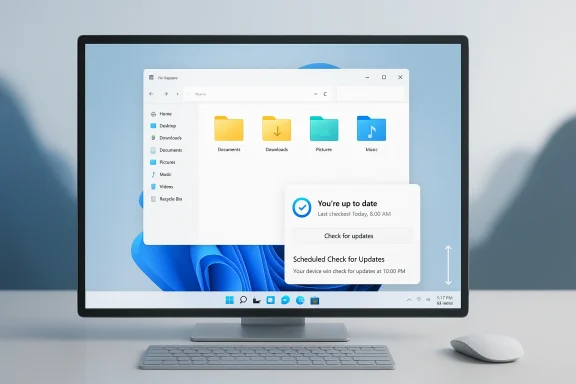
Microsoft is signaling one of the most important course corrections in the Windows 11 era: a shift away from feature noise and toward speed, reliability, and user control. The company’s latest roadmap emphasizes a faster-feeling shell, a lighter system footprint, more dependable core experiences, and fewer update disruptions — the exact areas that have drawn the most criticism from power users and everyday PC buyers alike. That change matters because Windows is no longer being judged only against its own past; it is being measured against the simpler, more predictable experiences offered by macOS, ChromeOS, and even polished Linux desktops. Microsoft is effectively admitting that Windows 11’s next chapter has to be about trust, not just novelty.
Windows 11 arrived with a clear visual message: modern, centered, cleaner, and more tightly curated than Windows 10. But the operating system also took away or restricted behaviors users had grown to depend on, and that trade-off created a persistent tension between polish and control. The result was a platform that often looked more coherent than its predecessor while feeling less flexible in day-to-day use. That difference mattered, because operating systems are judged less by screenshots than by how they behave when users are trying to work.
Over time, the complaints hardened into familiar categories: sluggish File Explorer behavior, awkward Search interactions, inconsistent shell responsiveness, forced restarts, and the feeling that Windows was becoming a delivery vehicle for ads and Copilot prompts rather than a neutral workspace. Those issues may sound small in isolation, but together they create the sense that the OS is constantly asking for attention. That is exactly the kind of friction that erodes affection for a platform.
Microsoft has not been ignoring the feedback. The Insider program has already served as a proving ground for improvements to performance, update behavior, File Explorer, Search, and reliability, and the current roadmap reads like the broadening of that effort. The key difference is emphasis: the company is now speaking about Windows quality as a first-class goal, not just a side effect of feature development. That shift is subtle in wording but huge in product strategy.
There is also an enterprise backdrop to all of this. Businesses care less about flashy additions than about predictable restarts, driver stability, and consistent behavior across mixed hardware fleets. When Microsoft improves the boring stuff, it does not just help enthusiasts; it reduces support burdens and gives IT departments more confidence in the platform. In other words, quality is not a cosmetic metric. It is a deployment strategy.
This reset is important because Windows has historically succeeded by being both broad and adaptable. The more Microsoft curates the experience, the more it risks alienating the people who rely on Windows for fine-grained control. Restoring that balance is the real challenge here, not simply shipping a handful of fixes. If the company can make Windows feel less like a moving target, it will have done more than polish the interface — it will have restored a sense of ownership to the user.
That focus on memory efficiency is especially important in the current hardware market. A lot of Windows PCs are sold with modest RAM configurations, and users increasingly expect those systems to feel snappy anyway. If Windows itself consumes less overhead, it leaves more room for browsers, productivity apps, and background services that people actually care about. That makes the machine feel newer for longer, which is the kind of outcome that affects both sales and satisfaction.
Microsoft’s technical bet is that structural changes matter more than cosmetic ones. Moving more of the shell to newer frameworks like WinUI 3 is part of that logic, because the company wants a more consistent foundation for modern UI behavior. That alone will not fix Windows, but it can reduce the awkward seams that make the desktop feel stitched together from different eras.
What makes Explorer especially sensitive is that it sits at the intersection of file operations, cloud integration, search, and navigation. Every tiny lag compounds into a broader impression that Windows is less polished than it should be. Even if the rest of the system is stable, Explorer can poison the experience if it stumbles at the wrong moment. That is why improving it is not just a quality-of-life fix; it is a credibility repair.
This matters because update pain is not just an inconvenience; it is a trust problem. When a machine forces a reboot at the wrong time, it tells the user that the system’s maintenance schedule matters more than their work. Microsoft appears to be acknowledging that a modern PC should negotiate with the user rather than dictate to them. That is a much healthier posture for the operating system.
That ecosystem problem is one of Windows’ greatest strengths and greatest liabilities. Windows can run on an enormous range of hardware, which is part of why it remains dominant. But that same breadth creates endless opportunities for inconsistency, and users only need one bad dock, one flaky printer, or one broken wake cycle to lose confidence. Microsoft can improve the platform, but it cannot fully escape the complexity of the ecosystem it built.
Restoring greater taskbar flexibility would be symbolically powerful because it signals Microsoft is willing to reverse a decision that did not land well. It is also a useful reminder that power users are not asking for novelty; they are asking for respect for the ways they already work. That distinction matters. The best product decisions often look less like invention and more like restoring agency.
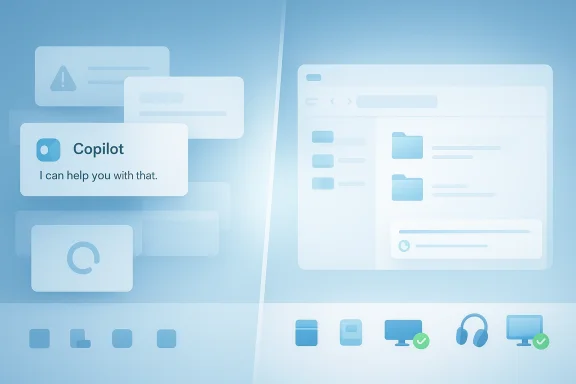
This is a delicate balancing act. Microsoft wants Windows to remain relevant in an AI-first era, and it clearly sees the operating system as the front door to its broader ecosystem. But the company also has to respect the fact that many users still think of the desktop as a place to get work done, not a canvas for constant AI prompts. If Microsoft overreaches, it risks turning helpful features into ambient noise.
For enterprises, the value is even more direct. Businesses care about uptime, support volume, consistency, and the predictability of the update pipeline. If Microsoft improves shell stability, driver behavior, and recovery flows, it makes Windows 11 easier to manage at scale. That is especially important in mixed fleets, where one weak driver or one confusing UI change can turn into dozens of support tickets.
The broader question is whether Microsoft treats quality as a permanent strategy rather than a temporary correction. If it does, Windows 11 could finally settle into the role it was always meant to play: a modern desktop OS that is fast enough, stable enough, and flexible enough to get out of the user’s way. If it does not, the platform will continue to be remembered for promises that sounded good but arrived too unevenly to matter.
Source: OC3D Microsoft promises to make Windows 11 faster and more reliable - OC3D
 Background
Windows 11 arrived with a clear visual message: modern, centered, cleaner, and more tightly curated than Windows 10. But the operating system also took away or restricted behaviors users had grown to depend on, and that trade-off created a persistent tension between polish and control. The result was a platform that often looked more coherent than its predecessor while feeling less flexible in day-to-day use. That difference mattered, because operating systems are judged less by screenshots than by how they behave when users are trying to work.Over time, the complaints hardened into familiar categories: sluggish File Explorer behavior, awkward Search interactions, inconsistent shell responsiveness, forced restarts, and the feeling that Windows was becoming a delivery vehicle for ads and Copilot prompts rather than a neutral workspace. Those issues may sound small in isolation, but together they create the sense that the OS is constantly asking for attention. That is exactly the kind of friction that erodes affection for a platform.
Microsoft has not been ignoring the feedback. The Insider program has already served as a proving ground for improvements to performance, update behavior, File Explorer, Search, and reliability, and the current roadmap reads like the broadening of that effort. The key difference is emphasis: the company is now speaking about Windows quality as a first-class goal, not just a side effect of feature development. That shift is subtle in wording but huge in product strategy.
There is also an enterprise backdrop to all of this. Businesses care less about flashy additions than about predictable restarts, driver stability, and consistent behavior across mixed hardware fleets. When Microsoft improves the boring stuff, it does not just help enthusiasts; it reduces support burdens and gives IT departments more confidence in the platform. In other words, quality is not a cosmetic metric. It is a deployment strategy.
A Deliberate Reset in Tone
The most striking part of Microsoft’s latest Windows messaging is not a specific feature. It is the tone. The company is no longer selling Windows 11 primarily as a canvas for AI and interface reinvention; it is presenting the OS as something that needs to become calmer, more dependable, and less intrusive. That is a meaningful change because it suggests Microsoft understands that too much novelty can make a desktop feel unstable even when the code technically works.This reset is important because Windows has historically succeeded by being both broad and adaptable. The more Microsoft curates the experience, the more it risks alienating the people who rely on Windows for fine-grained control. Restoring that balance is the real challenge here, not simply shipping a handful of fixes. If the company can make Windows feel less like a moving target, it will have done more than polish the interface — it will have restored a sense of ownership to the user.
Why tone matters in operating systems
An OS can survive a bad feature if the platform still feels trustworthy. It cannot survive a pattern of feeling needy, delayed, or intrusive. That is why Microsoft’s talk of “craft,” responsiveness, and fewer disruptions carries so much weight: it reframes quality as a product identity rather than a bug-fix initiative.- Microsoft is emphasizing quality over spectacle.
- The company is trying to reduce friction, not just add features.
- Windows 11 is being positioned as more predictable and less noisy.
- The shift reflects both consumer complaints and enterprise needs.
- The change in tone may be as important as the code changes themselves.
Performance as the Foundation
Performance is the easiest complaint for users to notice because it is felt instantly. If File Explorer opens slowly, if the Start menu hesitates, or if a laptop feels sticky while switching apps, none of the platform’s other strengths matter very much. Microsoft’s promise to lower baseline memory use and improve responsiveness is therefore not a minor tuning exercise; it is a direct response to the most visible signs of platform fatigue.That focus on memory efficiency is especially important in the current hardware market. A lot of Windows PCs are sold with modest RAM configurations, and users increasingly expect those systems to feel snappy anyway. If Windows itself consumes less overhead, it leaves more room for browsers, productivity apps, and background services that people actually care about. That makes the machine feel newer for longer, which is the kind of outcome that affects both sales and satisfaction.
Microsoft’s technical bet is that structural changes matter more than cosmetic ones. Moving more of the shell to newer frameworks like WinUI 3 is part of that logic, because the company wants a more consistent foundation for modern UI behavior. That alone will not fix Windows, but it can reduce the awkward seams that make the desktop feel stitched together from different eras.
Why memory footprint is a strategic issue
The memory story is not just about benchmarks. It is about perceived efficiency. A lighter operating system feels more responsive on budget hardware, older laptops, and compact devices, while a heavier one makes every task feel a little more resistant. That is a dangerous impression for Microsoft to leave, especially when competitors have spent years selling the idea that their platforms are smoother out of the box.- Lower memory usage can improve everyday multitasking.
- A smaller baseline footprint helps midrange and older PCs.
- Better responsiveness strengthens the case for Windows on thin-and-light devices.
- Shell improvements have outsized impact because users touch them constantly.
- Performance is a trust signal, not just a technical metric.
File Explorer and the Core Shell
File Explorer is the perfect barometer for Windows quality because nearly everyone uses it, and they use it repeatedly. That makes its performance disproportionately important: slow folder navigation or awkward search behavior does not feel like a single-app problem, it feels like the whole operating system is dragging. Microsoft’s attention to Explorer is therefore one of the strongest signs that the company understands where users feel the friction most sharply.What makes Explorer especially sensitive is that it sits at the intersection of file operations, cloud integration, search, and navigation. Every tiny lag compounds into a broader impression that Windows is less polished than it should be. Even if the rest of the system is stable, Explorer can poison the experience if it stumbles at the wrong moment. That is why improving it is not just a quality-of-life fix; it is a credibility repair.
The psychology of shell latency
Users do not need a benchmark to notice when a shell hesitates. They can feel the delay in the same way they can feel a weak keyboard or a sticky trackpad. That is why Microsoft’s push to reduce input latency and improve responsiveness in shell components matters so much: these changes affect the emotional texture of using a PC.- Faster Explorer launch times make the OS feel more immediate.
- Smoother navigation reduces cognitive friction.
- Better file search responsiveness improves daily productivity.
- More reliable file operations reduce user uncertainty.
- Shell quality shapes the overall reputation of Windows.
Updates, Reboots, and User Control
Windows Update has long been one of the most complained-about parts of the platform, not because users hate security updates, but because they resent being surprised by them. Microsoft’s newer messaging suggests it wants to make updates less coercive, with longer pause windows, fewer automatic restarts, and better control during setup and shutdown. That is a major philosophical change if it reaches consumers in a meaningful way.This matters because update pain is not just an inconvenience; it is a trust problem. When a machine forces a reboot at the wrong time, it tells the user that the system’s maintenance schedule matters more than their work. Microsoft appears to be acknowledging that a modern PC should negotiate with the user rather than dictate to them. That is a much healthier posture for the operating system.
From forced maintenance to managed maintenance
The idea is not to make updates optional in a dangerous sense. It is to make them predictable, visible, and less disruptive. That distinction is critical, because security still matters, especially in a world where Windows devices are constantly online and constantly targeted. A better update experience should strengthen trust without weakening protection.- Longer pauses help users manage travel, deadlines, and launches.
- More transparent restart behavior reduces unexpected interruptions.
- Better setup flow gets users to the desktop faster.
- Less aggressive prompting lowers update fatigue.
- Predictable maintenance improves perceived reliability.
Reliability and the Hidden Cost of Ecosystem Scale
Reliability is the part of Windows that users remember the longest. A fast system that crashes, wakes incorrectly, drops Bluetooth devices, or misbehaves after a driver update does not feel trustworthy for very long. Microsoft’s renewed emphasis on crashes, drivers, peripherals, and sign-in behavior suggests it knows that quality is determined as much by ecosystem management as by the OS code itself.That ecosystem problem is one of Windows’ greatest strengths and greatest liabilities. Windows can run on an enormous range of hardware, which is part of why it remains dominant. But that same breadth creates endless opportunities for inconsistency, and users only need one bad dock, one flaky printer, or one broken wake cycle to lose confidence. Microsoft can improve the platform, but it cannot fully escape the complexity of the ecosystem it built.
Why reliability is a UX feature
Too many product discussions treat reliability as invisible engineering housekeeping. It is not invisible to the person whose call drops because a headset failed to reconnect, or whose laptop fails to wake before a meeting. Reliability is user experience because it determines whether people can rely on the machine without thinking about it.- Better driver validation can reduce random instability.
- Improved peripheral support lowers support pain.
- More dependable wake behavior helps mobile users.
- Stronger Windows Hello reliability improves sign-in trust.
- Fewer OS-level crashes strengthen the platform reputation.
Taskbar Flexibility and the Return of Control
Few Windows topics trigger enthusiasts like taskbar placement. Windows 11’s restriction of the taskbar was one of those changes that seemed minor in a product meeting and major in real life. People with vertical monitors, complex multi-display setups, or simply long-standing habits immediately felt the loss, because the taskbar is one of the most visible and personal parts of the desktop.Restoring greater taskbar flexibility would be symbolically powerful because it signals Microsoft is willing to reverse a decision that did not land well. It is also a useful reminder that power users are not asking for novelty; they are asking for respect for the ways they already work. That distinction matters. The best product decisions often look less like invention and more like restoring agency.
Why small control changes have outsized meaning
Control surfaces shape how people feel about the whole operating system. If the taskbar, Start menu, and shell menus feel locked down, the whole platform feels less like a toolkit and more like a preset appliance. Microsoft’s current direction suggests it has heard that message.- More taskbar options would help power users and multi-monitor setups.
- User choice reduces the sense of OS paternalism.
- Flexible layout improves workflow fit.
- Control helps Windows feel more personal.
- Restoring familiar behavior can repair brand goodwill.
Copilot, Clutter, and the Question of Restraint
Microsoft has not abandoned AI on Windows, but its recent messaging suggests a more selective approach. That is notable because many of the criticisms leveled at Windows 11 were not about AI in principle; they were about AI being pushed into places where it did not feel helpful. A quieter Copilot presence and less promotional clutter would therefore be more than a cosmetic change — it would be a recognition that restraint is part of good product design.This is a delicate balancing act. Microsoft wants Windows to remain relevant in an AI-first era, and it clearly sees the operating system as the front door to its broader ecosystem. But the company also has to respect the fact that many users still think of the desktop as a place to get work done, not a canvas for constant AI prompts. If Microsoft overreaches, it risks turning helpful features into ambient noise.
The politics of less AI
“Less Copilot” does not necessarily mean “less AI.” It may simply mean better placement, less repetition, and fewer hard-coded nudges that make the OS feel like it is selling something while you are trying to do something else. That could be the smarter move commercially, because users are more likely to adopt AI tools when they encounter them at the right time.- Better placement can make AI feel useful instead of pushy.
- Cleaner defaults reduce attention fatigue.
- Less clutter improves workspace focus.
- Selective exposure can increase actual adoption.
- Restraint strengthens trust in the platform.
Enterprise and Consumer Impact
For consumers, the best-case scenario is straightforward: Windows 11 gets quieter, faster, and less annoying. That means fewer restarts at bad times, a more responsive desktop, better setup flows, and fewer moments when the OS gets in the way of getting something done. These are not glamorous gains, but they are the ones that shape whether people stay annoyed or start feeling positive again.For enterprises, the value is even more direct. Businesses care about uptime, support volume, consistency, and the predictability of the update pipeline. If Microsoft improves shell stability, driver behavior, and recovery flows, it makes Windows 11 easier to manage at scale. That is especially important in mixed fleets, where one weak driver or one confusing UI change can turn into dozens of support tickets.
Different users, same expectations
Consumers may not care how Microsoft implements the changes, but they absolutely care whether the machine feels more respectful. IT departments may not care about taskbar aesthetics, but they care deeply about consistency and fewer surprises. The most effective Windows improvements are the ones that satisfy both sides at once.- Consumers want fewer interruptions and faster everyday interactions.
- Enterprises want stability, visibility, and easier support.
- Power users want control over layout and update timing.
- Gamers want fewer setup annoyances and better handheld ergonomics.
- Everyone wants the machine to feel less demanding.
Strengths and Opportunities
Microsoft’s Windows 11 reset has several clear strengths, and most of them come from focusing on the stuff users notice every day rather than on abstract feature counts. The company is leaning into foundational improvements that can pay off across consumer, enterprise, and enthusiast audiences if they hold up in real-world use. That is a healthier story than trying to force a new narrative onto an OS that still needs basic trust repair.- Better File Explorer responsiveness can improve daily productivity.
- Lower memory usage can make modest PCs feel faster.
- More flexible update control can reduce user frustration.
- Stronger driver validation can improve platform stability.
- Cleaner AI placement can reduce clutter and annoyance.
- Taskbar flexibility can win back power-user goodwill.
- Better setup flows can make first impressions much stronger.
Risks and Concerns
The obvious risk is overpromising. Microsoft is describing a broad improvement arc that spans performance, reliability, update control, taskbar flexibility, setup simplification, and AI restraint. That is a lot to deliver, and if the experience is inconsistent across devices or rollout channels, the goodwill can evaporate quickly.- Preview features can remain half-finished for too long.
- Gradual rollout can make the experience feel fragmented.
- Some improvements may be limited to specific hardware classes.
- Reliability gains can be offset by new edge cases.
- More user control can increase support complexity.
- AI restraint could be temporary if Microsoft re-accelerates promotion later.
- A better narrative does not automatically guarantee a better product.
Looking Ahead
The next few months will show whether Microsoft is executing a real platform reset or simply repackaging the same Windows roadmap in more user-friendly language. The signs to watch are concrete: update pause changes, fewer forced restarts, better first-boot experiences, and measurable improvements in shell responsiveness. Those are the moments where rhetoric either becomes product behavior or falls apart.The broader question is whether Microsoft treats quality as a permanent strategy rather than a temporary correction. If it does, Windows 11 could finally settle into the role it was always meant to play: a modern desktop OS that is fast enough, stable enough, and flexible enough to get out of the user’s way. If it does not, the platform will continue to be remembered for promises that sounded good but arrived too unevenly to matter.
- Watch for release notes that clearly spell out update behavior changes.
- Watch for File Explorer benchmarks and user reports.
- Watch for taskbar flexibility in mainstream builds.
- Watch for quieter Copilot placement across core apps.
- Watch for setup and reboot behavior on new consumer PCs.
- Watch for better stability on handhelds, docks, and mixed peripherals.
Source: OC3D Microsoft promises to make Windows 11 faster and more reliable - OC3D