

Microsoft’s renewed attention to Windows 11 Search matters because it targets one of the OS’s most persistent usability complaints: the system often feels too eager to mix local results with web suggestions and promotional content, even when the user is clearly trying to find a file or app. Microsoft has already been signaling a broader cleanup of Windows 11’s shell, including changes to File Explorer, Start, and how Copilot is woven into the desktop experience. The latest message from Windows shell leadership suggests the company is now trying to make Search simpler, less distracting, and more relevant.
Windows Search has always lived at the intersection of convenience and frustration. In theory, it is the fastest way to launch apps, open files, change settings, and search the web without leaving the desktop. In practice, many Windows 11 users have long complained that the search box behaves less like a focused launcher and more like a noisy gateway that blends local indexing, web answers, suggested content, and Microsoft ecosystem prompts. Microsoft’s own support pages confirm that Search can return apps, documents, settings, help, people, and web results in a single flow, which explains both the feature’s flexibility and its tendency to feel cluttered.
That tension is not new. Windows has gradually expanded Search from a simple local index into a cross-service discovery layer, and that broader mission has repeatedly blurred the line between finding what I already have and discovering what Microsoft wants to surface. Microsoft support documentation still describes search as a place to find files, apps, settings, and web results together, while also offering tabs and filters to narrow the output. The problem is that most people do not want to start by filtering; they want the right thing to appear first.
At the same time, Microsoft has been building a more capable version of search for Copilot+ PCs. Official Windows blog posts describe improved search using semantic indexing and natural-language queries, letting users type descriptions like they would speak them rather than hunting for exact file names. That is a meaningful technical advance, but it also changes expectations: if search can understand intent better, then the baseline Windows 11 experience feels even more dated when it prioritizes web noise over local relevance.
The timing is important too. Over the past year, Microsoft has increasingly framed Windows 11 as an AI-forward operating system, while users and IT admins have often asked for something much simpler: fewer distractions, better responsiveness, and more predictable core workflows. In that sense, a search overhaul is not just a cosmetic tweak. It is a signal that Microsoft recognizes the desktop still needs craft, not just more AI vocabulary.
The practical effect could be dramatic if Microsoft gets it right. A query like “Terminal” should naturally bring up Windows Terminal first, not an entertainment result or an online suggestion with a similar token. The same logic applies to settings, documents, and apps: users expect local intent to win when the query is clearly about something already on the PC.
That confusion matters even more for experienced users. Power users generally know whether they want a local file, a control panel-style setting, or a program shortcut. When Search interrupts that intent with Bing-driven web results or “helpful” extras, it feels less efficient than old-fashioned navigation through File Explorer or Start. In other words, a feature built to save time ends up asking for more of it.
This is also why the reduced emphasis on Copilot matters. Many users are not opposed to AI; they are opposed to AI being inserted where a simple action would do. If Microsoft can make Search, Start, and File Explorer feel quieter without making them less capable, it will have answered a bigger complaint than any one product head’s quote can capture.
The comparison to earlier Windows eras is revealing. In the past, Windows made sense because its navigation metaphors were stable. The modern shell has often felt like a series of overlapping experiments. Bringing Search back toward clarity would help restore the sense that Windows is a tool first and a platform for Microsoft services second. That would be a meaningful philosophical correction.
For consumer users, less distracting Search also means less accidental exposure to web clutter. Many people do not want a desktop launcher to behave like an ad-supported web portal. They want a utility that respects the boundary between local work and online discovery, and that is especially true on family PCs where multiple users share the same machine.
Enterprise also has a different privacy and data governance calculus. Microsoft says Windows Search can store and use web search history tied to a Microsoft account for more relevant results and suggestions, while some semantic search data on Copilot+ PCs is stored locally. That split between cloud-enhanced and local-first behaviors can be valuable, but it also creates policy questions about what is indexed, where it lives, and how much control admins have over the experience.
That distinction is also why the Copilot story should not be oversold. On Copilot+ PCs, Microsoft already offers improved search that can understand intent across documents, photos, and settings. But the everyday Windows 11 audience is much broader than the premium AI PC segment. If the baseline shell remains cluttered, then AI becomes a feature for the few rather than an improvement for the many.
Microsoft’s challenge is to make AI feel like a precision tool, not a layer of additional noise. That means letting Copilot assist when asked, but stepping back when the user is simply trying to find a file or launch an app. The best interface is often the one that knows when not to speak.
This also affects Microsoft’s own ecosystem strategy. The company wants users inside Windows, Copilot, Bing, OneDrive, Microsoft 365, and other connected services, but the route into those services has to feel natural. Forcing web layers into local search may increase surface area in the short term, yet it risks training people to avoid Search altogether. That is a bad trade if the goal is habitual engagement.
A more restrained Windows Search could also help Microsoft defend against the perception that Windows 11 is overdesigned. In an era where users increasingly value frictionless experiences, removing friction is often a more powerful competitive move than adding features. That is especially true when the criticism is not about capability but about priority.
Finally, there is a reputational risk. Microsoft has spent years pitching Windows 11 as smarter, more integrated, and more AI-ready. If users interpret the Search overhaul as proof that the old experience was broken, the company may be forced to confront how much frustration its own design choices created. That is not fatal, but it does raise the stakes for how transparently Microsoft communicates the change.
Source: TweakTown After years of complaints, Microsoft is finally working to improve Windows 11 Search
 Background
Windows Search has always lived at the intersection of convenience and frustration. In theory, it is the fastest way to launch apps, open files, change settings, and search the web without leaving the desktop. In practice, many Windows 11 users have long complained that the search box behaves less like a focused launcher and more like a noisy gateway that blends local indexing, web answers, suggested content, and Microsoft ecosystem prompts. Microsoft’s own support pages confirm that Search can return apps, documents, settings, help, people, and web results in a single flow, which explains both the feature’s flexibility and its tendency to feel cluttered.That tension is not new. Windows has gradually expanded Search from a simple local index into a cross-service discovery layer, and that broader mission has repeatedly blurred the line between finding what I already have and discovering what Microsoft wants to surface. Microsoft support documentation still describes search as a place to find files, apps, settings, and web results together, while also offering tabs and filters to narrow the output. The problem is that most people do not want to start by filtering; they want the right thing to appear first.
At the same time, Microsoft has been building a more capable version of search for Copilot+ PCs. Official Windows blog posts describe improved search using semantic indexing and natural-language queries, letting users type descriptions like they would speak them rather than hunting for exact file names. That is a meaningful technical advance, but it also changes expectations: if search can understand intent better, then the baseline Windows 11 experience feels even more dated when it prioritizes web noise over local relevance.
The timing is important too. Over the past year, Microsoft has increasingly framed Windows 11 as an AI-forward operating system, while users and IT admins have often asked for something much simpler: fewer distractions, better responsiveness, and more predictable core workflows. In that sense, a search overhaul is not just a cosmetic tweak. It is a signal that Microsoft recognizes the desktop still needs craft, not just more AI vocabulary.
What Microsoft Is Changing
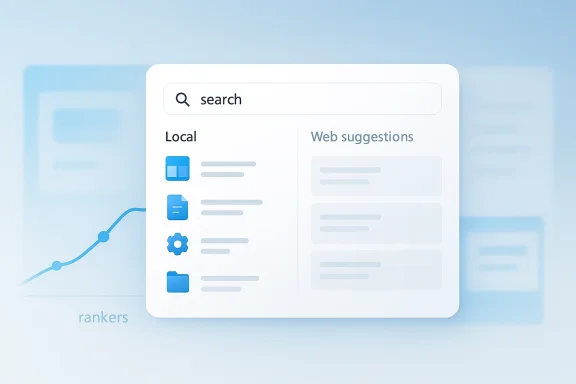
The most notable part of the new direction is not that Microsoft is adding another flashy search feature, but that it appears to be rebalancing the result mix. According to the public comments surfaced in the report, Microsoft is adjusting the search rankers so that the most relevant files and local items appear before irrelevant suggestions. That is a significant shift because rankers determine the order of results, and the order is what most users experience as quality. If the first answer is wrong, the search is often judged as broken even when the correct item is technically present lower down.Rankers, in plain English
A ranker is essentially the scoring logic behind the curtain. It weighs signals such as file type, recency, app relevance, user behavior, and sometimes web availability to decide what should rise to the top. Microsoft’s reported goal is to make that scoring system favor the item the user is most likely actually seeking, rather than a random web hit, promotional suggestion, or superficially related object. That sounds small, but in a search system, the scoring model is the product.The practical effect could be dramatic if Microsoft gets it right. A query like “Terminal” should naturally bring up Windows Terminal first, not an entertainment result or an online suggestion with a similar token. The same logic applies to settings, documents, and apps: users expect local intent to win when the query is clearly about something already on the PC.
- Relevance must beat novelty.
- Local files should outrank web noise when the query is local.
- App and settings results should be more predictable.
- Search should feel fast, direct, and calm.
- The best result should appear before the user has to think.
Why Windows Search Became a Pain Point
Windows Search became frustrating for a simple reason: it started trying to be a universal answer engine inside an operating system that people still use mainly to get work done. Over time, Microsoft introduced web results, suggestions, search highlights, Microsoft account integration, and product discovery prompts. Each piece may have been defensible in isolation, but together they made the search box feel less like a utility and more like a marketing surface.Search home vs. search intent
There is a real difference between a search home experience and a search intent experience. Search home can surface trending content, recent apps, and online information; search intent should prioritize the thing you actually typed to retrieve. Microsoft’s own documentation shows that Search home is designed to “discover more,” while taskbar and File Explorer search are meant to locate files, apps, settings, and online content. The friction comes from not clearly separating those jobs.That confusion matters even more for experienced users. Power users generally know whether they want a local file, a control panel-style setting, or a program shortcut. When Search interrupts that intent with Bing-driven web results or “helpful” extras, it feels less efficient than old-fashioned navigation through File Explorer or Start. In other words, a feature built to save time ends up asking for more of it.
- Users want deterministic behavior.
- Power users dislike ambiguous result blending.
- Casual users dislike results that feel random.
- IT admins prefer predictable lookup behavior.
- Search should reduce clicks, not redistribute them.
How This Fits Microsoft’s Broader Windows 11 Reset
Microsoft’s reported Search work is only one part of a larger cleanup effort around Windows 11. In recent weeks, Microsoft has also talked about changes to File Explorer, more restrained Copilot integration, and a renewed focus on building more native experiences rather than leaning on web-first or hybrid app concepts. Taken together, these moves suggest the company is trying to reduce friction in the shell, not just add AI features on top of it.The shell is the message
The Windows shell is the front door to the operating system, and its quality shapes whether the whole product feels polished or chaotic. If Search, Start, and File Explorer all become more direct and less cluttered, Windows 11 can recover a sense of cohesion that has sometimes been missing. Microsoft’s public quality messaging in March 2026 emphasized more intentional AI integration, performance improvements, and faster core experiences like Start. That context makes a Search overhaul feel less like a one-off fix and more like part of a deliberate shell redesign.This is also why the reduced emphasis on Copilot matters. Many users are not opposed to AI; they are opposed to AI being inserted where a simple action would do. If Microsoft can make Search, Start, and File Explorer feel quieter without making them less capable, it will have answered a bigger complaint than any one product head’s quote can capture.
The comparison to earlier Windows eras is revealing. In the past, Windows made sense because its navigation metaphors were stable. The modern shell has often felt like a series of overlapping experiments. Bringing Search back toward clarity would help restore the sense that Windows is a tool first and a platform for Microsoft services second. That would be a meaningful philosophical correction.
- File Explorer is becoming more capable and more performant.
- Start is being tuned for speed and responsiveness.
- Copilot is being integrated more intentionally.
- Search is being pushed back toward usefulness.
- The shell is being treated as a product, not just a canvas.
Consumer Impact: What Everyday Users Stand to Gain
For ordinary Windows 11 users, the biggest improvement would be trust. If Search consistently returns the app, file, or setting that matches the query, people will use it more often instead of bypassing it. That could make the taskbar feel less like a noisy dashboard and more like a practical command center.Better first impression, fewer detours
The value of a search box is mostly measured in first-hit success. If users can type “Photos,” “Wi-Fi,” or “budget.xlsx” and immediately see the right thing, they save time and feel in control. Microsoft’s own documentation already frames Search as a shortcut to reduce navigation, so the opportunity here is to make that promise feel dependable rather than aspirational.For consumer users, less distracting Search also means less accidental exposure to web clutter. Many people do not want a desktop launcher to behave like an ad-supported web portal. They want a utility that respects the boundary between local work and online discovery, and that is especially true on family PCs where multiple users share the same machine.
- Faster access to apps and documents.
- Fewer irrelevant web results.
- Less visual clutter in the search pane.
- A more intuitive Start and taskbar experience.
- Lower frustration for casual users.
Enterprise and IT Admin Implications
Enterprises care about Windows Search for different reasons. Search is not just about convenience; it is about findability, supportability, and policy compliance. When users can quickly locate approved tools, documents, and settings, help desk traffic drops and productivity rises. When Search produces confusing web-first output, users are more likely to open tickets, ask colleagues, or work around the system entirely.Search as a productivity layer
In managed environments, predictable search can reduce training overhead because users do not need to learn where every setting lives. Microsoft’s own Microsoft Search documentation notes that Windows and Windows apps are search driven, letting users get to tasks and data without digging through menus. That is a strong productivity story, but only if the search experience remains consistent across device types and policy configurations.Enterprise also has a different privacy and data governance calculus. Microsoft says Windows Search can store and use web search history tied to a Microsoft account for more relevant results and suggestions, while some semantic search data on Copilot+ PCs is stored locally. That split between cloud-enhanced and local-first behaviors can be valuable, but it also creates policy questions about what is indexed, where it lives, and how much control admins have over the experience.
- IT teams want fewer unpredictable UI changes.
- Local search should remain policy-friendly.
- Web results can create compliance concerns.
- Better indexing can reduce support requests.
- Clearer search behavior helps training and adoption.
The Copilot Connection
Search cannot be understood in isolation because Microsoft has tied much of Windows 11’s recent identity to Copilot and AI. Yet the public conversation around Windows has been increasingly clear: users want AI that helps, not AI that dominates. Microsoft’s latest quality messaging explicitly says it wants to be more intentional about where Copilot integrates across Windows, which aligns closely with making Search less distracting.When AI helps and when it gets in the way
There is a subtle but important distinction between semantic search and loud search. Semantic search is useful when it helps users retrieve information using natural language, especially on Copilot+ PCs with on-device AI. Loud search is what happens when the interface overemphasizes web content, shopping suggestions, or unrelated discovery features at the wrong moment. Microsoft appears to be trying to move Windows 11 away from the second and further into the first.That distinction is also why the Copilot story should not be oversold. On Copilot+ PCs, Microsoft already offers improved search that can understand intent across documents, photos, and settings. But the everyday Windows 11 audience is much broader than the premium AI PC segment. If the baseline shell remains cluttered, then AI becomes a feature for the few rather than an improvement for the many.
Microsoft’s challenge is to make AI feel like a precision tool, not a layer of additional noise. That means letting Copilot assist when asked, but stepping back when the user is simply trying to find a file or launch an app. The best interface is often the one that knows when not to speak.
Competitive Context: Why This Matters Beyond Windows
The competitive angle here is bigger than Windows 11 itself. Users now compare the desktop not just to other Windows versions, but to the more predictable search and launcher patterns they experience on mobile devices, Chromebooks, and macOS. In those environments, search tends to feel more singular and less opportunistic, which sets a higher bar for Microsoft’s desktop UX.The launcher war is really a relevance war
A modern launcher is not just an app picker. It is a relevance engine, and relevance is increasingly part of platform reputation. If Windows Search makes the right thing obvious, Microsoft strengthens the case that Windows is still the most flexible productivity desktop. If it remains cluttered, competitors get to frame their interfaces as cleaner and more respectful of user intent.This also affects Microsoft’s own ecosystem strategy. The company wants users inside Windows, Copilot, Bing, OneDrive, Microsoft 365, and other connected services, but the route into those services has to feel natural. Forcing web layers into local search may increase surface area in the short term, yet it risks training people to avoid Search altogether. That is a bad trade if the goal is habitual engagement.
A more restrained Windows Search could also help Microsoft defend against the perception that Windows 11 is overdesigned. In an era where users increasingly value frictionless experiences, removing friction is often a more powerful competitive move than adding features. That is especially true when the criticism is not about capability but about priority.
- Cleaner search improves platform trust.
- Better ranking improves perceived intelligence.
- Simpler UI reduces abandonment.
- Stronger local search makes Windows feel modern.
- Less clutter can be a competitive differentiator.
Strengths and Opportunities
Microsoft’s renewed focus on Search has several clear strengths. It addresses a visible user pain point, it fits the company’s broader cleanup of Windows 11, and it can improve both consumer satisfaction and enterprise productivity if executed properly. The biggest opportunity is not just better results; it is restoring confidence that the Windows shell is being refined with user intent in mind.- Better relevance should make Search feel trustworthy.
- Cleaner results can reduce unnecessary clicks.
- Local-first ranking supports everyday productivity.
- Improved shell consistency could lift overall satisfaction.
- A calmer interface may reduce complaints about Windows 11.
- Search improvements can complement File Explorer and Start fixes.
- Enterprise users may see fewer support frustrations.
Risks and Concerns
The biggest risk is that Microsoft overcorrects in a way that weakens the usefulness of web and cloud integration. Search should become more relevant, not artificially narrower. If the balance is wrong, Microsoft could fix one complaint while creating another, especially for users who do rely on web-aware results and ecosystem prompts.- Over-prioritizing local results could hide genuinely useful web answers.
- UI changes might behave differently across device classes.
- Copilot+ features could fragment expectations across hardware tiers.
- Semantic search may still confuse users if it is not clearly labeled.
- Ranking changes could produce inconsistent results after updates.
- Enterprise admins may need more controls than consumer docs currently highlight.
- Microsoft could still overcommunicate AI where users want simplicity.
Finally, there is a reputational risk. Microsoft has spent years pitching Windows 11 as smarter, more integrated, and more AI-ready. If users interpret the Search overhaul as proof that the old experience was broken, the company may be forced to confront how much frustration its own design choices created. That is not fatal, but it does raise the stakes for how transparently Microsoft communicates the change.
Looking Ahead
The most important question now is whether Microsoft can turn this from a promise into a measurable improvement. Search changes are easy to announce and harder to validate because users judge them in seconds, not in release notes. If the new rankers make the correct result appear sooner and with less clutter, the update will be obvious almost immediately.What to watch in the next Windows releases
The next few Windows 11 builds will be worth watching for a few practical signals. Are local files consistently prioritized? Are web suggestions reduced when the query is clearly about an installed app or a saved document? Does the experience stay coherent across Start, taskbar search, and File Explorer? Those details will determine whether this feels like a real redesign or just a tweak to the scoring layer.- Search should return local items faster.
- Web results should appear only when genuinely relevant.
- Start and File Explorer should feel more aligned.
- Copilot should be present, but not intrusive.
- Insiders will likely see the earliest evidence of ranker changes.
Source: TweakTown After years of complaints, Microsoft is finally working to improve Windows 11 Search
Last edited:
