

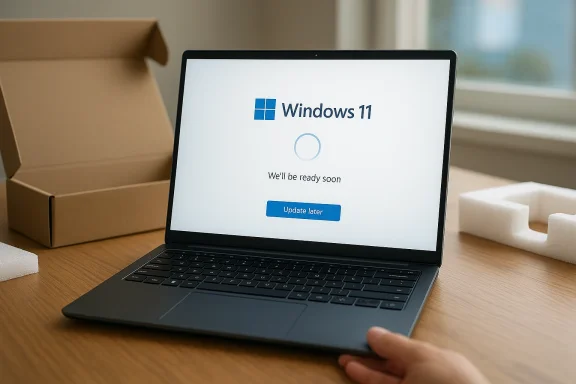
Microsoft is quietly making one of Windows 11’s most frustrating first-run experiences a little less painful. New consumer devices can now skip mandatory update installation during setup and land on the desktop faster, rather than forcing users to wait through a potentially long OOBE update phase first. It is a small change in appearance, but a meaningful one in practice: it gives buyers control over when they take updates instead of treating setup as a forced checkpoint. Microsoft’s own documentation has long acknowledged that OOBE updates can add 30 minutes or more depending on network and hardware conditions, which explains why this change matters so much.
For years, Windows 11 setup has walked a fine line between convenience and control. On a brand-new PC, especially one connected to the internet during initial setup, Microsoft has often used the OOBE to apply key updates before the user reaches the desktop. The goal is understandable: get the machine to a safer, more current baseline before first use. But the experience has also been a source of frustration, because setup can feel less like onboarding and more like a waiting room.
That tension has grown sharper as Microsoft has pushed more functionality into the initial setup flow. Windows 11 consumers have been asked to connect to the internet, sign in with a Microsoft account in many editions, accept cloud-driven services, and now increasingly endure update work before the device is usable. In practice, that means the “new PC day” experience can drag on even when the user is eager to get started. Microsoft has documented that OOBE updates may be downloaded and installed during setup, and that the time required depends on network conditions, device performance, and update size.
At the same time, Microsoft has not treated all OOBE updates the same way. Critical zero-day patch updates can still be enforced during setup because the company considers them necessary for the device to function properly. That distinction is important: the new “update later” option is not a blanket abandonment of security-first behavior. Instead, it is a selective loosening aimed mainly at consumer convenience, while preserving the ability to require truly urgent patches.
This is also not the first time Microsoft has adjusted OOBE behavior. Over the past year, Microsoft has repeatedly revised setup flows for Windows 11 24H2, 25H2, and 26H1 through successive OOBE updates. Those releases show a consistent pattern: Microsoft wants OOBE to do more work, but it also seems increasingly aware that users resent the burden. The new skip option should be read as a response to that feedback loop, not as a sudden philosophical pivot.
This matters because OOBE is emotionally loaded. It is the first interaction a buyer has with a new laptop, desktop, or mini PC, and the quality of that moment shapes the overall perception of the product. If the machine feels fast and ready right away, the experience feels premium. If it spends the first half hour installing updates, it feels less like a modern appliance and more like a box of chores.
The update-later option also changes the narrative around Windows Update itself. Microsoft has spent years trying to convince users that updates are beneficial, predictable, and less intrusive. Letting people defer setup-time updates is a recognition that trust is earned through flexibility, not just through insistence. In other words, the company is learning that being safer on paper is not the same thing as being better in the real world. That distinction is easy to miss and hard to ignore.
There is also a psychological upside. People tolerate long waits more easily when they feel in control of them. A forced wait at the end of setup feels endless; a postponed wait feels manageable because it is self-directed. Microsoft is not just shaving minutes off OOBE here — it is reducing the sense of friction that often colors the entire Windows onboarding experience.
Microsoft also has a practical incentive. When setup takes too long, users blame the PC, not just Windows. OEMs care about that because a slow first-run experience can tarnish the impression of otherwise capable hardware. By shortening setup, Microsoft indirectly helps its partners sell a more polished product, even if the actual update still happens later.
There is a deeper strategic logic too. Microsoft has spent years moving Windows toward a service model where updates, cloud sign-in, and policy controls are increasingly intertwined. But that service model only works if users do not feel ambushed at the very start. Offering a defer button is a pressure valve, and pressure valves matter when platform design is trying to balance security, productivity, and goodwill.
This split also reflects how Microsoft thinks about risk. Enterprises generally want enforcement, logging, and compliance controls. Consumers mostly want speed and simplicity. A single setting cannot satisfy both camps equally, so Microsoft is choosing a dual-track model: manage aggressively where administrators need it, and loosen the leash where frustration is most visible.
So the feature is not a free pass to ignore patches forever. It is more accurately a reduction in forced timing, not a removal of the update requirement itself. Users can finish setup faster and then install updates later, which is a much different proposition from being allowed to remain permanently outdated. That distinction should calm some of the more alarmist reactions. It should not, however, eliminate concern entirely.
Still, there is a valid behavioral risk: once users get onto the desktop, many will postpone updates longer than they should. Microsoft has spent years trying to reduce that tendency with clearer prompts and more predictable update scheduling, but human nature remains the weak link. If “later” becomes “much later,” the security gains from the change could erode.
Microsoft’s approach suggests a broader philosophy: keep the strongest guardrails for emergencies, but stop treating every update like an emergency. That is a more defensible model than forcing all updates equally, and it aligns better with the real-world urgency of different patches. Consumers do not need to experience the same treatment for a routine cumulative update and a critical security fix.
For buyers, the change is even more direct. If you are unboxing a home PC, the new option lets you get to the desktop, confirm the machine works, and take your time before installing any pending updates. That is useful when you want to migrate data, install apps, or simply avoid the awkwardness of handing over a new computer to a child or family member while it is still busy patching itself.
There is also a second-order benefit: reduced setup-time dependency on network quality. Many households still have inconsistent Wi‑Fi, and a slow or unstable connection can turn OOBE updates into a maddening first experience. Giving users an exit route means Microsoft is no longer making first impressions depend quite so heavily on broadband luck.
This also helps reduce support noise. A large share of first-run complaints are less about bugs and more about delays, uncertainty, and confusion. When setup is blocked by downloads, users often think something is wrong. A clearer choice can prevent that misunderstanding before it becomes a help-desk problem.
In managed environments, predictability is everything. An IT department does not want a hidden consumer-facing choice to undermine compliance or create inconsistent device states. That is why the new option is likely scoped away from managed systems and toward devices without centralized control. It keeps the enterprise stack clean while improving the retail narrative.
Microsoft’s Autopilot and Intune documentation reinforces this split. The company already treats OOBE as a configurable provisioning layer for organizations, including options to install monthly security updates during setup. In other words, Microsoft is not abandoning enterprise update discipline; it is building a more layered setup model where consumer convenience and business governance can coexist.
The real lesson for IT is that Microsoft is recognizing different user classes more clearly. A home user, a school deployment, and a corporate laptop do not have the same tolerance for interruption. A setup model that works better when it is context-aware is a healthier platform model than one-size-fits-all enforcement.
That is why the latest change feels more incremental than transformational. It removes one major irritation, but the overall setup experience remains highly guided and, for some users, overly prescriptive. In practical terms, Microsoft has shaved off a delay, not redesigned the whole philosophy of Windows onboarding.
The prospect of Microsoft loosening the Microsoft account requirement would be a bigger shift than the update skip option. The rumor has real traction because it speaks to a much broader user complaint, but until Microsoft confirms anything, it remains just that: a rumor. By comparison, the update-later behavior is a concrete change with immediate user-visible impact.
There is also the question of whether the new option will remain easy to find and easy to understand across device types and setup variants. If it is buried, mislabeled, or inconsistently applied by OEMs, the practical benefit could shrink quickly. OOBE changes live or die by clarity, not just by policy.
It also affects how the platform is judged in enterprise-adjacent consumer spaces, such as small businesses and prosumers. These buyers care about speed, control, and the ability to get a machine into service quickly. A smoother setup process can subtly reinforce Windows 11’s position as the default choice for mainstream PCs, especially when buyers compare it against more streamlined alternatives.
In a broader sense, the feature signals that Microsoft is trying to remove the impression that Windows is controlling users more than it is helping them. That perception matters in an era where software platforms are increasingly judged by how much agency they provide. The companies that win are often the ones that make the right path also feel like the easy path.
That is a smart move. It acknowledges that product strategy is not only about security baselines and servicing stacks, but also about first impressions. In the consumer PC market, first impressions are often the only impressions that matter.
The opportunity is equally clear: Microsoft can keep refining OOBE in ways that make Windows feel less obstructive and more responsive to user intent. If the company continues in that direction, it could chip away at one of Windows’ oldest reputation problems — that setup is always a little more annoying than it should be.
There is also the risk of uneven implementation. If the option appears in some setup paths but not others, or if OEMs present it inconsistently, users may become even more confused about what is required and what is optional. A feature meant to reduce frustration could backfire if the logic feels inconsistent.
The next likely battleground is account and connectivity policy. That is where much of the remaining dissatisfaction lives, and it is where Microsoft will face the hardest trade-offs between control, security, and consumer preference. The update skip option is a useful signal, but it is not the final word on where Windows setup is headed.
Source: Neowin Microsoft makes Windows 11 setup faster by letting you skip mandatory updates
 Background
For years, Windows 11 setup has walked a fine line between convenience and control. On a brand-new PC, especially one connected to the internet during initial setup, Microsoft has often used the OOBE to apply key updates before the user reaches the desktop. The goal is understandable: get the machine to a safer, more current baseline before first use. But the experience has also been a source of frustration, because setup can feel less like onboarding and more like a waiting room.That tension has grown sharper as Microsoft has pushed more functionality into the initial setup flow. Windows 11 consumers have been asked to connect to the internet, sign in with a Microsoft account in many editions, accept cloud-driven services, and now increasingly endure update work before the device is usable. In practice, that means the “new PC day” experience can drag on even when the user is eager to get started. Microsoft has documented that OOBE updates may be downloaded and installed during setup, and that the time required depends on network conditions, device performance, and update size.
At the same time, Microsoft has not treated all OOBE updates the same way. Critical zero-day patch updates can still be enforced during setup because the company considers them necessary for the device to function properly. That distinction is important: the new “update later” option is not a blanket abandonment of security-first behavior. Instead, it is a selective loosening aimed mainly at consumer convenience, while preserving the ability to require truly urgent patches.
This is also not the first time Microsoft has adjusted OOBE behavior. Over the past year, Microsoft has repeatedly revised setup flows for Windows 11 24H2, 25H2, and 26H1 through successive OOBE updates. Those releases show a consistent pattern: Microsoft wants OOBE to do more work, but it also seems increasingly aware that users resent the burden. The new skip option should be read as a response to that feedback loop, not as a sudden philosophical pivot.
What Changed in Windows 11 Setup
The headline change is straightforward: on supported consumer devices, setup now offers an “Update later” choice instead of forcing users to sit through updates before reaching the desktop. That means faster first boot, faster account completion, and a more immediate sense that the device is actually yours. In user-experience terms, it’s a classic case of removing a high-friction mandatory step and replacing it with an explicit choice.This matters because OOBE is emotionally loaded. It is the first interaction a buyer has with a new laptop, desktop, or mini PC, and the quality of that moment shapes the overall perception of the product. If the machine feels fast and ready right away, the experience feels premium. If it spends the first half hour installing updates, it feels less like a modern appliance and more like a box of chores.
The update-later option also changes the narrative around Windows Update itself. Microsoft has spent years trying to convince users that updates are beneficial, predictable, and less intrusive. Letting people defer setup-time updates is a recognition that trust is earned through flexibility, not just through insistence. In other words, the company is learning that being safer on paper is not the same thing as being better in the real world. That distinction is easy to miss and hard to ignore.
Why the user experience improves
The primary benefit is time. Instead of waiting for downloads, installs, and a likely reboot cycle before seeing the desktop, users can start working immediately and decide when to take updates afterward. That is especially useful for retail buyers, families setting up a shared machine, and anyone who simply wants to confirm the hardware works before committing to the rest of the Windows ecosystem.There is also a psychological upside. People tolerate long waits more easily when they feel in control of them. A forced wait at the end of setup feels endless; a postponed wait feels manageable because it is self-directed. Microsoft is not just shaving minutes off OOBE here — it is reducing the sense of friction that often colors the entire Windows onboarding experience.
- Faster access to the desktop
- Less perceived setup friction
- More user control over timing
- Fewer first-day interruptions
- Better first impression for new PCs
Why Microsoft Changed Course
The timing suggests Microsoft is responding to a long-running complaint rather than inventing a new need. Windows 11 setup has already been criticized for too many mandatory online steps, account prompts, cloud nudges, and update delays. Allowing users to skip updates is the simplest way to reduce visible annoyance without dismantling the broader setup architecture.Microsoft also has a practical incentive. When setup takes too long, users blame the PC, not just Windows. OEMs care about that because a slow first-run experience can tarnish the impression of otherwise capable hardware. By shortening setup, Microsoft indirectly helps its partners sell a more polished product, even if the actual update still happens later.
There is a deeper strategic logic too. Microsoft has spent years moving Windows toward a service model where updates, cloud sign-in, and policy controls are increasingly intertwined. But that service model only works if users do not feel ambushed at the very start. Offering a defer button is a pressure valve, and pressure valves matter when platform design is trying to balance security, productivity, and goodwill.
The consumer-versus-enterprise split
Microsoft is reportedly limiting the new behavior primarily to non-managed consumer devices. That makes sense, because enterprise administrators already have policy tools to control update behavior during provisioning. In managed environments, setup is supposed to be deterministic, auditable, and policy-driven; consumer devices, by contrast, need flexibility and less handholding.This split also reflects how Microsoft thinks about risk. Enterprises generally want enforcement, logging, and compliance controls. Consumers mostly want speed and simplicity. A single setting cannot satisfy both camps equally, so Microsoft is choosing a dual-track model: manage aggressively where administrators need it, and loosen the leash where frustration is most visible.
- Consumers get a visible escape hatch
- IT admins keep policy-based controls
- Security-critical updates can still be enforced
- Provisioning remains predictable for managed fleets
- OEM imaging and deployment workflows are less disrupted
The Security Trade-Off
Any time Microsoft reduces mandatory update pressure, the obvious question is whether users will simply skip security fixes and stay vulnerable. That concern is real, but the answer is more nuanced than it first appears. Microsoft’s documentation distinguishes between general OOBE updates and critical zero-day patch updates, which can still download automatically during setup and cannot be opted out of in the same way.So the feature is not a free pass to ignore patches forever. It is more accurately a reduction in forced timing, not a removal of the update requirement itself. Users can finish setup faster and then install updates later, which is a much different proposition from being allowed to remain permanently outdated. That distinction should calm some of the more alarmist reactions. It should not, however, eliminate concern entirely.
Still, there is a valid behavioral risk: once users get onto the desktop, many will postpone updates longer than they should. Microsoft has spent years trying to reduce that tendency with clearer prompts and more predictable update scheduling, but human nature remains the weak link. If “later” becomes “much later,” the security gains from the change could erode.
Why Microsoft still cares about enforcement
The company has good reason to preserve enforcement for critical patches. OOBE is one of the few moments when Microsoft can reasonably assume the user is present, online, and willing to complete setup. That makes it an efficient point for delivering urgent protections before the device begins regular use.Microsoft’s approach suggests a broader philosophy: keep the strongest guardrails for emergencies, but stop treating every update like an emergency. That is a more defensible model than forcing all updates equally, and it aligns better with the real-world urgency of different patches. Consumers do not need to experience the same treatment for a routine cumulative update and a critical security fix.
- Critical patches still matter most
- Routine updates are more deferrable
- Setup-time enforcement remains selective
- Delay is not the same as denial
- Security messaging must remain clear
How This Affects OEMs and PC Buyers
For OEMs, the biggest win is reduced setup fatigue. A laptop that appears ready faster is easier to demo, easier to return to the customer, and easier to recommend. Retail channels especially benefit because customers often judge a machine in the first ten minutes, not after a later update cycle has finished quietly in the background.For buyers, the change is even more direct. If you are unboxing a home PC, the new option lets you get to the desktop, confirm the machine works, and take your time before installing any pending updates. That is useful when you want to migrate data, install apps, or simply avoid the awkwardness of handing over a new computer to a child or family member while it is still busy patching itself.
There is also a second-order benefit: reduced setup-time dependency on network quality. Many households still have inconsistent Wi‑Fi, and a slow or unstable connection can turn OOBE updates into a maddening first experience. Giving users an exit route means Microsoft is no longer making first impressions depend quite so heavily on broadband luck.
Where the practical impact will be strongest
The strongest impact will be on consumer devices sold through retail, especially those purchased by nontechnical users who do not want their new PC tied up at the first screen. Power users will still update right away, but they are already better equipped to handle the process. The real gain comes from removing a frustration point for the broad middle of Windows buyers.This also helps reduce support noise. A large share of first-run complaints are less about bugs and more about delays, uncertainty, and confusion. When setup is blocked by downloads, users often think something is wrong. A clearer choice can prevent that misunderstanding before it becomes a help-desk problem.
- Better retail presentation
- Easier first boot for families
- Less dependence on network quality
- Fewer false support alarms
- Smoother handoff to the desktop
The Enterprise Angle
Although the headline feels consumer-friendly, the enterprise story is just as important. Microsoft has long allowed organizations to shape update behavior through policy and provisioning tools, and that remains the preferred model for business deployments. The key point is that Microsoft is not weakening enterprise control; it is preserving it while making consumer setup less rigid.In managed environments, predictability is everything. An IT department does not want a hidden consumer-facing choice to undermine compliance or create inconsistent device states. That is why the new option is likely scoped away from managed systems and toward devices without centralized control. It keeps the enterprise stack clean while improving the retail narrative.
Microsoft’s Autopilot and Intune documentation reinforces this split. The company already treats OOBE as a configurable provisioning layer for organizations, including options to install monthly security updates during setup. In other words, Microsoft is not abandoning enterprise update discipline; it is building a more layered setup model where consumer convenience and business governance can coexist.
Why admins should not panic
Admins should view the consumer change as a UX adjustment, not a policy collapse. Managed devices remain subject to their own provisioning rules, and Microsoft’s documentation still points to explicit controls for update behavior. That means business fleets should continue to follow the intended rollout strategy rather than inheriting a consumer shortcut.The real lesson for IT is that Microsoft is recognizing different user classes more clearly. A home user, a school deployment, and a corporate laptop do not have the same tolerance for interruption. A setup model that works better when it is context-aware is a healthier platform model than one-size-fits-all enforcement.
- Managed fleets remain policy-driven
- Provisioning consistency stays intact
- Consumer friction is reduced separately
- Security baselines are easier to maintain
- Admin workflows should see little disruption
The Remaining Friction Points
The skip-updates change is welcome, but it does not solve every OOBE complaint. Users are still asking about the Microsoft account requirement, and many still dislike the mandatory internet connection on supported Windows 11 editions. Microsoft has also left other first-run behaviors, such as forced BitLocker encryption in some scenarios, largely untouched for now.That is why the latest change feels more incremental than transformational. It removes one major irritation, but the overall setup experience remains highly guided and, for some users, overly prescriptive. In practical terms, Microsoft has shaved off a delay, not redesigned the whole philosophy of Windows onboarding.
The prospect of Microsoft loosening the Microsoft account requirement would be a bigger shift than the update skip option. The rumor has real traction because it speaks to a much broader user complaint, but until Microsoft confirms anything, it remains just that: a rumor. By comparison, the update-later behavior is a concrete change with immediate user-visible impact.
What is still unresolved
The biggest unresolved issue is choice. Microsoft is improving one point in the setup flow while still making other decisions on the user’s behalf. That creates a mixed message: users are being trusted in one place and constrained in another. That inconsistency may be more noticeable, not less, once the update delay disappears.There is also the question of whether the new option will remain easy to find and easy to understand across device types and setup variants. If it is buried, mislabeled, or inconsistently applied by OEMs, the practical benefit could shrink quickly. OOBE changes live or die by clarity, not just by policy.
- Microsoft account pressure remains
- Internet dependence remains
- Encryption questions remain
- Setup transparency is still imperfect
- OEM implementation will matter
Competitive Implications
From a market perspective, this is another reminder that Windows is competing as much on experience as on features. Apple and Google have long benefited from onboarding flows that feel relatively predictable, while Windows has often been blamed for complexity at the exact moment it should be winning trust. Anything that makes first-run setup feel more immediate helps Microsoft close that perception gap.It also affects how the platform is judged in enterprise-adjacent consumer spaces, such as small businesses and prosumers. These buyers care about speed, control, and the ability to get a machine into service quickly. A smoother setup process can subtly reinforce Windows 11’s position as the default choice for mainstream PCs, especially when buyers compare it against more streamlined alternatives.
In a broader sense, the feature signals that Microsoft is trying to remove the impression that Windows is controlling users more than it is helping them. That perception matters in an era where software platforms are increasingly judged by how much agency they provide. The companies that win are often the ones that make the right path also feel like the easy path.
Why perception matters as much as engineering
Engineering can justify a forced update, but perception can still ruin the moment. If users feel trapped before they have even reached the desktop, they carry that frustration into everything that follows. Microsoft is clearly trying to reduce that emotional tax without backing away from its broader patching strategy.That is a smart move. It acknowledges that product strategy is not only about security baselines and servicing stacks, but also about first impressions. In the consumer PC market, first impressions are often the only impressions that matter.
- Better competitive optics
- Less setup resentment
- More approachable first-run flow
- Improved device perception
- Stronger consumer goodwill
Strengths and Opportunities
The biggest strength of this change is that it solves a real and visible pain point without dismantling Microsoft’s update system. It gives people a faster route to the desktop while still allowing the company to push urgent security fixes where needed. That is a pragmatic compromise, and it may prove to be one of those small UI changes with outsized goodwill.The opportunity is equally clear: Microsoft can keep refining OOBE in ways that make Windows feel less obstructive and more responsive to user intent. If the company continues in that direction, it could chip away at one of Windows’ oldest reputation problems — that setup is always a little more annoying than it should be.
- Faster device handoff
- Better first-run satisfaction
- Lower perceived friction
- Stronger retail presentation
- Less network-related delay
- More trust through choice
- Better alignment with user expectations
Risks and Concerns
The main risk is obvious: some users will defer updates too long, and that could leave them exposed to known vulnerabilities. Microsoft can nudge, remind, and default users toward safer behavior, but it cannot force good habits once the machine is on the desktop. The feature therefore depends on Microsoft’s continued ability to communicate urgency clearly and consistently.There is also the risk of uneven implementation. If the option appears in some setup paths but not others, or if OEMs present it inconsistently, users may become even more confused about what is required and what is optional. A feature meant to reduce frustration could backfire if the logic feels inconsistent.
- Delayed patching by careless users
- Confusion if labeling is inconsistent
- Possible OEM variation in behavior
- OOBE still feels overmanaged overall
- Security messaging may be diluted
- Enterprise and consumer boundaries could blur
- Some users may still dislike the remaining forced steps
Looking Ahead
The real test will be whether Microsoft treats this as the beginning of a more user-centered setup rethink or just a one-off concession. If the company continues removing unnecessary friction from Windows 11 onboarding, the platform could feel noticeably more modern within a few release cycles. If not, this may end up as a welcome but isolated improvement that users quickly stop noticing.The next likely battleground is account and connectivity policy. That is where much of the remaining dissatisfaction lives, and it is where Microsoft will face the hardest trade-offs between control, security, and consumer preference. The update skip option is a useful signal, but it is not the final word on where Windows setup is headed.
- Microsoft’s handling of Microsoft account requirements
- Whether update skipping expands or remains limited
- Future OOBE simplification in consumer editions
- Ongoing security enforcement for critical patches
- How OEMs expose the new option in retail flows
Source: Neowin Microsoft makes Windows 11 setup faster by letting you skip mandatory updates
