

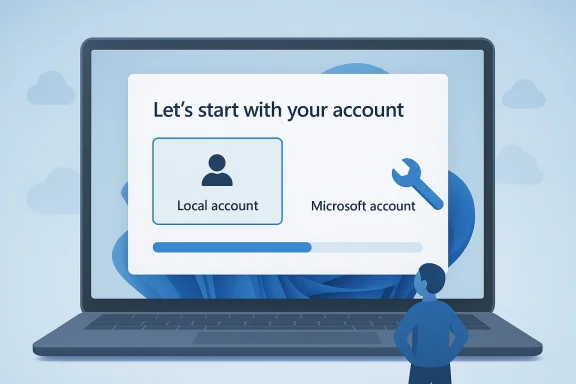
A long-running irritation in Windows 11 setup may finally be headed for a fix. Microsoft’s Scott Hanselman has publicly acknowledged frustration with the Microsoft account mandate during initial setup and said he is “working on it,” the clearest sign yet that a local account path could return to the Windows 11 out-of-box experience. That would not only simplify first boot for millions of users, but also mark a meaningful shift after a year of Microsoft tightening the screws on offline setup workarounds. Microsoft’s own Windows Insider messaging in October 2025 said it was removing known local-account bypass mechanisms, making this latest tone change especially notable.
The Windows account debate is older than Windows 11 itself, but the stakes changed when Microsoft made the Microsoft account the default, and in many cases the effective requirement, during consumer setup. Windows 10 still offered a more flexible path, and for years enthusiasts treated local accounts as the obvious choice for privacy, simplicity, or offline use. Windows 11 narrowed that choice, especially in Home editions and in newer install flows that increasingly assume an internet connection and cloud sign-in.
Microsoft’s argument has always been predictable and, in some contexts, defensible. A cloud account helps sync settings, recover passwords, enable OneDrive backup, access the Microsoft Store, and tie into security features like device recovery and passkeys. It also dovetails neatly with Microsoft’s broader push to make Windows a connected platform rather than a standalone operating system. In Microsoft’s telling, the account is not just login friction; it is the on-ramp to a safer and more integrated Windows ecosystem.
But users experienced the change as a loss of agency. The most vocal backlash came from power users, repair technicians, small businesses, parents setting up family PCs, and anyone who simply did not want cloud dependence during first boot. For them, the Windows setup screen became a gauntlet: sign in now, connect now, or use a workaround that Microsoft would soon patch. That tension has grown sharper because the company has been adding AI, cloud, and service hooks at the same time many users have been asking for less entanglement, not more.
Over the last year, Microsoft’s position hardened. Insider builds in October 2025 removed well-known local-account escape hatches such as
What makes this story especially interesting is the timing. Windows 10 support has now ended, Windows 11 adoption remains important to Microsoft, and the company has spent much of 2025 and early 2026 talking about reliability, usability, and the quality of the core Windows experience. A rebalanced setup flow would fit that narrative. It would also acknowledge a simple truth: a product can be cloud-first without being cloud-mandatory. That distinction matters more in the consumer PC market than Microsoft has sometimes seemed willing to admit.
The pressure point is strongest on consumer editions. Windows 11 Home has long been the most rigid, while Pro and enterprise-style deployment scenarios historically offered more escape valves, including domain and managed provisioning paths. Yet most buyers do not think in those categories when they unbox a new laptop. They think in terms of can I use this computer the way I want, not which provisioning model applies to my SKU.
The wording matters too. Hanselman did not frame the problem as a narrow bug or a documentation gap. He acknowledged the sentiment itself. That implies Microsoft understands the complaint as a product design issue, not just a support headache. In a company where many features are defended with relentless consistency, even a small public admission can be a major clue.
A second interpretation is that Microsoft is responding to public pressure because the current policy is harder to defend now than it was two years ago. The company has spent a long time closing bypasses, only to watch those closures generate more negative coverage and more user frustration. That pattern can eventually force a reset, especially when the workaround culture becomes a branding problem of its own.
Still, the remark is important because it breaks the monotony of Microsoft’s previous stance. When a company has been closing loopholes and publicly justifying the closures, an internal voice signaling dissatisfaction is newsworthy. It suggests the setup screen is now on the list of things Microsoft considers worth un-breaking, which is exactly where users have wanted it to be all along.
But strategies have costs. When a feature exists to improve retention or service uptake, it can also create resentment when it feels compulsory. The setup screen is particularly sensitive because it is the first encounter with the product. If that first encounter feels manipulative, the user starts the relationship in a defensive posture. That is not a great place to build loyalty.
That split matters because Microsoft sometimes speaks as if one policy should fit both segments. It usually cannot. Enterprise customers care about enrollment, compliance, and lifecycle management. Consumers care about speed, autonomy, and not being forced to create yet another online identity before they have even personalized the machine. The setup experience should probably reflect those differences more explicitly.
Microsoft’s response has been to close these routes one by one. That is understandable from a policy-enforcement standpoint, but it also has a side effect: every closure makes the product feel more hostile to power users. The company may believe it is standardizing setup quality. Users often experience it as a contest over control.
The issue here is proportionality. A setup flow can be safeguarded without being made compulsory. The fact that Microsoft has increasingly favored hard blocks suggests the company wanted a policy outcome, not just a cleaner onboarding sequence. That is why the backlash keeps returning even after workaround after workaround is patched out.
There are several ways to implement that without undoing the rest of the setup stack. Microsoft could offer a button labeled clearly for offline or local setup, keep the Microsoft account path as the default recommendation, and continue to encourage sign-in after desktop onboarding through Settings, Store prompts, and sync reminders. That would be a compromise rather than a capitulation.
Education sits somewhere in the middle. Schools need centralized management, but they also care about reducing setup complexity, especially for shared devices and low-bandwidth environments. A more flexible Windows setup could help IT teams decide when to enroll and when to delay sign-in until after the machine reaches a usable state. That would be more operationally sane than hardcoding every scenario into one consumer-first-first-run flow.
Microsoft has been trying to defend Windows 11’s relevance against a backdrop of competing operating systems, Chromebook-style simplicity, and the lingering goodwill Windows 10 enjoyed because it felt less interventionist. A less aggressive setup flow would help Windows 11 feel more mature and less sales-driven. That matters, especially now that Windows 10 is out of support and Microsoft is trying to accelerate migration.
The downside is that Microsoft could overcorrect or create yet another half-measure. A hidden local-account option would be better than nothing, but it would preserve the same resentment cycle. If the company really wants goodwill, it should make the choice visible, documented, and durable rather than temporary or obscure.
What matters now is whether the company treats this as a UX refinement or a philosophical correction. The first would be useful. The second would be bigger. A truly visible local-account path would say Microsoft has accepted that personal computers should remain personal, even in a cloud-first era. That would be a rare and welcome moment of product humility.
Source: findarticles.com Microsoft Hints at End to Windows 11 Setup Account Requirement
 Background
The Windows account debate is older than Windows 11 itself, but the stakes changed when Microsoft made the Microsoft account the default, and in many cases the effective requirement, during consumer setup. Windows 10 still offered a more flexible path, and for years enthusiasts treated local accounts as the obvious choice for privacy, simplicity, or offline use. Windows 11 narrowed that choice, especially in Home editions and in newer install flows that increasingly assume an internet connection and cloud sign-in.Microsoft’s argument has always been predictable and, in some contexts, defensible. A cloud account helps sync settings, recover passwords, enable OneDrive backup, access the Microsoft Store, and tie into security features like device recovery and passkeys. It also dovetails neatly with Microsoft’s broader push to make Windows a connected platform rather than a standalone operating system. In Microsoft’s telling, the account is not just login friction; it is the on-ramp to a safer and more integrated Windows ecosystem.
But users experienced the change as a loss of agency. The most vocal backlash came from power users, repair technicians, small businesses, parents setting up family PCs, and anyone who simply did not want cloud dependence during first boot. For them, the Windows setup screen became a gauntlet: sign in now, connect now, or use a workaround that Microsoft would soon patch. That tension has grown sharper because the company has been adding AI, cloud, and service hooks at the same time many users have been asking for less entanglement, not more.
Over the last year, Microsoft’s position hardened. Insider builds in October 2025 removed well-known local-account escape hatches such as
oobe\bypassnro and other “local-only commands,” with Microsoft explaining that the bypasses could skip critical setup screens and leave devices incompletely configured. That was a very explicit statement of intent, and it made the company’s current softer tone feel like a reversal rather than a continuation. If Hanselman’s comment reflects internal momentum, it suggests Microsoft is reconsidering not the value of online services, but the wisdom of forcing them at the exact moment a PC is first turned on.What makes this story especially interesting is the timing. Windows 10 support has now ended, Windows 11 adoption remains important to Microsoft, and the company has spent much of 2025 and early 2026 talking about reliability, usability, and the quality of the core Windows experience. A rebalanced setup flow would fit that narrative. It would also acknowledge a simple truth: a product can be cloud-first without being cloud-mandatory. That distinction matters more in the consumer PC market than Microsoft has sometimes seemed willing to admit.
Why the Setup Requirement Became a Flashpoint
The initial setup flow is where platform philosophy becomes user reality. If you need a Microsoft account to get a desktop, then the operating system is no longer merely offering services; it is enforcing a service relationship before the machine is even usable. That is why the issue has resonated far beyond enthusiasts. It is not just a technical limitation. It is a statement about who controls the PC experience.The pressure point is strongest on consumer editions. Windows 11 Home has long been the most rigid, while Pro and enterprise-style deployment scenarios historically offered more escape valves, including domain and managed provisioning paths. Yet most buyers do not think in those categories when they unbox a new laptop. They think in terms of can I use this computer the way I want, not which provisioning model applies to my SKU.
The real-world cases Microsoft often overlooks
A lot of the anger comes from ordinary usage patterns that are easy to miss if you only look at telemetry or managed-device workflows. Air-gapped labs, repair benches, temporary family setups, senior users who do not want another account, and homes with unreliable internet are not edge cases in the real world. They are exactly the scenarios where forcing a cloud login feels most arbitrary.- Offline or low-connectivity homes still need PCs that can be initialized cleanly.
- Parents and guardians often want a local profile for a child’s first-use experience.
- Technicians and refurbishers need fast, repeatable, account-neutral installs.
- Privacy-conscious users do not want to make a cloud decision before seeing the desktop.
- Kiosk and lab environments sometimes need a neutral starting point before policy is applied.
Why the backlash keeps spreading
The controversy has broadened because Microsoft keeps linking account sign-in to other features that users may or may not want. Backup, sync, app purchases, Copilot, and recovery are all useful in the abstract. But bundling them into first-run setup creates the impression that the company is using convenience features to justify a hard requirement. That may be good product strategy from Redmond’s point of view, but it is terrible optics for users who want a straightforward PC.- Convenience features are increasingly presented as if they were prerequisites.
- The first-run experience has become more about service onboarding than device setup.
- Users who only want Windows itself feel pressured to accept a larger ecosystem.
- Every workaround Microsoft closes tends to deepen the perception of overreach.
Hanselman’s Comment and Why It Matters
Scott Hanselman is not the CEO, and he was not issuing a formal product roadmap. Still, when a senior Microsoft leader publicly says he dislikes the Microsoft account requirement and is “working on it,” that carries more weight than anonymous rumor. It suggests the issue is not merely being heard; it is being debated inside the company at a level high enough to matter.The wording matters too. Hanselman did not frame the problem as a narrow bug or a documentation gap. He acknowledged the sentiment itself. That implies Microsoft understands the complaint as a product design issue, not just a support headache. In a company where many features are defended with relentless consistency, even a small public admission can be a major clue.
Reading between the lines
The safest interpretation is not that Microsoft has already decided to restore local accounts universally, but that the company is exploring a softer setup path. That could mean a clearer local-account button, a temporary offline option, or a more transparent explanation of trade-offs. It could also mean a phased change in consumer SKUs while keeping enterprise flows untouched.A second interpretation is that Microsoft is responding to public pressure because the current policy is harder to defend now than it was two years ago. The company has spent a long time closing bypasses, only to watch those closures generate more negative coverage and more user frustration. That pattern can eventually force a reset, especially when the workaround culture becomes a branding problem of its own.
Why the wording is different from a policy reversal
A “working on it” comment is not the same as a promise. It leaves room for product teams to change direction, for legal and security teams to push back, or for Microsoft to land on a compromise that is narrower than users hope. That ambiguity should be treated seriously. Hopeful signals are not the same as shipping changes.Still, the remark is important because it breaks the monotony of Microsoft’s previous stance. When a company has been closing loopholes and publicly justifying the closures, an internal voice signaling dissatisfaction is newsworthy. It suggests the setup screen is now on the list of things Microsoft considers worth un-breaking, which is exactly where users have wanted it to be all along.
Microsoft’s Strategic Trade-Off
The account requirement exists for a reason, and Microsoft would be unwise to ignore the business logic behind it. A signed-in user is easier to support, easier to sync, easier to back up, and easier to attach to Microsoft 365, Store, and Copilot services. The company gets a more coherent identity layer, and users get a more consistent cross-device experience. That part of the strategy is understandable.But strategies have costs. When a feature exists to improve retention or service uptake, it can also create resentment when it feels compulsory. The setup screen is particularly sensitive because it is the first encounter with the product. If that first encounter feels manipulative, the user starts the relationship in a defensive posture. That is not a great place to build loyalty.
Consumer versus enterprise incentives
For enterprises, Microsoft has a more persuasive story. Managed devices use Autopilot, Intune, and other provisioning frameworks that assume identity, policy, and cloud management from the start. In that world, the account requirement can be part of a coherent administration model. In consumer scenarios, by contrast, the same assumption often feels like overengineering.That split matters because Microsoft sometimes speaks as if one policy should fit both segments. It usually cannot. Enterprise customers care about enrollment, compliance, and lifecycle management. Consumers care about speed, autonomy, and not being forced to create yet another online identity before they have even personalized the machine. The setup experience should probably reflect those differences more explicitly.
What Microsoft might be optimizing for
There is also a subtle marketing angle. If every setup funnel ends in cloud identity, then Microsoft expands the number of users who can be exposed to its broader services over time. That makes sense in a subscription era. But if the price of that exposure is a first-run experience that feels coercive, the company may be harvesting short-term service adoption at the expense of long-term goodwill.- Cloud identity improves service continuity.
- It also gives Microsoft more consistent user relationships.
- But forcing that relationship too early creates resistance.
- A voluntary path could preserve the upside without the backlash.
The Workaround Ecosystem Microsoft Created
Whenever a platform blocks an ordinary preference, a workaround economy emerges. Windows 11 has been a textbook example. Users have tried disconnecting the network, invoking command-line tricks, editing install media, or relying on third-party utilities to create bootable USB drives that restore local-account options. The persistence of those methods shows that the demand was never fringe. It was real, practical, and widespread.Microsoft’s response has been to close these routes one by one. That is understandable from a policy-enforcement standpoint, but it also has a side effect: every closure makes the product feel more hostile to power users. The company may believe it is standardizing setup quality. Users often experience it as a contest over control.
The irony of “helpful” setup tightening
Microsoft’s explanation for removing local-only commands was that some bypasses skipped critical screens and could leave devices improperly configured. That is a plausible concern, especially for inexperienced users. But the existence of a bad workaround does not automatically justify removing every legitimate local-account option. A better design would fix the problem screens while keeping the choice intact.The issue here is proportionality. A setup flow can be safeguarded without being made compulsory. The fact that Microsoft has increasingly favored hard blocks suggests the company wanted a policy outcome, not just a cleaner onboarding sequence. That is why the backlash keeps returning even after workaround after workaround is patched out.
What third-party tools reveal
Utilities like Rufus and Ventoy became popular precisely because they abstracted away the annoyance. Their popularity is a market signal, not merely a hacker trick. When a basic OS preference drives users toward unofficial tooling, the platform owner should assume its own design is not meeting customer expectations.- Users do not seek bypass tools unless the native flow is frustrating.
- Third-party helpers become a pressure valve for unmet demand.
- Workarounds are a sign of product friction, not user misbehavior.
- The more Microsoft patches them, the more symbolic they become.
What a Local-Account Return Could Look Like
The most likely version of a policy reversal is not the complete disappearance of Microsoft account prompts. Instead, Microsoft could reintroduce a plainly visible local-account option during OOBE, possibly with clearer explanatory messaging around what features users give up by skipping cloud sign-in. That would preserve the company’s service pitch while restoring a real choice.There are several ways to implement that without undoing the rest of the setup stack. Microsoft could offer a button labeled clearly for offline or local setup, keep the Microsoft account path as the default recommendation, and continue to encourage sign-in after desktop onboarding through Settings, Store prompts, and sync reminders. That would be a compromise rather than a capitulation.
A practical design matrix
If Microsoft wants to be intellectually honest, it should show users the trade-offs up front. A compact matrix in setup could explain which features depend on a Microsoft account and which do not. That way users make a decision instead of being nudged by omission. It is a small UX change with outsized trust benefits.- Let users pick local account or Microsoft account during setup.
- Explain which sync, backup, and Store features require cloud sign-in.
- Keep enterprise and education provisioning flows separate.
- Preserve offline installation for legitimate disconnected environments.
- Make the default path clear without making it mandatory.
Why this matters for enthusiasts and IT admins
For enthusiasts, a local-account option means faster clean installs, easier machine cloning, and less setup friction after a reset. For IT admins supporting small businesses or family members, it means fewer weird first-boot interventions and fewer explanations about why a new PC wants a cloud identity before it will even function. Those are real productivity gains, even if they are hard to quantify.- Clean installs become simpler and more predictable.
- Repair and refurbish workflows get less awkward.
- Offline environments regain a first-class setup path.
- Support calls about account loops should fall.
- Users who want Microsoft services can still opt in later.
Enterprise, Education, and Consumer Impact
The consumer market is where the friction is most visible, but the enterprise implications are more nuanced. Microsoft already has rich deployment tooling for managed devices, and in that world account sign-in is often part of a structured identity architecture. Autopilot, Intune, and policy-based enrollment are designed around centralized control, so a local-account choice there would be less relevant and sometimes even counterproductive.Education sits somewhere in the middle. Schools need centralized management, but they also care about reducing setup complexity, especially for shared devices and low-bandwidth environments. A more flexible Windows setup could help IT teams decide when to enroll and when to delay sign-in until after the machine reaches a usable state. That would be more operationally sane than hardcoding every scenario into one consumer-first-first-run flow.
Why consumers still matter most
Consumers may not be the loudest enterprise customers, but they are the biggest perception engine for Windows. Most people who buy a Windows PC encounter the product first as an individual, not as part of a domain-managed fleet. If that first experience is frustrating, it colors how they think about the platform even when they later use it at work.Microsoft has been trying to defend Windows 11’s relevance against a backdrop of competing operating systems, Chromebook-style simplicity, and the lingering goodwill Windows 10 enjoyed because it felt less interventionist. A less aggressive setup flow would help Windows 11 feel more mature and less sales-driven. That matters, especially now that Windows 10 is out of support and Microsoft is trying to accelerate migration.
The trust dividend
There is also a subtle reputational dividend here. If Microsoft restores a local-account path, it can frame the move as a response to feedback and a renewed commitment to user choice. That would be a much healthier public story than continuing to be seen as dragging users into the cloud. In a market this mature, trust is a feature.The downside is that Microsoft could overcorrect or create yet another half-measure. A hidden local-account option would be better than nothing, but it would preserve the same resentment cycle. If the company really wants goodwill, it should make the choice visible, documented, and durable rather than temporary or obscure.
Strengths and Opportunities
Microsoft still has a chance to turn this into a well-executed course correction rather than an embarrassing retreat. A visible local-account option could reduce setup friction, improve the reputation of Windows 11, and show that the company is listening to long-running user feedback. Done properly, it would preserve cloud benefits while restoring the sense that the PC belongs to the person buying it.- Rebuilds trust with power users and privacy-conscious customers.
- Reduces dependence on workaround tools and unofficial scripts.
- Makes first boot simpler for offline and low-connectivity scenarios.
- Better matches consumer expectations for a personal computer.
- Lowers support friction around setup loops and account confusion.
- Gives Microsoft a better story about user choice and transparency.
- Aligns setup UX with the company’s recent focus on fundamentals.
Risks and Concerns
The biggest risk is that Microsoft will make the change partially and leave everyone dissatisfied. A hidden toggle, a region-specific exception, or a workaround-that-isn’t-really-a-workaround would not resolve the underlying complaint. It would simply create a new layer of complexity around a problem users already understand all too well.- A half-measure could confuse users and still frustrate enthusiasts.
- Microsoft might keep closing bypasses while reintroducing only a cosmetic option.
- The company could weaken security messaging if the rationale is not explained well.
- Cloud-service teams may resist any setup change that lowers account adoption.
- A local-account option could be misread as a policy reversal in enterprise contexts.
- If the rollout is slow, rumor may outpace the actual product change.
- Users may distrust the move if Microsoft has not clearly owned the earlier friction.
Looking Ahead
The next clue will almost certainly come from Windows Insider builds, support documentation, or a Windows Blog post that quietly changes the setup language. If Microsoft restores a local account option, it will likely appear first in a test channel before reaching broad consumer releases. That means the practical answer today is still: the mandate remains in force for most consumers, but the tone around it has clearly shifted.What matters now is whether the company treats this as a UX refinement or a philosophical correction. The first would be useful. The second would be bigger. A truly visible local-account path would say Microsoft has accepted that personal computers should remain personal, even in a cloud-first era. That would be a rare and welcome moment of product humility.
- Watch Windows Insider Dev and Beta builds for setup screen changes.
- Monitor official Windows blog posts for OOBE and account-language updates.
- Check whether Microsoft preserves or replaces existing bypass behavior.
- Look for clearer feature-comparison messaging between local and cloud accounts.
- Pay attention to whether consumer Pro and Home receive the same treatment.
Source: findarticles.com Microsoft Hints at End to Windows 11 Setup Account Requirement
