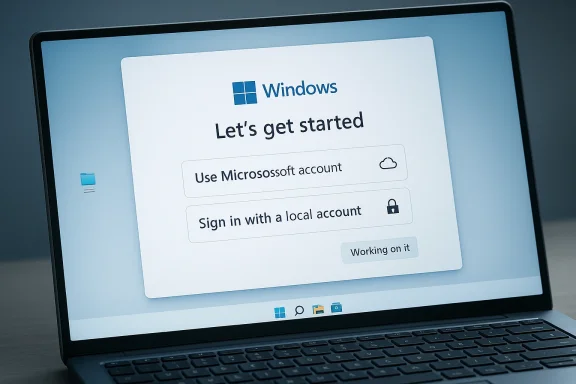
Windows 11’s setup flow may be heading toward one of the most user-friendly course corrections Microsoft has made in years: a return to an easier local-account option during first boot. According to the reporting circulating this week, Microsoft is internally considering loosening or removing the Microsoft account requirement in Windows 11’s out-of-box experience, a change that would directly address one of the platform’s most persistent pain points. The timing matters because Microsoft spent the last two years actively closing the workarounds power users relied on, turning what had once been a nuisance into a deliberate friction point.
For many Windows users, the complaint is not philosophical so much as practical: if you buy a PC, you should be able to start using it without first being pushed into a cloud account. That argument has only grown louder as Microsoft tightened the rules around Windows 11 Home and Pro setup, making internet connectivity and account sign-in the default path. The company’s official posture has been to improve security, device recovery, and service integration, but the tradeoff has been a setup experience that feels less like ownership and more like onboarding.
The reported internal shift is therefore significant not merely because it would remove a step, but because it would signal a broader rethink of how much pressure Microsoft wants to place on consumers at the exact moment they are trying to get a machine working. Scott Hanselman’s public comment, “Ya I hate that. Working on it,” has become the clearest hint yet that the issue has traction inside the company, not just among enthusiasts and IT administrators. If that sentiment turns into product changes, it would represent a rare admission that more choice can be a feature, not a bug.
The setup controversy also sits within a larger Windows identity crisis. Microsoft has spent much of the Windows 11 era trying to walk a line between a traditional desktop OS and a cloud-connected service hub, while simultaneously layering in Copilot, OneDrive, Microsoft 365, and account-based synchronization. That strategy has clear business logic, but it has also generated visible resistance from users who value local control, privacy, and offline resilience. A local-account-friendly installation flow would not end that tension, but it would at least soften the first impression.
Over time, the balance shifted. Earlier Windows 11 builds still allowed relatively easy bypasses, including the now-famous
That move sparked strong reaction because the setup screen is not a minor settings page. It is the first experience a customer has with a new PC, and any friction there colors the entire relationship with the platform. Enthusiasts, small-business admins, and privacy-minded consumers all had reasons to resist, but even casual buyers noticed that a machine they purchased outright seemed to demand permission from a cloud service before it could become useful. That is a bad first impression, and Microsoft’s own documentation and messaging never fully solved the optics problem.
Another reason the issue became so charged is that the workarounds were never especially elegant for mainstream users. Command Prompt steps, hidden commands, and registry edits may be familiar to power users, but they are not a credible consumer-friendly solution. Microsoft’s tightening of those methods therefore created a gap between what ordinary buyers wanted and what the system officially encouraged, leaving users to rely on tips, forum posts, and third-party tools.
The consequences were immediate. Methods that had once been shared widely in enthusiast communities suddenly became unreliable or vanished entirely, forcing users to hunt for new bypasses. Reports in March 2025 showed a new
At the same time, Microsoft has continued to defend the account-first design with a familiar list of benefits. A signed-in Windows experience can enable easier recovery, syncing, encrypted-device management, and quicker access to Microsoft services. Those are real advantages, especially for less technical users, but they are not universally compelling enough to justify taking the choice away. Convenience is not the same thing as consent.
That does not guarantee a policy reversal, of course. Large companies often discuss multiple options internally, and not every frustration voiced by an executive turns into a released feature. But when someone with Hanselman’s visibility says he hates the requirement and is working on it, it strongly implies that the debate is active at a meaningful level. In Microsoft terms, that is often the first breadcrumb before a formal product adjustment.
The larger significance is cultural. Microsoft has spent years trying to persuade users that Windows 11 is modern, polished, and deeply connected to cloud services. Yet one of its most visible leaders is now publicly signaling sympathy for the opposite position: let people get into their own PC without being forced through an identity funnel. That contrast says a lot about the internal tension in Microsoft’s Windows strategy.
This is especially important for households that do not want every family device tied to a single identity service. Parents buying a PC for a child, retirees using a secondary laptop, or users who simply want an offline machine all benefit from a local-account path. In those cases, the Microsoft account is not a feature; it is a requirement that adds complexity for little immediate gain. That mismatch is why the issue keeps resonating.
There is also a trust factor. When users discover that a product they purchased is trying to steer them into cloud sign-in before they can reach the desktop, they tend to assume the company is optimizing for data collection and ecosystem lock-in. Whether that is Microsoft’s intent or not, perception matters, and Windows setup is where perceptions harden fast. A local-account option would not solve the trust deficit on its own, but it would remove a visible irritant.
It is also worth separating the consumer and enterprise problems. Enterprise Windows deployments often already rely on Entra ID, Intune, Autopilot, domain joins, or custom imaging, so the pain point is not identical to what a home user sees. But even in professional environments, admins frequently need local administrative accounts, offline builds, test VMs, or isolated machines that should not be bound to a personal Microsoft identity. Flexibility matters most where standardization is already high.
A looser setup rule could also reduce the amount of time IT departments spend working around a policy that was never truly designed for them. When the official path is hostile to local accounts, organizations either rely on undocumented behavior or build their own installation media workarounds. That creates avoidable maintenance burden, especially when Microsoft keeps changing the setup logic from one Insider build to the next.
But the problem with business logic is that it does not always equal product wisdom. Microsoft risks alienating exactly the users who value Windows most for its flexibility: enthusiasts, sysadmins, power users, and people who simply want a general-purpose PC without a sales funnel in the setup flow. For a mature platform, forcing the issue can look less like modernization and more like overreach.
If Microsoft does soften the rule, it may be because the company has recognized that setup coercion is a poor trade against user goodwill. There are many ways to promote Microsoft account features after setup is complete, when users have had a chance to experience the PC and decide what services they actually want. That would preserve the upsell opportunity while respecting ownership in a way the current process does not.
Competition here is not just with macOS or Linux; it is also with user expectations. Consumers increasingly expect to own devices outright, not rent them through identity layers. The more a setup screen resembles an account enrollment gate, the more it invites comparisons to ecosystems that are less open by design. That is not a flattering comparison for Windows.
The irony is that Microsoft’s move to suppress bypasses may have temporarily strengthened the very argument against the company’s preferred model. Each time a workaround vanished, tech press coverage amplified the underlying complaint and made the requirement look more punitive than protective. If the company now reverses course, it will not merely be changing a setting; it will be defusing a slow-burning brand problem.
The new setup flow also reflects a broader design drift in Windows 11. Microsoft has been trying to make the OS feel more guided, more connected, and more service-aware, but each added prompt risks making the system feel heavier. A setup path that asks too much too early can undermine the very simplicity the company claims to be building. Good UX removes decisions that do not need to exist.
This is where the user experience and the business model collide most visibly. The same screen that introduces Microsoft services also sets the tone for the user’s relationship with the OS. If that screen feels coercive, the company starts the relationship from a position of distrust. Once that happens, every subsequent prompt is viewed more skeptically.
The other thing to watch is whether the change extends beyond a single Insider branch or an experimental build. Microsoft has a habit of adjusting Windows behavior in stages, and a feature like this could easily reappear in one edition before spreading—or being pared back again if internal priorities shift. The next few preview cycles should show whether this is a true policy rethink or merely a temporary concession.
Source: Digital Trends Windows might finally fix one of its most annoying setup problems
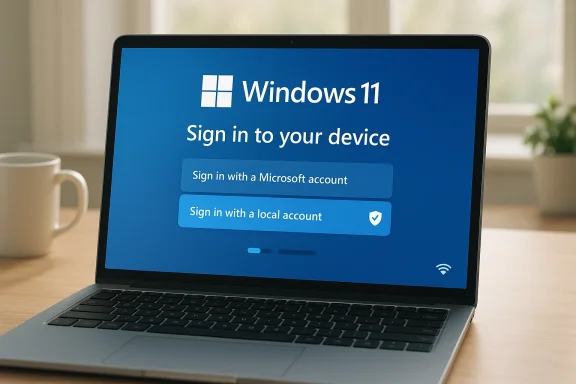 Overview
For many Windows users, the complaint is not philosophical so much as practical: if you buy a PC, you should be able to start using it without first being pushed into a cloud account. That argument has only grown louder as Microsoft tightened the rules around Windows 11 Home and Pro setup, making internet connectivity and account sign-in the default path. The company’s official posture has been to improve security, device recovery, and service integration, but the tradeoff has been a setup experience that feels less like ownership and more like onboarding.The reported internal shift is therefore significant not merely because it would remove a step, but because it would signal a broader rethink of how much pressure Microsoft wants to place on consumers at the exact moment they are trying to get a machine working. Scott Hanselman’s public comment, “Ya I hate that. Working on it,” has become the clearest hint yet that the issue has traction inside the company, not just among enthusiasts and IT administrators. If that sentiment turns into product changes, it would represent a rare admission that more choice can be a feature, not a bug.
The setup controversy also sits within a larger Windows identity crisis. Microsoft has spent much of the Windows 11 era trying to walk a line between a traditional desktop OS and a cloud-connected service hub, while simultaneously layering in Copilot, OneDrive, Microsoft 365, and account-based synchronization. That strategy has clear business logic, but it has also generated visible resistance from users who value local control, privacy, and offline resilience. A local-account-friendly installation flow would not end that tension, but it would at least soften the first impression.
Background
The Microsoft account requirement in Windows 11 did not appear in a vacuum. It is part of a long-running push to bind personal PCs more tightly to Microsoft’s ecosystem, from cloud storage and identity management to password recovery and device synchronization. In principle, that gives users conveniences such as seamless sign-in across devices, backup of encryption keys, and easy access to OneDrive or Microsoft 365. In practice, it also means the setup process nudges users toward a Microsoft relationship before they have even finished installing the OS.Over time, the balance shifted. Earlier Windows 11 builds still allowed relatively easy bypasses, including the now-famous
OOBE\BYPASSNRO route and later the start ms-cxh:localonly trick. But Microsoft progressively removed those escape hatches in Insider builds, making the process less predictable and more hostile to local-only setups. The message from Redmond became harder to ignore: the company did not just prefer the online-account path; it wanted to eliminate the alternative.That move sparked strong reaction because the setup screen is not a minor settings page. It is the first experience a customer has with a new PC, and any friction there colors the entire relationship with the platform. Enthusiasts, small-business admins, and privacy-minded consumers all had reasons to resist, but even casual buyers noticed that a machine they purchased outright seemed to demand permission from a cloud service before it could become useful. That is a bad first impression, and Microsoft’s own documentation and messaging never fully solved the optics problem.
Another reason the issue became so charged is that the workarounds were never especially elegant for mainstream users. Command Prompt steps, hidden commands, and registry edits may be familiar to power users, but they are not a credible consumer-friendly solution. Microsoft’s tightening of those methods therefore created a gap between what ordinary buyers wanted and what the system officially encouraged, leaving users to rely on tips, forum posts, and third-party tools.
Why this became a flashpoint
The controversy is really about control, not just accounts. Windows historically offered a broad range of configuration styles, from offline local accounts to domain-joined enterprise systems and personal Microsoft identities. Windows 11’s setup flow narrowed that flexibility in the name of a more unified experience, but many users saw it as a reduction in ownership rights. That is why the debate has endured long after the original prompts were introduced.- Users want the option to finish setup without network dependence.
- IT admins want predictable offline and imaging workflows.
- Privacy-focused buyers want fewer ecosystem commitments up front.
- Enthusiasts dislike being forced into hidden command-line detours.
- Microsoft wants a clean on-ramp to its services and security features.
What Microsoft Changed
Microsoft’s recent behavior has been unusually consistent: it has tried to close loopholes rather than simply document them. Build notes and reporting around Insider releases showed the company removing thebypassnro.cmd pathway and later blocking additional local-account tricks in setup. That matters because it was not an accidental regression; it was an intentional product direction.The consequences were immediate. Methods that had once been shared widely in enthusiast communities suddenly became unreliable or vanished entirely, forcing users to hunt for new bypasses. Reports in March 2025 showed a new
ms-cxh:localonly technique emerging after Microsoft had already removed earlier routes, which only reinforced the perception of an escalating cat-and-mouse game between the company and its users. That is rarely a sign of a healthy product policy.At the same time, Microsoft has continued to defend the account-first design with a familiar list of benefits. A signed-in Windows experience can enable easier recovery, syncing, encrypted-device management, and quicker access to Microsoft services. Those are real advantages, especially for less technical users, but they are not universally compelling enough to justify taking the choice away. Convenience is not the same thing as consent.
Why the policy backlash matters
The issue became more than an enthusiast gripe because it cut across the audience Microsoft actually needs to keep happy. Consumer buyers want simplicity, corporate buyers want control, and OEMs want fewer support calls. When a setup screen feels coercive, it hurts all three constituencies for different reasons, which is why the pressure to revise it has persisted.- Windows Home users are most directly affected by setup friction.
- Windows Pro users still hit the same broad sign-in expectations.
- OEM preload experiences can become more confusing when the setup path changes.
- Support teams must explain workarounds that should not be necessary.
- Power users interpret the restriction as a philosophical shift, not a feature.
Scott Hanselman’s Signal
Scott Hanselman’s remark is notable because it came from inside Microsoft, not from an outside critic or a journalist. As a long-time Microsoft veteran and senior technical leader, his public discomfort with the requirement carries more weight than a generic “we are listening” statement. It suggests the issue has moved from user complaint territory into product conversation territory.That does not guarantee a policy reversal, of course. Large companies often discuss multiple options internally, and not every frustration voiced by an executive turns into a released feature. But when someone with Hanselman’s visibility says he hates the requirement and is working on it, it strongly implies that the debate is active at a meaningful level. In Microsoft terms, that is often the first breadcrumb before a formal product adjustment.
The larger significance is cultural. Microsoft has spent years trying to persuade users that Windows 11 is modern, polished, and deeply connected to cloud services. Yet one of its most visible leaders is now publicly signaling sympathy for the opposite position: let people get into their own PC without being forced through an identity funnel. That contrast says a lot about the internal tension in Microsoft’s Windows strategy.
Internal pressure versus public strategy
What Hanselman represents is not simply dissent, but a possible bridge between user sentiment and product direction. Engineers and leaders who work closest to the platform often hear the same complaints customers voice in forums, support threads, and enterprise deployments. If that feedback is loud enough, policy can shift—even if the company’s broader ecosystem goals remain intact.- Public executive comments can foreshadow product changes.
- Internal frustration often follows external user backlash.
- Setup friction has become a brand issue, not just a technical one.
- A simpler OOBE can improve first-run satisfaction metrics.
- Microsoft may still try to preserve account benefits elsewhere in Windows.
Consumer Impact
For everyday buyers, the difference between a mandatory Microsoft account and a voluntary one is enormous. Setup time is shorter, privacy tradeoffs are clearer, and the machine feels like it belongs to the user instead of an ecosystem. The problem has always been that ordinary buyers are the least likely to know the workaround, which means they are the most likely to experience the friction Microsoft created.This is especially important for households that do not want every family device tied to a single identity service. Parents buying a PC for a child, retirees using a secondary laptop, or users who simply want an offline machine all benefit from a local-account path. In those cases, the Microsoft account is not a feature; it is a requirement that adds complexity for little immediate gain. That mismatch is why the issue keeps resonating.
There is also a trust factor. When users discover that a product they purchased is trying to steer them into cloud sign-in before they can reach the desktop, they tend to assume the company is optimizing for data collection and ecosystem lock-in. Whether that is Microsoft’s intent or not, perception matters, and Windows setup is where perceptions harden fast. A local-account option would not solve the trust deficit on its own, but it would remove a visible irritant.
What changes for first-time setup
The consumer experience would improve most dramatically at the very first boot. If Windows 11 regains a straightforward local-account path, users would avoid command prompts, hidden toggles, or disconnecting cables at exactly the wrong moment. That sounds small, but for a mainstream OS, removing even a few minutes of uncertainty can meaningfully improve adoption sentiment.- Less confusion during initial device setup.
- Fewer accidental Microsoft account creations.
- Better support for offline or air-gapped use cases.
- Cleaner onboarding for shared family devices.
- Less reliance on unofficial community advice.
Enterprise and IT Admin Impact
Enterprise users have never been the core audience for the Microsoft account setup requirement, but they have still felt the ripple effects. Administrators want reproducible, scriptable deployment flows, and any consumer-oriented lock-in can complicate imaging, lab builds, and remote provisioning. A more permissive setup experience would make Windows 11 feel less adversarial in managed environments.It is also worth separating the consumer and enterprise problems. Enterprise Windows deployments often already rely on Entra ID, Intune, Autopilot, domain joins, or custom imaging, so the pain point is not identical to what a home user sees. But even in professional environments, admins frequently need local administrative accounts, offline builds, test VMs, or isolated machines that should not be bound to a personal Microsoft identity. Flexibility matters most where standardization is already high.
A looser setup rule could also reduce the amount of time IT departments spend working around a policy that was never truly designed for them. When the official path is hostile to local accounts, organizations either rely on undocumented behavior or build their own installation media workarounds. That creates avoidable maintenance burden, especially when Microsoft keeps changing the setup logic from one Insider build to the next.
Why admins care even when they do not use consumer setup
The issue is not about whether an enterprise wants a Microsoft account per se; it is about whether the OS remains adaptable enough to fit heterogeneous deployment models. Labs, kiosks, disconnected systems, and specialized workstations all have different identity needs. A Windows installer that assumes one cloud-first path is too rigid for that reality.- Local accounts can still be essential for isolated systems.
- Test environments often need disposable, offline installs.
- Imaging tools work best when setup steps are predictable.
- Admins dislike policy changes that break documented workflows.
- Less setup friction reduces support escalations.
Microsoft’s Business Strategy
The cloud-account push has always made sense from Microsoft’s business perspective. A signed-in user is more likely to use OneDrive, subscribe to Microsoft 365, back up settings, and move through the company’s service ecosystem. That creates recurring revenue opportunities and makes Windows feel like a connected platform instead of a standalone utility.But the problem with business logic is that it does not always equal product wisdom. Microsoft risks alienating exactly the users who value Windows most for its flexibility: enthusiasts, sysadmins, power users, and people who simply want a general-purpose PC without a sales funnel in the setup flow. For a mature platform, forcing the issue can look less like modernization and more like overreach.
If Microsoft does soften the rule, it may be because the company has recognized that setup coercion is a poor trade against user goodwill. There are many ways to promote Microsoft account features after setup is complete, when users have had a chance to experience the PC and decide what services they actually want. That would preserve the upsell opportunity while respecting ownership in a way the current process does not.
Ecosystem lock-in versus product trust
This is the classic platform tension: tighter integration can boost engagement, but it can also reduce trust if users feel trapped. Windows 11 has leaned heavily toward the former, yet the growing backlash suggests there is a ceiling to how much friction people will accept. If Microsoft wants Windows to remain the default desktop OS, it has to keep that trust intact.- A cloud-first path can increase service adoption.
- Too much setup pressure can depress user satisfaction.
- Trust is an asset, especially in a mature operating system.
- Optional sign-in after setup is less confrontational.
- Microsoft can still promote services without forcing them first.
Competitive Implications
A local-account-friendly Windows 11 would also have competitive significance. One of Apple’s enduring strengths is that its setup process tends to feel polished and opinionated without being overtly chaotic, while many Linux distributions continue to emphasize user control and offline installation flexibility. Microsoft occupies the middle ground, and if it wants to stay there, it cannot afford to make the first boot experience feel brittle or manipulative.Competition here is not just with macOS or Linux; it is also with user expectations. Consumers increasingly expect to own devices outright, not rent them through identity layers. The more a setup screen resembles an account enrollment gate, the more it invites comparisons to ecosystems that are less open by design. That is not a flattering comparison for Windows.
The irony is that Microsoft’s move to suppress bypasses may have temporarily strengthened the very argument against the company’s preferred model. Each time a workaround vanished, tech press coverage amplified the underlying complaint and made the requirement look more punitive than protective. If the company now reverses course, it will not merely be changing a setting; it will be defusing a slow-burning brand problem.
The market message
In market terms, the signal is simple: Windows should feel like a platform you can own, not a service you must join before use. That distinction matters to buyers choosing between ecosystems, and it matters even more in a market where operating-system loyalty is taken for granted less often than it once was. A friendlier setup flow may not win headlines, but it can quietly preserve goodwill where it counts.- Apple competes on polish and consistency.
- Linux competes on openness and user control.
- Windows must balance both while retaining mass-market reach.
- Setup friction can influence first impressions disproportionately.
- A local-account option is a cheap way to reduce competitive pressure.
The Setup Experience Problem
The real issue is that Windows setup has become symbolic. OOBE should be the one moment when the user feels maximum clarity and minimum resistance, but the Microsoft account requirement turned it into a negotiation. That is why even minor bypass changes have generated outsized attention.The new setup flow also reflects a broader design drift in Windows 11. Microsoft has been trying to make the OS feel more guided, more connected, and more service-aware, but each added prompt risks making the system feel heavier. A setup path that asks too much too early can undermine the very simplicity the company claims to be building. Good UX removes decisions that do not need to exist.
This is where the user experience and the business model collide most visibly. The same screen that introduces Microsoft services also sets the tone for the user’s relationship with the OS. If that screen feels coercive, the company starts the relationship from a position of distrust. Once that happens, every subsequent prompt is viewed more skeptically.
Why first-run design matters
Setup is not a trivial phase; it is the gatekeeper to the entire operating-system brand. In enterprise terms, it affects deployment efficiency. In consumer terms, it affects buyer satisfaction and product returns. In both cases, reducing unnecessary prompts is a legitimate product improvement rather than a cosmetic tweak.- First-run friction shapes the user’s emotional response.
- Extra steps increase the chance of support calls.
- Hidden workarounds damage confidence in the platform.
- Cleaner onboarding helps both novices and experts.
- The setup screen is where product philosophy becomes visible.
Strengths and Opportunities
If Microsoft follows through, it has a real opportunity to convert a long-running annoyance into a goodwill win. The change would be relatively easy for most users to understand, and it would let the company present itself as responsive without abandoning its ecosystem ambitions. More importantly, it would remove a point of friction that has become disproportionately symbolic.- Restores a genuine choice at first boot.
- Improves the perception of Windows as user-owned software.
- Reduces the need for unsupported workaround methods.
- Makes Windows 11 friendlier for offline installs.
- Helps Microsoft recapture trust among enthusiasts.
- Simplifies support for consumers and admins alike.
- Leaves room to promote Microsoft services after setup.
Risks and Concerns
The biggest risk is that Microsoft could soften the requirement in a way that is inconsistent, half-hidden, or edition-dependent, which would only prolong confusion. There is also the possibility that the company preserves the requirement in some regions, SKUs, or build branches, creating a patchwork experience that frustrates users even more. Partial fixes often create full-time complaints.- Inconsistent behavior across Windows editions or regions.
- Confusing messaging if the option is not clearly documented.
- Continued pressure to use Microsoft services later in setup.
- Possible regression if Microsoft reintroduces restrictive defaults.
- Risk that the local-account path remains buried rather than obvious.
- Backlash from users if the reversal feels temporary or cosmetic.
- Enterprise admins may still need custom policies for deployment control.
Looking Ahead
What happens next will likely depend on whether Microsoft is prepared to treat local account creation as a legitimate preference rather than a loophole to be managed. If the company wants to win back users who have grown tired of setup friction, it should make the option obvious, not obscure it behind advanced menus or edge cases. The best version of this change would feel boring in the best possible way: simple, available, and not worth debating.The other thing to watch is whether the change extends beyond a single Insider branch or an experimental build. Microsoft has a habit of adjusting Windows behavior in stages, and a feature like this could easily reappear in one edition before spreading—or being pared back again if internal priorities shift. The next few preview cycles should show whether this is a true policy rethink or merely a temporary concession.
- Watch for Insider build notes mentioning OOBE changes.
- Look for clearer local-account prompts during clean installs.
- Monitor whether the change applies to Home, Pro, or both.
- Pay attention to whether Microsoft documents the option officially.
- Track whether third-party bypass tools become less relevant.
Source: Digital Trends Windows might finally fix one of its most annoying setup problems
Last edited: