Windows 11 Shared Audio Preview: Stream to Two LE Audio Auracast Devices

  • Thread Author
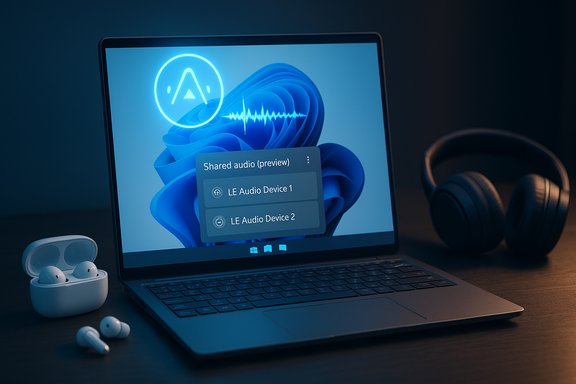
Laptop screen shows Shared audio (preview) with two LE Audio devices; earbuds and headphones nearby.
Microsoft’s Windows 11 is getting a practical and overdue audio-sharing capability: a preview of Bluetooth LE Audio Auracast-based “Shared audio” that lets a single PC stream sound to two sets of wireless earbuds, headphones, speakers, or hearing aids at once — and it’s rolling out to Windows Insiders on select Copilot+ PCs now.

Background​

Windows has long lagged behind mobile platforms when it comes to easy one-to-many wireless audio sharing. Apple introduced an “Audio Sharing” workflow for AirPods and select Beats models in iOS 13, giving iPhone and iPad users the ability to send the same audio feed to two headsets with minimal friction. That feature has been a point of differentiation for Apple’s tightly integrated ecosystem for years. The new Windows 11 preview closes that gap using the Bluetooth Low Energy (LE) Audio standard and the Auracast broadcast-capable profile. Microsoft announced the feature as “Shared audio (preview)” in the October 31 Windows Insider update and is making it available to Insiders on Dev and Beta channels for supported Copilot+ PCs. The feature is surfaced as a Quick Settings tile that appears after the necessary OS and driver updates are installed, allowing users to select two compatible paired accessories and share an audio stream.

What is Bluetooth LE Audio and Auracast — a technical primer​

Bluetooth LE Audio is the next-generation Bluetooth audio architecture built around the LC3 codec and a set of transport and profile improvements intended to deliver better perceived audio quality at lower bitrates, lower power draw, and new use cases such as multi-stream and broadcast audio. LE Audio introduces isochronous channels, the Telephony and Media Audio Profile (TMAP), and the LC3 codec family, which together enable synchronized, efficient audio delivery to single or multiple receivers. Auracast is the broadcast capability built on LE Audio: it allows one source to transmit an audio broadcast that multiple Auracast-capable receivers can join. Unlike classic point-to-point Bluetooth, Auracast supports a one-to-many model, enabling public audio broadcasts (think museum audio or airport announcements) or private shared sessions (like two earbuds listening to the same movie). Microsoft’s Shared audio leverages Auracast-like broadcasting to deliver the same audio stream to two paired LE Audio devices simultaneously. Key technical benefits of LE Audio that make shared audio practical:
  • Higher perceived audio quality at lower bitrates due to LC3’s efficiency, which reduces bandwidth demands.
  • Lower power consumption, extending battery life on both source (PC) and receiver (earbuds or hearing aids).
  • Synchronized multi-stream support, which helps keep left/right channels and multiple recipients time-aligned.

Which Windows PCs and accessories work today​

Microsoft’s Insider announcement makes the support list explicit: Shared audio (preview) is available today for a set of Copilot+ devices that include the Snapdragon-X powered Surface Laptop 13.8-inch and 15-inch and the 13-inch Surface Pro models; additional Copilot+ PCs (including multiple Galaxy Book5 SKUs and other Surface models) are listed as “coming soon.” The feature requires both a compatible Windows 11 build and updated Bluetooth/audio drivers from OEMs so the LE Audio stack is fully exposed to the OS. The specific Insider build that begins the rollout is Build 26220.7051 for Dev and Beta channels. On the accessory side, Microsoft calls out multiple existing LE Audio-capable headphones and earbuds that will work with Shared audio: Samsung Galaxy Buds2 Pro, Buds 3, Buds 3 Pro, Sony’s WH-1000XM6, and recent LE-capable hearing aids from vendors like ReSound and Beltone. Samsung’s Galaxy Buds lineup has shipped with LE Audio/Auracast support in firmware on recent models, and several third-party manufacturers have followed suit with LE Audio-capable products. Expect the accessory compatibility list to expand as manufacturers ship updated firmware and new products. Practical compatibility checklist:
  • Windows 11 PC running a Copilot+ SKUs with Build 26220.7051 or later and updated drivers.
  • Bluetooth radio and firmware that expose LE Audio and related transport features.
  • Two Auracast/LE Audio-capable receivers (earbuds/headphones/hearing aids) with current firmware.

How to try Shared audio (preview) — step-by-step​

Microsoft has kept the workflow simple for Insiders. The preview requires enrollment in the Windows Insider Dev or Beta channels and driver updates delivered by OEMs through Windows Update.
Follow these high-level steps:
  1. Enroll your supported Copilot+ PC in the Windows Insider Dev or Beta channel and install OS updates until you are running Build 26220.7051 or later.
  2. Check for optional system and Bluetooth driver updates via Settings > Windows Update so that your Bluetooth radio exposes LE Audio/TMAP.
  3. Pair and connect two compatible LE Audio accessories. Use the manufacturer app (for example, Samsung Galaxy Wearables) to make sure the earbud firmware has Auracast/LE Audio enabled.
  4. Open Quick Settings; when driver support is present the tile “Shared audio (preview)” will appear. Select the tile, pick two connected accessories, and click “Share.” Use “Stop sharing” to end the session.
This user workflow mirrors mobile Auracast workflows (Fast Pair/QR broadcast join) but is adapted to the desktop’s Quick Settings and driver model. Microsoft’s guidance emphasizes keeping accessory firmware current and suggests re-pairing accessories if they don’t appear in the Shared audio tile after updating.

Real-world benefits for Windows users​

The new capability is immediately useful in everyday scenarios where two listeners want private audio without external speakers or splitters:
  • Travel and entertainment: two people can watch a movie on a laptop with separate earbuds in a quiet environment, each at their preferred volume.
  • Flexible meetings and collaboration: coworkers can privately listen to a training video without disturbing others.
  • Accessibility: Auracast and LE Audio’s hearing-aid support broadens how assistive devices can be used with PCs for better inclusivity.
Beyond convenience, LE Audio’s LC3 codec can yield better sound quality at lower bitrate and improved battery life for earbuds — a genuine win for portable devices. Where classic Bluetooth often forced trade-offs between quality and battery, LC3 lets vendors tune that balance more effectively.

Why this matters for Microsoft, Android partners, and consumers​

This feature is more than a checkbox: it is an interoperability push that reduces friction between Windows PCs and the Android audio ecosystem, particularly Samsung’s. Microsoft explicitly lists Samsung Galaxy Book models in the “coming soon” compatibility set and calls out Samsung’s Galaxy Buds lineup among initial accessory compatibility, signaling deeper device-level partnerships. That focus helps Windows better serve users who already own Android phones and earbuds and shows Microsoft’s effort to compete with Apple’s historically seamless audio-sharing experience. From a market perspective:
  • Microsoft’s adoption of Auracast/LE Audio on PCs increases pressure on accessory makers to support LE Audio across platforms (Windows, Android, and public Auracast deployments).
  • OEMs that preinstall updated drivers and hardware firmware will have a clear advantage for “works-with” messaging in store and product pages.

Limitations, technical hurdles, and risks​

While the feature is exciting, several concrete limitations and risks remain that should temper expectations.
Compatibility complexity
  • LE Audio requires a chain of support: the OS build, OEM Bluetooth firmware/drivers, the Bluetooth chipset vendor’s firmware, and the accessory firmware must all align. A mismatch at any link can prevent LE Audio or Auracast from functioning. This is a practical deployment challenge and explains Microsoft restricting the preview to specific Copilot+ machines while driver updates propagate.
Driver and firmware dependency
  • The Shared audio tile appears only after OEMs push Bluetooth/audio driver updates through Windows Update. Users with older drivers may not see the feature even if their hardware is physically capable. Microsoft explicitly recommends using the manufacturer app to update accessory firmware.
Fragmentation across devices
  • Different vendors have taken slightly different approaches to LE Audio and Auracast support; early cross-vendor interop has shown glitches in some third-party tests. Reports from community forums and early adopter threads indicate devices that advertise LE Audio sometimes default to classic Bluetooth modes in real-world pairings, requiring manual workarounds or firmware updates. These are early-stage growing pains common to any new wireless standard. Users should be prepared for intermittent issues and driver/firmware churn.
Latency and synchronization concerns
  • While LE Audio includes synchronization primitives, the practical experience of tightly synchronized audio across two independent earbuds or two different headphone models can vary. For video playback, lip-sync is critical; early previews might expose edge cases that need driver tuning or app-level buffering logic to compensate. Expect Microsoft and OEMs to iterate on the experience based on Insider feedback.
Privacy and broadcast management
  • Auracast’s one-to-many model introduces new privacy considerations when used in public or semi-public contexts. Although Microsoft’s Shared audio is intended for paired devices, Auracast-style public broadcasts can expose audio streams if not properly managed. Device makers and OS vendors must carefully design discovery and join workflows (QR codes, transient broadcast keys) to avoid inadvertent joining or eavesdropping. This is a new surface for both user education and security controls.
Unverified or caveated claims
  • Some marketing statements around “near-lossless” codecs or unlimited simultaneous recipients are either vendor-specific optimizations or aspirational; they should be evaluated per-device. When a company claims proprietary codec parity (for example, Samsung’s SSC UHQ claims), practical cross-platform interoperability may be limited. These claims require independent verification device-by-device. Flagged: any claim of universal “lossless” Auracast streams should be treated cautiously until validated across platforms.

Early user reports and real-world testing notes​

Community reports and hardware forum threads provide important early signals about what works and what doesn’t. Enthusiast forums and Reddit threads from users experimenting with LE Audio dongles and early Auracast broadcasts show both success stories and frustrations:
  • Positive: Users have demonstrated Auracast streams from mobile devices and have connected Galaxy Buds models to various hosts with LE Audio enabled.
  • Negative: Desktop dongles and older Bluetooth stacks sometimes only support classic Bluetooth modes; users report stuck “switching mode” states when trying to move to LE Audio, indicating firmware or driver-flow issues that vendors must resolve.
These real-world reports underline the practical requirement of aligned firmware and driver updates; they also explain Microsoft’s decision to restrict the initial preview to Copilot+ PCs with partner-provisioned systems and drivers.

How this compares to Apple’s Audio Sharing and Google/Samsung Auracast deployments​

Apple’s Audio Sharing is a mature, low-friction experience that predates LE Audio: pairing two AirPods sets to an iPhone or iPad and using the AirPlay UI is straightforward and tightly integrated. Apple benefited from owning both endpoints (device OS and earbuds powered by W1/H1 chips) which reduced interop friction. Microsoft’s Shared audio aims for similar convenience in the fragmented Windows + Android headphone world, but it must rely on cross-vendor standards (LE Audio/Auracast) and timely driver/firmware updates, which complicates parity with Apple’s “all-in-house” model. Google and Samsung have already been building Auracast support into Android (Android 16/17 timeline) and Samsung’s One UI releases: Auracast on Android supports public broadcasts, hearing-aid scenarios, and private share sessions and uses features like QR-code-based join flows and Fast Pair to simplify joining. Microsoft’s Windows support is a natural extension designed to bring desktops and laptops into the same interoperable ecosystem that Android vendors are building. Cross-platform parity will depend on consistent adoption by accessory makers and chipset vendors.

Recommendations for buyers and IT managers​

For consumers evaluating gear or planning to use Shared audio on Windows 11:
  • Buy LE Audio–capable accessories if you want futureproofing. Look specifically for LC3/LE Audio/Auracast support in product specs.
  • Keep accessory firmware and the device’s Bluetooth drivers up to date. The Shared audio Quick Settings tile appears only after the required driver/firmware stack is available.
  • If you rely on a dongle or third-party adapter, verify either with the vendor or community tests that it fully supports LE Audio, not just classic Bluetooth connectivity. Community reports show some dongles advertise LE support but struggle to switch modes in practice.
For IT managers and deployers:
  1. Test the full chain (PC OS build, Bluetooth drivers, Bluetooth chipset firmware, headset firmware) before approving devices for shared-audio use in training rooms or public deployments.
  2. Factor in vendor update cycles when planning rollouts; OEM drivers will be required for many laptops.
  3. Consider privacy and policy controls around Auracast in shared spaces: ensure users cannot accidentally create public broadcasts and educate staff about pairing/joining flows.

What to expect next​

Microsoft’s staged preview model means broader availability will hinge on:
  • OEM driver updates arriving via Windows Update to unlock the Shared audio tile on additional Copilot+ and non-Copilot Windows 11 systems.
  • Wider accessory firmware updates from headset vendors to ensure stable LE Audio/Auracast behavior, especially across different Bluetooth chipsets.
  • App-level tuning for latency-sensitive workflows (video conferencing and streaming apps may introduce logic to minimize lip-sync issues across two distinct paired devices).
Expect a period of incremental improvements and interoperability work across 2025 and into 2026 as more OEMs and accessory makers update their stacks and vendors respond to Insider feedback. Microsoft’s rollout strategy — limited to specific Copilot+ PCs initially — is a realistic way to scope the complexity while giving testers a chance to surface real-world issues.

Conclusion​

Windows 11’s Shared audio (preview) is a pragmatic, standards-based step toward a long-overdue capability: simple dual-audio streaming from a PC to two independent wireless receivers. Built on Bluetooth LE Audio and Auracast principles, the feature brings genuine benefits in audio quality, battery efficiency, and flexible shared listening scenarios. The rollout strategy is cautious and sensible — limited to Copilot+ hardware with OEM driver support — because the LE Audio ecosystem requires coordination across OS, chipset, and accessory software.
The user experience will be strongly shaped by how quickly OEMs and accessory makers ship driver and firmware updates, and early adopter reports already show real-world edge cases that need fixing. For consumers with compatible hardware today, the preview is a welcome preview of the future: a Windows PC that can act like a modern audio hub for multiple personal listeners. For the broader market, Shared audio is an important interoperability milestone that nudges more manufacturers toward universal LE Audio adoption and a healthier, cross-platform Auracast ecosystem.
Source: Zoom Bangla News Windows 11 Update Unlocks Dual Audio Streaming with New Bluetooth Tech
 

Windows 11 is rolling out a practical, standards‑based way to let a single PC stream the same audio to two wireless headsets or earbuds at once — a small change with outsized convenience that rides on the new Bluetooth LE Audio stack and arrives first as a preview for select Copilot+ devices in the Windows Insider program.

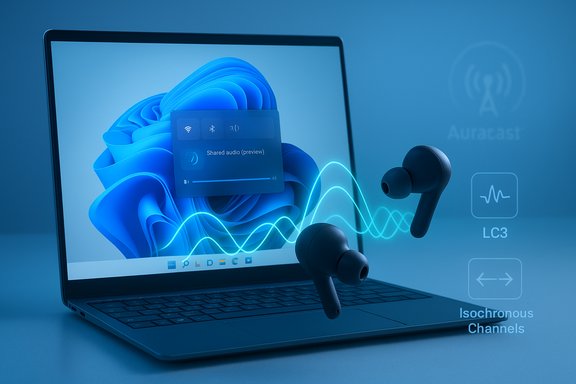
A laptop displays a blue abstract wallpaper as wireless earbuds float with glowing audio waves.Background: why this matters right now​

For years, sharing private audio from a laptop meant awkward workarounds: analog splitters, wired headphones passed back and forth, or vendor‑specific hacks with limited device compatibility. The underlying reason was Bluetooth Classic’s profile split — A2DP for one‑way high‑quality playback and HFP/HSP for two‑way voice — which made synchronized, multi‑receiver playback impractical on most PCs. Microsoft’s new Shared audio preview is built on Bluetooth Low Energy (LE) Audio and the LC3 codec, the standards designed to end that compromise and enable efficient multi‑sink audio.
LE Audio introduces three critical primitives that make Shared audio possible:
  • The LC3 codec, which delivers better perceived quality at lower bitrates and reduces radio airtime.
  • Isochronous Channels (ISO) for deterministic timing and synchronization across multiple sinks.
  • Broadcast/Auracast‑style primitives that allow one transmitter to serve more than one receiver in a reliable, standards‑driven way.
These improvements are not just theoretical: Microsoft has implemented a user‑facing feature — surfaced as a “Shared audio (preview)” tile in Quick Settings — that leverages those LE Audio primitives to stream the same audio to two paired LE Audio devices simultaneously. The rollout is currently an Insider preview and intentionally hardware‑gated.

What Microsoft shipped in the Windows Insider preview​

The Shared audio capability arrived in Windows 11 Insider Preview Build 26220.7051 and is available to Insiders in the Dev and Beta channels on supported Copilot+ PCs. When the PC and drivers expose the capability, Quick Settings displays a “Shared audio (preview)” tile; users pair two compatible LE Audio accessories, select them in the picker, and click Share to start a synchronized session. A Stop sharing control ends the flow.
Key rollout details to note:
  • The preview is initially limited to Copilot+ PCs that meet the Bluetooth controller, firmware and driver requirements. Microsoft is staging availability so the company and OEM partners can validate interoperability.
  • The preview caps the experience at two simultaneous sinks in this early test, rather than opening a wide Auracast broadcast to unlimited listeners. That conservative scope helps troubleshoot synchronization and driver behavior before broader expansion.
  • Microsoft recommends updating headset firmware via vendor apps and re‑pairing accessories if they do not appear in the Shared audio picker.
These mechanics are deliberately pragmatic: Microsoft is delivering a familiar phone‑style experience on the PC while controlling the variables that can break multi‑sink Bluetooth playback.

Supported hardware and accessories (what’s in the preview)​

Microsoft’s initial compatibility list for the preview targets a set of Copilot+ systems that already have compatible Bluetooth stacks and vendor drivers. The early “available today” hosts include Qualcomm Snapdragon X‑series Surface SKUs such as the Surface Laptop (13.8‑ and 15‑inch) and 13‑inch Surface Pro models, with additional Copilot+ laptops — for example select Samsung Galaxy Book5 models — listed as “coming soon.”
On the accessory side, early reporting and Microsoft’s illustrative examples point to modern LE Audio‑capable earbuds and headphones — for example, some Samsung Galaxy Buds models and recent Sony wireless models — plus hearing‑aid products that have adopted LE Audio support. Those accessory mentions are indicative rather than exhaustive: successful use requires the accessory itself to implement the LE Audio stack (LC3 + ISO support) and, in many cases, up‑to‑date firmware.
Caution: lists of compatible models should be treated as advisory. Microsoft’s preview notes and early press coverage present device examples rather than a complete, static compatibility roster — broad reliability will only arrive after driver and firmware coordination across OEMs and accessory vendors.

Technical deep dive: how Shared audio works under the hood​

Shared audio is an OS‑level implementation that uses LE Audio transport and codec primitives to synchronize playback on two sinks. The critical technical pieces are:
  • LC3 codec: uses lower bitrates to reach the same or better perceptual quality compared with older SBC/AAC flows. That efficiency is essential for multi‑sink transmission because it reduces Bluetooth airtime and power consumption on both the host and the accessories.
  • Isochronous Channels (ISO): provide the timing guarantees necessary for synchronized playback across two receivers. Without tight timing, listeners perceive jitter and misalignment; ISO makes synchronized duplication feasible across the Bluetooth link.
  • Multi‑stream/Auracast primitives: the broadcast‑style architecture makes one‑to‑many scenarios possible at the protocol level. Microsoft’s preview implements a conservative two‑sink share rather than an open Auracast public broadcast, which reduces attack surface and complexity for the initial tests.
The Windows audio stack also had to evolve to support “super wideband stereo” scenarios — preserving stereo fidelity when microphone paths are active — something LE Audio and updated TMAP (Telephony and Media Audio Profile) plumbing enable. In short: Windows encodes media using LC3, transmits audio over ISO to two paired sinks, and coordinates driver/firmware to keep both outputs in lockstep.

How to try Shared audio today (Insider steps)​

For users eager to experiment, the preview is reachable today for eligible systems in the Windows Insider program. The basic sequence is:
  • Enroll the Copilot+ PC in the Windows Insider Program and select the Dev or Beta channel.
  • Install Windows 11 Insider Preview Build 26220.7051 (and any subsequent updates that include Shared audio support).
  • Update Bluetooth and audio drivers via Windows Update or OEM support apps.
  • Update accessory firmware using manufacturer apps, then pair two LE Audio‑capable devices in Settings > Bluetooth & devices.
  • Open Quick Settings from the taskbar and tap the “Shared audio (preview)” tile; select two connected devices and press Share. Use Stop sharing to terminate.
Practical notes for the test:
  • If an accessory does not appear in the picker after updating firmware, remove and re‑pair it.
  • Some OEMs will gate the feature until they release vendor drivers (so having the OS build alone is sometimes not enough).

Real‑world benefits and user scenarios​

Shared audio aims to remove friction from everyday scenarios without sacrificing privacy or audio quality. Expected use cases include:
  • Two people watching a movie on a single laptop while each uses their own headphones on a flight or commute.
  • Students or collaborators in a study session sharing an audio sample without disturbing others.
  • Accessibility: streaming audio directly to hearing aids and personal headphones simultaneously for synchronized listening.
  • Localized public venues where a published Auracast might be appropriate later (Microsoft is starting small with the two‑sink model).
Because LE Audio and LC3 can achieve equal or better perceived audio at lower bitrates, shared sessions can be more battery efficient than older Bluetooth sharing hacks — in theory. Practical savings depend on accessory implementation and the radio controller’s behavior.

Limitations, risks, and practical caveats​

The feature is promising, but several constraints and risks are worth highlighting for readers and IT managers:
  • Hardware and firmware dependencies: Shared audio requires support across the PC’s Bluetooth controller, OEM drivers, and the accessory firmware. If any of those layers lacks LE Audio/ISO support, the experience will fail. Microsoft’s staged rollout reflects that complexity.
  • Copilot+ gating and entitlements: Microsoft is initially limiting the preview to Copilot+ branded PCs. That means not every Windows 11 machine will see the feature immediately, even if the Bluetooth chip supports LE Audio. This gating may be lifted over time but expect a gradual expansion.
  • Two‑device cap in preview: the initial test supports only two simultaneous sinks. Larger Auracast‑style broadcasts are not part of this first public trial. Organizations seeking to support many listeners in a venue should treat this as a first step rather than a finished solution.
  • Latency and gaming: while LE Audio and ISO reduce synchronization jitter, realtime gaming scenarios are latency‑sensitive. Expect some trade‑offs; synchronized audio for casual movie viewing is a better first use case than high‑precision, low‑latency competitive gaming. Performance characteristics will vary by chipset and driver quality.
  • Interoperability gaps: accessory vendors implement LE Audio features at different speeds and with varying compliance. Compatibility lists published during the preview are illustrative; full interoperability requires coordinated firmware updates across headset vendors.
  • Privacy and policy: for enterprise deployments, new sharing primitives create policy considerations (who can initiate shared sessions, whether IT should permit Auracast-like broadcasts, and how DLP tools treat shared audio). Microsoft’s staged preview lets IT teams pilot and assess governance before broader adoption.
Where claims are unverifiable: early reports name a handful of accessory models as compatible. Those lists are vendor‑provided or journalist‑compiled and should be treated with caution until vendors publish firmware update notes and compatibility matrices. Verify accessory firmware versions and vendor claims before assuming interoperability.

How Shared audio compares to phone implementations (Apple, Android)​

Apple and some Android OEMs have offered phone‑level dual‑listen features for a while (Apple’s AirPods sharing, Auracast on some Android phones). Microsoft’s approach is standards‑based rather than proprietary: by building on LE Audio and LC3, Windows is aligning with the Bluetooth SIG’s cross‑platform future rather than locking users into an ecosystem. The immediate trade‑off is that phones often had early proprietary shortcuts (AirPods) that worked widely in those ecosystems, whereas Windows is waiting for the broader industry LE Audio transition to mature. The net result should be better cross‑device interoperability in the medium term, albeit with a slower early rollout on PCs.

Enterprise and IT considerations​

For IT managers and enterprise pilots, Shared audio raises several operational points:
  • Pilot on representative hardware: test on a matrix of Copilot+ hosts, Bluetooth controllers, and accessory models to map compatibility and UX behavior. Firmware mismatches are a common failure point.
  • Update management: driver and firmware updates are required in many cases; coordinate with OEM partners to publish support notes and packages for business fleets.
  • Policy and DLP: decide whether shared audio should be permitted in secure or sensitive environments and whether group policies or Intune configuration should restrict the Copilot/Quick Settings controls during the pilot.
  • Accessibility benefits: Shared audio can be an accessibility win (direct streaming to hearing aids), which some enterprise deployments may want to embrace proactively — but verify hearing‑aid manufacturer guidance for compatibility and privacy.

What to expect next and a realistic timeline​

Microsoft’s staged approach suggests a multi‑month rollout pattern:
  • Short term (weeks to months): broaden the Copilot+ device list as OEM drivers roll out and accessory vendors publish firmware updates.
  • Medium term (months): add more PC models beyond Copilot+ as driver/firmware ecosystems stabilize.
  • Long term: potential expansion into full Auracast‑style broadcasts and larger multi‑listener topologies as the Bluetooth ecosystem matures and Microsoft iterates on UX and telemetry.
Expect incremental improvements: fixes for driver corner cases, clearer compatibility documentation from vendors, and UX refinements in Quick Settings. The company’s conservative preview reflects the complexity of aligning OS, firmware, and accessory implementations.

Verdict: practical convenience with reasonable expectations​

Shared audio is a welcome, practical improvement for Windows users who want to share private audio without cables or awkward swaps. It’s built on solid, standards‑level primitives (LC3, ISO, broadcast/Auracast) and demonstrates that Windows is catching up with smartphone conveniences in a cross‑platform way. The staged, Copilot+‑first rollout is frustrating for early adopters on other hardware, but it’s also a pragmatic way to avoid a flood of interoperability failures and help vendors rationalize firmware and driver updates.
For users: test on supported hardware, update firmware and drivers, and set expectations — great for movies and shared listening; treat competitive gaming and large‑audience broadcasts as secondary for now. For IT: pilot deliberately, coordinate with OEMs, and assess policy implications before a broad rollout.

Final thoughts and practical checklist​

  • If you have a Copilot+ PC and LE Audio headsets: join the Windows Insider Dev or Beta channel, update to Build 26220.7051 or later, ensure drivers and firmware are current, and try the Shared audio tile in Quick Settings.
  • If your hardware isn’t listed yet: wait for OEM driver updates and accessory firmware; make a testing plan to validate interoperability when updates arrive.
  • If you manage fleets: run pilots on representative hardware, prepare update packages, and draft policy guidance for sharing features in controlled environments.
Shared audio is not an overnight revolution — it’s a standards‑driven, iterative improvement that promises real convenience once the Bluetooth ecosystem finishes its LE Audio migration. The preview is the first visible sign that PCs will soon match phones in private audio sharing, but practical, reliable adoption depends on coordinated work across Microsoft, OEMs, and accessory vendors.
Conclusion: the Shared audio preview is a meaningful step for Windows 11 — small in scope today, but one that could remove a persistent pain point for users once the ecosystem aligns.

Source: News18 https://www.news18.com/tech/windows...hones-at-the-same-time-know-more-9681866.html
 

Back
Top