Windows 11 Shared Audio Preview: Stream to Two Bluetooth LE Devices

  • Thread Author
Windows 11 is quietly testing a long‑requested capability: a native, system‑level “shared audio” feature that can stream the same Bluetooth Low Energy (LE) Audio feed to two headphones, earbuds, speakers, or hearing aids at once — surfaced as a Quick Settings tile in Insider preview builds and aimed at Copilot+ hardware where drivers, firmware and radio support line up.

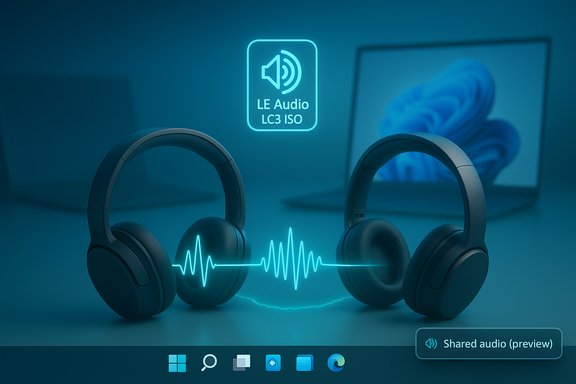
Two over-ear headphones connected by a glowing neon waveform under a LE Audio LC3 ISO icon.Background​

Bluetooth audio on PCs has suffered from a decades‑old compromise: the legacy Bluetooth Classic stack split roles across A2DP (high‑quality stereo output) and HFP/HSP (bidirectional voice), forcing a trade‑off whenever you wanted both good stereo and a working mic. The Bluetooth Low Energy (LE) Audio family — built around the LC3 codec, isochronous channels (ISO) and profiles such as TMAP — was designed to repair that split and enable new scenarios including multi‑stream and broadcast‑style audio. Microsoft’s Shared audio (preview) is the first visible Windows implementation that leverages LE Audio primitives to duplicate a single synchronized stream to two separate receivers.

Why this matters now​

  • User convenience: Two listeners can privately watch a movie or listen to music from one PC without external splitters or third‑party apps.
  • Accessibility: LE Audio’s hearing‑aid profiles and broadcast potential make this relevant to venues and assistive tech scenarios.
  • Audio quality parity: When the chain supports LE Audio, Windows can keep stereo fidelity even when a headset mic is active — a meaningful improvement for calls, gaming and spatial audio.

What Microsoft shipped in preview​

The Shared audio capability is being distributed as a preview experience in Windows Insider builds, appearing as a Quick Settings tile labeled Shared audio (preview). Insiders on the Dev and Beta channels can see and enable the feature on supported Copilot+ PCs after installing the specific preview build and any required OEM driver updates. The initial preview rollout is tied to Windows 11 Insider Preview Build 26220.7051 (the build that surfaced the feature for Dev and Beta channels). Key behavior and UX:
  • The tile lists paired, connected LE Audio accessories and lets the user select two receivers and click Share to start broadcasting the same audio to both outputs. A Stop sharing control ends the session.
  • The experience is deliberately limited to two sinks in the preview — Microsoft’s pragmatic scope to validate interoperability and synchronization.

Supported hardware in the preview (initial list)​

Microsoft’s early rollout targets a short list of Copilot+ devices that have the right Bluetooth radio, firmware and driver stack. The published “available now” devices in the preview include specific Qualcomm Snapdragon‑X‑based Surface models such as the 13.8‑ and 15‑inch Surface Laptop variants and the 13‑inch Surface Pro family. A “coming soon” list names additional Copilot+ systems like certain Samsung Galaxy Book5 models and other Surface SKUs once OEM drivers are pushed. Compatible LE Audio accessories mentioned in early testing:
  • Samsung Galaxy Buds2 Pro, Buds3, Buds3 Pro
  • Sony WH‑1000XM6
  • Select modern hearing aids from vendors that have updated to LE Audio/LC3 profiles
    These device names are illustrative examples from Microsoft’s preview notes and early reporting rather than an exhaustive compatibility roster; successful use requires accessory firmware and vendor driver updates.

How Shared audio works (technical primer)​

Shared audio is not a cosmetic shortcut; it’s a user‑facing surface built on the LE Audio protocol family and Windows’ updated audio plumbing. The implementation relies on three technical primitives:
  • LC3 codec: A modern, efficient codec that delivers equal or better perceived quality at lower bitrates than legacy SBC, enabling multi‑sink streaming without exploding bandwidth use.
  • Isochronous Channels (ISO): Provides tight timing guarantees needed for synchronized audio packet delivery, which is essential for keeping two receivers in lockstep and avoiding audible echoes between near‑by listeners.
  • TMAP and profile parity: The Telephony and Media Audio Profile unifies roles previously split across A2DP and HFP, enabling stereo media and microphone paths to coexist — the basis for what Microsoft calls “super wideband stereo” on Windows.
Operational reality: the feature only becomes available when the whole chain is LE Audio‑capable — accessory firmware, PC Bluetooth radio and firmware, vendor drivers for the radio and audio stacks, and the Windows build exposing LE Audio controls. If any link is missing, Windows will fall back to Classic Bluetooth behavior and the Quick Settings tile may not appear.

Hands‑on: enabling and using Shared audio (Insider preview)​

If you have a Copilot+ PC listed as supported and compatible LE Audio accessories, the typical flow looks like this:
  • Enroll the PC in the Windows Insider Program and choose the Dev or Beta channel.
  • Update Windows to the preview build that exposes Shared audio (Build 26220.7051 or later).
  • Update the PC’s Bluetooth and audio drivers using Windows Update or OEM downloads.
  • Update accessory firmware in the vendor companion app (Sony, Samsung, ReSound, etc.. Pair both accessories to the PC via Settings > Bluetooth & devices.
  • Open Quick Settings (taskbar), tap Shared audio (preview), select two connected accessories, then tap Share. Use Stop sharing to end.
Practical tips:
  • Use the accessory vendor’s app to confirm that LC3/LE Audio is enabled. Many headsets require a firmware update before they expose LE Audio features.
  • If a paired device doesn’t appear in the Quick Settings tile after firmware and driver updates, forget the device and re‑pair it. That sequence often resolves profile negotiation issues.

Strengths and user benefits​

  • Native, integrated experience: No more brittle third‑party tools, virtual audio drivers, or physical splitters for the common case of two listeners. Quick Settings makes the flow intuitive for everyday users.
  • Better quality and power efficiency: LC3 and LE Audio’s design reduce bitrate for the same perceived quality; that can improve battery life for earbuds while preserving stereo fidelity.
  • Accessibility and venue use cases: With LE Audio’s hearing‑aid and broadcast‑style features, Shared audio can be extended into assistive and public venues once Microsoft and partners expand the UX.
  • A platform approach to multi‑sink audio: Building on protocol standards (LE Audio / Auracast primitive family) gives Microsoft a future path to larger-scale broadcast-like scenarios beyond two sinks.

Risks, limitations and practical caveats​

  • Compatibility will be uneven at first. The preview is intentionally gated to specific Copilot+ devices because full functionality depends on vendor Bluetooth drivers and radio firmware. Expect a staggered rollout and many users will be unable to access the feature until OEMs publish updates.
  • Latency and synchronization can vary. Even with ISO channels, independent buffering strategies inside each headset can create small timing differences. When two listeners sit close together, slight desync can manifest as echo or combing. Treat shared audio as a convenience feature, not pro audio grade multi‑sink mixing.
  • Battery tradeoffs: Streaming to two receivers increases radio activity; while LC3 is efficient, a dual stream will consume more energy than a single output. The impact depends on controller, firmware and codecs.
  • Support complexity: Troubleshooting involves multiple vendors — headset makers, Bluetooth chipset firms, OEMs and Microsoft. Expect longer resolution times during the preview phase. Enterprise IT should pilot carefully before broad rollout.
  • Privacy considerations for broadcast modes: If Microsoft expands to broader Auracast‑style broadcasting on desktop, discoverability and access controls will be critical. Open broadcasts in public spaces can create privacy hazards unless discoverability and permission models are clear. The preview today appears focused on private, paired devices.

Verification of technical claims (cross‑checking the record)​

To validate the most load‑bearing claims:
  • Claim: Shared audio appears in Windows Insider Preview Build 26220.7051 and is accessible via Quick Settings. This is corroborated by the Windows Insider community release posts and coverage in mainstream tech outlets reporting on Microsoft’s official preview rollout.
  • Claim: The feature uses Bluetooth LE Audio primitives (LC3, ISO) and is limited to LE Audio‑capable accessories. This is supported by Microsoft’s technical notes in the Insider communications and by independent explainers on LE Audio’s capabilities.
  • Claim: Initial compatibility lists include Snapdragon‑X Surface devices and certain Samsung Galaxy Book models; headphones such as Galaxy Buds2 Pro, Buds3 and Sony WH‑1000XM6 have been cited as examples. This is documented in the Insider preview materials and repeated by outlets covering the rollout. These exemplars should be treated as representative rather than exhaustive: exact compatibility depends on firmware/driver updates.
Where the public record is incomplete or changing, the coverage above marks such items as preview‑era claims and encourages verification with OEM model pages or Microsoft documentation before making purchase or rollout decisions. If Microsoft or OEMs change the supported model list, that will alter availability; the preview list is deliberately small to manage interop risk.

Recommendations​

For consumers and enthusiasts​

  • If you’re curious and already use a Copilot+ Surface or a laptop listed as “available now,” join the Windows Insider Program (Dev/Beta), update to the build, and update drivers/firmware to test Shared audio in real use. Follow the vendor companion app to update earbud firmware.
  • If you rely on low‑latency monitoring (streaming, live performance or high‑stakes gaming), continue using wired or USB audio for mission‑critical tasks until you’ve validated any LE Audio combo’s latency and sync.

For buyers​

  • Prioritize devices and headsets that explicitly advertise Bluetooth LE Audio / LC3 support and show a vendor commitment to firmware updates. Bluetooth version numbers alone (5.2/5.3/etc. are not sufficient proof of LE Audio support.

For IT and AV teams​

  • Pilot the feature with a controlled group before wider deployment. Document fallback plans (wired headsets, USB mics) and coordinate with vendors for driver roadmaps. Expect cross‑vendor troubleshooting.

The path forward: what to watch​

  • Driver and firmware cadence. The speed at which OEMs and headset vendors publish LE Audio‑capable drivers and firmware updates will determine whether Shared audio becomes broadly useful or remains a niche preview.
  • UX expansion and Auracast parity. Microsoft may extend the experience to larger broadcast scenarios (Auracast‑style) or increase the number of simultaneous sinks. When and if that happens, expect additional controls for discoverability, encryption and access.
  • Interoperability telemetry. Microsoft and partners will need to gather telemetry and feedback on sync, latency and device‑pair behavior; significant divergence between devices could force tighter certification.
  • Enterprise controls. For public venues or workplaces that want to broadcast audio to attendees’ devices, policy, security and privacy models will be essential to get right.

Final assessment​

Shared audio (preview) is a practical, standards‑based step toward the Bluetooth audio experience modern users expect: lightweight, simultaneous, and higher‑quality shared listening without external hacks. Microsoft’s decision to ship it behind an Insider preview and to gate availability on Copilot+ PCs is prudent. The technical foundation is solid — LC3 and ISO channels materially enable the scenario — but the real world is messy: the feature depends on firmware, radio drivers and vendor cooperation, which makes early availability spotty.
For anyone who has wrestled with Stereo Mix, Voicemeeter, or physical splitters, Shared audio is a long‑overdue native convenience. For IT teams and professional users who require determinism, the preview is an opportunity to test and validate rather than a signal to replace wired workflows overnight. Microsoft and its hardware partners now have a small, controlled surface to iterate on synchronization, power consumption and user controls. If those iterations succeed, Windows 11 will have closed a large gap in the platform’s media UX — but that success depends on an ecosystem of updates, not just a single OS toggle.
Windows users who want to try the capability should verify their device is included in the Copilot+ preview compatibility list, update Windows and vendor drivers, and ensure headset firmware is current; those who can’t wait can continue using the established workarounds documented in community guides while Microsoft and OEMs complete the broader rollout.

Source: Nerd's Chalk Windows 11 Will Soon Get Bluetooth Audio Sharing Feature That Connects Two Headphones Simultaneously
 

Microsoft’s Windows 11 is getting a long‑requested convenience: a built‑in way to stream the same audio feed to two Bluetooth devices at once, powered by Bluetooth Low Energy (LE) Audio and surfaced as a Quick Settings “Shared audio (preview)” control in the latest Insider flight.

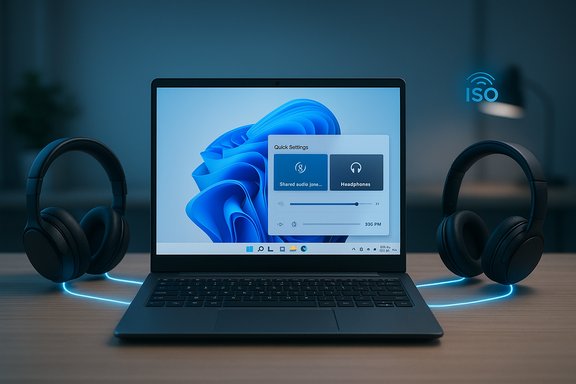
Laptop on a desk flanked by two black over-ear headphones, connected by a glowing blue ring.Background​

Bluetooth audio on PCs has long been limited by legacy profile designs that forced a trade‑off between high‑quality playback and microphone use. The old Bluetooth Classic stack split roles across A2DP (high‑quality, one‑way playback) and HFP/HSP (two‑way telephony with poor playback fidelity), producing the familiar “music goes to mud” moment whenever a microphone stream opened. Bluetooth LE Audio, the new standards family featuring the LC3 codec and isochronous channels (ISO), was designed to remove that compromise and add broadcast‑style capabilities. Microsoft’s Shared Audio builds on these primitives to enable synchronized, multi‑sink playback on Windows.
Windows Insiders on the Dev and Beta channels are currently receiving the feature as part of Windows 11 Insider Preview Build 26220.7051 (KB5067115), where it’s labeled Shared audio (preview) in Quick Settings. Microsoft describes this as a gradual rollout that initially targets a short list of Copilot+ PCs and a subset of Bluetooth LE Audio accessories; broader support will follow as OEMs and accessory vendors push firmware and driver updates.

What Shared Audio actually is​

The user‑facing feature​

At a high level, Shared audio (preview) lets a single Windows 11 PC broadcast the same audio stream to two paired and connected Bluetooth LE Audio accessories simultaneously — headphones, earbuds, speakers, or compatible hearing aids. The control appears as a tile in Quick Settings; you select two connected devices and press Share to begin, and a Stop sharing control ends the session. The UI is deliberately simple; the hard work happens in the Bluetooth transport and the audio stack.

The standards beneath it​

Shared Audio leverages the LE Audio family: the LC3 codec for efficient, high‑quality audio at lower bitrates; Isochronous Channels (ISO) for synchronized timing across multiple streams; and broadcast/multi‑stream primitives (the same foundations used for Auracast-style broadcasting). These elements allow Windows to encode and transmit a synchronized audio stream to multiple sinks while reducing airtime and power consumption. That standards‑based approach is important: it’s not a proprietary pairing trick, but an OS‑level feature built on Bluetooth SIG specifications.

Why this matters for Windows users​

Practical everyday benefits​

  • Two people can watch a movie on one laptop with private headsets, avoiding cables, splitters, or speaker blasting in public.
  • Study groups or co‑working sessions gain a low‑friction way to share audio tracks or video sound.
  • Small teams or families traveling together can share in‑flight entertainment using their own earbuds.

Real improvements under the hood​

  • Better battery life and efficiency for accessories that implement LC3, because LE Audio carries more perceived quality at lower bitrates.
  • Reduced quality drop when microphones are used, because the new LE/TMAP plumbing supports simultaneous media and telephony streams (what Microsoft and others refer to as super wideband stereo). This helps gaming, conferencing, and streaming scenarios where voice and media must coexist.

Accessibility and venue use cases​

LE Audio and broadcast modes are also positioned as accessibility tools: hearing aids and assistive listening devices can join broadcast streams, and venues could one day use Windows as an Auracast transmitter for lectures or cinema audio. Shared Audio is a small, controlled step toward those scenarios.

What Microsoft has released and where it’s available​

The official rollout​

Microsoft began the gradual rollout of Shared Audio (preview) in Windows 11 Insider Preview Build 26220.7051 for the Dev and Beta Channels. The company explicitly gates the preview to Copilot+ PCs that already have the Bluetooth radios, firmware, and OEM drivers aligned to expose LE Audio primitives to the OS. That gating reduces variability during testing and helps Microsoft iterate on the experience before a broad release.

Initial list of supported Copilot+ PCs​

According to Microsoft’s Insider blog and the release notes, the following models are listed as “available today” for the preview (where the device ships with compatible Qualcomm Snapdragon X silicon and the necessary driver updates):
  • Surface Laptop — 13.8‑inch and 15‑inch (Qualcomm Snapdragon X)
  • Surface Laptop for Business — 13.8‑inch and 15‑inch (Qualcomm Snapdragon X)
  • Surface Pro — 13‑inch (Qualcomm Snapdragon X)
  • Surface Pro for Business — 13‑inch (Qualcomm Snapdragon X)
Microsoft’s blog also lists a “coming soon” queue of additional Copilot+ PCs (Samsung Galaxy Book models and additional Surface SKUs) that will receive driver updates in the coming weeks. These lists are explicitly subject to OEM driver availability; they are not guarantees for every SKU, so buyers and IT admins should treat them as the active preview roster rather than a universal compatibility promise.

Example compatible accessories​

Early compatibility examples called out by Microsoft and independent reporting include:
  • Samsung Galaxy Buds2 Pro, Buds3, Buds3 Pro
  • Sony WH‑1000XM6
  • LE Audio capable hearing aids from ReSound and Beltone (examples)
These are illustrative, not exhaustive; Microsoft and vendors stress that firmware and companion‑app updates are often required to expose LE Audio/LC3 functionality in shipping accessories.

How to try Shared Audio (preview) — step‑by‑step checklist​

If you want to experiment with Shared Audio, follow this practical checklist derived from Microsoft’s guidance and community test notes:
  • Enroll the Copilot+ PC in the Windows Insider Program (Dev or Beta Channel) and install Build 26220.7051 or later via Windows Update.
  • Install any optional OEM driver updates offered by your device manufacturer through Windows Update (these are commonly required to expose LE Audio to the OS).
  • Update your Bluetooth accessory firmware using the manufacturer’s companion app (Samsung Wearable, Sony Headphones Connect, etc.. Many vendors require a firmware update to enable LC3/LE Audio modes.
  • Pair and connect two LE Audio‑capable accessories via Settings > Bluetooth & devices. Confirm both appear as connected.
  • Open Quick Settings (the flyout for Wi‑Fi, battery, audio), enable the Shared audio (preview) tile, select both accessories and press Share. Use Stop sharing to end the session.
Practical tips:
  • If an accessory doesn’t appear under the Shared audio tile after pairing, remove it, reboot, and re‑pair after ensuring firmware and drivers are current.
  • Keep a wired fallback (USB/wired headset) for latency‑sensitive or mission‑critical audio while testing, especially in multiplayer gaming or professional audio monitoring.

The technical realities and limits to expect​

Why not every PC or headset will work immediately​

LE Audio’s benefits are chain‑dependent: the headset, the PC’s Bluetooth controller and firmware, the vendor’s drivers on Windows, and Windows’ own LE Audio plumbing all must support the same primitives. If any link in that chain is missing, the system falls back to Classic Bluetooth behavior and Shared Audio won’t appear. This is the main reason Microsoft is limiting the initial preview to Copilot+ devices and is rolling support out gradually.

Latency, synchronization, and audio processing differences​

Even with ISO channels and careful synchronization, sending audio to two independent devices raises real‑world latency and sync challenges. Differences in accessory buffering, noise‑cancellation processing, and codec parameters can produce perceptible offsets between listeners — especially in video playback where lip‑sync matters. Expect occasional desyncs during the preview and be prepared to test specific device combinations before using Shared Audio for tightly synchronized media.

No wired + wireless sync (for now)​

The preview’s initial constraint is that both outputs must be Bluetooth LE Audio accessories; Microsoft’s documentation and community tests indicate mixing a wired output and a Bluetooth sink in a synchronized Shared Audio session is not supported in the preview. That’s a consequence of mixing transport types with different timing and buffer behaviors.

Vendor firmware and driver fragmentation​

Some accessories advertised as supporting Bluetooth 5.x do not implement LE Audio/LC3 out of the box. Vendors frequently expose LE Audio support as a post‑ship firmware update, so buyers should check companion apps and release notes. Enterprises should include Bluetooth radio and driver inventories in pilot planning.

Benefits — a quick ROI for users and IT​

  • Consumer convenience: No splitters, no cable tangles, private listening for two people from one PC.
  • Improved voice + media coexistence: Super‑wideband voice with preserved stereo media improves call clarity during gaming or conferencing.
  • Accessibility gains: Hearing aids and assistive devices that support LE Audio can better integrate with Windows audio workflows.
  • Power efficiency: LC3’s bitrate flexibility can extend accessory battery life in some usage scenarios.

Risks, open questions, and what to watch​

Compatibility fragmentation​

The biggest risk is that real‑world compatibility will be uneven for months. LE Audio adoption among accessory makers is accelerating, but consistent behavior will require coordinated firmware, driver, and OS updates. Early adopters should expect to spend time updating firmware and drivers, and enterprises should pilot Shared Audio on representative hardware before broad deployment.

Latency and user experience edge cases​

Expect intermittent lip‑sync issues or perceptible delay differences between paired devices, particularly when one accessory applies heavy digital signal processing (ANC, wind suppression, etc.. Microsoft’s preview is a conservative two‑sink testbed — it’s intentionally limited so engineers can resolve these UX problems before opening the floodgates.

Security, privacy and control models​

Broadcasting audio to multiple devices raises questions about discoverability and session control in shared/public settings. Microsoft has kept the preview explicit and user‑driven (select two accessories and press Share), but future Auracast‑style features will need robust UX for joining, access control, and privacy — especially for venues and accessibility streams. These are design challenges that extend beyond the underlying protocol.

Enterprise deployment concerns​

For IT managers, driver and firmware management is the gating factor. Inventory Bluetooth radio models, validate driver update channels, and coordinate pilots with OEMs and accessory vendors. Until drivers and firmwares are widely available, mission‑critical audio use cases should continue to rely on wired headsets or vendor‑specific dongles with known latency and quality characteristics.

How Shared Audio fits into the broader Bluetooth LE Audio ecosystem​

Shared Audio on Windows is a natural desktop counterpart to LE Audio features increasingly seen on phones and other platforms (Auracast, Android and Pixel LE Audio broadcasts, OEM dual‑listen modes). By making LE Audio a first‑class part of Windows’ audio plumbing — including LC3 and TMAP support — Microsoft aligns PCs with the broader direction of consumer and assistive audio devices. The desktop’s role as a media and productivity hub makes this a valuable addition, especially for travel‑and‑shared‑work scenarios.

Practical recommendations​

  • If you’re an early adopter with a Copilot+ PC and LE Audio‑capable accessories: enroll in the Windows Insider Dev or Beta Channel, update drivers and firmware, and test Shared Audio with your most common accessory pairs. Keep a wired fallback for mission‑critical sessions.
  • If you’re an accessory owner (Galaxy Buds, Sony, etc.: check the vendor’s companion app for LE Audio/LC3 firmware updates and follow published upgrade instructions. Firmware is often the missing piece.
  • For IT teams and procurement: include Bluetooth radio model and driver support for LE Audio in vendor RFPs and pilot plans; don’t assume every Bluetooth 5.x adapter will support LE Audio by default.

Conclusion​

Microsoft’s Shared Audio (preview) is a thoughtful, standards‑based addition to Windows 11 that addresses a decades‑old friction point in PC audio. By building on Bluetooth LE Audio — LC3, ISO channels, and multi‑stream primitives — Microsoft is offering consumers a simple UX to share synchronized audio between two Bluetooth accessories without cables or splitters. The feature’s initial preview release in Build 26220.7051 is intentionally conservative: it’s limited to Copilot+ PCs where radios, firmware and drivers are already aligned, and it calls for vendor cooperation to unlock the full potential.
The promise is real — better battery life, preserved stereo during voice use, and easier shared listening — but the reality will be ecosystem dependent. Expect a rolling series of updates from Microsoft, OEMs, and accessory vendors over the coming months. In the meantime, users and IT teams who update firmware, validate drivers, and pilot the feature on supported hardware will be the first to enjoy what should become a broadly useful capability on Windows.
Source: Digital Trends Microsoft is bringing Bluetooth audio sharing to Windows 11
 

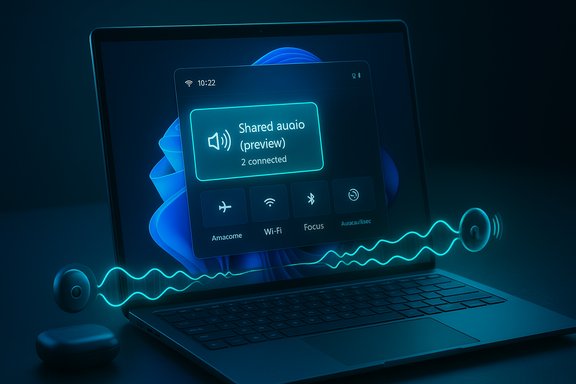
Laptop screen displays a Shared Audio (preview) panel with 2 connected devices and glowing audio waves.
Microsoft is previewing a Bluetooth audio sharing feature in Windows 11 that can stream the same audio to two Bluetooth LE Audio devices at once — effectively letting a laptop play audio into two pairs of headphones, two earbuds, two speakers, or even two hearing‑aid receivers simultaneously.

Background​

Bluetooth audio has evolved rapidly from the days of single-stream A2DP and SBC codec limitations. The new generation — Bluetooth Low Energy (LE) Audio, led by the Bluetooth SIG and implemented by device makers under the Auracast broadcast model — introduces the LC3 codec, multi‑stream synchronisation, and the ability to broadcast a single audio stream to multiple sinks. These advances enable the kind of “shared audio” scenarios Microsoft is previewing in Windows 11. Before LE Audio reached mainstream devices, vendors solved shared listening in proprietary ways: Apple added an iOS audio‑sharing workflow for AirPods and select Beats models, and Android vendors began exposing Auracast-style features on some phones. Microsoft’s Windows implementation brings this capability to PCs using the LE Audio stack and the Auracast-like broadcast model — but Microsoft is taking a staged, hardware-gated approach for its initial preview.

Overview: what Microsoft announced​

Microsoft rolled the feature into Windows 11 Insider Preview Build 26220.7051 (KB5067115) and packaged the experience as “Shared audio (preview)”, surfaced in Quick Settings. The preview is available to Insiders in the Dev and Beta channels as a controlled feature rollout and is initially limited to a list of Copilot+ PCs with compatible Bluetooth and audio drivers. Microsoft’s guidance is straightforward: pair two compatible LE Audio accessories, open Quick Settings, pick the “Shared audio (preview)” tile, select the two paired devices, and click Share to start. Key points in Microsoft’s announcement:
  • The feature is built on Bluetooth LE Audio broadcast technology and uses the LE audio stack.
  • It is a preview experience in Insider builds and will be rolled out gradually.
  • Initial hardware support is limited to specific Copilot+ PCs and a set of LE Audio‑capable accessories; more devices will be added over time.

How Shared Audio works (technical primer)​

Bluetooth LE Audio, LC3 and Auracast​

The shared audio feature depends on LE Audio, the Bluetooth specification that introduced several advances over Classic Bluetooth audio:
  • A new codec, LC3 (Low Complexity Communications Codec), which delivers higher subjective quality at lower bitrates and lower power consumption.
  • Multi‑stream support, enabling left/right channels and truly synchronized multiple streams for true wireless earbuds and multi‑sink playback.
  • Broadcast audio (commonly marketed as Auracast), which allows a host to broadcast one or more audio streams that any compatible receiver can tune into. Auracast defines the broadcast profile and user experience for public and private broadcasts.
Microsoft’s feature is implemented as a controlled broadcast experience: the Windows host acts as the LE Audio transmitter, and eligible headsets or hearing aids act as receivers (sinks). The host transmits one synchronized stream that the two selected sinks decode and play back. Because LE Audio uses LC3 and the new isochronous data transport, synchronization and efficiency are improved compared to older Bluetooth approaches.

Latency and quality expectations​

LE Audio and LC3 can achieve lower latency and better quality-versus-power tradeoffs than Classic Bluetooth. The Bluetooth SIG targets low latencies (often tens of milliseconds) for LE Audio broadcasts; manufacturers typically target under ~20–30 ms for responsive media playback, but real‑world latency depends on hardware, firmware, and driver stacks. Expect variability between different headset models and between OEM driver implementations.

Which PCs and accessories can try this now​

Microsoft’s preview is deliberately staged to a subset of devices. The official compatibility roster for the initial rollout includes Copilot+ PCs such as specific Snapdragon‑powered Surface models and upcoming Intel Core Ultra‑based Galaxy Book models; Microsoft also lists supported audio accessories by example. The company emphasizes that both the PC and the accessory must support LE Audio features and have current firmware/drivers installed. Examples from Microsoft’s published lists (initial availability and “coming soon” candidates):
  • Available today on certain Surface Laptop 13.8” and 15” models and Surface Pro 13” variants powered by Qualcomm Snapdragon X.
  • Coming soon to Samsung Galaxy Book5 and Galaxy Book4 Edge families, and additional Surface SKUs as drivers become available.
  • Example compatible accessories called out include Samsung Galaxy Buds2 Pro, Galaxy Buds3 / Buds3 Pro, Sony WH‑1000XM6, and recent LE Audio hearing aids from vendors such as ReSound and Beltone.
Independent coverage from outlets tracking Insider releases confirms the build number and the Copilot+ gating, and notes that Microsoft will expand compatibility over time. That parallel reporting gives confidence the rollout is deliberate and constrained rather than an accidental omission.

How to try Shared Audio (step‑by‑step)​

If you have a supported Copilot+ PC, are enrolled in the Windows Insider Dev or Beta channel, and have compatible headsets, the workflow is simple:
  1. Pair and connect the two Bluetooth LE Audio devices to the PC using Settings > Bluetooth & devices.
  2. Make sure Windows Update and any OEM driver/firmware updates are installed (manufacturer app updates for headsets are recommended).
  3. Open Quick Settings (Win+A). Look for a “Shared audio (preview)” tile.
  4. Click the tile, check the two output devices you want to share to, and click Share. Audio will stream to both devices.
  5. Use Stop sharing in the same Quick Settings flow to end the session.
Microsoft documents this flow in the Insider blog post and supplies troubleshooting advice — re‑pairing accessories and updating accessory firmware using manufacturers’ apps if a device doesn’t appear in the Share UI.

Practical limitations and troubleshooting​

Hardware and software gating​

The preview is limited by three stacked requirements: (1) the Windows host must be a supported Copilot+ PC with driver updates; (2) the receiving accessories must be LE Audio‑capable and have firmware that implements LC3/Auracast-like functionality; (3) the Windows Insider feature‑toggle and rollout must have been enabled on your machine. If any layer is missing, the Shared audio tile will not be available. Microsoft recommends enabling the Insider “get latest updates” toggle for early availability.

Firmware and driver fragmentation​

LE Audio is a newer layer in the Bluetooth stack. Many headsets might require firmware updates from the manufacturer to fully support Auracast-style broadcast and the LC3 codec. Similarly, OEM drivers on Windows must expose LE Audio and Auracast capabilities correctly. Expect a period of fragmentation where some combinations work flawlessly and others do not. Microsoft explicitly tells Insiders to update headset firmware and Windows drivers, and to re‑pair accessories if they don’t show up.

Sync, latency and user experience​

Although LE Audio improves synchronization, real‑world sync across different headphones can still vary slightly due to chipset differences and buffering. For watching video, any lip‑sync mismatch is immediately noticeable; testing with your specific headset pair is unavoidable. If precise sync is critical (for pro video editing or live audio monitoring), this feature in preview should not be assumed production‑ready. Bluetooth SIG guidance suggests manufacturer implementations will vary and some tune latency specifically for low delay.

Battery and power​

Transmitting the same audio to two sinks may not double battery drain on the host in a linear way, but expect higher power draw on the PC’s Bluetooth subsystem and on the receivers if they decode higher‑quality LC3 streams. LE Audio’s LC3 codec is more power efficient than older codecs, but broadcasts at high quality settings will still use more energy than low‑quality settings.

Privacy, security and accessibility implications​

LE Audio and Auracast introduce interesting privacy and accessibility trade‑offs. Auracast broadcasts can be configured as public or private, and in public modes they can be discovered by nearby receivers; this model enables public assistive listening services (e.g., airports or lecture halls) but also requires UI affordances so users aren’t accidentally tuning into unknown broadcasts. Microsoft’s Shared audio is a private pairing workflow — you select paired devices and explicitly share — which reduces the risk of accidental public broadcast exposure. Accessibility gains are notable: LE Audio expressly supports hearing aids and assistive devices, making it simpler to transmit audio directly to hearing devices without cumbersome adapters. Microsoft calls this out in its preview notes and positions Shared audio as both a social and accessibility enhancement. Security considerations to track:
  • Ensure paired devices are trusted before sharing; the Share UI’s explicit selection helps but social engineering remains a risk if devices are left discoverable.
  • Firmware and driver updates should be vetted from OEMs; compromised firmware is a broad risk vector for any modern peripheral.
  • Public Auracast broadcasts will require clear UX and platform safeguards to prevent spoofing or accidental connections. Bluetooth SIG provides guidance for Auracast, but real‑world deployments will reveal additional policy needs.

How Microsoft’s approach compares to competitors​

  • Apple: iOS and iPadOS have let users share audio to two sets of AirPods/Beats for years with a tight, device‑level experience that leverages their custom H1/H2 chips. That experience is simple because Apple controls both hardware and software on its platform.
  • Android & Auracast: Google and OEMs are adopting Auracast/LE Audio; the platform story is more fragmented because Android devices vary by vendor and Android versions. Some phones and headphones already support broadcasting to multiple receivers, and Samsung has incorporated support on flagship phones. Microsoft’s move is a logical extension of Auracast into PCs, closing a gap between mobile and PC shared listening experiences.
Microsoft’s challenge is integration across a highly heterogeneous PC ecosystem: unlike iOS, Windows must work across dozens of Bluetooth chipsets, OEM driver stacks, and third‑party headset firmware levels. That explains the Copilot+ gating and the emphasis on driver/firmware updates.

Benefits and user scenarios​

  • Travel and personal media: Two people can watch a movie on a laptop without bothering neighbors or sharing a single pair of earbuds.
  • Classroom and group study: Students can listen to the same audio simultaneously without wired splitters.
  • Accessibility: Direct transmission to LE Audio‑capable hearing aids simplifies assistive listening in public spaces and private settings.
Other benefits include reduced need for proprietary vendor features, better battery outcomes for certain use cases thanks to LC3 efficiency, and a unified Windows UI for sharing. But the net experience depends on broad hardware and firmware support across the ecosystem.

Risks and open questions​

  1. Fragmentation risk: With many chipsets and firmware implementations, interoperability problems are likely during early rollout. Microsoft’s controlled preview minimizes exposure, but widespread consumer frustration is possible if expectations aren’t managed.
  2. Latency and sync edge cases: Video lip‑sync and small timing mismatches will be visible and could limit usefulness for movie watching unless device pairs are well‑matched and firmware tuned.
  3. Support burden for OEMs and IT admins: Enterprises and large organizations will need to plan driver and firmware updates across fleets for reliable adoption. Microsoft’s Copilot+ gating and Windows Update delivery for drivers helps, but the coordination burden remains.
  4. Privacy and public broadcast concerns: Auracast’s public broadcast potential raises the need for careful security and discoverability choices; Microsoft’s private‑share UI is safer by design, but additional policy work is likely for public deployments.
If any specific claims (for example, precise latency numbers for a given headset pair) are quoted elsewhere, they should be treated as device‑specific and verified against manufacturer specs and independent testing; Bluetooth SIG gives targets and ranges but not single‑device guarantees.

Practical advice for users and IT managers​

  • Before trying Shared audio, update Windows, the OEM Bluetooth drivers, and device firmware via the headset manufacturer’s app. Microsoft explicitly recommends this sequence.
  • Test the exact headset pairings you plan to use for movie or meeting scenarios to confirm sync and latency behavior. Don’t assume every LE Audio headset behaves identically.
  • If a paired accessory doesn’t appear in the Shared audio UI, remove it from the PC and re‑pair after updating firmware; this is the troubleshooting step Microsoft recommends.
  • For enterprise fleets, plan a staged rollout and driver management approach; don’t expect universal availability until Microsoft and OEMs ramp support beyond the Copilot+ gating.

The bigger picture: why this matters for Windows​

Bringing LE Audio and Auracast-style broadcast to Windows is a notable step: it aligns the PC platform with modern wireless audio capabilities found on smartphones and modern accessories, and it expands accessibility and social media consumption scenarios for laptop users. For OEMs and accessory makers, Windows’ adoption reinforces the business case for LE Audio firmware upgrades and LC3 support. For users, it means the PC is becoming a first‑class source for shared wireless listening — provided the ecosystem matures. Microsoft’s approach — preview in Insider builds, gate to Copilot+ hardware, require drivers/firmware updates — is pragmatic. It reduces the blast radius of early issues while testing cross‑vendor compatibility. But expectation management will be critical: “it works on these specific models now, more devices later” is the message Microsoft is sending.

Conclusion​

Windows 11’s Shared audio (preview) is the platform’s first mainstream integration of Bluetooth LE Audio and broadcast‑style multi‑sink playback. It promises real convenience — streaming the same audio to two headphones or receivers at once — and brings Windows in line with modern mobile audio capabilities. The technical foundations (LE Audio, LC3, Auracast) are solid and industry‑backed, but early availability is intentionally narrow and will surface the usual early‑adopter caveats: driver fragmentation, firmware dependencies, and variable latency across devices. Microsoft’s controlled rollout and explicit firmware/driver guidance aim to minimize friction, but users and IT teams should be prepared to test device pairs and update firmware before expecting reliable, production‑grade behavior. If the ecosystem — PC OEMs, chipset vendors, and headset manufacturers — embraces LE Audio and consistently ships compatible firmware and drivers, shared audio could become a simple, everyday feature for co‑watching, group listening, and assistive listening on Windows. For now, it’s a promising preview that illustrates how modern Bluetooth audio will reshape multi‑person listening on the PC.
Source: bgnes.com BGNES
 

Microsoft has begun previewing a built‑in way for Windows 11 to stream the same audio feed to two separate Bluetooth devices at once — a long‑requested convenience now appearing in the Windows 11 Insider Preview Build 26220.7051 as Shared audio (preview) and powered by Bluetooth Low Energy (LE) Audio.

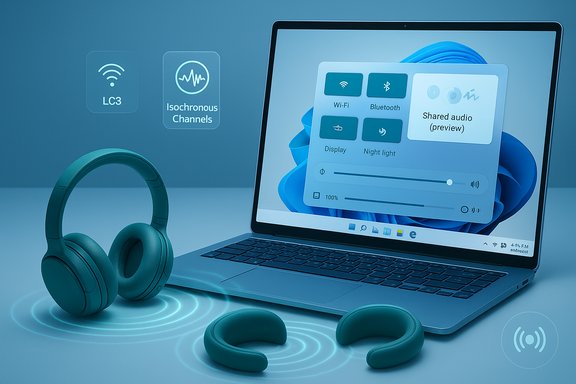
Blue-toned scene of a laptop showing wireless audio controls and LC3 isochronous channels beside headphones.Background / Overview​

Windows’ audio stack has long been constrained by legacy Bluetooth profiles that forced trade‑offs: high‑quality one‑way media over A2DP or two‑way telephony over HFP/HSP that often meant audio quality dropped dramatically when a microphone became active. The Bluetooth SIG’s LE Audio specification — anchored by the LC3 codec, Isochronous Channels (ISO) and new profiles such as TMAP (Telephony and Media Audio Profile) — is the standards‑level fix for that compromise. Microsoft’s Shared audio builds on those primitives to offer a simple user experience: pair two LE Audio‑capable accessories, open Quick Settings, tap the Shared audio (preview) tile and press Share to stream audio to both devices in sync. Microsoft rolled Shared audio into Windows Insider Preview Build 26220.7051 (KB5067115), which is being offered to Insiders in the Dev and Beta channels as a controlled rollout. The company has limited the initial preview to a set of Copilot+ Windows PCs that meet the required Bluetooth and audio driver prerequisites, and it explicitly recommends updating accessory firmware via vendor apps for the best experience.

How Shared audio works — a technical primer​

LE Audio, LC3 and why this is possible now​

The technical leap enabling synchronized multi‑sink audio on PCs is Bluetooth LE Audio, whose key components make this a practical, battery‑efficient feature:
  • LC3 codec (Low Complexity Communications Codec) — significantly better perceived audio quality than legacy SBC at much lower bitrates, reducing airtime and power use for headsets and the PC.
  • Isochronous Channels (ISO) — new transport primitives that give timing guarantees needed to deliver the same audio packets to multiple receivers with tight sync.
  • Broadcast / multi‑sink primitives (Auracast‑style) — allow a source device to transmit a stream that many receivers can join; Windows’ Shared audio uses a limited two‑sink variant of this model.
Those standards let Windows act as an LE Audio transmitter that opens isochronous channels and encodes the media to LC3, then sends the same encoded stream to two selected sinks. The µ‑timing and codec efficiency reduce the risk of audible drift and battery drain — but they do not eliminate interoperability challenges entirely because device‑level buffering, DSP and vendor firmware still matter.

TMAP and “super wideband stereo”​

A related Windows improvement called super wideband stereo was introduced earlier to avoid the old “music goes to mud” problem where a mic activation dropped media to mono. TMAP and Microsoft’s updated audio plumbing let the system handle media and microphone streams simultaneously while preserving stereo quality — an important enabler for shared listening during calls or when voice is used.

Availability and compatibility — what works today​

Copilot+ PC gating and the initial device list​

Microsoft is intentionally gating the preview to Copilot+ PCs that have compatible Bluetooth radios, OEM drivers and the required audio stack updates. The official Windows Insider blog lists the initial “Available today” Copilot+ devices and a “Coming soon” list for broader support. The initial availability list includes Snapdragon‑X Surface models such as:
  • Surface Laptop, 13.8‑inch and 15‑inch (Qualcomm Snapdragon X)
  • Surface Laptop for Business, 13.8 and 15‑inch (Qualcomm Snapdragon X)
  • Surface Pro, 13‑inch (Qualcomm Snapdragon X)
  • Surface Pro for Business, 13‑inch (Qualcomm Snapdragon X)
“Coming soon” systems named include Samsung Galaxy Book5 series and additional Surface SKUs with Intel Core Ultra Series or Snapdragon X hardware. Microsoft warns the Quick Settings tile appears only after necessary driver updates are installed via Windows Update.

Compatible accessories (examples; vendor firmware required)​

Microsoft’s guidance lists several LE Audio accessories as examples of compatible devices, while emphasizing firmware and driver coordination:
  • Samsung Galaxy Buds2 Pro, Buds3, Buds3 Pro
  • Sony WH‑1000XM6
  • Recent LE Audio‑capable hearing aids from ReSound, Beltone and others
These lists are illustrative and not exhaustive: many vendors expose LE Audio features only after a companion‑app firmware update, so device‑level updates are often the gating factor, not just labeling like “Bluetooth 5.x”.

Cross‑checks and independent verification​

The rollout, feature name and Build number (26220.7051) are documented by Microsoft’s Windows Insider blog and confirmed by independent outlets that covered the preview, including The Verge and BleepingComputer, giving strong corroboration for the claim that Shared audio is a real, shipping Insider preview today.

How to try Shared audio (preview) — step‑by‑step​

  • Enroll a compatible Copilot+ PC in the Windows Insider Program (Dev or Beta channel) and install Windows 11 Insider Preview Build 26220.7051 (KB5067115) or later.
  • Update Windows and accept OEM driver updates via Settings > Windows Update; the Shared audio tile will appear only when drivers expose the capability.
  • Update firmware for your Bluetooth accessories using the vendor’s companion app (recommended). Many LE Audio features require a firmware update to be enabled.
  • Pair two LE Audio‑capable accessories in Settings > Bluetooth & devices and confirm they both show as connected.
  • Open Quick Settings, tap Shared audio (preview), select the two accessories, and press Share. To stop, press Stop sharing.
Practical tip: If a paired accessory does not appear in the Shared audio UI after updating firmware, remove it from Bluetooth settings and re‑pair it — that often resolves handshake or capability‑advertisement mismatches.

Benefits and real‑world use cases​

  • Two‑person private listening — students, travelers and couples can watch a movie or listen to music from one PC without splitters or tangled cables.
  • Accessibility / hearing‑aid support — LE Audio’s hearing‑aid profiles and broadcast primitives can enable better assistive listening in public venues; Windows’ Shared audio moves the desktop toward a unified assistive ecosystem.
  • Improved voice+media parity — because the underlying stack preserves stereo when the mic is active, gaming, streaming and conferencing scenarios are less likely to suffer quality regression when voice is used.
  • Energy efficiency — LC3’s lower bitrate reduces wireless airtime, improving battery life for earbuds and reducing PC radio load during shared sessions.
These are practical, everyday gains that make dual headphone listening on laptops feel as frictionless as mobile audio sharing features provided by iOS and some Android vendors.

Risks, limitations and technical caveats​

1) Ecosystem fragmentation is the main limiter​

Shared audio is standards‑based, but full functionality depends on coordination across four layers: PC Bluetooth silicon + firmware, OEM Bluetooth/audio drivers on Windows, Windows OS updates, and accessory firmware/apps. If any layer is missing LE Audio primitives (LC3, ISO channels, TMAP), the feature either won’t appear or will fall back to legacy Bluetooth behavior. Expect uneven availability across older laptops, low‑end Bluetooth adapters, and many third‑party headsets until vendors ship firmware updates.

2) Latency and synchronization risks remain real​

Despite ISO channels, vendor‑specific buffering, noise‑cancellation pipelines and DSP can introduce microsecond‑to‑millisecond offsets that lead to perceptible audio drift between two headsets. This is most obvious on video content where lip‑sync matters. Microsoft’s decision to cap the preview at two sinks is pragmatic, but audible desynchronization remains a plausible outcome during early testing. Test mixed vendor combinations carefully for video playback.

3) No mixing of transport classes (yet)​

At preview time, Shared audio is focused on two LE Audio sinks. Mixing one wireless sink and a wired output (or an HDMI output) in perfect sync introduces additional timing challenges and is not part of this initial experience — users with mission‑critical synchronization needs should retain wired fallback options.

4) Enterprise, privacy and management considerations​

Broadcasting audio to nearby devices may raise privacy or compliance concerns in managed environments. IT teams must consider policy controls and pilot testing before enabling Shared audio across fleets, and organizations should be cautious when exposing broadcast capabilities in public or shared workplaces. The initial Copilot+ gating reduces accidental mass use, but enterprise guidance will be needed before broad adoption.

5) Early adopter UX friction​

Companion apps, firmware update workflows and re‑pairing steps are currently the norm for enabling LE Audio features on many accessories. That increases support burden for help desks and may frustrate non‑technical users during the preview. Vendors and OEMs must simplify firmware rollouts and expose clearer capability flags in companion apps.

Ecosystem impact and what to expect next​

Shared audio on Windows is a meaningful sign that LE Audio is reaching desktop maturity. Once more PC radios and headset vendors ship firmware supporting LC3 and ISO channels, the user experience should broaden quickly. Key downstream effects to watch:
  • Wider OEM adoption: Manufacturers will add driver support across more Copilot+ and non‑Copilot hardware as testing completes. Microsoft’s “coming soon” list already names several Galaxy Book and Surface SKUs slated for updates.
  • Accessory firmware rollouts: Major headset vendors (Samsung, Sony, Jabra and others) will likely expand LE Audio firmware to more models; check vendor apps for update notices.
  • Public broadcast scenarios (Auracast): Microsoft’s current two‑sink, paired model is conservative. Over time, Windows could expose wider Auracast‑style broadcasting for venues, classroom audio, and assistive listening, but that requires policy and privacy guardrails.
Independent coverage and early hands‑on reports note that the feature is live for Insiders today but emphasizes the staged rollout and need for firmware updates — a reliable indicator that the industry is moving but still polishing interoperability.

Practical advice — for consumers, audiophiles and IT teams​

  • Consumers with a Copilot+ PC and LE Audio accessories: enable the Windows Insider Dev or Beta channel (if you are comfortable with preview builds), update Windows and device drivers, update headset firmware, then try Shared audio from Quick Settings. Expect to re‑pair devices if they don’t immediately appear.
  • Audiophiles and content creators: avoid using Shared audio for production or latency‑sensitive monitoring until cross‑vendor latency behavior is validated. Keep wired monitoring for final mastering or professional lip‑sync workflows.
  • IT and procurement teams: include explicit LE Audio, LC3 and TMAP support as requirements in RFPs for Bluetooth headsets and PC radios. Pilot on a small fleet of Copilot+ devices before broader deployment, and document firmware versions that work reliably.
  • Venue operators and accessibility planners: follow Microsoft’s guidance and vendor roadmaps before deploying Auracast‑style broadcasts in public spaces. Work with hearing‑aid vendors and accessibility advocates to ensure compatibility and privacy protections.

Strengths and notable positives​

  • Standards‑first approach: Building Shared audio on LE Audio primitives avoids brittle proprietary hacks and positions Windows for long‑term interoperability.
  • Low friction UX: The Quick Settings tile is a pragmatic surface for a mainstream audience — pairing and pressing Share keeps the flow simple.
  • Accessibility upside: Native support for LE Audio hearing‑aid profiles and Auracast‑style broadcasting can materially improve assistive listening scenarios.
  • Energy and quality gains: LC3’s efficiency enables better perceived quality and battery life compared with legacy codecs, benefiting both source PCs and battery‑constrained accessories.

Final analysis and conclusion​

Shared audio (preview) is a deliberately scoped, technically sound first step that brings a mobile‑style convenience to the Windows desktop. Microsoft has chosen the right building blocks — LC3, ISO channels and TMAP — and a cautious rollout that limits initial exposure to Copilot+ PCs while OEMs and accessory vendors catch up. Official documentation and independent reporting confirm the feature’s presence in Windows 11 Insider Preview Build 26220.7051 and the initial compatibility guidance for specific Surface and Galaxy Book SKUs. That said, the practical value for most Windows users will hinge on ecosystem coordination. Firmware updates, driver rollouts and vendor‑specific DSP decisions will determine whether Shared audio is a seamless, daily convenience or a niche perk for early adopters. Latency and synchronization caveats make the preview unsuitable for professional audio work until vendors converge on buffering and latency budgets. Organizations should pilot and manage the rollout carefully to avoid privacy or support issues.
For everyday users, Shared audio represents a welcome closing of a years‑long usability gap on Windows: a simple toggle to let two people listen together without cables, at reasonable audio quality and with better battery life than old Bluetooth tricks. It is not yet universal, but it is real, standards‑based, and arriving in a way that prioritizes stability over hype — exactly the kind of pragmatic rollout that stands the best chance of scaling into a genuinely useful platform feature.

Source: The Bridge Chronicle Windows Introduces Dual Bluetooth Audio Support: Play Sound on Two Devices at Once
 

Back
Top