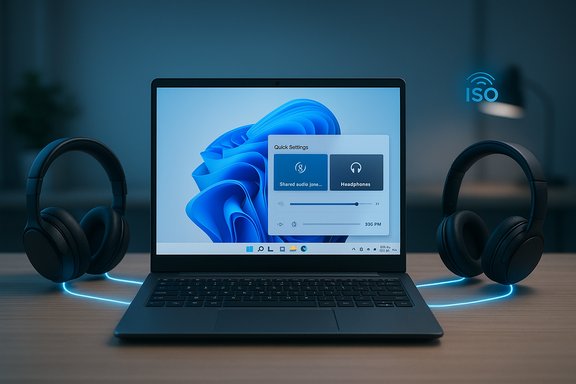
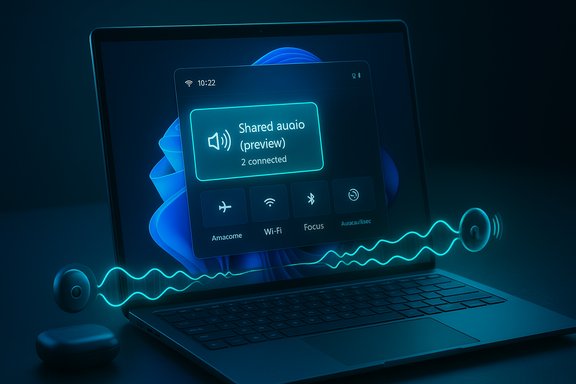
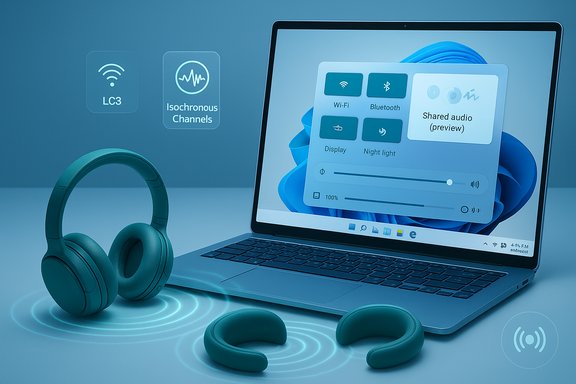
Windows 11 is quietly testing a long‑requested capability: a native, system‑level “shared audio” feature that can stream the same Bluetooth Low Energy (LE) Audio feed to two headphones, earbuds, speakers, or hearing aids at once — surfaced as a Quick Settings tile in Insider preview builds and aimed at Copilot+ hardware where drivers, firmware and radio support line up.
Bluetooth audio on PCs has suffered from a decades‑old compromise: the legacy Bluetooth Classic stack split roles across A2DP (high‑quality stereo output) and HFP/HSP (bidirectional voice), forcing a trade‑off whenever you wanted both good stereo and a working mic. The Bluetooth Low Energy (LE) Audio family — built around the LC3 codec, isochronous channels (ISO) and profiles such as TMAP — was designed to repair that split and enable new scenarios including multi‑stream and broadcast‑style audio. Microsoft’s Shared audio (preview) is the first visible Windows implementation that leverages LE Audio primitives to duplicate a single synchronized stream to two separate receivers.
For anyone who has wrestled with Stereo Mix, Voicemeeter, or physical splitters, Shared audio is a long‑overdue native convenience. For IT teams and professional users who require determinism, the preview is an opportunity to test and validate rather than a signal to replace wired workflows overnight. Microsoft and its hardware partners now have a small, controlled surface to iterate on synchronization, power consumption and user controls. If those iterations succeed, Windows 11 will have closed a large gap in the platform’s media UX — but that success depends on an ecosystem of updates, not just a single OS toggle.
Windows users who want to try the capability should verify their device is included in the Copilot+ preview compatibility list, update Windows and vendor drivers, and ensure headset firmware is current; those who can’t wait can continue using the established workarounds documented in community guides while Microsoft and OEMs complete the broader rollout.
Source: Nerd's Chalk Windows 11 Will Soon Get Bluetooth Audio Sharing Feature That Connects Two Headphones Simultaneously
 Background
Bluetooth audio on PCs has suffered from a decades‑old compromise: the legacy Bluetooth Classic stack split roles across A2DP (high‑quality stereo output) and HFP/HSP (bidirectional voice), forcing a trade‑off whenever you wanted both good stereo and a working mic. The Bluetooth Low Energy (LE) Audio family — built around the LC3 codec, isochronous channels (ISO) and profiles such as TMAP — was designed to repair that split and enable new scenarios including multi‑stream and broadcast‑style audio. Microsoft’s Shared audio (preview) is the first visible Windows implementation that leverages LE Audio primitives to duplicate a single synchronized stream to two separate receivers. Why this matters now
- User convenience: Two listeners can privately watch a movie or listen to music from one PC without external splitters or third‑party apps.
- Accessibility: LE Audio’s hearing‑aid profiles and broadcast potential make this relevant to venues and assistive tech scenarios.
- Audio quality parity: When the chain supports LE Audio, Windows can keep stereo fidelity even when a headset mic is active — a meaningful improvement for calls, gaming and spatial audio.
What Microsoft shipped in preview
The Shared audio capability is being distributed as a preview experience in Windows Insider builds, appearing as a Quick Settings tile labeled Shared audio (preview). Insiders on the Dev and Beta channels can see and enable the feature on supported Copilot+ PCs after installing the specific preview build and any required OEM driver updates. The initial preview rollout is tied to Windows 11 Insider Preview Build 26220.7051 (the build that surfaced the feature for Dev and Beta channels). Key behavior and UX:- The tile lists paired, connected LE Audio accessories and lets the user select two receivers and click Share to start broadcasting the same audio to both outputs. A Stop sharing control ends the session.
- The experience is deliberately limited to two sinks in the preview — Microsoft’s pragmatic scope to validate interoperability and synchronization.
Supported hardware in the preview (initial list)
Microsoft’s early rollout targets a short list of Copilot+ devices that have the right Bluetooth radio, firmware and driver stack. The published “available now” devices in the preview include specific Qualcomm Snapdragon‑X‑based Surface models such as the 13.8‑ and 15‑inch Surface Laptop variants and the 13‑inch Surface Pro family. A “coming soon” list names additional Copilot+ systems like certain Samsung Galaxy Book5 models and other Surface SKUs once OEM drivers are pushed. Compatible LE Audio accessories mentioned in early testing:- Samsung Galaxy Buds2 Pro, Buds3, Buds3 Pro
- Sony WH‑1000XM6
- Select modern hearing aids from vendors that have updated to LE Audio/LC3 profiles
These device names are illustrative examples from Microsoft’s preview notes and early reporting rather than an exhaustive compatibility roster; successful use requires accessory firmware and vendor driver updates.
How Shared audio works (technical primer)
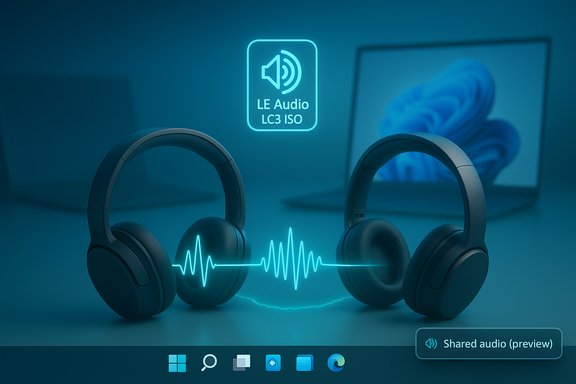
Shared audio is not a cosmetic shortcut; it’s a user‑facing surface built on the LE Audio protocol family and Windows’ updated audio plumbing. The implementation relies on three technical primitives:- LC3 codec: A modern, efficient codec that delivers equal or better perceived quality at lower bitrates than legacy SBC, enabling multi‑sink streaming without exploding bandwidth use.
- Isochronous Channels (ISO): Provides tight timing guarantees needed for synchronized audio packet delivery, which is essential for keeping two receivers in lockstep and avoiding audible echoes between near‑by listeners.
- TMAP and profile parity: The Telephony and Media Audio Profile unifies roles previously split across A2DP and HFP, enabling stereo media and microphone paths to coexist — the basis for what Microsoft calls “super wideband stereo” on Windows.
Hands‑on: enabling and using Shared audio (Insider preview)
If you have a Copilot+ PC listed as supported and compatible LE Audio accessories, the typical flow looks like this:- Enroll the PC in the Windows Insider Program and choose the Dev or Beta channel.
- Update Windows to the preview build that exposes Shared audio (Build 26220.7051 or later).
- Update the PC’s Bluetooth and audio drivers using Windows Update or OEM downloads.
- Update accessory firmware in the vendor companion app (Sony, Samsung, ReSound, etc.. Pair both accessories to the PC via Settings > Bluetooth & devices.
- Open Quick Settings (taskbar), tap Shared audio (preview), select two connected accessories, then tap Share. Use Stop sharing to end.
- Use the accessory vendor’s app to confirm that LC3/LE Audio is enabled. Many headsets require a firmware update before they expose LE Audio features.
- If a paired device doesn’t appear in the Quick Settings tile after firmware and driver updates, forget the device and re‑pair it. That sequence often resolves profile negotiation issues.
Strengths and user benefits
- Native, integrated experience: No more brittle third‑party tools, virtual audio drivers, or physical splitters for the common case of two listeners. Quick Settings makes the flow intuitive for everyday users.
- Better quality and power efficiency: LC3 and LE Audio’s design reduce bitrate for the same perceived quality; that can improve battery life for earbuds while preserving stereo fidelity.
- Accessibility and venue use cases: With LE Audio’s hearing‑aid and broadcast‑style features, Shared audio can be extended into assistive and public venues once Microsoft and partners expand the UX.
- A platform approach to multi‑sink audio: Building on protocol standards (LE Audio / Auracast primitive family) gives Microsoft a future path to larger-scale broadcast-like scenarios beyond two sinks.
Risks, limitations and practical caveats
- Compatibility will be uneven at first. The preview is intentionally gated to specific Copilot+ devices because full functionality depends on vendor Bluetooth drivers and radio firmware. Expect a staggered rollout and many users will be unable to access the feature until OEMs publish updates.
- Latency and synchronization can vary. Even with ISO channels, independent buffering strategies inside each headset can create small timing differences. When two listeners sit close together, slight desync can manifest as echo or combing. Treat shared audio as a convenience feature, not pro audio grade multi‑sink mixing.
- Battery tradeoffs: Streaming to two receivers increases radio activity; while LC3 is efficient, a dual stream will consume more energy than a single output. The impact depends on controller, firmware and codecs.
- Support complexity: Troubleshooting involves multiple vendors — headset makers, Bluetooth chipset firms, OEMs and Microsoft. Expect longer resolution times during the preview phase. Enterprise IT should pilot carefully before broad rollout.
- Privacy considerations for broadcast modes: If Microsoft expands to broader Auracast‑style broadcasting on desktop, discoverability and access controls will be critical. Open broadcasts in public spaces can create privacy hazards unless discoverability and permission models are clear. The preview today appears focused on private, paired devices.
Verification of technical claims (cross‑checking the record)
To validate the most load‑bearing claims:- Claim: Shared audio appears in Windows Insider Preview Build 26220.7051 and is accessible via Quick Settings. This is corroborated by the Windows Insider community release posts and coverage in mainstream tech outlets reporting on Microsoft’s official preview rollout.
- Claim: The feature uses Bluetooth LE Audio primitives (LC3, ISO) and is limited to LE Audio‑capable accessories. This is supported by Microsoft’s technical notes in the Insider communications and by independent explainers on LE Audio’s capabilities.
- Claim: Initial compatibility lists include Snapdragon‑X Surface devices and certain Samsung Galaxy Book models; headphones such as Galaxy Buds2 Pro, Buds3 and Sony WH‑1000XM6 have been cited as examples. This is documented in the Insider preview materials and repeated by outlets covering the rollout. These exemplars should be treated as representative rather than exhaustive: exact compatibility depends on firmware/driver updates.
Recommendations
For consumers and enthusiasts
- If you’re curious and already use a Copilot+ Surface or a laptop listed as “available now,” join the Windows Insider Program (Dev/Beta), update to the build, and update drivers/firmware to test Shared audio in real use. Follow the vendor companion app to update earbud firmware.
- If you rely on low‑latency monitoring (streaming, live performance or high‑stakes gaming), continue using wired or USB audio for mission‑critical tasks until you’ve validated any LE Audio combo’s latency and sync.
For buyers
- Prioritize devices and headsets that explicitly advertise Bluetooth LE Audio / LC3 support and show a vendor commitment to firmware updates. Bluetooth version numbers alone (5.2/5.3/etc. are not sufficient proof of LE Audio support.
For IT and AV teams
- Pilot the feature with a controlled group before wider deployment. Document fallback plans (wired headsets, USB mics) and coordinate with vendors for driver roadmaps. Expect cross‑vendor troubleshooting.
The path forward: what to watch
- Driver and firmware cadence. The speed at which OEMs and headset vendors publish LE Audio‑capable drivers and firmware updates will determine whether Shared audio becomes broadly useful or remains a niche preview.
- UX expansion and Auracast parity. Microsoft may extend the experience to larger broadcast scenarios (Auracast‑style) or increase the number of simultaneous sinks. When and if that happens, expect additional controls for discoverability, encryption and access.
- Interoperability telemetry. Microsoft and partners will need to gather telemetry and feedback on sync, latency and device‑pair behavior; significant divergence between devices could force tighter certification.
- Enterprise controls. For public venues or workplaces that want to broadcast audio to attendees’ devices, policy, security and privacy models will be essential to get right.
Final assessment
Shared audio (preview) is a practical, standards‑based step toward the Bluetooth audio experience modern users expect: lightweight, simultaneous, and higher‑quality shared listening without external hacks. Microsoft’s decision to ship it behind an Insider preview and to gate availability on Copilot+ PCs is prudent. The technical foundation is solid — LC3 and ISO channels materially enable the scenario — but the real world is messy: the feature depends on firmware, radio drivers and vendor cooperation, which makes early availability spotty.For anyone who has wrestled with Stereo Mix, Voicemeeter, or physical splitters, Shared audio is a long‑overdue native convenience. For IT teams and professional users who require determinism, the preview is an opportunity to test and validate rather than a signal to replace wired workflows overnight. Microsoft and its hardware partners now have a small, controlled surface to iterate on synchronization, power consumption and user controls. If those iterations succeed, Windows 11 will have closed a large gap in the platform’s media UX — but that success depends on an ecosystem of updates, not just a single OS toggle.
Windows users who want to try the capability should verify their device is included in the Copilot+ preview compatibility list, update Windows and vendor drivers, and ensure headset firmware is current; those who can’t wait can continue using the established workarounds documented in community guides while Microsoft and OEMs complete the broader rollout.
Source: Nerd's Chalk Windows 11 Will Soon Get Bluetooth Audio Sharing Feature That Connects Two Headphones Simultaneously