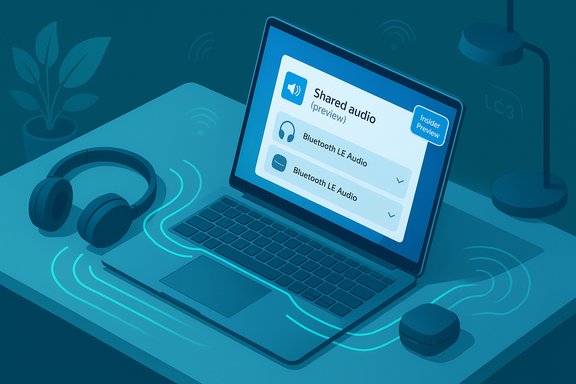
Microsoft is rolling out a native way for a Windows 11 PC to stream audio to two Bluetooth headsets at once — a preview feature called Shared audio (preview) that uses Bluetooth Low Energy (LE) Audio to transmit the same audio stream to two wireless accessories simultaneously.
Bluetooth audio on PCs has long been hamstrung by an architectural compromise: the legacy Bluetooth Classic stack split playback and voice across separate profiles (A2DP for high‑quality one‑way music and HFP for bidirectional voice), forcing systems to downgrade audio quality whenever a microphone was used. That “music goes to mud” problem has driven many users to wired headsets or vendor-specific wireless dongles. LE Audio and its LC3 codec were designed to solve that problem by enabling more efficient audio, simultaneous media + voice streams, and new broadcast-style capabilities. Microsoft’s recent Windows 11 work surfaces those LE Audio primitives in the OS and expands them with new experiences — including the Shared audio preview that broadcasts the same stream to two paired LE Audio accessories. The immediate change is practical: when the full chain (headphones, Bluetooth radio, firmware and drivers) supports LE Audio, Windows can keep stereo media playback while also maintaining a high‑quality microphone path. On top of that plumbing, Microsoft added a user-facing quick-setting for sharing audio between two compatible wireless headsets so two listeners can enjoy the same content privately — no speaker blasting required.
On the accessory side, Microsoft calls out several LE Audio-capable models that will work with the preview, including the Sony WH‑1000XM6 and several Samsung Galaxy Buds models — models that either ship with LE Audio support or have firmware enabling relevant LE Audio modes. If your headset model doesn’t declare LE Audio/LC3 support, the Windows Shared audio feature likely won’t recognize it until the vendor updates firmware or releases an LE Audio variant.
However, the practical value for any individual user depends heavily on hardware compatibility, driver/firmware availability, and the PC OEM’s update cadence. Microsoft’s initial Copilot+ PC gating and the current wireless‑only constraint mean the feature will feel transformative for some early adopters and remain out of reach for many others until the ecosystem catches up. For now, the best approach for users and IT teams is pragmatic: test, update drivers and firmware where possible, use wired or vendor‑dongle fallbacks for latency‑sensitive tasks, and plan device purchases around explicit LE Audio/LC3 support.
Shared audio represents a concrete, standards-driven step forward for Bluetooth on Windows — a step that will matter a great deal once the rest of the stack follows.
Source: How-To Geek Windows 11 Is Getting a Big Bluetooth Upgrade
 Background / Overview
Bluetooth audio on PCs has long been hamstrung by an architectural compromise: the legacy Bluetooth Classic stack split playback and voice across separate profiles (A2DP for high‑quality one‑way music and HFP for bidirectional voice), forcing systems to downgrade audio quality whenever a microphone was used. That “music goes to mud” problem has driven many users to wired headsets or vendor-specific wireless dongles. LE Audio and its LC3 codec were designed to solve that problem by enabling more efficient audio, simultaneous media + voice streams, and new broadcast-style capabilities. Microsoft’s recent Windows 11 work surfaces those LE Audio primitives in the OS and expands them with new experiences — including the Shared audio preview that broadcasts the same stream to two paired LE Audio accessories. The immediate change is practical: when the full chain (headphones, Bluetooth radio, firmware and drivers) supports LE Audio, Windows can keep stereo media playback while also maintaining a high‑quality microphone path. On top of that plumbing, Microsoft added a user-facing quick-setting for sharing audio between two compatible wireless headsets so two listeners can enjoy the same content privately — no speaker blasting required. What Shared Audio Is — and what it isn’t
The feature in plain English
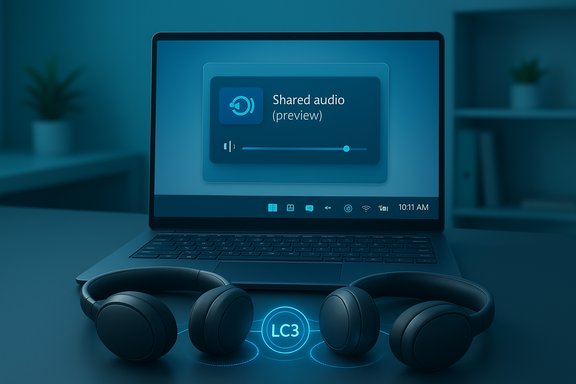
- Shared audio (preview) allows a Windows 11 Copilot+ PC to transmit the same audio stream concurrently to two Bluetooth LE Audio accessories (headphones, earbuds, speakers, or hearing aids). The experience is surfaced as a tile in Quick Settings where you select two paired, connected devices and click “Share” to begin.
- This is built on Bluetooth LE Audio broadcast/unicast technology (the same LE Audio family that enables LC3, isochronous channels, and broadcast services such as Auracast), not the old Classic stack. That makes it a standards-driven extension rather than a proprietary hack.
Important limits up front
- Both endpoints must be Bluetooth LE Audio capable and present as compatible accessories; this is not a fallback that will magically enable dual audio for older Bluetooth Classic headsets.
- Microsoft is rolling the feature out gradually and restricting preview availability to a set of Copilot+ PCs initially. Expect a phased driver-and-firmware-driven expansion rather than immediate availability on every Windows 11 laptop.
- The preview currently does not support pairing one Bluetooth device and one wired device for synchronized playback — both devices must be wireless LE Audio accessories for the preview. That constraint reflects synchronization and latency complexities when mixing transport types.
How to try Shared audio (preview) — step by step
If you have a compatible Copilot+ PC and LE Audio accessories, here’s the flow Microsoft describes for trying the preview:- Enroll your system in the Windows Insider Program Dev or Beta Channel and install the latest Insider build that includes the preview (Build 26220.7051 and later where the feature is rolling out).
- Pair and connect two Bluetooth LE Audio headphones/earbuds to the PC using Settings > Bluetooth & devices. Confirm both accessories appear as connected.
- Open Quick Settings (the flyout with Wi‑Fi, battery and audio controls) and click the Shared audio (preview) tile to open the sharing panel.
- Select the two accessories you want to share audio with and click Share. A Stop sharing control ends the session.
Compatible hardware and drivers — the reality of rollouts
Microsoft published a model-level compatibility list for the preview. At launch the feature is supported on a small set of Copilot+ Surface devices and will be extended to additional OEM models in coming weeks. The initial device lists (available today vs. coming soon) include Surface Laptop and Surface Pro models with Qualcomm Snapdragon X processors, and a set of Samsung Galaxy Book laptops scheduled to receive support soon.On the accessory side, Microsoft calls out several LE Audio-capable models that will work with the preview, including the Sony WH‑1000XM6 and several Samsung Galaxy Buds models — models that either ship with LE Audio support or have firmware enabling relevant LE Audio modes. If your headset model doesn’t declare LE Audio/LC3 support, the Windows Shared audio feature likely won’t recognize it until the vendor updates firmware or releases an LE Audio variant.
Why drivers and firmware matter
LE Audio is an end‑to‑end capability: the Bluetooth chipset in the PC, its firmware, the radio driver, the audio offload/codec driver, and the headset firmware all have to expose LE Audio primitives to Windows for these experiences to function. That means Microsoft’s rollout is contingent on OEMs and accessory makers shipping coordinated driver and firmware updates. Expect uneven availability across models and regions for several months.The technical explanation — LC3, TMAP, ISO channels and synchronization
Shared audio relies on the modern LE Audio architecture:- LC3 (Low Complexity Communications Codec) — a more efficient codec designed to provide better perceived quality at lower bitrates and across multiple sampling rates (including 32 kHz super‑wideband). LC3 is a foundation for simultaneous stereo media and high‑quality voice.
- Isochronous Channels (ISO) — transport primitives in LE Audio that allow deterministic, time‑synchronized audio streams. These channels are essential for keeping multiple decoded streams aligned and preventing jitter that would make two headsets sound out of sync.
- TMAP (Telephony and Media Audio Profile) — consolidates the old A2DP and HFP roles into a profile that supports both media and telephony use cases at once, enabling scenarios like super wideband stereo while a microphone is active.
Strengths — why this matters
- Simplicity for end users. The Quick Settings tile aims to make shared listening a one‑click experience for travelers, students, and families — far easier than ugly workarounds involving virtual audio drivers or external splitters.
- Standards-based implementation. Because the feature rides on LE Audio and LC3, it’s not a proprietary Microsoft-only trick; it’s part of the modern Bluetooth roadmap and interoperable across vendors that implement the standards. This promises broader ecosystem alignment over time.
- Better long-term audio parity. Combined with the super‑wideband stereo improvements Microsoft added earlier to support stereo during calls, LE Audio on Windows finally brings PC audio parity with modern mobile platforms that already use LE Audio broadcast/unicast flows. That’s a meaningful step forward for gaming, meetings, and accessibility.
Risks, caveats and unanswered questions
- Limited hardware eligibility initially. Microsoft is gating the preview to specific Copilot+ PCs and models, which raises the possibility the rollout is as much about validated driver stacks as it is about marketing differentiation. The restriction will frustrate users whose hardware is LE Audio capable but isn’t listed. Community users already noted the potential for an artificial restriction to certain PC families.
- Driver/firmware dependency means uneven user experience. Even if your headset advertises LE Audio, the PC radio driver and OEM audio drivers must surface the capability in Windows. That dependency will cause inconsistent behavior across older laptops, USB Bluetooth adapters, and OEM models. IT shops should not expect universal compatibility without testing.
- Latency and synchronization tradeoffs. Bluetooth adds latency compared with wired connections; keeping two independent decoders in perfect sync is nontrivial. Microsoft’s approach relies on LE Audio synchronization, but real‑world performance will vary; some content (especially fast‑paced multiplayer games) may reveal lip‑sync or audio‑timing issues compared with wired alternatives.
- No wired + wireless pairing (yet). The inability to mix wired and wireless endpoints is a practical shortcoming in the preview. Users who want a wired friend‑splitter experience (e.g., airplane headphone jack sharing) still need a hardware splitter or headphones with wired passthrough. Microsoft may add more routing options later, but there is no timeline yet.
- Privacy and public broadcast considerations. Any broadcast-style or multi‑listener audio features raise questions about access controls and inadvertent public listening, especially if Auracast‑style broadcast modes are integrated. For now Shared audio is a controlled pairing between two authenticated accessories, but broader broadcast scenarios will need careful privacy and authentication design.
Workarounds and alternatives today
If you don’t have compatible hardware or your PC isn’t on Microsoft’s supported list, there are practical alternatives:- Wired splitter. The cheapest and most reliable solution for private shared listening remains a simple 3.5mm audio splitter and two wired headphones. Low latency, deterministic sync.
- Third‑party software routing (Voicemeeter, Virtual Audio Cable). Virtual mixers can route the same audio to multiple outputs (including different Bluetooth devices), but they’re a technical workaround, can introduce latency, and often require fiddly configuration. They’re useful for power users but not consumer-friendly.
- Hardware Bluetooth transmitters with dual‑pair support. Standalone transmitters (USB or 3.5mm dongles) that support multipoint pairing to two headsets can replicate the experience without relying on Windows LE Audio support, and some provide lower latency than native stacks. They’re a good short‑term option for older machines.
- USB dongles / vendor-specific solutions. Some headset makers ship a USB‑A or USB‑C dongle that implements a vendor RF protocol with support for multiple headsets and lower latency. These are often best for gaming where latency matters, but they’re not universal and lock you to an ecosystem.
What this means for IT pros, buyers and early adopters
- IT pilots first: For organizations that manage large fleets, enable the feature in a controlled pilot group. Inventory Bluetooth radios, check driver availability from OEMs, update headset firmware, and validate call and meeting workflows (Teams, Zoom, Discord). Keep wired or USB mic fallbacks for critical calls.
- When shopping for headsets, insist on LE Audio/LC3/TMAP specs: Don’t rely only on “Bluetooth 5.x” marketing. Confirm explicit LE Audio and LC3 support in vendor documentation and firmware release notes.
- Check for driver updates on OEM support pages: Shared Audio requires a driver and firmware chain; Windows Update may deliver those drivers, but OEM download pages and vendor apps often provide firmware versions more quickly. Plan firmware updates in your rollouts.
- Communicate expectations to users: The experience will be mixed during the rollout. Set expectations about model-level support, the likely need for updates, and potential latency differences versus wired solutions.
How this fits into the wider Bluetooth audio roadmap
Microsoft’s Shared audio preview is one visible extension of the work to modernize Windows Bluetooth audio. Earlier Windows 11 updates added support for LE Audio and a “super wideband stereo” mode that lets media remain in stereo while a headset mic is active — those platform changes made scenarios like shared audio technically feasible at the OS level. The Shared audio tile is the UX layer on top of that plumbing, and as more chipsets, OEMs and accessory makers adopt LE Audio, features like shared listening and Auracast-style broadcasts will become more common and interoperable across devices. That said, adoption will be incremental. LE Audio requires coordinated updates across silicon, firmware, drivers and accessory vendors. Expect the next 6–18 months to be the busiest period for LE Audio rollouts, with new laptops and earbuds increasingly shipping with support, while many older devices remain on legacy behavior until vendors issue firmware or users replace hardware.Final verdict — a welcome capability, but ecosystem rollout makes patience essential
Shared audio is a meaningful and user‑focused application of Bluetooth LE Audio on Windows 11. It removes friction from a common real‑world scenario (two people want to privately listen to the same movie or playlist on a single laptop) and packages it into a simple Quick Settings action when the hardware supports it. Because it’s standards-based, it also lays groundwork for broader multi‑listener and broadcast experiences across platforms.However, the practical value for any individual user depends heavily on hardware compatibility, driver/firmware availability, and the PC OEM’s update cadence. Microsoft’s initial Copilot+ PC gating and the current wireless‑only constraint mean the feature will feel transformative for some early adopters and remain out of reach for many others until the ecosystem catches up. For now, the best approach for users and IT teams is pragmatic: test, update drivers and firmware where possible, use wired or vendor‑dongle fallbacks for latency‑sensitive tasks, and plan device purchases around explicit LE Audio/LC3 support.
Shared audio represents a concrete, standards-driven step forward for Bluetooth on Windows — a step that will matter a great deal once the rest of the stack follows.
Source: How-To Geek Windows 11 Is Getting a Big Bluetooth Upgrade