

Microsoft has started testing a built‑time Shared Audio feature in Windows 11 that can stream the same audio feed to two Bluetooth LE audio devices simultaneously — headphones, earbuds, speakers, or hearing aids — and the capability is now visible to Windows Insiders in the Dev and Beta channels as a preview toggle in Quick Settings.
Bluetooth audio on PCs has been stuck on a two‑profile compromise for decades: high‑quality stereo playback via A2DP or low‑quality mono with microphone support through HFP. That split forced users to choose between great music and usable voice chat. Bluetooth Low Energy (LE) Audio, with the LC3 codec and modern Telephony and Media Profile (TMAP), is designed to end that compromise by enabling high‑quality media and microphone transmission at the same time, reducing power use and enabling new features such as multi‑stream audio and broadcast-style audio sharing. Microsoft’s recent Windows 11 updates — branded around a “super wideband stereo” implementation — formalize that shift on Windows by keeping stereo fidelity even when a headset mic is active. LE Audio also enables Auracast-style broadcasting: a source device can advertise an audio stream and compatible receivers can join. Google, Samsung and other OEMs have adopted the Auracast broadcast model for Android phones, and Microsoft’s Shared Audio feature leverages the same LE Audio foundation to deliver a user‑facing experience on Windows.
Source: The Verge Windows 11 tests Bluetooth audio sharing that connects two headsets at once
 Background
Bluetooth audio on PCs has been stuck on a two‑profile compromise for decades: high‑quality stereo playback via A2DP or low‑quality mono with microphone support through HFP. That split forced users to choose between great music and usable voice chat. Bluetooth Low Energy (LE) Audio, with the LC3 codec and modern Telephony and Media Profile (TMAP), is designed to end that compromise by enabling high‑quality media and microphone transmission at the same time, reducing power use and enabling new features such as multi‑stream audio and broadcast-style audio sharing. Microsoft’s recent Windows 11 updates — branded around a “super wideband stereo” implementation — formalize that shift on Windows by keeping stereo fidelity even when a headset mic is active. LE Audio also enables Auracast-style broadcasting: a source device can advertise an audio stream and compatible receivers can join. Google, Samsung and other OEMs have adopted the Auracast broadcast model for Android phones, and Microsoft’s Shared Audio feature leverages the same LE Audio foundation to deliver a user‑facing experience on Windows. What Microsoft is testing in Windows 11
Shared audio: what it is
- What it does: Streams the same audio output to two paired Bluetooth LE devices at once, letting two people listen in sync on separate headsets or speakers.
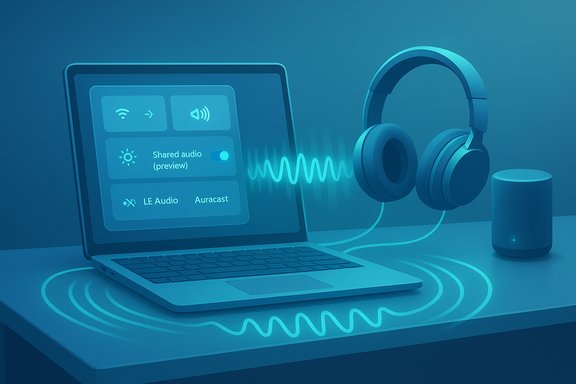
- How you enable it: Connect two LE‑capable devices to the PC, then use the Shared audio (preview) control in Quick Settings to duplicate playback across both devices. This appears as a preview button for Insiders at the time of reporting.
Where it’s available right now
Early reports indicate Microsoft rolled Shared Audio out to Windows Insiders in the Dev and Beta channels and initially limited the functionality to certain Copilot+ PCs — specifically some Surface Laptop sizes and Surface Pro models — with additional OEM systems slated to gain support later. That device limitation is notable: Shared Audio, like other LE Audio features, depends not only on Windows software but on the PC’s Bluetooth controller, firmware, and vendor drivers. The Verge’s coverage named models such as the 13.8‑ and 15‑inch Surface Laptop and the 13‑inch Surface Pro among initial Copilot+ devices to receive the preview, but Microsoft has not published an exhaustive supported‑models list at the time of reporting; this remains an item to verify directly with Microsoft for specific SKUs. This reported device list should be treated as a preview‑era claim rather than a definitive compatibility roster.Why this matters: benefits and practical use cases
Shared viewing and listening without compromises
The simplest, most immediate benefit is social convenience. Two people can watch a movie on a laptop or listen to music from the same PC without fumbling with an analog splitter or passing earbuds back and forth. Because LE Audio supports better compression and multi‑streaming, quality can remain higher than traditional Bluetooth Classic sharing hacks.Accessibility and public spaces
LE Audio’s architecture includes profiles for hearing devices; Auracast and similar broadcast features are being positioned as accessibility tools that let venues broadcast audio — for example, at a cinema or a lecture hall — to personal hearing aids. Windows supporting Shared Audio on the desktop makes that ecosystem more coherent and may reduce friction for users who rely on hearing devices.Improved voice and game chat quality
Because Microsoft’s “super wideband stereo” implementation keeps stereo fidelity during microphone use, Shared Audio benefits from the same underlying upgrade that prevents game chat and Teams calls from dropping into muffled mono. The combination of LE Audio’s LC3 codec and Windows 11’s updated audio stack yields clearer voice and richer spatial cues while still supporting microphone input.The technical underpinnings: how Shared Audio works (brief, non‑exhaustive)
LC3 codec and LE Audio streams
LE Audio uses the LC3 codec, which offers better perceptual audio quality than SBC at similar or lower bitrates, and the standard supports multi‑stream operation. For Shared Audio, Windows will open parallel LE Audio streams or manage multi‑stream groups so the same PCM is encoded and sent to both devices, synchronizing packet timing to minimize perceived lag between listeners. That synchronization is a core technical challenge for multi‑receiver Bluetooth audio.TMAP vs older profiles
The Telephony and Media Profile (TMAP) unifies voice and media roles that were previously split between A2DP and HFP. TMAP enables stereo media and microphone operation concurrently and is the backbone of Microsoft’s super wideband stereo claim. To get the full experience, both the PC’s Bluetooth controller and the headphones must support LE Audio and an LE Audio‑capable firmware stack.Device compatibility: the reality of fragmentation
Headsets and buds known to work in early tests
Reporting to date lists several consumer devices as compatible with Windows’ LE Audio features and Shared Audio preview, including:- Samsung Galaxy Buds 2 Pro, Buds 3, Buds 3 Pro
- Sony WH‑1000XM6 and other Sony LE Audio models
The PC side: controller, driver, and Windows version requirements
- Bluetooth controller: PCs need Bluetooth hardware and firmware that support Bluetooth LE Audio (commonly Bluetooth 5.2 or later with appropriate vendor firmware).
- Drivers: OEM driver updates are often required. Microsoft’s LE Audio features in Windows 11 24H2 rely on updated Bluetooth audio drivers pushed by device manufacturers. In some cases, users reported that LE Audio options appear only after chipset or driver updates.
Fragmentation causes real friction
Because LE Audio requires coordinated updates across the headset, the PC’s Bluetooth controller firmware, and Windows audio stack/driver layers, compatibility can be fragmented:- Some headsets have LE Audio hardware but require firmware updates to enable LC3 or Auracast.
- Some laptops include older Bluetooth modules that cannot be upgraded to LE Audio via driver alone.
- OEM driver rollouts for Windows 11 24H2 vary by manufacturer and can lag Microsoft’s platform changes.
Cross‑platform context: Auracast and how other vendors approached shared audio
Google introduced Auracast into Android as part of broader LE Audio support, enabling Pixel phones (Pixel 8 and newer with Android 16) to broadcast to multiple receivers and to pair two headphones simultaneously for private listening. Samsung added Auracast capabilities to Galaxy S24 lineups and has baked it into its ecosystem. Microsoft’s Shared Audio is the desktop counterpart to these mobile efforts but uses the LE Audio foundation rather than a proprietary streaming layer. Advantages of the desktop approach include tighter integration with system audio, spatial audio in Teams and low‑latency audio for games; disadvantages are the need for PC‑side hardware/driver updates and a more heterogeneous hardware market than mobile, where OEMs can standardize firmware shipping.Risks, limitations, and areas of caution
1. Compatibility and support gaps
The biggest practical risk is that Shared Audio will be frustrating for many users because their existing Bluetooth adapters, drivers, or headphones won’t work without updates. Users should expect a phased availability curve: early support on Copilot+ and high‑end models, with broader availability as OEMs push drivers and newer PCs ship with LE Audio–capable controllers. Claims about precise lists of supported PCs should be verified against vendor support pages before purchase decisions are made.2. Latency and synchronization concerns
Delivering perfectly synchronized audio to two independent Bluetooth receivers is nontrivial. Even small timing deviations can create a perceptible echo when two listeners are close together or when headsets apply independent latency buffers. Microsoft and Bluetooth vendors will need to manage timestamping, jitter buffers, and possibly source‑side compensation to keep streams in lockstep. Users who need frame‑perfect sync (for pro audio or live performances) should treat consumer Shared Audio as a convenience feature rather than a professional audio tool.3. Battery life tradeoffs
While LE Audio is designed for efficiency, streaming to two devices increases the PC’s Bluetooth radio activity and may shorten laptop battery life modestly compared with single‑device use. The impact will vary by controller, firmware and codec parameters. Expect an incremental battery cost during prolonged shared sessions.4. Security and privacy considerations
Broadcast‑style audio (Auracast) raises privacy questions in public settings if audio streams are discoverable by anyone nearby. Microsoft’s Shared Audio preview appears aimed at private pairing between known devices rather than open broadcasts, but users and administrators should be mindful of discoverability controls. Venues that offer broadcast audio channels must implement clear privacy and access models to prevent unintended listening. Treat open Auracast-style broadcasts as a potential privacy hazard if not managed correctly.5. Support and troubleshooting complexity
Because the feature spans hardware, firmware and OS, support teams — whether vendor help desks or enterprise IT — will face multi‑layer troubleshooting that spans headset vendors, Bluetooth chipset makers, and Microsoft. Expect longer time‑to‑resolution for issues in the preview phase.Hands‑on: how to set up Shared Audio (insider preview workflow)
The following steps describe the typical flow reported for Windows 11 Insiders; specifics may change as Microsoft refines the preview.- Update Windows 11 to the Insider build in the Dev or Beta channel that enables Shared Audio (check Windows Insider release notes).
- Ensure your PC has a Bluetooth controller that supports LE Audio (often Bluetooth 5.2+). Install the latest manufacturer Bluetooth driver and firmware. If your PC is a Copilot+ device or other recent laptop with updated drivers, the option is more likely to appear.
- Put both LE Audio headphones/earbuds into pairing/discoverable mode and pair them to the PC via Settings > Bluetooth & devices.
- Open Quick Settings (taskbar volume section) and look for the Shared audio (preview) button or similar control. With both devices connected, enable the toggle to stream to both simultaneously.
- Adjust individual volumes either from the system mixer or (if supported) from the Quick Settings audio pane that may list separate sliders for each receiver.
Troubleshooting checklist
- Confirm both headsets explicitly advertise LE Audio/LC3 support.
- Update Windows 11 to the latest release or Insider build if testing preview features.
- Update Bluetooth adapter drivers from your PC OEM, not just Windows Update.
- Install firmware updates for your headset through the vendor’s companion app.
- If pairing fails or audio degrades, temporarily unpair and re‑pair devices after rebooting the Bluetooth adapter.
- For enterprise deployments, coordinate driver rollouts and user guidance — expect mixed user experiences during early adoption.
Critical analysis: strengths Microsoft must build on
- Integration with system audio and Teams: Making Shared Audio a first‑class Quick Settings control and keeping LE Audio improvements tightly coupled to Teams spatial audio gives Microsoft a strong cross‑product story. Windows users will benefit from consistent handling of audio whether they’re gaming, calling, or streaming media.
- Accessibility potential: Bringing LE Audio broadcast and hearing‑device support into the Windows ecosystem is a meaningful win for users who rely on assistive audio technology. System‑level support reduces dependence on proprietary apps or external dongles.
- Ecosystem momentum: With Google and Samsung shipping Auracast and Apple rumored to be exploring LE Audio options, momentum around LE Audio makes Microsoft’s desktop implementation timely and commercially sensible.
Where Microsoft and partners need to be careful
- Avoid confusing consumers with partial compatibility lists. Early PR that names a few Copilot+ models risks creating buyer confusion when many other PCs remain capable but unsupported until drivers ship. Clear marketing and up‑to‑date support pages from Microsoft and OEMs will be essential.
- Don’t oversell the parity with wired audio. While LE Audio closes many gaps, wireless audio will still face latency and sync constraints under certain workloads; Microsoft should set expectations for scenarios that still require wired connections.
- Manage privacy controls for broadcasts. If Windows later exposes Auracast‑style open broadcasts, platform defaults must favor privacy and explicit consent to prevent accidental public listening.
Outlook: adoption timeline and developer considerations
- Short term (next 6–12 months): Shared Audio will remain an Insider/preview feature and will roll to broader Windows 11 builds as OEMs push Bluetooth driver updates. Early adopters on Copilot+ and the newest Surface SKUs will see the best experiences.
- Medium term (12–24 months): Expect device fragmentation to shrink as more headsets ship with LE Audio by default and as laptop OEMs standardize on Bluetooth 5.3+ modules with LE Audio firmware. Venue and public broadcast use cases may gain traction with Auracast.
- Long term (>24 months): Multi‑receiver audio should become a commodity convenience feature across mobile and desktop OSes, though professional and low‑latency niches will continue to rely on wired or pro wireless solutions.
Final verdict
Microsoft’s Shared Audio is a logical and welcome extension of the LE Audio functionality that the company began integrating into Windows 11 earlier this year. The technical foundation — LC3, TMAP and multi‑stream LE Audio — is solid and brings real benefits for social listening, accessibility and simultaneous voice+media scenarios. Early testing on Insiders shows Microsoft is delivering a polished user‑facing control, but the experience will be uneven until the wider PC and headset ecosystem converges on LE Audio with coordinated driver and firmware updates. The promise is compelling: higher fidelity, stereo‑quality audio while using a microphone, and the ability to share sound with a friend without physical cables. The reality for most users in the near term will be a mix of “it works great” on newer Copilot+ and other updated devices and “not yet” on older hardware. For anyone planning to shop for headsets or a new laptop with hopes of using Shared Audio broadly today, the prudent move is to confirm LE Audio support and OEM driver plans before purchase and to treat the Windows Insider preview as an early look rather than a guarantee of universal compatibility.Quick checklist for readers ready to try Shared Audio now
- Join Windows Insider Dev or Beta (if comfortable with preview builds).
- Verify your PC’s Bluetooth chipset supports LE Audio (Bluetooth 5.2/5.3+).
- Update OEM Bluetooth drivers and apply headset firmware updates.
- Pair two LE Audio headsets, open Quick Settings, and toggle Shared audio (preview).
- If problems arise, check the vendor’s support pages for driver/firmware notes and roll back to single‑device use until updates are available.
Source: The Verge Windows 11 tests Bluetooth audio sharing that connects two headsets at once
