Windows 11 Shell regression after July 2025 update due to XAML package registration failure

  • Thread Author
Microsoft has quietly confirmed a troubling, widespread regression affecting the Windows 11 shell after a July 2025 cumulative update, acknowledging that XAML component registration failures can prevent Start Menu, Taskbar, File Explorer and Settings from initializing correctly in certain deployment scenarios — and it has published workarounds that IT teams must treat as immediate operational mitigations.

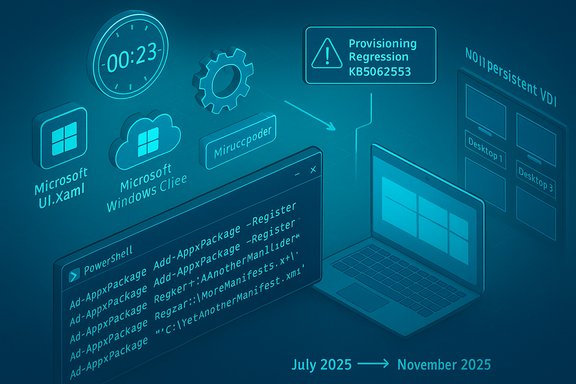
Futuristic blue holographic Windows interface with floating logos and code snippets.Background / Overview​

Microsoft’s support bulletin (KB5072911) identifies a provisioning-time failure introduced with monthly cumulative updates released on or after the July 2025 Patch Tuesday (notably the July cumulative, KB5062553). The problem is not a simple app crash: it stems from XAML dependency packages failing to register in time during the first user sign-in after an update or during every sign-in on non-persistent installations such as VDI or instant-clone virtual desktops. That timing gap leaves core Shell components and services — StartMenuExperienceHost, Search, System Settings, the Taskbar, Explorer and Immersive Shell — unable to initialize, leading to on-screen critical errors, silent failures, or missing taskbar windows.
This admission arrives amid a noisy month for Microsoft: customers reported a Microsoft 365 Copilot/file-action outage and third-party vendors such as NVIDIA published emergency hotfix drivers to undo perceived performance regressions after recent Windows cumulative updates. Taken together, these incidents have amplified concerns about the durability and quality of Microsoft’s monthly servicing model for Windows and cloud services.

What Microsoft actually said (technical summary)​

The defect in a paragraph​

  • After deploying a Windows 11 (version 24H2) monthly cumulative update released on or after July 2025 (the July Patch Tuesday cumulative update is identified as KB5062553), provisioning a PC can result in XAML packages not registering in time. The consequence: dependent Shell apps or services fail to start properly on first sign-in, or every sign-in in non‑persistent VDI scenarios where app packages must be installed at logon.

Key symptoms Microsoft lists​

  • Start menu fails to launch or crashes with a critical error.
  • System Settings silently fails to open (Start → Settings → System returns nothing).
  • Explorer.exe runs but the taskbar is missing, or taskbar-related shells (shelhost.exe, StartMenuExperienceHost) crash.
  • XAML-island views and apps that create XAML UI elements crash or fail to initialize.
  • ImmersiveShell components may not load until packages are registered.

Root cause (as Microsoft explains)​

  • The applications depend on built-in XAML packages (for example, MicrosoftWindows.Client.CBS_cw5n1h2txyewy, Microsoft.UI.Xaml.CBS_8wekyb3d8bbwe, MicrosoftWindows.Client.Core_cw5n1h2txyewy). After servicing, those packages are updated but may not be registered within the user session fast enough for dependent shell processes that start at logon.

Workarounds Microsoft published​

Microsoft provided two primary mitigations:
  • Manual re‑registration of the missing AppX packages (run in an elevated PowerShell session in the user context):
    Code:
    Add-AppxPackage -Register -Path 'C:\Windows\SystemApps\MicrosoftWindows.Client.CBS_cw5n1h2txyewy\appxmanifest.xml' -DisableDevelopmentMode Add-AppxPackage -Register -Path 'C:\Windows\SystemApps\Microsoft.UI.Xaml.CBS_8wekyb3d8bbwe\appxmanifest.xml' -DisableDevelopmentMode Add-AppxPackage -Register -Path 'C:\Windows\SystemApps\MicrosoftWindows.Client.Core_cw5n1h2txyewy\appxmanifest.xml' -DisableDevelopmentMode
  • For non‑persistent (VDI / similar) environments, a logon script/batch wrapper that registers the packages synchronously before explorer.exe can start. Microsoft’s sample batch wrapper (executed at user logon) uses PowerShell commands with ExecutionPolicy Bypass and is designed to block Explorer until packages are fully provisioned.
These are presented as temporary mitigations while Microsoft works on a permanent fix.

Why this matters: provisioning, non‑persistent systems, and first logon​

Provisioning is a special case​

Provisioning is the process used by IT to configure a device image — applying policies, installing application packages, and preparing the OS image before handing it to end users. Provisioning workflows are sensitive to the order and timing of package registration and the startup of shell processes.
When a cumulative update changes the packaged XAML binaries, the servicing pipeline must update package manifests and ensure those packages are registered and available before the first interactive session begins. If registration lags behind or registration is deferred until after components start, the dependent Shell processes fail fast — the Start Menu or Taskbar may crash or display errors because the XAML runtime they rely on did not initialize.

Non‑persistent VDI makes it worse​

In non‑persistent VDI environments and instant-clone deployments, application packages that ship in the system image are often installed or re-provisioned at each logon. That per-logon install model creates more surface area for a race condition: the OS tries to start shell processes while package registration is still in progress. Microsoft explicitly calls out VDI scenarios as being affected for every sign-in.

First-logon behaviour​

Even on physical devices, the first user logon after a cumulative update is a unique case: first-sign-in tasks, provisioning jobs, and inbox-app registration can coincide with shell startup. That makes the regression visible to a wide range of customers who apply updates to images, then hand those images to users who log in for the first time.

Technical analysis: what likely went wrong​

  • Race condition on package registration: The authoritative description is a timing/registration issue: updated XAML packages are present on disk but not yet registered with the user session when shell processes launch. When a Shell component queries for a XAML resource or dependency that isn’t registered, that call fails, which cascades into a crash or silent failure.
  • Modular UI (XAML islands) increases complexity: Modern Windows shells use XAML islands and smaller, modular packages instead of a monolithic shell binary. That improves update agility but also increases the number of inter-process and lifecycle dependencies that must be coordinated during servicing.
  • Image-based servicing vs. in-place servicing differences: Enterprises often service a golden image and then provision many machines from it. If the update flow used during image servicing differs from consumer in-place updates, packages might be left in a partially registered state when users first log in.
  • Non-deterministic initialization order: Startup order and background-service timing vary by hardware, storage performance, CPU load and driver states — making a timing regression harder to reproduce and easier to hit at scale on fleet deployments.

Real-world impact and who’s at risk​

  • Large enterprise VDI fleets are at highest risk. Organizations that rely on non‑persistent VDI (Horizon, Citrix, Windows 365 Web/Cloud PCs) and image-based provisioning can experience a broad failure at first sign-in that affects every user session until the packages are registered. This could require intervention across thousands of workspaces.
  • IT administrators performing image servicing — applying monthly LCUs to golden images — are vulnerable if they deploy updated images without validating first-logon behaviour.
  • Smaller organizations and consumers may see intermittent failures — while the issue is most obvious in provisioning cases, users who receive cumulative updates and then create a new local user or reimage a machine may encounter Start Menu/Taskbar/Settings failures.
  • Gaming and third-party software side effects — though separate technically, the recent NVIDIA hotfix and reports of Patch Tuesday-induced GPU performance regressions show how sensitive modern PC stacks are to OS servicing. Where a Windows update changes GPU-related code paths, third-party drivers may observe performance regressions and push hotfixes to mitigate — adding operational complexity for consumers and admins.

Practical, tested steps for IT and support teams​

Below are pragmatic mitigation steps, ordered for operational teams that need to act now.
  • Validate and isolate:
  • Before deploying July-or‑later cumulative updates broadly, test a fully provioned image and perform a first-user sign-in test on both persistent and non‑persistent variants.
  • Use a pilot ring for early detection (small number of pilot users in production).
  • If you have already deployed and see symptoms:
  • For an affected user session, open an elevated PowerShell window in that user context and run the Add‑AppxPackage registration commands shown above to re-register the packages.
  • After re-registration, restart the Shell Infrastructure Host (SiHost) or sign out and back in; in some cases a reboot may be required for full recovery.
  • For non‑persistent VDI environments:
  • Implement Microsoft’s recommended logon script wrapper (batch file calling Add‑AppxPackage commands synchronously) and ensure it runs before explorer.exe launches.
  • Test script impact on logon duration — synchronous registration will add time to first response, so measure and communicate expected logon delays.
  • Operational control:
  • Delay automatic rollouts to broad user populations until patched updates are available.
  • For enterprise deployments, consider withholding the July-or‑later monthly cumulative updates from golden images until Microsoft’s permanent fix is released and validated.
  • Communicate to users:
  • Notify end users that Start Menu/Settings issues are temporary if registration has not completed, and provide a short remediation path (sign out / sign back in after registration by helpdesk, or run a provided script).
Important cautions:
  • The provided PowerShell commands use Add‑AppxPackage and ExecutionPolicy Bypass. These are powerful operations and must be executed with administrative oversight and testing; do not run them blindly in production without validation.
  • In VDI farms, synchronous registration can increase logon times substantially; account for user experience in SLAs.

Broader context: why this incident matters for Windows servicing model and reliability​

Monthly cumulative updates are high-frequency, high-impact​

Microsoft’s cadence of monthly cumulative updates (the “LCU” model) aims to get security and quality fixes into customers quickly. But the frequency means regressions are also exposed quickly and can affect dozens of interrelated subsystems. The July 2025 cumulative (KB5062553) and subsequent updates have already been associated with other issues (event log noise in Firewall with Advanced Security, driver interactions causing audio or install failures), and this XAML registration problem underscores the cost of faster servicing: more complex interactions, more integration points to test, and more potential for timing-related regressions.

Windows 24H2/25H2 enablement model increases coupling​

Windows feature updates moving to enablement packages (such that 25H2 shares the same core codebase as 24H2) is designed to reduce upgrade friction. But that also concentrates more functionality into the same servicing branch; regressions that affect the base branch can therefore propagate to multiple version labels. In this case, Microsoft’s support article points out 24H2 is impacted and, because 25H2 uses the same codebase and servicing mechanism, it is reasonable for IT teams to treat both as vulnerable until the fix lands.

The modular shell is a double-edged sword​

Splitting the shell and UI into modular AppX packages and XAML islands enabled agile updates and smaller feature pushes. The downside: package lifetime, registration order and first-logon provisioning are now essential to system correctness. A flawed registration flow or servicing transaction that leaves packages unregistered exposes many more failure modes than a monolithic binary would.

Risk assessment: what to expect next​

  • Microsoft has stated it is “working on a resolution” — that means a permanent fix will likely be folded into an upcoming cumulative or out‑of‑band update. IT teams should expect:
  • A targeted servicing patch that corrects registration ordering or the provisioning workflow.
  • Additional guidance or updated tooling for enterprise image servicing or SCCM/Intune processes.
  • A possible update to the Windows release health dashboard and follow-up engineering notes.
  • For customers: until the fix lands and is validated, expect elevated risk for image-based deployments, and plan for extra validation windows and incident capacity for helpdesk teams.
  • For third-party vendors and gamers: continue to monitor driver vendors (GPU, audio, virtualization) for hotfixes and advisories; the recent NVIDIA hotfix for an October cumulative demonstrates vendors will respond quickly when they identify regressions.

Editor’s assessment: strengths, weaknesses, and cautionary flags​

Notable strengths in Microsoft’s response​

  • Microsoft published a clear, actionable support article with concrete commands and a practical logon script for non‑persistent environments — this gives admins immediate playbooks.
  • The company acknowledged the specific behavioral trigger (first logon after cumulative updates and non‑persistent sign-ins) rather than issuing vague “under investigation” guidance.

Key weaknesses and operational risks​

  • The problem persisted silently in the field for months for some users (first identified around July cumulative updates), suggesting telemetry and field validation gaps for provisioning scenarios.
  • Publishing a support article is not the same as delivering a fix; the reliance on manual AppX registration or logon scripts is an unsatisfactory long-term answer for large-scale deployments.
  • The event highlights a brittle dependency on registration ordering in a system designed to be modular. That fragility will repeat unless the update plumbing is hardened.

Claims to treat with caution​

  • Framing this as “almost all major Windows 11 core features are broken” is sensational and technically imprecise. The bug affects major Shell components, but it is conditional — primarily observed during first-user logon after servicing and in non‑persistent environments where packages are installed per-logon. Consumers who updated single-user PCs without provisioning workflows may never encounter the issue. That nuance matters for risk communication and incident prioritization.

Recommended checklist for immediate action (for sysadmins)​

  • Do not push July-or-later cumulative updates to production images until validated in a pilot ring.
  • If production images are already serviced, add the provided registration script to your first-logon tasks for affected pools.
  • Train helpdesk staff on the three Add‑AppxPackage commands and the sign‑out / restart sequence.
  • Monitor Windows release health and subscribe to update channels for the eventual permanent fix.
  • Communicate clear expectations to end users: possible delayed logons and temporary Start Menu/Taskbar symptoms until remediation is applied.

Closing analysis: systemic lessons and the path forward​

This episode should be read as a stress test for Microsoft’s modern servicing pipeline. The benefits of modular UIs and rapid monthly servicing are real — security patches and improvements reach customers faster, and feature updates can be rolled out with minimal downtime. But the operational cost is increased surface area for timing-related failures and the need for robust, production-level validation of provisioning scenarios.
Enterprises must adapt their update governance accordingly: stronger pilot rings, test-first image servicing, and readiness to deploy short-term mitigation scripts. Vendors and OEMs also must coordinate with Microsoft during cumulative update validation to catch platform-driver interactions early.
For end users, the immediate takeaway is straightforward: if your Start Menu, Taskbar or Settings stop working after an update or first logon to a reimaged device, don’t assume permanent corruption — the failure mode is likely the registration timing issue Microsoft described and can often be remedied by re-registering the AppX packages or by applying Microsoft’s recommended logon script in the affected environment.
Microsoft’s admission via KB5072911 is valuable — it turns an invisible, hard-to-replicate problem into a known, actionable incident. What remains to prove is whether the company’s fix will close the loop on registration timing and provisioning across the wide variety of hardware, storage and VDI topologies in active use today. Until then, administrators should treat this as a high-priority operational risk and act accordingly.

Source: Neowin Microsoft finally admits almost all major Windows 11 core features are broken
 

Microsoft has confirmed a provisioning-time regression in Windows 11, version 24H2 that traces back to the July 2025 cumulative update (KB5062553) and can leave core shell elements — the Start menu, Taskbar, File Explorer, Settings and other XAML-hosted UI components — failing to initialize in first-logon and non‑persistent scenarios; the vendor published an advisory (KB5072911) that describes the defect and prescribes emergency workarounds while a permanent fix is developed.

Glowing countdown timer at 00:04 with Windows icons over a code background.Background / Overview​

Windows’ servicing model has evolved: Microsoft now ships many built-in UI pieces as modular AppX/XAML packages so they can be updated independently of the OS core. That modular approach speeds feature delivery, but it also increases the number of moving parts a monthly cumulative update touches. When a servicing transaction replaces one or more XAML dependency packages, the OS must ensure those packages are registered and available to the user session before dependent shell processes (Explorer, ShellHost, StartMenuExperienceHost) start. If registration lags, shell processes will attempt to load UI objects that are not yet available — and fail. Microsoft’s advisory lays out exactly that timing/race condition as the root cause. This is not an abstract or cosmetic bug: the components affected are the most visible parts of Windows’ UI, and failures occur in two operationally important moments:
  • First user sign-in immediately after a cumulative update — provisioning flows that hand a device to a user right after servicing are particularly exposed.
  • Every sign-in on non‑persistent OS installations — such as VDI pools, instant‑clone virtual desktops, kiosks, or image‑based deployments where application packages are provisioned at logon.
Independent reporting and community threads picked up the problem quickly after users began to see Start menu critical errors, Explorer crashes, blank or missing taskbar windows, and Settings that silently fail to launch; the pattern linked back to the July 8, 2025 cumulative update (KB5062553).

Timeline: What happened and when​

  • July 8, 2025 — Microsoft released the monthly cumulative update identified as KB5062553 (OS Build 26100.4652). That package later became the focal point for post-update reports.
  • Over the following weeks and months, administrators and users reported a range of behaviors tied to shell and XAML-hosted views: Start menu failures, Explorer instability, and problems that were most reproducible during provisioning and on non-persistent VDI images. Community logs and forums show many reproduce cases and elevated help-desk activity.
  • November 20, 2025 — Microsoft published KB5072911, formally acknowledging that monthly cumulative updates released on or after July 2025 (and specifically calling out KB5062553) can cause XAML packages to fail to register in time during provisioning or first sign-on, producing the symptoms above. The advisory also publishes practical mitigations (manual registration commands and a sample synchronous logon script for non‑persistent images) while a permanent resolution is developed.
The gap between initial reports and the formal advisory — roughly four months — is drawing criticism in the community and the trade press for the time it took to acknowledge and document the problem, particularly because the issue affects device provisioning workflows used in education and enterprise.

Technical anatomy: why the shell broke​

XAML packages, AppX lifecycle, and race conditions​

Modern Windows hosts many UI components as packaged AppX bundles (for example, Microsoft.Windows.Client.CBS, Microsoft.UI.Xaml.CBS, Microsoft.Windows.Client.Core). During servicing, these packages are replaced and must be re‑registered into the user session for COM/XAML activation to work. If shell processes start before registration completes, their initialization calls fail. The result is high‑visibility, low‑level breakage that appears as crashes, “critical error” Start menu messages, or a missing taskbar even when explorer.exe is running. Microsoft spells out this registration timing problem in KB5072911.

Why provisioning and VDI are particularly vulnerable​

  • Provisioning paths create the first interactive user session immediately after an update. There’s little slack for asynchronous provisioning and package registration to complete before shell processes launch.
  • Non‑persistent environments (VDI/instant clone) provision AppX packages at logon instead of persisting them in the golden image. That means every sign-in requires package registration; if registration is deferred or slow, every logon risks the same failure mode. This amplifies the operational pain and forces IT teams into heavy scripting workarounds.

Symptoms and scope (practical checklist)​

When the bug manifests, affected systems can exhibit one or more of the following:
  • Start menu fails to launch or reports a “critical error.”
  • System Settings (Start → Settings → System) opens silently with no UI.
  • Explorer.exe runs, but taskbar window elements are missing (files open but the taskbar is invisible).
  • ShellHost.exe / StartMenuExperienceHost crashes during XAML view initialization.
  • XAML-island views and other app-embedded UIs fail to initialize or crash.
Community reporting shows these are disruptive for first-time device setup, classroom rollouts, and VDI farms where many users depend on predictable logon behavior; helpdesks have reported concentrated ticket spikes tied to provisioning windows.

Microsoft’s official mitigation steps (what to do right now)​

Microsoft’s KB5072911 provides two primary operational mitigations while engineering prepares a permanent fix: (A) Manual re-registration for interactive remediation and (B) synchronous registration at logon for non‑persistent environments. The commands and a sample logon wrapper are provided in the KB. Administrators should test these in a lab before broad deployment. Manual re-registration (run in an elevated PowerShell session in the affected user context):
  • Add-AppxPackage -Register -Path 'C:\Windows\SystemApps\MicrosoftWindows.Client.CBS_cw5n1h2txyewy\appxmanifest.xml' -DisableDevelopmentMode
  • Add-AppxPackage -Register -Path 'C:\Windows\SystemApps\Microsoft.UI.Xaml.CBS_8wekyb3d8bbwe\appxmanifest.xml' -DisableDevelopmentMode
  • Add-AppxPackage -Register -Path 'C:\Windows\SystemApps\MicrosoftWindows.Client.Core_cw5n1h2txyewy\appxmanifest.xml' -DisableDevelopmentMode
For non‑persistent VDI pools, Microsoft provides a sample batch wrapper which executes the above PowerShell commands synchronously and blocks Explorer from starting until registration completes — effectively enforcing the necessary ordering at logon. Test logon latency impact carefully: synchronous registration will increase first-login time.

Short-term operational playbook (recommended by field experience)​

  • Assess exposure
  • Inventory images and devices that have had cumulative updates applied on or after July 8, 2025 (KB5062553). Pay special attention to golden images and VDI pools.
  • Stage and test
  • For image-based deployments, do not push July-and-later cumulative updates to golden images destined for mass provisioning until Microsoft’s permanent fix is validated. Test update+provisioning flows in a lab with the same provisioning tooling.
  • Apply Microsoft mitigations where necessary
  • Use the manual Add‑AppxPackage registration for affected interactive endpoints, and implement the synchronous logon script for non‑persistent hosts. Validate the script across representative machines.
  • Communicate
  • Notify users of expected longer first-logon times if synchronous registration is implemented, and prepare helpdesk scripts to run the Add‑AppxPackage commands as a triage action.
  • Keep update channels controlled
  • Use staged rollouts, pilot groups, and update rings (WSUS/Intune) to isolate risk and avoid mass exposure before the patch is available.
  • Plan for Microsoft’s fix
  • Monitor Microsoft Release Health and the KB for a targeted patch or Known Issue Rollback (KIR). When a vendor fix appears, validate it in a lab and coordinate a controlled deployment.

Why this occurred: analysis and critique​

Modular shell — agility versus fragility​

Moving UI components into independently updatable XAML packages accelerates feature delivery and security servicing. The tradeoff is a more complex dependency graph and new timing channels. The defect in question is classically a registration ordering or race condition that becomes visible only when the servicing and provisioning timelines collide tightly — a realistic scenario when golden images are updated and handed immediately to users or when non‑persistent images attempt per‑logon provisioning. This architecture increases the attack surface for subtle timing issues that are difficult to reproduce across the millions of hardware and provisioning configurations Microsoft must support.

Testing coverage limitations and telemetry vs. real-world exposure​

Microsoft’s telemetry and Insider program are powerful, but they cannot cover every provisioning scenario or VDI topology. The fact that this issue mainly surfaces during provisioning and non‑persistent logons helps explain why it escaped early detection: these paths are operationally concentrated in enterprise and education environments rather than broad consumer devices. Independent reports and forum threads documented repeated cases in July–November 2025, raising questions about whether image-based provisioning was sufficiently exercised in pre-release validation.

The servicing cadence tradeoff​

Microsoft’s high-frequency servicing model (monthly LCUs) pushes fixes to customers quickly; the penalty is a higher chance that an update will interact with other subsystems in unexpected ways. This incident is a textbook example of how a single cumulative update can produce non-obvious side effects when it changes package registration and provisioning flows. That risk must be balanced with enterprise stability needs — staging and pilot rings remain crucial.

Broader implications for IT teams and organizations​

  • VDI and education deployments must treat this as high‑priority. The operational cost of manually registering packages across hundreds or thousands of desktops is non-trivial. Automating the synchronous registration script is essential, but it increases first-logon time and must be accounted for in SLAs.
  • Image lifecycle management needs stricter validation gates. Enterprises should freeze golden images after applying servicing updates and run a smoke test that includes first-logon shell initialization before wide deployment.
  • Trust and communications are at stake. Microsoft’s “most reliable Windows ever” messaging (a claim it has made publicly for 24H2) has collided with a string of real-world regressions that make administrators cautious about immediate rollouts; credibility will hinge on the speed and transparency of the vendor’s permanent fix and follow-up tooling.

What Microsoft should — and likely will — do next​

Microsoft’s KB states it is “working on a resolution” and provides mitigations; the logical next steps are:
  • Ship a targeted servicing fix that forces or guarantees synchronous registration ordering during provisioning, or use a KIR-style rollback for the specific package change that introduced the race.
  • Publish diagnostic tooling or non‑intrusive verification scripts that administrators can run post-update to validate package registration and shell health before handing devices to users.
  • Coordinate with VDI vendors and major OEMs to ensure image servicing and provisioning guides reflect the fix and recommended sequencing.
Independent reporting suggests Microsoft has already been iterating on patches for other recent regressions (drivers, performance), and vendors such as NVIDIA issued hotfix drivers to mitigate perceived performance regressions tied to recent cumulatives — signaling broader ecosystem strain and rapid vendor responses in the patch window.

Practical checklist for admins (quick reference)​

  • Verify whether your images were updated with a cumulative on or after July 8, 2025 (KB5062553).
  • If affected, use the Add-AppxPackage re-registration commands in an elevated user context to restore shell components.
  • For VDI/non‑persistent hosts, implement Microsoft’s sample synchronous logon script and measure logon duration impact.
  • Pause rollouts from golden images until the permanent fix is validated, and stage updates through pilot rings.
  • Keep tickets and logs centralized: collect AppX/Provisioning logs and failure stack traces to support rapid triage with Microsoft if the fix does not fully resolve edge cases.

Conclusion​

The KB5072911 advisory is a sober reminder that modern OS modularization and faster servicing cycles introduce operational complexity. Microsoft’s admission that XAML package registration timing can break the shell in provisioning and non‑persistent scenarios is useful and actionable — the published workarounds will help administrators triage and restore affected endpoints today. But the larger lesson is systemic: the convenience of modular updates comes with a fragility that organizations must plan for, especially in image‑based and VDI environments. Administrators should treat cumulative updates released on or after July 8, 2025 with caution for provisioning paths, apply Microsoft’s mitigations where needed, and prepare for a targeted fix from the vendor — validating it thoroughly before broad deployment. Microsoft’s next moves — a timely permanent patch, improved provisioning checks, and clearer testing guidance for enterprise imaging scenarios — will determine whether this incident becomes a short-lived operational headache or a case study in why faster updates must be matched by more rigorous provisioning validation and transparent remediation channels.
Source: Club386 Microsoft admits Windows 11 24H2 monthly cumulative update is a mess | Club386
 

Attachments

  • windowsforum-windows-11-24h2-provisioning-regression-hits-start-menu-and-shell.webp
    windowsforum-windows-11-24h2-provisioning-regression-hits-start-menu-and-shell.webp
    1.6 MB · Views: 0
Microsoft’s own support advisory confirms a provisioning-time regression in Windows 11, version 24H2 that can leave core shell components — Start menu, Taskbar, File Explorer and Settings — failing to initialize after installing monthly cumulative updates released on or after the July 2025 cumulative (identified in Microsoft’s advisory by KB5062553).

Isometric Windows 11 UI with gears, files, and an error badge.Background / Overview​

Windows servicing increasingly relies on modular, updatable packages for built-in UI components: many Shell and XAML-driven pieces are delivered as AppX/XAML packages that must be (re)registered into the user session after servicing. When an update replaces those underlying packages, the system must register them before XAML-hosted processes attempt to activate UI objects; otherwise a timing-dependent race can prevent UI components from starting. Microsoft’s advisory describes exactly this pattern: package registration not completing in time during first sign-on or in non-persistent session scenarios, producing failures across StartMenuExperienceHost, Explorer, System Settings, ShellHost and other XAML island views. This is not an isolated rumor on a news site — Microsoft documented the symptoms and gave immediate, actionable workarounds while promising an eventual resolution. Independent community reporting and tech outlets also observed widespread, reproducible symptoms after KB5062553 and subsequent monthly rollups.

What Microsoft admitted (short, verifiable summary)​

  • The vendor’s official support article (KB5072911) says a provisioning regression exists that affects Windows 11, version 24H2 after installing monthly cumulative updates released on or after July 2025 (KB5062553).
  • Affected scenarios:
  • First-time user logon immediately after an update is applied.
  • All logons in non-persistent environments (VDI, instant-clone pools, Cloud PC) where app packages must be installed or provisioned on each sign-in.
  • Typical symptoms include:
  • Start menu failing to launch or showing a “critical error” message.
  • Explorer.exe running but no taskbar window.
  • System Settings failing to open, ShellHost crashes, or XAML views failing to initialize.
  • App crashes during XAML initialization.
  • Microsoft’s immediate advice includes manual Add-AppxPackage re-registration commands to register specific system package manifests and a sample synchronous logon script for non-persistent environments to block explorer.exe until registration completes. Microsoft says it is “working on a resolution.”
These are the core, load-bearing facts: the vendor’s admission, the implicated cumulative (KB5062553 and later monthly LCUs), the technical cause (registration race for XAML packages), and the workarounds Microsoft published.

Technical anatomy: why this breaks the shell​

Modular shell delivery and where timing fails​

Modern Windows ships many in-box components as modular AppX/XAML packages (for example, packages identified by names like Microsoft.Windows.Client.CBS_cw5n1h2txyewy and Microsoft.UI.Xaml.CBS_8wekyb3d8bbwe). When the servicing stack upgrades those packages, typical servicing must:
  • Replace package binaries on disk.
  • Re-register the packages for the OS and for user sessions (so COM/XAML activations succeed).
  • Allow shell and XAML-hosted processes to start once registration is complete.
If any of those steps lag or fail during provisioning (particularly on first sign-in right after update or per-logon provisioning in non-persistent images), the shell can attempt to activate UI objects before the packages are callable — producing crashes or UI that never appears. Microsoft’s advisory explicitly describes this registration timing failure.

Where the race shows up (symptoms tied to the mechanism)​

  • StartMenuExperienceHost, ShellHost, Explorer: These are XAML-backed or XAML-hosting processes that assume packages they depend on are ready. If registration is delayed, activation calls return errors or throw exceptions, causing blank taskbar windows, critical Start menu errors, or silent failures.
  • Non-persistent environments (VDI/Cloud PC): These are particularly vulnerable because app packages may be provisioned per user session rather than being permanently installed in the image. That per-logon work must succeed before shell startup every time — a small timing slip becomes reproducible across many users.

Immediate mitigation options (what admins and power users can do now)​

Microsoft published two operational mitigations that administrators can apply immediately. Both are explicitly documented in the KB advisory and are practical for troubleshooting and short-term containment — but they come with trade-offs and operational cost.

1) Manual re-registration (for affected user sessions)​

Run the following commands in the affected user session (PowerShell as user):
Code:
Add-AppxPackage -Register -Path 'C:\Windows\SystemApps\MicrosoftWindows.Client.CBS_cw5n1h2txyewy\appxmanifest.xml' -DisableDevelopmentMode
Add-AppxPackage -Register -Path 'C:\Windows\SystemApps\Microsoft.UI.Xaml.CBS_8wekyb3d8bbwe\appxmanifest.xml' -DisableDevelopmentMode
Add-AppxPackage -Register -Path 'C:\Windows\SystemApps\MicrosoftWindows.Client.Core_cw5n1h2txyewy\appxmanifest.xml' -DisableDevelopmentMode
After running these, restart SiHost or sign out and sign back in to allow Immersive Shell components to pick up the registrations. This is the quickest way to restore UI functionality for a single session but is not scalable for large VDI farms without automation. Microsoft published these exact commands in KB5072911.

2) Synchronous logon script for non-persistent images (recommended for VDI)​

For non-persistent environments, Microsoft recommends adding a synchronous logon wrapper that registers the packages before Explorer launches. A sample batch wrapper (documented in the advisory) executes the Add-AppxPackage commands via PowerShell with ExecutionPolicy Bypass and blocks explorer until done. The trade-off: synchronous provisioning increases first-logon time and will magnify logon latency across the user base — operational teams must measure and communicate this impact to end users and SLAs.

Risk assessment and operational recommendations​

Short-term (next 1–4 weeks)​

  • Treat KB5062553 and later July-or-later monthly updates as “risky” for golden images. If your enterprise images include July 2025 cumulative updates, do not push those media into production for non-persistent pools until the permanent remediation is applied and validated. Community reports and Microsoft guidance both highlight the risk to image-based deployments.
  • Add the Microsoft-provided logon script to non-persistent pools as an immediate mitigation when feasible, after load-testing the added logon time in a test ring.
  • Plan helpdesk playbooks that instruct support staff how to run the Add-AppxPackage re-registration commands and safe restart procedures. These are relatively low-risk, well-scoped commands — but they must not be run blindly at scale without testing.

Mid-term (1–3 months)​

  • Deploy updates to pilot rings first — Validate Patch Tuesday packages on a set of devices that faithfully represent non-persistent pools, managed images, and standard end-user hardware.
  • Coordinate with image-build teams — For golden images, consider excluding the July-or-later monthly cumulative updates from the base image, then apply them in controlled, staged servicing windows once the permanent fix lands.
  • Monitor release-health and device telemetry — Track Microsoft’s Release Health dashboard and the Known Issues entries; MS typically posts rollout holds or dynamic blocks when regressions are detected. Community telemetry sources also surfaced the problem shortly after KB5062553’s rollout.

Long-term (policy and engineering)​

  • Add better pre-deployment testing for modular package registration in enterprise CI pipelines; provisioning and per-logon package registration flows need to be part of pre-release validation for any servicing change that touches UI packages.
  • Demand clearer telemetry and impact metrics from platform maintainers: when modular delivery is the default, visibility into per-session package registration states and failure rates should be available to admins in the Release Health / admin center.
  • Re-consider roll-back/automatic KIR triggers: faster servicing is valuable, but the cadence should be balanced with safe automatic rollback triggers when reproducible system-level regressions are detected in early rings. Community posts argue that the rapid cadence increases exposure to timing and integration bugs.

Why this matters: implications for Windows servicing and modular delivery​

The provisioning regression is emblematic of a broader trade-off in Windows’ evolution:
  • Strength (modularity): AppX/XAML modular delivery lets Microsoft ship smaller updates for specific UI components and iterate faster.
  • Weakness (coupling at runtime): That modularity increases runtime coupling around package registration and first-logon provisioning. When an update touches those packages, ordering and timing become correctness properties; race conditions can create high-impact failures that are visible to end users and costly to remediate in VDI and enterprise deployments.
This incident amplifies long-standing debates about how to balance rapid security and quality servicing with the need for greater pre-deployment testing, better rollback telemetry, and clearer communication with enterprise IT teams.

Cross-checking the claims (verifiability and independent reporting)​

The principal technical claims are verified by Microsoft’s own KB5072911: vendor-authored description of the cause (packages not registering in time), the affected components (StartMenuExperienceHost, Explorer, ShellHost), the implicated update family (monthly cumulative updates on or after KB5062553), and the published workarounds (Add-AppxPackage re-registration and the synchronous logon script). Independent outlets corroborated the problem and its tie to July 2025 cumulative updates and later monthly rollups. Community discussions also demonstrated reproducible symptoms and recommended operational mitigations — giving IT teams multiple corroborating data points to decide whether to apply the workarounds or delay rollout. Additionally, community and forum analyses collected in WindowsForum datasets summarized the same advisory and operational guidance and emphasized the risk to non-persistent VDI environments, reinforcing Microsoft’s characterization. These internal community analyses can help IT teams design test cases and logon scripts specific to their environments.
If you encounter any claim elsewhere that attributes more dramatic effects (for example, universal device bricking or data loss) — those are not part of Microsoft’s advisory and should be treated with skepticism unless corroborated by telemetry or broad, independent reporting. The published KB lists UI initialization failures, crashes and inability to access shell features; it does not describe irreversible data loss.

Practical checklist for administrators​

  • Test updates (KB5062553 and later cumulative updates) in a representative pilot ring before broad deployment.
  • If you operate VDI/non-persistent images, implement Microsoft’s synchronous registration logon script in test pools and measure logon latency.
  • Prepare helpdesk procedures that include the three Add-AppxPackage commands and steps to restart SiHost or have users sign out and back in.
  • Consider pausing automatic rollout of July-or-later updates to golden images until a permanent Microsoft fix is applied and validated.
  • Monitor Microsoft Release Health and vendor advisories (GPU and audio drivers especially) for ripple effects; third-party vendors have already issued hotfixes for separate regressions in adjacent updates.

Critical analysis: strengths, risks, and what Microsoft needs to do​

Notable strengths in Microsoft’s response​

  • Transparency: Microsoft issued a named KB advisory (KB5072911) describing the issue, its scope and workarounds. That level of detail helps administrators create precise mitigations.
  • Actionable workarounds: Publishing the exact Add-AppxPackage commands and a sample synchronous logon script is practical and verifiable; IT teams can apply these immediately to restore usability.

Risks and concerning gaps​

  • Late public communication: Community reproductions indicate the root servicing change originated with the July cumulative (KB5062553). For IT organizations that had already integrated that monthly cumulative into images or pilot rings, the problem manifested in production contexts — underlining the need for faster, earlier flagging of high-risk servicing changes.
  • No ETA for permanent fix: Microsoft’s KB states they are “working on a resolution” but does not provide an ETA; that leaves many admins forced into two undesirable choices — delay exposure to security fixes or accept operational mitigations that increase logon time and management overhead.
  • Operational cost of mitigations: The synchronous provisioning approach is effective but costly: increased logon time, extra helpdesk load, and the risk of scripted registration failing silently in edge cases. Those costs are non-trivial at scale.

What Microsoft should do next (recommended)​

  • Publish a clear ETA and rollout plan for the permanent fix, including which KB will carry the correction and when it will be staged to various rings.
  • Release telemetry and impact metrics (for enterprise customers) showing how many devices were affected, differentiated by scenario (first sign-in vs. non-persistent VDI).
  • Expand pre-deployment tests that validate package registration ordering and per-logon provisioning flows, and share those test cases with enterprise partners so admins can reproduce the scenarios locally.

Closing assessment and practical takeaway​

This incident is a reminder that modular delivery brings real benefits — but also new categories of risk. Microsoft’s documentation is direct and usable: they identified the cause (registration race for XAML packages), the implicated updates (July 2025 KB5062553 and later), and provided concrete remediation steps (Add-AppxPackage re-registration and synchronous logon scripts). Those are the facts administrators should act on now. For production environments:
  • Delay broad rollout of July-or-later monthly cumulative updates into golden non-persistent images until the permanent servicing fix is available and validated.
  • If you must deploy, adopt Microsoft’s logon script mitigation and prepare support playbooks to re-register packages at user session startup.
  • Measure and communicate the logon performance impact and maintain a staged pilot-to-broad rollout plan.
Community and independent reporting corroborates the vendor’s account and helps validate the practical steps IT teams should take; use those reports as supplementary evidence while prioritizing Microsoft’s KB for technical commands and official remediation lines. The immediate pain is manageable with the published workarounds, but the incident raises important governance questions about testing, telemetry, and the cadence of servicing that Microsoft — and the broader ecosystem — must address if modular Windows delivery is to scale without repeat incidents.

Conclusion
Microsoft has publicly acknowledged a timing-dependent provisioning regression that can break Windows 11 shell components after installing monthly cumulative updates released on or after KB5062553; the company has published practical, testable mitigations while it works toward a permanent fix. Administrators and power users should act now to protect non-persistent deployments, adopt Microsoft’s scripted mitigations where necessary, and demand clearer telemetry and ETA information so the community can move from temporary workarounds to durable resolution with confidence.
Source: Пепелац Ньюс https://pepelac.news/en/posts/id12217-microsoft-admits-windows-11-24h2-25h2-bugs-after-kb5062553/
 

Microsoft has confirmed a provisioning-time regression in Windows 11 that can leave core UI pieces — the Start menu, taskbar, File Explorer and Settings — unusable after installing monthly cumulative updates released on or after the July 2025 patch, and it has published emergency mitigations while a permanent servicing fix is developed.

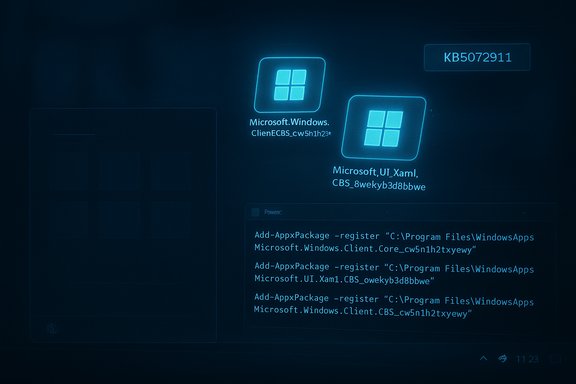
Blue Windows-themed illustration showing XAML and AppX puzzle pieces over code.Background / Overview​

Microsoft’s support advisory (KB5072911) pins the incident to cumulative updates starting with the July 8, 2025 update tracked as KB5062553. The company explains the root cause as a timing-dependent registration failure where built-in XAML/AppX dependency packages are not registering into the interactive user session quickly enough after servicing, creating a race condition between package registration and shell startup. When the shell (Explorer.exe, StartMenuExperienceHost, ShellHost, etc. launches before those packages are registered, activation calls for XAML-hosted UI fail — and the visible result is missing or crashed shell UI. This is not an isolated rumor: Microsoft’s KB article documents the problem and lists explicit workarounds, while community and trade reporting independently reproduced the symptoms and confirmed the diagnosis. The gap between the first community reports (dating back to July 2025) and Microsoft’s formal advisory has raised questions about telemetry, validation coverage and the tradeoffs introduced by modular, monthly servicing.

What broke — the practical symptoms​

The defect affects UI elements that depend on modular XAML-based packages. Administrators and end users may see one or more of the following symptoms:
  • Start menu fails to open, often showing a “critical error” dialog.
  • Taskbar absent even while Explorer.exe is running.
  • Explorer.exe crashes or behaves erratically.
  • System Settings silently refuses to launch (Start → Settings → System does nothing).
  • ShellHost.exe, StartMenuExperienceHost or other immersive shell components crash during XAML initialization.
  • Third‑party or in‑box apps with XAML island UI fragments fail to initialize or crash on startup.
These are the high-visibility symptoms that make the issue feel like a “broken Windows” problem for many users. Microsoft’s advisory lists these same symptoms and links them directly to XAML package registration not completing in time for newly created sessions.

Technical anatomy — why modular updates produce this failure​

Over recent releases Microsoft has moved many UI surfaces into modular AppX / MSIX-style packages (for example, packages named Microsoft.Windows.Client.CBS_cw5n1h2txyewy and Microsoft.UI.Xaml.CBS_8wekyb3d8bbwe). This modular approach enables faster, targeted servicing of UI components, but it introduces an extra lifecycle step during updates:
  • Servicing replaces package binaries on disk.
  • The servicing stack must (re)register those packages for the OS and for the interactive user session (so COM/XAML activations succeed).
  • Shell processes and XAML-hosted views can safely start only after registration completes.
If registration lags (for example during first sign‑in after provisioning, or in non‑persistent environments where packages install at logon), the shell will attempt to instantiate XAML views before the packages are available — a classic race condition that yields crashes or blank UI. Microsoft’s KB explains this sequence and lists the specific package names implicated.

Timeline and scope​

  • July 8, 2025 — Microsoft shipped the cumulative update identified as KB5062553 (OS build 26100.4652). That package and later monthly cumulative updates are the ones Microsoft referenced as the starting point for the regression.
  • Over subsequent months, community reports surfaced describing Start menu and taskbar regressions that were reproducible in provisioning and VDI scenarios.
  • November 2025 — Microsoft published KB5072911, formally acknowledging the provisioning-time regression and publishing manual mitigations while a permanent fix is developed. The advisory explicitly calls out the July 2025 cumulative as the initiating package.
Microsoft’s advisory is scoped to Windows 11, version 24H2 (all editions) and primarily affects devices where the first interactive user session occurs immediately after servicing, and non-persistent OS images (VDI, instant-clone pools, Cloud PC) where app packages are provisioned per logon.

Microsoft’s response: what’s available now​

Microsoft has published three immediate measures:
  • A formal support advisory (KB5072911) describing the issue and confirming the cause.
  • Manual re-registration commands administrators or helpdesk staff can run inside an affected interactive user session to register the XAML dependency packages, then restart shell services. KB5072911 provides the exact PowerShell commands to run: Add-AppxPackage -Register -Path 'C:\Windows\SystemApps\MicrosoftWindows.Client.CBS_cw5n1h2txyewy\appxmanifest.xml' -DisableDevelopmentMode
    Add-AppxPackage -Register -Path 'C:\Windows\SystemApps\Microsoft.UI.Xaml.CBS_8wekyb3d8bbwe\appxmanifest.xml' -DisableDevelopmentMode
    Add-AppxPackage -Register -Path 'C:\Windows\SystemApps\MicrosoftWindows.Client.Core_cw5n1h2txyewy\appxmanifest.xml' -DisableDevelopmentMode
  • A sample synchronous logon script for non-persistent environments that runs these registration steps synchronously before allowing Explorer to launch — effectively blocking the shell until package registration completes (KB5072911 includes a batch wrapper that runs the three Add-AppxPackage commands).
Microsoft says a permanent servicing resolution is in development but has not published an ETA; the KB entry simply states engineers are “working on a resolution.” That absence of a public timetable is a point of contention for many IT teams operating large fleets.

Why this matters to enterprise customers and cloud desktop providers​

The regression illuminates operational fragility in two high-risk deployment patterns:
  • Provisioning workflows: Devices handed to users immediately after receiving monthly cumulative updates are at elevated risk because first sign-in happens before asynchronous registration completes.
  • Non-persistent VDI/Cloud PC: Environments where AppX packages are provisioned on every logon (instant-clone pools, Cloud PC, Windows 365) will reproduce the problem at every session unless administrators implement synchronous registration or pre-provision packages into the golden image.
Consequences for large organizations include helpdesk overload, mass rollbacks, blocked update rings, or scripted mitigations — each option carrying operational cost. Independent reporting and community threads document elevated help-desk activity and recommend staging updates until the permanent fix ships.

Short-term remediation checklist (for IT admins)​

Follow these recommended steps in a controlled and tested manner:
  • Validate exposure
  • Pilot the July 2025+ LCUs against representative provisioning topologies and non-persistent images.
  • Create a first-logon smoke test that verifies Start, Settings, Explorer and a XAML island view.
  • If you encounter the issue, apply manual re-registration for immediate recovery (run in the interactive user session):
  • Open PowerShell (elevated if necessary).
  • Run the three registration commands shown in the KB:
  • Add-AppxPackage -Register -Path 'C:\Windows\SystemApps\MicrosoftWindows.Client.CBS_cw5n1h2txyewy\appxmanifest.xml' -DisableDevelopmentMode
  • Add-AppxPackage -Register -Path 'C:\Windows\SystemApps\Microsoft.UI.Xaml.CBS_8wekyb3d8bbwe\appxmanifest.xml' -DisableDevelopmentMode
  • Add-AppxPackage -Register -Path 'C:\Windows\SystemApps\MicrosoftWindows.Client.Core_cw5n1h2txyewy\appxmanifest.xml' -DisableDevelopmentMode
  • Restart the Shell Infrastructure Host (SiHost), sign out/in, or reboot.
  • For non‑persistent fleets, implement the provided synchronous logon script as an interim measure:
  • Wrap the three Add-AppxPackage commands in a batch wrapper that executes before explorer.exe launches. This blocks the shell until packages are registered and is the recommended short-term mitigation for pooled desktops.
  • If mass remediation is needed, stage mitigation through deployment rings and do not push updates to production images until first-logon validation passes.
  • Maintain a rollback/hold plan for monthly LCUs and keep Release Health and Microsoft’s support pages under close watch for the permanent fix.

Practical guidance for home users and power users​

  • If your Start menu or taskbar is missing after an update, try signing out and back in or rebooting first. If the problem persists, re-registering the system packages in your user session often restores functionality.
  • To re-register (single-machine fix), run PowerShell as an administrator and execute the three Add-AppxPackage commands from KB5072911, then restart the Shell Infrastructure Host or reboot. These are the same steps Microsoft documents for recovery.
  • If you are uncomfortable running these commands, wait for Microsoft’s permanent fix or ask a knowledgeable support resource for help — manual commands can be effective but must be used carefully.

Broader implications: modular servicing vs operational stability​

This incident underscores a systemic tension in modern Windows servicing:
  • Strength — modular updates: Delivering UI as modular XAML/AppX packages enables faster bug fixes, more frequent improvements, and the ability to update UI components without a full OS image refresh.
  • Risk — lifecycle complexity: Modularization increases the number of moving parts in a servicing transaction. Registration order and timing now matter; edge-case provisioning or non-persistent topology scenarios reveal gaps in validation that can have high operational impact.
IT leaders should treat first‑logon validation as a mandatory step in image servicing pipelines and include provisioning scenarios in automated test suites. The incident suggests Microsoft’s release-validation telemetry did not fully capture provisioning-time races at the time the July update shipped, and that signal-to-noise for these specific topologies can be low without targeted tests.

Strengths and limitations of Microsoft’s approach to this incident​

Strengths:
  • Microsoft published an explicit support advisory (KB5072911) describing the root cause and offering actionable, tested mitigations for both single-machine and non-persistent environments. That level of documentation is helpful for admins needing fast remediation steps.
  • The company provided exact registration commands and a sample synchronous logon script, which are practical and effective in many reproduced cases.
Limitations and risks:
  • The advisory arrived months after the initiating July update, leaving many devices exposed and admins scrambling for mitigations. The delay in formal acknowledgement has been criticized in community reporting.
  • Workarounds impose operational overhead: synchronous logon scripts add boot-time registration cost, and manual remediation does not scale well for large fleets.
  • Microsoft has not published an ETA for a permanent fix. Until a servicing patch ships, organizations must choose between delaying critical security patches or accepting operational mitigations. This tradeoff increases risk and complexity for security-conscious IT teams.

What IT leaders should do now — prioritized checklist​

  • Pause broad rollout of July-2025-and-later LCUs to golden images and non-persistent pools until you validate first-logon behavior in a lab.
  • Add a mandatory first-logon smoke test to image pipelines that checks Start, Settings, Explorer and a representative XAML island view.
  • Implement Microsoft’s synchronous logon script for pooled or non‑persistent images while awaiting the permanent fix.
  • Prepare runbooks for helpdesk staff with the exact PowerShell Add-AppxPackage commands and a tested reboot/SiHost restart procedure.
  • Monitor Microsoft Release Health, KB5072911, and vendor advisories for patch ETA and validate the fix in your environment before mass rollout.
  • Communicate clearly with users about potential remediation downtime and what helpdesk steps will be taken if they encounter the symptoms.

How to think about risk: security vs stability​

The incident places organizations in a difficult position: monthly LCUs often include security fixes that should be applied promptly, but this servicing model can introduce operational regressions with real impact. The choices are:
  • Delay security updates until proven safe in provisioning topologies (reduces operational risk, increases exposure window).
  • Deploy quickly and accept mitigations (applies security patches but demands operational capacity for scripted fixes and increased help-desk load).
  • Use targeted staging/defense-in-depth and compensate via network-level protections for the short window if delaying updates.
There’s no one-size-fits-all answer; instead, weigh the criticality of security fixes against the operational burden of the mitigations and make deployment decisions based on threat exposure, compliance requirements and business tolerance for downtime. Independent analysts and IT communities have urged tighter staging policies and improved pre-release validation for provisioning and non-persistent scenarios.

Final assessment and what to watch next​

This provisioning-time regression is a serious, manageable servicing incident with a clear technical cause and effective short-term mitigations. Microsoft’s KB5072911 documents the problem, provides step-by-step recovery commands and recommends a synchronous registration script for non‑persistent environments — pragmatic actions that restore functionality in many reproduced cases. The larger operational challenge is preventing recurrence: modern modular servicing demands updated validation practices that explicitly include provisioning and first-logon scenarios. IT teams should adopt first-logon smoke tests, staging rings that mimic real provisioning topologies, and a readiness posture for emergency mitigations. For end users, the immediate path to recovery is manual re-registration or waiting for Microsoft’s servicing fix.
Watch for these specific signals from Microsoft and the ecosystem:
  • An official servicing patch or cumulative update that explicitly references KB5072911 and lists a fix for the registration timing issue.
  • Updated Release Health entries and a published ETA for the resolution.
  • Vendor advisories from cloud-VDI providers or third-party ISVs describing validated fixes for non-persistent images.
Until Microsoft ships the permanent fix, administrators must weigh security needs against operational stability, and apply the mitigation playbook documented by Microsoft where appropriate. The incident is a reminder that delivering agility through modular packages comes with new lifecycle responsibilities — and that robust, scenario-focused validation is essential for preserving both security and reliability.

Microsoft’s published advisory and the accompanying mitigations give operators a concrete path to recover affected devices. The hope for IT teams and end users alike is that the permanent servicing fix arrives quickly, and that lessons from this incident improve release-validation for provisioning and non‑persistent deployments going forward.
Source: Комерсант Український Microsoft has admitted that many basic Windows 11 features are not working
 

Illustration of Windows app packaging, scripting, and provisioning issues with a July–November 2025 timeline.
Microsoft’s own support bulletin has confirmed what administrators and imaging teams have been warning about since July: a July 8, 2025 cumulative update (tracked as KB5062553) introduced a provisioning‑time regression that can leave core Windows 11 shell features—Start Menu, Taskbar, File Explorer and Settings—failing to initialize during first sign‑in or in non‑persistent VDI sessions, and Microsoft has published temporary mitigations while it works on a permanent fix.

Background / Overview​

In plain terms: Windows 11’s increasingly modular shell depends on a set of updatable XAML/AppX packages that must be registered into an interactive user session before shell processes instantiate their UI elements. Microsoft’s advisory (KB5072911) says that after provisioning a PC with any monthly cumulative update released on or after July 2025—the July rollup commonly tracked as KB5062553—one or more of those packages can fail to register quickly enough, producing a classic registration timing or race condition where Explorer, StartMenuExperienceHost, SiHost and related processes start before their XAML dependencies are available. The result is crashes, “critical error” dialogs, or a blank/missing taskbar. Microsoft’s KB entry identifies the specific high‑visibility symptoms administrators have reported: Start menu failing to launch (sometimes showing a critical error), Explorer.exe running without a taskbar window, System Settings silently refusing to open, crashes in ShellHost/StartMenuExperienceHost, and other XAML island views failing to initialize. The vendor’s published mitigations include manual re‑registration commands for the affected XAML packages and a sample synchronous logon script intended for non‑persistent VDI pools.

Timeline: what happened and when​

  • July 8, 2025 — Microsoft released the monthly cumulative update commonly tracked by the community as KB5062553 (OS Build 26100.4652). That package and later monthly cumulative updates are the ones Microsoft references as the origin of the regression.
  • July–October 2025 — community and enterprise reports accumulate describing Start menu and taskbar regressions, explorer instability, and VDI provisioning failures; administrators circulated ad‑hoc mitigations (restart shell services, roll back updates, re‑image).
  • November 20, 2025 — Microsoft published support article KB5072911, explicitly acknowledging a provisioning‑time regression for Windows 11, version 24H2 and documenting manual workarounds while a permanent servicing fix is developed.
This sequence created a four‑month window between the first community reports and Microsoft’s formal advisory—time during which many admins were troubleshooting blind or applying local workarounds at scale. Multiple independent outlets and technical blogs picked up the story once Microsoft published KB5072911.

Why this matters: scale, timing and the nature of the regression​

Modular shell + registration ordering = fragile timing​

Over recent releases Microsoft has moved many windowing surfaces into updatable AppX/MSIX/XAML packages so they can be serviced independently of monolithic binaries. That modularity brings faster fixes and smaller package sizes, but it also adds lifecycle steps: servicing replaces package files and the servicing stack must register those packages for the current user session before dependent processes instantiate XAML views. If registration lags, shell processes fail to activate their UI objects and crash or render nothing—not a low‑impact cosmetic bug, but a fundamental break of the interactive desktop. Microsoft’s KB explicitly describes this registration ordering problem and names implicated packages such as Microsoft.Windows.Client.CBS, Microsoft.UI.Xaml.CBS and Microsoft.Windows.Client.Core.

Non‑persistent VDI and first‑logon scenarios are worst affected​

The two highest‑risk operational scenarios are:
  • First user sign‑in immediately after a cumulative update is applied (provisioning pipelines that apply updates then hand the device to a user).
  • Every logon in non‑persistent OS installations—pooled VDI, instant‑clone virtual desktops, Windows 365 Cloud PCs—where app packages must be installed and registered at each logon.
Because non‑persistent images perform package registration per logon, a registration timing fault reproduces on every user session there—making entire virtual desktop pools unusable until mitigated. Microsoft’s advisory calls out exactly those scenarios.

Enterprise impact is not hypothetical​

Large enterprises often run thousands to tens of thousands of devices using standardised images and VDI pools. When first‑logon or pooled sessions fail at scale, the consequences are immediate and visible: lost productivity, spikes in helpdesk tickets, and expensive remediation windows (rollback, re‑image, or implement scripted mitigations). Community reporting and forum threads show extensive real‑world reproductions that match the KB description—explorer without a taskbar, Start menu critical errors, and Settings that silently refuse to open—so this is not a peripheral corner case.

Technical anatomy: the race condition explained​

  1. Servicing installs updated XAML/AppX packages on disk during the LCU (cumulative update) operation.
  2. The servicing stack must register those packages into the interactive user profile/session so COM/XAML activations succeed.
  3. In provisioning or first‑logon flows, shell processes (Explorer.exe, StartMenuExperienceHost, ShellHost/SiHost) spawn immediately as the user session is created.
  4. If registration hasn’t completed, XAML activation calls fail—processes crash or return errors; UI surfaces either render blank or throw “critical error” dialogs.
The fix requires ensuring the registration step completes before the shell attempts XAML activation. That is exactly what Microsoft’s published mitigations attempt to enforce: re‑register packages when a session is broken, or block shell startup until registration completes in pooled environments.

What Microsoft advised and the practical workarounds​

Microsoft’s KB5072911 documents two principal remediation approaches:
  • Manual re‑registration of the updated XAML packages in the affected user session (using PowerShell’s Add‑AppxPackage with the –Register option against the package manifests), followed by restarting the Shell Infrastructure Host (SiHost.exe) or signing out/in. This reliably restores missing shell UI in many reproductions.
  • For non‑persistent VDI or pooled images, a sample synchronous logon script that executes registration commands synchronously during logon and delays Explorer’s startup until packages are available. That prevents the race condition but increases logon time and operational complexity; Microsoft describes the pattern and provides example script guidance in KB5072911.
These mitigations are pragmatic and effective in many cases—but they are not a permanent servicing fix. They carry operational costs: longer logon times, testing and deployment overhead for scripts, more helpdesk work, and the need to bake these scripts into golden images and image‑creation tooling. For large fleets, those costs multiply quickly.

The operational calculus: patch vs. breakage​

This incident exposes a classic and painful trade‑off for enterprise IT:
  • Deploy the monthly cumulative update (security fixes included) and risk shell breakage in provisioning/VDI contexts, triggering immediate user impact and remediation costs.
  • Delay deployment to avoid the regression and remain exposed to known security vulnerabilities (patches in those monthly rollups address real CVEs).
Microsoft’s advisory does not publish device‑level impact counts or a prevalence estimate, so administrators must infer blast radius from pilot rings, telemetry, and community reporting—an imperfect and anxiety‑inducing approach for risk management.

Numbers, market context and where the user’s figures stack up​

The wider narrative often quoted alongside this KB has included bold numbers about Windows 11 adoption and the size of the VDI/DaaS market. Those contextual figures matter because they turn an update regression from an “edge case” into a systemic operational risk—if Windows 11 adoption in enterprises is substantial and VDI/DaaS usage is widespread, the blast radius grows.
  • On global Windows 11 adoption: public analytics platforms produce differing values depending on methodology and sample. Some outlets cited StatCounter or similar trackers putting Windows 11 market share in the low‑to‑mid‑40% range across 2025, while enterprise adoption lags consumer share due to hardware and compatibility constraints. These adoption figures vary by vendor and methodology; treat any single percentage as an estimate rather than an absolute.
  • On the VDI / cloud‑based virtual desktop market size: market research reports project substantial growth for cloud‑based VDI—some forecasts place the market at roughly USD 26.99 billion by the early‑to‑mid 2030s (public press distributions of market reports show projections in that ballpark). These are market projections (not immediate device counts) and should be read as indicative of long‑term growth rather than a current‑year installed base.
  • Claims such as “Windows 11 Enterprise edition accounts for 90% of corporate deployments” or “63% of organisations rely solely on DaaS” are specific and consequential but could not be independently verified to an acceptable standard in publicly available vendor‑neutral telemetry during reporting—treat those numbers with caution and request the raw survey methodology or telemetry before relying on them for planning. When precise prevalence and adoption figures matter operationally, rely on internal telemetry and pilot data rather than press‑reported absolutes. (Unverifiable claim — flagged.

Case studies and anecdotal impact (what admins reported)​

  • Non‑persistent academic labs and call centre pools reported every single logon failing reproducibly until administrators either rolled back the cumulative update or implemented synchronous registration scripts. Re‑imaging or rolling back produced immediate relief; scripted mitigations restored behaviour at the cost of slower logons.
  • Large enterprise imaging teams reported a spike in helpdesk tickets tied to first‑logon workflows after images were rebuilt and served to desks, precisely the scenario Microsoft’s KB calls out; those teams scrambled to add PowerShell registration steps into provisioning pipelines.
  • Hardware and driver interactions from the same servicing cycle created separate but parallel disruptions: for example, third‑party GPU vendors published hotfix drivers to mitigate perceived gaming performance drops tied to an October cumulative update; NVIDIA issued a narrowly scoped hotfix driver in mid‑November to address reduced performance for some users after the October update. That same servicing cycle produced multiple high‑visibility servicing headaches across the ecosystem.

Critical analysis: strengths, failures, and risk vectors​

Where Microsoft was right (the technical strength)​

  • The diagnosis is precise and actionable: the ecosystem can reproduce the failure as a registration timing problem with XAML/AppX dependencies, and re‑registration reliably restores functionality in many cases. Publishing KB5072911 gave admins usable mitigations—better late than never.
  • Modularising the shell into updatable packages is a valid architectural direction: it reduces the size and frequency of full OS servicing and enables targeted delivery of UI fixes. In principle, this helps security and agility.

Where the process failed (operational and communication gaps)​

  • Validation/telemetry gap: the months‑long window between initial community reproductions and Microsoft’s public advisory strained trust. Enterprises expect timely vendor transparency about regressions that can cripple provisioning and VDI workflows. The lack of device‑scale prevalence numbers forced conservative worst‑case planning.
  • Insufficient pre‑deployment validation for provisioning topologies: non‑persistent VDI and immediate first‑logon flows are common enterprise patterns; failing to validate servicing across those scenarios produced predictable failure modes. The modular servicing model should have flagged registration ordering under automated provisioning tests.
  • Workaround friction: Microsoft’s mitigations work, but they impose measurable operational costs—synchronous logon scripts, longer logons, more imaging complexity and helpdesk burden. These are not acceptable as long‑term fixes for a platform regression.

Broader risk vectors​

  • Cascading vendor interactions: servicing changes in Windows can produce cross‑vendor ripple effects (drivers, overlays, update agents). The October/November cycle showed third‑party vendors issuing emergency mitigations (e.g., GPU hotfixes), which increases the coordination burden across the ecosystem.
  • Reputational trust: multiple high‑visibility servicing incidents in a short window erode confidence in the monthly servicing model for critical enterprise topologies. That can push organisations toward longer validation windows or extended support contracts (with their own cost implications).

Practical recommendations for IT ops and imaging teams​

  1. Prioritise pilot rings that specifically exercise provisioning and non‑persistent VDI workflows. Test first‑logon behaviour after each cumulative update before broad rollout.
  2. If you operate non‑persistent VDI pools, bake Microsoft’s sample synchronous logon registration script into your logon process temporarily until Microsoft ships a permanent servicing fix; validate logon performance and user experience first.
  3. For immediate remediation on individual affected machines, follow Microsoft’s re‑registration sequence (PowerShell Add‑AppxPackage –Register against the XAML package manifests) and restart SiHost or sign the user out/in. Document this as a helpdesk playbook.
  4. Maintain a tested rollback and recovery plan for golden images (snapshot before applying monthly LCUs in your image pipeline). Ensure recovery media and re‑imaging automation is fast and reliable.
  5. Monitor Microsoft Release Health and the KB article for a permanent fix; demand clear ETA/telemetry if your fleet is at risk and consider coordination through your Microsoft TAM/partner channels for prioritized guidance.

What Microsoft still needs to do​

  • Ship a permanent servicing fix that eliminates the registration race rather than depending on customer‑side synchronous workarounds.
  • Publish telemetry or an estimated prevalence to help enterprises plan remediation and risk posture.
  • Strengthen automated validation across provisioning and pooled session topologies before shipping monthly cumulative updates that touch modular UI packages.

Final verdict: a manageable technical problem made painful by scale and silence​

The underlying defect—a XAML/AppX registration ordering problem introduced during servicing—is a solvable engineering issue. Microsoft’s published diagnosis and step‑by‑step mitigations demonstrate that the vendor understands the root cause and has working temporary fixes. The operational harm arises not from the technical nature of the bug alone, but from the combination of: (a) the scale of modern Windows deployments; (b) the prevalence of non‑persistent VDI and image‑first provisioning workflows; and (c) a months‑long communication gap between first community reports and a formal advisory. For administrators the immediate tasks are pragmatic: validate updates in provisioning topologies, apply Microsoft’s mitigations where unavoidable, and press for a permanent fix and clearer telemetry from Microsoft. For the platform, the incident is a reminder: modularisation and faster servicing deliver benefits—until they fail quietly at scale. The response to this incident will shape trust in Windows’ monthly servicing model for enterprises for the months ahead.

(Selected reporting and community reproductions informed this analysis; refer to Microsoft’s KB5072911 for the vendor’s full diagnostic and workaround instructions.
Source: Australian Technology News Windows 11 Shell Collapse: Microsoft Confirms KB5062553 Is Breaking Core UI Features - Tech Business News
 

Futuristic IT scene featuring a Shell Host screen, floating code icons, and a coder at a desk.
Microsoft has confirmed a provisioning‑time regression in Windows 11 that can leave core shell components — Start Menu, Taskbar, File Explorer, Settings and other XAML‑backed surfaces — crashing or failing to render after installing monthly cumulative updates released on or after the July 2025 rollup (identified in the servicing stream as KB5062553), and it has published an official advisory (KB5072911) that describes the root cause and provides temporary mitigations while a permanent servicing fix is developed.

Background / Overview​

Microsoft’s support article KB5072911 explains that the regression is a timing-dependent failure introduced by cumulative updates beginning with the July 2025 monthly cumulative (KB5062553). The company says several built‑in Windows UI components are now delivered and updated as modular AppX/XAML packages, and when servicing updates those packages they must be registered into the interactive user session. In certain provisioning flows — notably first sign‑in immediately after an update and non‑persistent environments such as VDI or instant‑clone pools — package registration can lag behind, producing a race condition where shell processes start before their XAML dependencies are registered. The result: visible UI surfaces fail to initialize or crash. Independent reporting and community reproductions documented the same symptom set (Start menu critical errors, taskbar missing while Explorer.exe runs, Settings silently refusing to open, ShellHost/StartMenuExperienceHost crashes), and those reports trace back to the July 8, 2025 cumulative release.

What broke — concrete symptoms and the packages involved​

Symptoms observed by users and admins​

  • Start menu may fail to open or display a “critical error” message on launch.
  • Taskbar can be missing while explorer.exe continues to run in Task Manager.
  • File Explorer (explorer.exe) may crash, freeze, or behave erratically after first logon.
  • Settings (Start → Settings → System) can silently fail to launch.
  • Shell host processes such as ShellHost.exe, StartMenuExperienceHost and other immersive shell components can crash during XAML view initialization.
  • Third‑party apps that embed XAML islands or rely on the XAML runtime for parts of their UI can fail to initialize or crash.

Packages named by Microsoft as failing to register in time​

Microsoft specifically identifies multiple XAML/AppX packages whose delayed registration is implicated:
  • Microsoft.Windows.Client.CBS_cw5n1h2txyewy
  • Microsoft.UI.Xaml.CBS_8wekyb3d8bbwe
  • Microsoft.Windows.Client.Core_cw5n1h2txyewy.
These package names (the platform’s AppX identifiers) match what community testers and enterprise imaging teams saw in failure traces, and Microsoft’s advisory confirms the package registration race as the proximate cause.

Why this happens: a technical anatomy​

Windows’ servicing model has been progressively modularized: many UI pieces previously embedded in a monolithic shell binary are now shipped as independently updatable packages (AppX/MSIX/XAML). That modularity enables faster updates and smaller security fixes for UI components, but it adds an extra step during servicing — registering updated packages for the interactive user session so COM/XAML activation calls succeed.
A simplified sequence for a successful servicing cycle looks like this:
  1. Servicing replaces package files on disk.
  2. Servicing registers the package metadata and AppX manifests so the runtime can locate types and XAML views.
  3. Shell processes and XAML‑backed services start and perform XAML activations that now succeed.
The regression documented in KB5072911 occurs when step 2 (registration) does not complete before step 3 (shell start) in provisioning or first‑logon scenarios. When Explorer.exe, StartMenuExperienceHost or ShellHost attempt to initialize XAML views before required packages are registered, activation calls fail and the UI either crashes, displays errors, or simply does not render. That ordering/timing failure is a classic race condition introduced by the interplay of modular packaging and session‑scoped registration.

Microsoft’s response and the temporary workarounds​

Microsoft has published KB5072911 documenting the issue and providing two primary mitigations:

1) Manual re‑registration (persistent machines)​

Run the following PowerShell commands in the affected user session (elevated when required) to re‑register the XAML/AppX packages, then restart the immersive shell host:
  • Add-AppxPackage -Register -Path 'C:\Windows\SystemApps\MicrosoftWindows.Client.CBS_cw5n1h2txyewy\appxmanifest.xml' -DisableDevelopmentMode
  • Add-AppxPackage -Register -Path 'C:\Windows\SystemApps\Microsoft.UI.Xaml.CBS_8wekyb3d8bbwe\appxmanifest.xml' -DisableDevelopmentMode
  • Add-AppxPackage -Register -Path 'C:\Windows\SystemApps\MicrosoftWindows.Client.Core_cw5n1h2txyewy\appxmanifest.xml' -DisableDevelopmentMode
After these commands complete, restarting SIHost.exe (Shell Infrastructure Host) or signing out and back in will allow Immersive Shell components to reload with the packages properly registered. Microsoft documents this as the supported interactive remediation for persistent endpoints.

2) Logon wrapper script for VDI / non‑persistent environments​

For non‑persistent images (VDI pools, instant clones, Windows 365 Cloud PCs) where registration does not persist, Microsoft recommends running a small batch wrapper at logon that synchronously runs the same Add‑AppxPackage registration commands before Explorer.exe starts. Microsoft’s sample wrapper blocks Explorer until registration completes, which prevents the race that causes the shell to fail:
  • Example (batch wrapper):
    @echo off
    REM Register MicrosoftWindows.Client.CBS
    powershell.exe -ExecutionPolicy Bypass -Command "Add-AppxPackage -Register -Path 'C:\Windows\SystemApps\MicrosoftWindows.Client.CBS_cw5n1h2txyewy\appxmanifest.xml' -DisableDevelopmentMode"
    REM Register Microsoft.UI.Xaml.CBS
    powershell.exe -ExecutionPolicy Bypass -Command "Add-AppxPackage -Register -Path 'C:\Windows\SystemApps\Microsoft.UI.Xaml.CBS_8wekyb3d8bbwe\appxmanifest.xml' -DisableDevelopmentMode"
    REM Register MicrosoftWindows.Client.Core
    powershell.exe -ExecutionPolicy Bypass -Command "Add-AppxPackage -Register -Path 'C:\Windows\SystemApps\MicrosoftWindows.Client.Core_cw5n1h2txyewy\appxmanifest.xml' -DisableDevelopmentMode"
Microsoft suggests deploying this wrapper as a logon script or wrapping Explorer’s launch so the registration step completes synchronously for every new session.

Practical guidance and operational checklist for administrators​

This is a high‑impact, high‑visibility regression that disproportionately affects imaging and provisioning workflows. The following checklist distills recommended, practical steps for administrators and power users:
  1. Immediately identify exposed topologies:
    • First‑logon provisioning flows (autopilot, Corporate imaging) and non‑persistent VDI/Cloud PC pools are highest risk.
  2. If you operate non‑persistent VDI pools:
    • Deploy Microsoft’s synchronous logon wrapper to block Explorer until Add‑AppxPackage registration completes.
    • Test the wrapper on a representative pool before broad rollout.
  3. For persistent endpoints that exhibit failures:
    • Re‑register the three packages in the affected session using the Add‑AppxPackage commands, then restart SIHost.exe or sign off/on. Document and script the steps for rapid response.
  4. Implement first‑logon smoke tests in your image servicing pipeline:
    • Automate lightweight checks for Start, Settings, Explorer and a XAML island view immediately after applying an LCU (latest cumulative update). If a smoke test fails, halt the image rollout.
  5. Consider holding updates for golden images:
    • Delay applying new monthly LCUs to golden images until you validate the first‑logon behavior for updated packages. Maintain a tested rollback/hold procedure for monthly LCUs.
  6. Track Microsoft Release Health and KB updates closely:
    • Watch for a servicing fix or Known Issue Rollback (KIR) from Microsoft. The vendor has acknowledged and is “working on a resolution” but has not published an ETA. Flag that lack of ETA internally and plan contingencies.
  7. Communicate to end users:
    • If you operate a helpdesk, prepare scripts for walk‑throughs to re‑register packages or temporarily sign users out/in, and document what to collect (event logs, package registration state) for escalation.

Risks, tradeoffs and caveats​

  • Security vs. stability tradeoff: Delaying critical security updates because you fear provisioning errors reduces exposure to the registration regression but increases vulnerability to security threats fixed by the same LCUs. Organizations must balance these risks by staging updates in pilot rings and automating smoke tests before image rollouts.
  • Operational cost of mitigations: The manual re‑registration and logon wrapper approaches are workable but impose management overhead at scale — scripting, distribution, validation, and support burden rise quickly across thousands of endpoints.
  • Scripting hazards and policy risks: Running Add‑AppxPackage in user sessions or using ExecutionPolicy Bypass poses operational risk if scripts are incorrectly authored or distributed. Test scripts in a safe test bed, sign and validate scripts where possible, and avoid broad use of ExecutionPolicy Bypass in production without mitigating controls.
  • Incomplete telemetry and exposure metrics: Microsoft’s advisory confirms the defect but does not provide a public device‑scale impact metric or an ETA for a permanent fix. That lack of visibility forces admins to rely on internal telemetry and community reports to estimate exposure. Treat any public claims about the absolute number of affected devices as unverified unless Microsoft publishes telemetry.

Why this matters for Windows servicing and long‑term implications​

This incident highlights a structural tension in modern Windows servicing:
  • Modular delivery (AppX/XAML packages) is good for rapid updates and smaller security fixes for UI elements, but it introduces ordering dependencies and session‑scoped registration complexity that were less exposed under a monolithic model.
  • First‑logon and non‑persistent scenarios are edge cases for many testbed frameworks; they require explicit inclusion in regression suites. When they aren’t validated in pre‑deployment testing at scale, regressions can persist in the wild for months before a formal advisory surfaces. The advisory in question documents a regression that dates back to July 2025 but was publicly formalized in a KB in November 2025, creating a months‑long gap between initial reports and vendor confirmation.
  • Operational telemetry and release governance need strengthening: vendors should publish exposure estimates and mitigation status to help large customers make informed risk decisions during servicing rollouts. The absence of these figures increases the operational burden on IT teams.
  • Ecosystem ripple effects: When platform servicing causes visible regressions, third‑party vendors and equipment manufacturers often have to issue workarounds, and enterprise imaging pipelines must be reworked. The cumulative effect of multiple servicing incidents in a short period erodes confidence in the monthly LCU cadence and can change organizational policies on update adoption.

Verification, cross‑checks and what remains unverified​

  • The existence of the regression and Microsoft’s published mitigation steps are confirmed in Microsoft’s KB article KB5072911.
  • The July 8, 2025 cumulative update is formally published as KB5062553 and matches the timeline Microsoft references in the advisory.
  • Independent technical reporting (security and Windows press) reproduced symptoms and validated the package re‑registration workaround.
Cautionary note: the exact scale of devices affected worldwide (number of endpoints, enterprise penetration rate) is not published by Microsoft and remains unverified in public reporting; any large‑scale exposure numbers in community posts are anecdotal until Microsoft provides telemetry. Administrators should measure exposure using internal inventory and telemetry rather than relying on third‑party estimates.

Final assessment and recommended priorities​

This provisioning regression is serious because it directly affects the most visible and frequently used UI surfaces in Windows. The good news is the defect is actionable: Microsoft has documented clear mitigations that restore functionality for affected sessions, and community and enterprise teams have reproduced the fixes. The bad news is that the mitigations are operationally costly at scale and Microsoft has not yet supplied a permanent servicing fix or a public ETA.
High‑priority recommendations for organizations:
  1. Put image servicing on pause for golden images until you validate first‑logon behavior with the latest LCUs.
  2. Deploy Microsoft’s synchronous registration wrapper for non‑persistent environments as a short‑term safeguard. Test thoroughly.
  3. Build first‑logon smoke tests into your release pipeline to catch XAML activation failures before user cutover.
  4. Prepare helpdesk playbooks to re‑register packages interactively and to collect event logs for escalation.
Until Microsoft ships a permanent servicing resolution, the tension between rapid modular updates and provisioning stability will define the immediate operational posture for many organizations and power users. This incident is a reminder that update validation must include provisioning and non‑persistent scenarios if modular delivery is to succeed without interrupting the day‑to‑day experience of users.

Microsoft’s advisory (KB5072911) and the July 2025 cumulative update (KB5062553) are the authoritative starting points for technical remediation, and administrators should prioritize implementing the mitigations and pipeline changes described above while monitoring Microsoft’s Release Health for a permanent fix.
Source: Windows Report Microsoft Confirms Start Menu, File Explorer & Other Components Crash in Windows 11 24H2
 

Microsoft has confirmed a provisioning-time bug in Windows 11, version 24H2 that can prevent essential shell components — Start, Taskbar, File Explorer and Settings — from initializing after certain cumulative updates, and Microsoft plus the community have published a set of immediate mitigations while an ultimate servicing fix is developed.

A person sits at a desk, watching a blue projection of a PowerShell command: Add-AppxPackage.Background / Overview​

Microsoft’s advisory (documented as KB5072911) pins the issue to cumulative updates released on or after the July 2025 Patch Tuesday (community tracking points to KB5062553 as the initiating package). The technical root is a timing-dependent registration failure in modular, XAML-backed AppX packages that the Windows shell depends on. When those packages aren’t registered into a newly created interactive session before shell processes start, XAML activation fails and visible UI surfaces either crash, show “critical error” dialogs, or render blank. This isn’t a niche client-side oddity: the affected components are the most frequently used UI surfaces in Windows. The bug is most likely to occur during first user logon after provisioning, or in non-persistent environments (VDI, instant-clone pools, Cloud PCs) where app packages are reinstalled or re-registered at each logon. Microsoft has published step‑by‑step mitigations (manual re-registration and a synchronous logon script for non‑persistent pools) and said it’s working on a permanent fix. No ETA has been provided.

The technical anatomy: why XAML package registration matters​

  • Over recent Windows releases, Microsoft modularized the shell: many UI elements are delivered and serviced as AppX/XAML packages instead of being baked into monolithic binaries. That modularity enables faster updates and smaller feature pushes.
  • The trade-off: servicing now includes a registration step. If the OS updates the packages but the registration operations lag behind the shell startup, a classic race condition appears: the shell spawns and attempts to activate XAML-backed views before packages are registered, causing activation to fail.
Why this particular regression is painful:
  • The shell is not an isolated app; it is the host for Explorer, Start menu, Taskbar, Settings UIs and other XAML “island” views. When the host fails, the device becomes effectively unusable for everyday tasks.
  • The bug surfaces at provisioning or first logon, a point where administrators expect image-based automation and unattended setups to just work — which means the operational cost for IT teams can be high.

What users and admins are seeing (symptoms)​

Common, repeatable symptoms reported by Microsoft and the community include:
  • Explorer.exe running but the taskbar is missing or blank.
  • Start menu failing to launch or showing “critical error.”
  • System Settings silently failing to open.
  • ShellHost/StartMenuExperienceHost crashing during XAML view initialization.
  • Other XAML-island views and apps that build UIs on XAML failing to render.
Several community investigations and forum reproductions corroborate Microsoft’s description of the race condition and confirm that the manual mitigations work in many reproduced cases. That cross-verification is helpful — but it does not yet quantify fleet-wide prevalence. Microsoft has not published a device-exposure percentage, so impact estimates from community activity should be treated as reproducible cases rather than representative statistics.

Immediate mitigations the vendor recommends​

Microsoft’s KB lists two practical, immediate mitigations:
  • Manual re-registration (persistent machines)
  • Re-register the missing XAML/AppX packages using PowerShell’s Add-AppxPackage pointing at the appxmanifest.xml for the affected SystemApps packages. The usual commands look like this:
    Code:
    Add-AppxPackage -Register -Path 'C:\Windows\SystemApps\MicrosoftWindows.Client.CBS_cw5n1h2txyewy\appxmanifest.xml' -DisableDevelopmentMode
    Add-AppxPackage -Register -Path 'C:\Windows\SystemApps\Microsoft.UI.Xaml.CBS_8wekyb3d8bbwe\appxmanifest.xml' -DisableDevelopmentMode
    Add-AppxPackage -Register -Path 'C:\Windows\SystemApps\MicrosoftWindows.Client.Core_cw5n1h2txyewy\appxmanifest.xml' -DisableDevelopmentMode
    After re-registration, restart the shell/SIHost or sign out and sign back in. This remedy has been widely documented and reproduced.
  • Synchronous logon script (non‑persistent / VDI)
  • For imaging and non-persistent pools (where re-registering per-machine is not a lasting solution), Microsoft recommends a logon-time synchronizing script that blocks the shell from starting until registration completes. This is delivered as a sample script in the KB advisory and is intended as a stopgap for VDI, Cloud PC and similar deployments.
Practical notes:
  • The manual Add-AppxPackage method works for many single-machine incidents, but it’s impractical as a mass fix for imaging fleets.
  • The logon script approach increases logon time slightly by design (it blocks the shell from starting early) but can be scripted and signed for controlled environments.

Other 24H2 problems you should know about (context and compounding issues)​

Windows 11 24H2 did not arrive as a single, clean problem — it arrived bundled with other, unrelated compatibility regressions. Administrators should consider the provisioning/XAML race as part of a larger operational picture:
  • Intel Smart Sound Technology (SST) driver regressions — certain SST driver versions (notably earlier 10.29.x and 10.30.x builds) have triggered BSODs after 24H2; updating to later drivers recommended by Intel resolves many cases.
  • Easy Anti-Cheat (EAC) conflicts — some multiplayer games that use EAC saw MEMORY_MANAGEMENT BSODs on specific Intel platforms; EAC and game vendor updates are the normal mitigation path.
  • Western Digital NVMe HMB issues — DRAM-less NVMe drives relying on Host Memory Buffer (HMB) experienced allocation problems after 24H2; WD released firmware updates and the community documented advanced registry workarounds for experts (back up before attempting firmware changes).
  • Installation-media regression — certain installation media with October/November 2024 update bundles created a state where subsequent updates would not install after a clean install; Microsoft documented avoidance and remediation steps.
Each of these separate problems increases the operational surface area IT must manage during deployment windows, making the overall risk of provisioning automation brittle until fixes and updated drivers/firmware are widely available.

Microsoft’s response — transparency, timing and limits​

Strengths of Microsoft’s handling so far:
  • Microsoft published a clear, technical advisory (KB5072911) that explains the root cause, affected components, and practical workarounds.
  • The company supplied a usable sample synchronous logon script for non-persistent fleets and step-by-step Add-AppxPackage remediation for individual devices.
Operational shortfalls and risks:
  • There was a multi-month lag between the initial July 2025 cumulative update and the publication of the advisory, meaning many devices carried the regression for weeks before official guidance. That delay imposes real operational costs on admins who maintain imaging and VDI infrastructure.
  • Microsoft’s advisory does not include an ETA for a permanent servicing fix or a Known Issue Rollback (KIR) window; this uncertainty forces admins to continue using stopgap mitigations longer than they might like. Treat public community reproductions as confirmation that the mitigations work in reproducible cases, but they are not a fleet‑scale prevalence metric.

Practical guidance — what to do now (for admins and power users)​

  • Pause broad deployment of the affected cumulative updates for provisioning images and non-persistent pools until you validate them in a lab that mirrors first-logon behavior. Implement a conservative rollout strategy: pilot → staged deployment → broad rollout.
  • Add a first‑logon smoke test to imaging pipelines:
  • Automate a smoke test that verifies Start menu, Taskbar, Explorer, and Settings open successfully in a fresh user session. Fail the image if the test fails.
  • Apply Microsoft’s recommended mitigations where appropriate:
  • For single machines: run the Add‑AppxPackage registration commands and restart the shell.
  • For VDI / non‑persistent pools: deploy and sign Microsoft’s synchronous logon script until a servicing fix or KIR is available.
  • Update drivers and firmware proactively:
  • Watch for vendor driver updates — especially Intel audio drivers, SSD firmware (Western Digital), virtualization tooling, and EAC/game clients. Firmware and driver updates have resolved many related regressions. Back up before firmware changes.
  • Don’t confuse community volume with fleet prevalence:
  • Forums and social posts are excellent for reproduction steps and mitigations, but they do not equate to accurate exposure percentages across your fleet. Request telemetry from vendors where possible and prioritize based on your own telemetry.
  • Maintain tested rollback and recovery media:
  • Document an explicit rollback plan for images used in provisioning and ensure recovery media is available and verified. Reinstalling from fresh media or restoring to a known good image may be the only path in some installer‑media regressions.

The File Explorer “preload” experiment — what Microsoft is testing and why it matters​

While Microsoft and IT teams wrestle with stability, the company is simultaneously experimenting with performance optimizations — one of which is a File Explorer preloading mode that keeps a warmed instance resident in the background to reduce cold-launch latency. This experiment appears in Windows Insider Preview build notes and is being rolled out to Dev/Beta channel Insiders behind an enablement package and a visible toggle. What Microsoft says the experiment does:
  • “Preloading File Explorer in the background to help improve File Explorer launch performance.” The change is optional and includes a Folder Options toggle: “Enable window preloading for faster launch times.”
Benefits:
  • Perceived and measurable faster start times for File Explorer, especially on low-power devices and tablets.
  • Compares to warming techniques used previously in Edge and Office to improve user-perceived responsiveness.
Concerns and trade-offs:
  • This is not an optimization of core file‑enumeration or thumbnail generation — it’s warm process engineering. Critics argue preloading a large process is a workaround that trades increased background memory and potential power draw for faster apparent launches. Some power users prefer a lean, on-demand File Explorer that only consumes resources when needed.
User control:
  • Microsoft places a user-facing toggle in Folder Options to disable preloading for those who prefer not to accept the background cost. Admins should expect Group Policy/MDM controls if the feature ships broadly.
Cross-checking the change:
  • The Windows Insider blog and independent outlets confirm the preloading experiment is in Build 26220.7271 and is behind a toggle that can be turned off via File Explorer → View → Options → View. This is a deliberate, incremental approach — Microsoft is gathering telemetry and user feedback before considering broader rollout.

Critical analysis — balancing modular agility with operational stability​

Microsoft’s modular approach to the Windows shell brings clear benefits: smaller, faster updates to UI components, quicker security and UX iterations, and the ability to target fixes without a full OS release. But the provisioning/XAML registration regression illustrates the operational fragility that can come with modularity when lifecycle steps are not robust under all provisioning scenarios.
Strengths:
  • The modular model has enabled rapid fixes and allows targeted mitigations like re-registration and enablement package experiments for features such as File Explorer preloading. Microsoft documented the issue and provided actionable mitigation steps rather than leaving customers to guess at fixes.
Risks:
  • The modular servicing pipeline now has more moving parts; each step (file write, package registration, session binding) is an attack surface for timing or ordering regressions.
  • Enterprise imaging pipelines and non‑persistent VDI deployments are particularly exposed — these environments depend on deterministic post-install behavior. The lack of an ETA for a permanent fix or a KIR increases operational risk and forces longer-term reliance on stop-gap measures.
Recommendation for Microsoft:
  • Improve pre-release telemetry and add explicit provisioning-first-logon test gates in the servicing pipeline. Admins need more conservative release channels or targeted KIRs for code paths touching provisioning logic. The community is capable of reproducing issues and offering mitigations; the vendor should accelerate KIRs based on reproducible failure classes.

Final takeaways and checklist​

  • The provisioning/XAML race documented in KB5072911 is real, reproducible and painful for provisioning/VDI scenarios; Microsoft has published mitigation steps but no permanent fix ETA.
  • Administrators should pause wide deployment of the implicated cumulative updates for images used in provisioning, implement the Microsoft mitigations where needed, and add automated first-logon smoke tests to image pipelines.
  • Keep vendor drivers and firmware updated (Intel SST, WD NVMe, EAC/game clients) and avoid applying outdated installation media bundles that are known to cause installer regressions. Back up before firmware updates.
  • Microsoft’s File Explorer preloading experiment is a pragmatic attempt to reduce perceived latency; it is optional and includes a user-facing toggle. The trade-off — background memory and power usage for faster launches — should be weighed by admins and users.
  • Where claims of prevalence or exposure are discussed, treat community reports as reproducible case evidence rather than fleet-wide statistics; Microsoft has not published an exact percentage of affected devices, and that number remains unknown.
The current situation is a reminder that modern OS servicing is a high-wire act: modularity and faster feature delivery bring real user value, but they also demand more rigorous lifecycle controls for provisioning and first-logon scenarios. Until the permanent servicing fix arrives, cautious rollout, robust testing, and the judicious use of Microsoft’s mitigations are the most reliable tools administrators and power users have to keep systems stable and productive.
Source: HotHardware Windows 11 24H2 Bug Is Crashing Key System Components, Here Are The Workarounds
Source: HotHardware Microsoft Is Testing A File Explorer Trick To Speed Up Load Times In Windows 11
 

Back
Top