Microsoft has quietly confirmed a troubling, widespread regression affecting the Windows 11 shell after a July 2025 cumulative update, acknowledging that XAML component registration failures can prevent Start Menu, Taskbar, File Explorer and Settings from initializing correctly in certain deployment scenarios — and it has published workarounds that IT teams must treat as immediate operational mitigations.
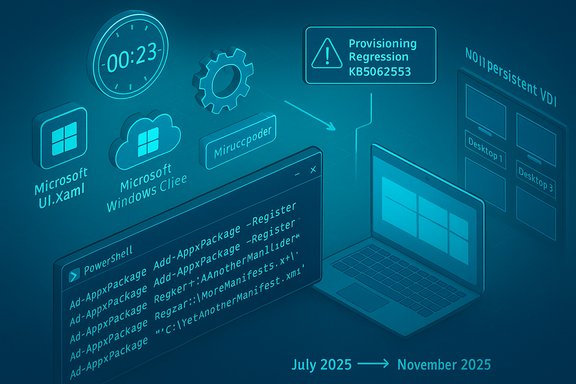
Microsoft’s support bulletin (KB5072911) identifies a provisioning-time failure introduced with monthly cumulative updates released on or after the July 2025 Patch Tuesday (notably the July cumulative, KB5062553). The problem is not a simple app crash: it stems from XAML dependency packages failing to register in time during the first user sign-in after an update or during every sign-in on non-persistent installations such as VDI or instant-clone virtual desktops. That timing gap leaves core Shell components and services — StartMenuExperienceHost, Search, System Settings, the Taskbar, Explorer and Immersive Shell — unable to initialize, leading to on-screen critical errors, silent failures, or missing taskbar windows.
This admission arrives amid a noisy month for Microsoft: customers reported a Microsoft 365 Copilot/file-action outage and third-party vendors such as NVIDIA published emergency hotfix drivers to undo perceived performance regressions after recent Windows cumulative updates. Taken together, these incidents have amplified concerns about the durability and quality of Microsoft’s monthly servicing model for Windows and cloud services.
When a cumulative update changes the packaged XAML binaries, the servicing pipeline must update package manifests and ensure those packages are registered and available before the first interactive session begins. If registration lags behind or registration is deferred until after components start, the dependent Shell processes fail fast — the Start Menu or Taskbar may crash or display errors because the XAML runtime they rely on did not initialize.
Enterprises must adapt their update governance accordingly: stronger pilot rings, test-first image servicing, and readiness to deploy short-term mitigation scripts. Vendors and OEMs also must coordinate with Microsoft during cumulative update validation to catch platform-driver interactions early.
For end users, the immediate takeaway is straightforward: if your Start Menu, Taskbar or Settings stop working after an update or first logon to a reimaged device, don’t assume permanent corruption — the failure mode is likely the registration timing issue Microsoft described and can often be remedied by re-registering the AppX packages or by applying Microsoft’s recommended logon script in the affected environment.
Microsoft’s admission via KB5072911 is valuable — it turns an invisible, hard-to-replicate problem into a known, actionable incident. What remains to prove is whether the company’s fix will close the loop on registration timing and provisioning across the wide variety of hardware, storage and VDI topologies in active use today. Until then, administrators should treat this as a high-priority operational risk and act accordingly.
Source: Neowin Microsoft finally admits almost all major Windows 11 core features are broken
 Background / Overview
Microsoft’s support bulletin (KB5072911) identifies a provisioning-time failure introduced with monthly cumulative updates released on or after the July 2025 Patch Tuesday (notably the July cumulative, KB5062553). The problem is not a simple app crash: it stems from XAML dependency packages failing to register in time during the first user sign-in after an update or during every sign-in on non-persistent installations such as VDI or instant-clone virtual desktops. That timing gap leaves core Shell components and services — StartMenuExperienceHost, Search, System Settings, the Taskbar, Explorer and Immersive Shell — unable to initialize, leading to on-screen critical errors, silent failures, or missing taskbar windows.This admission arrives amid a noisy month for Microsoft: customers reported a Microsoft 365 Copilot/file-action outage and third-party vendors such as NVIDIA published emergency hotfix drivers to undo perceived performance regressions after recent Windows cumulative updates. Taken together, these incidents have amplified concerns about the durability and quality of Microsoft’s monthly servicing model for Windows and cloud services.
What Microsoft actually said (technical summary)
The defect in a paragraph
- After deploying a Windows 11 (version 24H2) monthly cumulative update released on or after July 2025 (the July Patch Tuesday cumulative update is identified as KB5062553), provisioning a PC can result in XAML packages not registering in time. The consequence: dependent Shell apps or services fail to start properly on first sign-in, or every sign-in in non‑persistent VDI scenarios where app packages must be installed at logon.
Key symptoms Microsoft lists
- Start menu fails to launch or crashes with a critical error.
- System Settings silently fails to open (Start → Settings → System returns nothing).
- Explorer.exe runs but the taskbar is missing, or taskbar-related shells (shelhost.exe, StartMenuExperienceHost) crash.
- XAML-island views and apps that create XAML UI elements crash or fail to initialize.
- ImmersiveShell components may not load until packages are registered.
Root cause (as Microsoft explains)
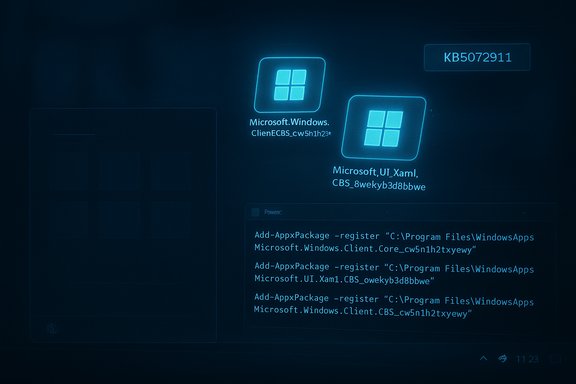
- The applications depend on built-in XAML packages (for example, MicrosoftWindows.Client.CBS_cw5n1h2txyewy, Microsoft.UI.Xaml.CBS_8wekyb3d8bbwe, MicrosoftWindows.Client.Core_cw5n1h2txyewy). After servicing, those packages are updated but may not be registered within the user session fast enough for dependent shell processes that start at logon.
Workarounds Microsoft published
Microsoft provided two primary mitigations:- Manual re‑registration of the missing AppX packages (run in an elevated PowerShell session in the user context):
Code:Add-AppxPackage -Register -Path 'C:\Windows\SystemApps\MicrosoftWindows.Client.CBS_cw5n1h2txyewy\appxmanifest.xml' -DisableDevelopmentMode Add-AppxPackage -Register -Path 'C:\Windows\SystemApps\Microsoft.UI.Xaml.CBS_8wekyb3d8bbwe\appxmanifest.xml' -DisableDevelopmentMode Add-AppxPackage -Register -Path 'C:\Windows\SystemApps\MicrosoftWindows.Client.Core_cw5n1h2txyewy\appxmanifest.xml' -DisableDevelopmentMode - For non‑persistent (VDI / similar) environments, a logon script/batch wrapper that registers the packages synchronously before explorer.exe can start. Microsoft’s sample batch wrapper (executed at user logon) uses PowerShell commands with ExecutionPolicy Bypass and is designed to block Explorer until packages are fully provisioned.
Why this matters: provisioning, non‑persistent systems, and first logon
Provisioning is a special case
Provisioning is the process used by IT to configure a device image — applying policies, installing application packages, and preparing the OS image before handing it to end users. Provisioning workflows are sensitive to the order and timing of package registration and the startup of shell processes.When a cumulative update changes the packaged XAML binaries, the servicing pipeline must update package manifests and ensure those packages are registered and available before the first interactive session begins. If registration lags behind or registration is deferred until after components start, the dependent Shell processes fail fast — the Start Menu or Taskbar may crash or display errors because the XAML runtime they rely on did not initialize.
Non‑persistent VDI makes it worse
In non‑persistent VDI environments and instant-clone deployments, application packages that ship in the system image are often installed or re-provisioned at each logon. That per-logon install model creates more surface area for a race condition: the OS tries to start shell processes while package registration is still in progress. Microsoft explicitly calls out VDI scenarios as being affected for every sign-in.First-logon behaviour
Even on physical devices, the first user logon after a cumulative update is a unique case: first-sign-in tasks, provisioning jobs, and inbox-app registration can coincide with shell startup. That makes the regression visible to a wide range of customers who apply updates to images, then hand those images to users who log in for the first time.Technical analysis: what likely went wrong
- Race condition on package registration: The authoritative description is a timing/registration issue: updated XAML packages are present on disk but not yet registered with the user session when shell processes launch. When a Shell component queries for a XAML resource or dependency that isn’t registered, that call fails, which cascades into a crash or silent failure.
- Modular UI (XAML islands) increases complexity: Modern Windows shells use XAML islands and smaller, modular packages instead of a monolithic shell binary. That improves update agility but also increases the number of inter-process and lifecycle dependencies that must be coordinated during servicing.
- Image-based servicing vs. in-place servicing differences: Enterprises often service a golden image and then provision many machines from it. If the update flow used during image servicing differs from consumer in-place updates, packages might be left in a partially registered state when users first log in.
- Non-deterministic initialization order: Startup order and background-service timing vary by hardware, storage performance, CPU load and driver states — making a timing regression harder to reproduce and easier to hit at scale on fleet deployments.
Real-world impact and who’s at risk
- Large enterprise VDI fleets are at highest risk. Organizations that rely on non‑persistent VDI (Horizon, Citrix, Windows 365 Web/Cloud PCs) and image-based provisioning can experience a broad failure at first sign-in that affects every user session until the packages are registered. This could require intervention across thousands of workspaces.
- IT administrators performing image servicing — applying monthly LCUs to golden images — are vulnerable if they deploy updated images without validating first-logon behaviour.
- Smaller organizations and consumers may see intermittent failures — while the issue is most obvious in provisioning cases, users who receive cumulative updates and then create a new local user or reimage a machine may encounter Start Menu/Taskbar/Settings failures.
- Gaming and third-party software side effects — though separate technically, the recent NVIDIA hotfix and reports of Patch Tuesday-induced GPU performance regressions show how sensitive modern PC stacks are to OS servicing. Where a Windows update changes GPU-related code paths, third-party drivers may observe performance regressions and push hotfixes to mitigate — adding operational complexity for consumers and admins.
Practical, tested steps for IT and support teams
Below are pragmatic mitigation steps, ordered for operational teams that need to act now.- Validate and isolate:
- Before deploying July-or‑later cumulative updates broadly, test a fully provioned image and perform a first-user sign-in test on both persistent and non‑persistent variants.
- Use a pilot ring for early detection (small number of pilot users in production).
- If you have already deployed and see symptoms:
- For an affected user session, open an elevated PowerShell window in that user context and run the Add‑AppxPackage registration commands shown above to re-register the packages.
- After re-registration, restart the Shell Infrastructure Host (SiHost) or sign out and back in; in some cases a reboot may be required for full recovery.
- For non‑persistent VDI environments:
- Implement Microsoft’s recommended logon script wrapper (batch file calling Add‑AppxPackage commands synchronously) and ensure it runs before explorer.exe launches.
- Test script impact on logon duration — synchronous registration will add time to first response, so measure and communicate expected logon delays.
- Operational control:
- Delay automatic rollouts to broad user populations until patched updates are available.
- For enterprise deployments, consider withholding the July-or‑later monthly cumulative updates from golden images until Microsoft’s permanent fix is released and validated.
- Communicate to users:
- Notify end users that Start Menu/Settings issues are temporary if registration has not completed, and provide a short remediation path (sign out / sign back in after registration by helpdesk, or run a provided script).
- The provided PowerShell commands use Add‑AppxPackage and ExecutionPolicy Bypass. These are powerful operations and must be executed with administrative oversight and testing; do not run them blindly in production without validation.
- In VDI farms, synchronous registration can increase logon times substantially; account for user experience in SLAs.
Broader context: why this incident matters for Windows servicing model and reliability
Monthly cumulative updates are high-frequency, high-impact
Microsoft’s cadence of monthly cumulative updates (the “LCU” model) aims to get security and quality fixes into customers quickly. But the frequency means regressions are also exposed quickly and can affect dozens of interrelated subsystems. The July 2025 cumulative (KB5062553) and subsequent updates have already been associated with other issues (event log noise in Firewall with Advanced Security, driver interactions causing audio or install failures), and this XAML registration problem underscores the cost of faster servicing: more complex interactions, more integration points to test, and more potential for timing-related regressions.Windows 24H2/25H2 enablement model increases coupling
Windows feature updates moving to enablement packages (such that 25H2 shares the same core codebase as 24H2) is designed to reduce upgrade friction. But that also concentrates more functionality into the same servicing branch; regressions that affect the base branch can therefore propagate to multiple version labels. In this case, Microsoft’s support article points out 24H2 is impacted and, because 25H2 uses the same codebase and servicing mechanism, it is reasonable for IT teams to treat both as vulnerable until the fix lands.The modular shell is a double-edged sword
Splitting the shell and UI into modular AppX packages and XAML islands enabled agile updates and smaller feature pushes. The downside: package lifetime, registration order and first-logon provisioning are now essential to system correctness. A flawed registration flow or servicing transaction that leaves packages unregistered exposes many more failure modes than a monolithic binary would.Risk assessment: what to expect next
- Microsoft has stated it is “working on a resolution” — that means a permanent fix will likely be folded into an upcoming cumulative or out‑of‑band update. IT teams should expect:
- A targeted servicing patch that corrects registration ordering or the provisioning workflow.
- Additional guidance or updated tooling for enterprise image servicing or SCCM/Intune processes.
- A possible update to the Windows release health dashboard and follow-up engineering notes.
- For customers: until the fix lands and is validated, expect elevated risk for image-based deployments, and plan for extra validation windows and incident capacity for helpdesk teams.
- For third-party vendors and gamers: continue to monitor driver vendors (GPU, audio, virtualization) for hotfixes and advisories; the recent NVIDIA hotfix for an October cumulative demonstrates vendors will respond quickly when they identify regressions.
Editor’s assessment: strengths, weaknesses, and cautionary flags
Notable strengths in Microsoft’s response
- Microsoft published a clear, actionable support article with concrete commands and a practical logon script for non‑persistent environments — this gives admins immediate playbooks.
- The company acknowledged the specific behavioral trigger (first logon after cumulative updates and non‑persistent sign-ins) rather than issuing vague “under investigation” guidance.
Key weaknesses and operational risks
- The problem persisted silently in the field for months for some users (first identified around July cumulative updates), suggesting telemetry and field validation gaps for provisioning scenarios.
- Publishing a support article is not the same as delivering a fix; the reliance on manual AppX registration or logon scripts is an unsatisfactory long-term answer for large-scale deployments.
- The event highlights a brittle dependency on registration ordering in a system designed to be modular. That fragility will repeat unless the update plumbing is hardened.
Claims to treat with caution
- Framing this as “almost all major Windows 11 core features are broken” is sensational and technically imprecise. The bug affects major Shell components, but it is conditional — primarily observed during first-user logon after servicing and in non‑persistent environments where packages are installed per-logon. Consumers who updated single-user PCs without provisioning workflows may never encounter the issue. That nuance matters for risk communication and incident prioritization.
Recommended checklist for immediate action (for sysadmins)
- Do not push July-or-later cumulative updates to production images until validated in a pilot ring.
- If production images are already serviced, add the provided registration script to your first-logon tasks for affected pools.
- Train helpdesk staff on the three Add‑AppxPackage commands and the sign‑out / restart sequence.
- Monitor Windows release health and subscribe to update channels for the eventual permanent fix.
- Communicate clear expectations to end users: possible delayed logons and temporary Start Menu/Taskbar symptoms until remediation is applied.
Closing analysis: systemic lessons and the path forward
This episode should be read as a stress test for Microsoft’s modern servicing pipeline. The benefits of modular UIs and rapid monthly servicing are real — security patches and improvements reach customers faster, and feature updates can be rolled out with minimal downtime. But the operational cost is increased surface area for timing-related failures and the need for robust, production-level validation of provisioning scenarios.Enterprises must adapt their update governance accordingly: stronger pilot rings, test-first image servicing, and readiness to deploy short-term mitigation scripts. Vendors and OEMs also must coordinate with Microsoft during cumulative update validation to catch platform-driver interactions early.
For end users, the immediate takeaway is straightforward: if your Start Menu, Taskbar or Settings stop working after an update or first logon to a reimaged device, don’t assume permanent corruption — the failure mode is likely the registration timing issue Microsoft described and can often be remedied by re-registering the AppX packages or by applying Microsoft’s recommended logon script in the affected environment.
Microsoft’s admission via KB5072911 is valuable — it turns an invisible, hard-to-replicate problem into a known, actionable incident. What remains to prove is whether the company’s fix will close the loop on registration timing and provisioning across the wide variety of hardware, storage and VDI topologies in active use today. Until then, administrators should treat this as a high-priority operational risk and act accordingly.
Source: Neowin Microsoft finally admits almost all major Windows 11 core features are broken