Windows 11 users and administrators woke up in mid‑January to a puzzling and disruptive problem: after applying Microsoft’s January cumulative update some PCs refused to power off cleanly. Instead of shutting down or reliably entering hibernation, affected systems often restarted or remained partially powered — a failure that drained batteries, disrupted overnight maintenance, and flooded help desks with tickets. The fault wasn’t a flaky power button or dead battery; it was a configuration‑dependent software regression tied to a security servicing change—and Microsoft issued an emergency out‑of‑band fix days later.
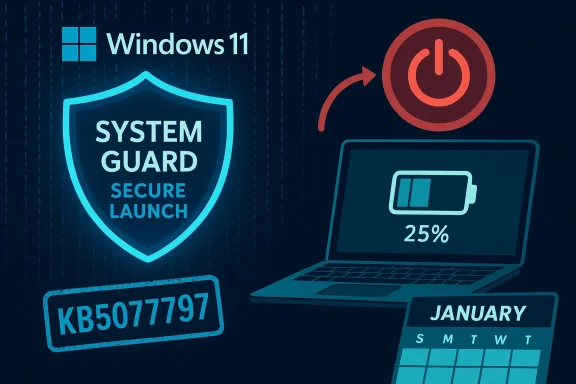
The regression first appeared after the January 13, 2026 cumulative update for Windows 11, version 23H2 (tracked as KB5073455). Systems that had System Guard Secure Launch enabled — a virtualization‑based early‑boot integrity feature used primarily in Enterprise and IoT images — sometimes interpreted normal shutdown or hibernate requests as a different final power intent and rebooted instead of powering off. The symptom was configuration‑dependent, reproducible on certain firmware + driver + update combinations, and documented by Microsoft as a known issue. Microsoft published an out‑of‑band remedial update (KB5077797) on January 17, 2026 to address the regression.
This article explains the technical anatomy of the bug, provides verified, step‑by‑step remediation and workarounds for home users and admins, offers advanced troubleshooting for persistent cases, and evaluates the broader operational and security lessons for patch management in modern Windows environments. Where claims require vendor confirmation or engineering detail, this article references Microsoft’s advisories and corroborating independent reporting.
Caution: any claim about the exact function or variable that mis‑persisted the power intent is difficult to verify without internal Microsoft engineering statements or debug logs; treat such analysis as speculative unless confirmed in official engineering notes.
For most users the practical path is simple: validate update status and apply KB5077797, or use the documented forced‑shutdown command while you wait. For IT teams, this is an operational stress test with clear, actionable follow‑ups: inventory Secure Launch deployment, expand representative pilot rings, and streamline OOB deployment procedures so security and availability reinforce — rather than oppose — each other.
The shutdown bug has been contained through vendor action, but it leaves a lasting lesson: in an environment where boot integrity protections, firmware diversity, and complex servicing orchestration intersect, resilience depends as much on operational readiness as it does on code quality. Treat Patch Tuesday as an operational event, not merely a security checklist: plan, test, pilot, communicate, and be ready to act fast.
Source: Tech Times Windows 11 Shutdown Bug Explained: Why Your PC Won't Turn Off and How to Fix It
 Background / Overview
The regression first appeared after the January 13, 2026 cumulative update for Windows 11, version 23H2 (tracked as KB5073455). Systems that had System Guard Secure Launch enabled — a virtualization‑based early‑boot integrity feature used primarily in Enterprise and IoT images — sometimes interpreted normal shutdown or hibernate requests as a different final power intent and rebooted instead of powering off. The symptom was configuration‑dependent, reproducible on certain firmware + driver + update combinations, and documented by Microsoft as a known issue. Microsoft published an out‑of‑band remedial update (KB5077797) on January 17, 2026 to address the regression.This article explains the technical anatomy of the bug, provides verified, step‑by‑step remediation and workarounds for home users and admins, offers advanced troubleshooting for persistent cases, and evaluates the broader operational and security lessons for patch management in modern Windows environments. Where claims require vendor confirmation or engineering detail, this article references Microsoft’s advisories and corroborating independent reporting.
What happened: the observable symptoms
- Symptom summary: selecting Shut down (Start → Power → Shut down) or attempting Hibernate on an affected device caused the system to restart, return to the sign‑in screen, or remain in a semi‑powered state instead of powering off completely. Fans could stay spinning or the screen might briefly go dark before the machine came back. This behavior risked drained batteries on laptops and potential data loss if users assumed the system was off.
- Trigger conditions: the issue required three elements:
- Windows 11, version 23H2 with KB5073455 installed (the January cumulative update).
- System Guard Secure Launch enabled on the device.
- Specific firmware/driver combos where the servicing stack’s power‑intent persistence logic was affected.
- Scope: Enterprise and IoT SKUs were disproportionately affected because Secure Launch is commonly enforced in managed images; most Home/Pro consumer devices do not enable Secure Launch by default and therefore saw far fewer cases. Nonetheless, any machine where Secure Launch had been explicitly enabled could show the regression.
The technical anatomy: why a security protection interfered with power management
What is System Guard Secure Launch?
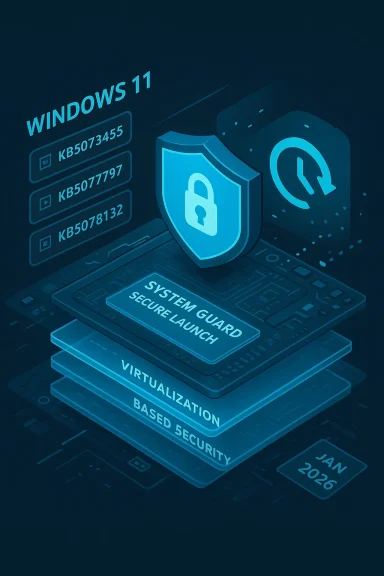
System Guard Secure Launch is part of Windows’ virtualization‑based security (VBS) suite. It erects a small virtualization isolation boundary early in the boot process, uses DRTM (Dynamic Root of Trust for Measurement) techniques together with the TPM, and measures the pre‑OS state to make the boot path more resistant to firmware and boot‑time attacks (think bootkits and malicious firmware modifications). It changes assumptions in the early boot environment and adds runtime measurement and virtualization transitions that the OS and servicing subsystems must respect.How servicing and power intent interact
Modern cumulative updates are multi‑phase operations: files are downloaded and staged while Windows is running, and then an offline commit phase performs final file replacements and reconfigurations during a shutdown or reboot. The servicing stack must reliably preserve the user’s final power intent — whether they asked to Shut down, Restart, or Hibernate — across these transitions. When a virtualization boundary is introduced early in the boot path, the timing and sequencing of these phases can shift; if the servicing stack’s orchestration does not correctly persist or interpret the user’s final power intent in the Secure Launch path, the system can fall back to a default or safe action, which in this case manifested as a restart rather than a shutdown or hibernate.Why the bug was narrow but impactful
The regression was not a general power‑management failure — it was a predictable mismatch at the intersection of servicing orchestration and Secure Launch’s altered runtime semantics. That means the bug was limited to a small subset of systems with that exact configuration, but when those systems are managed fleets, kiosks, or IoT devices that require deterministic power behavior, the operational consequences scale quickly. Microsoft’s rapid acknowledgement and out‑of‑band remediation limited the long‑term scope, but the incident underlined how deeper platform security features can produce unexpected side effects when servicing logic changes.Timeline — patch, problem, mitigation, fix
- January 13, 2026 — Microsoft released the January cumulative update (KB5073455) for Windows 11, version 23H2. The package included multiple security and servicing fixes.
- January 13–16, 2026 — Administrators and users began reporting restart‑on‑shutdown and failed hibernation behavior on devices with Secure Launch enabled; community telemetry and vendor release notes documented the issue.
- Interim advisory — Microsoft published an interim command‑line workaround for affected systems: run the explicit shutdown command to force power‑off (shutdown /s /t 0). Microsoft noted there was no reliable workaround for hibernation at that time.
- January 17, 2026 — Microsoft released an out‑of‑band remedial cumulative update, KB5077797, which included a fix for the Secure Launch shutdown/hibernate regression among other fixes. Administrators were advised to validate and deploy the OOB update through normal channels.
Immediate troubleshooting: how to get your PC to power off now
If you’re currently facing restart‑on‑shutdown, follow these verified, short‑term steps. The goal is to restore predictable power behavior while awaiting or applying the definitive patch.Quick checks (do these first)
- Confirm your Windows version and update history for KB5073455 and KB5077797 (if present). If KB5073455 shows as installed and KB5077797 is not present, your system may be one of the affected set.
- Determine whether System Guard Secure Launch is enabled:
- On managed devices, check your provisioning/profile or endpoint management policies.
- On local devices, consult the security baseline or PowerShell / management tooling used to enable Secure Launch.
Vendor‑documented immediate workaround
- Force a shutdown with the explicit command:
- Open an elevated Command Prompt (Run as administrator).
- Type:
shutdown /s /t 0 - Press Enter.
- This command instructs Windows to initiate an immediate, orderly shutdown and avoids the GUI path that may be hitting the faulty power‑intent persistence logic. It is Microsoft’s documented interim remedy.
Additional practical workarounds
- Disable Fast Startup: Fast Startup combines a kernel session hibernation into shutdown and increases the likelihood of hitting complex state transitions. Turning Fast Startup off reduces complexity during shutdown and may avoid the misinterpretation. To disable Fast Startup: Control Panel → Power Options → Choose what the power buttons do → Change settings that are currently unavailable → uncheck Turn on fast startup.
- Avoid hibernation until the fix is validated: Microsoft indicated there was no reliable workaround for hibernation during the interim period. If hibernation is critical, prioritize applying the remedial KB when available.
- Use
powercfg /requeststo inspect processes or drivers that claim power resources and can block shutdown flows. While the root cause here is the servicing/sec_launch interaction, this command helps reveal app/driver blockers during normal shutdown troubleshooting.
How to install the emergency fix (KB5077797) — user and admin paths
Applying Microsoft’s out‑of‑band fix is the definitive remediation. Follow the path that matches your environment.Home users / individual devices
- Open Settings → Windows Update → Check for updates. If KB5077797 is available, it should download and offer installation. After installation, perform a full restart to confirm shutdown behavior returns to normal.
- If the update does not appear, you can temporarily use the
shutdown /s /t 0workaround until the remedial package is published to your update channel. Avoid disabling Secure Launch as a long‑term measure.
Managed environments (IT administrators)
- Inventory: Identify devices running Windows 11 23H2 and enumerate which have Secure Launch enabled. Use endpoint management tooling (MDM, SCCM, MEM, etc.) and group policies to produce a targeted list.
- Deploy in pilot rings: Acquire the OOB package (KB5077797) from the Microsoft Update Catalog or your management console and test in a pilot that mirrors the highest‑risk Secure Launch configurations. Validate both shutdown and hibernate behaviors.
- Stage broad deployment: After validation, proceed with staged rollouts and monitor telemetry and help‑desk queues for regressions. Avoid disabling Secure Launch as a default mitigation without a formal risk assessment and compensating controls.
Advanced troubleshooting for persistent cases
Some devices continued to show shutdown/hibernate anomalies even after remedial updates. These situations typically involve layered driver or firmware issues, corrupted system files, or interactions with third‑party security software. Use the following advanced checklist:1. Check Event Viewer
- Inspect System logs for Kernel‑Power events and identifiers that indicate failed power transitions. Kernel‑Power entries can show whether the OS attempted to commit offline operations and whether a rollback or restart occurred. Correlate timestamps with update installs and reboots.
2. Repair system files
- Run the standard Windows maintenance utilities:
DISM /Online /Cleanup-Image /RestoreHealthsfc /scannow- These commands repair system image and file corruption that might interfere with servicing logic. Reboot and re‑test shutdown after repairs.
3. Check disk integrity
- Schedule
chkdsk /ffor the system volume to rule out file system corruption that can manifest during offline commits. Disk issues sometimes present as odd servicing failures during shutdown.
4. Inspect drivers and third‑party security tools
- Temporarily disable or update drivers that interact with low‑level system state (especially storage, chipset, and virtualization drivers).
- Third‑party kernel‑mode security or endpoint protection agents can hook boot/shutdown paths. Work with vendors to ensure compatibility and latest drivers are installed. Use clean‑boot troubleshooting to isolate offending drivers or services.
5. Use powercfg tools
powercfg /requestsidentifies runtime components preventing sleep/hibernate.powercfg /lastwakeandpowercfg /waketimershelp diagnose spurious wake events after a shutdown/hybrid shutdown. These commands illuminate whether a device is being signaled to restart after an apparent shutdown or is being held in a low‑power state.
Risk assessment and trade‑offs: security vs operational determinism
This incident is a textbook example of a trade‑off in modern platform security. System Guard Secure Launch raises the bar against sophisticated firmware attacks, which is critical for sensitive environments. But tighter early‑boot protections also change the runtime and orchestration assumptions the servicing stack relies on, increasing the attack surface for unintended regressions in edge scenarios. Organizations must balance:- The security benefits of VBS and Secure Launch, especially in regulated or high‑risk environments, against
- The operational need for deterministic behaviors (e.g., reliable shutdown, hibernate, maintenance cycles) in managed fleets and kiosks.
Lessons for patch management and operational readiness
The shutdown regression highlights several practical improvements IT teams should prioritize:- Inventory and enablement awareness: Know which endpoints have hardened boot features such as Secure Launch and VBS enabled, and include those device types in pilot rings.
- Representative pilot testing: Ensure update pilots cover firmware diversity (OEMs, BIOS/UEFI versions) and security baselines; fail‑fast detection on a small, representative set prevents mass disruption.
- Emergency playbooks: Maintain a tested emergency remediation playbook (how to force shutdown, staged rollback options, controlled uninstalls) and communications templates for end users. The
shutdown /s /t 0command is a simple, documented interim measure. - Rapid OOB deployment capability: Keep processes to acquire and stage out‑of‑band Microsoft packages quickly; validate in a pilot ring and then roll out broadly with monitoring.
- Vendor coordination: For devices with custom firmware or third‑party drivers, coordinate with OEMs and security vendors to validate updates and ensure compatibility with VBS features.
What Microsoft fixed (and what remains engineering internal detail)
Microsoft’s out‑of‑band KB5077797 remedied the shutdown/hibernate regression for the affected 23H2 builds. The bulletin and Release Health entries list the symptom and the OOB package as resolving it; the vendor‑supplied notes and independent reporting align on the timeline and fix path. However, the precise line‑by‑line internal code path Microsoft changed to rectify the power‑intent persistence issue is an engineering detail not typically itemized in KB summaries. For readers: assume the vendor’s fix is authoritative and apply it after validation. If you need forensic detail beyond KB notes, engage Microsoft support or your OEM account team for deeper incident artifacts.Caution: any claim about the exact function or variable that mis‑persisted the power intent is difficult to verify without internal Microsoft engineering statements or debug logs; treat such analysis as speculative unless confirmed in official engineering notes.
Practical checklists (concise)
For home users
- Check Windows Update for KB5077797 and install if present.
- If unpatched and experiencing restart‑on‑shutdown, use:
shutdown /s /t 0. - Disable Fast Startup if you prefer: Control Panel → Power Options → Choose what the power buttons do → turn off Fast Startup.
For IT administrators
- Inventory endpoints for Secure Launch and KB5073455 presence.
- Validate KB5077797 in a pilot ring that includes hardened‑boot devices.
- Stage the remedial package via your management platform and monitor for both the fix and any regression.
- Keep emergency playbooks and communications ready for users who may see power anomalies.
Frequently Asked Questions
1. What caused the Windows 11 shutdown bug?
The regression was triggered by the January cumulative update (KB5073455) interacting with System Guard Secure Launch, causing the servicing stack to misinterpret or fail to persist the user’s final power intent during offline commits—leading affected machines to restart rather than shut down or reliably hibernate. Microsoft documented the known issue and shipped KB5077797 to remedy it.2. Which Windows 11 versions are affected?
Primarily Windows 11, version 23H2 builds targeted by KB5073455, and specifically Enterprise/IoT SKUs where Secure Launch is commonly enabled. Consumer Home and Pro devices are less likely to be affected by default.3. How do I fix it quickly?
Install the out‑of‑band update KB5077797. If the update is not yet present, the documented temporary workaround is to runshutdown /s /t 0 from an elevated Command Prompt. Avoid uninstalling security updates unless directed by a controlled remediation plan.4. Can the shutdown bug damage my PC?
The bug does not directly damage hardware, but it can cause battery drain, disrupt maintenance tasks, and increase the risk of data loss if users assume a system was powered off when it rebooted. Prompt remediation minimizes these secondary risks.Final analysis and recommendations
The January shutdown regression was narrow in scope yet a stark reminder that new security protections change the operational calculus for platform servicing. System Guard Secure Launch provides meaningful defense against firmware attacks, but it also modifies low‑level state transitions that the servicing stack depends on. Where security and operational determinism collide, organizations must broaden their pilot coverage, include hardened‑boot configurations in preproduction tests, and maintain rapid remediation playbooks.For most users the practical path is simple: validate update status and apply KB5077797, or use the documented forced‑shutdown command while you wait. For IT teams, this is an operational stress test with clear, actionable follow‑ups: inventory Secure Launch deployment, expand representative pilot rings, and streamline OOB deployment procedures so security and availability reinforce — rather than oppose — each other.
The shutdown bug has been contained through vendor action, but it leaves a lasting lesson: in an environment where boot integrity protections, firmware diversity, and complex servicing orchestration intersect, resilience depends as much on operational readiness as it does on code quality. Treat Patch Tuesday as an operational event, not merely a security checklist: plan, test, pilot, communicate, and be ready to act fast.
Source: Tech Times Windows 11 Shutdown Bug Explained: Why Your PC Won't Turn Off and How to Fix It