

Windows 11’s Start menu search is once again showing how fragile the modern desktop can be when cloud services and local shell behavior are tightly intertwined. Microsoft says a server-side Bing update triggered blank search results for a small number of Windows 11 23H2 users, and the company has already rolled that change back while reports taper off. The bigger story is not just the glitch itself, but what it says about how much of Windows Search now depends on Microsoft’s online plumbing—and how quickly a seemingly minor backend tweak can ripple into a visibly broken user experience. ows search has been a source of irritation for years, but the latest episode is unusual because it appears to have been caused remotely rather than by a traditional client-side bug. Microsoft’s release health dashboard is the official place where the company tracks Windows issues and mitigations, and that is where this incident now sits conceptually: in the same category as other rapidly changing service-side corrections that can affect users without a new local install. The dashboard itself is designed to surface known issues, resolved issues, and update notes across supported Windows versions, which underscores how Microsoft now treats shell behavior as part of a living service rather than a static desktop feature. (learn.microsoft.com)
That shift matters because the Start menu is no longer just a launcher. In Windows 11, search is an increasingly hybrid experience: part local index, part cloud-assisted suggestion engine, part Bing-powered web entry point, and part UI layer that depends on multiple Microsoft services remaining in sync. When everything works, users get fast access to apps, files, settings, and web content. When it fails, the failure can look bizarrely partial, with results areas appearing blank but still containing clickable elements beneath the surface, which is exactly the kind of beh in recent complaints.
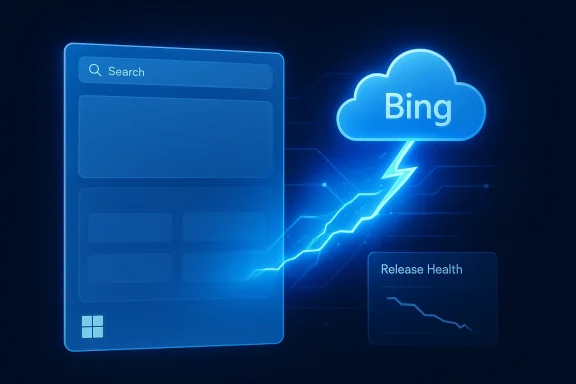
The reason this particular issue has drawn attention is that Microsoft appears to have acknowledged the root cause quickly enough to describe it in practical terms. According to the company’s release-health note, the problem “coincided with a server-side Bing update designed to improve search performance,” and the mitigation was equally blunt: roll back the server-side change and wait for failure reports to decline. That is a very modern Windows problem. The operating system is local, but the user experience is not fully local anymore, and that creates failure modes that feel mysterious to users because the visible symptom shows up in the shell even though the underlying c.
There is also a timing wrinkle worth noting. Microsoft says only a small number of users have been affected since April 6, 2026, but the company’s own statement sits uneasily beside community complaints that have been bubbling up for months. That tension is common in Windows support stories: telemetry may suggest a narrow impact, while social media and forum chatter reveals a broader pattern of frustration, inconsistency, and recurring shell oddities. The result is that even a “small” issue can feel bigger because it lands on a feature users touch all day, every day.
Microsoft’s explanation is relatively straightforward, which is unusual enough to matter. The company says the blank-results issue in Windows 11 search coincided with a Bing-side update intended to improve performance, and that rolling back the update reduced the number of reported failures. In other words, this was not treated as a local indexing corruption problem, a Windows Search service crash, or a bad device-specific driver interaction. It was treated as a service regression on Microsoft’s side, and that is a meaningful distinction.
That framing matters because it changes the troubleshooting model. If the fault lives in the client, users can clear the index, restart SearchHost, rebuild caches, or reinstall components. If the fault lives in the server-side Bing experience, those familiar steps may accomplish very little. The fact that clickable-but-blank results were reported suggests the UI layer was still receiving some output, but the rendering or presentation layer was not faithfully displaying it. That kind of symptom is exactly the sort of thing users interpret as a “broken Start menu,” even when the deeper cause is more abstract.
It also shows how carefully Microsoft now has to balance the search stack. Search of the most resilient parts of the shell, because if users cannot find or launch things reliably, they stop trusting the OS. A rollback tells us Microsoft is willing to sacrifice new search behavior if the alternative is degrading the core user experience, which is the right call—but also an admission that the feature is being tuned in live production in a way many users never realize.
There is also a branding issue here. Bing is not just a web search engine in this context; it is part of the invisible infrastructure behind Windows search behavior. When users experience broken shell search, they do not usually separate “Bing” from “Windows.” They just think Windows search is broken. That means Microsoft’s consumer-facing search brand absorbs the blame even if the root cause sits in a server-side optimization meant to improve performance.
That is the sort of bug that erodes trust in subtle ways. Once users suspect the interface cannot be believed at face value, they stop using it as a primary navigation tool and start reaching for workarounds like pinned icons, Explorer, or third-party launchers. Windows loses a little bit of ie, and every such incident nudges power users closer to the belief that the Start menu is not the dependable hub it ought to be.
This is not the first time Windows has had to wrestle with the tension between cloud integration and user expectations. Microsoft has repeatedly moved consumer experiences toward connected identity, online suggestions, and search acceleration powered by remote services. The upside is richer results and more context. The downside is that the OS inherits some of the volatility of internet services, where changes can be pushed quickly and rolled back quickly, but not always without visible breakage.
This model is not inherently wrong. In fact, it is how much of modern software now works. But it does mean Microsoft has to be far more disciplined about change management, because a server-side update that is technically small can still have a huge blast radius if it sits on top of a ubiquitous shell entry point. That is the core lesson from this incident. The more Windows becomes a services platform, the more a backend mistake behaves like an OS bug.
The timing also intersects with Microsoft’s broader push to improve Windows performance and reliability. Public comments from Microsoft design leadership have emphasized better Start, Search, and quick settings load times over the coming months, which means search is already under scrutiny as an area needing visible improvement. That makes any fresh failure feel like a contradiction: Microsoft is promising a smoother experience while users are still encountering the kind of rough edge the company wants to eliminate.
There is also an emotional dimension. Users on older sen feel as if they are being asked to live with fewer surprises, not more. When a core UI surface like Start search breaks, even temporarily, the incident reinforces the idea that Windows 11 remains a work in progress in places where it should now feel mature. That perception is hard to shake because users experience the shell every day, not just during update cycles.
For enterprises, the calculus is more nuanced. If the impact is genuinely limited and tied to a server-side Bing update, IT teams may see fewer local remediation tasks than they would with a bad cumulative update. But the support burden can still spike because help desks get flooded with “search is blank” complaints that are hard for frontline staff to triage. Even if the fix is centralized, the user pain is decentralized.
The enterprise angle is especially important because search is often a foundational support path. If employees cannot quickly find apps, settings, or files, productivity slips in small but cumulative ways. That may not sound dramatic, but multiplied across a fleet, it can become a measurable drag on support efficiency and user satisfaction. The issue is not catastrophic; it is corrosive.
The problem is not that Microsoft lacks the ability to fix bugs. It is that the company is operating a platform with many overlapping layers—local shell, cloud search, identity services, ranking logic, and feature experimentation—so small changes can create surprising regressions. This is the cost of building a more integrated desktop: more capability, more telemetry, more service hooks, and more places for things to go sideways.
At the same time, Microsoft is not alone in this pattern. Modern operating systems increasingly evolve through live service updates, feature flags, and remote configuration. The difference is scale. Windows sits on millions of machines and is expected to serve both casual consumers and large enterprises, so a small regression can become public very quickly. That is why release-health transparency matters so much.
The company also seems to be balancing two competing goals: making search richer and making it simpler. Richer usually means more web integration, more context, and more cloud assistance. Simpler means fewer surprises, fewer blank states, and fewer moments where a user wonders whether the system has frozen. The current incident suggests Microsoft still has work to do in keeping those goals aligned.
The good news is that Microsoft seems aware of the problem. Public statesign leadership show that Start and Search performance are on the radar, and the rapid rollback of the Bing update indicates the company is at least willing to reverse course quickly when the user experience is compromised. The bad news is that users still have to live through the regression before that discipline pays off.
More broadly, this incident creates an opportunity for Microsoft to rethink how much remote logic the search experience should absorb. If the company can reduce visible coupling, improve fallback behavior, and make shell rendering more resilient to backend churn, it could turn a negative headline into a stronght now, the upside is still there—but it needs to be translated into trust.
There is also the risk of over-coupling. The more Windows Search depends on remote services, the more every tweak must be treated like a production change to a critical backend system. That raises the bar for testing, rollback, telemetry, and communication. If Microsoft gets that wrong even occasionally, the shell will continue to feel *less determinis
The longer-term question is harder and more important. Microsoft wants Windows Search to feel faster, smarter, and more integrated, but every step in that direction increases the number of failure points between the user and the result they expect. The company can absolutely keep improving the experience, but it needs to make resilience and fallback behavior feel as ambitious as the features themselves. Without that, the platform risks becoming more capable in theory while remaining too easy to embarrass in practice.
Source: Windows Central "The problem coincided with a server‑side Bing update": Windows 11 search broke down in real time, and user's weren't happy
That shift matters because the Start menu is no longer just a launcher. In Windows 11, search is an increasingly hybrid experience: part local index, part cloud-assisted suggestion engine, part Bing-powered web entry point, and part UI layer that depends on multiple Microsoft services remaining in sync. When everything works, users get fast access to apps, files, settings, and web content. When it fails, the failure can look bizarrely partial, with results areas appearing blank but still containing clickable elements beneath the surface, which is exactly the kind of beh in recent complaints.
The reason this particular issue has drawn attention is that Microsoft appears to have acknowledged the root cause quickly enough to describe it in practical terms. According to the company’s release-health note, the problem “coincided with a server-side Bing update designed to improve search performance,” and the mitigation was equally blunt: roll back the server-side change and wait for failure reports to decline. That is a very modern Windows problem. The operating system is local, but the user experience is not fully local anymore, and that creates failure modes that feel mysterious to users because the visible symptom shows up in the shell even though the underlying c.
There is also a timing wrinkle worth noting. Microsoft says only a small number of users have been affected since April 6, 2026, but the company’s own statement sits uneasily beside community complaints that have been bubbling up for months. That tension is common in Windows support stories: telemetry may suggest a narrow impact, while social media and forum chatter reveals a broader pattern of frustration, inconsistency, and recurring shell oddities. The result is that even a “small” issue can feel bigger because it lands on a feature users touch all day, every day.
 What Microsoft Says Happened
Microsoft’s explanation is relatively straightforward, which is unusual enough to matter. The company says the blank-results issue in Windows 11 search coincided with a Bing-side update intended to improve performance, and that rolling back the update reduced the number of reported failures. In other words, this was not treated as a local indexing corruption problem, a Windows Search service crash, or a bad device-specific driver interaction. It was treated as a service regression on Microsoft’s side, and that is a meaningful distinction.That framing matters because it changes the troubleshooting model. If the fault lives in the client, users can clear the index, restart SearchHost, rebuild caches, or reinstall components. If the fault lives in the server-side Bing experience, those familiar steps may accomplish very little. The fact that clickable-but-blank results were reported suggests the UI layer was still receiving some output, but the rendering or presentation layer was not faithfully displaying it. That kind of symptom is exactly the sort of thing users interpret as a “broken Start menu,” even when the deeper cause is more abstract.
Why a rollback matters
A server-side rollback is both reng. It is reassuring because Microsoft can reverse the offending change quickly without forcing users through a full software update cycle. It is unsettling because it confirms that Windows Search has become dependent enough on remote changes that Microsoft can break core desktop behavior from the cloud. That is efficient when it works and infuriating when it does not.It also shows how carefully Microsoft now has to balance the search stack. Search of the most resilient parts of the shell, because if users cannot find or launch things reliably, they stop trusting the OS. A rollback tells us Microsoft is willing to sacrifice new search behavior if the alternative is degrading the core user experience, which is the right call—but also an admission that the feature is being tuned in live production in a way many users never realize.
- The issue affected Windows 11 23H2 devices most visibly.
- Microsoft traced the failure to a se.
- The mitigation was a rollback, not a local hotfix.
-nk search panes** with clickable results still present. - Microso*steadily decreasing** after the rollback.
Why Ttory Than It First Looked
On paper, this could have been a short-lived supportt lands at a sensitive moment for Microsoft because the company has been p making Start, Search, and quick settings faster and more reliable. That makes a search regression feel especially awkward: users are being told improvements are on the way, while the most visible entry point into the OS is temporarily showing blank results. The combination is bad optics even if the user base affected is relatively small.There is also a branding issue here. Bing is not just a web search engine in this context; it is part of the invisible infrastructure behind Windows search behavior. When users experience broken shell search, they do not usually separate “Bing” from “Windows.” They just think Windows search is broken. That means Microsoft’s consumer-facing search brand absorbs the blame even if the root cause sits in a server-side optimization meant to improve performance.
The UI trust problem
The most damaging part of the report is not the emptiness itself but the fact that results were reportedly still clickable. That means the shell may have looked broken while some data remained active underneath, creating a confidence gap that is far worse than a clean error message. Users can tolerate a warning. They are far less forgiving of an interface that appears empty but still responds to mouse input.That is the sort of bug that erodes trust in subtle ways. Once users suspect the interface cannot be believed at face value, they stop using it as a primary navigation tool and start reaching for workarounds like pinned icons, Explorer, or third-party launchers. Windows loses a little bit of ie, and every such incident nudges power users closer to the belief that the Start menu is not the dependable hub it ought to be.
- Perception matters as much as technical root cause.
- A blank search pane looks like a local shell failure, even if it is not.
- Clickable invisible results create a worse user experience than a clear error.
- The issue hits a feature users expect to be boringly reliable.
- Microsoft’s public promise of im stakes.
The Bing Dependency Problem
The latest bug also exposes a more fundamental issue: Windows 11 search is no longer just a local search box. It is part of a broader Microsoft service architecture that blends local indexing with cloud-based ranking, suggestions, and web results. That architecture can be useful, but it makes a sinpable of affecting the shell in ways that older versions of Windows rarely had to worry about. The whole experience becomes service-shaped, and that means service regressions can become desktop regressions.This is not the first time Windows has had to wrestle with the tension between cloud integration and user expectations. Microsoft has repeatedly moved consumer experiences toward connected identity, online suggestions, and search acceleration powered by remote services. The upside is richer results and more context. The downside is that the OS inherits some of the volatility of internet services, where changes can be pushed quickly and rolled back quickly, but not always without visible breakage.
Search as a service, not a feature
A traditional Windows search feature would fail mostly because of local corruption, indexing trouble, or system damage. A service-driven search feature can fail because of ranking changes, API behavior, remote rendering logic, or backend experiments. That means more agility for Microsoft, but also a more complex diagnostic model for users and IT admins. The result is a support ecosystem where one symptom can point to several layers at once.This model is not inherently wrong. In fact, it is how much of modern software now works. But it does mean Microsoft has to be far more disciplined about change management, because a server-side update that is technically small can still have a huge blast radius if it sits on top of a ubiquitous shell entry point. That is the core lesson from this incident. The more Windows becomes a services platform, the more a backend mistake behaves like an OS bug.
- Hybrid search increases capability, but also complexity.
- Service-side changes can affect local-feeling UI behavior.
- Users generally do not distinguish Bing regressions from Windows regressions.
- Change control matters more when the shell depends on cloud behavior.
- Search reliability is now a platform trust issue, not just a feature issue.
Windows 11 23H2’s Unfortunate Timing
The fact that this issue appears to have hit Windows 11 23H2 is important. That release is still widely used, and any shell problem on a still-supported branch has a way of getting noticed quickly because a large installed base shares the same experience. Even if Microsoft’s telemetry shows the effect was limited, a problem in a mainstream branch always carries more significance than an edge-case bug in a niche build.The timing also intersects with Microsoft’s broader push to improve Windows performance and reliability. Public comments from Microsoft design leadership have emphasized better Start, Search, and quick settings load times over the coming months, which means search is already under scrutiny as an area needing visible improvement. That makes any fresh failure feel like a contradiction: Microsoft is promising a smoother experience while users are still encountering the kind of rough edge the company wants to eliminate.
Why version matters
Version-specific issues matter because they reveal how much of Windows support is still segmented by release channel and build lineage. A bug concentrated in 23H2 may not affect 24H2 or newer branches in the same way, but it still damages the perception of consistency across the platform. For enterprise admins, that inconsistency complicates standardization. For consumers, it simply feels unfair that one PC behaves differently from another with little explanation.There is also an emotional dimension. Users on older sen feel as if they are being asked to live with fewer surprises, not more. When a core UI surface like Start search breaks, even temporarily, the incident reinforces the idea that Windows 11 remains a work in progress in places where it should now feel mature. That perception is hard to shake because users experience the shell every day, not just during update cycles.
- Mainstream branches magnify even modest bugs.
- 23H2 users are likely to notice shell regressions immediately.
- Reliability expectations rise as a version ages.
- Platform consistency is part of user confidence.
- A small affected set can still create a large reputational impact.
Enterprise Versus Consumer Impact
For consumers, the consequence is mostly frustration and lost time. A broken Start menu search is inconvenient, maddening, and sometimes hard to diagnose, but it usually does not stop a business process cold. Users can often find alternate ways to launch apps or search file annoyance. The key consumer issue is that the OS feels less dependable in the one place people expect instant responsiveness.For enterprises, the calculus is more nuanced. If the impact is genuinely limited and tied to a server-side Bing update, IT teams may see fewer local remediation tasks than they would with a bad cumulative update. But the support burden can still spike because help desks get flooded with “search is blank” complaints that are hard for frontline staff to triage. Even if the fix is centralized, the user pain is decentralized.
Different expectations, same frustration
Consumers expect convenience; enterprises expect control. When a search experience depends on a remote service update, neither group gets exactly what it wants. Consumers lose confind enterprises lose confidence in predictability. In both cases, the hidden dependency chain becomes the real story.The enterprise angle is especially important because search is often a foundational support path. If employees cannot quickly find apps, settings, or files, productivity slips in small but cumulative ways. That may not sound dramatic, but multiplied across a fleet, it can become a measurable drag on support efficiency and user satisfaction. The issue is not catastrophic; it is corrosive.
- Consumers feel the issue as everyday annoyance.
- Enterprises feel it as help-desk noise and productivity friction.
- Remote fixes are easier to deploy, but harder to explain.
- Predictability matters more in managed environments.
- Search reliability has become part of endpoint governance.
A Familiar Pattern for Microsoft
This incident does not exist in a vacuum. Windows 11 has spent much of the last year and a half dealing with a steady cadence of post-release issues, temporary mitigations, and out-of-band responses. Microsoft has also been pushing a broader reliability narrative, promising incremental improvements to Start, Search, and shell responsiveness. That makes every new glitch resonate more loudly because it lands against a backdrop of visible effort to improve things.The problem is not that Microsoft lacks the ability to fix bugs. It is that the company is operating a platform with many overlapping layers—local shell, cloud search, identity services, ranking logic, and feature experimentation—so small changes can create surprising regressions. This is the cost of building a more integrated desktop: more capability, more telemetry, more service hooks, and more places for things to go sideways.
The optics of repeated fixes
Repeated fixes, even when effective, can create a reputation problem. Users begin to assume that the next improvement may also be the next regression. That suspicion is especially damaging in areas like search, where trust depends on the idea that results are not only fast but stable and visible. If the company keeps needing to unwind backend experiments, it risks making the shell feel experimental even to ordinary users.At the same time, Microsoft is not alone in this pattern. Modern operating systems increasingly evolve through live service updates, feature flags, and remote configuration. The difference is scale. Windows sits on millions of machines and is expected to serve both casual consumers and large enterprises, so a small regression can become public very quickly. That is why release-health transparency matters so much.
- Frequent rollbacks can normalize distrust.
- Live-service tuning is useful, but it is also risky.
- Search and sign-in failures have outsized visibility.
- Release-health communication is now part of product quality.
- The modern Windows stack is only as stable as its weakest service dependency.
What Microsoft Is Likely Trying to Improve
Microsoft’s recent comments about improving Start, Search, and quick settings load times suggest the companysiveness at a structural level, not just applying cosmetic fixes. That is a good sign because search speed and reliability are among the most visible indicators of shell health. If the Start menu feels fast and dependable, users forgive a lot more elsewhere. If it feels sluggish or flaky, even small bugs become symbolic.The company also seems to be balancing two competing goals: making search richer and making it simpler. Richer usually means more web integration, more context, and more cloud assistance. Simpler means fewer surprises, fewer blank states, and fewer moments where a user wonders whether the system has frozen. The current incident suggests Microsoft still has work to do in keeping those goals aligned.
Incremental improvement versus disruptive change
One reason Microsoft prefers incremental change is that it reduces the odds of a giant, platform-wide regression. But incremental changes can also accumulate into a fragile system if the testing boundaries are not strong enough. The challenge is to keep shipping improvements without making the shell feel like a moving target. That balance is hard, and Windows Search is one of the places where the difficulty shows up most clearly.The good news is that Microsoft seems aware of the problem. Public statesign leadership show that Start and Search performance are on the radar, and the rapid rollback of the Bing update indicates the company is at least willing to reverse course quickly when the user experience is compromised. The bad news is that users still have to live through the regression before that discipline pays off.
- Microsoft is clearly targeting faster shell load times.
- It is trying to make Start and Search more predictable.
- Richer search and simpler search are still in tension.
- Incremental rollout only works if rollback is equally swift.
- Users judge the effort by what they see on the desktop, not by internal intent.
Strengths and Opportunities
Microsoft’s response shows that it still has the engineering and telemetry machinery to detect, attribute, and reverse bad service-side behavior quickly. That is a genuine strength, especially on a platform as large and diverse as Windows. It also suggests the company understands that Start and Search are not optional polish features; they are core pieces of the user journey.More broadly, this incident creates an opportunity for Microsoft to rethink how much remote logic the search experience should absorb. If the company can reduce visible coupling, improve fallback behavior, and make shell rendering more resilient to backend churn, it could turn a negative headline into a stronght now, the upside is still there—but it needs to be translated into trust.
- Faster rollback capability can limit damage.
- Better telemetry can shorten incident windows.
- Search remains a high-value place to win user trust.
- The company can use this as a case study for resilience work.
- Users may reward improvements that are both visible and stable.
- A cleaner fallback path would reduce confusion during service regressions.
- Microsoft can still reshape perception if reliability gains become consistent.
Risks and Concerns
The biggest risk is that users stop believing Microsoft Search is dependable even when it works correctly. Once a core shell feature acquires a reputation for inconsistency, every future glitch confirms the worst suspicions. That kind of trust deficit is hard to fix because it lives in user memory, not just in code.There is also the risk of over-coupling. The more Windows Search depends on remote services, the more every tweak must be treated like a production change to a critical backend system. That raises the bar for testing, rollback, telemetry, and communication. If Microsoft gets that wrong even occasionally, the shell will continue to feel *less determinis
- Trust erosion can outlast the bug itself.
- Users may blame Windows even when Bing is the culprit.
- Hidden dependencies complicate diagnosis and support.
- Remote changes increase the chance of surprise regressions.
- Search failures can cascade into broader credibility issues.
- Enterprise admins may become more cautious about Windows shell changes.
- Repeated incidents make users more likely to seek alternatives.
Looking Ahead
The short-term question is whether Microsoft has truly contained the issue and whether the rollback continues to suppress new complaints. If the reports keep dropping, this may fade quickly into the long list of Windows shell mishaps that were ugly but brief. If not, Microsoft may need to provide a more specific explanation of what changed in Bing and why that chank Start menu results on 23H2 systems.The longer-term question is harder and more important. Microsoft wants Windows Search to feel faster, smarter, and more integrated, but every step in that direction increases the number of failure points between the user and the result they expect. The company can absolutely keep improving the experience, but it needs to make resilience and fallback behavior feel as ambitious as the features themselves. Without that, the platform risks becoming more capable in theory while remaining too easy to embarrass in practice.
What to watch next
- Whether Microsoft posts a clearer postmortem on the Bing-side change.
- Whether similar blank-result reports appear on other supported Windows 11 branches.
- Whether Start and Search performance updates ship with stronger fallback handling.
- Whether enterprise customers report the issue through managed environments.
- Whether Microsoft’s public reliability push results in fewer shell regressions overall.
Source: Windows Central "The problem coincided with a server‑side Bing update": Windows 11 search broke down in real time, and user's weren't happy
