

Microsoft quietly began removing the convenience of having .NET Framework 3.5 shipped inside Windows by switching the runtime to a standalone-install model for newer Windows 11 builds, a change that materially alters how legacy applications will be deployed and supported on future Windows images.
Microsoft announced that, starting with Windows 11 Insider Preview Build 27965, .NET Framework 3.5 is no longer available as a Windows Feature on Demand optional component and must be installed via a standalone installer. This is an intentional delivery-model change intended to encourage migration away from this legacy runtime as it approaches its end-of-support date.
This move applies to Windows 11 going forward (Insider builds and future platform releases) and is not being backported to Windows 10. Microsoft’s documentation and installation guidance was updated to reflect the new installation behavior and to point customers to a standalone or offline installer for .NET Framework 3.5 when running affected Windows versions.
At the same time, the .NET lifecycle calendar remains the yardstick: .NET Framework 3.5’s support ends on January 9, 2029, which Microsoft uses as part of the rationale for the deployment change—moving the burden of distributing and installing the older runtime to customers and ISVs.
Microsoft’s change is not just a packaging tweak — it’s a signal that legacy runtimes are being actively decoupled from the OS lifecycle. For administrators and dev teams, the work is clear: inventory, automate, and migrate. Those who act now will avoid the scramble and compliance headaches that come with last-minute remediation; those who wait will find themselves running unsupported runtimes on a ticking clock.
Source: heise online Microsoft decouples .NET Framework 3.5 from Windows
 Background
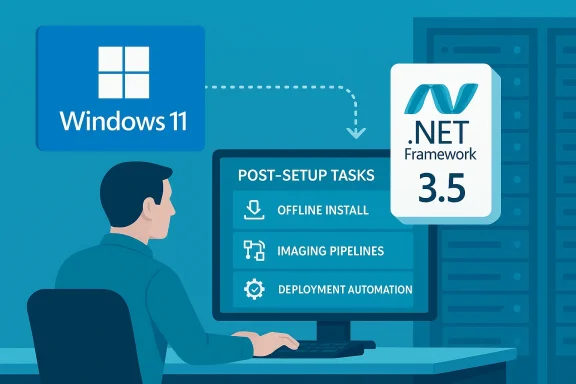
Microsoft announced that, starting with Windows 11 Insider Preview Build 27965, .NET Framework 3.5 is no longer available as a Windows Feature on Demand optional component and must be installed via a standalone installer. This is an intentional delivery-model change intended to encourage migration away from this legacy runtime as it approaches its end-of-support date. This move applies to Windows 11 going forward (Insider builds and future platform releases) and is not being backported to Windows 10. Microsoft’s documentation and installation guidance was updated to reflect the new installation behavior and to point customers to a standalone or offline installer for .NET Framework 3.5 when running affected Windows versions.
At the same time, the .NET lifecycle calendar remains the yardstick: .NET Framework 3.5’s support ends on January 9, 2029, which Microsoft uses as part of the rationale for the deployment change—moving the burden of distributing and installing the older runtime to customers and ISVs.
Why this matters (short version)
- Systems and applications that expect .NET Framework 3.5 to be present during OS installation or as a built-in optional component will now require a separate installation step after setup.
- Enterprise imaging, deployment pipelines (SCCM/MDT/Autopilot), recovery images, and container images will need updates to install 3.5 where required.
- For organizations with legacy apps that are not easily recompiled or retargeted, this increases operational complexity and patching overhead.
- From Microsoft’s perspective, the change nudges customers toward modern .NET (.NET 5+ / .NET 6/8/10 LTS) and reduces the shipped surface of legacy, long-lived binaries inside the Windows image.
Overview: what Microsoft changed and where it’s documented
The change itself
- Starting with Build 27965, .NET Framework 3.5 is no longer a Feature on Demand inside Windows 11 images; it’s now delivered via a standalone installer that administrators and users must run if they need the runtime. Microsoft’s Insider announcement explicitly lists this change in the “Changes and Improvements” section for the Canary channel release.
Official guidance and rationale
- Microsoft published guidance on how to install .NET Framework 3.5 on newer Windows releases and updated its Learn docs to note that the installer is the supported path for Build 27965 and later. The guidance also references the lifecycle end date for 3.5 as context for encouraging migrations.
Developer/engineering note from Microsoft
- The .NET team blog explained the platform decision and published details on installers, compatibility notes, and recommended migration paths to modern .NET. Microsoft frames the change as aligning the delivery model with the product lifecycle and its push toward modern .NET versions.
Technical implications (for IT pros and dev teams)
Deployment and imaging
- Previously, Windows deployment images could include .NET 3.5 as an optional Windows Feature on Demand (FOD) component; sysprepped images and offline Windows images could enable it at install time. With the switch, those image builds must either:
- Include the standalone .NET 3.5 installer and run it as a post-setup task, or
- Use post-image scripting to download and install the offline installer during provisioning.
- This affects Autopilot/OEM images, sealed reference images, and golden images used for VDI/VDM.
Update channels and servicing
- Patching and cumulative rollups historically distributed via Windows Update may continue for security fixes while 3.5 is in support, but distribution as an OS-delivered FOD is altered. Enterprises that used WSUS/SSU flows expecting FOD behavior should review their WSUS/patch policies and packaging so that 3.5 installs aren’t missed during provisioning. Microsoft Learn and the Microsoft Support notes clarify installation behavior and update paths.
Containers and server images
- Microsoft has warned and acted on low-usage container tags for .NET Framework 3.5: for example, publication of 3.5 container images for newer Windows Server versions has been reduced or stopped in places where usage is negligible, and the dotnet/announcements repo contains issues about no longer producing 3.5 images for newer Server tags. If you rely on prepackaged 3.5 container images, plan to build and maintain your own images or refactor apps to use supported runtimes.
Application compatibility
- Many legacy desktop applications and services still target .NET 3.5 or earlier TFMs and assume the runtime will be available on Windows by default. Removing automatic availability is likely to cause installation-time errors or runtime failures if installers or the apps themselves do not either:
- Detect and run the standalone installer when required, or
- Ship as self-contained with required dependencies.
Strategic analysis — benefits, trade-offs, and risks
Benefits (what Microsoft gets right)
- Smaller OS images, less legacy surface: Shipping fewer legacy binaries reduces image complexity and the attack surface shipped with Windows by default.
- Encourages modernization: By nudging customers away from in-box legacy runtimes, Microsoft increases pressure on ISVs and in-house teams to retarget applications to supported .NET LTS releases (.NET 8/10) that receive timely security updates.
- Cleaner servicing model: Delivering 3.5 as an optional standalone product fits the modern approach used with current .NET runtimes—distributed and serviced independently of OS major updates.
Trade-offs and operational costs
- Increased deployment complexity: Organizations must now incorporate a separate installation step for affected systems and update deployment automation (SCCM/Intune/WSUS/MDT).
- Potential recovery/repair friction: Offline recovery images and repair environments (WinRE, offline image deployment) may not have 3.5 preinstalled, complicating in-place repair or reimaging of systems requiring that runtime.
- Vendor compatibility headaches: Third-party vendor installers and legacy apps that assume the runtime is available could fail silently or prompt end-users to perform an extra instaelp-desk calls and user friction.
Security and compliance risks
- EOL exposure if customers delay migration: Because .NET Framework 3.5 support ends on January 9, 2029, leaving the runtime installed without a migration plan exposes environments to unpatched vulnerabilities after that date. Microsoft explicitly recommends migration off unsupported runtimes.
- Operational blind spots: Automated scanners and compliance tools must be tuned to detect where 3.5 is present and in use. Many organizations currently rely on inventory tooling that assumes OS-delivered runtimes; this change requires confirming runtime presence via post-deployment checks or application telemetry.
Practical guidance — what administrators should do now
Below is a prioritized checklist you can use right away.1. Inventory: Find what depends on .NET Framework 3.5
- Use application inventory tools (MSI/installer scanning) and endpoint management tools to list apps that require .NET 3.5.
- For running systems, detect loaded CLR assemblies or runtime DLLs (for modern .NET, coreclr.dll is present; for classic .NET Framework, check Windows registry under HKLM\SOFTWARE\Microsoft\NET Framework Setup\NDP\v3.5). Community guidance and Microsoft docs show practical discovery tactics.
2. Talk to vendors
- Contact third-party ISVs for mission-critical applications and confirm they support modern runtimes or will supply updated installers that either include 3.5 silently or provide migration guidance.
3. Update imaging and provisioning pipelines
- Add a post-setup task to your golden images and provisioning flows to:
1.) Check whether .NET Framework 3.5 is required by any installed package.
2.) If required, run the official standalone offline installer (distribute via your update infrastructure). - If you use offline or air-gapped environments, obtain and store the offline installer packages in your internal artifact repository.
4. Automate the installer
- For enterprise scale, wrap the offline installer in your deployment toolchain:
1.) Place .NET Framework 3.5 offline installer in a shared distribution point.
2.) Run it silently with logging (the package supports unattended install options).
3.) Verify success via exit codes and post-install registry checks.
5. Plan migration and retirement
- For each dependent application, create a migration plan:
- Retarget and rebuild to a supported modern .NET if possible (this is the recommended long-term path).
- If not possible, isolate and harden systems still using 3.5, and schedule them for decommission or replacement before January 9, 2029.
6. Update container strategies
- If you rely on published container images with 3.5, begin maintaining your own base images that include the runtime or refactor applications to newer supported runtimes. The dotnet team has signalled reduced publishing for 3.5 images for newer Server tags, so count on needing to manage these images yourself.
Step-by-step: Example offline installer workflow (high level)
- Identify systems that require .NET 3.5 based on application inventory.
- Place the official .NET Framework 3.5 offline installer on an internal distribution point (SCCM/WSUS share or internal file server).
- In your provisioning sequence, run the offline installer with the silent switch and capture logs:
- Start install: run the installer with the silent/unattended option.
- Monitor exit code and log file for success/failure.
- Reboot if required.
- Validate by confirming registry keys or Feature state (DISM / Get-WindowsOptionalFeature may show presence depending on install method).
- Record the system state to inventory (so compliance scans know the system intentionally includes 3.5).
How this fits into the broader .NET timeline
- .NET Framework 3.5 was released in 2007 (3.5 SP1 in 2008) and has reached late-life statusl lifecycle documentation lists January 9, 2029 as the end of support date for .NET Framework 3.5 SP1. Organizations should treat that date as a hard deadline for migration planning.
- Meanwhile, the modern cross-platform .NET family continues rapid cadence: .NET 10.0 shipped in November 2025 and is the current LTS release that Microsoft recommends for new development and long-term support. The .NET team’s release notes and support policy document the LTS/STS cadence and recommended upgrade paths.
- Microsoft’s overall posture has shifted in recent years: while older .NET Framework releases continued to receive security and reliability patches even after the modern .NET’s arrival, the company is now actively decoupling legacy framework distribution from the OS to accelerate modernization and reduce in-box legacy code. The change to 3.5’s delivery model is a concrete example of that shift.
What to watch for (short-term signals and red flags)
- Canary/Insider behavior may presage stable-channel changes: If you run Insider builds, note the behavior now; stable channel will follow in feature release cycles such as the expected 26H1 feature release. Confirm exact timelines in Microsoft release notes before planning mass rollouts.
- App failures tied to autoloading older CLR DLLs: Some community reports show apps failing when the in-box autoload behavior changes; vendors may need to repackage installers or provide migration paths. Administrators should monitor helpdesk tickets for sudden spikes in runtime-related errors.
- Container image availability: If you rely on Microsoft-published 3.5 container images for CI/CD, be prepared to maintain your own images or to migrate workloads off those images where feasible.
Final assessment — what this means for Windows administrators and developers
Microsoft’s decision to stop shipping .NET Framework 3.5 as a Windows Feature on Demand is a pragmatic but disruptive step. It aligns product delivery with lifecycle policy and pushes the ecosystem toward supported, modern runtimes. For organizations, the path forward is straightforward in principle but operationally heavy:- Short term: update deployment pipelines, automate the standalone installer, and maintain clear inventories of dependent applications.
- Medium term: pressure vendors and internal teams to retarget applications to modern .NET LTS releases.
- Long term: decommission and remove 3.5 dependencies well ahead of the January 9, 2029 end-of-support date to avoid unpatched exposure.
Quick checklist (for distribution to ops teams)
- [ ] Inventory all apps that target .NET Framework 3.5.
- [ ] Contact third-party vendors to confirm support or migration plans.
- [ ] Add offline .NET 3.5 installer to provisioning repositories.
- [ ] Update SCCM/Intune/Autopilot/WSUS packaging to include a post-setup install step.
- [ ] Test provisioning in lab images and validate app compatibility after install.
- [ ] Create a migration roadmap to remove 3.5 dependencies before Jan 9, 2029.
- [ ] Document exceptions and isolate high-risk legacy systems.
Microsoft’s change is not just a packaging tweak — it’s a signal that legacy runtimes are being actively decoupled from the OS lifecycle. For administrators and dev teams, the work is clear: inventory, automate, and migrate. Those who act now will avoid the scramble and compliance headaches that come with last-minute remediation; those who wait will find themselves running unsupported runtimes on a ticking clock.
Source: heise online Microsoft decouples .NET Framework 3.5 from Windows
