

Microsoft is trying to do something subtle but important with Windows 11: make the platform more attractive to AI developers without forcing AI down every user’s throat. The latest taskbar and search changes point to a more modular strategy, where AI agents can plug into the Windows experience through APIs rather than appearing as mandatory, system-wide bloat. That distinction matters, because it suggests Microsoft is learning from the backlash to earlier AI pushes and is now aiming for opt-in intelligence instead of omnipresent features.
Microsoft’s recent AI strategy has moved through several distinct phases. First came broad consumer-facing features, many of them attached to Copilot branding, followed by a wave of Copilot+ PC exclusives and on-device AI capabilities that were intended to make Windows 11 feel like the natural home for AI on the PC. The problem, as Microsoft has now learned, is that not every AI feature lands the same way with users, especially when it feels imposed instead of requested.
At the same time, Microsoft has been working more aggressively with developers. At Build 2025, the company announced new AI platform capabilities for Windows, including semantic search and knowledge-retrieval APIs, plus support for agentic scenarios that allow Windows apps to participate in more intelligent workflows. Microsoft framed this as a way to make Windows a better dev box in the age of AI, and the company explicitly positioned these APIs as infrastructure, not just visible end-user features.
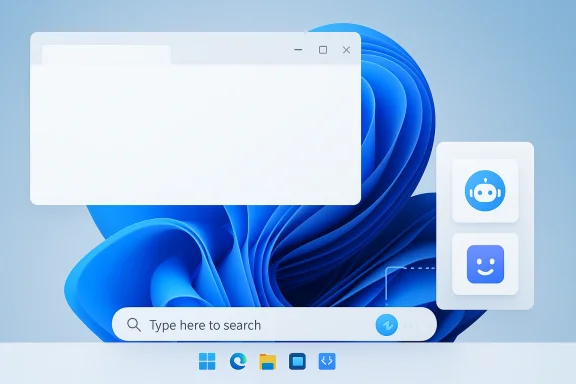
That developer-first direction helps explain why the current taskbar work looks different from the noisy AI experiments users have sometimes criticized. Microsoft’s newer approach is to create a shell-level framework that lets apps register AI agents and make them discoverable in Windows experiences like Search or the taskbar. In the official Windows Insider material, Microsoft describes Agent Launchers as a standardized way for apps to expose interactive AI agents across the system, with support for registration at install time or runtime.
The timing is also important. The company has spent the past year defending AI integration in Windows while simultaneously trying to improve fundamentals and calm users who feel the operating system is drifting away from reliability and polish. Microsoft’s March 2026 commitment to Windows quality specifically said the company would be more intentional about where it integrates Copilot, focusing on experiences that are genuinely useful and well-crafted. That is a notable shift from the earlier tone of AI everywhere, all at once.
That makes this a platform capability, not a forced consumer feature. The system is essentially learning how to treat AI agents the same way it already treats apps, tasks, and other shell-level integrations. Microsoft has even shown that agents can appear with progress states and task feedback in the taskbar, so users can track a long-running AI action without losing context.
It also means Microsoft can standardize how AI surfaces in Windows rather than letting every third-party developer invent its own mini-launcher, floating window, or browser-based chat panel. Consistency is a powerful thing in UX, especially on a desktop OS where muscle memory matters. A common entry point can simplify the user experience even when the underlying AI services differ.
There is also a practical competitive angle. Apple’s platform messaging has leaned hard into on-device intelligence, tight integration, and polished UX, and that has helped the Mac feel like a more coherent home for some modern AI workflows. Microsoft’s task is different: Windows has far more hardware diversity and a much more complicated legacy, which makes seamless AI integration harder and user backlash more likely.
That same logic explains the company’s emphasis on on-device and local-capable AI capabilities. Microsoft has invested in Windows AI Foundry, Windows ML, and inbox models because it understands that platform stickiness comes from giving developers real building blocks, not just marketing language. The shell-level agent work is just one more layer in that stack.
The company appears to recognize that problem now. Its recent messaging has leaned much more heavily on focus and craft, and it has even talked about removing unnecessary Copilot entry points from some Windows apps. That is a telling move, because it suggests Microsoft sees value in cutting noise before adding new AI surfaces.
The taskbar work is therefore as much a communications exercise as a product exercise. Microsoft has to explain that these are hooks for developers, not another layer of assistant chrome for everyone. If the company fails to draw that line, it risks turning an otherwise rational platform update into another symbol of AI overreach.
Mac has enjoyed a cleaner narrative because Apple users have historically been more receptive to tightly integrated experiences, especially when the hardware and software stack are highly controlled. Windows, by contrast, has to serve gamers, enterprises, hobbyists, legacy software users, and power users all at once. That diversity is a strength, but it also makes every platform-level AI move a potential lightning rod.
If that works, Windows gains a new kind of moat: not merely the installed base, but the developer framework. Developers who build for Windows shell integration, taskbar surfaces, and on-device AI may be less likely to leave for another platform. If it fails, Microsoft ends up with more demos than durable ecosystem advantage.
For enterprises, the implications are more interesting. A standardized AI surface in Windows can help IT teams and software vendors build consistent workflows around task completion, search, and contextual assistance. It also allows organizations to think in terms of approved agents and governed interactions rather than a free-for-all of disconnected AI tools.
The consumer side, by contrast, will likely be judged on polish and restraint. A beautiful framework that still feels confusing will not help Microsoft much if regular users perceive it as AI theater. The company needs both camps to see value, but the tolerances are different: enterprises want governance, while consumers want simplicity.
This stack matters because it gives developers options. They can use local APIs for privacy-sensitive tasks, semantic search for better retrieval, or shell integration for discoverability and user flow. Microsoft is clearly betting that AI development on Windows will reward layered tooling rather than a single monolithic assistant model.
At the same time, Microsoft’s framework is only as good as its adoption. If enough developers do not use the APIs, the taskbar integration becomes a showcase without a market. If they do use them, Windows could quietly become the most important launch surface for everyday AI workflows on the PC.
There is also a product-design advantage to making AI feel native. If the taskbar, Search, File Explorer, and other Windows surfaces can speak the same language, users may begin to understand AI as a normal part of the operating system rather than an external service. That familiarity can lower friction and make AI use less intimidating for mainstream users.
If Microsoft keeps the surface area tight and the default state quiet, it could convert skepticism into acceptance over time. The formula is straightforward: fewer surprises, more usefulness, and clearer user control. Those are the ingredients that can make an AI platform feel mature instead of noisy.
The less optimistic scenario is just as easy to imagine. If Microsoft keeps layering AI language onto Windows without continuing to tighten quality and reduce noise, users will keep pushing back and developers may still favor cleaner ecosystems elsewhere. In other words, the success of this taskbar work depends as much on restraint as it does on ambition.
Source: Windows Central Microsoft is finally adding the right kind of AI support to Windows 11
 Background
Microsoft’s recent AI strategy has moved through several distinct phases. First came broad consumer-facing features, many of them attached to Copilot branding, followed by a wave of Copilot+ PC exclusives and on-device AI capabilities that were intended to make Windows 11 feel like the natural home for AI on the PC. The problem, as Microsoft has now learned, is that not every AI feature lands the same way with users, especially when it feels imposed instead of requested.At the same time, Microsoft has been working more aggressively with developers. At Build 2025, the company announced new AI platform capabilities for Windows, including semantic search and knowledge-retrieval APIs, plus support for agentic scenarios that allow Windows apps to participate in more intelligent workflows. Microsoft framed this as a way to make Windows a better dev box in the age of AI, and the company explicitly positioned these APIs as infrastructure, not just visible end-user features.
That developer-first direction helps explain why the current taskbar work looks different from the noisy AI experiments users have sometimes criticized. Microsoft’s newer approach is to create a shell-level framework that lets apps register AI agents and make them discoverable in Windows experiences like Search or the taskbar. In the official Windows Insider material, Microsoft describes Agent Launchers as a standardized way for apps to expose interactive AI agents across the system, with support for registration at install time or runtime.
The timing is also important. The company has spent the past year defending AI integration in Windows while simultaneously trying to improve fundamentals and calm users who feel the operating system is drifting away from reliability and polish. Microsoft’s March 2026 commitment to Windows quality specifically said the company would be more intentional about where it integrates Copilot, focusing on experiences that are genuinely useful and well-crafted. That is a notable shift from the earlier tone of AI everywhere, all at once.
What Microsoft Is Actually Adding
The headline change is not that every Windows 11 PC will suddenly begin running an always-on chatbot in the taskbar. Instead, Microsoft is exposing a framework that allows developers to hook their AI agents into the Windows shell. In the most concrete example, the taskbar and search experience can surface agents through the Ask Copilot entry point, but only when an app has registered an agent and the user is actually interacting with that AI-enabled experience.That makes this a platform capability, not a forced consumer feature. The system is essentially learning how to treat AI agents the same way it already treats apps, tasks, and other shell-level integrations. Microsoft has even shown that agents can appear with progress states and task feedback in the taskbar, so users can track a long-running AI action without losing context.
Why this matters
The significance here is less about visuals and more about plumbing. If Microsoft gets the framework right, developers can build AI tools that feel native to Windows instead of bolted on top of it. That could reduce friction, improve discoverability, and make AI features feel like part of the operating system rather than a separate app users have to remember to open.It also means Microsoft can standardize how AI surfaces in Windows rather than letting every third-party developer invent its own mini-launcher, floating window, or browser-based chat panel. Consistency is a powerful thing in UX, especially on a desktop OS where muscle memory matters. A common entry point can simplify the user experience even when the underlying AI services differ.
- The feature is centered on developer APIs, not mandatory user-facing AI.
- AI agents can be discovered through Windows experiences like Search and the taskbar.
- The design is meant to preserve user control and reduce clutter.
- Long-running agent tasks can show progress in the shell.
- The framework is intended to be shared across supporting apps and experiences.
Why Microsoft Is Doing This Now
Microsoft’s timing is driven by competition and platform relevance. AI software innovation is increasingly tied to where developers can deploy intelligent workflows fastest, and Microsoft clearly does not want Windows to become a passive host for other ecosystems while Mac picks up the momentum. The company has been signaling for months that Windows must be more than a traditional OS if it wants to remain the preferred dev platform in an AI-first era.There is also a practical competitive angle. Apple’s platform messaging has leaned hard into on-device intelligence, tight integration, and polished UX, and that has helped the Mac feel like a more coherent home for some modern AI workflows. Microsoft’s task is different: Windows has far more hardware diversity and a much more complicated legacy, which makes seamless AI integration harder and user backlash more likely.
Developer gravity is the real prize
What Microsoft really wants is developer gravity. If AI builders think Windows is the best place to expose intelligent workflows, then the rest of the ecosystem follows: apps, services, peripherals, management tools, and enterprise deployment patterns all begin to align around Windows. That is why Microsoft keeps emphasizing APIs, local models, and standardized frameworks instead of only talking about flashy demo features.That same logic explains the company’s emphasis on on-device and local-capable AI capabilities. Microsoft has invested in Windows AI Foundry, Windows ML, and inbox models because it understands that platform stickiness comes from giving developers real building blocks, not just marketing language. The shell-level agent work is just one more layer in that stack.
- Microsoft wants Windows to be the default place where AI developers ship.
- The taskbar framework is meant to create platform lock-in through utility, not coercion.
- Apple’s AI momentum increases the pressure on Windows to offer native alternatives.
- Developer adoption matters more than one-off headline features.
- A common shell framework can reduce fragmentation across AI apps.
The User-Backlash Problem
Microsoft’s hardest challenge is not technical; it is emotional. A meaningful segment of Windows users has made it clear that they do not want AI features inserted into every corner of the OS, especially if those features feel speculative, redundant, or intrusive. That is why even a developer-facing change can trigger strong reactions: people have become primed to assume that any AI mention means more clutter, more prompts, or more resource usage.The company appears to recognize that problem now. Its recent messaging has leaned much more heavily on focus and craft, and it has even talked about removing unnecessary Copilot entry points from some Windows apps. That is a telling move, because it suggests Microsoft sees value in cutting noise before adding new AI surfaces.
Why the distinction matters
If Microsoft can make a clear distinction between an opt-in agent platform and a forced AI experience, the company has a better chance of winning back trust. Users generally tolerate platform capabilities they never touch. What they resist is a system that behaves as if AI is the default answer to every interaction. That difference is everything.The taskbar work is therefore as much a communications exercise as a product exercise. Microsoft has to explain that these are hooks for developers, not another layer of assistant chrome for everyone. If the company fails to draw that line, it risks turning an otherwise rational platform update into another symbol of AI overreach.
- User backlash is often driven by perception before functionality.
- Microsoft must keep the feature opt-in and low-noise.
- Clear messaging will matter almost as much as the code.
- Removing clutter from other apps helps make this strategy credible.
- The more invisible the framework is to non-users, the better.
The Competitive Landscape
The Windows-versus-Mac framing is more than a marketing storyline. It reflects a real struggle for developer mindshare in a period when the most exciting software work is happening around AI tooling, not just in classic desktop apps. If AI builders conclude that Windows is awkward for these workflows, Microsoft risks losing some of the future app economy to competing platforms.Mac has enjoyed a cleaner narrative because Apple users have historically been more receptive to tightly integrated experiences, especially when the hardware and software stack are highly controlled. Windows, by contrast, has to serve gamers, enterprises, hobbyists, legacy software users, and power users all at once. That diversity is a strength, but it also makes every platform-level AI move a potential lightning rod.
Windows is trying to be the AI platform, not just an AI app host
The strategic difference is subtle but crucial. Microsoft is not just trying to ensure Copilot works on Windows; it wants Windows itself to be the substrate on which AI experiences are built. That is why features such as semantic search, agent launchers, and local model support all point toward an ecosystem where AI is woven into the operating system’s plumbing.If that works, Windows gains a new kind of moat: not merely the installed base, but the developer framework. Developers who build for Windows shell integration, taskbar surfaces, and on-device AI may be less likely to leave for another platform. If it fails, Microsoft ends up with more demos than durable ecosystem advantage.
- The real rivalry is for AI developer attention.
- Apple benefits from a more controlled platform story.
- Windows must reconcile broad hardware support with modern AI integration.
- Platform-level AI APIs are more valuable than single features.
- Developer ecosystem lock-in is the long-term prize.
Enterprise Versus Consumer Impact
For consumers, the biggest benefit is optionality. Users who rely on AI tools will get more seamless access to those tools, and users who do not care about AI should be able to ignore the framework entirely. That is the ideal outcome, and it is clearly what Microsoft is aiming for with an agent launcher model that stays dormant unless an app participates.For enterprises, the implications are more interesting. A standardized AI surface in Windows can help IT teams and software vendors build consistent workflows around task completion, search, and contextual assistance. It also allows organizations to think in terms of approved agents and governed interactions rather than a free-for-all of disconnected AI tools.
Enterprise implications
Microsoft’s enterprise story is strongest when AI is tied to compliance, control, and productivity. If the taskbar can become an entry point to registered enterprise agents, that could reduce training burden and improve discoverability for internal tools. It also lines up with Microsoft’s broader emphasis on managed AI, Microsoft 365 Copilot, and agent orchestration within business environments.The consumer side, by contrast, will likely be judged on polish and restraint. A beautiful framework that still feels confusing will not help Microsoft much if regular users perceive it as AI theater. The company needs both camps to see value, but the tolerances are different: enterprises want governance, while consumers want simplicity.
- Consumers want AI only when it is useful.
- Enterprises want standardized and governable AI entry points.
- Taskbar integration can improve discoverability for approved agents.
- IT administrators will care about control more than novelty.
- A single framework can reduce training and support complexity.
How This Fits the Broader Windows AI Stack
The taskbar work does not exist in isolation. It fits into a larger Windows AI stack that now includes Windows AI Foundry, Windows ML, inbox model APIs, semantic search, and support for agentic interactions. Microsoft has been building the foundation for local and hybrid AI experiences since at least the Windows Copilot Runtime announcements in 2024, and the 2025 Build and Insider updates show that effort accelerating.This stack matters because it gives developers options. They can use local APIs for privacy-sensitive tasks, semantic search for better retrieval, or shell integration for discoverability and user flow. Microsoft is clearly betting that AI development on Windows will reward layered tooling rather than a single monolithic assistant model.
The architecture story
A healthy platform does not force every developer into the same pattern. Instead, it offers primitives that can be assembled into different experiences depending on the app, the hardware, and the user’s permission model. That is exactly what Microsoft seems to be doing with these Windows AI capabilities, and it is a smarter strategy than simply plastering Copilot everywhere.At the same time, Microsoft’s framework is only as good as its adoption. If enough developers do not use the APIs, the taskbar integration becomes a showcase without a market. If they do use them, Windows could quietly become the most important launch surface for everyday AI workflows on the PC.
- Windows AI is becoming a layered platform stack.
- Local APIs support privacy and performance.
- Semantic search improves natural-language retrieval.
- Taskbar integration helps with discoverability.
- Adoption will determine whether the framework matters in practice.
Why This Could Work
Microsoft’s strongest argument is that it is finally aligning AI with real user behavior. People do not want random AI interruptions, but they do want tools that are available when they decide to use them. A discoverable, opt-in, system-level agent framework fits that pattern much better than the earlier tendency to inject Copilot into every app and panel.There is also a product-design advantage to making AI feel native. If the taskbar, Search, File Explorer, and other Windows surfaces can speak the same language, users may begin to understand AI as a normal part of the operating system rather than an external service. That familiarity can lower friction and make AI use less intimidating for mainstream users.
A more believable Windows AI story
This is where Microsoft may finally have a compelling narrative: not that Windows is becoming an AI gimmick machine, but that it is becoming a platform where intelligent apps can live more naturally. The company has a better chance of winning users over if it frames AI as infrastructure for productivity, search, and app actions. That is a much more credible pitch.If Microsoft keeps the surface area tight and the default state quiet, it could convert skepticism into acceptance over time. The formula is straightforward: fewer surprises, more usefulness, and clearer user control. Those are the ingredients that can make an AI platform feel mature instead of noisy.
- Opt-in AI is easier to defend than mandatory AI.
- Native integration can make AI feel more trustworthy.
- Consistency across Windows surfaces improves usability.
- A restrained approach may reduce backlash.
- Microsoft’s platform story is stronger when it feels practical.
Strengths and Opportunities
Microsoft has a real opportunity to turn Windows into a more useful AI platform without alienating the core user base. The key is that the new taskbar support appears to be a framework rather than a forced feature, which gives the company room to expand developer adoption while preserving user choice. That balance could become one of Windows 11’s most important advantages if Microsoft executes it carefully.- Developer discoverability could improve if AI agents are exposed through a familiar Windows surface.
- Taskbar integration can make AI workflows feel native instead of bolted on.
- Opt-in behavior reduces the risk of user backlash.
- Enterprise governance becomes easier when agents are registered and standardized.
- Local AI infrastructure supports privacy-sensitive and performance-sensitive use cases.
- Ecosystem stickiness may increase if developers build around Windows-specific shell capabilities.
- User education gets simpler when AI actions are surfaced in one predictable place.
Risks and Concerns
The biggest risk is that Microsoft will still be perceived as overcorrecting toward AI, even when the technical implementation is restrained. Public trust is fragile here, and the company has already spent years trying to convince users that its AI additions are helpful rather than intrusive. If the messaging is muddled, the nuance of an API-based approach may be lost entirely.- Miscommunication could make a developer API look like bloat.
- Low adoption would leave the framework impressive but underused.
- Fragmentation could return if developers implement AI surfaces inconsistently.
- Security and privacy concerns will follow any agentic UI integration.
- Performance overhead may worry users even if they never enable the feature.
- Backlash fatigue could make even sensible AI improvements politically difficult.
- Competitive pressure from Mac and other platforms may still outpace Windows if execution lags.
Looking Ahead
The next few months will tell us whether Microsoft’s strategy is a genuine course correction or just another phase in the company’s long AI rollout. The best case is clear enough: developers adopt the new agent-launcher model, Windows gains better AI-native apps, and users barely notice the plumbing unless they want to use it. That would be the ideal outcome for a platform that needs to evolve without becoming annoying.The less optimistic scenario is just as easy to imagine. If Microsoft keeps layering AI language onto Windows without continuing to tighten quality and reduce noise, users will keep pushing back and developers may still favor cleaner ecosystems elsewhere. In other words, the success of this taskbar work depends as much on restraint as it does on ambition.
- Watch for broader rollout details in Windows Insider builds.
- Monitor whether third-party developers actually register agents.
- See whether Microsoft keeps trimming redundant Copilot entry points.
- Track enterprise adoption of taskbar-based AI workflows.
- Pay attention to user feedback on discoverability versus clutter.
Source: Windows Central Microsoft is finally adding the right kind of AI support to Windows 11
