

Windows 11 is technically solid — fast on modern hardware, secure by default, and the beneficiary of years of engineering improvements — yet an increasingly loud chorus of Windows users say they no longer trust Microsoft. What began as gripes about single features has hardened into a broader perception problem: users feel their agency is shrinking and that Microsoft’s roadmap prioritizes product marketing, AI evangelism and ecosystem nudges over predictable, user-centered operating system stewardship. The “Patch Tuesday” regressions that forced multiple emergency fixes in January 2026 crystallized this disconnect: technical competence isn’t enough when communications, defaults and control models erode confidence. m])
Windows’ engineering pedigree is real. For many users, Windows 11 delivers measurable security and performance wins on modern silicon, and features like virtualization-based protections, BitLocker by default on many devices, and more refined subsystems are substantive improvements. But the public conversation has shifted: the day-to-day trust relationship between the company and its users is now front-and-center. What used to be isolated UX complaints — a harder-to-configure setting here, an annoying prompt there — has accumulated into a narrative that Microsoft is moving from "operating system" toward "platform-as-sales-channel" and, increasingly, an “agentic” OS that acts on users’ behalf. Tfair or not, has real consequences for retention, enterprise rollout decisions, and brand perception.
The specific triggers are familiar across enthusiast forums and enterprise mailing lists: surprise UI changes (taskbar / Start), in-OS promotions and suggested apps, telemetry opacity, AI features installed or enabled by default, and updates that introduce regressions. Each alone is irritating; together they constitute a perceived pattern: Microsoft sains, and users discover changes when they stumble over them.
Why this matters: when an update breaks fundamental behaviors like the shutdown flow or remote access, confidence evaporates. IT teams delay rollouts, home users disable automatic updates, and some organizations contemplate alternative endpoints — an expensive and avoidable consequence when update hygiene and communications could have been stronger.
On the other hand, the pattern of reactive fixes rather than anticipatory design leaves open the question of whether product incentives (engagement metrics, ecosystem growth) are outpacing engineering discipline. Messaging missteps — such as the “agentic OS” phrasing — and visible lapses in update quality management make it easy for critics to amplify concerns. Restoring trust requires sustained, measurable change: fewer high-impact regressions, clearer defaults, stronger opt-in norms for agentic features, and a demonstrable respect for the user’s right to control their device.
Microsoft has the technical resources to deliver these changes. The missing ingredient is the consistent product discipline and public accountability that make an operating system feel like something you control rather than something that controls you. If Microsoft pairs its engineering muscle with a principled, user-oriented release discipline and a transparent communication strategy, the company can close the trust gap and restore the quiet confidence that made Windows a dependable platform for decades.
Source: filmogaz.com Why Windows Users Distrust Microsoft
 Background / Overview
Windows’ engineering pedigree is real. For many users, Windows 11 delivers measurable security and performance wins on modern silicon, and features like virtualization-based protections, BitLocker by default on many devices, and more refined subsystems are substantive improvements. But the public conversation has shifted: the day-to-day trust relationship between the company and its users is now front-and-center. What used to be isolated UX complaints — a harder-to-configure setting here, an annoying prompt there — has accumulated into a narrative that Microsoft is moving from "operating system" toward "platform-as-sales-channel" and, increasingly, an “agentic” OS that acts on users’ behalf. Tfair or not, has real consequences for retention, enterprise rollout decisions, and brand perception.The specific triggers are familiar across enthusiast forums and enterprise mailing lists: surprise UI changes (taskbar / Start), in-OS promotions and suggested apps, telemetry opacity, AI features installed or enabled by default, and updates that introduce regressions. Each alone is irritating; together they constitute a perceived pattern: Microsoft sains, and users discover changes when they stumble over them.
What Broke Trust: The Concrete Complaints
1) Update reliability — the “Patch Tuesday” shock
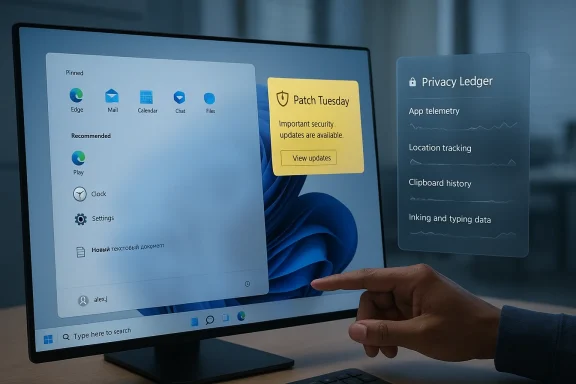
January 2026’s Patch Tuesday exposed why trust is fragile. Regular cumulative updates released by Microsoft on January 13 introduced high-impact regressions affecting shutdown/hibernation behavior and Remote Desktop authentication, forcing Microsoft to issue out-of-band (OOB) fixes within days. Those interim fixes then caused downstream problems for Outlook, OneDrive and other cloud clients, prompting yet another OOB release (KB5078127) to try to stitch the platform back together. That sequence — a security update that introduced system-wide regressions, emergency fixes that caused collateral damage, and multiple subsequent fixes — created a visible timeline of cascading remediation rather than a clean rollback or clearer staging. For administrators and cautious users that’s not just an annoyance; it’s a concrete operationWhy this matters: when an update breaks fundamental behaviors like the shutdown flow or remote access, confidence evaporates. IT teams delay rollouts, home users disable automatic updates, and some organizations contemplate alternative endpoints — an expensive and avoidable consequence when update hygiene and communications could have been stronger.
2) Forced UI changes and loss of control
Longtime users report repeated changes to the taskbar and Start menu that feel forced and poorly signposted. From fixed-centered taskbaecommendations that surface promoted apps, users complain these are changes they find after the fact, not during a transparent preview-and-opt-in process. That perception — of features appearing unbidden — undermines the implied contract that software should behave consistently and predictably unless the user explicitly consents.3) Ads, promotions and the OS-as-marketing-channel
Users routinely report seeing sponsored or suggested content inside Start, Settings and File Explorer. Even when toggles exist to disable suggestions, the default experience frequently includes promotions tied to Microsoft services or partart menu is not advertising real estate; it’s a workspace. Seeing “suggested apps” or partner promotions in that context reads as a monetization play inside a space where users historically expect privacy and utility. That sense of being marketed to inside the OS is a persistent trust tax.4) AI — opt-out defaults, surprise integrations, and the “agentic OS” debate
Microsoft’s push to integrate Copilot-style AI across Windows has been ambitious. Features like Copilot, in-OS AI suggestions, and the more controversial “Recall” memory (a local desktop snapshot index intended to make previously viewed content searchable) raised privacy and consent concerns. Microsoft moved to rearchitect Recall as an opt-in experience that requires Windows Hello enrollment, TPM-backed encryption and VBS enclave protections — concrete mitigations that addressed many technical critics — but the initial rollout and messaging left scars. The broader rhetoric about Windows “evolving into an agentic OS” triggered a social backlash: many users read “agentic” as software that will act autonomously, potentially overriding user intent. Microsoft’s executives acknowledged the tone of the feedback, but the damage to perception had already been done.5) Telemetry, opaque settings and fragmented controls
Telemetry is essential for diagnosing prordware matrix. The complaint is not “telemetry exists” but that diagnostic categories, collection levels and how data are used feel opaque. Users want a single, discoverable control plane and a privacy ledger — a human-readable, continuous log of what leaves their device. Fragmented settings across Settings, Control Panel, Group Policy and registry keys increase the cognitive burden and make it hard to verify that a preference has the intended effecls suspicion.6) Insider feedback that seems to vanish
Windows Insider participants report that feedback they file often does not produce visible change or acknowledgement. When community-sourced telemetry and user-reported regressions do not result in transparent responses or clear roadmaps, users feel ignored — and that amplifies any sense of unilateral change by the company. Restoring faith in the Insider process is therefore both symbolic and practical.Microsoft’s Response — Engineering Fixes and Messaging Adjustments
Microsoft did not ignore the backlash. Across late 2024–2025 and into 2026, the company took steps tha- Recall was reworked as an opt-in feature with Windows Hello and TPM-based protections, and Microsoft published architecture and security posts explaining the changes. Those explanations emphasized local processing, encryption, and VBS enclave isolation.
- The company paused or dialed back the most intrusive upgrade prompts and signaled a more cautious approach to in‑OS upgrade marketing after user pushback.
- After January 2026’s update incidents, Microsoft issued multiple out‑of‑band fixes and published KB guidance and release health notes to help admins triage and roll back problematic updates. That responsiveness is necessary; the optics and sequencing, however, remain problematic.
Strengths Worth Protecting
Before cataloguing remedies, it’s worth acknowledging what Micr.- Robust platform engineering: With modern hardware, Windows 11’s security posture and performance improvements matter for everyday users and enterprises alike. Those gains are the reason Windows remains the default in many sectors.
- Investment in security architectures for risky features: Recall’s shift to Tections shows Microsoft can design technically sound mitigations when it chooses to prioritize risk.
- Distribution and ecosystem power: Microsoft ha the ability to roll out fixes, patches and new capabilities at scale is a competitive advantage when it’s used with restraint and clarity.
The Risks That Remain
- Reputational erosion: repeated high-impact regressions, intrusive upgrades, and perceived monetization inside UI surfaces can produce long-lasting, slow-motion churn of influence. Power users and admins set advice norms; if they recommend alternatives, small defections compound.
- Regulatory and enterprise scrutiny: features that capture or index user context — even when processed locally — invite deeper scrutiny from privacy regulators, especially in Europe and the UK. Enterprise adoption of agentic features will lag without stronger admin controls and auditable logs.
- Fragmentation and support burdens: hardware gating for Windows 11 and the Windows 10 end-of-support timeline (Windows 10 reached end of support on October 14, 2025) create a bifurcated installed base that complicates testing and slows unified progress.
A Practical Roadmap: What Microsoft Should Do Next (“Windows Social Contract”)
Trust is not a product feature — it’s a set of consistent behaviours and expectations. Here’s a pragmatic, non‑radical “Windows Social Contract” Microsoft could adopt to rebuild confidence.- Eliminate ads from the core system UI
- Remove sponsored tiles and promoted content from Start, Search and file management surfaces in the default experience.
- If the company must experiment with promotions, confine them to an explicitly opt-in Microsoft Store “Discover” pane, not the primary Start or system surfaces.
- Disallow forced feature rollouts without clear opt-in for sensitive or agentic features
- Features that index user context or operate on behalf of the user should be opt-in by default.
- Make uninstall/removal trivial and visible in Settings > Apps & features.
- Centralize and simplify privacy and telemetry controls
- Offer a single authoritative Privacy & Telemetry control panel with a human-readable “privacy ledger” that shows recent outbound telemetry events and why they were sent.
- Provide exportable logs for enterprise audit purposes.
- Improve update staging, release health and transparent timelines
- Publish a concise, auditable Release Health scorecard showing regressions per servicing cycle and remediation timelines.
- Expand phased rollouts and highlight safeguard IDs earlier and more prominently.
- Revitalize the Insider program as a true participatory pipeline
- Treat Insider feedback as first-class input with public changelogs that map feedback reports to changes or a reasoned rejection.
- Use public early-warning dashboards for features with high privacy or reliability risk.
- Make AI integrations controllable and explainable
- Any agentic-capable featu explicit “what it does / what it stores / how to remove it” summary during OOBE (out-of-box experience).
- Provide a “safe mode” (expert mode) that prioritizes deterministic behavior, minimal background services and conservative defaults for agents.
What Users and IT Pros Can Do Today
While Microsoft implements cultural and process changes, users and administrators can take pragmatic steps to protect their envirction.- Audit your defaults immediately:
- Disable “Occasionally show suggestions in Start” and other suggested app toggles in Settings > Personalization > Start.
- Harden sensitive features:
- Keep Windows Hello enabled and require it for access to agentic features. For enterprise, control Recall enrollment via group policy and device configuration.
- Stage updates in rings:
- Use phased deployments and pilot groups that reflect production device diversity. Subscribe to Microsoft Release Health and safeguard IDs to detect compatibility holds early.
- Use available controls to suppress consumer experiences:
- On Pro/Enterprise devices, disable “Microsoft consumer experiences” via Group Policy or the registry to suppress many upsell flows.
- Demand auditability:
- Request audit logging and clear deletion flows for any feature that indexes local content. For enterprises, insist on admin toggles and documented threat models before enabling new agentic capabilities.
How to Read Microsoft’s Recent Actions — A Balanced View
Microsoft’s trajectory reveals both good and worrying signs. On one hand, when confronted with clear privacy and reliability concerns — Recall and the January 2026 update mishaps among them — the company adjusted course: hardening security postures, making sensitive features opt-in, and issuing rapid patches. That responsiveness matters; it shows Microsoft can act and that leadership is at least partly listening.On the other hand, the pattern of reactive fixes rather than anticipatory design leaves open the question of whether product incentives (engagement metrics, ecosystem growth) are outpacing engineering discipline. Messaging missteps — such as the “agentic OS” phrasing — and visible lapses in update quality management make it easy for critics to amplify concerns. Restoring trust requires sustained, measurable change: fewer high-impact regressions, clearer defaults, stronger opt-in norms for agentic features, and a demonstrable respect for the user’s right to control their device.
Conclusion
Windows 11 is not failing on engineering grounds alone: it remains fast, secure, and capable. The crisis is social and procedural. Users do not trust Microsoft as much as they used to because the company has, at times, prioritized aggressive feature rollouts, in‑OS promotions and AI-first narratives over predictable defaults, clear consent flows and transparent communication. Repairing that trust will not come from a single blog post or a narrow fix. It will require a renewed social contract — clearer opt-in models, centralized privacy controls, auditable telemetry, conservative update staging and a recommitment to treating the OS as a user-first platform, not a marketing channel.Microsoft has the technical resources to deliver these changes. The missing ingredient is the consistent product discipline and public accountability that make an operating system feel like something you control rather than something that controls you. If Microsoft pairs its engineering muscle with a principled, user-oriented release discipline and a transparent communication strategy, the company can close the trust gap and restore the quiet confidence that made Windows a dependable platform for decades.
Source: filmogaz.com Why Windows Users Distrust Microsoft
