

Microsoft’s recent public pivot on Windows 11 is both urgent and unmistakable: after a string of high‑visibility regressions, privacy flashpoints and an AI‑first messaging misstep, the company is publicly promising to repair trust with clearer defaults, stricter release discipline and technical hardening of sensitive features. ])
Windows 11 arrived as a modernized desktop with tighter security and a stronger on‑device AI road map, but adoption and ambition masked growing user friction. What began as isolated complaints about UI changes and suggestions grew into a broader perception that the OS was shifting away from predictable stewardship toward frequent feature pushes, in‑OS promotions, and agentic AI features that raability questions. Community forums and independent reporting documented these concerns, and Microsoft leadership acknowledged them publicly.
Two structural pressures explain how the situation escalated. First, Microsoft’s move to continuous innovation—monthly servicing, frequent feature drops and in‑place updates—expanded the interaction surface among drivers, OEM firmware and new subsystems. Second, the compa agents into the OS introduced features that capture deeper context (screen snapshots, activity timelines), creating both technical risk and perception risk. When an update interaction failed, the resulting regressions were more visible and more consequential than in a world of infrequent service packs.
Why this mattered: when updates break core behaviors (shutdown, remote access, mail), operational risk becomes tangible for IT teams and home users alike. Administrators paused deployments and relied more heavily on compatibility holds; many users temporarily disabled automatic updates. The net effect was a measurable erosion of confidence in routine patching and release hygiene.
Those mitigations are real engineering work, but they don’t erase the fact that the feature’s initial design and early public leaks amplified distrust. Independent tests still show edge cases where sensitive content may slip through filters, underscoring that technical controls reduce risk — they do not eliminate it.
Concretely, Microsoft announced and implemented three types of corrective measures:
For everyday users:
Rebuilding trust in Windows 11 will be a marathon, not a sprint. The company must convert promises into quantifiable outcomes: demonstrably fewer high‑impact regressions, published SLOs and release‑health metrics, and enterprise‑grade controls for any feature that indexes a user’s local activity. For users and IT teams, the practical posture is cautious validation: pilot before roll‑out, treat agentic features as explicit opt‑ins, and insist on auditability.
If Microsoft sustains the discipline it has now promised — fewer surprises, clearer consent, and measurable reliability improvements — Windows 11 can recover its reputation as a dependable platform that responsibly incorporates modern AI. If not, skepticism will harden into durable friction that will be far more expensive to repair than the fixes themselves.
Source: TechPowerUp Microsoft Seeks to Rebuild Community Trust in Windows 11 | TechPowerUp}
 Background
Windows 11 arrived as a modernized desktop with tighter security and a stronger on‑device AI road map, but adoption and ambition masked growing user friction. What began as isolated complaints about UI changes and suggestions grew into a broader perception that the OS was shifting away from predictable stewardship toward frequent feature pushes, in‑OS promotions, and agentic AI features that raability questions. Community forums and independent reporting documented these concerns, and Microsoft leadership acknowledged them publicly. Two structural pressures explain how the situation escalated. First, Microsoft’s move to continuous innovation—monthly servicing, frequent feature drops and in‑place updates—expanded the interaction surface among drivers, OEM firmware and new subsystems. Second, the compa agents into the OS introduced features that capture deeper context (screen snapshots, activity timelines), creating both technical risk and perception risk. When an update interaction failed, the resulting regressions were more visible and more consequential than in a world of infrequent service packs.
What went wrong: the concrete failures
Patch‑Tuesday cascade and emergency fixes
January 2026’s Patch Tuesday updates produced a cascade of issues: failures to shut down or hibernate, Remote Desktop authentication problems, and later disruptions affecting Outlook, OneDrive and other cloud‑backed apps. Microsoft issued multiple out‑of‑band (OOB) updates to address the fallout, culminating in a cumulative OOB patch released as KB5078127 on January 24, 2026. That sequence — an initial security rollup followed by emergency fixes, collateral breakages, then a larger OOB cumulative — foregrounded a gap between Microsoft’s servicing assumptions and real‑world hardware/software diversity.Why this mattered: when updates break core behaviors (shutdown, remote access, mail), operational risk becomes tangible for IT teams and home users alike. Administrators paused deployments and relied more heavily on compatibility holds; many users temporarily disabled automatic updates. The net effect was a measurable erosion of confidence in routine patching and release hygiene.
Agentic features and the Recall controversy
The most acute privacy debate centered on Recall, an AI feature designed for Copilot+ PCs that periodically takes local snapshots of the screen to build a searchable timeline. The feature’s design goal — faster recovery of previously viewed information — was practical, but the notion of continuous desktop snapshots alarmed privacy researchers and security teams. In response, Microsoft paused the aggressive rollout plan for Recall, shifted it to an opt‑in model, and added hardware and cryptographic protections. These changes include requiring Windows Hello enrollment and gating encryption keys to the TPM, while processing and decryption occur inside a Virtualization‑based Security (VBS) enclave. Microsoft’s official documentation and blog posts describe these mitigations and present Recall as disabled by default, requiring explicit user opt‑in.Those mitigations are real engineering work, but they don’t erase the fact that the feature’s initial design and early public leaks amplified distrust. Independent tests still show edge cases where sensitive content may slip through filters, underscoring that technical controls reduce risk — they do not eliminate it.
UI surprises, promotions and perceived loss of agency
Longtime Windows users objected to surprise UI changes (taskbar/Start tweaks), default recommended apps and promotional content surfaced in the OS, and occasional aggressive upgrade prompts on Windows 10 devices during the lead‑up to Windows 10’s end of support. While some of the most intrusive full‑screen upgrade prompts were later paused after community backlash, Microsoft continued to surface recommendations and promotional content in other places, leaving many users feeling the OS had become a marketing channel rather than a predictable workspace.Microsoft’s public response: words, technical changes, and process shifts
Microsoft’s leadership shifted tone quickly. Pavan Davuluri, President of Windows and Devices, publicly acknowledged the volume and specificity of feedback — naming reliability, performance and developer ergonomics as priorities and saying, in effect, “we know we have a lot of work to do.” That acknowledgement is a nec any trust restoration effort, but alone it is not sufficient.Concretely, Microsoft announced and implemented three types of corrective measures:
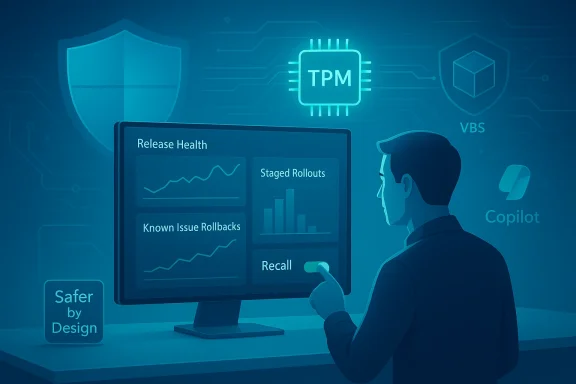
- Technical hardening of sensitive AI features (Recall): opt‑in defaults, Windows Hello proof of presence, TPM‑protected encryption keys, and VBS enclave isolation for processing. These mitigations are documented in Microsoft’s Recall security blog posts and support guidance.
- Release and QA discipline changes: greater reliance on Insider telemetry, more conservative staged rollouts, expanded use of compatibility holds and Known Issue Rollbacks (KIR), and increased swarming to address high‑impact regressions rapidly. Microsoft characterized this posture as a reset toward platform stewardship rather than rapid feature velocity.
- Behavioral concessions on promotion and upgrade nudges: Microsoft paused the most intrusive full‑screen upgrade prompts and signaled a restrained approach to in‑OS upgrade marketing — though promotional surfaces in Start and other areas remain under debate.
Technical deep dive: Recall, encryption, and hardware gating
How Microsoft redesigned Recall
Microsoft reengineered Recall around four security principles: opt‑in control, encryption of snapshots with TPM‑protected keys, runtime decryption guarded by Windows Hello ESS (Enhanced Sign‑in Security), and service isolation inside a VBS enclave. In practice this means:- Recall is off by default; a user must opt in during OOBE or via Settings to enable snapshotting.
- Access and sensitive operations in Recall require Windows Hello authentication as proof of presence; the feature refuses to decrypt snapshots without that affirmation.
- Snapshots and vector indexes are encrypted on disk; keys are stored in TPM and used only in VBS enclave operations, limiting the risk that other users or non‑trusted processes can decrypt data.
The hardware and fragmentation problem
However, the protections create device eligibility constraints. Recall’s system requirements — Secured‑core/Copilot+ PC, minimum NPU capability (tens of TOPS), 16 GB RAM, BitLocker/device encryption enabled, and plenty of free disk — mean many existing machines cannot run the feature. Microsoft’s move to tie advanced AI experiences to new hardware reduces the feature’s blast radius, but it also produces a bifurcated installed base: sensitive AI features will live on a subset of devices while the majority of PCs remain on more conservative configurations. That fragmentation complicates testing and may make some regressions harder to detect in the wild.Process changes: release hygiene, telemetry and Insider feedback
Microsoft’s post‑mortem emphriorities: staged rollouts, better Insider telemetry, and more assertive Known Issue Rollbacks. These are the right levers for an OS at scale.- Staged rollouts reduce blast radius and allow Microsoft to measure impact on diverse device populations before ramping to full deployment.
- Insider telemetry provides richer diagnostic traces early, but must be balanced with privacy controls and explicit opt‑in for collection intensity.
- Known Issue Rollbacks (KIR) and rapid OOB patches — like the January fixes culminating in KB5078127 — are necessary when regressions occur, but they are symptomatic of a deeper need to prevent regressions in the first place.
Practical advice for users and administrators
While Microsoft implements cultural and engineering ould take defensible precautions.For everyday users:
- Delay non‑urgent feature updates for 2–4 weeks after release and monitor the Windows Release Health dashboard and community trackers for reports.
- Disable in‑OS recommendations if they’re intrusive: Settings > Personalization > Start.
- Back up and keep recovery medis.
- Maintain an isolated test machine running latest Insider or RC builds to vet changes before pushing them to production.
- Keep a clean image and rollback plan (system image, WinRE familiarity).
- Track device eligibility for Copilot+ features and validate sensitive workflows with Recall disabled until safeguards prove reliable.
- Use phased deployment Rollback policies.
- Monitor compatibility hold IDs and Windows Update for Business signals.
- Enforce enterprise controls for agentic features (audit logs, admin opt‑outs, Group Policy settings) before allowing broad rollout.
Critical analysis — strengths and remaining risks
Microsoft’s response contains real strengths.- Technical depth: TPM binding, Just‑In‑Time decryption via Windows Hello ESS, and VBS enclave processing are substantive mitigations. They are not mere toggles; they are system‑level protectivefor the sensitivity of Recall.
- Public acknowledgement: Leadership admitting “we have a lot of work to do” is an important reputational reset that opens the door to listening and meaningful course correction.
- Operational pragmatism: Re‑emphasizing staged rollouts and Insider telemetry aligns with mature release engineering practices and reduces the chanhic regressions if implemented consistently.
- Trust deficit: One blog post and a few technical patches won’t erase the perception that Microsoft prioritized feature velocity and monetization optics over day‑to‑day reliability. Restoring trust requires months of consistently clean releases, transparent metrics and visible remediation.
- Fragmentation and eligibility complexity: Hardware gating for AI features fragments the platform and complicates QA. A two‑tier experience may be inevitable, but it amplifies the burden on ISVs and support teams.
- Opaque timelines and auditability: Microsoft has described process changes but has not published concrete, auditable timelines or quantitative reliability targets. Enterprises and privacy regulators will reasonably ask for more measurable commitments. The absence of public SLAs or progress dashboards will prolong skepticism.
- Regulatory and ecosystem skepticism: Even with local encryption and TPM protection, regulators and privacy‑minded third‑party vendors will continue to scrutinize agentic features. Some ecosystem actors already block or disable Recall‑like functions by default; reversing that stance requires robust documentation, independent audits, and clear admin controls.
What to watch next — a short roadmap
- Release Health metrics and fewer headline regressions. Watch for quarterly or monthly release‑health reports documenting lower regression counts and faster remediation windows.
- Insider channel behavior on opt‑in AI features. If Recall and other agentic features remain Insider‑first until telemetry shows stable, low‑risk behavior, that will be a positive signal.
- Enterprise controls and auditability. Microsoft must publish clear admin controls, tamper‑proof indicators and audit logs for agentic features to be viable in regulated environments. Their arrival (or absence) will dramatically affect enterprise adoption.
- Migration patterns after Windows 10 EOS. Monitor whether Windows 10 end‑of‑support nudges produce durable migration to Windows 11 or whether users delay upgrades, use consumer ESU, or explore alternative platforms. Published telemetry and independent trackers will reveal the adoption curve.
Conclusion
Microsoft has done the right first things: public acknowledgement, opt‑in defaults and substantive technical hardening for the riskiest AI feature, and a stated reset toward safer rollout discipline. Those moves stop additional erosion — but they do not automatically rebuild trust.Rebuilding trust in Windows 11 will be a marathon, not a sprint. The company must convert promises into quantifiable outcomes: demonstrably fewer high‑impact regressions, published SLOs and release‑health metrics, and enterprise‑grade controls for any feature that indexes a user’s local activity. For users and IT teams, the practical posture is cautious validation: pilot before roll‑out, treat agentic features as explicit opt‑ins, and insist on auditability.
If Microsoft sustains the discipline it has now promised — fewer surprises, clearer consent, and measurable reliability improvements — Windows 11 can recover its reputation as a dependable platform that responsibly incorporates modern AI. If not, skepticism will harden into durable friction that will be far more expensive to repair than the fixes themselves.
Source: TechPowerUp Microsoft Seeks to Rebuild Community Trust in Windows 11 | TechPowerUp}
