

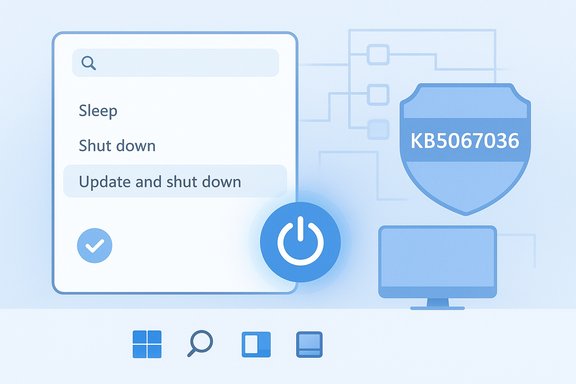
Microsoft has quietly corrected one of Windows’ most persistent small annoyances: the Start menu option “Update and shut down” now behaves as it promises in recent Insider builds and in the October 28, 2025 optional preview cumulative update — KB5067036 — restoring deterministic shutdown semantics on affected Windows 11 systems.
For years a subset of Windows users reported the same confusing symptom: they would select Update and shut down, walk away expecting a powered‑off, patched PC, and return to a machine that had instead rebooted or remained at the sign‑in screen. That mismatch between label and behavior produced predictable, practical consequences — drained laptop batteries, failed maintenance windows, and brittle automation that relied on deterministic power states. Microsoft acknowledged the behavior in Insider channel notes and rolled a servicing correction into an optional preview update on October 28, 2025 (KB5067036) before staging a wider rollout on the next Patch Tuesday cycle.
This is not a cosmetic relabel: Microsoft’s release notes explicitly describe an orchestration‑level change — “Addressed underlying issue which can cause ‘Update and shutdown’ to not actually shut down your PC after updating” — which signals a fix in the servicing control flow that decides whether post‑update actions result in a shutdown or a restart.
Note: installing preview updates gives early access to fixes but also exposes systems to preview‑level regressions. Reported collateral issues in early installs of KB5067036 included a Task Manager regression that could leave multiple taskmgr.exe processes running; community feedback and Microsoft telemetry determine whether such regressions are addressed before mainstream rollout.
The fix restores a basic UX promise — when Windows says it will “Update and shut down,” it should actually power the PC off — and that repair, small as it may seem, removes a persistent friction point for millions of users and administrators.
Source: bgr.com Microsoft's New 25H2 Windows 11 Update Finally Fixed A Decades Old Bug - BGR
 Background
For years a subset of Windows users reported the same confusing symptom: they would select Update and shut down, walk away expecting a powered‑off, patched PC, and return to a machine that had instead rebooted or remained at the sign‑in screen. That mismatch between label and behavior produced predictable, practical consequences — drained laptop batteries, failed maintenance windows, and brittle automation that relied on deterministic power states. Microsoft acknowledged the behavior in Insider channel notes and rolled a servicing correction into an optional preview update on October 28, 2025 (KB5067036) before staging a wider rollout on the next Patch Tuesday cycle.This is not a cosmetic relabel: Microsoft’s release notes explicitly describe an orchestration‑level change — “Addressed underlying issue which can cause ‘Update and shutdown’ to not actually shut down your PC after updating” — which signals a fix in the servicing control flow that decides whether post‑update actions result in a shutdown or a restart.
Why this tiny bug mattered
At first glance the problem sounds trivial. Two words in a power menu shouldn’t cause two years of frustration. Yet the practical fallout was real and measurable.- Battery and energy waste. Laptops left “off” could be left running and drained overnight.
- Operational friction. System maintenance windows and scripted workflows that expect a shutdown failed intermittently, complicating fleet management.
- Trust erosion. When a basic UI action is unreliable, users develop unsafe or inconvenient workarounds — for example, selecting Update and restart then manually powering off — which reduces update compliance and convenience.
Technical anatomy: why “Update and shut down” is harder than it looks
The visible UI action conceals a multi‑stage orchestration that spans user space, the servicing stack, power management, drivers, and firmware. The core technical contributors identified by community analysis and Microsoft’s terse changelog include:Multi‑phase servicing and offline commits
Modern cumulative updates often stage payloads while the OS runs and then perform offline servicing during reboot or shutdown to replace in‑use files. Some updates require more than one commit step or an intermediate reboot to safely replace drivers and core components. That multi‑phase model introduces conditional paths in the servicing logic: if the system detects that a later restart is required, it may choose a restart over a shutdown to maintain integrity.Fast Startup (hybrid shutdown)
When Fast Startup is enabled, Windows performs a hybrid shutdown that preserves kernel session state to speed startup. That hybrid semantic changes the shutdown path and can interact poorly with the offline servicing pipeline, shifting decisions toward a restart rather than a full power‑off. Disabling Fast Startup has long been a community mitigation for this class of problem.Sign‑in/resume flows and post‑update configuration
Features such as “Use my sign‑in info to finish setting up my device” and automated post‑restart configuration can change whether certain post‑update tasks complete automatically and thus influence the final power‑state decision. Similarly, OEM or management agents that alter shutdown behavior can interfere with the servicing orchestration.Race conditions and orchestration control flow
When the intent to power off fails to propagate correctly across the servicing boundary, the machine can return to an awake state. Microsoft’s phrasing indicates the fix modifies the orchestration layer — the control flow that carries the user’s shutdown intent through offline servicing — rather than merely changing the menu text. Community analysis continues to treat precise low‑level root causes as plausible hypotheses (race conditions, state flags lost during the offline phase) because Microsoft has not published a full forensic breakdown. Where claims about low‑level root causes are speculative, they should be treated cautiously.What Microsoft shipped and when
The concrete artifacts and timeline are important verification points:- The remedial change first appeared in Windows Insider release notes in late September 2025.
- Microsoft packaged the correction into an optional, non‑security preview cumulative update released on October 28, 2025: KB5067036, which produces OS builds 26200.7019 for Windows 11 25H2 and 26100.7019 for Windows 11 24H2.
- The company planned to include the same fix in the mainstream cumulative update for Patch Tuesday, November 11, 2025, following staged validation.
What you’ll see after installing KB5067036
Users and testers who installed the October 28 preview report that, on many previously affected systems, selecting Update and shut down now results in an actual power‑off rather than a restart. The update bundles a Latest Cumulative Update (LCU) and a Servicing Stack Update (SSU), which together deliver the orchestration change. However, because Microsoft uses staged, server‑gated enablement and preview channels, not every device will immediately experience the corrected behavior even after the package is installed.Note: installing preview updates gives early access to fixes but also exposes systems to preview‑level regressions. Reported collateral issues in early installs of KB5067036 included a Task Manager regression that could leave multiple taskmgr.exe processes running; community feedback and Microsoft telemetry determine whether such regressions are addressed before mainstream rollout.
How to get the fix today (practical steps)
If you prefer to receive the correction now rather than waiting for the mainstream roll‑out, Microsoft’s optional preview channel is the supported route. The recommended, low‑risk sequence is:- Confirm your device is on a supported Windows 11 servicing baseline (24H2 or 25H2). Run Win+R → winver to check the OS build.
- Open Settings → Windows Update → Advanced options → Optional updates. Look for the October 28, 2025 preview identified as KB5067036 and install it if available. The package includes both the LCU and the bundled SSU.
- Reboot when prompted. After the install, test the behavior by placing a small update in queue and selecting Update and shut down from the Start menu. Validate that the machine powers off.
- Install the preview on non‑critical or test hardware first. Preview packages can include unrelated feature changes or regressions.
- If you run a mixed fleet in an enterprise environment, pilot the update on a representative device ring and run regression checks (Task Manager, update reliability, boot behavior) before wide deployment.
Enterprise impact and deployment guidance
For IT teams the issue has two clear operational dimensions: deterministic shutdown semantics and rollout risk.- Deterministic shutdown semantics matter for scheduled maintenance windows, imaging workflows, and energy management policies. The KB5067036 remediation restores a key, everyday promise: when the OS is told to update and shut down, the system should power off unless a restart is demonstrably required for integrity.
- Deployment risk stems from preview‑level regressions and the complexity of the patch itself: the package bundles an SSU and LCU and contains other UI and shell changes that Microsoft may flight server‑side. That bundling increases the surface area to test.
- Create a pilot ring of representative hardware (laptops, desktops, OEM variants).
- Install KB5067036 on pilots and run automated regression suites that exercise shutdown, restart, driver updates, and common management agents.
- Monitor for the known Task Manager regression and other community‑reported anomalies.
- Stagger broader deployment, aligning mass rollout with Microsoft’s mainstream cumulative update once telemetry is favorable.
Strengths of Microsoft’s approach — and the remaining risks
There are solid engineering and process reasons to applaud how Microsoft handled this repair.- Staged validation. The fix moved through Insider flights to an optional preview before mainstream release, giving Microsoft telemetry and community testing to catch regression signals. That is the appropriate path for changes that touch low‑level servicing logic.
- Substantive correction. The changelog language indicates an orchestration‑level change, not a simple UI relabel, which addresses the actual root of the symptom in the servicing stack. This makes the fix more durable across different hardware permutations.
- Pragmatic rollout window. Folding the change into the November 11, 2025 Patch Tuesday cumulative update allows broader distribution with reduced preview risk.
- Heterogeneity of results. Because the original bug depended on drivers, firmware, and management agents, the fix’s effectiveness can vary by device. Administrators must validate across representative hardware.
- Preview regressions. Early testers flagged a Task Manager duplication issue and other collateral behaviors that surfaced during preview installs. These regressions must be resolved before mass deployment or administrators should delay until the mainstream roll‑out.
- Limited public forensic detail. Microsoft’s changelog is intentionally concise; while that’s normal, it means the community must treat deeper cause statements as plausible hypotheses until Microsoft publishes a detailed post‑mortem. Flag such claims as tentative.
Broader context: why small UX promises matter
This repair is a reminder that even tiny, everyday expectations can have outsized practical consequences in widely deployed operating systems. A reliable “Update and shut down” path:- Reduces wasted energy across millions of devices.
- Restores a simple, usable workflow for end users who expect the UI to be honest.
- Simplifies management and automation in enterprise environments where deterministic behavior is a requirement.
Quick checklist for Windows users (TL;DR)
- Check your build with Winver. If you see 26100.7019 (24H2) or 26200.7019 (25H2) or later, you have the preview LCU+SSU installed.
- To get the fix now: Settings → Windows Update → Advanced options → Optional updates → install KB5067036 (Oct 28, 2025 preview). Test on a spare device first.
- If you prefer stability: wait for the Patch Tuesday roll‑out scheduled for November 11, 2025.
- If you cannot install the preview and need deterministic shutdowns now: use Update and restart followed by a manual shutdown, or temporarily disable Fast Startup as a mitigation.
Final assessment
KB5067036 is a welcome, long‑overdue correction to a deceptively obvious promise in Windows’ power UX. Microsoft fixed the issue at the servicing/orchestration level, validated it through Insider channels, and packaged it into the October 28, 2025 optional preview before planning mainstream distribution on Patch Tuesday, November 11, 2025. Early reports indicate meaningful improvements on many previously affected systems, but the preview’s exposed regressions and the hardware‑dependent nature of the original bug counsel prudence: test first, pilot broadly, and wait for the mainstream cumulative update if you prioritize stability.The fix restores a basic UX promise — when Windows says it will “Update and shut down,” it should actually power the PC off — and that repair, small as it may seem, removes a persistent friction point for millions of users and administrators.
Source: bgr.com Microsoft's New 25H2 Windows 11 Update Finally Fixed A Decades Old Bug - BGR
