

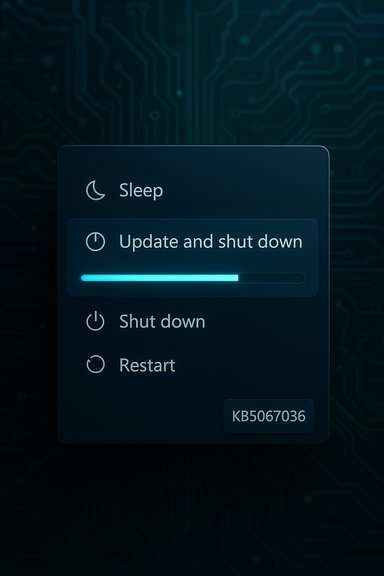
Microsoft has quietly corrected one of Windows’ most persistent little indignities: the “Update and shut down” option — the menu item millions of users have trusted to install updates and power the PC off — is now behaving as labeled in the latest preview releases after years of intermittent failures that left machines powered on instead of off.
Background: the decade‑long annoyance in plain terms
For many Windows users the power menu is simple: choose “Update and shut down” to let Windows finish installing pending updates and then power the machine off. That expectation broke for a substantial subset of systems in practice. Instead of finishing with a shutdown, Windows would apply updates, perform a reboot to complete offline servicing, and then come back to the lock screen or desktop — effectively leaving the machine powered on and defeating the purpose of the “shut down” choice. Early tests, forum logs and press coverage show this behavior has been a recurring, intermittent problem across multiple Windows builds and update cycles. That mismatch between label and behavior mattered for more than convenience. Laptop batteries were drained overnight, scheduled maintenance windows were broken, and automation or imaging workflows that assumed deterministic shutdown semantics could fail. The problem was intermittently reproducible and wildly environment-dependent, which made it especially frustrating: some machines always shut down, others never did, and many showed the failure only under specific update or driver conditions.Overview: what Microsoft changed and where to look
Microsoft has documented a targeted fix in recent Insider preview builds and in the October 28, 2025 optional preview package. The key engineering note used across release notes reads in plain language: “Fixed an underlying issue which could lead ‘Update and shutdown’ to not actually shut down your PC after.” That string appears in multiple Insider‑channel release notes and in the KB release notes tied to the October 28 preview packages. Concrete artifacts you may see while tracking this rollout:- Dev/Beta Insider notes for late‑September preview flights called out the fix in builds such as Build 26220.6760 (Dev) and Build 26120.6760 (Beta).
- The October 28, 2025 preview packages (KB5067036) list resulting OS builds 26200.7019 (25H2) and 26100.7019 (24H2) and are published as optional preview updates with mixed feature and servicing changes. Those preview notes explicitly include the same “Update and shutdown” remediation.
Technical anatomy: why “Update and shut down” is more complicated than it looks
The surface UI — two words on a menu — hides a multi‑stage servicing flow that must coordinate several subsystems. Understanding the failure mode helps explain why this bug lived for so long and why it was intermittent.The multi‑phase servicing pipeline
When you choose Update and shut down the OS must:- Stage and apply updates in a privileged (often offline) servicing phase so files that would be locked during normal runtime can be replaced.
- Reboot if required to enter the offline servicing environment and finish committing component swaps.
- Respect the user intent to power off the machine after the update sequence completes, rather than returning to an unlocked/locked session or an interactive sign‑in screen.
Fast Startup and hybrid semantics
Fast Startup (the hybrid shutdown feature) changes the semantics of a power off on many devices by saving kernel state to disk to accelerate the next boot. Those hybrid shutdown semantics can interfere with the servicing pipeline’s assumptions about what “shutdown” means — again producing conditions where a reboot happens instead of a true power off. Community troubleshooting frequently recommended disabling Fast Startup as a pragmatic workaround.Device/driver and sign‑in interactions
Drivers or user‑mode agents that need a fresh start to swap out files can cause the servicing stack to favor a restart path. Similarly, features that depend on signing in (automatic finish‑after‑sign‑in) can change post‑service behavior; if the sign‑in path is blocked or unfulfilled, the machine may stop at a desktop or lock screen rather than powering off. These conditional branches help explain the sporadic nature of the bug.What Microsoft actually fixed (technical summary)
Microsoft’s changelog entries indicate the repair targeted the underlying orchestration — not merely the user interface text. In practical terms, that means engineers adjusted the servicing/shutdown control flow so the OS preserves and enforces the final shutdown intent after offline servicing completes. The fix appears in multiple preview streams (Dev/Beta) and is included in the October 28, 2025 preview package (KB5067036) that updates 24H2 and 25H2 SKUs to build numbers documented as 26100.7019 and 26200.7019 respectively. Multiple independent outlets confirmed the wording in Microsoft’s release notes and verified that testers on Insider and preview channels have observed more reliable shutdown behavior after installing the update. That independent corroboration increases confidence the fix addresses a real orchestration problem instead of being a cosmetic relabeling.Cross‑checks and verification: what the public record shows
Key load‑bearing claims and their validation:- Claim: Microsoft listed and shipped a fix in Insider release notes. Verification: the Windows Insider release posts explicitly include the “Fixed an underlying issue…” entry for the relevant builds.
- Claim: The October preview (KB5067036) includes the same repair and ships as preview builds 26100.7019 / 26200.7019. Verification: Microsoft’s KB preview documentation for October 28, 2025 lists those OS builds and the included fixes.
- Claim: The issue produced widespread community frustration over several years. Verification: forum archives and community reporting across 2022–2025 document repeated reports; media coverage and community threads tracked the symptoms and workarounds. Specific forum traces and recent discussion summaries are visible in community aggregations.
Real‑world testing and early results
Insider and preview testers report improved behavior in many configurations when the update and shut down flow reaches the final phase. Reports indicate the option now more frequently completes with a true power‑off instead of returning to the lock screen. That said, the rollout is staged and server‑gated, so not every machine that installs the preview package will immediately experience the change — some fixes are validated server‑side before being fully enabled. Practical notes from early installs:- If you rely on deterministic shutdowns for maintenance windows, waiting for the cumulative production roll‑out (Patch Tuesday or an official cumulative update) rather than installing optional preview packages is safer.
- If you’re an Insider tester or early adopter, validate the behavior on spare or test devices first and contribute telemetry/feedback through the Feedback Hub.
Immediate risks and collateral regressions to watch for
The October preview that includes the fix also carried other changes and, in one widely reported case, an accidental Task Manager regression. Multiple outlets and community testers observed a bug where Task Manager could spawn persistent background instances when closed, potentially consuming memory and degrading performance. Microsoft has acknowledged and is investigating this regression; the issue illustrates the practical trade‑off of preview channels where multiple changes land together. What this means for readers:- Installing optional preview packages (like KB5067036) may expose you to unrelated regressions; these packages are intended for testing, not immediate production deployment.
- Even when a fix exists, staged rollouts and feature gating mean not all users will see the behavioral change at the same time.
- Because the underlying change touches the servicing stack and shutdown orchestration, there’s a non‑zero chance of unforeseen interactions with third‑party drivers, endpoint agents, or OEM firmware that require further micro‑fixes.
Practical guidance: what to do now (users and admins)
Short checklist — immediate safety posture:- If you want the fix now and test on a spare device: install the optional preview (KB5067036) but only on non‑production machines. Monitor for Task Manager or other regressions.
- If you need stability: wait for Microsoft to fold the fix into the monthly cumulative update and validate in a pilot ring. That is the recommended path for enterprise and production systems.
- If deterministic shutdowns are mission‑critical today: prefer Update and restart or perform updates manually and then shut down to guarantee the device will power off after all servicing steps complete.
- Identify a small pilot group of devices representing your hardware and driver diversity.
- Apply the preview package (or enroll the pilot machines in the Beta/Dev Insider channel) and confirm resulting build numbers (26100.7019 or 26200.7019, depending on SKU).
- Reproduce an "update at shutdown" test case: schedule a pending cumulative update and select Update and shut down; observe whether the device truly powers off after the servicing completes. Record logs and screenshots of the final power state.
- Monitor for collateral regressions (Task Manager, audio, device drivers) and collect diagnostic traces using existing monitoring tooling.
- If the pilot is clean, roll the cumulative update into broader rings per your change control policy.
- Consider disabling Fast Startup when you require deterministic shutdown behavior (this removes the hybrid shutdown path that can interfere with the servicing flow).
- Prefer Update and restart for one‑off guaranteed post‑update restarts; use Update and shut down once the fix has been validated across your device fleet.
Why this matters beyond a neat UX fix
At first glance this could be dismissed as a small UX bug. It’s not. Fixing the Update/Shutdown orchestration restores a simple contract between the OS and users: when you ask the system to shut down after updating, it should do so. That trust matters for:- Battery and energy conservation on mobile devices;
- Security and privacy practices that assume devices will be offline when powered off;
- Automation and maintenance workflows that depend on deterministic device states.
Strengths and remaining caveats: a critical assessment
Strengths- The fix addresses the actual orchestration layer rather than simply renaming or rebranding the UI, indicating a meaningful engineering resolution.
- Microsoft validated the change across multiple Insider channels and folded it into a wider preview package to reach testers beyond the smallest rings. This staged approach increases confidence prior to mass rollout.
- Preview packages bundle many changes at once; collateral regressions (e.g., the Task Manager duplication issue) show that fixing one problem can inadvertently introduce another. Early adopters should be prepared to rollback or wait.
- Microsoft’s public notes do not disclose the precise root cause (race condition, servicing stack bug, firmware edge case), so some edge cases may persist until additional telemetry and follow‑ups are published. Treat unproven origin stories as speculation unless Microsoft provides more detail.
Final verdict and practical timeline
The fix for “Update and shut down” is real, documented in Insider release notes and included in the October 28, 2025 preview packages that update 24H2/25H2 to builds 26100.7019 / 26200.7019. Testers are reporting that the option now performs as labeled in many scenarios, and Microsoft’s staged preview model suggests the change will be folded into mainstream cumulative updates after validation. Timing expectation:- If you are conservative: wait for the next official monthly cumulative update (Patch Tuesday cadence) and validate in a pilot ring first.
- If you are adventurous: test the preview on non‑critical hardware now, but watch for other regressions and be ready to uninstall the optional package if necessary.
Conclusion
After years of intermittent frustration, Microsoft’s servicing team has implemented an orchestration fix that restores trust to the small but important Update and shut down action. The remedy appears in Insider release notes and in the October 28 preview package (KB5067036), and early testers are seeing the expected behavior. However, the preview window also demonstrates the classic trade‑offs of rapid development: fixes arrive alongside other changes that may introduce fresh regressions. For most users and administrators the prudent path is to validate the patch in a pilot ring, prefer production cumulative updates for broad rollout, and keep the practical workarounds in mind (disable Fast Startup, or use Update and restart) until the fix is widely available and proven across the diverse ecosystem of drivers and firmware.Source: TechPowerUp Windows 11 Finally Fixes "Update and Shut Down" Functionality After a Decade
