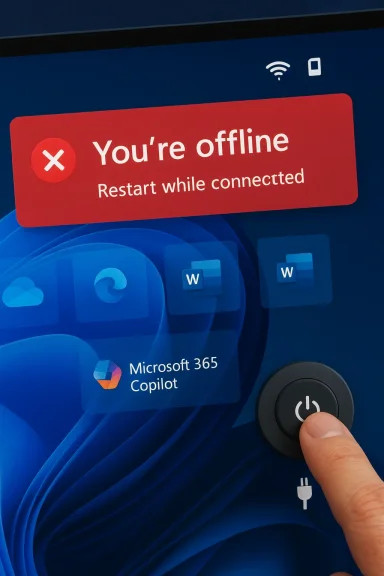
Windows 11 Update Breaks Microsoft Account Sign In in OneDrive, Office and Copilot

  • Thread Author
Microsoft’s latest Windows 11 update appears to have broken one of the operating system’s most fundamental consumer workflows: signing in to Microsoft accounts inside first-party apps such as OneDrive, Word, Excel, and Microsoft 365 Copilot. The problem is showing up on Windows 11 24H2 and 25H2, and the error message is especially maddening because it can claim the PC is offline even when the internet connection is working normally. Businesses using Entra ID for application authentication are not affected, which keeps the blast radius away from many corporate environments, but home users and small teams are feeling the pain. Microsoft says a fix is coming “in the next few days,” which strongly suggests another out-of-band patch may be needed.

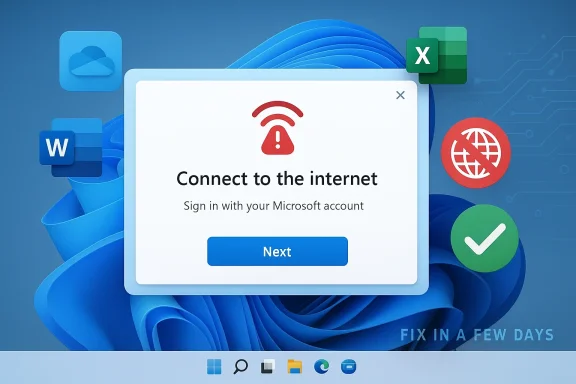
Windows sign-in window prompts “Connect to the internet” with a red Wi‑Fi error icon on the desktop.Background​

Windows updates have had a rocky run across 2025 and into 2026, and this latest sign-in failure lands in that context. Microsoft’s own release-health pages for Windows 11 24H2 and 25H2 show a steady stream of mitigations, rollbacks, and out-of-band fixes for issues that range from sign-in prompts to Remote Desktop and cloud app access problems. That matters because the current bug is not just another nuisance; it is part of a pattern in which cumulative updates can upset authentication, networking, and account-state logic in ways that are hard for users to diagnose quickly.
The immediate symptom being reported is deceptively simple: Microsoft account sign-ins fail in apps that depend on the Windows identity stack, and users are told to connect to the internet. The problem is that the message can appear even when the device is already online, which makes it look like a networking issue when it may actually be a state-machine or token-refresh failure in the sign-in flow. Microsoft’s description that the issue occurs when the device enters “a specific network connectivity state” is telling, because it suggests the operating system is misclassifying the machine’s connectivity rather than losing network access outright.
That distinction matters because Windows now ties so much of the consumer experience to cloud identity. OneDrive, Microsoft 365, Copilot, and Teams Free all rely on a Microsoft account for sign-in, licensing, or sync state, while some enterprise scenarios are routed through Entra ID instead. When that identity layer stumbles, the damage extends well beyond a single app and starts to look like an OS-level failure.
It is also worth noting that Microsoft has spent the last year tightening the relationship between Windows setup, account sign-in, and online connectivity. The company has steadily removed local-account workarounds from new Windows 11 setup paths and reinforced the assumption that a Microsoft account and active internet connection are normal parts of the experience. That makes an update-driven sign-in regression especially awkward: the same ecosystem that increasingly insists on cloud identity can still be undone by a connectivity-state bug.

What Microsoft Says Is Happening​

Microsoft’s own guidance is unusual in how specific yet unsatisfying it is. The company says the issue happens when the device enters a certain network connectivity state and may clear on its own, and that restarting the device while it is online should also resolve the problem. If the machine is restarted while offline, Microsoft warns that it could return to the same bad state, which implies the fault is not simply cached credentials but something deeper in session initialization or network detection.

The key clue: state, not just connectivity​

The most important phrase in Microsoft’s description is specific network connectivity state. That is a strong hint that Windows is not merely checking “internet available: yes/no,” but is instead evaluating a richer set of signals before allowing Microsoft account authentication to proceed. A bug in that decision path could easily make an online device look offline to the sign-in broker, especially if captive portal detection, proxy logic, DNS reachability, or a stale network profile is involved.
That interpretation also fits the observed behavior in apps like OneDrive and Office. Those apps often piggyback on Windows account state and web authentication components, so if the OS thinks the device cannot reach the internet, the app may never even reach the stage where it asks for credentials properly. In other words, the error may be a symptom of the broken state, not the root cause.
  • The issue affects Microsoft account sign-ins rather than all Windows logons.
  • The failure can appear even on devices that are demonstrably online.
  • A restart may help, but only if the machine is online during reboot.
  • Restarting offline can return the device to the same broken state.
  • Microsoft says a fix is coming soon, implying the company has a known repro.
A practical reading of this is that Microsoft has already narrowed the problem enough to reproduce it internally, but not enough to ship a same-day correction. That is consistent with the company’s pattern in recent months: identify the fault, publish temporary workarounds, and then land a separate fix rather than risking a broad rollback of the original update.

Who Is Affected​

The good news is that this is not a universal Windows authentication collapse. Microsoft says business users relying on Entra ID for application authentication are not impacted, which means many managed enterprise environments should remain stable. That is an important qualifier because it points to consumer Microsoft-account pathways, not the broader enterprise identity stack, as the damaged layer.

Consumer identity is the weak point​

The affected population is likely to include home users who sign in to Word, Excel, OneDrive, Teams Free, or Microsoft 365 Copilot with a personal Microsoft account. These are exactly the apps that increasingly blur the line between installed software and cloud services, so one bad OS update can effectively disable core productivity features. For casual users, the error looks like a network hiccup; for regular Microsoft 365 subscribers, it can feel like a licensing failure.
Small businesses are in a more awkward position. Some use personal Microsoft accounts for lightweight collaboration or as ad hoc credentials on unmanaged devices, and those are the workflows most likely to be tripped up. If the device is not part of a properly managed Entra ID environment, the user may have little recourse beyond restart, sign-out, or waiting for Microsoft’s patch.
  • Home users are the most visible victims.
  • Small offices that mix consumer and business identities may see confusing symptoms.
  • Enterprise Entra ID authentication appears to be spared.
  • Devices that are routinely restarted offline may be more prone to recurrence.
  • Apps with deeper integration into Windows identity plumbing are the most exposed.
This split also mirrors how Microsoft segments its own cloud products. Consumer and prosumer features are increasingly tied to a Microsoft account, while enterprise tools sit behind Entra ID, Intune, and Microsoft 365 admin controls. The outage therefore lands hardest in the very part of the market where Microsoft expects the operating system to be both personal and connected at all times.

Why This Bug Matters More Than It First Appears​

At first glance, this seems like a limited sign-in glitch. In practice, though, it hits one of Windows 11’s central design assumptions: that identity, sync, and service access are now part of the operating system’s basic plumbing. When that assumption fails, users do not just lose a single feature; they lose the connective tissue that makes the whole software stack feel coherent.

Identity failures cascade quickly​

A Microsoft account is no longer just a login for a website. It is often the authorization key for app licensing, OneDrive sync, shared notebook access, Copilot features, and device-specific personalization. If that identity channel breaks, users can end up unable to sign in to the apps they use every day, even though the machine itself remains operational.
That cascade is especially frustrating because the error message points users in the wrong direction. Telling someone “you’ll need the internet for this” when the network is working creates a debugging dead end, and many users will waste time checking Wi-Fi routers, VPNs, or firewall rules when the real issue is inside Windows. This kind of misleading failure mode is worse than a clean crash, because it consumes time and confidence.
There is also a trust problem. Windows users have already lived through a long sequence of update regressions involving RDP, cloud file saving, and app sign-in quirks, and each recurrence reinforces the perception that Patch Tuesday can break the very features it is supposed to secure. For a product as ubiquitous as Windows, that perception carries real support costs for Microsoft and real downtime for customers.
  • The bug damages confidence in Windows Update itself.
  • It creates expensive support noise for IT admins and consumers.
  • It pushes users toward workarounds instead of normal remediation.
  • It can interrupt licensing and sync in addition to authentication.
  • It reinforces the sense that cloud identity is a fragile dependency.
The broader strategic issue is that Microsoft has been steering Windows more tightly toward online-first identity. That direction helps the company unify services, subscriptions, and security controls, but it also raises the cost of every failure in the sign-in path. A bug like this is therefore not merely an inconvenience; it is a reminder that cloud dependence multiplies the blast radius of each OS defect.

The March 10 Update and the Out-of-Band Pattern​

The timing is notable. The problem is being associated with the March 10 update for Windows 11 24H2 and 25H2, and Microsoft’s language that a fix is coming in a few days strongly suggests the company may need to publish an out-of-band update rather than waiting for the normal servicing cadence. That would fit the pattern Microsoft has already used repeatedly in recent months when a Patch Tuesday release causes widespread pain.

Why out-of-band patches keep showing up​

Out-of-band updates exist for exactly this kind of scenario: an issue is serious enough that the normal monthly rhythm is too slow. Microsoft has already used that playbook in 2025 and 2026 for issues including credential prompts, cloud access failures, and other Windows 11 regressions. In that sense, the current bug is less an isolated incident than another example of the modern Windows servicing model under strain.
The challenge is that each OOB patch has a cost. It can complicate testing, create version fragmentation, and force administrators to choose between installing a hotfix quickly or waiting for more confidence. Yet when a bug breaks Microsoft account sign-in across consumer apps, delaying the fix is not really an option.
Historically, Windows users tolerated occasional patch-related drama because the operating system was comparatively self-contained. That model no longer applies. Today, a single update can affect local sign-in, cloud authentication, app licensing, remote work, and sync services all at once, which means Microsoft must move faster and be more transparent than it was in the old desktop era.
  • The March 10 update appears to be the trigger.
  • Microsoft is already signaling a fast follow-up fix.
  • An out-of-band release would be consistent with prior recent remediation.
  • The servicing model is increasingly built around emergency corrections.
  • Speed matters because identity bugs freeze core workflows.
This is where the comparison to earlier Windows update cycles becomes unavoidable. In January 2026, Microsoft had to deal with another wave of sign-in and credential-related issues, and the company’s response shows how often Windows now depends on targeted rollback or emergency servicing. The current Microsoft account bug looks like another entry in that same unwanted tradition.

Impact on OneDrive, Office, and Copilot​

The apps called out in the current reports are the ones that make Microsoft’s cloud story feel tangible to ordinary users. OneDrive is the obvious one because it is tightly tied to sync state and account identity, but Office apps and Copilot matter just as much because they turn sign-in problems into licensing and feature-access problems.

Why the app list is important​

OneDrive failures are disruptive because they can interrupt file access, sync status, and collaborative workflows. Word and Excel failures are even more awkward, because users expect those desktop apps to work offline and only occasionally check in with Microsoft’s servers for activation or account-linked features. When those sign-ins fail, the user is left wondering whether the issue is internet access, subscription status, or corruption in the Windows account broker.
Microsoft 365 Copilot adds another layer of fragility. AI features are already dependent on account-based entitlements and online connectivity, so a false “no internet” condition can shut down not just sign-in but the very experience Microsoft is trying to upsell. That makes the bug strategically awkward because it undercuts the value proposition of Microsoft’s newest premium cloud features.
Teams Free is an especially telling inclusion because it bridges consumer and semi-professional use. It is not a heavy enterprise workload, but it is still a communication tool where sign-in failures immediately become visible and frustrating. In practice, that means the bug can interrupt both work and personal collaboration on the same machine.
  • OneDrive users may lose sign-in and sync continuity.
  • Word and Excel users may hit activation or account prompts.
  • Microsoft 365 Copilot access can be blocked outright.
  • Teams Free may fail to authenticate normally.
  • The same bug can therefore hit files, subscriptions, and AI features together.
The practical consequence is that a bug in the OS identity layer becomes a revenue and productivity problem for Microsoft at the same time. Every failed login is a support ticket, but it is also a reminder to users that cloud software is only as reliable as the platform underneath it. That is not a great advertisement for a subscription-first ecosystem.

Enterprise vs Consumer: A Useful Divide​

Microsoft’s claim that Entra ID application authentication is not affected is more than a technical footnote; it is a business shield. It tells enterprises that domain- and tenant-based identity flows are likely insulated from the Microsoft account issue, which lowers the risk of broad corporate disruption. But it also leaves consumer and lightweight business users carrying the burden.

Why enterprises may be less exposed​

Enterprise Windows environments usually have more layers between the user and cloud authentication. Devices may be managed through Intune, joined to Entra ID, and configured with policy controls that can help sidestep consumer-account quirks. Even if users still open Office apps, the actual sign-in path is often different enough to dodge the defect Microsoft is describing.
That does not mean IT teams can ignore it. If employees use personal Microsoft accounts on corporate-managed devices for side workflows, or if they rely on Teams Free or consumer OneDrive alongside corporate services, the issue can still create confusion and help-desk noise. But compared with a global enterprise identity outage, this looks contained.
Consumers have far less insulation. They do not have an admin center, a tenant-level policy rollback, or a formal support escalation path in most cases. If restarting the device is the only prescribed remedy until Microsoft ships a patch, then the entire burden of remediation falls on the end user.
  • Entra ID lowers corporate exposure.
  • Consumer Microsoft accounts are the primary weak link.
  • IT-managed devices may still see side effects in mixed-account scenarios.
  • Home users have the least practical remediation options.
  • The bug highlights how fragmented identity has become across Windows.
There is also a branding issue here. Microsoft wants Windows 11 to feel unified across personal and enterprise contexts, but the company’s own product lines are increasingly bifurcated: consumer identity on one side, enterprise identity on the other. Bugs like this expose that split and remind users that “Microsoft account” and “work account” are not interchangeable in either capability or resilience.

What Microsoft Can Do Now​

The immediate fix is likely to be straightforward from a user perspective and complicated from an engineering one. Microsoft needs to correct whatever state-detection or token-handling logic is mislabeling connected devices as offline, then push that repair quickly through the Windows servicing pipeline. If the root cause is narrow enough, an out-of-band cumulative update should be enough.

Short-term remediation steps​

For users already affected, Microsoft’s guidance implies the quickest path is to get the device online, reboot it, and try again. That is not elegant, but it is consistent with how many Windows sign-in and network-state problems clear when cached state is refreshed on a live connection. If that fails, waiting for the next patch may be the only realistic route.
There is a reason Microsoft often prefers a fresh update over a manual registry tweak or hidden policy flag: the sign-in stack is too central to leave half-patched. A bad workaround can create new support problems, especially when the issue involves Microsoft account auth, OneDrive sync, or Office activation. In this area, simplicity usually beats cleverness.
  • Reboot while the device is online.
  • Avoid rebooting offline if the issue is already present.
  • Watch for a Microsoft out-of-band fix.
  • Test Microsoft account sign-in after any patch is installed.
  • Escalate persistent failures through Microsoft support channels.
Longer term, Microsoft should probably tighten regression testing around account-state transitions after cumulative updates. The company has demonstrated repeatedly that the cost of a flawed identity update is now much higher than the cost of a slower release. That is especially true when the update touches both consumer and enterprise workloads in the same codebase.

Strengths and Opportunities​

Microsoft still has a few advantages here, despite the embarrassment of another update-related sign-in bug. The company has a mature release-health system, it can ship out-of-band fixes quickly, and it can contain the worst of the damage by separating consumer Microsoft account flows from enterprise Entra ID authentication. If it moves promptly, it can limit the incident to a short-lived annoyance rather than a long-running trust problem.
  • Microsoft has already acknowledged the issue publicly.
  • The company appears to understand the trigger condition.
  • An OOB patch could resolve the bug without waiting for the next monthly cycle.
  • Enterprise customers may be insulated by Entra ID.
  • The incident could motivate better regression testing in identity flows.
  • Microsoft can use release-health channels to reduce confusion.
  • A fast fix would demonstrate operational maturity under pressure.
What makes this opportunity meaningful is not just technical recovery but reputational repair. Microsoft can show that it treats identity breakage as a high-priority defect and not a nuisance ticket. That signal matters because Windows users are increasingly sensitive to update quality, especially when their cloud files and subscriptions are on the line.

Risks and Concerns​

The biggest risk is that users will lose patience before the fix lands. When a Microsoft account sign-in bug breaks OneDrive or Office, people do not just lose an app; they lose access to files, subscriptions, and features they pay for. That can quickly turn a servicing issue into a customer-relations problem.
  • Users may misdiagnose the issue as a router, VPN, or firewall failure.
  • Reboot-based workarounds are fragile and easy to forget.
  • Offline restarts may reintroduce the bad state.
  • The bug can hit multiple high-value apps at once.
  • Support teams may face a surge of redundant tickets.
  • Repeated update regressions further erode trust in Windows servicing.
  • The problem could recur if the underlying state logic is not fully corrected.
There is also a broader strategic concern: the more Microsoft binds Windows to cloud identity, the more catastrophic identity bugs become. That is a trade-off the company has chosen knowingly, but each failure highlights how thin the margin for error is in a modern OS that must serve both offline reliability and online entitlements. That tension is not going away.

Looking Ahead​

The most likely short-term outcome is a Microsoft out-of-band update that corrects the broken sign-in path for 24H2 and 25H2 users. If Microsoft already has a reproducible trigger, the company should be able to narrow the fix to the relevant authentication or network-state code and push it quickly through Windows Update. The real question is not whether Microsoft can patch the problem, but how many users will be affected before that happens.
The longer-term story is more interesting. Windows 11 is becoming more cloud-bound, more identity-driven, and more dependent on service coordination across apps that used to be separate. That can be a strength when it works, but each update failure now has a much larger blast radius than a traditional desktop bug ever did. The next few days will show whether Microsoft can keep that complexity under control.
  • Watch for an out-of-band update from Microsoft.
  • Monitor whether the fix targets 24H2 and 25H2 only.
  • Check if Microsoft expands guidance beyond a reboot workaround.
  • Pay attention to any related OneDrive or Office activation advisories.
  • See whether further identity bugs appear in the March servicing train.
If Microsoft lands the fix quickly, this will read as another ugly but manageable patch-cycle regression. If it does not, the incident may become another exhibit in the case against treating cloud identity as an always-available layer beneath Windows. Either way, the message is clear: when the operating system’s account plumbing breaks, the whole ecosystem feels it at once.

Source: theregister.com MS update kills Microsoft account sign-ins in Windows 11
 

Microsoft’s latest Windows 11 update has turned a routine patch cycle into a very visible identity failure, with reports that users can no longer sign in to Microsoft account-based apps such as OneDrive, Edge, Word, Excel, Teams Free, and Microsoft 365 Copilot. The frustrating part is that the error often claims the PC is offline even when the connection is working normally, which sends users chasing Wi-Fi, DNS, or router problems that are not really there. Microsoft has acknowledged the issue in its release health notes and says a workaround is to restart the device while it remains connected to the internet, a fix that suggests the bug lives in Windows’ connectivity-state logic rather than in the apps themselves.

A digital visualization related to the article topic.Background​

Windows has always carried a delicate bargain: monthly updates are supposed to improve security and stability, but every patch also risks touching authentication, networking, and app plumbing in ways that are hard to predict. In the Windows 11 era, that bargain matters more than ever because the operating system is no longer just a desktop shell; it is the control plane for identity, sync, subscriptions, browser profiles, and cloud-connected productivity. The result is that a seemingly narrow regression in the account stack can feel like a much larger platform failure.
Microsoft has spent the last few years making that dependency even tighter. It has hardened the push toward Microsoft account sign-ins during setup, reduced the practical usefulness of local-account workarounds, and increasingly tied core consumer experiences to online identity. That makes the current bug especially awkward: the company has spent so long insisting that cloud identity is the default that a failure in the cloud identity path now looks like a contradiction in the product strategy itself. Recent reporting on Windows 11 setup changes and Microsoft’s removal of local-account bypasses reinforces how central account-based onboarding has become.
The timing also matters. Microsoft added the sign-in issue to the release notes for the March 10, 2026 cumulative update after the patch had already gone out, which is a classic sign that telemetry and user reports exposed a problem after release rather than during validation. That kind of post-release acknowledgement does not automatically mean the patch is reckless, but it does mean the fault slipped through the normal quality gates and became big enough to warrant documentation in Windows release health. The company’s own description points to a specific network connectivity state, which strongly suggests a state-machine bug rather than a generic outage.
What makes this category of bug so disruptive is that it can masquerade as a simple internet failure. Users see a message that says they need the internet, so they naturally start checking the internet. That is a support trap, because the broken layer may actually be Windows’ own decision-making about whether connectivity is good enough to allow Microsoft account authentication to proceed. In practical terms, the update does not just break sign-in; it breaks diagnosis.
Microsoft’s own support guidance and community responses point in the same direction. The affected set spans Microsoft account-based apps, while enterprise authentication through Microsoft Entra ID is reportedly not impacted. That line is important because it shows where the blast radius begins and ends, and it also reveals how Microsoft now bifurcates its identity world: consumer and prosumer experiences are deeply coupled to Microsoft accounts, while enterprise environments often ride a more controlled identity stack.
The most interesting part of this episode is not the bug itself, but what it says about Windows’ design direction. The more the platform assumes that identity is always available, the more expensive every identity failure becomes. A login bug in 2015 might have been a nuisance; in 2026, it can block access to OneDrive files, Office documents, browser sync, AI features, and even the app store-like services that sit around the edges of the desktop.

What Microsoft Says Is Broken​

Microsoft’s description is unusually concrete: after installing KB5079473, some users may be unable to sign in to Microsoft account-based apps even though the device still has internet access. The company names Teams Free and OneDrive as examples, then broadens the list to include Edge, Excel, Word, and Microsoft 365 Copilot when those apps need Microsoft account authentication. That breadth is the biggest clue that this is not a single-app defect but a shared authentication-layer issue.

The misleading offline message​

The nastiest part of the bug is the message itself. Windows and affected apps can claim the machine is offline when it is clearly not, which pushes users into the wrong troubleshooting path. A normal person will check Wi-Fi, restart the router, or disable VPN software before they suspect the operating system’s account-state logic.
That matters because authentication errors are already fragile. Once the user sees a connectivity warning, the instinct is to trust the software and distrust the network. If the real issue is a stale or corrupted connectivity state inside Windows, every minute spent fiddling with the router is wasted effort.

Why the affected apps matter​

Microsoft did not list obscure products. It listed the everyday apps that sit at the center of consumer Windows life. OneDrive is where documents, photos, and desktop backups often live; Edge is where profile sync and saved credentials reside; Word and Excel are where subscription-driven productivity actually happens; Teams Free is a common consumer communication path; and Copilot is now one of Microsoft’s flagship AI experiences.
That mix turns the bug from a login annoyance into a workflow problem. A user who cannot authenticate into OneDrive may lose immediate access to files, while a user who cannot sign into Edge may lose the profile sync that would normally help them recover. In that sense, the bug is not just about access; it is about recovery.

What the wording suggests technically​

Microsoft’s phrasing about a “specific network connectivity state” is the most revealing detail. It implies that Windows is not simply checking whether a packet can reach the internet; it is making a more nuanced judgment about state transitions, cached connectivity, or token refresh behavior. That could involve sleep and resume, adapter changes, captive portal detection, proxy handling, or stale session metadata.
The point is not to guess the exact line of code. The point is that this looks like a stateful bug, not a flat “the network is down” bug. That distinction explains why a restart can help, but only under the right conditions.

Why the Workaround Is So Specific​

Microsoft’s workaround is not the usual vague advice to reboot and try again. It says users should restart the device while it remains connected to the internet, and it warns that restarting offline may return the machine to the same bad state. That detail tells us the problem is likely embedded in how Windows initializes account state during startup, not simply in a cached credential blob that can be cleared by any reboot.

Restarting online versus offline​

The online-restart requirement is the smoking gun. If a reboot only works when the machine is online, then the network connection is probably not the cure; it is the condition that allows Windows to rebuild some part of its state correctly. That makes the workaround more of a targeted repair sequence than a universal fix.
It also means users can accidentally make things worse by rebooting in the wrong context. A laptop restarted on a plane, in a dead zone, or before Wi-Fi reconnects may come back to the same broken condition. That is a subtle failure mode, and subtle failure modes are the ones that generate the most support noise.

Why this feels like a Windows problem, not an app problem​

Apps such as OneDrive and Office often rely on shared identity frameworks underneath the surface. If Windows believes the device is offline, those apps may never get far enough into the sign-in flow to prompt properly or refresh their tokens. In other words, the app is only the messenger.
That is why the bug can appear broad even if the root cause is narrow. A problem in the substrate can present as a problem everywhere that substrate is used. The more Microsoft centralizes identity plumbing in Windows, the more visible those failures become.

Practical implications for users​

The most useful takeaway is that this workaround is not meant to be repeated endlessly. Microsoft is clearly signaling that users should avoid cycling offline restarts in the hope of brute-forcing a fix. Instead, the reboot has to happen in a stable online state so the machine can escape the bad connectivity condition.
That makes the workaround feel more like a controlled reset. For users and admins alike, the lesson is to treat it as a temporary stabilization step, not as a permanent remediation strategy.

Consumer Impact​

This is much more of a home-user and prosumer headache than a corporate crisis. Microsoft’s own description separates Microsoft account sign-ins from Microsoft Entra ID-based business authentication, which means many managed enterprise environments should be insulated from the failure. But the everyday user experience on Windows is increasingly built around Microsoft accounts, and that is where the pain lands first.

Why home users feel it hardest​

Home users tend to live inside a single identity loop. They sign in to Windows with a Microsoft account, sync their browser with it, store documents in OneDrive, and use that same account for consumer apps and subscriptions. When that loop breaks, there is no easy alternate path.
That means the error feels bigger than it is. A user may not care whether the issue is in token refresh, connectivity state, or Windows account services. What they see is a desktop that suddenly cannot reach the cloud services that define their day.

The apps that make the problem visible​

OneDrive is the obvious canary because it is the sync engine for documents, photos, and backups. If it refuses to sign in, users immediately worry about file access. Edge is nearly as important because it carries profiles, favorites, passwords, and browsing continuity across devices. Office apps then add a licensing and document-access layer on top.
Teams Free and Copilot make the bug feel more modern and more alarming. Teams Free is one of the easiest ways for families, students, and casual users to communicate across devices, while Copilot is one of Microsoft’s most visible AI features. When those fail together, the problem feels like an ecosystem outage rather than a software glitch.

What consumers will likely misdiagnose​

Users are likely to blame Wi-Fi first, then DNS, then VPN software, then security tools. That is because the error message tells them they are offline. The problem is that the message is false or at least misleading, which means the normal mental model for troubleshooting points in the wrong direction.
That kind of misdirection is costly. It wastes time, increases frustration, and makes the machine feel unreliable even if the underlying bug is temporary.

Enterprise Impact​

Microsoft says Entra ID-backed business authentication is not affected, which should spare a large share of managed enterprise environments. That is a meaningful boundary, because it suggests the bug is concentrated in consumer Microsoft account paths rather than in the broader corporate identity stack.

Why enterprises are less exposed​

Many businesses already separate employee identity from consumer identity. They use Entra ID, managed policies, and controlled network configurations that reduce exposure to consumer-style sign-in regressions. That architecture is one of the reasons enterprise Windows can remain stable even when consumer workflows wobble.
The upshot is that this bug is unlikely to become a full-fledged corporate identity incident for most well-managed fleets. That said, “unlikely” is not the same as impossible, because real-world environments are messier than architecture diagrams.

Where enterprises can still feel pain​

Hybrid environments are the weak spot. Organizations sometimes use personal Microsoft accounts for labs, shared devices, pilot systems, contractor workflows, or edge-case collaboration scenarios. Those are exactly the places where a consumer-account sign-in bug can still leak into a professional environment.
Even if Entra ID itself is not affected, help desks will still get tickets. Users do not file tickets with a neat taxonomy of authentication stacks; they simply report that Office, OneDrive, or the browser stopped signing in. That creates support friction even when the root cause is technically “outside” the enterprise identity model.

Admin lessons from the incident​

The first lesson is to separate consumer-account failures from tenant-authentication failures before escalating. The second is to watch release-health pages closely after cumulative updates, because this kind of problem may be accompanied by other servicing regressions that affect different user groups. The third is to make sure restart advice is given with the online requirement attached.
A lot of enterprise pain comes from incomplete instructions. If users are told only to reboot, they may reboot at the wrong time and prolong the issue. If they are told to reboot while online, the workaround has a better chance of succeeding the first time.

Why This Bug Feels Bigger Than It Is​

This incident is a good example of how modern Windows failures scale psychologically. A limited sign-in regression can feel like a platform-wide outage because so many everyday services now sit on top of the same account and connectivity assumptions. The result is not just inconvenience; it is a trust problem.

The identity stack is now the product​

A Microsoft account used to be a login for a website or one app. Now it is the key that unlocks OneDrive, Store purchases, Office authentication, browser sync, device personalization, consumer communications, and AI features. That makes the identity path one of the most important parts of Windows.
When that path fails, the user does not think in architectural layers. They think, my computer is broken. That is the real danger: the bug hits the part of the product that users least tolerate seeing fail.

Why misleading errors are worse than crashes​

A crash is at least honest. The app vanishes, the user can relaunch it, and the fault is visible. A misleading offline error is worse because it produces the wrong explanation with confidence. It can lead users into hours of unnecessary troubleshooting.
That is why support incidents like this are so sticky. They are not just technical defects; they are narrative defects. They tell the wrong story about what went wrong.

The trust cost for Microsoft​

Microsoft has spent years trying to normalize cloud identity inside Windows. That strategy works only if the sign-in machinery feels boring and dependable. Every bug that touches that machinery weakens the story that online identity is seamless, safe, and invisible.
The longer that pattern continues, the more users will begin to see monthly updates as a risk event rather than a maintenance event. That is a bad place for any platform to be.

The March Update in the Larger Patch Tuesday Pattern​

KB5079473 is not happening in a vacuum. The broader Windows 11 servicing picture has included more visible post-release fixes, more aggressive enforcement of account-based setup, and more emphasis on online-first behavior. In that context, a sign-in regression feels less like an isolated defect and more like part of a pattern in which the platform keeps tripping over the same delicate areas.

Why cumulative updates are so sensitive​

Cumulative updates are efficient for Microsoft because they roll security and quality changes into one package. They are also risky because a single interaction can affect authentication, networking, token refresh, and app sign-in across a huge installed base. The bigger the blast radius, the more carefully every edge case needs to be tested.
Windows 11’s servicing model makes that challenge more visible than it used to be. The OS is no longer a mostly local platform with occasional cloud tie-ins; it is a cloud-connected identity surface with a desktop attached.

The consumer-first downside of cloud integration​

The more Microsoft pushes sign-in, sync, and AI features into the default Windows experience, the more every bug in that layer feels fundamental. A problem in OneDrive or Word is no longer just an app problem when the same account is also the account that keeps the machine feeling personal.
That is the tradeoff of integration. It gives Microsoft coherence across products, but it also turns identity bugs into ecosystem bugs.

What the bug says about release engineering​

The fact that Microsoft had to add the issue after release suggests the bug was not caught soon enough. That does not imply bad faith or negligence, but it does show how difficult modern Windows validation has become. There are simply too many combinations of accounts, network states, device histories, and app dependencies to model perfectly.
So the story here is not just “Microsoft shipped a bug.” It is that the cost of missing one bug in a deeply integrated system can now be felt across half the desktop experience.

What Users and Admins Should Do Now​

The immediate fix path is fortunately simple, even if it is not elegant. Microsoft’s guidance is to restart the device while it is connected to the internet and then try signing in again. If the issue persists, the user should wait for Microsoft’s permanent remediation rather than repeatedly rebooting offline and risking the same bad state returning.

A practical response sequence​

  • Confirm the device really has internet access.
  • Restart while the connection is active.
  • Re-open the affected Microsoft account-based app.
  • Check whether the problem is limited to one app or affects several.
  • Avoid offline reboots if possible until Microsoft ships a fix.
That sequence is boring, but boring is good in patch incidents. The goal is to avoid inventing new problems while trying to solve the existing one.

How to tell this bug from a real network outage​

If websites load normally but Microsoft account sign-ins fail in several first-party apps, that is a strong hint the issue is in Windows’ account-state path. If only one app is broken, the diagnosis is less clear. If the system repeatedly insists it is offline while other services work, that is another clue the connectivity state is being misread.
This is exactly the kind of distinction help desks should document early. It saves time, reduces user frustration, and keeps the troubleshooting focused on the right layer.

Why patience may be the best short-term strategy​

Microsoft says a proper fix is coming, which implies the company has already reproduced the issue internally. In practice, that often means an out-of-band patch or a quick servicing update rather than waiting for the next normal cycle. Users should treat the reboot workaround as a bridge, not a destination.
For enterprise administrators, the best approach is to keep an eye on release health, monitor affected users, and make sure the workaround is applied in a controlled online state. For home users, the best move is the same, just without the fleet-management vocabulary.

Strengths and Opportunities​

This incident is embarrassing for Microsoft, but it also reveals where the company still has a chance to improve the Windows experience. If handled well, the fix can become a small proof point that Microsoft is capable of identifying and repairing the exact layers where modern Windows lives. It can also sharpen the company’s messaging around identity, connectivity, and reliability.
  • Microsoft identified the issue publicly, which at least gives users a defined workaround instead of leaving them to guess.
  • The workaround is narrow and actionable, so users do not have to perform a full reset or reinstall.
  • Enterprise Entra ID users appear to be insulated, which limits the damage in many managed fleets.
  • The bug is likely short-lived, since Microsoft says a permanent fix is already in motion.
  • The affected apps are all first-party, which means Microsoft can validate the fix across its own ecosystem.
  • The incident may improve support guidance, especially around the importance of online restarts for connectivity-state issues.
  • It highlights a real product gap, giving Microsoft a concrete target for improving authentication resilience.

Risks and Concerns​

The downside is that identity bugs are disproportionately harmful because they feel personal, not technical. They erode confidence in the whole system, they generate support noise, and they encourage users to blame the network or the service rather than the platform. If Microsoft handles this poorly or repeats the same class of bug, the trust cost will compound quickly.
  • The error message is misleading, which makes diagnosis harder and increases user frustration.
  • Offline reboots can preserve the broken state, so the workaround is easy to apply incorrectly.
  • Consumer users are heavily exposed, especially those who rely on OneDrive, Edge, and Office sign-in.
  • The bug reinforces fears about Windows Update regressions, which can make users delay future patches.
  • AI-era features like Copilot are affected, giving the incident extra visibility and symbolic weight.
  • Hybrid environments may still see spillover, even if Entra ID is formally unaffected.
  • The root cause remains opaque, which leaves open the possibility of similar regressions later.

Looking Ahead​

The next few days will tell us whether KB5079473 becomes a brief annoyance or another entry in Windows 11’s growing catalog of sign-in headaches. If Microsoft ships a clean fix quickly, this will likely fade into memory as a contained servicing bug. If not, the problem will linger in the most visible part of the Windows experience: the place where users expect identity, sync, and cloud access to just work.
What matters most now is not just the patch itself, but the explanation that follows. Users and admins want to know whether this was a one-off connectivity-state defect or a sign of deeper fragility in Windows’ account plumbing. They also want reassurance that the same update path will not trip over another authentication edge case next month.

What to watch next​

  • A permanent fix or out-of-band update from Microsoft
  • Any clarification of the specific connectivity state that triggers the bug
  • Whether related Microsoft 365 apps show similar symptoms
  • Reports from enterprise admins about hybrid or shared-device edge cases
  • Evidence that the online-restart workaround works consistently across device types
The larger lesson is that Windows is now judged as much on identity behavior as on traditional desktop stability. That is a high bar, but it is the bar Microsoft set for itself by making online accounts central to the operating system’s everyday experience. If the company wants users to trust that model, it has to keep proving that trust in the exact places where people feel failure first: sign-in, sync, and access.
Microsoft can recover from this particular bug. The harder challenge is making sure the next patch does not break the same trust again.

Source: Windows Central Windows 11 won't let you sign in to Microsoft apps
 

Microsoft’s March 2026 Patch Tuesday has triggered a familiar kind of Windows frustration: a security update that is supposed to improve stability, but instead breaks sign-in flows for some private Microsoft accounts. Microsoft has now confirmed in its Windows Release Health notes that after installing the March 10, 2026 updates, some users on Windows 11 24H2 and 25H2 may see sign-in failures in Teams Free, OneDrive, Edge, Word, Excel, and Microsoft 365 Copilot. The error is especially misleading because it claims the device is offline even when the internet connection is working. Microsoft says a fix is on the way in the next few days, while a restart can temporarily restore the device’s connection state. (learn.microsoft.com)

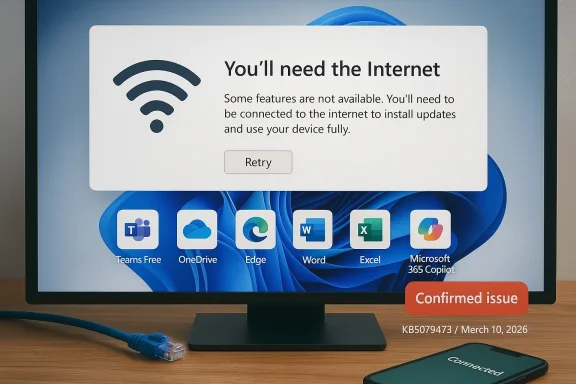
Windows app message on a monitor: “You’ll need the Internet” with a Retry prompt.Overview​

The important detail here is that this is not being treated as a vague user-side networking problem. Microsoft has explicitly logged it as a confirmed issue tied to OS Build 26100.8037 and the KB5079473 security update released on March 10, 2026. The company says the failure happens only for Microsoft account sign-ins, not for organizations using Entra ID, which is the enterprise identity system formerly known as Azure Active Directory. That distinction matters because it sharply limits the blast radius in business environments while leaving consumer and personal-productivity users in the crosshairs. (learn.microsoft.com)
This pattern should sound familiar to long-time Windows watchers. In the modern Windows servicing era, monthly cumulative updates increasingly sit at the center of not just security posture but identity, cloud integration, and app authentication. When a patch touches the sign-in stack, the effects can ripple through apps that depend on “silent” identity validation, cached tokens, or device state checks. A broken authentication flow can therefore look, to end users, like a Wi‑Fi outage, even though the real issue is lower in the software stack. That kind of misdirection is what makes these bugs so disruptive. (learn.microsoft.com)
Microsoft’s own guidance also reflects the oddity of the failure. The company says a restart with an active internet connection may repair the device’s connection status, while restarting without connectivity can allow the bad state to recur. That suggests the bug is not just a simple server outage or a temporarily unavailable backend service. Instead, the problem appears to involve how Windows records or validates connection state during or after the update process. In other words, the symptom looks network-related, but the mechanism is likely local and stateful. (learn.microsoft.com)
The wider impact is less about a single app and more about the increasing number of Windows features that depend on Microsoft identity. Teams Free, consumer OneDrive, and the Microsoft 365 desktop apps are now tightly intertwined with account sign-in, cloud access, and token refreshes. When that chain breaks, even people who are simply trying to open a document or access a shared file can be blocked. That makes this an operational issue, not merely an annoyance. (learn.microsoft.com)

Background​

Microsoft’s March 2026 security update is part of the normal second-Tuesday cadence, but the company’s servicing model has become more complex as Windows 11 branches fragment into multiple active versions. The release-health pages show Microsoft tracking Windows 11 25H2, 24H2, 23H2, and Windows Server variants separately, while also publishing message-center notices and resolved-issue histories. That is helpful for administrators, but it also shows how many moving parts exist when a single monthly patch lands across consumer and enterprise fleets. (learn.microsoft.com)
The issue is especially notable because Microsoft now treats Windows Release Health as the canonical record for operationally significant bugs. That means the company is no longer relying on forum posts or support chatter to define whether a problem is real. Instead, the bug has a formal status, a build number, a date of introduction, and a projected resolution window. In practice, that gives IT teams a more authoritative source for triage, but it also makes the visibility of the flaw impossible to ignore. (learn.microsoft.com)
Historically, Microsoft account failures on Windows have often been the sort of issue users discover in the middle of a task rather than during an obvious sign-in step. That’s because Microsoft’s ecosystem blends authentication into many layers: app startup, document access, sync, licensing, and “cloud-backed” features. If the token chain or device trust state breaks, the app may not say “authentication failed”; it may say the internet is unavailable. That mismatch between cause and message has long been one of the more user-hostile aspects of Microsoft’s cloud-first design. (learn.microsoft.com)
There is also a broader context of recent Windows update regressions affecting identity-adjacent workflows. Microsoft has spent much of the last year documenting and remediating update-caused problems in areas such as remote connections, OneDrive-linked workflows, and other sign-in paths. The company’s release-health pages show that these issues are now part of a recurring pattern rather than isolated anomalies. That does not mean the systems are unstable overall, but it does mean identity and cloud connectivity remain sensitive surfaces in Windows servicing. (learn.microsoft.com)

Why this matters beyond one bug​

The reason this incident deserves attention is that it affects a core trust expectation: if the computer is online, cloud sign-in should work. When that expectation fails, users often blame their router, their account, or their employer’s IT department before they suspect Windows Update. That uncertainty slows troubleshooting and increases support load. It also damages confidence in the idea that “install the latest updates” is always the safest path on day one. That tension is now routine. (learn.microsoft.com)

What Microsoft Confirmed​

Microsoft’s release-health note is unusually specific. It says that after installing the March 10, 2026 updates, sign-in with Microsoft accounts might fail in apps such as Microsoft Teams Free and OneDrive, and it lists additional affected apps including Microsoft Edge, Excel, Word, and Microsoft 365 Copilot. The affected platforms are Windows 11 25H2 and 24H2. Microsoft also says the issue is only present when the app or function requires Microsoft account authentication. (learn.microsoft.com)
The exact error string is particularly revealing: “You’ll need the Internet for this. It doesn’t look like you’re connected to the Internet.” That message appears even when the device is connected, which suggests Windows is failing to reconcile a local connection or identity state with reality. In practical terms, users may see a network error when the real break is the update’s handling of sign-in metadata or connectivity validation. That kind of misleading prompt is one reason these issues spread quickly on social media and support forums. (learn.microsoft.com)
Microsoft’s documentation also draws a sharp enterprise-consumer boundary. Entra ID users are not affected, which means domain-like business sign-ins are insulated from this specific regression. That’s a relief for managed fleets, but it also highlights how fragmented the Windows identity stack has become. Consumer Microsoft accounts, Teams Free, and personal OneDrive usage live on a different path than enterprise authentication, and only one of those paths is broken here. (learn.microsoft.com)

The immediate workaround​

The temporary workaround is not elegant, but it is simple: restart the device while keeping the internet connection active. Microsoft says that should restore the device’s connection status and prevent the issue from reappearing in many cases. If the system is rebooted while offline, however, the problematic state may return. That makes the workaround useful, but also fragile, because it depends on the machine entering the right state at startup. (learn.microsoft.com)
  • Restart with a stable internet connection.
  • Avoid rebooting offline if the issue has already appeared.
  • Keep an eye on Microsoft’s release-health page for the fix.
  • Expect the problem to persist only until the device reestablishes the correct state.
  • Treat the error as an update regression, not a simple Wi‑Fi fault. (learn.microsoft.com)

Why the Error Message Is So Confusing​

A message that says the internet is unavailable when it plainly is not turns a technical bug into a human one. Users usually trust network-related prompts because they map onto visible reality: either the browser loads or it doesn’t. Here, that logic fails, which means people can waste time checking routers, VPNs, DNS settings, or firewalls when none of those are to blame. That is a classic example of bad diagnostics multiplying the cost of a bug. (learn.microsoft.com)
The app list matters as much as the message. Edge, Word, and Excel are not just standalone desktop programs anymore; they are identity-aware clients that can depend on Microsoft account state for licensing, sync, or cloud-connected features. Likewise, Microsoft 365 Copilot and OneDrive are fundamentally tied to sign-in. When a shared authentication layer fails, the symptom can appear across applications that otherwise seem unrelated. (learn.microsoft.com)

Consumer workflow impact​

For consumers, the most obvious pain points are everyday tasks: opening a personal OneDrive file, joining a Teams Free meeting, or syncing a Microsoft account across devices. These are the sorts of workflows that users don’t think about until they break. Once they do, the frustration is amplified because the software is effectively telling the user to fix a problem that the user cannot see. That is a terrible support experience. (learn.microsoft.com)
  • Personal file access can be interrupted.
  • Free collaboration tools may fail at the sign-in stage.
  • Office app cloud features may become inaccessible.
  • The failure can look like a home network problem.
  • Troubleshooting becomes slower because the error points in the wrong direction. (learn.microsoft.com)

Enterprise vs Consumer Impact​

The most important dividing line is identity type. Microsoft says Entra ID accounts are not impacted, which means most managed corporate environments should avoid this particular failure mode. That does not make enterprises immune to all update regressions, but it does mean the affected population is concentrated among consumer accounts and smaller-business or personal-use scenarios. (learn.microsoft.com)
That distinction also reflects how Microsoft has segmented its ecosystem. Consumer and prosumer accounts increasingly power the kinds of lightweight workflows that used to be “just local”—personal files, ad hoc collaboration, casual Teams usage, and app licensing. Enterprise identity, by contrast, is usually wrapped in policy, device management, and centralized troubleshooting. The corporate side has more machinery to absorb a hiccup; home users usually do not. That is why a bug like this lands harder in the consumer space. (learn.microsoft.com)

Managed devices have better defenses​

Managed environments often have support channels, staged rollout policies, and the option to validate patches before broad deployment. Microsoft’s release-health model exists partly for exactly that reason: administrators need to know when to hold or delay an update. The documentation even points IT pros toward Windows release health and Microsoft 365 admin resources for additional detail. In other words, the infrastructure for damage control is much better on the enterprise side.
Consumer users, by contrast, often install updates immediately and only discover the issue when a cloud service stops working. They are less likely to have rollback procedures or admin tooling. That makes guidance like “restart while online” useful, but only after the problem has already interrupted a task. This is a reminder that Windows Update quality is still judged not just by security coverage, but by how gracefully it fails for ordinary users. (learn.microsoft.com)

The March Patch Tuesday Pattern​

This incident is part of a broader reality: Patch Tuesday now routinely ships not only fixes, but the occasional high-profile regression. Microsoft’s servicing strategy depends on rapid monthly delivery, broad hardware diversity, and deeply integrated cloud identity. That combination creates a constant tradeoff between security hardening and compatibility risk. The more layers an update touches, the more likely it is to expose a corner case.
There is also a historical echo here. Over the last several update cycles, Microsoft has had to publish emergency out-of-band fixes for bugs affecting networking, app access, and cloud-backed workflows. The company has become more transparent about those problems, but transparency does not remove the operational pain. If anything, the public record now makes the pattern easier to see: update, regression, workaround, hotfix, repeat. That is not sustainable as a long-term user experience.

Why regressions keep happening​

Windows is no longer just an operating system; it is an identity broker, app platform, sync engine, policy layer, and security boundary. Each of those roles introduces another chance for a servicing change to have side effects. A fix designed for one part of the stack can alter behavior elsewhere in ways that are hard to reproduce in Microsoft’s internal testing matrix. That is especially true when consumer sign-in and enterprise sign-in travel different paths. (learn.microsoft.com)
  • More integration means more potential failure points.
  • Consumer and enterprise identity paths are increasingly separate.
  • App-level symptoms may hide OS-level causes.
  • Testing cannot easily simulate every device state.
  • Security updates have a narrower tolerance for breakage than optional previews. (learn.microsoft.com)

What the Fix Likely Needs to Address​

Microsoft has not published root-cause details yet, which is normal at this stage of the incident. But the symptoms suggest that whatever broke is linked to how the system determines whether the device is “online” for Microsoft account sign-in. If the state machine handling authentication, connectivity, or token refresh got out of sync, then restart behavior would make sense as a temporary recovery path. That is an inference, but it is consistent with Microsoft’s guidance and the error message itself. (learn.microsoft.com)
The next patch will likely need to correct more than the visible message. A proper fix must restore the trust relationship between the local device state and the Microsoft account services that depend on it. If Microsoft only masks the symptom without repairing the state logic, users may continue to experience sporadic failures after sleep, reboot, or offline startup. That is why the exact wording in the release-health note matters: Microsoft is fixing a stateful bug, not just a user interface nuisance. (learn.microsoft.com)

Temporary fix versus permanent fix​

A restart-based workaround is useful for triage, but it is not a substitute for a servicing fix. It clears whatever bad state the machine is carrying, yet it does not explain why the state arose in the first place. Microsoft’s promise to deliver a resolution in the next few days suggests the company believes it can address the defect quickly, which usually means the issue is well understood internally, even if the public root cause has not been disclosed. (learn.microsoft.com)
  • A workaround can restore access.
  • A permanent fix must prevent recurrence.
  • State corruption and sign-in validation are likely linked.
  • Offline restarts appear to preserve the faulty condition.
  • The real solution probably involves a servicing update, not a registry tweak. (learn.microsoft.com)

Broader Competitive Implications​

Incidents like this are not just about Microsoft’s patch quality; they are also about trust in the broader Windows ecosystem. Competing platforms will quietly benefit when users perceive Microsoft account integration as fragile, because reliability is one of the few advantages that can outweigh feature depth. If cloud identity becomes synonymous with intermittent breakage, some users will look for less dependent workflows or alternative collaboration tools. That is an economic consequence, not just a technical one. (learn.microsoft.com)
For Microsoft itself, the risk is reputational as much as operational. The company has spent years pushing a vision where Windows, Office, OneDrive, Teams, and Copilot work best when tied together through a single identity layer. That vision only works if the layer is dependable. Every update regression that interferes with sign-in chips away at the assumption that this ecosystem is seamless.

How rivals may read this​

Rivals do not need to beat Microsoft feature for feature if Microsoft’s own update cycle keeps tripping over core workflows. That is why browser-centric collaboration tools, cross-platform file services, and lightweight messaging apps remain attractive. They can advertise fewer dependencies, fewer OS-specific quirks, and less risk that a Patch Tuesday update will knock out basic access. In a market this mature, reliability is a product feature. (learn.microsoft.com)
  • Reliability can outvalue feature density.
  • Cross-platform services gain appeal when Windows integrations fail.
  • Microsoft’s ecosystem cohesion is both a strength and a weakness.
  • Sign-in regressions can push users toward simpler workflows.
  • Trust losses tend to accumulate slowly but persistently. (learn.microsoft.com)

Strengths and Opportunities​

Despite the inconvenience, Microsoft’s handling of this bug does show some strengths. The company has already identified the affected build, named the affected product family, separated consumer from enterprise impact, and given a near-term remediation target. That is better than silence, and it gives admins and power users something actionable to work with while waiting for the patch. (learn.microsoft.com)
It also gives Microsoft an opportunity to improve how it communicates service regressions that masquerade as network failures. More precise diagnostics, better error text, and clearer guidance around restart sequencing would reduce confusion the next time a similar state issue appears. That matters because the real cost of these bugs is not just downtime; it is wasted troubleshooting time. Better messaging is part of the fix. (learn.microsoft.com)
  • Microsoft acknowledged the issue quickly in official release-health notes.
  • The company narrowed the impact to Microsoft account sign-ins.
  • Entra ID customers are shielded from the problem.
  • A restart workaround is available immediately.
  • The fix is expected in the near term, reducing prolonged disruption.
  • The incident could motivate improved sign-in diagnostics.
  • Release-health transparency helps IT teams make faster decisions. (learn.microsoft.com)

Risks and Concerns​

The biggest concern is that a bug like this erodes confidence in cumulative updates, especially for users who rely on Microsoft’s own ecosystem every day. If people begin to assume that monthly patches may interrupt sign-in, they may delay updates longer than they should, which in turn weakens security posture. That is the classic servicing dilemma: the cure has to be trustworthy enough that users are willing to take it. (learn.microsoft.com)
There is also the support burden. Because the error looks like a connectivity problem, help desks and home users can spend time chasing the wrong root cause. That makes the issue more expensive than a narrowly scoped app crash, and it increases the odds of user workarounds that create new problems. Misdiagnosis is the hidden tax here. (learn.microsoft.com)
  • Users may blame their network instead of the update.
  • Some may delay future updates out of caution.
  • Restart-based recovery is fragile and state-dependent.
  • Consumer users lack enterprise rollback tooling.
  • The bug affects multiple productivity apps, increasing disruption.
  • Bad diagnostics increase support costs.
  • Repeated regressions can damage trust in Windows servicing. (learn.microsoft.com)

Looking Ahead​

Microsoft says it expects to release a resolution in the next few days, and that timeline is the key metric to watch. If the fix arrives promptly and truly stabilizes Microsoft account sign-ins, this will likely become one more documented servicing stumble rather than a long-running crisis. If not, the issue could join the list of recent Windows update regressions that forced follow-up remediation and created lingering user anxiety. (learn.microsoft.com)
The more interesting question is whether Microsoft uses the incident to improve its release-health playbook for consumer identity problems. The company has already shown it can track and publish known issues with impressive specificity. The next step is making those pages even more useful for ordinary users, not just IT administrators. That means clearer symptom descriptions, stronger workaround guidance, and faster escalation when a bug crosses from nuisance into widespread productivity disruption. (learn.microsoft.com)

What to watch next​

  • The release-health page for a final fix announcement.
  • Whether the fix arrives as a servicing update or an out-of-band patch.
  • Whether Microsoft expands the affected-platform list.
  • Whether similar sign-in issues show up in related consumer services.
  • Whether the workaround remains valid after the patch is released. (learn.microsoft.com)
In the end, this is less a story about one broken login prompt than about how dependent Windows has become on cloud identity plumbing that users can neither see nor easily repair. Microsoft can fix the immediate bug, and it almost certainly will, but the larger challenge is making sure every monthly update does not feel like a gamble with access to the services people use most. The Windows ecosystem will remain powerful only if it becomes more resilient, more transparent, and far less willing to disguise local failures as lost internet access.

Source: heise online Windows update issues: Login to private Microsoft accounts fails
 

Back
Top