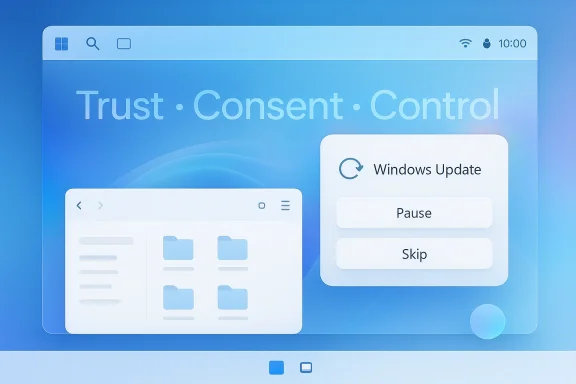
Microsoft is preparing one of the most user-friendly Windows Update changes in years, and it may arrive sooner than many power users expect. According to reporting tied to a March 20, 2026 Microsoft message from Windows executive Pavan Davuluri, the company plans to give Windows 11 users more direct control over when updates happen, including the ability to reschedule, pause, and even skip some update prompts during setup. That is a meaningful shift for a platform long criticized for treating updates as something Windows does to users rather than with them. Microsoft has not only confirmed the direction of travel in recent update documentation, but also shown, through related Windows update policy changes, that the company is steadily reworking the update experience around predictability and user control.
Windows updates have been a flashpoint for more than a decade because they sit at the intersection of security, convenience, and trust. Microsoft’s earlier Windows 10 update reforms in 2019 already acknowledged the problem, adding clearer update controls and a pause option for up to 35 days. That was a significant step at the time, but the overall model still leaned heavily toward automatic enforcement, especially around restart prompts and shutdown behavior.
What makes the April 2026 change noteworthy is not that Microsoft is introducing the concept of scheduling or pausing updates for the first time. It is that the company appears to be broadening those controls and lowering the friction around them, especially in the out-of-box setup flow and around restart/shutdown moments. Microsoft’s own policy documentation already distinguishes between scheduled installation behavior and user-facing pause controls, showing that the plumbing for more nuanced update timing has been evolving for some time. The new feature seems to move those ideas closer to the mainstream Windows 11 experience.
That matters because Windows 11 has inherited a mixed reputation. On one hand, Microsoft has invested heavily in improving update quality, introducing hotpatching for eligible enterprise devices, refining servicing, and tightening release cadence around preview, release preview, and baseline months. On the other hand, many users still associate Windows updates with surprise restarts, noisy notifications, and moments when the operating system feels more like an administrator than an assistant. The April 2026 changes are best understood as a response to that long-running tension.
There is also a broader support-cycle backdrop. Microsoft has been pushing organizations and consumers to think harder about lifecycle management, with Windows 10 support already over and Windows 11 firmly positioned as the forward path. In that environment, making Windows Update feel less punitive is not just a UX improvement; it is a retention strategy. If users feel less ambushed by updates, they are more likely to trust the platform that is asking them to modernize.
In practical terms, this is about reducing the feeling that Windows Update is always lurking in the background, ready to interrupt work. Microsoft’s own language around update quality and predictability suggests the company wants updates to become planned events rather than surprise interruptions. That is an important distinction, because many complaints about Windows updates are not really about the patches themselves; they are about timing, interruption, and the lack of meaningful choice.
For Microsoft, the timing issue is also a telemetry issue. If users are more willing to leave updates enabled because they feel in control, the company may get better compliance without escalating frustration. That is the subtle promise behind many modern servicing changes: reduce resistance, and the fleet updates itself more smoothly. In that sense, better UX can become better security.
The most interesting part of the reported change is the ability to skip updates during device setup to get to the desktop faster. That is a direct acknowledgment that the first-run experience matters, especially on new PCs where buyers expect immediate productivity. Setup has always been a moment where Windows can feel slow and overbearing, so reducing update friction there is a smart move.
The change also reflects a deeper philosophical adjustment. Microsoft is not abandoning automatic updates, and it should not; consumer security depends on wide patch adoption. Instead, the company is trying to make automated updating feel less coercive. That is a subtle but important difference, because users often object less to maintenance itself than to the lack of say in when maintenance happens.
This is also a response to a user base that is far more sensitive to interruptions than it was a decade ago. People now rely on their PCs for live meetings, streaming, remote work, gaming, and content creation in ways that leave less room for unscheduled downtime. A reboot that used to be a nuisance is now a potential business disruption. Microsoft’s timing changes recognize that reality.
There is a branding angle, too. Microsoft has spent years trying to reposition Windows as a modern platform that balances security and flexibility. Every meaningful update-control improvement strengthens that narrative. If the company can make updates feel less like a tax on attention, it may finally reduce one of the oldest sources of Windows resentment.
The second consumer benefit is psychological. Windows updates have long created a low-level sense of uncertainty because users never quite know when the next interruption will arrive. A more predictable update rhythm reduces that ambient stress and makes the platform feel more respectful. That may sound soft, but it is a real differentiator in consumer software. Trust is a feature.
The catch is that more freedom also creates more opportunity for delay. Some users will pause updates too often, ignore reminders, or drift far behind on security patches if the controls are too generous. Microsoft will need to balance empowerment with guardrails, because the average consumer is not an IT administrator and should not have to think like one.
That matters because corporate environments often fail not at policy design but at human compliance. If users are less tempted to bypass or complain about updates, IT gets a cleaner path to fleet consistency. Microsoft’s work on hotpatching, baseline months, and automated update compliance fits neatly into that broader enterprise push toward fewer disruptive restarts.
The enterprise upside becomes especially clear in managed environments where a machine can be compliant without immediately forcing a reboot. Microsoft’s ongoing investment in hotpatching shows how much value the company places on getting security fixes onto endpoints quickly while preserving productivity. Even if the consumer-facing schedule/pause feature is separate from hotpatch, both moves point in the same strategic direction: fewer interruptions, faster compliance.
That said, organizations should not assume user-facing flexibility will solve every update challenge. If anything, it may increase the need for clear policy education, because employees may confuse local controls with corporate requirements. The result could be a slightly more elegant front end to a still-complex backend. That is progress, but not perfection.
The company is not wrong to improve control, but it is also not wrong to keep nudging users toward timely updates. That is why the framing around predictability and fewer notifications matters so much. Microsoft seems to believe that the path to better compliance is not more pressure, but less friction. If the update process feels respectful, users may be less inclined to fight it.
Microsoft can partly mitigate this with clearer warnings, better status indicators, and more obvious countdowns for deferred updates. But the deeper issue is behavioral: the people who most want to pause updates are often the least likely to actively manage the consequences. That is a familiar software-design paradox.
Since then, Microsoft’s servicing model has become more sophisticated. The company has introduced preview and baseline concepts, expanded enterprise update tooling, and invested in mechanisms such as hotpatching to reduce reboot pressure for eligible devices. The result is an update ecosystem that is much more layered than the old “Patch Tuesday and pray” era.
That may be the most promising sign of all. When a vendor starts solving the user’s real complaint rather than the complaint it wishes users had, the product often improves faster. Windows has spent years trying to catch up to that insight.
Rivals will not necessarily copy this exact behavior, but they will notice the strategic value. Apple, Google, and Linux distributions each take different approaches to update management, yet all of them understand that predictable maintenance is a selling point. Microsoft’s move is an acknowledgment that Windows must compete not only on features, but on manners.
The broader market implication is that “control” is becoming a core product category in operating systems. It is not enough to be secure, and it is not enough to be stable. Users increasingly expect software to be both enforceable and negotiable, which is a difficult but increasingly standard expectation. Windows is finally catching up to that reality.
The next phase will likely be judged by consistency rather than novelty. If Microsoft can make update timing predictable across setup, shutdown, restart, and pause states, users will notice the difference immediately even if the underlying mechanics remain complex. The best update systems are the ones people stop noticing because they simply behave when expected.
Source: Shacknews Windows Updates can be scheduled or paused starting in April 2026
 Background
Windows updates have been a flashpoint for more than a decade because they sit at the intersection of security, convenience, and trust. Microsoft’s earlier Windows 10 update reforms in 2019 already acknowledged the problem, adding clearer update controls and a pause option for up to 35 days. That was a significant step at the time, but the overall model still leaned heavily toward automatic enforcement, especially around restart prompts and shutdown behavior.What makes the April 2026 change noteworthy is not that Microsoft is introducing the concept of scheduling or pausing updates for the first time. It is that the company appears to be broadening those controls and lowering the friction around them, especially in the out-of-box setup flow and around restart/shutdown moments. Microsoft’s own policy documentation already distinguishes between scheduled installation behavior and user-facing pause controls, showing that the plumbing for more nuanced update timing has been evolving for some time. The new feature seems to move those ideas closer to the mainstream Windows 11 experience.
That matters because Windows 11 has inherited a mixed reputation. On one hand, Microsoft has invested heavily in improving update quality, introducing hotpatching for eligible enterprise devices, refining servicing, and tightening release cadence around preview, release preview, and baseline months. On the other hand, many users still associate Windows updates with surprise restarts, noisy notifications, and moments when the operating system feels more like an administrator than an assistant. The April 2026 changes are best understood as a response to that long-running tension.
There is also a broader support-cycle backdrop. Microsoft has been pushing organizations and consumers to think harder about lifecycle management, with Windows 10 support already over and Windows 11 firmly positioned as the forward path. In that environment, making Windows Update feel less punitive is not just a UX improvement; it is a retention strategy. If users feel less ambushed by updates, they are more likely to trust the platform that is asking them to modernize.
What Microsoft Appears to Be Changing
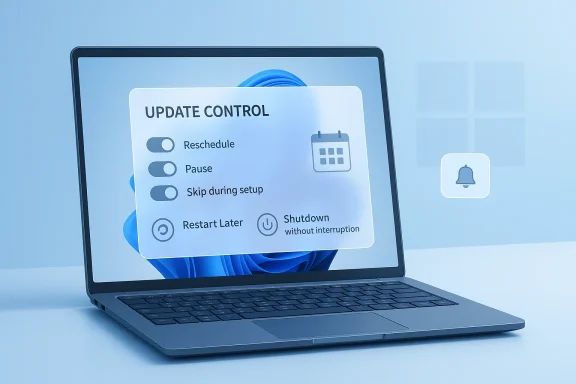
The headline change is simple: Windows 11 is moving toward more explicit user control over update timing. The reported additions include the ability to reschedule updates, pause them for longer, skip updates during device setup, and restart or shut down without being forced into an installation at that exact moment. That combination goes beyond a cosmetic tweak and starts to address the parts of the update experience that frustrate people most.In practical terms, this is about reducing the feeling that Windows Update is always lurking in the background, ready to interrupt work. Microsoft’s own language around update quality and predictability suggests the company wants updates to become planned events rather than surprise interruptions. That is an important distinction, because many complaints about Windows updates are not really about the patches themselves; they are about timing, interruption, and the lack of meaningful choice.
Why timing matters more than ever
For consumers, the difference between “install now” and “install later” can decide whether an update is seen as helpful or hostile. A laptop reboot at the end of a workday is one thing; a forced restart during a presentation, video call, or long render is another. Giving users more timing flexibility does not remove the need to patch, but it makes patching feel less antagonistic. That alone can improve trust in the OS.For Microsoft, the timing issue is also a telemetry issue. If users are more willing to leave updates enabled because they feel in control, the company may get better compliance without escalating frustration. That is the subtle promise behind many modern servicing changes: reduce resistance, and the fleet updates itself more smoothly. In that sense, better UX can become better security.
The most interesting part of the reported change is the ability to skip updates during device setup to get to the desktop faster. That is a direct acknowledgment that the first-run experience matters, especially on new PCs where buyers expect immediate productivity. Setup has always been a moment where Windows can feel slow and overbearing, so reducing update friction there is a smart move.
- More explicit scheduling means fewer surprise reboots.
- Longer pauses can help users who travel or work offline.
- Setup-time skipping improves first impressions on new devices.
- Shutdown without immediate installation preserves user agency.
- Reduced notification noise addresses a persistent annoyance.
Why This Is a Big Deal for Windows 11
Windows 11 has often been sold as a more polished, more disciplined version of Windows, but the update experience has still undermined that messaging at times. When an operating system promises design refinement yet still behaves unpredictably at the moment users are closing a laptop or stepping away from a desktop, the gap between branding and reality becomes obvious. This update-control shift helps close that gap.The change also reflects a deeper philosophical adjustment. Microsoft is not abandoning automatic updates, and it should not; consumer security depends on wide patch adoption. Instead, the company is trying to make automated updating feel less coercive. That is a subtle but important difference, because users often object less to maintenance itself than to the lack of say in when maintenance happens.
From enforcement to negotiation
The old Windows update model often felt like a one-way instruction. The new direction looks more like negotiation: Windows recommends, warns, schedules, and reminds, but increasingly allows the human at the keyboard to decide when the machine should actually take action. That may sound small, but it is exactly the kind of small behavioral change that can reshape how users think about the OS.This is also a response to a user base that is far more sensitive to interruptions than it was a decade ago. People now rely on their PCs for live meetings, streaming, remote work, gaming, and content creation in ways that leave less room for unscheduled downtime. A reboot that used to be a nuisance is now a potential business disruption. Microsoft’s timing changes recognize that reality.
There is a branding angle, too. Microsoft has spent years trying to reposition Windows as a modern platform that balances security and flexibility. Every meaningful update-control improvement strengthens that narrative. If the company can make updates feel less like a tax on attention, it may finally reduce one of the oldest sources of Windows resentment.
Consumer Impact
For home users, the most obvious win is autonomy. People who use their PC in bursts, share it with family members, or work irregular schedules will appreciate being able to defer updates until a more convenient time. That is especially helpful when a PC doubles as entertainment center, school machine, and personal workstation all in one.The second consumer benefit is psychological. Windows updates have long created a low-level sense of uncertainty because users never quite know when the next interruption will arrive. A more predictable update rhythm reduces that ambient stress and makes the platform feel more respectful. That may sound soft, but it is a real differentiator in consumer software. Trust is a feature.
Everyday scenarios that improve
A parent can finish a remote meeting without worrying that the machine will reboot on shutdown. A student can avoid an update prompt in the middle of an assignment submission. A gamer can preserve a play session without having to babysit the power menu every time. These are mundane use cases, but they are the ones that shape user sentiment most strongly.The catch is that more freedom also creates more opportunity for delay. Some users will pause updates too often, ignore reminders, or drift far behind on security patches if the controls are too generous. Microsoft will need to balance empowerment with guardrails, because the average consumer is not an IT administrator and should not have to think like one.
- Better for households with shared PCs.
- Better for students and remote workers.
- Better for gamers and creators who hate interruption.
- Better for laptops that are not always plugged in.
- Riskier if users pause updates indefinitely.
Enterprise Impact
Enterprises are likely to view the change differently than consumers. Most organizations already use policy frameworks, MDM tooling, and update rings to control timing, so the new Windows 11 behaviors are less a revolution than a refinement. Still, every improvement to the default user experience can reduce help desk tickets and friction between end users and IT.That matters because corporate environments often fail not at policy design but at human compliance. If users are less tempted to bypass or complain about updates, IT gets a cleaner path to fleet consistency. Microsoft’s work on hotpatching, baseline months, and automated update compliance fits neatly into that broader enterprise push toward fewer disruptive restarts.
The admin and the employee see different problems
Administrators want security, standardization, and visibility. Employees want speed, control, and uninterrupted work. Windows 11’s evolving update model appears to be trying to satisfy both camps by making the core process more flexible without removing policy governance. That is a difficult balancing act, but it is the right one.The enterprise upside becomes especially clear in managed environments where a machine can be compliant without immediately forcing a reboot. Microsoft’s ongoing investment in hotpatching shows how much value the company places on getting security fixes onto endpoints quickly while preserving productivity. Even if the consumer-facing schedule/pause feature is separate from hotpatch, both moves point in the same strategic direction: fewer interruptions, faster compliance.
That said, organizations should not assume user-facing flexibility will solve every update challenge. If anything, it may increase the need for clear policy education, because employees may confuse local controls with corporate requirements. The result could be a slightly more elegant front end to a still-complex backend. That is progress, but not perfection.
The Security Trade-Off
The most important caveat in any update story is security. Updates exist because unpatched systems become vulnerable, and the more ability users have to delay installation, the greater the chance that some will delay too long. Microsoft must therefore walk a narrow line between user agency and default protection.The company is not wrong to improve control, but it is also not wrong to keep nudging users toward timely updates. That is why the framing around predictability and fewer notifications matters so much. Microsoft seems to believe that the path to better compliance is not more pressure, but less friction. If the update process feels respectful, users may be less inclined to fight it.
Why longer pauses can be risky
A pause feature is useful until it becomes a hiding place. Users who forget why they paused updates, or who simply enjoy the absence of prompts, may leave devices exposed longer than they realize. That risk grows when security updates are delivered on a regular cadence and users do not appreciate the consequences of missing multiple cycles.Microsoft can partly mitigate this with clearer warnings, better status indicators, and more obvious countdowns for deferred updates. But the deeper issue is behavioral: the people who most want to pause updates are often the least likely to actively manage the consequences. That is a familiar software-design paradox.
- Better UX can increase update adoption.
- Excessive pausing can widen exposure windows.
- Security messaging must stay visible and plain.
- Corporate policy can compensate for consumer slippage.
- Microsoft needs guardrails that are firm but not punitive.
Historical Context: Microsoft’s Long Update Journey
This is not the first time Microsoft has tried to make updates less painful. The 2019 Windows 10 revisions were a direct response to user backlash over surprise restarts and opaque behavior. At the time, letting users explicitly choose whether to install after checking for updates and allowing a pause period up to 35 days was framed as a major modernization of the update experience.Since then, Microsoft’s servicing model has become more sophisticated. The company has introduced preview and baseline concepts, expanded enterprise update tooling, and invested in mechanisms such as hotpatching to reduce reboot pressure for eligible devices. The result is an update ecosystem that is much more layered than the old “Patch Tuesday and pray” era.
Why the 2026 change feels different
The April 2026 shift feels different because it targets the emotional friction points, not just the technical ones. Users do not merely want updates to be safe; they want them to be predictable, interrupted less often, and aligned with their schedule. By tackling those points directly, Microsoft is treating Windows Update as an experience design problem, not just a servicing problem.That may be the most promising sign of all. When a vendor starts solving the user’s real complaint rather than the complaint it wishes users had, the product often improves faster. Windows has spent years trying to catch up to that insight.
Competitive Implications
Microsoft is not the only company that has struggled with update control, but Windows is the platform where the problem is most visible because of its sheer scale. Any meaningful reduction in forced-restart drama can strengthen Windows against perceptions that desktop operating systems should be more intrusive than mobile ones. In a market where user patience is limited, less friction can translate into better loyalty.Rivals will not necessarily copy this exact behavior, but they will notice the strategic value. Apple, Google, and Linux distributions each take different approaches to update management, yet all of them understand that predictable maintenance is a selling point. Microsoft’s move is an acknowledgment that Windows must compete not only on features, but on manners.
Consumer versus enterprise competition
In consumer computing, update annoyance can shape brand preference over years. In enterprise IT, update friction can influence deployment schedules, support calls, and compliance outcomes. Microsoft’s efforts to reduce restart pain therefore strengthen the platform in both markets, even if the practical effect is more visible to everyday users than to administrators.The broader market implication is that “control” is becoming a core product category in operating systems. It is not enough to be secure, and it is not enough to be stable. Users increasingly expect software to be both enforceable and negotiable, which is a difficult but increasingly standard expectation. Windows is finally catching up to that reality.
- Less annoyance improves platform reputation.
- Better reputation can ease upgrade hesitation.
- Enterprise compliance benefits from reduced downtime.
- Competitors may emphasize their own update policies more clearly.
- User control is becoming a differentiator, not a perk.
Strengths and Opportunities
Microsoft’s update-control changes land at the right time because they address a complaint that has never fully gone away. They also arrive alongside a broader update-quality narrative that includes hotpatching, clearer lifecycle planning, and more transparent servicing guidance. If executed well, the change could become one of those quietly important improvements that changes how people feel about Windows every day.- More predictable restart behavior.
- Stronger consumer trust in Windows 11.
- Less setup friction on new devices.
- Improved alignment with modern work patterns.
- Better enterprise compliance through lower interruption.
- Reduced notification fatigue.
- A more polished Windows brand overall.
Risks and Concerns
The biggest concern is that user freedom can become user neglect. If Microsoft makes pausing updates too easy or too tempting, some devices will inevitably remain behind on security fixes longer than they should. That is the classic tension between convenience and safety, and it never fully disappears.- Some users may pause updates for too long.
- Security exposure can grow if reminders are ignored.
- Support teams may face confusion over new controls.
- Organizations may need to retrain users.
- Too many options can create decision fatigue.
- Microsoft must avoid making patching feel optional.
- Poor implementation could blunt the goodwill effect.
Looking Ahead
The most important question is whether the April 2026 Windows 11 update will be a one-off polish pass or the start of a broader redesign of how Windows handles maintenance. Microsoft’s recent work suggests the latter. The company has been gradually building a more modern servicing stack, and user-facing control over timing fits naturally into that direction.The next phase will likely be judged by consistency rather than novelty. If Microsoft can make update timing predictable across setup, shutdown, restart, and pause states, users will notice the difference immediately even if the underlying mechanics remain complex. The best update systems are the ones people stop noticing because they simply behave when expected.
What to watch next
- Whether the April 2026 feature ships to all Windows 11 users or starts in stages.
- How long the new pause window really is and whether it is configurable.
- Whether setup-time skipping applies to both consumer and enterprise builds.
- How Microsoft presents the controls in Settings and first-run flows.
- Whether update reminders become clearer or more aggressive after the change.
Source: Shacknews Windows Updates can be scheduled or paused starting in April 2026
Last edited: