

Microsoft is beginning to walk back one of the most visible complaints about Windows 11: that the operating system has been steadily turning simple desktop workflows into AI showcases. In a new round of Insider-facing changes, Microsoft says it will reduce unnecessary Copilot entry points in apps like Snipping Tool, Photos, Widgets, and Notepad, while also restoring long-requested customization such as moving the taskbar to the top, left, or right side of the screen. The company is also making Windows Update less intrusive, so users can skip updates during setup or shut down without being forced into an install cycle first, a small but meaningful concession to people who have spent years fighting the OS instead of using it. Microsoft’s own Windows Insider messaging frames these as initial changes rolling out over roughly the next six weeks, with a broader public release expected later this year.
Windows 11 has spent much of its life in an awkward position between two audiences. On one side are enterprise customers and mainstream users who want stability, predictability, and fewer surprises. On the other are Microsoft’s product teams, which have spent the last two years pushing Windows toward a more ambient, AI-infused, and service-like operating model. Those goals have often collided with the habits of long-time Windows users, especially people who remember when the shell let them reposition the taskbar, minimize UI clutter, and avoid unsolicited feature creep.
That tension matters because Windows is not a disposable app. It is the desktop environment, the file system shell, the update orchestrator, and the platform through which many people work all day. When Microsoft adds a Copilot shortcut, a “helpful” AI surface, or a recommended feed, it is not just adding a feature; it is changing the emotional texture of the platform. The result has been a steady chorus of complaints that Windows 11 feels busier than Windows 10 while delivering less of the user control that used to define the brand.
Microsoft’s official Windows Insider blog has already shown where the company’s head has been. Earlier Insider builds added taskbar icon scaling, a drag tray for easier file sharing, and fresh Copilot hooks in Click to Do and other surfaces. At the same time, the company has repeatedly adjusted Notepad, Snipping Tool, and other inbox apps to include generative AI features or Copilot-adjacent entry points. In March 2025, for example, Microsoft rolled out Notepad summarization and Snipping Tool updates with direct Copilot integration, while still leaving room to disable AI features in settings. That mix of “more AI” and “more controls” is now becoming the company’s default balancing act.
The latest shift is notable because it acknowledges a product truth Microsoft has not always said out loud: not every useful workflow benefits from a Copilot prompt. Snipping Tool is primarily about capture and markup, Notepad is supposed to be quick and unobtrusive, Photos should be a lightweight viewer, and Widgets ought to behave like a glanceable dashboard rather than a persistent sales pitch. Removing excess AI entry points from those apps is not a retreat from AI so much as a recognition that ubiquity is not the same thing as usefulness.
There is also a broader historical rhythm here. Microsoft has long introduced bold platform visions first and then softened them after user friction became impossible to ignore. The Windows 11 Copilot story looks like another turn of that wheel. The difference this time is that AI is not a side experiment; it is the central narrative for Windows, Microsoft 365, and the company’s hardware strategy. That makes any correction feel more significant, even if it is only a change in emphasis.
That distinction sounds small, but it matters. A feature that appears in the wrong place quickly becomes a symbol of overreach, even if the underlying technology is useful. In Windows, the irritation is often cumulative: one extra button in Notepad, one extra badge in Photos, one more AI prompt in Widgets, and suddenly the OS feels less like a tool and more like a platform chasing a quarterly message.
Microsoft’s revised posture suggests a more selective philosophy. The company appears to be moving from “put Copilot everywhere” toward “put Copilot where it clearly fits.” That is not an abandonment of the AI strategy; it is an attempt to make the strategy less noisy and more defensible. For users, that could mean fewer interruptions and a cleaner interface. For Microsoft, it could mean fewer complaints about bloat and branding fatigue.
That is why the current rollback narrative resonates so strongly. It is not about one button in one app. It is about whether Microsoft understands that some tools should remain spare and quiet. People do not object to AI in principle; they object to AI that shows up before they have even asked for help. That’s the difference between utility and promotion.
Microsoft’s reported adjustments to those apps suggest a quieter rule: if a surface is supposed to be fast, then AI should remain subordinate to the task. That is the sort of design principle Windows users have been asking for all along. It is also a reminder that product discipline is often more valuable than feature count. Less friction often matters more than more capability.
There is also a subtle shift in the tone of Microsoft’s messaging. Earlier Copilot pushes tended to sound expansive and optimistic, as if every workflow could be improved by making AI more visible. Now the company is talking more like a platform steward, emphasizing restraint, reliability, and intentional placement. That may not sound as exciting in a keynote, but it is much more persuasive to actual users.
This is where enterprise and consumer interests start to converge. Businesses want predictability because interface churn creates training overhead, support tickets, and resistance from employees. Consumers want the same thing because people are tired of machines trying to teach them how to use their own desktops. In both cases, the complaint is not innovation itself; it is innovation that feels like interference.
A more restrained Windows 11 could help reset that relationship. But if the changes feel cosmetic, users will notice quickly. Windows veterans are notoriously good at spotting whether a change is a real usability fix or just a visual rebrand. The company has to prove this is more than a paint job. Perception will matter as much as implementation.
That matters because branding pressure has become part of the backlash. Users are not only reacting to capability; they are reacting to how aggressively Microsoft keeps reminding them that AI is the future of Windows. Sometimes a quieter interface is the only way to make the future feel usable.
That matters because the taskbar is not cosmetic for many people. It is a launcher, a status strip, a window switcher, and a workflow anchor. When Microsoft locked it down in Windows 11, it signaled a more opinionated design philosophy. Restoring flexibility suggests the company has recognized that modernity is not the same thing as uniformity.
The practical effect could be significant for users with multi-monitor setups, ultrawide displays, or dense productivity habits. A top or side taskbar can reclaim vertical space, improve scan patterns, or simply make a desktop feel more familiar. Those are small wins individually, but together they can change how a system feels after eight hours of use.
That is why taskbar customization has become symbolic. It is not just about where an icon lives; it is about whether Windows is still a platform that respects personal workflow. Flexibility signals respect. Lack of it signals that the OS thinks it knows better.
The hidden message is simple: Windows 11 is becoming more willing to let users make it their own again. That is a stronger competitive story than one more callout to a chatbot. It also suggests Microsoft is trying to repair the emotional contract with long-time Windows users before they drift elsewhere.
Windows Update has improved over time, but it remains one of the most frustrating parts of the platform because it directly affects time and continuity. If the OS wants to install something while you are trying to leave the house or shut down after a long shift, the experience feels adversarial. Reducing that friction is a meaningful trust repair.
This is also an enterprise story, not just a consumer one. IT administrators care about update cadence, restarts, and how much control they have over rollout windows. A calmer update experience reduces support overhead and makes the platform easier to defend internally. Less interruption is not glamorous, but it is expensive to ignore.
It also reinforces the idea that Microsoft is trying to solve multiple classes of annoyance at once. The company is not just slimming down Copilot surfaces; it is trying to make the whole shell feel less combative. That broader pattern makes the update story part of a larger trust campaign.
That is why this matters beyond enthusiast circles. Microsoft is not only trying to make users happier; it is trying to make Windows easier to govern. In the enterprise world, governability is a product feature.
That creates a unique strategic trap. If Microsoft surfaces AI too aggressively, it irritates users. If it surfaces it too cautiously, the company risks looking timid in a market that rewards visible momentum. The latest changes suggest Microsoft is trying to thread that needle by reducing clutter rather than backing away from AI altogether.
The lesson for rivals is that AI in a desktop OS is not the same as AI in a web service or mobile app. Desktop workflows are slower to forgive interruptions because they are used for real work over long sessions. Windows can be a great AI platform, but only if the AI behaves like a tool and not like a sales pitch.
That does not mean Microsoft should imitate Apple wholesale. Windows serves a much broader and messier installed base. But it does mean the company has to be careful about how much novelty it pushes into the shell at once. Familiarity is a feature in operating systems.
In other words, Microsoft is fighting on a harder battlefield. It has to preserve backward compatibility, manage enterprise policy, and serve people who still expect the desktop to behave like a desktop. That complexity is why every tiny UI decision becomes politically loaded.
For enterprises, the value is broader and more strategic. Administrators care about change management, support tickets, and whether new features alter the training burden for staff. A more restrained Copilot rollout and less disruptive update behavior reduce the chances that Windows 11 feels like a moving target.
The split also explains why Microsoft’s messaging has to be carefully calibrated. Consumers respond to convenience and familiarity, while enterprises respond to control and predictability. The best Windows updates are the ones that satisfy both audiences without sounding like a compromise written by committee.
It also reduces the sense that Windows 11 is trying too hard. Users tend to forgive a lot when the machine is simply trying to be useful. They are much less forgiving when the machine seems to be trying to persuade them.
It may also reduce the perception that Microsoft is forcing AI adoption from the top down. That perception has become a real issue in managed environments, where the difference between optional and mandatory often determines whether a feature is welcomed or resented. Choice matters more in the enterprise than in consumer marketing.
There is also a broader test ahead in how Microsoft communicates these changes. Users are more likely to embrace a quieter Windows if they believe the company understands why restraint matters. A better taskbar and calmer update behavior are strong signals, but they will only land if Microsoft keeps reinforcing the same philosophy in future builds.
What to watch next is simple, even if the implications are not.
Source: PCMag Copilot Takes a Backseat in Microsoft's Latest Windows 11 Update
Source: TweakTown Microsoft starts to scale back Copilot integration in Windows 11, starting with the Notepad app
 Background
Windows 11 has spent much of its life in an awkward position between two audiences. On one side are enterprise customers and mainstream users who want stability, predictability, and fewer surprises. On the other are Microsoft’s product teams, which have spent the last two years pushing Windows toward a more ambient, AI-infused, and service-like operating model. Those goals have often collided with the habits of long-time Windows users, especially people who remember when the shell let them reposition the taskbar, minimize UI clutter, and avoid unsolicited feature creep.That tension matters because Windows is not a disposable app. It is the desktop environment, the file system shell, the update orchestrator, and the platform through which many people work all day. When Microsoft adds a Copilot shortcut, a “helpful” AI surface, or a recommended feed, it is not just adding a feature; it is changing the emotional texture of the platform. The result has been a steady chorus of complaints that Windows 11 feels busier than Windows 10 while delivering less of the user control that used to define the brand.
Microsoft’s official Windows Insider blog has already shown where the company’s head has been. Earlier Insider builds added taskbar icon scaling, a drag tray for easier file sharing, and fresh Copilot hooks in Click to Do and other surfaces. At the same time, the company has repeatedly adjusted Notepad, Snipping Tool, and other inbox apps to include generative AI features or Copilot-adjacent entry points. In March 2025, for example, Microsoft rolled out Notepad summarization and Snipping Tool updates with direct Copilot integration, while still leaving room to disable AI features in settings. That mix of “more AI” and “more controls” is now becoming the company’s default balancing act.
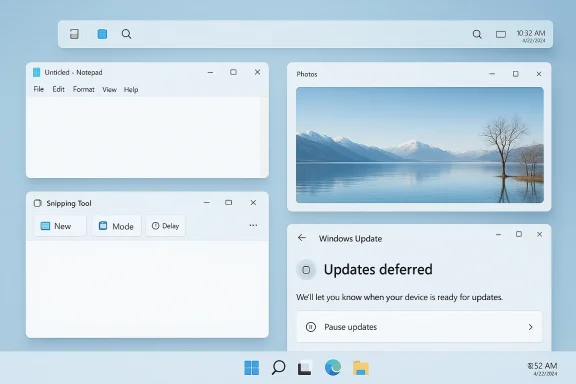
The latest shift is notable because it acknowledges a product truth Microsoft has not always said out loud: not every useful workflow benefits from a Copilot prompt. Snipping Tool is primarily about capture and markup, Notepad is supposed to be quick and unobtrusive, Photos should be a lightweight viewer, and Widgets ought to behave like a glanceable dashboard rather than a persistent sales pitch. Removing excess AI entry points from those apps is not a retreat from AI so much as a recognition that ubiquity is not the same thing as usefulness.
There is also a broader historical rhythm here. Microsoft has long introduced bold platform visions first and then softened them after user friction became impossible to ignore. The Windows 11 Copilot story looks like another turn of that wheel. The difference this time is that AI is not a side experiment; it is the central narrative for Windows, Microsoft 365, and the company’s hardware strategy. That makes any correction feel more significant, even if it is only a change in emphasis.
What Microsoft Is Actually Changing
The immediate story is not that Microsoft is deleting Copilot from Windows 11. It is that the company is trying to shrink the assistant’s visual footprint and reduce the number of places where users run into it by default. The latest Insider messaging points to fewer “entry points” in inbox apps, which is Microsoft’s way of saying the AI should be there when it is relevant, not because it can be there.That distinction sounds small, but it matters. A feature that appears in the wrong place quickly becomes a symbol of overreach, even if the underlying technology is useful. In Windows, the irritation is often cumulative: one extra button in Notepad, one extra badge in Photos, one more AI prompt in Widgets, and suddenly the OS feels less like a tool and more like a platform chasing a quarterly message.
Microsoft’s revised posture suggests a more selective philosophy. The company appears to be moving from “put Copilot everywhere” toward “put Copilot where it clearly fits.” That is not an abandonment of the AI strategy; it is an attempt to make the strategy less noisy and more defensible. For users, that could mean fewer interruptions and a cleaner interface. For Microsoft, it could mean fewer complaints about bloat and branding fatigue.
Why Notepad Became the Symbol
Notepad is a particularly revealing case because it represents the opposite of a grand AI showcase. Users open it when they want speed, simplicity, and almost no friction. When Microsoft surfaced Copilot there, it created the impression that even the most basic utilities were becoming gateways to the company’s AI ecosystem.That is why the current rollback narrative resonates so strongly. It is not about one button in one app. It is about whether Microsoft understands that some tools should remain spare and quiet. People do not object to AI in principle; they object to AI that shows up before they have even asked for help. That’s the difference between utility and promotion.
Snipping Tool, Photos, and Widgets
Snipping Tool and Photos are similar stories in different forms. The first is a capture workflow, not a conversation starter. The second is a viewer and editor, not a marketing surface. Widgets, meanwhile, are supposed to be glanceable; if they become cluttered, they lose the point of being there at all.Microsoft’s reported adjustments to those apps suggest a quieter rule: if a surface is supposed to be fast, then AI should remain subordinate to the task. That is the sort of design principle Windows users have been asking for all along. It is also a reminder that product discipline is often more valuable than feature count. Less friction often matters more than more capability.
Why This Feels Different in 2026
The timing of these changes matters because Windows 11 is no longer an optional experiment in Microsoft’s ecosystem. With Windows 10 support now in the past, the company has to persuade skeptical users to stay in the Windows 11 lane rather than treating it like a temporary stop on the way to something better. That gives Microsoft less room to annoy people and more reason to listen.There is also a subtle shift in the tone of Microsoft’s messaging. Earlier Copilot pushes tended to sound expansive and optimistic, as if every workflow could be improved by making AI more visible. Now the company is talking more like a platform steward, emphasizing restraint, reliability, and intentional placement. That may not sound as exciting in a keynote, but it is much more persuasive to actual users.
This is where enterprise and consumer interests start to converge. Businesses want predictability because interface churn creates training overhead, support tickets, and resistance from employees. Consumers want the same thing because people are tired of machines trying to teach them how to use their own desktops. In both cases, the complaint is not innovation itself; it is innovation that feels like interference.
The Trust Problem
The bigger issue is trust. Once users believe the OS is optimizing for Microsoft’s priorities rather than theirs, every new button becomes suspect. That is especially true for Copilot, which has been positioned not just as a feature but as a brand-wide strategy spanning Windows, Microsoft 365, and hardware.A more restrained Windows 11 could help reset that relationship. But if the changes feel cosmetic, users will notice quickly. Windows veterans are notoriously good at spotting whether a change is a real usability fix or just a visual rebrand. The company has to prove this is more than a paint job. Perception will matter as much as implementation.
The Copilot Brand Is the Real Story
What Microsoft is really testing here is not whether AI should exist in Windows, but how visible the Copilot brand should be. A feature can stay present while its branding recedes, and that may be the most practical compromise. It allows Microsoft to keep the AI architecture while reducing the sense that every app is a billboard for the same assistant.That matters because branding pressure has become part of the backlash. Users are not only reacting to capability; they are reacting to how aggressively Microsoft keeps reminding them that AI is the future of Windows. Sometimes a quieter interface is the only way to make the future feel usable.
The Taskbar and the Return of Familiar Control
The Copilot changes are only one part of a wider correction inside Windows 11. Microsoft is also revisiting one of the most emotionally charged parts of the desktop: the taskbar. The ability to move it to different edges of the screen is one of those little power-user controls that Windows users remember vividly once it disappears.That matters because the taskbar is not cosmetic for many people. It is a launcher, a status strip, a window switcher, and a workflow anchor. When Microsoft locked it down in Windows 11, it signaled a more opinionated design philosophy. Restoring flexibility suggests the company has recognized that modernity is not the same thing as uniformity.
The practical effect could be significant for users with multi-monitor setups, ultrawide displays, or dense productivity habits. A top or side taskbar can reclaim vertical space, improve scan patterns, or simply make a desktop feel more familiar. Those are small wins individually, but together they can change how a system feels after eight hours of use.
Why Power Users Care So Much
Power users have always been the first to react when Microsoft narrows control. They are not necessarily a huge share of the market, but they influence how Windows is discussed in forums, reviews, and IT departments. When they complain, they usually articulate the frustration better than casual users can.That is why taskbar customization has become symbolic. It is not just about where an icon lives; it is about whether Windows is still a platform that respects personal workflow. Flexibility signals respect. Lack of it signals that the OS thinks it knows better.
A Better Signal Than a Feature Demo
From a product-strategy standpoint, taskbar flexibility may be a more important goodwill move than any AI feature launch. A polished demo can impress for a day. A restored control that people use every single workday can reshape opinion for years. Microsoft knows this, which is why the change feels like a deliberate concession rather than a random tweak.The hidden message is simple: Windows 11 is becoming more willing to let users make it their own again. That is a stronger competitive story than one more callout to a chatbot. It also suggests Microsoft is trying to repair the emotional contract with long-time Windows users before they drift elsewhere.
Windows Update Gets Less Hostile
The update changes may be the least flashy part of the announcement, but they are among the most practical. Microsoft is aiming to make updates less intrusive during setup and shutdown, giving users more room to defer installation without getting trapped in a forced reboot cycle. That is the kind of quality-of-life change that people notice only when it is absent.Windows Update has improved over time, but it remains one of the most frustrating parts of the platform because it directly affects time and continuity. If the OS wants to install something while you are trying to leave the house or shut down after a long shift, the experience feels adversarial. Reducing that friction is a meaningful trust repair.
This is also an enterprise story, not just a consumer one. IT administrators care about update cadence, restarts, and how much control they have over rollout windows. A calmer update experience reduces support overhead and makes the platform easier to defend internally. Less interruption is not glamorous, but it is expensive to ignore.
Why Update Friction Matters More Than It Sounds
Update behavior is one of those invisible factors that determines whether users see Microsoft as a partner or a nuisance. A sleek UI can be ruined by one badly timed forced restart. That is why the more thoughtful update flow may ultimately do more for Windows 11’s reputation than the AI changes.It also reinforces the idea that Microsoft is trying to solve multiple classes of annoyance at once. The company is not just slimming down Copilot surfaces; it is trying to make the whole shell feel less combative. That broader pattern makes the update story part of a larger trust campaign.
A Quiet Win for IT
For corporate environments, fewer intrusive update moments are a real operational benefit. They reduce disruption during shift changes, presentations, and remote sessions. They also make it easier for administrators to standardize user expectations across fleets of devices.That is why this matters beyond enthusiast circles. Microsoft is not only trying to make users happier; it is trying to make Windows easier to govern. In the enterprise world, governability is a product feature.
The Competitive Angle: Apple, Google, and the AI Desktop Race
Microsoft’s course correction also says something about the broader AI competition. Apple has generally been more conservative about surfacing systemwide AI, while Google has leaned into AI across services but does not face the same desktop-OS problem Microsoft does. Windows has the hardest job because it must remain a general-purpose platform for consumers, creators, gamers, and enterprises.That creates a unique strategic trap. If Microsoft surfaces AI too aggressively, it irritates users. If it surfaces it too cautiously, the company risks looking timid in a market that rewards visible momentum. The latest changes suggest Microsoft is trying to thread that needle by reducing clutter rather than backing away from AI altogether.
The lesson for rivals is that AI in a desktop OS is not the same as AI in a web service or mobile app. Desktop workflows are slower to forgive interruptions because they are used for real work over long sessions. Windows can be a great AI platform, but only if the AI behaves like a tool and not like a sales pitch.
What This Means for Apple
Apple’s relative restraint may now look more deliberate than ever. The company has long preferred to introduce system changes with a lighter touch, especially when they affect the core feel of the desktop or mobile interface. Microsoft’s adjustments may be an implicit acknowledgment that Apple’s conservative cadence has benefits.That does not mean Microsoft should imitate Apple wholesale. Windows serves a much broader and messier installed base. But it does mean the company has to be careful about how much novelty it pushes into the shell at once. Familiarity is a feature in operating systems.
What This Means for Google
Google’s challenge is different because its AI is spread across services rather than concentrated in a desktop shell. That gives it more freedom to experiment, but also less direct control over the user's entire environment. Microsoft’s move highlights how much harder it is to make AI feel native when the OS itself becomes the delivery vehicle.In other words, Microsoft is fighting on a harder battlefield. It has to preserve backward compatibility, manage enterprise policy, and serve people who still expect the desktop to behave like a desktop. That complexity is why every tiny UI decision becomes politically loaded.
Enterprise vs. Consumer Impact
For consumers, the most visible upside is simple: fewer interruptions and a cleaner Windows 11 experience. People who mostly use Notepad, Snipping Tool, Photos, and Widgets for fast tasks should encounter less AI clutter and more room to get out of the app quickly. That is particularly important for casual users, who do not want to learn new mental models every time Microsoft updates a utility.For enterprises, the value is broader and more strategic. Administrators care about change management, support tickets, and whether new features alter the training burden for staff. A more restrained Copilot rollout and less disruptive update behavior reduce the chances that Windows 11 feels like a moving target.
The split also explains why Microsoft’s messaging has to be carefully calibrated. Consumers respond to convenience and familiarity, while enterprises respond to control and predictability. The best Windows updates are the ones that satisfy both audiences without sounding like a compromise written by committee.
Consumer Wins
For home users, fewer Copilot entry points should mean less visual noise and less of the feeling that the OS is constantly nudging them toward an AI workflow. If Microsoft gets the placement right, the underlying features can still exist without dominating the interface. That is probably the healthiest outcome.It also reduces the sense that Windows 11 is trying too hard. Users tend to forgive a lot when the machine is simply trying to be useful. They are much less forgiving when the machine seems to be trying to persuade them.
Enterprise Wins
For businesses, the more important outcome may be policy simplicity. Less aggressive AI surfacing and better update control make it easier to standardize the desktop across departments. That means fewer surprises during training and fewer escalations when users encounter new buttons they do not understand.It may also reduce the perception that Microsoft is forcing AI adoption from the top down. That perception has become a real issue in managed environments, where the difference between optional and mandatory often determines whether a feature is welcomed or resented. Choice matters more in the enterprise than in consumer marketing.
Strengths and Opportunities
Microsoft’s latest Windows 11 adjustments have a real chance to rebuild goodwill because they address the kinds of annoyances users actually feel every day. The changes are not flashy, but they attack friction at the point of use, which is usually where operating system reputations are made or lost. If executed well, they could make Windows 11 feel calmer, more coherent, and more trustworthy.- Cleaner app surfaces in Notepad, Photos, Snipping Tool, and Widgets should make everyday tasks feel faster.
- Less aggressive Copilot branding can reduce the sense of AI saturation without removing useful functions.
- Taskbar flexibility restores a power-user control that many long-time Windows users never stopped wanting.
- Less intrusive Windows Update behavior improves productivity and lowers frustration.
- Better enterprise optics may help Microsoft defend Windows 11 as a manageable platform.
- A more selective AI strategy could make Copilot feel more useful and less promotional.
- Improved trust may be the biggest upside of all if Microsoft keeps the changes consistent.
Risks and Concerns
The biggest risk is that this all becomes a branding adjustment rather than a meaningful product reset. If Microsoft simply swaps Copilot labels for more neutral terms while leaving the underlying clutter intact, users will see through it immediately. Windows enthusiasts are especially unforgiving when a company appears to be relabeling a problem instead of fixing it.- Cosmetic backlash if the changes feel like rebranding rather than simplification.
- Inconsistent rollout could make the experience confusing across devices and Insider channels.
- Feature fragmentation might create multiple AI experiences that are harder to explain and support.
- Enterprise skepticism may remain if Microsoft is seen as pushing AI by default elsewhere in the ecosystem.
- User confusion could rise if features remain but move behind less obvious menus.
- Expectations management is critical because Windows users now expect Microsoft to overpromise and underdeliver.
- Competitive pressure will increase if rivals appear more stable or less intrusive.
Looking Ahead
The most important question is whether Microsoft applies this new restraint consistently across Windows 11, or whether the changes stop at the easiest surfaces. If the company follows through, this could mark the start of a more mature phase for the platform, one in which AI is present but no longer overassertive. That would be a meaningful shift for a product that has spent too much time trying to impress users who mostly want it to stay out of the way.There is also a broader test ahead in how Microsoft communicates these changes. Users are more likely to embrace a quieter Windows if they believe the company understands why restraint matters. A better taskbar and calmer update behavior are strong signals, but they will only land if Microsoft keeps reinforcing the same philosophy in future builds.
What to watch next is simple, even if the implications are not.
- Whether Copilot surfaces continue shrinking in inbox Windows apps.
- Whether Notepad and related tools settle into a more neutral visual language.
- Whether taskbar customization expands beyond the current expectations.
- Whether Windows Update becomes noticeably less disruptive in real-world use.
- Whether enterprise admins get more policy control over AI placement and rollout.
- Whether Microsoft continues to emphasize quality over volume in Insider builds.
Source: PCMag Copilot Takes a Backseat in Microsoft's Latest Windows 11 Update
Source: TweakTown Microsoft starts to scale back Copilot integration in Windows 11, starting with the Notepad app
Last edited:
