

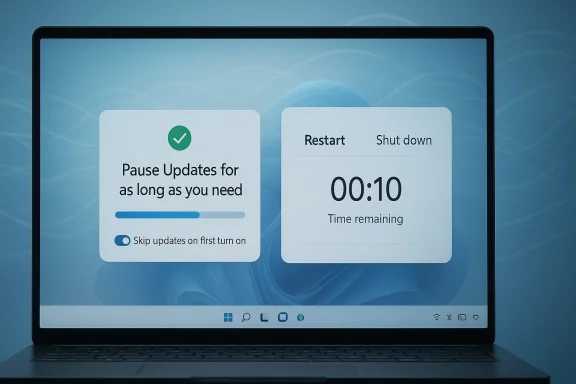
Microsoft is trying to do something Windows users have been asking for in one form or another for years: make updates feel less like a commandment and more like a choice. The company is not abandoning automatic security patching, and it should not; but it is signaling a more flexible future for Windows 11, one where users can pause updates longer, restart on their own schedule, and get through setup with fewer interruptions. If Microsoft follows through, the change could matter as much for ordinary PC owners as for the growing number of handhelds, compact gaming devices, and always-connected laptops that now ship with Windows preloaded.
Background — full context
For a long time, Windows Update has occupied a strange place in the PC experience. It is essential for security, stability, and device health, yet it has also become one of the most visible reminders that the operating system is still in control even when the user thinks they are. Microsoft’s own support documentation already allows Windows 11 users to pause updates temporarily and schedule restarts, but the company has also maintained limits that force the issue eventually. The support page for pausing updates explicitly notes that after the pause limit is reached, the latest updates must be installed before pausing again, and it offers only a constrained window for deferring the inevitable (support.microsoft.com)That tension has only become more obvious as Windows itself has become more ambitious. The operating system now ships on a wider variety of devices, from traditional desktop towers to ultralight laptops, mini PCs, and gaming handhelds. On these devices, a reboot is no longer a small inconvenience. It can mean interrupting a work call, stopping a game mid-session, or delaying a first-use setup process that already takes too long. Microsoft’s own enterprise documentation still leans heavily toward compliance deadlines and controlled restarts, underscoring that the company continues to treat updates as a serious operational necessity rather than a casual prompt (learn.microsoft.com)
At the same time, the company has been under pressure to make the experience less punitive. Users have grown accustomed to update nags, reboot prompts, and occasional setup loops that seem designed around Microsoft’s priorities rather than their own. In practice, many users already know workarounds for the current system: schedule the restart, extend active hours, or pause updates for a short period and hope the timing works out. That is not the same as true user control. It is an accommodation inside a system that still assumes the final decision belongs to Microsoft.
The latest message from Windows boss Pavan Davuluri, as reported by The Verge, suggests the company now understands that the annoyance is no longer incidental. It is part of the product’s reputation. And reputation matters when the company is trying to persuade users that Windows 11 is not just different from Windows 10, but better in the ways that affect everyday life most directly.
The timing is important too. Microsoft has spent the past year pitching a broader Windows resilience story, promising more reliable recovery, better performance, and fewer disruptive failures. Public-facing Microsoft materials about the Windows Resiliency Initiative emphasize lower crash rates, faster recovery, and a more stable experience across the platform (adoption.microsoft.com) That messaging does not mean the company has solved the problem. But it does mean the shift in tone is not random. Microsoft appears to be reframing Windows 11 around trust, predictability, and lower friction.
What Microsoft is promising now
Longer pauses, not just short delays
The headline change is simple: Microsoft says users will be able to pause updates “for as long as you need,” rather than being trapped by a short fixed window. That would be a meaningful departure from the current consumer experience, where pausing is available but bounded. Microsoft Support currently explains that Windows 11 can pause update installation, but only temporarily, after which the system requires installation of the latest updates before the pause can continue (support.microsoft.com)This matters because a “pause” that expires automatically is not really a pause in the everyday sense. It is a countdown. A true pause gives users room to handle travel, deadlines, game launches, presentations, or system-critical work without constantly checking the calendar. The promise is not that updates disappear; it is that they stop behaving like a hidden timer.
Restarts on the user’s schedule
Microsoft is also signaling more control over reboots and shutdowns. Davuluri’s message reportedly says users will be able to reboot or shut down “without being forced to install” updates. That language is especially notable because even if Windows already offers some no-update reboot paths in specific states, many users still experience the system as coercive. The distinction between “possible” and “predictable” is huge. A feature that appears only after the right prompt or the right delay is not the same as a system designed around explicit user choice.This is not just a convenience issue. Forced restarts can destroy unsaved work, interrupt media playback, or derail a compact device that is running from battery power. Microsoft’s own policy guidance for managed environments recognizes that users may be away, devices may be low on power, and deadlines may need to be balanced against real-world conditions (learn.microsoft.com)
Faster updates for people who want them
Microsoft is not moving to a “slow by default” model. The company says it wants to make faster update delivery easier for users who want the newest features quickly, including people in the Windows Insider Program. That part is important because it shows Microsoft is trying to separate flexibility from stagnation. Users who care about new features, preview builds, and bleeding-edge fixes should not have to fight the operating system to get them.But there is a trade-off here. Faster updates are useful only when the cadence is legible and the system is transparent. If Microsoft makes update channels easier to understand, it could reduce a lot of accidental friction. If it merely creates more pathways to more prompts, the complexity problem will remain.
Fewer setup delays
One of the most appealing parts of the message involves device setup. Microsoft says it plans to let users skip updates during device setup so they can get to the desktop faster. It also says out-of-box setup should involve fewer pages and fewer reboots. Anyone who has configured a new Windows handheld or laptop in recent years knows how painful setup can feel when the machine insists on checking every box before letting you do anything useful.Microsoft community and Q&A threads show that setup problems, especially around PIN creation and bootstrapping security features, are common enough that users search for workarounds and hidden escape hatches (techcommunity.microsoft.com) The promise to streamline setup is therefore not cosmetic. It is one of the few changes that could be noticed immediately by mainstream buyers on day one.
Gamepad support during setup
A smaller but telling detail is the promise of gamepad controls to create a PIN during setup. This sounds minor, but it matters in the context of handheld PCs and living-room Windows devices. If you are configuring a portable gaming device, having to tap through setup with a touchscreen or external keyboard is a needless obstacle.The feature reflects a broader reality: Windows is no longer only a keyboard-and-mouse operating system. It must also serve touch-first tablets, handhelds, controllers, pens, and hybrid setups. When Microsoft makes the setup flow easier for gamepad users, it is acknowledging that the hardware landscape has changed.
Why this matters for ordinary users
The update fatigue problem
A lot of Windows frustration is not about one catastrophic bug. It is about accumulated fatigue. You are working, or playing, or trying to shut down quickly, and Windows inserts itself at the worst possible time. Even if the prompts are technically manageable, the repetition creates resentment. Users stop seeing updates as maintenance and start seeing them as interruption.That is the deeper issue Microsoft is trying to address. The company appears to understand that modern users want three things at once: security, speed, and control. The old Windows model often forced users to sacrifice one for the others. The ideal future is a system where the operating system handles urgency quietly while letting users decide when the experience gets in the way.
Reliability is now a competitive feature
Microsoft’s promise to improve responsiveness, stability, memory use, app launch speed, crash rates, drivers, and wake reliability is equally important. Those are not glamorous features. They are the kind that only become visible when they are missing. Yet they are exactly what separates a good Windows experience from a frustrating one.A few years ago, Microsoft could get away with emphasizing visual polish or AI features. Today, users judge the platform by whether File Explorer opens quickly, whether the laptop wakes reliably, whether the machine feels laggy after an update, and whether drivers behave after sleep. These are basic expectations, not premium extras.
The handheld PC effect
Windows handhelds have become an unexpected stress test for Microsoft’s update philosophy. These devices make the friction of long installation cycles feel much worse because they are personal, battery-constrained, and often used in short sessions. When setup takes an hour, it feels absurd. When the machine demands a restart in the middle of a game, it feels hostile. And when Windows insists on updating before the user can even reach the desktop, the device feels less like a product and more like a platform demo that escaped into the real world.Microsoft seems to be responding to that lesson. If a company wants Windows to flourish on handhelds, it must stop treating the first hour with the device as a mere formality.
The broader Windows strategy behind the promise
Microsoft wants trust, not just compliance
There is a strategic reason behind all of this. Microsoft does not merely want users to accept updates; it wants them to trust the update process. That is a different goal. Compliance says users tolerate the system because they must. Trust says users believe the system will behave in their interest.The company’s broader resiliency messaging suggests it is trying to shift from enforcement to confidence. Microsoft’s Windows resiliency materials emphasize improved recovery and fewer crashes, which is a sign that the company knows reliability is a brand issue, not just an engineering metric (adoption.microsoft.com)
The enterprise and consumer divide is narrowing
Historically, Microsoft has handled updates very differently for enterprises and consumers. Business environments get policy controls, deadlines, management tools, and deferred deployment options. Consumers get a more simplified, more paternalistic experience. But the line between the two is blurrier now. Many consumers are power users, while many small businesses operate like consumers. Meanwhile, Windows itself increasingly serves both groups with the same codebase.That makes a more flexible update model sensible. If Microsoft can expose better control without requiring every person to become an IT administrator, it may reduce friction across the board.
The new Windows is more device-agnostic
Windows 11 has to be many things at once: a desktop OS, a gaming platform, a workplace endpoint, a handheld interface, and a recovery environment. That puts pressure on every default. A default that works fine on an office tower may be terrible on a handheld. A setup step that looks normal on a 27-inch monitor may be maddening on a seven-inch screen. Microsoft’s promises about skip-able setup updates and controller-friendly PIN creation reflect this complexity.In practical terms, this means Microsoft is trying to make Windows more device-agnostic without fragmenting the platform. That is a difficult balance, but an increasingly necessary one.
The user experience details that could change everything
Setup friction is more visible than patching policy
Most users are not reading policy pages or enterprise roadmap documents. They are feeling the difference between getting a device running in ten minutes and spending an hour on setup screens. That is why Microsoft’s promise to reduce pages and reboots during device setup may prove more memorable than any update policy change.The first-boot experience creates a lasting impression. If Windows 11 gets that wrong, users blame the whole platform. If it gets it right, they may never think about the underlying policy at all.
The restart problem is really a predictability problem
Many users do not object to restarts as a concept. They object to surprise restarts. A laptop that quietly asks for a reboot after work hours is fine. A machine that interrupts a game or a meeting is not. Microsoft’s challenge is to make restart behavior feel scheduled, visible, and under user control.That is why active hours, restart scheduling, and deferred updates matter so much. Microsoft already documents these concepts, but the experience still feels fragmented to many people (support.microsoft.com) The company’s latest promise is interesting because it suggests the control surface itself may become simpler and more respectful.
The welcome promise of fewer “necessary” interruptions
There is also a category of annoyance that has nothing to do with updates themselves: the little extra buttons, prompts, and product nudges that make Windows feel like an advertising surface. The Verge piece notes Microsoft is not yet pledging to stop pressuring users toward Edge or other Microsoft services. That omission matters because it shows the company may be willing to improve the system’s technical behavior while leaving some of its commercial behavior intact.That leaves users with a mixed picture. Better updates would be a real win. But the platform’s broader habit of self-promotion still needs reform if Microsoft wants users to believe it is genuinely putting their time first.
Strengths and Opportunities
What Microsoft is getting right
- Acknowledging user frustration directly is a strong first step.
- Longer update pauses would fit how people actually use their PCs.
- More predictable restarts should reduce annoyance and lost work.
- Faster setup could dramatically improve first impressions on new hardware.
- Controller-friendly setup is smart for handhelds and living-room PCs.
- Performance and stability promises address the issues people notice most.
- Better driver reliability can improve sleep, wake, and device trust.
- Simplified Insider access could make preview participation less confusing.
- Less setup downtime helps everyone, not just enthusiasts.
- More user agency can rebuild goodwill without weakening security.
Why this could be a big deal
Microsoft has an opportunity to redefine Windows Update from a symbol of control to a model of cooperation. If the company can preserve automatic security updates while offering meaningful flexibility, it may finally break the association between “keeping Windows current” and “being interrupted at the worst possible moment.”That would be a major platform-level improvement. It would also be a reputational one. Trust, once lost, is expensive to recover. But Windows still has the scale, the installed base, and the technical momentum to make a meaningful turnaround if Microsoft stays disciplined.
The best-case scenario
In the best case, users will experience:- fewer forced restarts,
- fewer setup loops,
- fewer long first-boot waits,
- better wake behavior,
- fewer app crashes,
- and a sense that Windows is working with them instead of against them.
Risks and Concerns
Microsoft has promised versions of this before
One reason to stay cautious is that Microsoft has a history of promising convenience and then reintroducing friction elsewhere. A better pause system is only useful if it is easy to find and consistent across device types. A streamlined setup flow matters only if it works reliably. A less intrusive reboot policy matters only if updates still install securely and on time.Users have heard variants of these promises before. The test is execution.
Security cannot become an afterthought
A more user-controlled update system must not become a more vulnerable one. The balance here is delicate. Automatic updates exist for a reason: unpatched systems are risky systems. Microsoft knows this, which is why it is not suggesting the end of automatic updates altogether. But the company will need to prove that flexibility does not create loopholes that attackers or careless users can exploit.Complexity could simply move around
Sometimes companies fix a frustrating feature by moving the frustration somewhere less visible. If Microsoft makes update pausing more generous but buries the controls, users may still feel trapped. If it shortens setup but adds confusion elsewhere, the net gain will be smaller than it sounds. The same applies to faster update channels and Insider access. Better labels matter as much as better engineering.Commercial nudges remain a trust issue
The Verge report’s point about Microsoft not yet abandoning its promotional nudges is important. Users often distinguish between system maintenance and product marketing. If Microsoft wants to be believed when it says it is listening, it will need to separate those two more cleanly.The risk of overpromising
Microsoft is currently describing a broad and attractive future: better performance, fewer crashes, less memory use, easier setup, fewer reboots, and more control. That is a lot to deliver at once. If the rollout is uneven, or if only some device classes get the best experience, the company risks turning goodwill into disappointment.What to Watch Next
Signs the promise is becoming real
- New Windows 11 release notes that spell out update pause changes.
- Settings changes that make restart and shutdown options more transparent.
- First-boot improvements on consumer laptops and handhelds.
- Insider Program simplification and clearer channel descriptions.
- OEM adoption on new devices shipping later this year.
- Benchmarks and user reports on startup, wake, and app launch speed.
- Reduced setup time on gaming handhelds and ultraportables.
- Fewer update-related reboots during active hours.
- Better driver behavior after sleep and after patching.
- Whether Microsoft reduces promotional clutter inside core apps.
Why the next few months matter
This is the period when promises usually separate from products. If Microsoft is serious, users should start seeing concrete changes in preview builds, cumulative updates, or new device onboarding flows fairly soon. If the changes remain only in speeches and blog language, the frustration cycle will continue.The most important thing to watch is whether Microsoft treats the update experience as a product in its own right. That is the only way these changes will survive contact with reality.
A small but telling test
One easy test will be whether a typical user can answer three questions without help:- Can I pause updates long enough for my situation?
- Can I shut down now without being forced to install?
- Can I get to the desktop quickly on a new device?
A better Windows is possible
The cultural shift matters as much as the technical one
The best news in Microsoft’s message is not any single feature. It is the suggestion that the company is finally treating user irritation as data rather than noise. That matters. Companies change when they stop interpreting complaints as resistance and start interpreting them as product guidance.If Microsoft really does want Windows to become more responsive, more stable, and less demanding, it must keep listening to the kinds of users who have little patience for polish that gets in the way. Those users are not anti-Windows. They are often the platform’s biggest advocates. They simply want it to behave like mature software, not a system that periodically forgets who is in charge.
Why this could resonate beyond enthusiasts
This is not just a power-user story. Parents setting up school laptops, gamers unboxing handheld PCs, employees rebooting late at night, and casual users trying to avoid one more interruption all stand to benefit from a saner update model. If Microsoft gets this right, the improvement will be felt in small moments, which is often where software succeeds or fails.Those small moments are what shape loyalty. Not keynote promises. Not abstract roadmaps. A quiet shutdown. A quick desktop launch. A setup screen that ends when it should. A reboot that waits until morning.
The real measure of success
Microsoft should not be judged only by whether it can say “we fixed Windows Update.” It should be judged by whether Windows becomes less noticeable in the worst possible ways. That is the real goal.If updates become easier to pause, restarts become easier to defer, setup becomes easier to skip through, and the platform gets faster and more reliable in the background, users may finally stop thinking about Windows Update as a problem. And when software reaches the point where it quietly does its job without demanding applause, that is not a small accomplishment. It is the sign of a platform growing up.
Microsoft is not ending automatic updates, and it should not. But if it truly makes those updates less intrusive, less disruptive, and more respectful of the moment the user is actually in, Windows 11 could earn something that has been in short supply for years: a little grace.
Source: theverge.com Microsoft is ending the Windows Update nightmare — and letting you pause them indefinitely
Last edited:
