

Microsoft is preparing a notable reset for one of Windows 11’s most disliked subsystems: Windows Update. The headline change is simple but significant — a new pause model that appears designed to let users defer updates far longer than the current five-week cap, with preview builds already exposing the groundwork for a calendar-based control. Combined with a broader Insider Program overhaul announced this week, the company is signaling that it wants Windows to feel less coercive and more predictable. For consumers who have spent years feeling at the mercy of forced restarts, this is one of the clearest signs yet that Microsoft has heard the complaints.
Windows updates have always sat at the center of a tense bargain between convenience and control. In the Windows 8.1 era, users still had relatively direct access to update settings, and turning them off entirely was far easier than it is today. That era ended with Windows 10, when Microsoft shifted hard toward a service model that treated updates as a core safety mechanism rather than an optional maintenance task. The result was a platform that became more secure and more consistent, but also one that many users experienced as intrusive, unpredictable, and occasionally disruptive at the worst possible moment.
That history matters because it explains why even a modest change in Windows 11 can feel like a philosophical shift. Microsoft has spent a decade defending the idea that update reliability, security, and compliance require defaults that are difficult to ignore. At the same time, consumer frustration never really went away. People who work on battery, travel frequently, run specialty hardware, or simply want to avoid a patch that breaks a workflow have long felt trapped by update policy. Windows 11’s current five-week pause limit is already more flexible than the old Windows 10 behavior in some contexts, but it is still a limit, and limits are exactly what frustrate users who want real discretion.
The timing is also important. In 2026, Microsoft is under stronger pressure than ever to make Windows feel calmer and more user-centered. The company has repeatedly said that Windows priorities now include performance, reliability, and craft, and that language is not accidental. It acknowledges a truth that power users have complained about for years: a modern desktop operating system can be secure and also feel disruptive if core maintenance happens at the wrong time or in the wrong way.
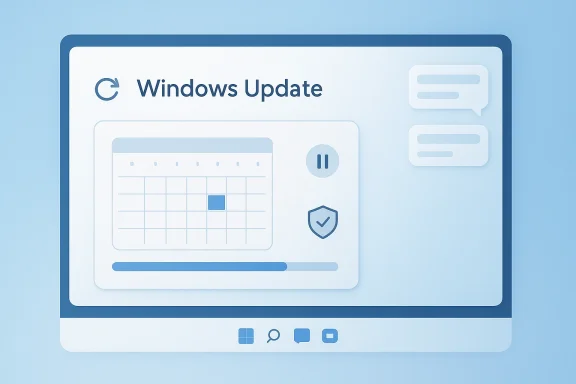
The newest changes emerging in Insider builds suggest Microsoft is finally translating that rhetoric into product design. Instead of a simple pause dropdown with a hard maximum, Windows 11 appears to be moving toward a calendar-based resume date. That is not just a visual refresh. It changes the mental model from “pause for N weeks” to “suspend updates until a date I choose,” which is a much more intuitive expression of control. It also opens the door to much longer pauses, though Microsoft has not yet publicly defined the exact limit.
There is a second layer to the story: Microsoft is not only changing update behavior, it is reworking the Insider pipeline that delivers those changes. The company’s new approach to beta testing, channel switching, and feature flags suggests a broader effort to reduce randomness and make preview builds easier to understand. In other words, Windows Update is being redesigned at the same time as the machinery that feeds Windows features into the world.
The practical implication is that Windows Update may soon behave less like a compliance timer and more like a scheduling tool. Instead of thinking in weekly increments, users will likely be able to choose a specific return date. That is a friendlier design for people who need to avoid an update during travel, a critical project, a hardware testing cycle, or a period when they simply do not want to be interrupted.
The company is also being careful not to overpromise. Microsoft has not yet said how long “as long as you want” really means, and that phrase could end up being marketing shorthand rather than a literal guarantee. That matters because the enforcement logic behind update servicing is tied to support policy, security obligations, and feature version lifecycles. In practice, indefinite often means “until a policy limit or end-of-support boundary is reached.”
Key implications:
The biggest reason users want more control is not because they hate security updates in principle. It is because they want predictability. Most people will tolerate a reboot if they can choose when it happens, but they resent being surprised by it. That resentment intensifies when an update appears to arrive uninvited, restart timing feels opaque, or the system demands attention at a bad moment.
But the consumer experience is not purely technical; it is emotional and practical. A system that can restart at any time can feel like a system you don’t fully own. A pause option that extends beyond five weeks signals something else entirely: that Microsoft is willing to trust users more, at least for a while.
A few reasons this matters:
This matters because Windows Update changes do not arrive in a vacuum. Insider builds are the proving ground for the system behaviors that later become normal for everyone else. If Microsoft is changing how it tests features, it is also changing how confident it is in those features, and how much friction it wants during validation.
That is an important philosophical move. It suggests Microsoft wants preview testing to feel less like a lottery and more like a structured evaluation process. For enthusiasts, that is a welcome correction. For Microsoft, it may improve feedback quality and reduce the noise created by users who cannot tell whether a missing feature is a bug, a rollout delay, or a disabled experiment.
Important points:
The move is also consistent with Microsoft’s wider effort to make Windows 11 feel more polished and less abrupt. The company has been refining restart prompts, scheduling behavior, active hours, and notification timing for years. The current change appears to push further, giving users a more direct say in when servicing resumes.
That distinction matters for two reasons. First, it preserves Microsoft’s ability to push important security fixes. Second, it prevents a fragmented support landscape where millions of unmanaged PCs simply stop receiving patches forever. The company’s likely goal is not to give users ultimate control, but to give them enough control to reduce hostility.
Potential policy logic behind the change:
For home users, though, this could be transformative. Most consumers do not have group policy, MDM tooling, or IT administrators. They live with the settings Microsoft exposes in the shell. A calendar-style pause date gives them a more human way to coordinate around vacations, school periods, public events, or major work deadlines.
In other words, Microsoft is translating enterprise discipline into consumer UX. That may sound minor, but it is a meaningful design philosophy. It says the company recognizes that homeowners do not want to manage Windows like sysadmins, yet still want some of the same scheduling power.
A few distinctions matter:
A more flexible pause model helps Microsoft in that broader competition for user trust. It reduces one of the most persistent complaints about Windows 11 while preserving the company’s security story. That balance matters not only for enthusiasts, but also for small businesses, families, and professionals who just want a dependable PC.
This is where Microsoft’s timing looks smart. The company is trying to make Windows feel more thoughtful at the same time it is pushing more AI, more cloud integration, and more product cadence. The fewer people who feel antagonized by the basics of system maintenance, the easier it becomes for Microsoft to promote higher-level features.
Competitive takeaways:
The company has also historically forced feature updates for devices that have fallen out of support. That means the new pause flexibility will almost certainly be bounded by lifecycle policy, even if the exact boundaries are not yet public. Microsoft cannot responsibly allow a consumer machine to defer security and feature servicing indefinitely without creating risks for the user and for the ecosystem.
That uncertainty matters because support policy is where user freedom meets operational reality. A pause button is easy to understand. A support-life cutoff is not. If Microsoft wants this feature to land well, it will need to communicate clearly that pausing updates does not create an indefinite exemption from security obligations.
Unresolved issues:
The Insider Program overhaul suggests Microsoft is trying to make the entire update lifecycle feel more coherent. That could pay off if the company follows through with clearer feature availability, better channel switching, and fewer surprises in preview builds. It would also fit the larger Windows 11 strategy of making the platform feel more stable, less chaotic, and more respectful of the user’s time.
What to watch next:
Source: Neowin Windows 11 is getting much-needed Windows Update improvements, here is the first look
 Background
Windows updates have always sat at the center of a tense bargain between convenience and control. In the Windows 8.1 era, users still had relatively direct access to update settings, and turning them off entirely was far easier than it is today. That era ended with Windows 10, when Microsoft shifted hard toward a service model that treated updates as a core safety mechanism rather than an optional maintenance task. The result was a platform that became more secure and more consistent, but also one that many users experienced as intrusive, unpredictable, and occasionally disruptive at the worst possible moment.That history matters because it explains why even a modest change in Windows 11 can feel like a philosophical shift. Microsoft has spent a decade defending the idea that update reliability, security, and compliance require defaults that are difficult to ignore. At the same time, consumer frustration never really went away. People who work on battery, travel frequently, run specialty hardware, or simply want to avoid a patch that breaks a workflow have long felt trapped by update policy. Windows 11’s current five-week pause limit is already more flexible than the old Windows 10 behavior in some contexts, but it is still a limit, and limits are exactly what frustrate users who want real discretion.
The timing is also important. In 2026, Microsoft is under stronger pressure than ever to make Windows feel calmer and more user-centered. The company has repeatedly said that Windows priorities now include performance, reliability, and craft, and that language is not accidental. It acknowledges a truth that power users have complained about for years: a modern desktop operating system can be secure and also feel disruptive if core maintenance happens at the wrong time or in the wrong way.
The newest changes emerging in Insider builds suggest Microsoft is finally translating that rhetoric into product design. Instead of a simple pause dropdown with a hard maximum, Windows 11 appears to be moving toward a calendar-based resume date. That is not just a visual refresh. It changes the mental model from “pause for N weeks” to “suspend updates until a date I choose,” which is a much more intuitive expression of control. It also opens the door to much longer pauses, though Microsoft has not yet publicly defined the exact limit.
There is a second layer to the story: Microsoft is not only changing update behavior, it is reworking the Insider pipeline that delivers those changes. The company’s new approach to beta testing, channel switching, and feature flags suggests a broader effort to reduce randomness and make preview builds easier to understand. In other words, Windows Update is being redesigned at the same time as the machinery that feeds Windows features into the world.
What Microsoft Is Changing
The clearest visible change is the move away from the current five-week pause cap. Today, Windows 11 lets users pause updates for up to five weeks, after which servicing resumes and the system pushes toward catching up. In the preview bits now being surfaced, that model is being replaced by a calendar-style interface that lets users specify when updates should resume. That sounds small, but it is the difference between a fixed timeout and a user-chosen date, which is a meaningful step toward flexibility.The practical implication is that Windows Update may soon behave less like a compliance timer and more like a scheduling tool. Instead of thinking in weekly increments, users will likely be able to choose a specific return date. That is a friendlier design for people who need to avoid an update during travel, a critical project, a hardware testing cycle, or a period when they simply do not want to be interrupted.
A pause control with real consequences
A calendar-based pause control is not just UI polish. It changes how users plan around updates, and it may change how often they trust Windows to leave them alone. If Microsoft allows a long pause window, the feature could become genuinely useful for short-term stability management. If it remains too restrictive, however, users will see it as cosmetic progress rather than real agency.The company is also being careful not to overpromise. Microsoft has not yet said how long “as long as you want” really means, and that phrase could end up being marketing shorthand rather than a literal guarantee. That matters because the enforcement logic behind update servicing is tied to support policy, security obligations, and feature version lifecycles. In practice, indefinite often means “until a policy limit or end-of-support boundary is reached.”
Key implications:
- The new control appears to replace the old five-week pause dropdown.
- The pause end date is likely becoming calendar-driven rather than duration-driven.
- Microsoft has not explained whether the pause can truly be indefinite.
- End-of-support behavior remains an open question.
- The feature is still in preview, so the final design may change.
Why Users Care So Much
Windows updates have always had a reputation problem because they are experienced at the exact point where reliability matters most. Nobody gets angry at an update when it installs during an idle window and everything works. Frustration appears when a reboot lands in the middle of a presentation, a file transfer, a remote work session, or a deadline. Those moments are sticky, and they shape how people remember the platform.The biggest reason users want more control is not because they hate security updates in principle. It is because they want predictability. Most people will tolerate a reboot if they can choose when it happens, but they resent being surprised by it. That resentment intensifies when an update appears to arrive uninvited, restart timing feels opaque, or the system demands attention at a bad moment.
Security versus autonomy
Microsoft’s challenge is that security and autonomy often pull in opposite directions. The more freedom users get, the more opportunity there is for them to defer important fixes. The more aggressively Microsoft pushes patches, the more secure the platform tends to be in aggregate. The company has spent years trying to convince customers that update enforcement is a safety feature, not a punishment.But the consumer experience is not purely technical; it is emotional and practical. A system that can restart at any time can feel like a system you don’t fully own. A pause option that extends beyond five weeks signals something else entirely: that Microsoft is willing to trust users more, at least for a while.
A few reasons this matters:
- Home users often want short-term relief, not permanent avoidance.
- Power users need to test software against a stable baseline.
- Creators and professionals can lose time when updates interrupt live work.
- Rural or metered connections make large updates more painful.
- Users remember bad update incidents longer than successful ones.
The Insider Program Overhaul
The update-control story is unfolding alongside a broader redesign of the Windows Insider Program. Microsoft’s latest Insider announcement indicates that it is ending gradual feature rollouts in Beta, introducing feature flags for experimental builds, and making channel movement easier for some participants. That is a major shift in how preview software is delivered and how testers interact with it.This matters because Windows Update changes do not arrive in a vacuum. Insider builds are the proving ground for the system behaviors that later become normal for everyone else. If Microsoft is changing how it tests features, it is also changing how confident it is in those features, and how much friction it wants during validation.
Fewer mysteries, more structure
One of the biggest complaints about the Insider pipeline has been confusion. Users often install a build and still do not see the feature they were expecting, because the feature is behind a staged rollout. The new approach in Beta is meant to remove some of that uncertainty by ending gradual feature rollouts there. In Experimental builds, Microsoft is also adding a Feature flags page that gives Insiders more direct control over specific features.That is an important philosophical move. It suggests Microsoft wants preview testing to feel less like a lottery and more like a structured evaluation process. For enthusiasts, that is a welcome correction. For Microsoft, it may improve feedback quality and reduce the noise created by users who cannot tell whether a missing feature is a bug, a rollout delay, or a disabled experiment.
What changes for testers
The new structure appears designed to make the Insider ladder easier to understand and easier to leave. That is not trivial. For years, one of the biggest barriers to Insider participation has been the hassle of getting back to a stable build. Easier switching and clearer channel intent should reduce the penalty of experimentation.Important points:
- Beta no longer relies on gradual feature rollouts in the same way.
- Experimental users may get explicit feature flag controls.
- Channel switching is becoming more approachable.
- Microsoft is trying to reduce confusion around preview feature availability.
- The Insider redesign and Windows Update redesign are clearly linked.
Microsoft’s Update Philosophy Is Evolving
For years, Microsoft has treated Windows updates as a combination of servicing, protection, and platform stewardship. That remains true, but the tone is changing. Recent official guidance emphasizes continuous innovation, a single annual feature update cadence, and a more coordinated servicing approach. In that context, a better pause control is not an abandonment of the update model. It is an admission that the model needs more humane edges.The move is also consistent with Microsoft’s wider effort to make Windows 11 feel more polished and less abrupt. The company has been refining restart prompts, scheduling behavior, active hours, and notification timing for years. The current change appears to push further, giving users a more direct say in when servicing resumes.
Not turning updates off, just softening the edges
It is important not to overread the change as a return to the full disablement era. Microsoft has not suggested that consumers will be allowed to permanently turn off updates in the old-fashioned sense. Instead, it seems to be creating a longer, more flexible pause window that still keeps the device within the servicing ecosystem.That distinction matters for two reasons. First, it preserves Microsoft’s ability to push important security fixes. Second, it prevents a fragmented support landscape where millions of unmanaged PCs simply stop receiving patches forever. The company’s likely goal is not to give users ultimate control, but to give them enough control to reduce hostility.
Potential policy logic behind the change:
- Preserve automatic servicing as the default.
- Allow longer user-managed interruptions.
- Avoid hard permanent-off switches.
- Keep support and compliance boundaries intact.
- Reduce user frustration without undermining security.
Enterprise Versus Consumer Impact
The enterprise implications of this change will likely be modest compared with the consumer impact. Managed devices already enjoy more granular update controls through policy, deferral windows, rings, and update orchestration tools. In business environments, admins can already shape deployment timing in ways that consumer machines cannot. The new consumer-facing pause controls are therefore more about closing a perception gap than solving an enterprise management problem.For home users, though, this could be transformative. Most consumers do not have group policy, MDM tooling, or IT administrators. They live with the settings Microsoft exposes in the shell. A calendar-style pause date gives them a more human way to coordinate around vacations, school periods, public events, or major work deadlines.
The admin world already had options
Enterprises are accustomed to structured update windows. They care about staged validation, deployment rings, and measurable rollback plans. That is why the most dramatic part of this announcement is not the technical sophistication of the control itself. It is the fact that Microsoft is now bringing a more intuitive version of that control to ordinary users.In other words, Microsoft is translating enterprise discipline into consumer UX. That may sound minor, but it is a meaningful design philosophy. It says the company recognizes that homeowners do not want to manage Windows like sysadmins, yet still want some of the same scheduling power.
A few distinctions matter:
- Enterprises already have update deferral policies and orchestration tools.
- Consumers largely rely on the default Windows Update interface.
- The new pause behavior mainly helps unmanaged PCs.
- Admins still need compliance, reporting, and patch visibility.
- Consumer flexibility may reduce support complaints without changing enterprise policy.
Competitive and Market Implications
Windows Update controls are not usually discussed as a competitive feature, but they should be. The operating system that feels least annoying often wins in everyday goodwill, even when users cannot articulate why. Apple, Google, and Linux distributions each have their own update philosophies, and Microsoft has spent years trying to position Windows as both secure and comfortable.A more flexible pause model helps Microsoft in that broader competition for user trust. It reduces one of the most persistent complaints about Windows 11 while preserving the company’s security story. That balance matters not only for enthusiasts, but also for small businesses, families, and professionals who just want a dependable PC.
Trust as a product feature
Trust is hard to market, but easy to lose. When users believe an operating system will interrupt them at inconvenient times, they start looking for workarounds. Some delay updates manually, others postpone reboots, and a few take more extreme measures. A better native pause model reduces the incentive to fight the system.This is where Microsoft’s timing looks smart. The company is trying to make Windows feel more thoughtful at the same time it is pushing more AI, more cloud integration, and more product cadence. The fewer people who feel antagonized by the basics of system maintenance, the easier it becomes for Microsoft to promote higher-level features.
Competitive takeaways:
- A more flexible update model improves Windows goodwill.
- Reduced friction can lower the appeal of third-party update blocking tools.
- Better scheduling makes Windows feel more professional.
- Trust in basic servicing can support adoption of newer platform features.
- Microsoft is competing as much on experience as on raw capability.
What This Means for Stability and Support
A more permissive pause model raises an obvious concern: what happens when a user pauses too long? This is where the support lifecycle becomes crucial. Microsoft has already made clear in its servicing guidance that Windows 11 feature releases have defined support windows, and consumer devices do not get a free pass forever. If a PC reaches the end of servicing, the system will still need to move forward.The company has also historically forced feature updates for devices that have fallen out of support. That means the new pause flexibility will almost certainly be bounded by lifecycle policy, even if the exact boundaries are not yet public. Microsoft cannot responsibly allow a consumer machine to defer security and feature servicing indefinitely without creating risks for the user and for the ecosystem.
The end-of-support question
This is the biggest unresolved question in the story. If a machine is paused and a version reaches end of support, will Windows resume updates automatically? Will it prompt more aggressively? Will it force a version jump? Microsoft has not said, and that silence is telling. The company may still be working through the policy and UX details.That uncertainty matters because support policy is where user freedom meets operational reality. A pause button is easy to understand. A support-life cutoff is not. If Microsoft wants this feature to land well, it will need to communicate clearly that pausing updates does not create an indefinite exemption from security obligations.
Unresolved issues:
- How long “as long as you want” actually means.
- Whether end-of-support triggers an automatic override.
- How update resumption is communicated to users.
- Whether consumer and business behavior will differ.
- How Microsoft will prevent the feature from becoming a security loophole.
Strengths and Opportunities
This change has genuine upside, especially if Microsoft executes it cleanly and communicates the boundaries honestly. More importantly, it gives the company an opportunity to repair one of Windows’ oldest trust issues without abandoning its security-first posture.- Better user control over scheduling should reduce update resentment.
- Calendar-based pausing is easier to understand than week-based limits.
- Fewer surprise reboots will help professionals and remote workers.
- Stronger goodwill could improve Windows 11’s overall reputation.
- More intuitive controls make the platform feel more modern.
- Cleaner Insider testing may yield better feedback and more stable releases.
- Reduced friction may lessen the appeal of unofficial update-blocking tools.
Risks and Concerns
The upside is clear, but so are the hazards. The main risk is that Microsoft creates the impression of unlimited flexibility without fully explaining the guardrails, which could confuse users or weaken security expectations.- Long deferrals could leave devices vulnerable if users overdo it.
- End-of-support confusion may frustrate users who expect permanent control.
- Inconsistent messaging could make the feature seem less trustworthy.
- Large deferred updates may become harder to install later.
- Security posture could weaken if users treat the pause feature as a shutdown switch.
- Consumer versus enterprise expectations may diverge further.
- Half-finished UX would make the change feel cosmetic instead of meaningful.
Looking Ahead
The next few months will determine whether this is a genuine policy shift or just a better-looking pause menu. The most important thing to watch is how Microsoft defines the boundary between user choice and mandatory servicing. If the company is serious about giving people more control, it will need to document the rules plainly and avoid marketing language that overstates the freedom on offer.The Insider Program overhaul suggests Microsoft is trying to make the entire update lifecycle feel more coherent. That could pay off if the company follows through with clearer feature availability, better channel switching, and fewer surprises in preview builds. It would also fit the larger Windows 11 strategy of making the platform feel more stable, less chaotic, and more respectful of the user’s time.
What to watch next:
- The exact pause duration Microsoft ultimately allows.
- Whether the calendar control reaches all Windows 11 users or only some editions.
- How end-of-support behavior is handled in the UI and policy layer.
- Whether Microsoft adds stronger reminders before a long pause expires.
- How quickly the Insider changes roll into public preview builds.
Source: Neowin Windows 11 is getting much-needed Windows Update improvements, here is the first look
