Microsoft is moving to make Windows 11 updates noticeably less disruptive, and this time the changes look more like a genuine course correction than a cosmetic tweak. In a new Insider blog post published on April 24, 2026, the company said it is rolling out a set of Windows Update improvements that directly answer some of the most persistent complaints from users: too little control, too many surprise restarts, and too many separate update events scattered across the month. The features are starting with Windows Insiders now and are expected to reach broader Windows 11 audiences later this year.
Windows Update has always lived in a delicate balance between security and convenience. Microsoft needs devices to stay current quickly, but users have long resented being forced to stop what they are doing because the operating system decided now was the time to patch, reboot, or both. The tension has only become more visible as Windows 11 has matured and Microsoft has leaned harder into a “secure by default” model.
That friction is not new. Microsoft has supported pausing updates for years, but the old model was bounded and somewhat rigid. Windows Update policies and Microsoft Learn documentation show that quality updates have traditionally been capped at a 35-day pause window, after which the device resumes on its own. Feature updates have likewise had fixed pause and deferral behavior, with legacy policies and admin controls that were designed more for predictability than for user freedom.
The latest Windows Insider changes suggest Microsoft is now rethinking the consumer-facing side of that equation. The company says it reviewed thousands of feedback entries and found two recurring themes: untimely updates and not enough control over when they happen. That’s an important admission, because it signals that Microsoft is no longer treating update interruptions as a minor annoyance. It is treating them as a product experience problem.
There is also a broader engineering story here. Microsoft has been trying to reduce update overhead across Windows 11 for some time, including faster servicing, better recovery from failures, and more predictable timing. The new Windows Update experience fits neatly into that bigger effort, which Microsoft has framed around “continuous innovation,” improved reliability, and a more coherent monthly servicing rhythm.
Just as important is the new ability to shut down or restart without being pushed into an update flow. Windows 11 has long blurred the line between power actions and update actions, sometimes making a routine reboot feel like a negotiation with the servicing stack. Microsoft now says the Power menu will always show standard Restart and Shut down options, alongside update-specific choices when appropriate. That is a small interface change with outsized emotional value.
Microsoft is also adding more insight into available updates, especially drivers. After simplifying update titles late in 2025, the company apparently heard that users still could not tell what a given driver update actually did. The new system adds the device class to driver titles, making it clearer whether a pending update affects display, audio, battery, extension, HDC, or another class. That is not a flashy feature, but it is the kind of information that helps power users and IT staff make better decisions.
That said, the feature is not universal in every setup scenario. Microsoft notes that it does not apply to managed commercial devices, and it may also be unavailable in select cases where updates are required for the device to function. That caveat matters, because it reminds readers that consumer freedom and enterprise compliance are often very different design problems.
There is also a practical benefit for people migrating to a new machine on a deadline. If you are setting up a laptop before a trip, before a meeting, or on unstable Wi-Fi, a forced update can be more than annoying. It can be a real obstacle. Letting users opt to update later is a small mercy, but one with real-world impact.
In practical terms, this means more items will appear collapsed into a single Available updates section in Settings > Windows Update. Updates will still download in the background, but installation and restart can be coordinated around the next quality update or a manually approved action. If users want to act earlier, they still can. The key difference is that the system appears to be moving from fragmented servicing toward a more synchronized cadence.
It also changes how Windows feels in the background. One of the most annoying things about software maintenance is not just the downtime, but the uncertainty. When users know a system will likely need only one coordinated restart, they can plan around it more easily. That makes Windows feel more managed and less chaotic.
The company also says it is working to reduce update download times, shorten installation times, and improve automatic recovery when update failures occur. These are the kinds of background improvements users rarely celebrate, but they matter because they lower the chance that update friction turns into update avoidance. In other words, better reliability is also a security strategy.
The company’s own language points in this direction. It says the new features are meant to reduce disruption while still encouraging users to install updates shortly after release. That is a more realistic user-experience strategy than pretending everyone wants the same update cadence.
The repeated pause option is especially attractive to home users who travel, work irregular schedules, or simply prefer to wait until they are ready. It is also useful for families sharing a single PC, where a restart in the middle of someone’s work or school activity can cause more disruption than Microsoft’s update design seems to account for today. In that sense, the change is less about “ignoring updates” and more about choosing when life allows them.
The improved driver labeling may also help everyday users who have historically clicked through update prompts without understanding what they were installing. Clearer labels reduce the mystery factor. That can lead to better decisions, fewer accidental approvals, and a stronger sense that Windows is speaking in plain language rather than system jargon.
For IT teams, the unified update experience could be welcome if it reduces restart sprawl across mixed fleets. Coordinating driver, firmware, and.NET updates with monthly servicing can make maintenance windows more efficient and more predictable. But it also means administrators will want to scrutinize whether the new behavior maps cleanly onto their compliance cadence, especially in environments with tightly controlled reboot schedules.
There is also a packaging question. If more updates are collapsed into one monthly servicing event, administrators may gain operational simplicity. But they will also want clarity on sequencing, failure handling, and whether one stalled component can delay the whole chain. The theory is attractive; the operational details will determine whether it becomes a real win.
There is also a strategic reputational element. Windows has often been criticized for being simultaneously powerful and temperamental. By giving users more visible control over updates, Microsoft is trying to soften one of the platform’s most persistent pain points. That can matter as much as any single feature, because product trust is built through repeated small interactions.
The bigger market implication is that Windows is trying to preserve its installed base by removing one of the reasons people hesitate to upgrade or even to buy new Windows devices. A smoother update experience is not glamorous, but it can improve the perceived quality of the whole ecosystem. And in a crowded PC market, perceived quality is often what users remember most.
The opportunity is not just to reduce pain. It is to reframe Windows Update as a managed service users can live with, rather than a recurring nuisance they must endure. That is a meaningful brand shift.
There is also a reliability risk in the coordination model. When more update types are chained together, a failure in one area can affect the whole experience. Microsoft says it is improving automatic recovery, which is encouraging, but the proof will be in how the new flow behaves on real hardware with real driver stacks and real enterprise images.
The more interesting question is whether this becomes a one-off update or the start of a broader redesign of Windows servicing. If Microsoft really wants fewer complaints about restarts and update timing, the next logical step is to keep tightening the relationship between user intent, update orchestration, and transparent feedback. A better Windows Update page is a good start, but it is not the finish line.
Source: Neowin These long requested Windows 11 Update features will soon be available to all users
 Background
Windows Update has always lived in a delicate balance between security and convenience. Microsoft needs devices to stay current quickly, but users have long resented being forced to stop what they are doing because the operating system decided now was the time to patch, reboot, or both. The tension has only become more visible as Windows 11 has matured and Microsoft has leaned harder into a “secure by default” model.That friction is not new. Microsoft has supported pausing updates for years, but the old model was bounded and somewhat rigid. Windows Update policies and Microsoft Learn documentation show that quality updates have traditionally been capped at a 35-day pause window, after which the device resumes on its own. Feature updates have likewise had fixed pause and deferral behavior, with legacy policies and admin controls that were designed more for predictability than for user freedom.
The latest Windows Insider changes suggest Microsoft is now rethinking the consumer-facing side of that equation. The company says it reviewed thousands of feedback entries and found two recurring themes: untimely updates and not enough control over when they happen. That’s an important admission, because it signals that Microsoft is no longer treating update interruptions as a minor annoyance. It is treating them as a product experience problem.
There is also a broader engineering story here. Microsoft has been trying to reduce update overhead across Windows 11 for some time, including faster servicing, better recovery from failures, and more predictable timing. The new Windows Update experience fits neatly into that bigger effort, which Microsoft has framed around “continuous innovation,” improved reliability, and a more coherent monthly servicing rhythm.
Why this matters now
The timing is significant because Microsoft is not just adding a few convenience buttons. It is adjusting the default rhythm of how Windows 11 gets patched, how restarts are presented, and how much agency users have in the setup experience. That is a deeper product shift than it might look at first glance. It also arrives just as Microsoft is trying to reassure users that Windows 11 can be both secure and less intrusive at the same time.The New Windows Update Controls
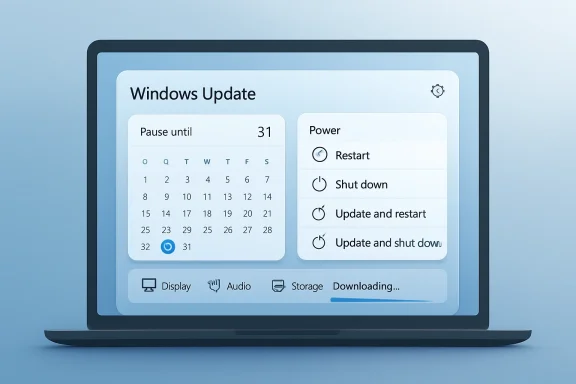
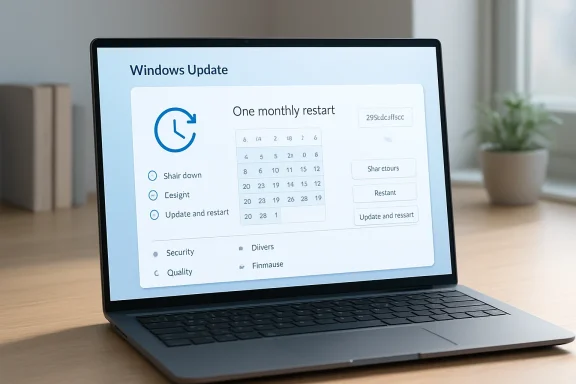
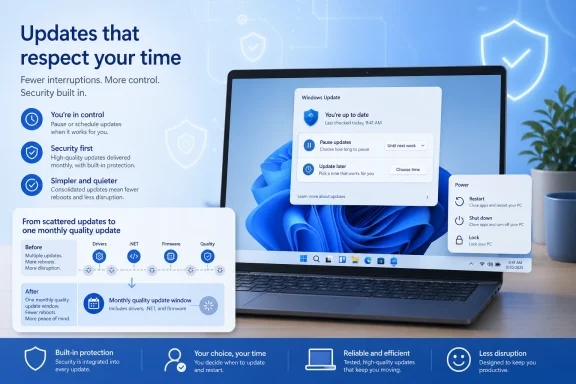
The headline feature is the expanded pause system. Microsoft says users will be able to pause updates for up to 35 days at a time and then re-pause again and again with no apparent limit on how often the pause end date is reset. That is a dramatic change in practical terms, even if the underlying pause window remains the same. For many users, the difference between “35 days max” and “35 days, repeatedly” is the difference between a temporary delay and real scheduling freedom.Just as important is the new ability to shut down or restart without being pushed into an update flow. Windows 11 has long blurred the line between power actions and update actions, sometimes making a routine reboot feel like a negotiation with the servicing stack. Microsoft now says the Power menu will always show standard Restart and Shut down options, alongside update-specific choices when appropriate. That is a small interface change with outsized emotional value.
The end of “surprise update” behavior
The company’s language here is notable because it explicitly calls out predictability. If a user chooses Restart or Shut down, Windows will do exactly that, without unexpectedly starting an update. That sounds basic, but it addresses one of the most irritating Windows complaints of the last decade: the feeling that the OS sometimes converts a user decision into an update decision after the fact.Microsoft is also adding more insight into available updates, especially drivers. After simplifying update titles late in 2025, the company apparently heard that users still could not tell what a given driver update actually did. The new system adds the device class to driver titles, making it clearer whether a pending update affects display, audio, battery, extension, HDC, or another class. That is not a flashy feature, but it is the kind of information that helps power users and IT staff make better decisions.
- Pause updates repeatedly instead of hitting a hard stop after one cycle.
- Restart or shut down without being forced into installation.
- See clearer driver labels before approving updates.
- Make update choices based on better context, not just generic titles.
Why the pause change is a bigger deal than it sounds
This matters because the old pause system was designed as a temporary escape hatch, not a recurring control pattern. In practice, users who wanted to hold off longer often had to rely on workarounds, policy settings, or simply accept a reboot they did not want. The new behavior is more flexible, and that flexibility is the real product improvement.OOBE Gets a Quiet but Meaningful Upgrade
Microsoft is also changing the Windows 11 out-of-box experience, or OOBE, by letting users skip updates during initial setup. In the new flow, an “Update later” option allows people to land on the desktop faster and decide when they want to update rather than being pushed into immediate servicing during setup. This is especially useful for users who want to get into the system first, connect peripherals, sign in, and personalize the device before any long patch sequence starts.That said, the feature is not universal in every setup scenario. Microsoft notes that it does not apply to managed commercial devices, and it may also be unavailable in select cases where updates are required for the device to function. That caveat matters, because it reminds readers that consumer freedom and enterprise compliance are often very different design problems.
Why “Update later” is a user-experience win
For a lot of people, first impressions matter. The first boot of a new PC should feel fast and friendly, not like a queue for patching. Allowing a user to defer updates during OOBE can make a device feel much more responsive at the exact moment excitement is highest.There is also a practical benefit for people migrating to a new machine on a deadline. If you are setting up a laptop before a trip, before a meeting, or on unstable Wi-Fi, a forced update can be more than annoying. It can be a real obstacle. Letting users opt to update later is a small mercy, but one with real-world impact.
- Faster arrival at the desktop.
- More control during first setup.
- Better fit for poor or limited connectivity.
- Less disruption during device migration.
Fewer Reboots, More Coordination
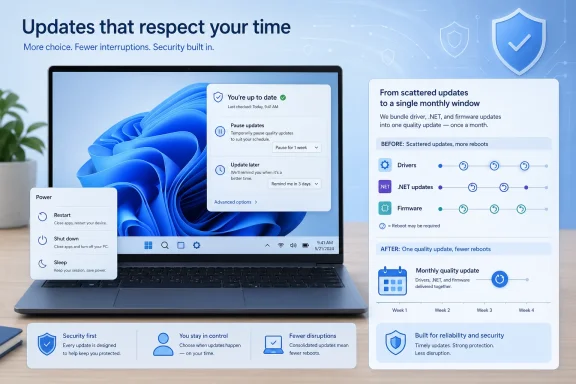
The other major change is the move to a more unified update experience. Microsoft says it is coordinating driver,.NET, and firmware updates so they align more closely with the monthly quality update, reducing the number of reboots users see each month. That is the kind of servicing simplification Windows users have wanted for years, because separate update pipelines have often meant separate interruptions.In practical terms, this means more items will appear collapsed into a single Available updates section in Settings > Windows Update. Updates will still download in the background, but installation and restart can be coordinated around the next quality update or a manually approved action. If users want to act earlier, they still can. The key difference is that the system appears to be moving from fragmented servicing toward a more synchronized cadence.
Why this matters to everyday users
Fewer reboots sounds like a modest promise until you imagine the cumulative impact. A machine that used to restart for the OS, then for a driver, then again for firmware, now has a better shot at handling all of that in one pass. That saves time, reduces friction, and lowers the odds that users postpone one update because they already tolerated another.It also changes how Windows feels in the background. One of the most annoying things about software maintenance is not just the downtime, but the uncertainty. When users know a system will likely need only one coordinated restart, they can plan around it more easily. That makes Windows feel more managed and less chaotic.
- Driver, firmware, and.NET updates are being coordinated.
- The Windows Update page will present a more unified list.
- Users may see only one restart instead of several.
- Manual approval still allows earlier installation if needed.
Security Still Comes First
Microsoft is careful to frame all of this as an improvement in usability without backing away from its security posture. The company repeatedly emphasizes that Windows devices should remain secure by design and by default, and that updates should be installed shortly after release. That is not just marketing language. It reflects Microsoft’s broader Secure Future Initiative and its ongoing push to keep devices on current security baselines.The company also says it is working to reduce update download times, shorten installation times, and improve automatic recovery when update failures occur. These are the kinds of background improvements users rarely celebrate, but they matter because they lower the chance that update friction turns into update avoidance. In other words, better reliability is also a security strategy.
The balancing act Microsoft is trying to solve
Microsoft’s challenge is obvious: if it gives users too much freedom, they may leave systems unpatched for too long. If it gives them too little freedom, they get angry and delay updates anyway. The new Windows Update controls are an attempt to move users toward voluntary compliance rather than forced compliance. That is a smarter long-term bet, even if it carries some short-term risk.The company’s own language points in this direction. It says the new features are meant to reduce disruption while still encouraging users to install updates shortly after release. That is a more realistic user-experience strategy than pretending everyone wants the same update cadence.
- Security remains the official priority.
- Usability is being improved to reduce update avoidance.
- Recovery mechanisms are being strengthened.
- Faster installs should reduce friction on weak connections.
What It Means for Consumers
For consumers, this is mostly a quality-of-life victory. Most Windows users are not asking for deep servicing control panels. They are asking for fewer interruptions at inconvenient times, more understandable update prompts, and a setup process that does not feel like an obstacle course. The new Windows 11 update model speaks directly to those complaints.The repeated pause option is especially attractive to home users who travel, work irregular schedules, or simply prefer to wait until they are ready. It is also useful for families sharing a single PC, where a restart in the middle of someone’s work or school activity can cause more disruption than Microsoft’s update design seems to account for today. In that sense, the change is less about “ignoring updates” and more about choosing when life allows them.
A more human Windows Update
The restart and shut down changes are equally important for consumers because they restore trust in a basic interaction. Users should not have to second-guess whether a simple power action will become an install action. Making that behavior predictable may not sound transformative, but predictability is a major part of what makes software feel polished.The improved driver labeling may also help everyday users who have historically clicked through update prompts without understanding what they were installing. Clearer labels reduce the mystery factor. That can lead to better decisions, fewer accidental approvals, and a stronger sense that Windows is speaking in plain language rather than system jargon.
- Better for travel and busy schedules.
- Easier to avoid surprise reboots.
- More informative driver prompts.
- Faster setup for new PCs.
- Less frustration for non-technical users.
What It Means for IT and Enterprise
The enterprise story is more complicated. Microsoft says some OOBE changes will not apply to managed commercial devices, and it has also hinted that it will share more about commercial controls later. That makes sense, because enterprise administrators tend to value policy consistency over consumer-style flexibility. They need controls, but they also need those controls to be centrally enforceable.For IT teams, the unified update experience could be welcome if it reduces restart sprawl across mixed fleets. Coordinating driver, firmware, and.NET updates with monthly servicing can make maintenance windows more efficient and more predictable. But it also means administrators will want to scrutinize whether the new behavior maps cleanly onto their compliance cadence, especially in environments with tightly controlled reboot schedules.
Administration still needs guardrails
The consumer promise of “pause as many times as you need” is not automatically a good enterprise pattern. In managed environments, indefinite flexibility can become a compliance problem if not bounded by policy. That means the real question is not whether Microsoft can ship these features, but whether it can expose them in ways that admins can govern without reintroducing the old complexity through policy layers.There is also a packaging question. If more updates are collapsed into one monthly servicing event, administrators may gain operational simplicity. But they will also want clarity on sequencing, failure handling, and whether one stalled component can delay the whole chain. The theory is attractive; the operational details will determine whether it becomes a real win.
- Potentially fewer maintenance windows.
- Better predictability for managed fleets.
- Need for clear policy controls.
- OOBE changes may not map to commercial devices.
- Admins will want visibility into restart sequencing.
Competitive Implications
Microsoft is not making these changes in a vacuum. Apple has long marketed a more polished, less interruptive update experience on macOS, while ChromeOS and mobile platforms generally make updates feel more background-oriented. Windows, by contrast, has historically carried the burden of legacy compatibility and a more visible servicing footprint. Reducing that burden helps Microsoft compete on user experience, not just capability.There is also a strategic reputational element. Windows has often been criticized for being simultaneously powerful and temperamental. By giving users more visible control over updates, Microsoft is trying to soften one of the platform’s most persistent pain points. That can matter as much as any single feature, because product trust is built through repeated small interactions.
Why rivals should care
If Microsoft succeeds, it raises the bar for what users expect from a desktop OS update flow. People may become less tolerant of forced restarts, vague prompts, and opaque servicing. That could pressure competitors to make their own update experiences even more seamless, particularly in enterprise and prosumer markets where downtime carries direct cost.The bigger market implication is that Windows is trying to preserve its installed base by removing one of the reasons people hesitate to upgrade or even to buy new Windows devices. A smoother update experience is not glamorous, but it can improve the perceived quality of the whole ecosystem. And in a crowded PC market, perceived quality is often what users remember most.
- Windows is trying to narrow the UX gap with competitors.
- Update trust affects broader platform perception.
- Fewer reboots help the case for Windows 11.
- Better update control may reduce user resentment over time.
Strengths and Opportunities
Microsoft’s update refresh has several obvious strengths. It addresses complaints users have repeated for years, and it does so with changes that are easy to understand and easy to feel in daily use. The best part is that the improvements are not just superficial UI polish; they affect the logic of how updates are scheduled, described, and executed. That makes them more likely to matter long after the launch buzz fades.- Better user control over timing and restarts.
- Fewer interruptions from separate update cycles.
- Clearer driver labels for more informed decisions.
- Faster first-run setup through OOBE deferral.
- Improved predictability in the Power menu.
- Potentially lower update frustration across the Windows base.
- Stronger alignment between usability and security goals.
Where Microsoft can build from here
The company also has a chance to turn this into a broader servicing story. If the update pipeline becomes simpler, clearer, and more resilient, Microsoft can use that momentum to improve trust in other parts of Windows 11. That could include better failure recovery, smarter active hours behavior, and more transparent enterprise controls.The opportunity is not just to reduce pain. It is to reframe Windows Update as a managed service users can live with, rather than a recurring nuisance they must endure. That is a meaningful brand shift.
Risks and Concerns
The biggest concern is obvious: more flexibility can mean more postponement. If users take advantage of indefinite pause behavior too aggressively, some devices will remain behind on security fixes longer than Microsoft would like. That creates a tension between user agency and patch discipline, and it is the single most important tradeoff in the new design.- Users may delay updates too long if the pause option feels too easy.
- Enterprise admins may need new guardrails to prevent policy drift.
- Coordinated updates may hide complexity that surfaces later in edge cases.
- Some commercial workflows may not benefit from consumer-style controls.
- Fewer reboots can still mean longer update sessions if recovery work increases.
- Driver consolidation may complicate troubleshooting if one package affects many components.
- The new UI could create false confidence if users assume “Update later” means “safe indefinitely.”
The security tradeoff is real
Microsoft is trying to solve a trust problem without weakening its security stance, but those goals can conflict in the real world. A user who finally feels in control may be more willing to postpone a patch than Microsoft would prefer. That does not make the change wrong, but it does mean the company will need to keep educating users that control is not the same as immunity from risk.There is also a reliability risk in the coordination model. When more update types are chained together, a failure in one area can affect the whole experience. Microsoft says it is improving automatic recovery, which is encouraging, but the proof will be in how the new flow behaves on real hardware with real driver stacks and real enterprise images.
Looking Ahead
The immediate question is how quickly Microsoft can bring these changes out of Insider-only testing and into mainstream Windows 11. The company says they are rolling out now to Insiders and will arrive for all users later in 2026. That suggests the feature set is already mature enough for broad deployment, but not necessarily finished enough to promise an exact consumer ship date.The more interesting question is whether this becomes a one-off update or the start of a broader redesign of Windows servicing. If Microsoft really wants fewer complaints about restarts and update timing, the next logical step is to keep tightening the relationship between user intent, update orchestration, and transparent feedback. A better Windows Update page is a good start, but it is not the finish line.
What to watch next
- The broad consumer rollout timing for Windows 11.
- Whether Microsoft adds enterprise policy controls for the new behavior.
- How often indefinite pause gets used in the wild.
- Whether fewer reboots translate into fewer support tickets.
- Whether driver and firmware coordination improves or complicates troubleshooting.
- Whether Microsoft expands the update model further into other Windows maintenance flows.
Source: Neowin These long requested Windows 11 Update features will soon be available to all users
Attachments
Last edited: