

Marc Saltzman’s holiday tech roundup for WCPO’s "Tech It Out" lands at an important inflection point: with Windows 10 support ended and AI‑accelerated hardware becoming mainstream, his advice to move to Windows 11 and to consider the latest ASUS handheld gaming systems and AI‑powered laptops is practical, timely, and rooted in three clear themes — security, performance, and AI capability — all of which buyers should validate carefully before spending this holiday season.
Windows 10 reached its official end of support on October 14, 2025, which means Microsoft no longer issues feature updates, technical assistance, or routine security patches for machines still running that OS. Users can keep a device running Windows 10, but doing so increases exposure to unpatched vulnerabilities and removes Microsoft support for system issues; Microsoft’s guidance is to upgrade eligible devices to Windows 11 or enroll in a short Extended Security Updates (ESU) bridge if replacement isn’t immediately possible. At the same time, PC makers — including ASUS — have leaned into Microsoft’s Copilot and Copilot+ PC push, delivering systems that combine modern silicon (NPUs/NPAs on mobile chips and AI‑aware discrete GPUs), refreshed Windows 11 integrations, and new device form factors such as premium ultraportables and dedicated Windows handheld gaming PCs. That movement is intended to deliver faster workflows, AI features on the device, and tighter hardware‑backed security. Marc Saltzman’s short segment distilled those same messages: prioritize Windows 11 for “security, speed, and AI‑powered tools,” and look closely at ASUS’ recent device work — from handhelds designed for Xbox/Game Pass experiences to Copilot+‑ready laptops that advertise on‑device AI acceleration. This article unpacks those claims, verifies the core technical facts, and provides practical buying and upgrade advice for readers who want to spend holiday dollars wisely.
Actionable recommendations:
Upgrading the OS and buying a new holiday device are both technical and emotional decisions: the right gift can genuinely improve someone’s daily life, but rushed purchases or unchecked SKUs cause frustration. Marc Saltzman’s shorthand — prioritizing Windows 11 for security and AI, and watching ASUS’ fresh handheld and Copilot+ laptop entries — is sound guidance. The work that remains is practical: confirm eligibility, validate the exact SKU and features, and match the device to the recipient’s actual workflows rather than the marketing hype. The result will be a gift that’s both modern and useful, not merely shiny.
Source: WCPO 9 News Marc Saltzman’s Tech It Out Holiday Gift Ideas
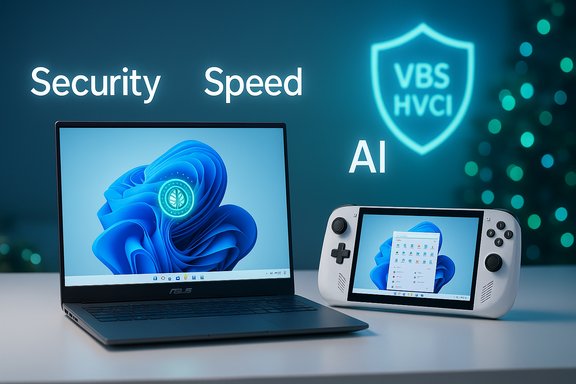 Background / Overview
Windows 10 reached its official end of support on October 14, 2025, which means Microsoft no longer issues feature updates, technical assistance, or routine security patches for machines still running that OS. Users can keep a device running Windows 10, but doing so increases exposure to unpatched vulnerabilities and removes Microsoft support for system issues; Microsoft’s guidance is to upgrade eligible devices to Windows 11 or enroll in a short Extended Security Updates (ESU) bridge if replacement isn’t immediately possible. At the same time, PC makers — including ASUS — have leaned into Microsoft’s Copilot and Copilot+ PC push, delivering systems that combine modern silicon (NPUs/NPAs on mobile chips and AI‑aware discrete GPUs), refreshed Windows 11 integrations, and new device form factors such as premium ultraportables and dedicated Windows handheld gaming PCs. That movement is intended to deliver faster workflows, AI features on the device, and tighter hardware‑backed security. Marc Saltzman’s short segment distilled those same messages: prioritize Windows 11 for “security, speed, and AI‑powered tools,” and look closely at ASUS’ recent device work — from handhelds designed for Xbox/Game Pass experiences to Copilot+‑ready laptops that advertise on‑device AI acceleration. This article unpacks those claims, verifies the core technical facts, and provides practical buying and upgrade advice for readers who want to spend holiday dollars wisely.Why the Windows 11 recommendation matters
Built‑in platform security is no longer optional
One of the central technical arguments for upgrading to Windows 11 is that the OS enforces a higher hardware baseline (TPM 2.0, Secure Boot, UEFI firmware) and ships with virtualization‑assisted protections like Virtualization‑Based Security (VBS) and Hypervisor‑Enforced Code Integrity (HVCI) that make kernel‑level attacks and boot‑time tampering harder. Microsoft explicitly positions Windows 11 as its more secure baseline and recommends that users move eligible devices to the newer OS to maintain support and receive ongoing security fixes. These are not merely marketing claims. Hardware‑backed roots of trust (TPM) and VBS provide real defenses that simply cannot be delivered at the same level by userland antivirus alone. Still, those protections require compatible hardware and drivers, and older but functional devices can be excluded by the hardware checks — a practical and sometimes controversial tradeoff between improved platform security and device longevity.Performance and gaming improvements are workload dependent
Windows 11 bundles features targeted at faster I/O and modern gaming stacks — DirectStorage and Auto HDR are examples that can measurably improve game load times and visual output when paired with supporting hardware. For everyday office work, benchmark gains vary: Windows 11 contains optimizations that reduce background noise in scheduling and multitasking for some CPUs, but the biggest wins come from pairing the OS with modern NVMe storage and the newer CPU/APU architectures found in Copilot+ PCs. Independent testing has shown meaningful wins for certain workloads, but those gains are conditional on the underlying hardware.AI features are integrated — when the hardware supports them
Perhaps the most visible change in the Windows 11 era is the explicit integration of AI assistance via Copilot and the broader Copilot+ PC initiative. On‑device NPUs and optimized silicon allow features like local summarization, meeting recaps, and quick image edits to run with lower latency and sometimes without sending data to cloud services. But as with performance gains, the value depends on the device’s NPU strength and OEM implementation; devices marketed as “AI‑ready” vary widely in on‑device TOPS (tera operations per second) and therefore in real‑world capability.ASUS in the spotlight: handheld gaming and AI‑powered laptops
Handheld gaming: ROG Xbox Ally family (the Windows handheld redux)
ASUS’ renewed partnership with Xbox produced a pair of handhelds branded under ROG Xbox Ally, built to bring Xbox Game Pass and PC gaming into a pocketable form factor. The refreshed devices are explicitly Windows 11 handhelds with console‑friendly UI tweaks, and they target two tiers: a standard Ally and a higher‑end Ally X with more powerful silicon, higher RAM, and larger storage options. Reported specs and pricing place the standard Ally in a value tier and the Ally X at a premium, with availability timed for the holiday season. Early hands‑on coverage and pre‑order pages confirm full Windows 11, 7‑inch 120 Hz screens, AMD Ryzen Z‑series chips tuned for handheld form factors, and generous battery capacity compared with previous handhelds. Why this matters for buyers: handheld Windows gaming is now a mature, widely supported category with official Xbox integration and game‑service subscriptions in the box. That makes handhelds a compelling gift for gamers who want Steam and Game Pass access without a desktop or bulky laptop. But important caveats remain: battery life in demanding games is still situational, ergonomics matter for long sessions, and some titles may require fiddling with settings to reach smooth frame rates at the handheld’s native resolution. Early reviews note mixed execution on thermals and UI polish, which is typical for first revisions of new handheld families.AI‑powered laptops: the Copilot+ wave in ASUS’ lineup
ASUS has aggressively moved into Copilot+ and AI‑enabled notebooks. The company’s Copilot+ PCs and ProArt/Zenbook/Vivobook portfolios include multiple models with integrated NPUs (often listed as 45 TOPS or similar NPU figures for Snapdragon‑based designs, or the AMD Ryzen AI chips for other SKUs) and productized features such as ASUS StoryCube, ProArt Creator Hub, and on‑device AI utilities. The ProArt P16, ProArt PZ13 detachable, Vivobook S series, and newer Zenbook S models are examples of ASUS’ strategy: pair creative‑grade displays (often 3K/4K OLED variants), modern GPUs, and AI accelerators to serve creators and knowledge workers. What to verify when evaluating these machines:- Actual NPU / TOPS numbers and whether the specific SKU you’re looking at ships with that NPU.
- Whether AI features are implemented locally or rely on cloud services (local inference reduces latency).
- Display panel variant (OLED vs LCD), brightness, color gamut, and refresh rate for creators and gamers.
- Battery and thermal behavior under sustained loads, not just peak specs in marketing sheets.
Critical analysis: strengths, limitations, and risks
Strengths and opportunities
- Security baseline: Upgrading to Windows 11 restores vendor support and enables hardware‑rooted defenses (TPM, VBS) that materially raise the cost of successful attacks when properly configured. This is a concrete, verifiable advantage for users concerned about ransomware or firmware attacks.
- Meaningful AI features: Copilot and Copilot+ PC caps unlock tangible workflow accelerations (summaries, quick edits, system‑level prompts) when combined with device NPUs; creators can see real time savings in tasks like transcription, content indexing, and quick masks/edits in supported apps.
- New form factors for specialized use: ASUS’ handhelds fill a niche for mobile gamers who want access to both Xbox and PC ecosystems without a laptop; Copilot+ laptops bring desktop‑class creativity into ultraportable shells for many users.
Key limitations and risks
- Compatibility and forced hardware checks: The Windows 11 hardware baseline deliberately excludes many older CPUs and firmware configurations; that can force some buyers into device replacement instead of an OS upgrade. Workarounds exist, but they produce unsupported configurations and possible security and update problems. Buyers need to confirm eligibility via Microsoft’s PC Health Check and consider the tradeoffs carefully.
- SKU fragmentation and marketing noise: The same model name can hide multiple internal configurations (e.g., Snapdragon vs Intel variants, different GPU options, OLED vs IPS displays). Retail pages sometimes list families rather than exact SKU part numbers; verifying the precise CPU/APU, NPU, RAM, and panel is essential to avoid disappointment.
- On‑device AI’s real limits: TOPS numbers and marketing claims do not automatically translate into useful end‑user features; software optimization, driver maturity, and app support are the final determinants of how helpful local AI features will be. Early adopters should temper expectations and test workflows in the apps they actually use.
- E‑waste and lifecycle costs: Replacing perfectly serviceable hardware simply to meet an OS baseline has environmental and wallet impacts. Organizations and households should weigh ESU options, resale/trade‑in programs, and sustainable recycling before defaulting to device replacement.
Practical, verifiable buying and upgrade checklist
Before you buy: questions to ask and facts to check
- Confirm Windows 11 eligibility: run Microsoft’s PC Health Check or check Settings → Update & Security → Windows Update. If the device is advertised as Copilot+ or AI‑capable, confirm the exact NPU/TOPS number on the vendor spec page for the specific SKU you’re buying.
- Verify the exact SKU on the retailer page: look for CPU model, GPU, RAM type and capacity (LPDDR vs DDR, and frequency), and the panel spec (OLED vs LCD, resolution, brightness, color coverage). Do not assume a family name guarantees a particular display or NPU.
- For handheld gaming: check battery capacity in mAh/Wh, the quoted display refresh rate, and whether the device ships with an Xbox Game Pass trial or other service bundles. Real‑world battery life will vary by title and settings; look for measured battery tests in hands‑on reviews.
- For creators: prefer laptops with 16 GB RAM minimum, fast NVMe SSDs (preferably 512 GB or larger), and verified color‑accurate OLED panels if color work matters. Confirm GPU drivers are supported for your creative apps.
Step‑by‑step upgrade path to Windows 11 (if your PC is eligible)
- Backup everything: use Windows Backup or a third‑party image tool to create a recoverable image of your system.
- Run PC Health Check and Windows Update to confirm eligibility and readiness.
- Update firmware/drivers from your OEM before the OS upgrade to reduce compatibility problems.
- Install Windows 11 via Windows Update (free for eligible devices) or use the official installer only after confirming driver support.
- Reinstall applications and verify device drivers post‑upgrade; keep an eye on virtualization and security features (VBS/HVCI) as some older drivers may be blocked until updated.
Holiday shopping strategy and recommended guardrails
- If you’re buying a gift: prioritize retailers with holiday‑friendly return windows and consider extended warranty or accidental damage protection for high‑value devices.
- For gamers: handhelds like ASUS’ ROG Xbox Ally line are compelling, but match the purchase to the recipient’s game library and tolerance for tinkering; some titles may need settings adjustments for smooth performance.
- For creators and students: pick Copilot+‑branded laptops only when their AI features support real tasks (transcription, asset search, or on‑device editing) that the recipient will use; otherwise, prioritize display and CPU/GPU balance.
- Budget for essentials not always included in the box: a USB‑C power bank with sufficient PD output, a small SSD for additional storage, and a comfortable sleeve or case can significantly improve the out‑of‑box experience.
Cross‑check: verifying the load‑bearing claims
- Windows 10’s end of support and Microsoft’s upgrade recommendation are explicit and documented in Microsoft’s support materials; users should treat October 14, 2025 as the cut‑over date after which Microsoft ceases security updates for Windows 10.
- ASUS’ Copilot+ PC push and the company’s 2024–2025 AI laptop portfolio are documented in ASUS press materials and multiple third‑party writeups showing ProArt, Zenbook and Vivobook models with NPUs and Copilot integrations; these are real product lines sellers are shipping. However, exact performance and on‑device AI usefulness vary by SKU and software support.
- ASUS’ new handheld effort (ROG Xbox Ally family) is corroborated by coverage from major outlets reporting specs, pricing ranges, and launch timing — those details are subject to final retail SKUs and regional variations but the hardware strategy and Xbox partnership are confirmed. Early hands‑on commentary already flags thermals and ergonomics as factors to test in person for comfort during long sessions.
Final verdict and recommended action list
Marc Saltzman’s core holiday advice — move eligible machines to Windows 11, and consider ASUS’ newest handhelds and AI laptops — is a reasonable, consumer‑facing summary of a broader industry shift. It maps to Microsoft’s support lifecycle, the arrival of Copilot and Copilot+ hardware, and the practical appeal of new form factors such as handheld Windows gaming PCs.Actionable recommendations:
- Check if your current PC is Windows 11 eligible using the PC Health Check app; if eligible, schedule an upgrade after a full backup.
- If you’re buying a new device, confirm the exact SKU, key specs (CPU/APU, NPU/TOPS, RAM, SSD type, display panel), and read independent hands‑on reviews for the same SKU.
- For gamers, validate handheld ergonomics and measured battery life for the titles your recipient plays; expect to fine‑tune settings for the best balance of performance and runtime.
- If your device cannot run Windows 11 and you aren’t ready to replace it, enroll in Microsoft’s ESU program or plan a phased transition — but treat ESU as a bridge, not a permanent solution.
- Budget for accessories and warranty/accidental damage protection to reduce holiday‑season buyer’s remorse.
Upgrading the OS and buying a new holiday device are both technical and emotional decisions: the right gift can genuinely improve someone’s daily life, but rushed purchases or unchecked SKUs cause frustration. Marc Saltzman’s shorthand — prioritizing Windows 11 for security and AI, and watching ASUS’ fresh handheld and Copilot+ laptop entries — is sound guidance. The work that remains is practical: confirm eligibility, validate the exact SKU and features, and match the device to the recipient’s actual workflows rather than the marketing hype. The result will be a gift that’s both modern and useful, not merely shiny.
Source: WCPO 9 News Marc Saltzman’s Tech It Out Holiday Gift Ideas
