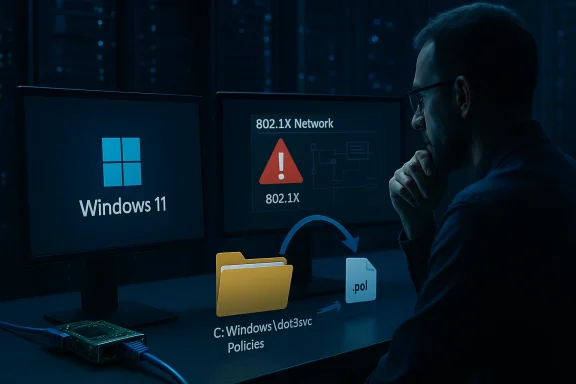
A growing number of enterprise IT teams and system administrators are again reporting that Windows 11 feature updates can leave machines without wired network access by removing or emptying the C:\Windows\dot3svc\Policies folder — the place Windows stores the Wired AutoConfig (802.1X) policy files — requiring manual intervention or Group Policy reapplication before systems can authenticate to corporate networks. The claim, published in community and trade coverage and echoed in a Windows Report item shared by a reader, lines up with months of field reports from administrators who say upgrades or in-place feature updates sometimes reset or fail to migrate 802.1X configuration, leaving desktops and laptops offline until the client is able to re‑acquire policy from Active Directory or Intune.
Windows uses the Wired AutoConfig service — the
This is not the first time Windows updates and upgrades have destabilized 802.1X on enterprise networks. Microsoft and the Windows ecosystem have seen multiple 802.1X‑related regressions over the last several years — including Wi‑Fi (WLANSVC) problems caused by specific KBs that were later rolled back via Known Issue Rollback (KIR) — but the specific behavior administrators are reporting today is distinct: an apparent migration failure during a feature update or image upgrade that results in the policy files themselves being missing or emptied, rather than a simple in‑memory config or service startup failure.
Why would an upgrade remove or fail to migrate these files? The most likely technical root causes (derived from community troubleshooting, observed behavior, and how Windows setup migrates policy during in‑place upgrades) are:
Because of that gap in vendor confirmation, organizations should treat this issue as a realistic operational risk backed by multiple independent sightings — and plan accordingly — while monitoring Microsoft’s official Windows health pages, KB articles and commercial support channels for an official acknowledgement and KIR if one becomes necessary.
If you run a managed Windows estate with wired 802.1X enforced: plan your upgrades conservatively, include a
Source: Windows Report https://windowsreport.com/windows-1...rnet-by-wiping-dot3svc-folder-for-some-users/
 Background / Overview
Windows uses the Wired AutoConfig service — the dot3svc (Wired AutoConfig) service — to perform IEEE 802.1X authentication on Ethernet interfaces. In managed networks that require 802.1X on wired ports, dot3svc depends on policy files placed under C:\Windows\dot3svc\Policies (usually .pol files) and on Group Policy or MDM‑delivered configuration to set the authentication method (for example EAP‑TLS) and certificate validation options. If the policy files are missing or the service cannot read them, the client will either fall back to default authentication (often PEAP/MS‑CHAPv2) or fail authentication entirely, producing the familiar “connected / no internet” or “no network access” symptoms on otherwise healthy hardware. Microsoft documents dot3svc as the service responsible for wired 802.1X authentication.This is not the first time Windows updates and upgrades have destabilized 802.1X on enterprise networks. Microsoft and the Windows ecosystem have seen multiple 802.1X‑related regressions over the last several years — including Wi‑Fi (WLANSVC) problems caused by specific KBs that were later rolled back via Known Issue Rollback (KIR) — but the specific behavior administrators are reporting today is distinct: an apparent migration failure during a feature update or image upgrade that results in the policy files themselves being missing or emptied, rather than a simple in‑memory config or service startup failure.
How the problem presents itself in the field
Typical symptom set
- After an in‑place upgrade or feature update, a device cannot authenticate on corporate Ethernet ports configured for 802.1X. The network stack often shows the NIC as “connected” but with no network access.
- The same device may also lose the wired 802.1X profile, forcing administrators to rely on Wi‑Fi (if available) to reestablish connectivity and pull down policy.
- Examination of the file system reveals the
C:\Windows\dot3svc\Policiesfolder is empty or missing the expected.polfiles, even though the registry still references policy entries and machine certificates remain installed. - Running
gpupdate /forcewhile the device is already network‑connected often reprovisions the missing files and restores connectivity. Administrators report that restarting the Wired AutoConfig service (dot3svc) after resetting a migration flag also triggers a reimport.
When it happens
Community reports span:- Major version upgrades (Windows 10 → Windows 11 feature upgrades), and
- Upgrades between Windows 11 yearly feature updates (for example, 23H2 → 24H2/25H2), and
- Some cumulative update scenarios as part of larger enterprise imaging workflows.
Technical deep dive: what’s stored in dot3svc and why losing it matters
The Wired AutoConfig service (dot3svc) drives 802.1X at Layer 2 and reads local policy artifacts that represent machine and user authentication profiles. These artifacts typically include:.polfiles in C:\Windows\dot3svc\Policies containing serialized network profiles and EAP configuration,- Registry entries under the
dot3svckey that point to policy GUIDs and migration markers, and - Machine certificates and trusted root certificates used for EAP‑TLS or related authentication methods.
.pol artifacts vanish or are not migrated properly during an upgrade, the dot3svc service has no profile to apply; machines revert to default behaviors that may not match enterprise configuration and so fail authentication. Microsoft documentation and service guidance make clear dot3svc is the system component responsible for wired 802.1X and that misconfiguration or absent policy blocks Layer‑2 access on authenticated networks.Why would an upgrade remove or fail to migrate these files? The most likely technical root causes (derived from community troubleshooting, observed behavior, and how Windows setup migrates policy during in‑place upgrades) are:
- A migration path that expects to import policy from an old path or archive but does not correctly rehydrate local policy files when the device cannot talk to the domain at the time of the final boot.
- Setup or the OOBE sequence clearing the
dot3svcmigration flag without completing the import step, leaving the system in a “migration done” state while the physical policy files remain absent. - Image customizations or security hardening that alter permissions, symbolic links, or junctions in
C:\Windows\dot3svccausing setup to skip it during file copy or migration. - Race conditions in the final step of the upgrade sequence where
dot3svcstarts before the migration or GPO processing completes, causing state corruption or overwrites.
dot3svc migration to run (by manipulating a registry migration flag) and then restarting the service frequently restores the policies and brings the machine back online — which strongly suggests the issue is a skipped or incomplete migration step rather than permanent, unrecoverable data loss. However, because the root cause is triggered during privileged system updates, it’s visible mainly to administrators doing in‑place upgrades at scale.Evidence, corroboration and what the record shows
- Multiple independent system administrator threads documented the same pattern: empty or missing
C:\Windows\dot3svc\Policiesafter upgrade and restored network connectivity after a Group Policy update or script run that resets a migration flag then restartsdot3svc. These reports are consistent across several months and across upgrade paths. - Microsoft’s official documentation confirms the role and runtime requirements of
dot3svc, making clear that missing policies will interfere with 802.1X. While Microsoft has previously acknowledged and rolled back problematic updates that caused 802.1X connectivity issues on Wi‑Fi (notably the December 2023 KB incident fixed via Known Issue Rollback), there is not yet a public Microsoft support article at the time of writing that explicitly acknowledges a global bug where upgrade operations erase or emptyC:\Windows\dot3svc\Policiesduring Windows hat absence is notable and means the community evidence is currently the primary signal for this specific behavior. - In forums and community archives we also see practical, reproducible workarounds being used by admins in task sequences and upgrade scripts — typically a small PowerShell snippet that resets the
dot3svcmigration marker and restarts the service. Those snippets have a consistent effect of reimporting policy when the machine is online, suggesting the migration logic is present but sometimes not executed at the right time in the upgrade workflow. - Internal community threads within enterprise environments (captured in the reader’s uploaded discussion materials) echo the same troubleshooting steps and note that copying
.polfiles from a recovery image without addressing the migration flag frequently fails; the successful approach is to trigger the migration/restart flow or to force a Group Policy refresh once network access is available.
Practical mitigation steps (what to do now)
If you are planning a Windows 11 upgrade at scale, or you are troubleshooting machines already afflicted, take these prioritized, pragmatic steps. Each step is safe to attempt in a controlled environment; treat any registry changes or scripts as part of a tested upgrade task sequence.- Pre‑upgrade: Identify whether your wired network enforces 802.1X and which authentication method (EAP‑TLS, PEAP‑MS‑CHAPv2, etc.) you use. If possible, provision a temporary non‑802.1X maintenance VLAN for upgrade and imaging operations so endpoints can finish migration and policy retrieval after the feature update.
- Add a post‑upgrade automation step in your SCCM/MDT/Intune task sequence to run the migration reset script and restart the
dot3svcservice. A commonly used PowerShell approach that community engineers report as effective is:
This resets the migration marker and restarts the service, allowing the client to re‑import policy. Test and adapt the loop timing for your environment.Code:for ($i = 1; $i -le 3; $i++) { New-ItemProperty -Path 'HKLM:\SOFTWARE\Microsoft\dot3svc\MigrationData' -Name 'dot3svcMigrationDone' -Value 0 -PropertyType DWORD -Force -ErrorAction SilentlyContinue Restart-Service -Name dot3svc -ErrorAction SilentlyContinue Start-Sleep -Seconds 30 } - If a device is already offline after an update, try these in order:
- Connect the device to a non‑802.1X port (a wired guest VLAN or Wi‑Fi with internet access).
- Run
gpupdate /forceto pull down policy from Active Directory (or trigger MDM sync if the device is MDM managed). - If
gpupdateis not feasible, run the migration reset script above and restartdot3svc. - As a stopgap, include the migration flag reset in the OS provisioning
SetupComplete.cmdor as a final step in your imaging/touchless upgrade sequence so the migration runs after the device first boots with network connectivity. Many admins report success placing the script at the end of a task sequence. - Inventory and driver hygiene: Ensure NIC drivers are from the OEM and up to date in your image; avoid mixing driver updates from Windows Update at the time of a major feature upgrade unless validated. Driver quirks during the final setup phase can change timing of network stack initialization and contribute to migration race conditions.
- If you rely on certificate‑based authentication (EAP‑TLS), double‑check certificate auto‑enrollment and machine certificate availability as part of preflight checks; certificates are frequently present, but clients sometimes fail to present them correctly until migration completes.
Enterprise policy choices: what to change in your upgrade plan
- Pause widespread feature updates until the upgrade path is validated in your environment. Use Windows Update for Business safeguards or your WUfB/WSUS policies to control the cadence of upgrades.
- Include a network connectivity validation step in your upgrade task sequences. If the machine cannot reach domain controllers or MDM endpoints at the time migration should happen, don’t declare the upgrade finished — defer finalization until connectivity is ensured.
- Consider delivering the wired 802.1X profile via MDM (Intune) as a complement to Group Policy. Several admins report that MDM‑delivered profiles will re‑apply when the device regains internet access even if AD connectivity is transient. That said, moving to MDM is not a silver bullet and requires change control and testing.
What Microsoft has said (and what it hasn’t)
Microsoft has a documented history of acknowledging certain 802.1X connectivity regressions caused by specific updates and using Known Issue Rollback (KIR) to remediate them — notably December 2023 events where affected KBs caused Wi‑Fi clients to fail authentication and Microsoft deployed a KIR while advising enterprise mitigations. Those public KIR fixes demonstrate Microsoft’s operational route for high‑impact connectivity regressions. However, at the time of writing there is no public Microsoft support bulletin explicitly stating that feature updates are globally wiping theC:\Windows\dot3svc\Policies folder during upgrades; instead the observable pattern is reported through enterprise community threads and field troubleshooting. This distinction matters: Microsoft has an established remediation path for update‑induced regressions, but this specific migration artifact (missing .pol files) appears primarily in community telemetry and administrator reports rather than in a single consolidated Microsoft KB.Because of that gap in vendor confirmation, organizations should treat this issue as a realistic operational risk backed by multiple independent sightings — and plan accordingly — while monitoring Microsoft’s official Windows health pages, KB articles and commercial support channels for an official acknowledgement and KIR if one becomes necessary.
Risks and secondary impacts
- Business continuity: Machines that cannot join the corporate LAN are effectively stranded for many maintenance operations that assume network access (domain GPOs, certificate renewal, software distribution). In large organizations, even a small percentage of failing upgrades can spike helpdesk tickets dramatically.
- Security posture: Administrators may be tempted to disable 802.1X enforcement or to revert to weaker authentication temporarily; both actions increase attack surface. The correct fix is to ensure migration completes or to provision profile delivery in a robust, tested way — not to weaken network controls.
- Imaging complexity: If task sequences have to be altered to include migration scripts, those changes must be validated in phased rollouts; rushed changes can introduce other regressions.
- Cloud and remote management interplay: Machines upgraded off‑network (for example, at remote sites with no direct AD connectivity) are more susceptible because those clients cannot complete a domain‑based policy migration without a path to pull the artifacts from a policy source. MDM strategies can mitigate but require planning.
Recommendations for vendors and Microsoft
- Microsoft: publish a supported KB or guidance on
dot3svcmigration behavior during in‑place upgrades and feature updates, including whether Known Issue Rollback is applicable and the exact documented recovery steps for admins encountering emptyC:\Windows\dot3svc\Policies. A small, documented API or built‑in migration retry that triggers automatically once the device gains network connectivity would remove the need for fragile workarounds. - OEMs / imaging vendors: ensure that your task sequence templates include a validated
dot3svcmigration step when targeting enterprise cuX for wired access; coordinate driver availability to avoid network stack timing issues during the final setup phase. - Enterprise security teams: test feature updates in a lab environment that mirrors your production conditional access and 802.1X deployment. Treat 802.1X‑protected subnets as critical upgrade validation zones.
Conclusion
The pattern — feature updates leavingC:\Windows\dot3svc\Policies empty and breaking wired 802.1X authentication until administrators force a migration or reapply Group Policy — is neither hypothetical nor isolated. Multiple independent administrator reports, task sequence variants and practical workarounds demonstrate a reproducible failure mode in certain upgrade scenarios that reliably impacts managed networks using wired 802.1X. While Microsoft has a track record of fixing update‑caused network regressions with Known Issue Rollback when they are acknowledged, there is at present no single, clear Microsoft KB that publicly documents a global issue of policy file deletion during Windows 11 feature updates — which leaves IT teams to rely on operational mitigations and targeted scripting to keep upgrades on schedule.If you run a managed Windows estate with wired 802.1X enforced: plan your upgrades conservatively, include a
dot3svc migration reset and restart as a standard post‑upgrade step in your task sequence, validate on pilot devices, and avoid restructuring imaging processes mid‑migration. Treat this issue as a foreseeable operational risk and prepare your helpdesk scripts and automation now — doing so will substantially reduce disruption when the next feature update reaches your machines.Source: Windows Report https://windowsreport.com/windows-1...rnet-by-wiping-dot3svc-folder-for-some-users/