

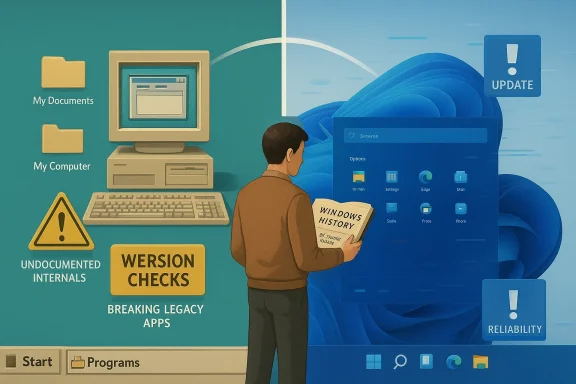
These days, Windows 11 criticism often centers on reliability, performance, and the feeling that Microsoft keeps shipping fixes for problems that should not have reached users in the first place. Yet the latest reminder from Raymond Chen’s long-running Windows history archive is that bad desktop experiences are not a Windows 11 invention; compatibility disasters once arrived with far less warning, and in one important respect the modern OS still looks relatively civilized by comparison. The deeper lesson is not that Windows 11 is flawless, but that Microsoft’s current frustrations sit inside a much longer story about platform transitions, app assumptions, and the cost of breaking old software.
Microsoft has spent the Windows 11 era trying to balance two competing promises: modernize the operating system while preserving the enormous application ecosystem that made Windows dominant in the first place. That tension is especially visible when users complain about sluggish UI behavior, Start menu glitches, or update regressions, because those failures land on top of an OS that already asks for newer hardware and stricter compatibility standards.
The current atmosphere matters because users do not experience platform architecture diagrams; they experience whether the Start menu opens, whether Search works, and whether their familiar apps behave after an update. Microsoft’s own support pages continue to document update troubleshooting, Start menu issues, and fix-its for modern Windows 11 deployments, which reinforces the perception that the system still has rough edges even as it evolves. That context makes any comparison with older Windows versions instantly emotionally charged.
Raymond Chen’s historical posts are useful because they show that Windows compatibility has always been a negotiation, not a guarantee. In the Windows 3.1 to Windows 95 transition, developers faced a fundamentally different memory and UI model, and some applications had been written with assumptions that could not survive the move. The result was not simply “old app, new OS”; it was often old app, old tricks, new failure.
At the same time, Windows 95 was not merely a cosmetic refresh. It was a major architectural jump, bringing a more advanced graphical environment and the 32-bit era into mainstream consumer Windows. That meant Microsoft had to keep as much legacy behavior alive as possible while still pushing the platform forward, a balancing act that remains familiar to anyone watching Windows 11 today.
What makes Chen’s recollection relevant now is that it reframes the complaint. If some users feel that Windows 11 is the most frustrating Windows desktop experience ever, history says nostalgia may be smoothing over how ugly earlier transitions could be. The old pain was often less visible now only because enough time has passed for the scars to become folklore.
Chen’s explanation highlights a classic mistake: some developers converted system handles into pointers and then poked around inside internal data structures directly. Under one heap model, that shortcut might appear to work, especially when the internals were predictable enough for a given version of Windows. Once Windows 95 shifted to a 32-bit heap for UI and graphics objects, those assumptions collapsed.
A few specific consequences followed from that kind of coding style:
It is also why compatibility engineering is often invisible when it works. The best compatibility layer is the one users never notice because their old app simply continues to launch. But the more a program depends on undocumented behavior, the more likely it is that the failure will be dramatic, not graceful.
That is why Chen’s story matters. A lot of older Windows software had effectively been built for a world where the internals were small enough, predictable enough, and forgiving enough that bad habits could survive. Once the operating system became more ambitious, those habits became liabilities.
This sort of logic causes several classes of failure:
There is a useful irony here. Many people complain about Windows 11 being too assertive about hardware requirements or system compatibility, but old software was often just as uncompromising. The difference is that modern users tend to blame the platform vendor, while legacy app failures were more often blamed on the mysterious vagaries of “computer stuff.” History has a way of changing which side looks more unreasonable.
The same philosophy still shapes Windows 11. Microsoft continues to ship compatibility holds, update workarounds, and targeted fixes for specific app and system behavior. The details are different, but the strategy is recognizable: preserve as much as possible, isolate what cannot be preserved, and patch the rest over time.
This is where user expectations become important. People do not care whether a failure is elegant, only whether their software works. That makes compatibility wins feel invisible and compatibility failures feel personal. A broken old app is not “historically interesting” to the person trying to print a document or open a file.
Microsoft’s modern update process reflects that tension. The company still publishes fixes for Start menu behavior, Search regressions, and reliability issues in current Windows 11 builds, which shows that compatibility is now only one part of a broader trust problem. Users are less likely to celebrate the preservation of one old app if they are simultaneously dealing with an unstable new feature.
The broader lesson is that platform stewardship is cumulative. Every release inherits the reputation of the last one. Windows 95 could be forgiven a lot because it represented a leap forward; Windows 11 is judged against a world where users expect smooth updates, solid performance, and minimal disruption.
That confidence matters because a desktop operating system is the foundation for everything else. If the shell feels unreliable, the whole machine feels unreliable, even when the underlying issue is isolated and temporary. Users do not separate architecture from experience in the way engineers do.
Still, nostalgia cuts both ways. If users are frustrated with Windows 11, it is not enough to tell them the past was worse. People evaluate products by the life they are living now, not by historical averages. The fact that older Windows versions were messier does not automatically make Windows 11 good.
The most honest reading is that Windows 11 occupies an awkward middle ground. It is more capable and less primitive than its predecessors, but it also lives in an era where every flaw is amplified by online discourse and every regression becomes a trust issue. In that environment, even a small Start menu bug can feel like evidence of systemic decay.
That is the invisible cost of platform power. The more popular a system becomes, the more developers are incentivized to guess at internals instead of using the stable path. The app may ship faster, but the ecosystem becomes harder to maintain.
For modern Windows users, this also offers a counterintuitive comfort. The messiness of Windows 11 is happening in a world where Microsoft still has elaborate compatibility mechanisms, extensive telemetry, and much better tooling than was available in the 1990s. That does not eliminate bugs, but it does mean the company is dealing with them in a far more mature way than earlier generations had to.
That distinction matters because Windows compatibility is not one thing. It is a spectrum of expectations. Home users want their laptop to feel dependable; IT departments want thousands of machines to behave identically across patches, drivers, and line-of-business applications.
For consumers, the emotional frame is different. A broken app might be annoying, but a broken shell feels like the OS itself has failed. That is why Windows 11 criticism often becomes so intense: the user experience is the product, and any defect in the shell becomes a judgment on the entire brand.
Important contrasts between the two audiences include:
That reality is why Windows is rarely judged only on elegance. It is judged on whether a 20-year-old line-of-business application still opens, whether a printer driver survives a patch cycle, and whether the shell still feels familiar enough to avoid retraining costs. Those expectations can be maddening, but they are also part of why Windows remains Windows.
But that advantage only holds if the company keeps paying the compatibility bill. A modern operating system cannot simply chase visual novelty; it has to preserve trust in old workflows while making room for new ones. That is why seemingly minor regressions in Windows 11 matter so much. They threaten the one thing Microsoft cannot afford to lose: the assumption that Windows is where old software goes to keep working.
The following pressures all shape that balance:
The comparison to Windows 95 is not meant to excuse current problems. It is meant to reframe them. Microsoft once had to shepherd an entire software era across a fault line where many apps were built on assumptions they should never have made, and it did so with a mix of compatibility shims, engineering compromise, and patience. Windows 11 needs the same discipline now, just in a far more public, faster-moving, and less forgiving environment.
Source: Neowin Windows 11 not the worst Microsoft desktop OS experience ever at least in one key area
 Background
Microsoft has spent the Windows 11 era trying to balance two competing promises: modernize the operating system while preserving the enormous application ecosystem that made Windows dominant in the first place. That tension is especially visible when users complain about sluggish UI behavior, Start menu glitches, or update regressions, because those failures land on top of an OS that already asks for newer hardware and stricter compatibility standards.The current atmosphere matters because users do not experience platform architecture diagrams; they experience whether the Start menu opens, whether Search works, and whether their familiar apps behave after an update. Microsoft’s own support pages continue to document update troubleshooting, Start menu issues, and fix-its for modern Windows 11 deployments, which reinforces the perception that the system still has rough edges even as it evolves. That context makes any comparison with older Windows versions instantly emotionally charged.
Raymond Chen’s historical posts are useful because they show that Windows compatibility has always been a negotiation, not a guarantee. In the Windows 3.1 to Windows 95 transition, developers faced a fundamentally different memory and UI model, and some applications had been written with assumptions that could not survive the move. The result was not simply “old app, new OS”; it was often old app, old tricks, new failure.
At the same time, Windows 95 was not merely a cosmetic refresh. It was a major architectural jump, bringing a more advanced graphical environment and the 32-bit era into mainstream consumer Windows. That meant Microsoft had to keep as much legacy behavior alive as possible while still pushing the platform forward, a balancing act that remains familiar to anyone watching Windows 11 today.
What makes Chen’s recollection relevant now is that it reframes the complaint. If some users feel that Windows 11 is the most frustrating Windows desktop experience ever, history says nostalgia may be smoothing over how ugly earlier transitions could be. The old pain was often less visible now only because enough time has passed for the scars to become folklore.
The Compatibility Problem Windows 95 Had to Solve
Windows 95 inherited an ecosystem that was never designed for the new world it was entering. Many programs from the Windows 3.1 era relied on undocumented or fragile assumptions about memory layout, object handling, and internal structures that Microsoft could not promise would remain stable. That meant compatibility was not just about loading an executable; it was about whether the software’s mental model of Windows still matched reality.Chen’s explanation highlights a classic mistake: some developers converted system handles into pointers and then poked around inside internal data structures directly. Under one heap model, that shortcut might appear to work, especially when the internals were predictable enough for a given version of Windows. Once Windows 95 shifted to a 32-bit heap for UI and graphics objects, those assumptions collapsed.
Why undocumented internals are a trap
The real issue was never merely performance or luck. It was that software written against private behavior tends to become brittle the moment the platform evolves, because the code is not depending on a contract, only on an accident. That is a lesson Windows has repeated for decades, and it is still relevant to modern software ecosystems.A few specific consequences followed from that kind of coding style:
- Handle misuse turned abstract references into brittle memory assumptions.
- Pointer arithmetic on internal objects could corrupt state when layouts changed.
- Version-specific shortcuts worked only until the next architecture shift.
- Unsupported internal access reduced Microsoft’s ability to preserve compatibility safely.
It is also why compatibility engineering is often invisible when it works. The best compatibility layer is the one users never notice because their old app simply continues to launch. But the more a program depends on undocumented behavior, the more likely it is that the failure will be dramatic, not graceful.
The 16-bit to 32-bit Leap Was Not Cosmetic
The move from Windows 3.1 to Windows 95 involved more than new menus and a Start button. The platform was stepping into a more demanding era of multitasking, memory management, and user interface complexity, and that required a different technical foundation. The change from 16-bit to 32-bit behavior in key areas was a structural shift, not a surface-level polish.That is why Chen’s story matters. A lot of older Windows software had effectively been built for a world where the internals were small enough, predictable enough, and forgiving enough that bad habits could survive. Once the operating system became more ambitious, those habits became liabilities.
The version-check disaster
One of the more amusing but telling examples Chen described was a program that performed strict version checks. If the OS was not Windows 3.0, 3.1, or 2.1, the application apparently concluded it must be Windows 2.0. That kind of logic is funny in hindsight, but it also reveals a deeper truth: software can fail not because the OS is broken, but because the application’s idea of reality is frozen in time.This sort of logic causes several classes of failure:
- False negatives where a perfectly functional OS is rejected.
- Compatibility dead ends where the app refuses to start.
- User confusion because the error message is often misleading.
- Support costs because the problem appears arbitrary to end users.
There is a useful irony here. Many people complain about Windows 11 being too assertive about hardware requirements or system compatibility, but old software was often just as uncompromising. The difference is that modern users tend to blame the platform vendor, while legacy app failures were more often blamed on the mysterious vagaries of “computer stuff.” History has a way of changing which side looks more unreasonable.
Microsoft’s Compatibility Strategy Then and Now
Microsoft did not simply throw users into the deep end with Windows 95. According to Chen’s account, the company created systems to help legacy applications survive the transition, and many quirks could be handled. That is a critical part of the story because compatibility on Windows has always been an engineering product in its own right, not a magical side effect.The same philosophy still shapes Windows 11. Microsoft continues to ship compatibility holds, update workarounds, and targeted fixes for specific app and system behavior. The details are different, but the strategy is recognizable: preserve as much as possible, isolate what cannot be preserved, and patch the rest over time.
The limits of patching broken assumptions
Even with strong compatibility tooling, some failures simply cannot be fixed cleanly. If an application is built on unsupported internal behavior, the platform can sometimes emulate the old environment, but only up to a point. Once the assumptions contradict the new architecture, compatibility turns from engineering into archaeology.This is where user expectations become important. People do not care whether a failure is elegant, only whether their software works. That makes compatibility wins feel invisible and compatibility failures feel personal. A broken old app is not “historically interesting” to the person trying to print a document or open a file.
Microsoft’s modern update process reflects that tension. The company still publishes fixes for Start menu behavior, Search regressions, and reliability issues in current Windows 11 builds, which shows that compatibility is now only one part of a broader trust problem. Users are less likely to celebrate the preservation of one old app if they are simultaneously dealing with an unstable new feature.
The broader lesson is that platform stewardship is cumulative. Every release inherits the reputation of the last one. Windows 95 could be forgiven a lot because it represented a leap forward; Windows 11 is judged against a world where users expect smooth updates, solid performance, and minimal disruption.
Why Windows 11 Still Draws So Much Heat
Windows 11 is controversial for reasons that go beyond raw bug count. It is a product of an era where people expect refinement by default, yet the OS still occasionally behaves like a moving target. Microsoft has tried to improve responsiveness and reliability, but visible regressions continue to reset user confidence.That confidence matters because a desktop operating system is the foundation for everything else. If the shell feels unreliable, the whole machine feels unreliable, even when the underlying issue is isolated and temporary. Users do not separate architecture from experience in the way engineers do.
Perception, memory, and “rose-tinted glasses”
Chen’s point, and the Neowin commentary around it, touches on a classic psychological effect: people remember the past in softer colors than it actually had. Windows 95 is often recalled as exciting and transformative, not as a compatibility headache. That selective memory makes today’s complaints about Windows 11 seem worse than they are, even when today’s complaints are legitimate.Still, nostalgia cuts both ways. If users are frustrated with Windows 11, it is not enough to tell them the past was worse. People evaluate products by the life they are living now, not by historical averages. The fact that older Windows versions were messier does not automatically make Windows 11 good.
The most honest reading is that Windows 11 occupies an awkward middle ground. It is more capable and less primitive than its predecessors, but it also lives in an era where every flaw is amplified by online discourse and every regression becomes a trust issue. In that environment, even a small Start menu bug can feel like evidence of systemic decay.
What the Windows 3.1 Story Says About Software Design
Chen’s historical example is not merely an anecdote about old code. It is a warning about how software teams think under pressure. When deadlines are tight and documentation feels incomplete, shortcuts become tempting, and those shortcuts may survive just long enough to cause catastrophic problems later.That is the invisible cost of platform power. The more popular a system becomes, the more developers are incentivized to guess at internals instead of using the stable path. The app may ship faster, but the ecosystem becomes harder to maintain.
The engineering lesson in plain English
At a technical level, the story reinforces several old truths:- Stable APIs are a contract, not a suggestion.
- Internal behavior is not a platform promise.
- Compatibility debt accumulates silently until a transition exposes it.
- Strict version checks age badly because they hard-code the past.
- Legacy support is expensive and often invisible when successful.
For modern Windows users, this also offers a counterintuitive comfort. The messiness of Windows 11 is happening in a world where Microsoft still has elaborate compatibility mechanisms, extensive telemetry, and much better tooling than was available in the 1990s. That does not eliminate bugs, but it does mean the company is dealing with them in a far more mature way than earlier generations had to.
Consumer vs. Enterprise: Different Pain, Same Platform
Consumer Windows users usually notice visible annoyances first: a Start menu that misbehaves, a sluggish launch, an update that changes a familiar workflow. Enterprise users, by contrast, feel pain in deployment failures, app breakage, policy conflicts, and the operational cost of maintaining fleets of machines that must remain consistent.That distinction matters because Windows compatibility is not one thing. It is a spectrum of expectations. Home users want their laptop to feel dependable; IT departments want thousands of machines to behave identically across patches, drivers, and line-of-business applications.
Where the old story still resonates
The Windows 95 transition story maps surprisingly well onto enterprise concerns today. Then, as now, the key challenge was not whether Microsoft could make the new platform technically work. It was whether the company could prevent the old ecosystem from collapsing during the move. Compatibility engineering was, and remains, a business continuity issue.For consumers, the emotional frame is different. A broken app might be annoying, but a broken shell feels like the OS itself has failed. That is why Windows 11 criticism often becomes so intense: the user experience is the product, and any defect in the shell becomes a judgment on the entire brand.
Important contrasts between the two audiences include:
- Consumers judge by speed, convenience, and trust.
- Enterprises judge by deployability, supportability, and repeatability.
- Consumers tolerate less friction in daily use.
- Enterprises tolerate less risk in change management.
- Consumers remember the visible bug.
- Enterprises remember the outage and the ticket volume.
The Business of Keeping Windows Compatible
Microsoft has a huge incentive to keep compatibility working because the Windows ecosystem is one of the company’s greatest strategic assets. If old apps stop running, customers do not just complain; they start questioning platform loyalty, hardware upgrades, and long-term spending assumptions. Compatibility is therefore both a product feature and a market moat.That reality is why Windows is rarely judged only on elegance. It is judged on whether a 20-year-old line-of-business application still opens, whether a printer driver survives a patch cycle, and whether the shell still feels familiar enough to avoid retraining costs. Those expectations can be maddening, but they are also part of why Windows remains Windows.
Compatibility as a competitive moat
If you zoom out, Microsoft’s historical advantage has always been this: even when Windows was messy, it was usually the mess everyone else had to live with because the software ecosystem was there. That is a powerful business position. It makes the platform sticky, and it gives Microsoft room to evolve slowly without losing the base.But that advantage only holds if the company keeps paying the compatibility bill. A modern operating system cannot simply chase visual novelty; it has to preserve trust in old workflows while making room for new ones. That is why seemingly minor regressions in Windows 11 matter so much. They threaten the one thing Microsoft cannot afford to lose: the assumption that Windows is where old software goes to keep working.
The following pressures all shape that balance:
- Hardware requirements narrow the support base.
- UI redesigns can break user muscle memory.
- Update cadence increases regression risk.
- Legacy expectations make every change politically sensitive.
- Support burden grows as the ecosystem ages.
Strengths and Opportunities
The real strength in Microsoft’s position is that Windows still has the architectural depth, tooling, and institutional memory to fix problems that older generations of software would have simply carried forever. The company also benefits from a compatibility culture that, while imperfect, is far more sophisticated than the one that existed during the Windows 3.1 to Windows 95 transition. That gives Windows 11 room to improve without starting from scratch.- Mature compatibility engineering remains one of Windows’ biggest assets.
- Telemetry and diagnostics make modern bug-fixing faster than in the 1990s.
- Targeted update servicing can address regressions without a full redesign.
- Enterprise manageability still beats many alternatives.
- A huge software ecosystem keeps Windows strategically relevant.
- Historical lessons from past transitions inform better modern behavior.
- User feedback loops are faster and more visible than before.
Risks and Concerns
The biggest risk is that users stop giving Microsoft the benefit of the doubt. When every update feels like a gamble, even successful fixes do not fully repair trust. In that environment, nostalgia for older Windows versions becomes more powerful than technical reality, and that can distort the market’s perception of the product.- Repeated regressions erode confidence in updates.
- Hardware restrictions make some users feel pushed out.
- UI inconsistency creates a sense of unfinished design.
- Legacy compatibility breaks damage long-term loyalty.
- Enterprise skepticism can slow migration plans.
- Public criticism amplifies every visible flaw.
- Support fatigue makes smaller bugs feel larger.
Looking Ahead
If there is one takeaway from Chen’s Windows 95 memories, it is that operating system transitions are never just technical events. They are negotiations between the old world and the new one, and the winners are usually the platforms that preserve trust while still moving forward. Windows 11 is still in that negotiation, and its reputation will be shaped less by any single bug than by whether Microsoft can keep the next few years calmer than the last few.The comparison to Windows 95 is not meant to excuse current problems. It is meant to reframe them. Microsoft once had to shepherd an entire software era across a fault line where many apps were built on assumptions they should never have made, and it did so with a mix of compatibility shims, engineering compromise, and patience. Windows 11 needs the same discipline now, just in a far more public, faster-moving, and less forgiving environment.
- Stability improvements will matter more than flashy feature additions.
- Start menu and shell reliability will remain symbolic trust indicators.
- Compatibility handling will continue to define the user experience.
- Enterprise patch confidence may decide how quickly businesses adopt future versions.
- Narratives about “the worst Windows ever” will persist unless performance and reliability visibly improve.
- Historical perspective will keep reminding users that old Windows versions were not as idyllic as memory suggests.
Source: Neowin Windows 11 not the worst Microsoft desktop OS experience ever at least in one key area
