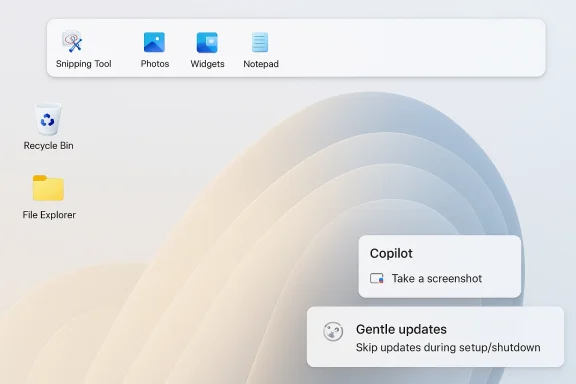
Microsoft is beginning to walk back one of the most visible complaints about Windows 11: that the operating system has been steadily turning simple desktop workflows into AI showcases. In a new round of Insider-facing changes, Microsoft says it will reduce unnecessary Copilot entry points in apps like Snipping Tool, Photos, Widgets, and Notepad, while also restoring long-requested customization such as moving the taskbar to the top, left, or right side of the screen. The company is also making Windows Update less intrusive, so users can skip updates during setup or shut down without being forced into an install cycle first, a small but meaningful concession to people who have spent years fighting the OS instead of using it. Microsoft’s own Windows Insider messaging frames these as initial changes rolling out over roughly the next six weeks, with a broader public release expected later this year. (blogs.windows.com)
Windows 11 has spent much of its life in an awkward position between two audiences. On one side are enterprise customers and mainstream users who want stability, predictability, and fewer surprises. On the other are Microsoft’s product teams, which have spent the last two years pushing Windows toward a more ambient, AI-infused, and service-like operating model. Those goals have often collided with the habits of long-time Windows users, especially people who remember when the shell let them reposition the taskbar, minimize UI clutter, and avoid unsolicited feature creep.
That tension matters because Windows is not a new app that users can simply skip. It is the desktop environment, the file system shell, the update orchestrator, and the platform through which many people work all day. When Microsoft adds a Copilot shortcut, a “helpful” AI surface, or a recommended feed, it is not just adding a feature; it is changing the emotional texture of the platform. The result has been a steady chorus of complaints that Windows 11 feels busier than Windows 10 while delivering less of the user control that used to define the brand.
Microsoft’s official Windows Insider blog has already shown where the company’s head has been. Earlier Insider builds added taskbar icon scaling, a drag tray for easier file sharing, and fresh Copilot hooks in Click to Do and other surfaces. At the same time, the company has repeatedly adjusted Notepad, Snipping Tool, and other inbox apps to include generative AI features or Copilot-adjacent entry points. In March 2025, for example, Microsoft rolled out Notepad summarization and Snipping Tool updates with direct Copilot integration, while still leaving room to disable AI features in settings. That mix of “more AI” and “more controls” is now becoming the company’s default balancing act. (blogs.windows.com)
The latest shift is notable because it acknowledges a product truth Microsoft has not always said out loud: not every useful workflow benefits from a Copilot prompt. Snipping Tool is primarily about capture and markup, Notepad is supposed to be quick and unobtrusive, Photos should be a lightweight viewer, and Widgets ought to behave like a glanceable dashboard rather than a persistent sales pitch. Removing excess AI entry points from those apps is not a retreat from AI so much as a recognition that ubiquity is not the same thing as usefulness. (blogs.windows.com)
Microsoft’s challenge is especially difficult because the complaints are not purely cosmetic. Taskbar placement, update behavior, and default app surfacing all affect daily workflows in tangible ways. A user who prefers the taskbar at the top, or who wants to reboot without triggering an install, is not asking for vanity features. They are asking for the kind of control that reduces friction. Restoring those options can improve sentiment in a way that another Copilot integration never will.
There is also a broader strategic issue. Microsoft has spent years turning Copilot into a brand that spans Windows, Microsoft 365, Edge, and the web. But if Copilot becomes synonymous with clutter, users will begin associating the brand with annoyance rather than assistance. That would be a serious problem, because Copilot is meant to be the company’s unifying consumer and enterprise AI story. Microsoft seems to understand that the platform has to breathe if the AI pitch is going to stick.
That makes the return of customization feel strategic rather than sentimental. The classic taskbar position options are not just a nod to nostalgia; they are a signal that Microsoft is willing to reverse some of the Windows 11 design rigidity that made the release unpopular with power users in the first place. It also gives the company a chance to reclaim the idea that Windows remains a flexible desktop OS, not just a branded launcher for services.
This matters because the Windows 11 shell is already crowded with system notifications, widgets, cloud prompts, store recommendations, account nudges, and upgrade banners. Adding AI to that mix without restraint made the desktop feel like a marketing surface rather than a workspace. Pulling back in apps such as Snipping Tool, Photos, Widgets, and Notepad suggests Microsoft has recognized the difference between a feature that is present and a feature that is appropriate.
There is also a discovery problem. If every app contains a Copilot shortcut, no one knows which one to use, and the user experience becomes more fragmented rather than less. A cleaner Windows 11 is not anti-AI; it is pro-context. That distinction is increasingly important as Microsoft tries to position Copilot as a platform-level capability rather than a scattershot collection of icons.
That does not mean enterprises want AI removed. They want it scoped, visible, and policy-driven. The more Windows 11 behaves like a controlled platform rather than a noisy demo reel, the easier it becomes for IT departments to standardize on it. In that sense, trimming Copilot entry points is part UX decision and part enterprise trust repair.
That matters because desktop customization is one of the oldest emotional bonds in Windows. For power users, the ability to shape the shell is part of the OS identity. Remove too much of that freedom and Windows begins to feel less like a personal workstation and more like a managed appliance. Microsoft seems to be testing whether it can modernize the shell without stripping away the familiar control that gave Windows its loyal base in the first place.
It is also a recognition that Windows is used on very different screens and in very different postures. What works on a 14-inch laptop is not necessarily ideal on a 34-inch ultrawide or a multi-monitor workstation. Microsoft’s earlier insistence on a bottom-only taskbar looked modern in a presentation but rigid in practice. Reintroducing repositioning makes Windows feel more like a desktop OS and less like a locked-down tablet interface.
By restoring taskbar positioning, Microsoft is effectively saying that Windows 11 can still be tailored to workflow instead of forcing workflow to adapt to Windows. That message may not matter much in consumer marketing, but it matters a great deal in the enthusiast and professional communities that influence broader opinion about the platform.
The message here is less about speed than respect. Users understand that updates matter, especially for security. What they dislike is being trapped by an update when they are trying to start working, power down for the night, or hand off the machine to someone else. Microsoft’s new approach suggests it understands that update policy and user autonomy do not have to be opposing goals.
The ability to shut down or restart without installing an update is equally important. A user should be able to decide when maintenance happens, especially after work hours or when battery life matters. Microsoft is not eliminating update prompts; it is simply giving users a better way to sequence them. That is a healthier compromise than the old model of forcing the issue at the exact moment the user has the least patience.
That tension is why the new controls are so important. The company must avoid creating the impression that updates are optional in a security sense. But it can and should make them feel less like ambushes. Good operating systems protect users without making them feel bullied.
These are the kinds of changes that usually do not headline a product cycle, but they matter because they signal where Microsoft thinks the Windows experience is still rough. File Explorer remains one of the OS’s most used surfaces, and any improvement there pays immediate dividends. Widgets, meanwhile, have been controversial partly because they often feel too eager and not useful enough. Reducing that aggressiveness is a sensible move.
The same principle applies to File Explorer. Faster launching and fewer visual glitches do not create splashy demos, but they improve the rhythm of everyday work. Microsoft has spent years modernizing the shell, and the challenge now is to make the redesign feel polished rather than merely different. Reliability is the real differentiator in a product that people use all day.
There is also a communication challenge. Many users do not know the difference between Canary, Dev, Beta, and Release Preview, and Microsoft has sometimes benefited from that confusion. Clarifying those channels is good for transparency, but it also raises expectations. If users better understand which build they are on, they will also better understand when something is broken or half-finished.
That is a healthy evolution. Product strategy often begins with ambition and then settles into restraint once the real-world costs become visible. Microsoft seems to be acknowledging that users will accept AI more readily if it feels earned, optional, and genuinely helpful. That is a much stronger long-term position than forcing Copilot into every empty corner of the shell.
At the same time, Microsoft must be careful not to overcorrect. If it hides Copilot too aggressively, the assistant loses the discoverability that makes it useful to new users. The right balance will likely be a system where AI is available when relevant but not shoved into every workflow. That sounds obvious, but Windows has not always behaved that way.
It also suggests that Microsoft is beginning to separate the emotional job of Copilot from the operational job of Windows. The assistant can be the future-facing layer, but the shell still needs to respect decades of muscle memory. If Microsoft can keep those layers distinct, it may finally get the best of both worlds.
The most interesting question is whether this becomes the beginning of a broader simplification effort. If Microsoft is willing to curb Copilot sprawl here, it may also revisit other parts of Windows that feel overly promoted, overdesigned, or overcomplicated. That could include more shell surfaces, more setup flows, and more default services than just the ones mentioned in this round. The broader lesson is that restraint can be a feature.
Source: Liliputing Windows 11 updates will scale back unnecessary Copilot integrations, let you reposition the taskbar, and more - Liliputing
 Overview
Windows 11 has spent much of its life in an awkward position between two audiences. On one side are enterprise customers and mainstream users who want stability, predictability, and fewer surprises. On the other are Microsoft’s product teams, which have spent the last two years pushing Windows toward a more ambient, AI-infused, and service-like operating model. Those goals have often collided with the habits of long-time Windows users, especially people who remember when the shell let them reposition the taskbar, minimize UI clutter, and avoid unsolicited feature creep.That tension matters because Windows is not a new app that users can simply skip. It is the desktop environment, the file system shell, the update orchestrator, and the platform through which many people work all day. When Microsoft adds a Copilot shortcut, a “helpful” AI surface, or a recommended feed, it is not just adding a feature; it is changing the emotional texture of the platform. The result has been a steady chorus of complaints that Windows 11 feels busier than Windows 10 while delivering less of the user control that used to define the brand.
Microsoft’s official Windows Insider blog has already shown where the company’s head has been. Earlier Insider builds added taskbar icon scaling, a drag tray for easier file sharing, and fresh Copilot hooks in Click to Do and other surfaces. At the same time, the company has repeatedly adjusted Notepad, Snipping Tool, and other inbox apps to include generative AI features or Copilot-adjacent entry points. In March 2025, for example, Microsoft rolled out Notepad summarization and Snipping Tool updates with direct Copilot integration, while still leaving room to disable AI features in settings. That mix of “more AI” and “more controls” is now becoming the company’s default balancing act. (blogs.windows.com)
The latest shift is notable because it acknowledges a product truth Microsoft has not always said out loud: not every useful workflow benefits from a Copilot prompt. Snipping Tool is primarily about capture and markup, Notepad is supposed to be quick and unobtrusive, Photos should be a lightweight viewer, and Widgets ought to behave like a glanceable dashboard rather than a persistent sales pitch. Removing excess AI entry points from those apps is not a retreat from AI so much as a recognition that ubiquity is not the same thing as usefulness. (blogs.windows.com)
Why This Matters Now
The timing of these changes is not accidental. Windows 10 support ended on October 14, 2025, and Microsoft has been reminding users that Windows 11 is now the main path forward for security and feature updates. That means the company can no longer rely on “just wait for the next version” as a pressure valve; it has to make Windows 11 itself feel less irritating to skeptical users. For many holdouts, moving to Windows 11 was never about features. It was about tolerating fewer annoyances than the operating system currently imposes.Microsoft’s challenge is especially difficult because the complaints are not purely cosmetic. Taskbar placement, update behavior, and default app surfacing all affect daily workflows in tangible ways. A user who prefers the taskbar at the top, or who wants to reboot without triggering an install, is not asking for vanity features. They are asking for the kind of control that reduces friction. Restoring those options can improve sentiment in a way that another Copilot integration never will.
There is also a broader strategic issue. Microsoft has spent years turning Copilot into a brand that spans Windows, Microsoft 365, Edge, and the web. But if Copilot becomes synonymous with clutter, users will begin associating the brand with annoyance rather than assistance. That would be a serious problem, because Copilot is meant to be the company’s unifying consumer and enterprise AI story. Microsoft seems to understand that the platform has to breathe if the AI pitch is going to stick.
The Support Clock Changed the Power Dynamic
When Windows 10 reached end of support in October 2025, it effectively gave Microsoft more leverage but also more responsibility. Users who stay on Windows 10 now face a security and compatibility cliff, while those who migrate to Windows 11 have every reason to scrutinize the experience more closely. If Microsoft wants that migration to feel justified, it cannot merely say “Windows 11 has AI.” It has to show that Windows 11 is also less annoying.That makes the return of customization feel strategic rather than sentimental. The classic taskbar position options are not just a nod to nostalgia; they are a signal that Microsoft is willing to reverse some of the Windows 11 design rigidity that made the release unpopular with power users in the first place. It also gives the company a chance to reclaim the idea that Windows remains a flexible desktop OS, not just a branded launcher for services.
- Windows 10 support ended on October 14, 2025.
- Microsoft is using Windows 11 Insider builds to test the new changes before wider release. (blogs.windows.com)
- The update set includes both UX simplification and more control over updates. (blogs.windows.com)
- The company is explicitly framing this as feedback-driven work. (blogs.windows.com)
Copilot Gets a Smaller Footprint
The most telling line in Microsoft’s new direction is the one about reducing unnecessary Copilot entry points. That is a very different message from the one Microsoft was sending when it added Copilot buttons, prompts, and shortcuts throughout Windows and inbox apps. The company is not removing Copilot from the OS, but it is admitting that too many prompts can turn a helpful assistant into interface noise.This matters because the Windows 11 shell is already crowded with system notifications, widgets, cloud prompts, store recommendations, account nudges, and upgrade banners. Adding AI to that mix without restraint made the desktop feel like a marketing surface rather than a workspace. Pulling back in apps such as Snipping Tool, Photos, Widgets, and Notepad suggests Microsoft has recognized the difference between a feature that is present and a feature that is appropriate.
From Everywhere to the Right Place
Not every Microsoft app needs a Copilot button. Snipping Tool should move fast, capture cleanly, and get out of the way. Notepad should remain quick, plain, and dependable. Photos can benefit from some AI-assisted editing or search, but it does not need to greet every user with a generative assistant. When Microsoft over-extends Copilot, it risks devaluing the very places where the feature might actually be useful.There is also a discovery problem. If every app contains a Copilot shortcut, no one knows which one to use, and the user experience becomes more fragmented rather than less. A cleaner Windows 11 is not anti-AI; it is pro-context. That distinction is increasingly important as Microsoft tries to position Copilot as a platform-level capability rather than a scattershot collection of icons.
- Snipping Tool works best when it stays capture-first.
- Notepad benefits more from speed and reliability than from constant AI prompts.
- Photos can support AI, but only if the experience remains optional and relevant.
- Widgets should feel lightweight, not promotional.
- Fewer entry points can make Copilot feel more intentional, not less powerful.
Why This Is Also an Enterprise Signal
Enterprise IT teams often judge software not by feature count but by management overhead. Every extra AI surface becomes another thing to explain, disable, audit, or support. If Microsoft makes Copilot easier to ignore in consumer-facing surfaces, that may also make Windows easier to govern inside businesses that are still wary of generative AI leakage, accidental prompts, and user confusion.That does not mean enterprises want AI removed. They want it scoped, visible, and policy-driven. The more Windows 11 behaves like a controlled platform rather than a noisy demo reel, the easier it becomes for IT departments to standardize on it. In that sense, trimming Copilot entry points is part UX decision and part enterprise trust repair.
The Taskbar Returns to Familiar Ground
The taskbar change is the clearest example of Microsoft listening to long-standing complaints. Windows 11 originally constrained the taskbar in ways that immediately irritated enthusiasts, especially people who had grown used to moving it around in older versions of Windows. Bringing back support for placing the taskbar at the top, left, or right is not revolutionary, but it is one of the few updates that will produce an instantly visible “yes, they finally did it” reaction.That matters because desktop customization is one of the oldest emotional bonds in Windows. For power users, the ability to shape the shell is part of the OS identity. Remove too much of that freedom and Windows begins to feel less like a personal workstation and more like a managed appliance. Microsoft seems to be testing whether it can modernize the shell without stripping away the familiar control that gave Windows its loyal base in the first place.
More Than Just a Visual Preference
Taskbar placement affects ergonomics, not just aesthetics. Vertical taskbars can help on widescreen displays by preserving horizontal space for documents, timelines, and web pages. Top-positioned taskbars can suit users who prefer a workflow closer to older desktop paradigms or who rely on specific window arrangement habits. The point is not that everyone should move the taskbar; the point is that those who need the option should have it.It is also a recognition that Windows is used on very different screens and in very different postures. What works on a 14-inch laptop is not necessarily ideal on a 34-inch ultrawide or a multi-monitor workstation. Microsoft’s earlier insistence on a bottom-only taskbar looked modern in a presentation but rigid in practice. Reintroducing repositioning makes Windows feel more like a desktop OS and less like a locked-down tablet interface.
- The taskbar can be moved to the top, left, or right.
- The change restores a familiar Windows customization model.
- It will help users with ultrawide and multi-monitor setups.
- It is likely to be welcomed most by power users and IT pros.
- It reinforces Windows as a flexible desktop platform.
The Competitive Angle
This is also a competitive move, even if Microsoft would never say so that bluntly. macOS has long offered a stable, if opinionated, desktop experience. Linux desktops offer extreme flexibility but with more complexity. Windows has historically sat in the middle, balancing control and convenience. When Microsoft removes too much control, it risks leaving the impression that Windows is becoming opinionated in the wrong way.By restoring taskbar positioning, Microsoft is effectively saying that Windows 11 can still be tailored to workflow instead of forcing workflow to adapt to Windows. That message may not matter much in consumer marketing, but it matters a great deal in the enthusiast and professional communities that influence broader opinion about the platform.
Windows Update Becomes Less Hostile
One of the most appreciated changes in this batch is the effort to make Windows Update less disruptive during setup and shutdown. Being able to skip updates when first setting up a PC, or to shut down and restart without being forced through an update sequence, sounds small. In reality, it addresses one of the most universally annoying parts of modern Windows ownership.The message here is less about speed than respect. Users understand that updates matter, especially for security. What they dislike is being trapped by an update when they are trying to start working, power down for the night, or hand off the machine to someone else. Microsoft’s new approach suggests it understands that update policy and user autonomy do not have to be opposing goals.
Setup Should Not Feel Like a Delay Queue
First-run setup is the worst time to force a lengthy update on users. At that moment, many people simply want to get to the desktop, sign in, and begin using their device. If Windows allows users to defer that work until later, the entire experience feels more humane. It also reduces the chance that a fresh PC will begin its life by making the owner sit through progress bars and reboot loops.The ability to shut down or restart without installing an update is equally important. A user should be able to decide when maintenance happens, especially after work hours or when battery life matters. Microsoft is not eliminating update prompts; it is simply giving users a better way to sequence them. That is a healthier compromise than the old model of forcing the issue at the exact moment the user has the least patience.
Implications for IT and Consumers
For consumers, this is mainly about convenience and trust. For enterprise teams, it can help reduce help-desk friction and prevent awkward first-login experiences during deployment. If Microsoft extends this logic carefully, organizations may gain a better balance between compliance and usability. If it extends it badly, users may just postpone important maintenance longer than they should.That tension is why the new controls are so important. The company must avoid creating the impression that updates are optional in a security sense. But it can and should make them feel less like ambushes. Good operating systems protect users without making them feel bullied.
- Skip updates during initial setup.
- Shut down without being forced into an update.
- Restart without immediately installing pending updates.
- Preserve user autonomy while keeping the update cadence intact.
- Reduce friction for both home users and managed fleets.
File Explorer, Widgets, Feedback Hub, and Insider Clarity
Microsoft is bundling other polish items into the same rollout, and while they are less dramatic than the taskbar or Copilot changes, they are still revealing. The company says File Explorer will launch faster, flicker less, and behave more reliably. Widgets are getting quieter defaults, more control over when they appear, and better Discover feed personalization. Feedback Hub is also being streamlined, while the Insider Program itself is getting clearer channel distinctions.These are the kinds of changes that usually do not headline a product cycle, but they matter because they signal where Microsoft thinks the Windows experience is still rough. File Explorer remains one of the OS’s most used surfaces, and any improvement there pays immediate dividends. Widgets, meanwhile, have been controversial partly because they often feel too eager and not useful enough. Reducing that aggressiveness is a sensible move.
Quiet Defaults Are Often the Best Defaults
A quieter default state is often more valuable than a flashy feature. If Windows can show widgets less intrusively, give users more say in when they appear, and avoid popping content into places where it does not belong, the entire desktop feels calmer. That is the kind of quality-of-life improvement users notice only when it is missing.The same principle applies to File Explorer. Faster launching and fewer visual glitches do not create splashy demos, but they improve the rhythm of everyday work. Microsoft has spent years modernizing the shell, and the challenge now is to make the redesign feel polished rather than merely different. Reliability is the real differentiator in a product that people use all day.
- File Explorer gets faster launches and less flicker.
- Widgets become less noisy and more controllable.
- The Discover feed gets improved personalization.
- Feedback Hub becomes easier to use.
- Insider channel differences should be easier to understand.
Why Feedback Loops Matter
Microsoft’s insistence that these are “feedback-driven” changes is worth noting. Windows users have often felt that reporting issues into Feedback Hub vanished into a black hole. If Microsoft wants to rebuild confidence, it has to show not just that it collects feedback, but that it visibly changes course because of it. This latest batch is a useful signal, though not yet proof.There is also a communication challenge. Many users do not know the difference between Canary, Dev, Beta, and Release Preview, and Microsoft has sometimes benefited from that confusion. Clarifying those channels is good for transparency, but it also raises expectations. If users better understand which build they are on, they will also better understand when something is broken or half-finished.
How Microsoft’s Copilot Strategy Is Changing
The bigger story behind all of this is that Microsoft’s Copilot strategy appears to be maturing. The company is not abandoning AI, and nobody should mistake this for a retreat. In fact, Microsoft has continued pushing Copilot deeper into Windows, including Click to Do and other surfaces on Copilot+ PCs. But the tone is shifting from everywhere all at once to more carefully placed, more context-aware, and less annoying.That is a healthy evolution. Product strategy often begins with ambition and then settles into restraint once the real-world costs become visible. Microsoft seems to be acknowledging that users will accept AI more readily if it feels earned, optional, and genuinely helpful. That is a much stronger long-term position than forcing Copilot into every empty corner of the shell.
From Branding to Utility
A good platform feature eventually stops being a brand and starts being a utility. Copilot is not there yet, but Microsoft appears to be steering it in that direction. Reducing unnecessary entry points may actually improve Copilot’s image because it pushes the assistant toward higher-intent moments instead of casual, accidental ones. That is how software earns trust.At the same time, Microsoft must be careful not to overcorrect. If it hides Copilot too aggressively, the assistant loses the discoverability that makes it useful to new users. The right balance will likely be a system where AI is available when relevant but not shoved into every workflow. That sounds obvious, but Windows has not always behaved that way.
- Copilot should be discoverable, not invasive.
- AI features should appear in contextually relevant places.
- Users should be able to disable or ignore them easily.
- Microsoft should avoid turning inbox apps into AI billboards.
- The most successful AI features may be the ones people barely notice until they need them.
Enterprise Versus Consumer Reality
Consumers tend to complain first about clutter. Enterprises complain first about governance, supportability, and policy. Microsoft’s new direction addresses both, even if indirectly. A quieter Windows shell is easier to explain to home users and easier to standardize in corporate environments. That dual benefit is why this update wave matters beyond enthusiast circles.It also suggests that Microsoft is beginning to separate the emotional job of Copilot from the operational job of Windows. The assistant can be the future-facing layer, but the shell still needs to respect decades of muscle memory. If Microsoft can keep those layers distinct, it may finally get the best of both worlds.
Strengths and Opportunities
The strongest part of this update set is that it tackles the complaints people raise most often, rather than adding yet another novelty feature. Microsoft is improving the fundamentals: control, calm, and reliability. That is the right move if the company wants Windows 11 to feel like an upgrade rather than an obligation.- Restoring taskbar repositioning repairs a high-visibility usability gap.
- Reducing unnecessary Copilot prompts makes Windows feel less cluttered.
- More flexible update handling improves user trust.
- File Explorer reliability gains help daily productivity.
- Quieter Widgets defaults should reduce unwanted interruptions.
- Better Insider communication can make preview testing more meaningful.
- The changes create a more credible story for Windows 11 migration.
Risks and Concerns
The risk is that Microsoft treats these changes as enough when they may only be the first step. Users who have spent years criticizing Windows 11 will not be satisfied by a handful of reversals if the broader platform still feels overly aggressive and inconsistent. Microsoft has to prove that this is a real course correction, not just a tactical pause.- Rolling changes out slowly may frustrate users who want them immediately.
- Copilot pullbacks could be seen as tacit admission that prior design choices were wrong.
- More update controls could be misunderstood as permission to ignore security maintenance.
- Taskbar repositioning may arrive with limitations or compatibility quirks.
- Widget changes may not go far enough for users who want them minimized entirely.
- Enterprise admins may still need stronger policy controls.
- Microsoft risks sending mixed signals if it keeps pushing AI in some areas while trimming it in others.
Looking Ahead
The next few weeks will be important because Microsoft says these are the initial changes rolling out to Windows Insiders, with wider availability later in the year if the feedback is good. That means the company is effectively asking users to vote with their reactions. If the response is strong, Windows 11 could enter a more balanced phase of maturity. If the response is lukewarm, Microsoft may need another round of course correction.The most interesting question is whether this becomes the beginning of a broader simplification effort. If Microsoft is willing to curb Copilot sprawl here, it may also revisit other parts of Windows that feel overly promoted, overdesigned, or overcomplicated. That could include more shell surfaces, more setup flows, and more default services than just the ones mentioned in this round. The broader lesson is that restraint can be a feature.
- Watch how quickly the taskbar positioning option reaches non-Insider users.
- Watch whether Copilot prompts disappear from more inbox apps.
- Watch whether Windows Update gets additional user-facing controls.
- Watch for further File Explorer polish and performance fixes.
- Watch whether Microsoft extends quieter defaults to more parts of the shell.
Source: Liliputing Windows 11 updates will scale back unnecessary Copilot integrations, let you reposition the taskbar, and more - Liliputing