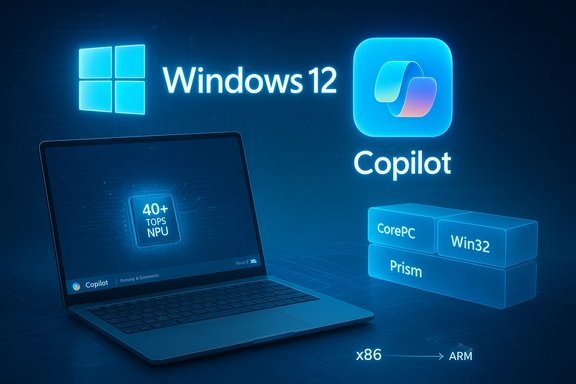
Microsoft hasn’t said “Windows 12” out loud, but the clues left in Insider builds, OEM messaging, and partner blogs point to an evolutionary — not revolutionary — next major Windows release that centers on Copilot as the operating-system fabric, on-device AI acceleration (NPUs), improved Windows on Arm compatibility via the Prism emulator, and a longer-term move toward a more componentized, modular Windows (sometimes called “Core PC”).
Windows’ release model has shifted from the old three-year cadence to a continuous-delivery reality: annual feature updates with monthly quality patches. That model remains the frame for any major version discussion, because Microsoft documents the annual cadence for feature updates and the servicing windows for each release. The public lifecycle for Windows 11 (24H2, 25H2, etc. is the practical schedule that shapes when Microsoft would choose to brand a larger architecture update as a new major version. Across multiple leak threads and product signals, five themes repeat:
Strings in Canary Insider builds referencing “subscription edition,” “subscription type,” and similar flags have sparked alarm. Those strings are real and worth noting, but code strings alone are not a shipping policy. They can be internal flags, enterprise-only rollout scaffolding, or Cloud PC/Windows 365–style integration tests. Treat them as suggestive signals, not conclusive proof.
Microsoft already sells subscription products (Microsoft 365, Windows 365 Cloud PC). A subscription offering for Windows Pro features or a cloud‑backed experience is plausible and consistent with Microsoft’s services strategy — but there is no authoritative public announcement converting the consumer Home/Pro perpetual license into a subscription-only SKU. Any consumer-facing subscription mandate would be high-risk politically and commercially; Microsoft knows the history of subscriber backlash from other software transitions.
Modularization reduces update risk, but it raises compatibility questions for legacy Win32 applications. Microsoft will need to strike a balance between light, secure variants and backward compatibility that enterprises rely on.
The operating system of the near future will think locally, act across apps, and update more surgically. The real question is whether Microsoft balances those technical gains with transparency, compatibility, and pricing fairness. The blobs of code and marketing pages we see today have shape — but not final form — and the safest assumption is that the transition will be evolutionary, staged, and opt‑in rather than abrupt.
Source: PCMag UK I Investigated Every Windows 12 Clue. These Are the Features I'm Betting Will Actually Arrive
 Background / Overview
Windows’ release model has shifted from the old three-year cadence to a continuous-delivery reality: annual feature updates with monthly quality patches. That model remains the frame for any major version discussion, because Microsoft documents the annual cadence for feature updates and the servicing windows for each release. The public lifecycle for Windows 11 (24H2, 25H2, etc. is the practical schedule that shapes when Microsoft would choose to brand a larger architecture update as a new major version. Across multiple leak threads and product signals, five themes repeat:- Copilot evolving from a chat-pane to a cross‑OS interaction layer and agent.
- A hardware-tier push (Copilot+ PCs) that privileges NPUs (40+ TOPS).
- The Prism emulator dramatically improving Windows on Arm compatibility.
- An internal push to componentize the platform (Core PC / modular Windows).
- Early, ambiguous signals in Canary builds about “subscription” strings — suggestive but not definitive.
When Could Windows 12 Arrive?
The calendar and support windows
Microsoft’s official lifecycle tables assign distinct servicing end dates to each annual Windows release. For example, Windows 11 25H2 (the latest feature update) carries a clearly defined support window that stretches into 2027 for consumer editions and into 2028 for Enterprise/Education. That calendar gives Microsoft the breathing room to ship a major, numbered release only when the ecosystem (silicon, drivers, OEMs) is ready. Analysts and long-time Windows watchers have landed on a practical window of 2026–2028 for any major “Windows 12” rebranding. That timeframe aligns with OEM refresh cycles and the time required to ship and certify new hardware classes (Copilot+ machines) broadly enough to justify a numbered launch. The evidence is not a date stamp — it’s cadence and readiness, which favors 2027 as a plausible sweet spot.Why Microsoft might wait
Microsoft has shown a preference for delivering big functional and architectural changes inside Windows 11 via annual updates and feature packs. That lowers churn and user resistance, and it lets Microsoft experiment with opt‑in experiences (Insider channels) before committing to a marketing-level reset. Expect Microsoft to reserve the Windows 12 label until componentization and on‑device AI plumbing hit broad scale and OEMs ship a critical mass of Copilot+ devices.Is “Windows as a Service” Dead? No — It’s the Foundation
The idea of “Windows as a service” — continuous delivery of features, cumulative updates, and incremental UI updates — is the operating model. Microsoft’s lifecycle guidance and the pattern of 24H2 / 25H2 releases show the company will continue to ship major features in place and to iterate over time. Any eventual “Windows 12” will likely be the marketing name for an architecture that was built through continuous updates, rather than a sudden, isolated rewrite. This has practical implications: feature parity will be fluid, and many capabilities we associate with a new major version may already be distributed across 24H2/25H2 and Copilot+ hardware updates before a formal rename occurs.Will Windows 12 Require a Subscription?
Short answer: Highly unlikely as a universal consumer mandate — but possible as a business-tier option.Strings in Canary Insider builds referencing “subscription edition,” “subscription type,” and similar flags have sparked alarm. Those strings are real and worth noting, but code strings alone are not a shipping policy. They can be internal flags, enterprise-only rollout scaffolding, or Cloud PC/Windows 365–style integration tests. Treat them as suggestive signals, not conclusive proof.
Microsoft already sells subscription products (Microsoft 365, Windows 365 Cloud PC). A subscription offering for Windows Pro features or a cloud‑backed experience is plausible and consistent with Microsoft’s services strategy — but there is no authoritative public announcement converting the consumer Home/Pro perpetual license into a subscription-only SKU. Any consumer-facing subscription mandate would be high-risk politically and commercially; Microsoft knows the history of subscriber backlash from other software transitions.
Windows 12 Will Have More Built-In AI — and That’s the Point
Copilot moves from feature to substrate
Copilot started as an app and feature set inside Windows 11; it is now being wired into File Explorer, Settings, and the taskbar, with multimodal capabilities like Copilot Vision and Click to Do. Insiders have already seen wake‑word support (“Hey, Copilot”), session‑bound screen analysis, and agentic experiments that can execute multi-step tasks under visible, auditable control. Those moves signal Microsoft’s plan to make Copilot an OS-level control plane rather than an isolated assistant.Why this matters (and why it’s controversial)
Built-in AI can reduce friction — semantic search in Explorer, automated summarization, one-shot live actions — and improve accessibility dramatically through features such as on‑device dictation and enhanced Narrator voices. But the same features raise important questions about data collection, local indexing (Recall-style capabilities), and the boundary between helpful suggestions and intrusive proactivity. Microsoft is emphasizing opt‑in settings, session-bound permissions, and enterprise governance, but the power of agentic features will make governance and auditability central to adoption.Windows 12 Will Take Advantage of More AI Hardware
Copilot+ PCs and the NPU baseline
Microsoft’s Copilot+ program defines a premium Windows hardware tier built around a 40+ TOPS NPU (trillions of operations per second). The Copilot+ pages explicitly promise richer on‑device experiences — faster image transforms, lower-latency voice, local semantic search — on these NPU-equipped machines. That’s not rumor; Microsoft’s Copilot+ messaging is public and clear about the 40+ TOPS threshold and the differentiated experiences it enables.The practical trade-offs
- Benefit: local inference = lower latency, lower data egress, and better energy efficiency for always-on AI features.
- Cost: hardware gating risks fragmentation. Machines without NPUs will still run Windows but may be functionally limited or reliant on cloud processing for advanced AI features.
Will Windows 12 Have Better ARM Processor Support?
Yes — and that’s already happening.Prism: a real, shipping emulator
Microsoft shipped a new emulator, Prism, in Windows 11 24H2 to improve x86/x64 app compatibility on Arm. Prism exposes more CPU features (AVX, AVX2, BMI, FMA, F16C, etc., includes caching and optimization strategies, and is explicitly optimized for Snapdragon X‑class silicon — which matters for high-end Arm Windows laptops. Microsoft’s documentation explains Prism’s role and the compatibility/performance improvements it brings. Independent outlets and community testing corroborate real-world gains for Arm devices.What that means for Windows on Arm
Prism, ongoing driver work (anti‑cheat vendors, GPU drivers), and ARM OEM investments (Qualcomm’s Snapdragon X family) make Arm a viable Windows platform for more users — particularly content creators and road warriors who need long battery life and strong AI acceleration. Expect Windows 12-era engineering to continue lifting Arm parity through emulation improvements, Arm64-native builds, and tooling like Arm64EC to ease porting.Componentization and “Core PC” — Modular Windows Is Back on the Table
A modular Windows — sometimes called Core PC or CoreOS internally — is a recurring idea at Microsoft. The concept: separate OS components so updates are smaller, security boundaries are tighter, and Windows can be tailored to specific device classes (thin clients, clamshell laptops, gaming rigs). Microsoft has experimented with similar ideas (Windows X, Windows 10X, S Mode), and current telemetry and leaks show Microsoft is reviving modular architecture ideas. The evidence is predominantly internal and incremental — Microsoft has not published a single authoritative product called “Core PC” for consumers — but the engineering direction is visible and credible.Modularization reduces update risk, but it raises compatibility questions for legacy Win32 applications. Microsoft will need to strike a balance between light, secure variants and backward compatibility that enterprises rely on.
The Best Way to See What’s Coming: The Windows Insider Program
If you want the clearest preview of Microsoft’s direction, enroll a spare machine in the Windows Insider program. The Canary, Dev, Beta, and Release Preview channels let you experience features early and provide feedback before features reach general release. Many Copilot subsystems, Prism updates, and UI experiments appear in Insider flights long before they show up in stable releases — which makes Insider channels the most direct signal of trajectory. Insider pages, Microsoft blogs, and preview changelogs are a practical early-warning system for admins and power users.The Copilot+ PC Factor: What to Expect on Shipping Devices
Copilot+ PC hardware is defined by NPU capability, memory and storage thresholds, and OEM-verified features specific to Copilot experiences. When shopping for a Windows PC with the richest Copilot experience, look for:- A dedicated NPU rated at 40+ TOPS.
- Sufficient RAM and SSD capacity to host local models and caches (16 GB / 256 GB are practical baselines for advanced features).
- OEMs’ explicit Copilot+ certification or marketing.
Subscription, Monetization, and Packaging: What’s Plausible — and What Isn’t
- Plausible: Microsoft can and likely will introduce tiered options that bundle Copilot credits, additional cloud connectors, or enterprise-level agent governance into subscription offerings (enterprise customers already have Windows 365 and Microsoft 365 subscription paths).
- Speculative: Forcing all consumer upgrades behind a subscription paywall is politically and commercially risky and currently unannounced. Canary code strings referencing “subscription edition” exist, but they are not a shipping policy. Treat subscription claims as plausible business experiments, not confirmed product decisions.
Risks, Trade-offs, and Governance
A move toward an AI-native, NPU-driven Windows delivers big benefits — faster local features, better accessibility, and new productivity modes — but carries substantial risks:- Hardware gating and fragmentation. Requiring NPUs or raising baseline requirements will accelerate device churn and e‑waste unless Microsoft and OEMs build robust trade‑in and extended support programs.
- Privacy and local indexing. Features like Recall and on‑device semantic search are powerful but must be clearly controllable, auditable, and opt‑in to avoid a Clippy‑style backlash.
- Developer fragmentation. If Microsoft introduces modular variants that limit Win32 usage or introduce containerized execution models, long‑tail enterprise apps may need rework or virtualization.
- Subscription backlash. Any perceived monetization of core OS capabilities will draw sharp reaction unless the value and opt‑in nature of those services are crystal clear.
A Practical Checklist for IT and Power Users
- Inventory devices for Copilot+ readiness: NPU presence, RAM, SSD size, and firmware compatibility.
- Test critical applications on Windows on Arm devices and under Prism emulation; use Arm64EC where needed.
- Pilot Copilot workflows in a controlled group; verify privacy settings, agent audit logs, and Intune policies.
- Keep Windows Update and Insider channels on a test bed to preview features and measure stability.
- Prepare user communications around opt‑in AI features and the difference between local NPU acceleration and cloud‑based Copilot processing.
- If hardware refreshes are needed, evaluate OEM trade‑in and recycling programs to reduce e‑waste.
What Microsoft Has Already shipped (Quick Reality Check)
- “Hey, Copilot” wake-word support began rolling out to Insiders and is documented by Microsoft; recognition is handled locally, with cloud processing used for responses. That rollout is opt‑in and language-limited (initially English).
- Copilot+ PC marketing and the 40+ TOPS NPU threshold are published on Microsoft’s Copilot+ device pages and are the practical definition of the premium hardware tier.
- Prism emulator is a shipped, documented improvement in Windows 11 24H2 that expands x86/x64 compatibility on Arm and has real-world corroboration in independent coverage.
- Windows 10 end of support was scheduled and executed on October 14, 2025; this world‑event has pushed organizations to accelerate migration planning.
Conclusion: What to Bet On — and What to Watch Closely
Bet on an AI-first, hardware-aware, and incrementally modular Windows evolution. The most likely features to arrive in a Windows 12-era release are:- Deep Copilot integration across system UI, with multimodal input and agentic capabilities.
- Tiered Copilot+ experiences powered by NPUs (40+ TOPS) that unlock the fastest, most private local AI features.
- Stronger Windows on Arm parity via Prism and continued emulator improvements that make more apps and games viable on Arm hardware.
- A measured push toward componentization to shrink update size, improve security isolation, and create lighter OS variants for constrained form factors — but not an overnight break with Win32 compatibility.
The operating system of the near future will think locally, act across apps, and update more surgically. The real question is whether Microsoft balances those technical gains with transparency, compatibility, and pricing fairness. The blobs of code and marketing pages we see today have shape — but not final form — and the safest assumption is that the transition will be evolutionary, staged, and opt‑in rather than abrupt.
Source: PCMag UK I Investigated Every Windows 12 Clue. These Are the Features I'm Betting Will Actually Arrive