

Microsoft hasn’t confirmed a “Windows 12” release, but a steady stream of leaks, Copilot-driven product pivots, and hardware moves make a next‑generation, AI‑first Windows a realistic and consequential possibility — one that could reshape system requirements, app compatibility, update cadence, and even how Microsoft charges for the OS. rview
Microsoft’s public messaging in 2025 emphasized a different priority: it called 2025 the “year of the Windows 11 PC refresh,” and has been pressing the industry and consumers to migrate away from Windows 10 ahead of that OS’s October 14, 2025 end‑of‑support deadline. That timeline and the Copilot+ hardware program create a narrow window where Microsoft could plausibly introduce a major new Windows release — whether it’s called “Windows 12” or given a different name.
At its core the conversation about Windows 12 centers on three themes:
Microsoft’s Copilot+ initiative has already changed product messaging and OEM development: Copilot+ devices are marketed as a new class of Windows PCs that include a high‑performance NPU (an on‑device neural accelerator), and Microsoft publishes hardware guidance tied to those devices. That shift makes a future Windows release that expects or requires AI‑optimized silicon a commercially plausible step.
At the same time, the sunsetting of Windows 10 on October 14, 2025 forces both consumers and businesses to decide whether to stay on legacy systems (with paid Extended Security Updates), upgrade to Windows 11, or plan for whatever comes next. That built‑in cadence is the clearest non‑leak signal that Microsoft has a window to introduce a larger platform change.
Independent press and technical reporting corroborate those specifications and note that Microsoft’s Copilot+ features are gated to hardware tiers. That means many existing PCs will remain able to run Windows and basic Copilot services (cloud‑assisted features), but won’t qualify for on‑device, low‑latency experiences that require an NPU.
For now, the practical imperative for users and IT teams is clear: plan for security (TPM/UEFI), assess application compatibility, and budget options for AI‑first hardware or cloud‑based Copilot services. If Microsoft ultimately ships a true Windows 12 that leans heavily on NPUs and modular design, the cost of being unprepared could be substantial — but the payoff for those who adopt deliberately and early could be meaningful productivity gains.
Windows enthusiasts and IT leaders should watch three signal streams closely over the next two years: official Microsoft roadmap communications (blogs and Windows Insider channels), OEM hardware roadmaps (which show NPU adoption), and concrete policy changes to Windows licensing or SKU structure. Those three indicators will convert rumor into planning reality, and will tell us whether Windows 12 — or whatever Microsoft chooses to call the next major Windows milestone — becomes a gentle evolution, a disruptive gate, or something in between.
Source: Technobezz Windows 12: Everything We Know So Far
Microsoft’s public messaging in 2025 emphasized a different priority: it called 2025 the “year of the Windows 11 PC refresh,” and has been pressing the industry and consumers to migrate away from Windows 10 ahead of that OS’s October 14, 2025 end‑of‑support deadline. That timeline and the Copilot+ hardware program create a narrow window where Microsoft could plausibly introduce a major new Windows release — whether it’s called “Windows 12” or given a different name.
At its core the conversation about Windows 12 centers on three themes:
- AI as a platform-level priority — deepening Copilot and on‑device models,
- Hardware gating — NPUrage minimums, and other platform changes, and
- Architectural shifts — modularization/CorePC, sandboxing or store‑centric models, and possible subscription/licensing changes.
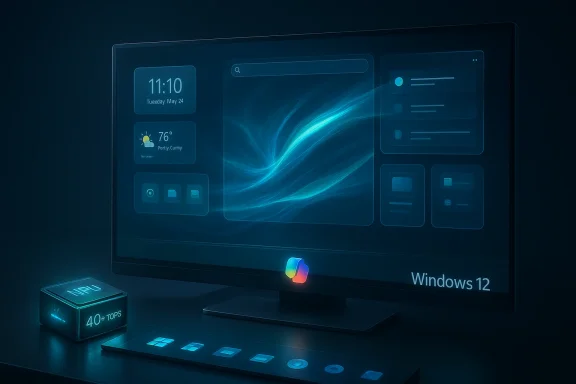 Why the conversation matters now
Microsoft’s Copilot+ initiative has already changed product messaging and OEM development: Copilot+ devices are marketed as a new class of Windows PCs that include a high‑performance NPU (an on‑device neural accelerator), and Microsoft publishes hardware guidance tied to those devices. That shift makes a future Windows release that expects or requires AI‑optimized silicon a commercially plausible step. At the same time, the sunsetting of Windows 10 on October 14, 2025 forces both consumers and businesses to decide whether to stay on legacy systems (with paid Extended Security Updates), upgrade to Windows 11, or plan for whatever comes next. That built‑in cadence is the clearest non‑leak signal that Microsoft has a window to introduce a larger platform change.
Design and user interface: evolutionary, not revolutionary — with a twist
The basics: what designers and leaks predict
Concept designers and early leaksuilding on Windows 11’s visual foundation — centered taskbar, rounded corners, menus — while adding contextual and adaptive surfaces powered by AI. Concept work circulated in the community shows ideas such as smarter widget zones, “Collectzone” style curated wallpaper and content collections, and richer quick settings and screenshots with AI editing baked in. Those concepts are useful to understand the likely intent, but they are not Microsoft blueprints.Copilot everywhere — and less modal UI
Expect Copilot to be more deeply embedded — not just a sontextual assistant that suggests actions, summarizes content, and surfaces app‑level hints inline. Microsoft has already moved from a sidebar model toward taskbar search and tighter Copilot integration in Windows 11 feature updates, and industry commentary suggests the OS will continue to decentralize AI into core UI surfaces. This is consistent with the company’s strategy of making Copilot a system‑wide helper rather than a single app.What this means for users
- Pros: More proactive help, faster workflows, and fewer clicks for common tasks.
- Cons: Increased telemetry and privacy questions, potential surface area for misbehaving AI prompts, and risk of intrusive or confusing UI changes for power users.
AI integration: on‑device NPUs, Copilot+, and where the lines will be drawn
What Microsoft has already announced and enforced
Microsoft’s Copilot+ program is explicit: to unlock the most advanced on‑device Copilot experiences (Recall, Cocreator, live translation, etc.), a device must include a neural processing unit capable of 40+ TOPS (trillions of operations per second), and Copilot+ guidance has corresponding RAM and storage expectations. Microsoft’s product pages and developer guidance describe the 40+ TOPS NPU and list other device prerequisites.Independent press and technical reporting corroborate those specifications and note that Microsoft’s Copilot+ features are gated to hardware tiers. That means many existing PCs will remain able to run Windows and basic Copilot services (cloud‑assisted features), but won’t qualify for on‑device, low‑latency experiences that require an NPU.
Confirmed Copilot+ hardware markers (multiple sources)
- NPU: ≥40 TOPS (explicit Microsoft requirement).
- Memory: 16 GB of RAM commonly cited as the baseline for devices to run advanced on‑device models.
- Storage: Microsoft and reporting commonly reference 256 GB as a practical minimum for Copilot+ experiences (local model caching, indexes, and on‑device model weights).
Why on‑device NPUs matter (and why Microsoft wants them)
On‑device NPUs reduce latency, preserve privacy (models run locally), and shift compute away from cloud infrastructure — critical if Microsoft wants to deliver advanced Copilot features without back‑end round trips. The commercial incentives are straightforward: on‑device features can be marketed as premium differentiators for OEMs and as reasons to refresh hardware.Hardware requirements and compatibility: the gatekeepers
The rumor landscape vs. confirmed guidance
Industry rumour sites and forum summaries extrapolate Windows 12 will increase minimum requirements further — some claim a 16 GB RAM minimum (consistent with Copilot+ expectations), NPUs required for advanced features, and a higher storage floor. Microsoft has not announced a Windows 12 minimum; however, the Copilot+ program provides a tangible example of how Microsoft might gate advanced OS features by hardware. Treat specific Windows 12 numbers (exact RAM minimum, required NPU for installation) as speculative unless Microsoft issues formal requirements.TPM, Secure Boot, and the security trajectory
Security requirements moved sharply with Windows 11: TPM 2.0 and UEFI Secure Boot became non‑negotiable for most supported installs. Any future Windows release is likely to maintain or strengthen hardware‑backed security expectations, because Microsoft’s public guidance repeatedly ties security and system health to hardware features — and because hardware attestation simplifies certain on‑device AI protections. This is a confirmed, ongoing trend.What enterprise admins need to know now
- Inventory: Identify devices that lack TPM 2.0 or UEFI Secure Boot and plan remediation or replacement.
- Copilot+ readiness: If your organization expects to use on‑device AI features (Recall, Cocreator), validate NPU, RAM, and storage on new buys.
- App compatibility: Emulation and sandboxing strategies will be key — see the Prism emulator progress for ARM compatibility (next section).
ARM support and the Prism emulator: narrowing the compatibility gap
Prism: Microsoft’s x86‑on‑ARM translation layer
Microsoft’s Prism emulator is the translation layer that lets x86/x64 Windows applications run on ARM‑based Windows devices. Recent Windows Insider updates and later public releases improved Prism significantly by emulating extra x86 instruction set extensions (AVX, AVX2, BMI, FMA, F16C, and others) — enabling many previously incompatible creative apps and games to run under emulation. That work materially reduces the fr.Real‑world impact
The Prism updates have already made a difference in specific cases: software like Adobe Premiere Pro had improved compatibility on ARM devices after the change, and the Windows Insider channel showed broader app support on Copilot+ ARM hardware. That doesn’t erase all compatibility gaps (drivers, low‑level kernel components, and certain anti‑cheat systems remain problematic), but the gap is narrower than it was two years ago.Benchmarks, claims, and the hardware narrative
Qualcomm, Intel, and AMD are all jockeying to make chips that deliver strong CPU performance and NPU muscle. Qualcomm’s public claim that Snapdragon X Elite beats Apple’s M3 in multi‑core tests (21% figure) was widely reported and also critiqued; independent benchmarks show different margins depending on workload and thermal profile. The benchmark conversation matters because Microsoft’s AI plans increasingly hinge on silicon partners delivering both sustained CPU performancevendor‑published numbers as directional, not definitive.Modular design and CorePC: a potential architectural shift
What “modular Windows” means
For several years Microsoft has experimented with ideas like Core OS, CorePC, and the lightweight Windows 10X concepts. The promised benefit: decouple core OS components so updates are smaller and safer, let OEMs ship tailored builds (lightweight versions for tablets, full versions for workstations), and reduce attack surface through isolation. A modulasupport subscription‑like offerings more easily: a slim base OS + optional paid modules.Technical tradeoffs
- Compatibility vs. simplicity: Modular Windows can omit legacy subsystems for efficiency, but that risks breaking older Win32 software unless sandbox or cloud compatibility layers are provided.
- Update mechanics: Smaller, targeted updates are technically easier to deliver, but partitioning the OS increases complexity in testing and developer support.
- Security: Isolation reduces blast radius for malware, but also complicates debugging and forensic analysis.
Realistic outcome
A modular Windows 12 is plausible in concept and aligns with Microsoft’s prior R&D, but converting that into a mainstream OS that preserves Windows’ decades of backward compatibility would be one of Microsoft’s biggest engineering projects. The company has precedent (10X → parts reused in Windows 11), so concept → reality is possible but not guaranteed.Subscription model rumors: reading the code and the marketplace
What leaks show
Insider build references to terms such as “subscription edition,” “subscription type,” and “subscription status” have triggered speculation that Microsoft may tie certain Pro‑level or advanced features to a subscription plan or introduce an ad‑supported free tier. Those code strings are real, but their presence doesn’t prove a final pricing model. Microsoft has long sold subscription services (Microsoft 365, Windows 365 Cloud PC), and moving more features into a subscription is strategically consistent with its shift to services, but it remains conjectural until Microsoft formally announces a plan.Why a subscription pivot makes business sense
- Recurring revenue and higher lifetime customer value.
- Bundling Copilot tokens, cloud credits, and premium Defender features creates an upsell surface.
- Easier to deliver continuous AI model updates and cloud‑backed experiences through a subscription infrastructure.
Why a subscription pivot would be controversial
- Consumers and enterprises are sensitive to recurring charges for OS features long sold as perpetual licenses.
- A subscription boundary tied to hardware classes (Copilot+ vs. standard) could fragment the Windows user base.
- Upsell pressure and possible ad support on free SKUs would spark fresh privacy and antitrust scrutiny.
Security, privacy, and governance: the high‑stakes side of AI in Windows
Security-first hardware requirements
Hardware‑backed security (TPM 2.0, Secure Boot, and secure enclave concepts like Pluton) underpins Microsoft’s stated approach to protecting on‑device AI models and user data. If Windows 12 expands on on‑device AI, Microsoft will likely double down on hardware attestation and encryption to reduce risk and to build trust in local inference. This is an observed trend, not mere rumor.Privacy and Recall‑style features
Features like Recall — which index and (in some builds) record display activity to make retrieval simple — raise serious privacy issues, and Microsoft has already delayed or restricted Recall launches in some regions in response to concerns. Any Windows release that centralizes proactive, always‑on AI features will need robust, explicit privacy controls and enterprise governance to ash.Attack surface and mitigation
- Hardware attestation can make key theft and firmware compromises harder.
- Modularization and sandboxing reduce the impact of exploit chains but complicate legacy debugging.
- AI systems introduce novel risks: data poisoning, prompt injection, and model inversion. Windows’ architectural choices must explicitly address these vectors.
Timeline: what to expect (and what’s speculation)
- Windows 10 End of Support: October 14, 2025 — confirmed by Microsoft and the central scheduling anchor for any major Windows transition.
- Copilot+ launch and Copilot+ hardware guidance: 2024–2025 — Microsoft published Copilot+ guidance and rolled out initial devices.
- Industry speculation on Windows 12: Some respected commentators (Ed Bott among them) project previews in mid‑2027 with a possible public launch in October 2027; this is analysis and not a confirmation from Microsoft. Use that timeline as a plausible scenario rather than a schedule.
Practical guidance: what consumers and IT teams should do now
- Audit your fleet for TPM 2.0, UEFI Secure Boot, and firmware update readiness. Devices missing those basics are at risk for unsupported configurations.
- If you plan to use advanced on‑device AI, budget for Copilot+‑class hardware (≥40 TOPS NPU, 16 GB RAM, 256 GB storage) or cloud alternatives. This is confirmed by Microsoft’s Copilot+ guidance.
- Prepare for app compatibility testing on ARM and on emulated setups; Microsoft’s Prism emulator has improved but still has edge cases, especially for drivers and anti‑cheat or kernel‑level software.
- Keep an eye on licensing and SKU announcements; if Microsoft moves features behind subscriptions, migration cost models for large enterprises will shift from CapEx to OpEx. Treat code strings referencing “subscription” in Insider builds as an early warning, not a final policy.
Strengths, risks,tical look
Strengths / upside
- Performance and responsiveness: Local NPUs reduce latency for AI features, improving user experience for real‑time tasks.
- Security posture: Hardware‑level attestation and modularization can harden the platform and limit exploitation vectors.
- Modernization and competitiveness: Embracing modular design and AI positions Windows to compete in new device categories and with Apple’s vertically integrated model.
Risks / downsides
- Fragmentation: Hardware gating could create a two‑tier Windows ecosystem — devices that can run the full AI experience and devices that can’t. That split might hurt developers and users.
- App compatibility: Despite Prism improvements, legacy apps and drivers remain a headache. Enterprises that rely on custom or niche Win32 apps face migration costs.
- Privacy and regulatory scrutiny: Deep, always‑on heuristics and indexing (Recall‑style features) are attractive but fraught with privacy risk; Microsoft will need near‑perfect transparency and governance.
- Perception and pricing backlash: If Microsoft converts Pro features to subscription services or fragments features by hardware, customers may resist — especially in markets sensitive to up‑front device costs or recurring software fees.
The bottom line
A major, AI‑centric iteration of Windows is plausible and increasingly probable in concept: Microsoft has both the technical building blocks (Copilot+, NPUs, Prism improvements) and the business incentives (Windows 10 EOS, OEM refresh cycles) to do it. But there are important caveats. Many of the concrete "Windows 12" claims floating in leaks and rumor compendia are extrapolations from Copilot+ requirements, Insider strings, and analyst reasoning — not confirmed product specifications. Treat the idea of Windows 12 as a likely direction rather than a guaranteed product with fixed specs and launch dates.For now, the practical imperative for users and IT teams is clear: plan for security (TPM/UEFI), assess application compatibility, and budget options for AI‑first hardware or cloud‑based Copilot services. If Microsoft ultimately ships a true Windows 12 that leans heavily on NPUs and modular design, the cost of being unprepared could be substantial — but the payoff for those who adopt deliberately and early could be meaningful productivity gains.
Windows enthusiasts and IT leaders should watch three signal streams closely over the next two years: official Microsoft roadmap communications (blogs and Windows Insider channels), OEM hardware roadmaps (which show NPU adoption), and concrete policy changes to Windows licensing or SKU structure. Those three indicators will convert rumor into planning reality, and will tell us whether Windows 12 — or whatever Microsoft chooses to call the next major Windows milestone — becomes a gentle evolution, a disruptive gate, or something in between.
Source: Technobezz Windows 12: Everything We Know So Far
