

Microsoft’s next big Windows moment—widely referred to in leaks and forum chatter as “Windows 12”—remains, for now, an industry rumor rather than an announced product, but the timing of Windows 10’s end-of-support and Microsoft’s public push for AI‑ready hardware have created fertile ground for predictions that a numbered successor could arrive in the 2025–2027 window. The discussion isn’t just idle speculation: it intersects with firm dates, Microsoft product strategy, and concrete hardware specifications that matter to consumers, IT teams, and OEMs alike. This feature unpacks what we can verify today, what remains speculative, and what practical steps individuals and organizations should be taking as the Windows lifecycle and the AI-PC transition converge.
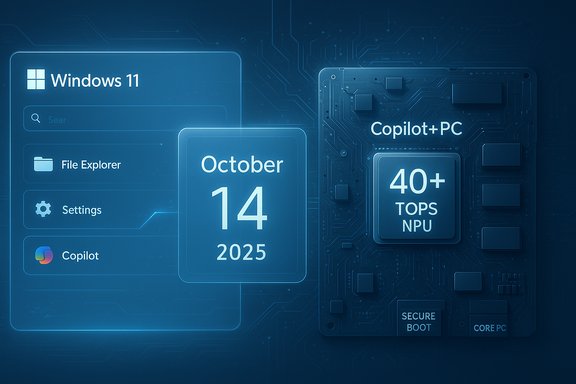
The talk of a new major Windows release accelerated as the scheduled end-of-support for Windows 10 approached. Microsoft has publicly confirmed that Windows 10 will reach end of support on October 14, 2025, after which it will no longer receive free security updates, feature updates, or technical assistance through Windows Update. Microsoft’s lifecycle pages and support guidance are explicit about those dates and the migration choices available to users. At the same time Microsoft has introduced the Copilot+ PC category: a class of Windows machines built around a high‑performance Neural Processing Unit (NPU) that Microsoft explicitly specifies as capable of 40+ TOPS (trillions of operations per second). That hardware requirement, along with minimum memory and storage thresholds, underpins the company’s pitch for “AI‑native” Windows experiences and has been widely documented in Microsoft’s Copilot+ developer and product materials. Against this concrete backdrop are the rumours and community-compiled timelines that predict a Windows 12 launch in various timeframes—many pointing to late 2025 through early 2026, while others stretch the expectation into 2026–2027. Community threads and aggregated rumor posts have compiled leaked build numbers, spec sheets, and hypothetical requirement lists, but these pieces are inherently secondary and must be treated as unverified until Microsoft speaks.
However, several critical risks warrant attention: the economic impact of hardware gating, the technical friction for legacy apps, and privacy/trust implications around agentic AI features. Many of the community’s more sensational claims—strictly enforced subscription-only Pro SKUs, immediate forced migrations, or concrete Windows 12 launch dates—remain speculative without Microsoft confirmation. In short: plan proactively for migration and for AI‑capable hardware if those features matter to your workflows, but treat leak-driven timelines and radical SKU changes with skepticism until they are publicly announced.
Source: Inbox.lv News feed at Inbox.lv -
 Background / Overview
The talk of a new major Windows release accelerated as the scheduled end-of-support for Windows 10 approached. Microsoft has publicly confirmed that Windows 10 will reach end of support on October 14, 2025, after which it will no longer receive free security updates, feature updates, or technical assistance through Windows Update. Microsoft’s lifecycle pages and support guidance are explicit about those dates and the migration choices available to users. At the same time Microsoft has introduced the Copilot+ PC category: a class of Windows machines built around a high‑performance Neural Processing Unit (NPU) that Microsoft explicitly specifies as capable of 40+ TOPS (trillions of operations per second). That hardware requirement, along with minimum memory and storage thresholds, underpins the company’s pitch for “AI‑native” Windows experiences and has been widely documented in Microsoft’s Copilot+ developer and product materials. Against this concrete backdrop are the rumours and community-compiled timelines that predict a Windows 12 launch in various timeframes—many pointing to late 2025 through early 2026, while others stretch the expectation into 2026–2027. Community threads and aggregated rumor posts have compiled leaked build numbers, spec sheets, and hypothetical requirement lists, but these pieces are inherently secondary and must be treated as unverified until Microsoft speaks.Where the Claims Come From: Leaks, Forums and Official Signals
The factual signals: dates and hardware
- Windows 10 end of support: Official Microsoft documentation sets October 14, 2025 as the cut-off for free security and feature updates; the firm recommends migration to supported Windows versions or the Extended Security Updates (ESU) options where applicable. That date is fixed and public.
- Copilot+ PC requirements: Microsoft’s own Copilot+ PC pages and developer guidance describe a 40+ TOPS NPU as a baseline for many of the local AI features Microsoft promotes for that category. The requirement is real and enforceable by OEM certification for Copilot+ branding.
The murky signals: leaks, canary builds and forum compilations
Multiple community archives and rumor roundups have published tentative release windows, purported system requirements, and lists of anticipated features (AI‑heavy Copilot enhancements, modularized system design, stricter hardware minimums, and fresh UI elements). Those summaries are useful to understand the breadth of community expectation, but they cannot substitute for an official product announcement. The WindowsForum archives and community threads are a good thermometer of sentiment and rumor velocity—but they document rumor, not confirmation.Official posture from Microsoft and major outlets
Major technology outlets and Windows‑focused sites have repeatedly reported Microsoft’s public emphasis on continuing to evolve Windows 11—including large feature updates such as 24H2/25H2—rather than formally naming and shipping a distinct consumer product called “Windows 12” in the near term. Press coverage and Microsoft messaging have therefore favored iterative, AI‑focused updates inside Windows 11 and the Copilot+ hardware program over a numbered successor. This is an important distinction: substantial change can happen within Windows 11 without a new major version number.What the Rumors Say (recap of the main talking points)
Below are the recurring claims and themes circulating in leak compilations and community posts. Treat each as a rumor unless confirmed by Microsoft.- Heavy emphasis on AI baked into the OS (a deeper Copilot, proactive system assistance, and local inference using NPUs).
- Stricter hardware requirements—most speculative lists push minimum RAM and storage up, and in many variants require a Copilot‑class NPU for advanced features.
- A movement toward a more modular Windows architecture (sometimes described as “CorePC” or “Germanium” in leaks), intended to speed updates and improve isolation.
- UI refinements and more adaptive/skinable desktop experiences that respond to usage patterns.
- Potential changes to licensing or SKU strategy (subscription models or bundling AI features behind cloud/subscription gates)—this is among the most speculative ideas.
- A timing window ranging from late 2025 to 2027, with many community analyses clustering around autumn 2025 because of the Windows 10 EOL timeline.
What We Can Verify Right Now
- Windows 10 support ends on October 14, 2025. Microsoft’s lifecycle pages and support articles make this explicit; organizations should plan accordingly.
- Microsoft is investing heavily in AI features inside Windows 11. New Copilot features—voice, vision, and agentic actions—are being shipped into Windows 11 through feature updates and the Copilot+ program; Microsoft’s public messaging (and product pages) emphasize this direction. Multiple reputable outlets have reported the same.
- Copilot+ PCs exist and they require a 40+ TOPS NPU for the full set of experiences. Microsoft’s product pages and developer documentation define the Copilot+ hardware bar; that is factual and verifiable.
- Microsoft has not publicly announced a consumer product named “Windows 12.” Major Windows press and Microsoft statements have repeatedly framed upcoming work as updates to Windows 11 (24H2/25H2 etc., not as a new numbered OS. Any claim of a confirmed Windows 12 release date should be treated as unverified until Microsoft makes a formal announcement.
Why the Rumors Persist (and what’s driving the narrative)
1) Windows 10’s End-of-Life Is a Real Trigger
Enterprise migration cycles and consumer upgrade decisions often align to OS end-of-support milestones. With Windows 10’s EOL set for October 14, 2025, vendors and IT teams face deadlines for migration planning, extended-security purchases, or hardware refreshes. That calendar pressure naturally stimulates speculation about whether Microsoft will give users a clear migration target—Windows 11 updates or an actual Windows 12.2) Microsoft’s Copilot+ Strategy Reframes “Upgrade”
By marketing Copilot+ PCs as a distinct hardware-backed class with 40+ TOPS NPUs and exclusive capabilities, Microsoft has created a two‑tier narrative: some of the best AI experiences will be tied to Copilot+ hardware. That gives the impression that a future OS with deeper AI integration could be expected—while, in practice, Microsoft is already delivering AI innovation inside Windows 11 for Copilot+ devices.3) The Tech Press and Leaks Create Momentum
Leaks of internal build numbers and canary branch experiments, when amplified by tech media and community posts, become de‑facto roadmaps for many readers. Because these leaks sometimes show substantial technical rework (modular platform, new UI experiments), it’s easy to imagine they’re the prelude to a major new product rather than an iterative update. That’s not an unreasonable inference—but it’s still an inference.Strengths of the Predicted Direction
- AI-driven productivity gains: If Windows deepens on-device AI, users could gain faster searches, smarter file management, assisted workflows, real-time translations, and richer accessibility features that lower friction for everyday tasks.
- Security improvements bound to hardware: Copilot+ hardware brings a defined security baseline (Pluton integration, secure boot defaults). When paired with Microsoft’s evolving Zero Trust ideas, hardware-backed security can materially reduce some classes of attacks.
- Modernization and modularity: A modular OS architecture—if implemented well—can shorten update cycles, reduce the blast radius of bugs, and allow Microsoft to deliver optional features without bloating core installs.
- Push for new hardware can drive innovation: New classes of silicon (NPUs, more efficient cores, better media engines) deliver improvements not just to Microsoft’s AI stack but to the entire ecosystem: better battery life, new sensors, and stronger multimedia performance.
Risks and Downsides to Watch Closely
- Hardware fragmentation and upgrade costs: Locking flagship features to 40+ TOPS NPUs and higher RAM/storage levels risks leaving many existing PCs behind. That creates a two‑tier user base and could drive significant device replacement costs for consumers and organizations. Community threads are already highlighting these upgrade anxieties.
- App compatibility and legacy support pressure: A push toward containerized or store‑first app models (rumored in some analyses) would ease security but could break legacy Win32 apps or increase friction for developers. Microsoft has tried sandboxed app approaches before; the balance between security and compatibility is delicate.
- Privacy and trust concerns: Expanded local inference and agentic AI (e.g., features that scan your screen to aid with tasks) raise questions about telemetry, data handling, and user controls. Even if processing happens locally on NPUs, the interaction model—what gets stored, how long, and what is shared with cloud services—will matter. Reports and commentary emphasize the need for explicit consent and clear settings.
- Subscription creep risk: Some analyses speculate Microsoft might shift features behind subscription plans or reconfigure the Pro SKU into a subscription product. There is no public confirmation of such a move; this remains conjecture but is a material financial risk if it occurs. Treat these claims as speculative until Microsoft declares changes.
- Fragmented upgrade paths for enterprises: Enterprises may face complex choices: migrate to Windows 11, buy Copilot+ hardware for prioritized users, or enroll in ESU programs. The coordination and cost can be substantial for large fleets.
Practical guidance: What to do now (for consumers, power users, and IT)
Consumers and home users
- Check compatibility now: Run the Windows PC Health Check or check your OEM guidance to see if your device can upgrade to Windows 11. If it can, plan the upgrade before Windows 10’s end-of-support date to minimize risk.
- Back up data and create a recovery plan: Before any major upgrade, ensure full backups and a recovery image are available.
- Consider whether AI features matter to you: If you’re attracted to the new Copilot experiences, evaluate Copilot+ hardware but don’t feel compelled to replace a perfectly working PC solely for marketing claims. Many AI features are being delivered into Windows 11.
IT administrators and enterprise planners
- Inventory and classify hardware: Identify which endpoints can run Windows 11 and which are candidates for Copilot+ replacement. Use that inventory to prioritize workloads and user groups.
- Plan migrations in phases: Critical systems, high‑value knowledge workers, and secure environments will need the most scrutiny. For others, ESU or extended transition windows may be acceptable.
- Test applications on Copilot+ hardware emulation where possible: If you expect to use Copilot+ features, validate line‑of‑business applications and workflow automation against the new hardware and OS states.
- Watch licensing and procurement carefully: If Microsoft announces changes to SKU or subscription offerings, be prepared to re‑baseline TCO (total cost of ownership) scenarios quickly. For now, treat subscription claims as potential but unconfirmed.
Developers
- Start designing for hybrid inference: On‑device NPUs and cloud fallbacks will be a recurring pattern. Focus on models that can adapt to constrained local runtimes and scale up to cloud where needed.
- Validate compatibility across Arm and x86: Copilot+ hardware includes Arm and x86 flavors; ensure your apps behave well across both families.
Scenarios to Monitor (and what they would mean)
- Scenario A — Microsoft officially names and schedules a Windows 12 release (late 2025–2026): That would accelerate OEM refresh cycles and likely codify any hardware gating decisions. Enterprises would need an immediate reassessment of migration timelines.
- Scenario B — Microsoft keeps major changes inside Windows 11 (25H2/26H1) and expands Copilot+ features: The transition is gradual; the market will see feature differentiation by hardware rather than by OS name. This is the most-likely public posture today based on Microsoft messaging.
- Scenario C — Microsoft ties advanced features to subscription or service bundles: This would shift cost models and require organizations to model subscription TCO; it’s speculative but monitored by the community given Microsoft’s services strategy.
Short, Tactical Checklist (what to do in the next 90 days)
- Inventory: Run a hardware compatibility check for Windows 11 across your devices.
- Backup: Verify recovery images and backups are current.
- Pilot: For power users, pilot Copilot+ features on one machine to evaluate benefit vs. cost.
- Policy: Update procurement and refresh policies to account for Copilot+ hardware when business-critical AI features are required.
- Monitor: Watch Microsoft’s official Windows blog and enterprise channels for definitive announcements—rumors remain unconfirmed until Microsoft publishes them.
Final analysis: Why cautious optimism matters
The broad theme emerging from the public record is straightforward: Microsoft is intensifying AI integration across Windows and is setting hardware thresholds (Copilot+ 40+ TOPS NPUs, RAM and storage minima) to enable many of those capabilities. The end result will very likely be a more capable, AI-rich Windows experience for users on modern hardware. That’s the upside.However, several critical risks warrant attention: the economic impact of hardware gating, the technical friction for legacy apps, and privacy/trust implications around agentic AI features. Many of the community’s more sensational claims—strictly enforced subscription-only Pro SKUs, immediate forced migrations, or concrete Windows 12 launch dates—remain speculative without Microsoft confirmation. In short: plan proactively for migration and for AI‑capable hardware if those features matter to your workflows, but treat leak-driven timelines and radical SKU changes with skepticism until they are publicly announced.
Conclusion
The “Year of Windows 12” narrative is an attractive shorthand for a complex transition: the convergence of a fixed Windows 10 end-of-support deadline, Microsoft’s push to embed AI deeply into the platform, and the arrival of NPUs in mainstream consumer silicon. What’s verifiable today are the dates (Windows 10 EOL), the Copilot+ hardware thresholds (40+ TOPS NPUs), and Microsoft’s public focus on evolving Windows 11 through major feature updates. What remains unverified is the formal declaration of a Windows 12 product or a specific public release date. For individuals and organizations, the sensible path is pragmatic preparation: inventory and compatibility checks, staged pilots for AI hardware, robust backups, and clear procurement policies that reflect whether and when AI‑native device capabilities are business‑critical. The next months will be decisive: the rumors will either harden into official timelines or be absorbed into an extended Windows 11 evolution; in either case, being prepared will make the difference between opportunistic adoption and costly scramble.Source: Inbox.lv News feed at Inbox.lv -
