Windows 7 Meltdown Patch Regression Exposed Kernel Memory After March Update

  • Thread Author
Microsoft's emergency fixes for the Meltdown CPU vulnerability in early 2018 inadvertently introduced a far more dangerous weakness on 64‑bit installations of Windows 7 and Windows Server 2008 R2 — a bug that made kernel page tables accessible to unprivileged code and allowed trivial, high‑speed reads and writes of system memory until Microsoft corrected the mistake in March.

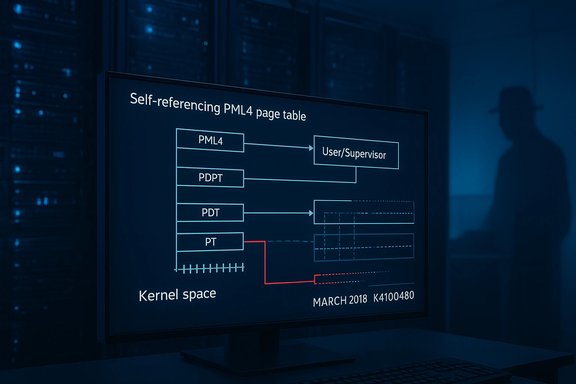
Dark data-center scene with a monitor displaying a PML4 page table diagram.Background​

Microsoft shipped Meltdown and Spectre mitigations to Windows customers in January and February 2018 as part of a coordinated industry response to speculative execution side‑channel attacks. Those early patches were intended to prevent unprivileged processes from reading kernel memory through speculative execution. However, a researcher discovered that on some releases of Windows 7 and Windows Server 2008 R2 the updates changed a critical page‑table permission bit in a way that exposed the operating system’s page tables directly to user‑mode processes. The vulnerability was made public in late March 2018 by Swedish researcher Ulf Frisk, who published technical details and a proof‑of‑concept demonstrating that the damaged configuration allowed full‑system memory acquisition at gigabytes‑per‑second speeds using standard read and write primitives. The issue was eventually fixed by Microsoft in the March 2018 updates and a subsequent out‑of‑band kernel update (KB4100480) that addressed the elevation‑of‑privilege variant tied to the faulty patches.

Overview: what went wrong, in plain terms​

  • The vulnerability originated from how the CPU and operating system use page tables to translate virtual addresses to physical memory.
  • A special self‑referencing Page Map Level 4 (PML4) entry in Windows was mapped at a fixed virtual address and — after the January/February Meltdown patches — had the User/Supervisor permission bit incorrectly set to User.
  • That incorrect setting meant the kernel’s page tables were visible and writable from user mode in every process, effectively exposing the system’s entire virtual‑to‑physical memory mapping to untrusted code.
This is not a subtle side channel; it is a structural mapping error. Rather than relying on speculative execution to leak bits indirectly (the original Meltdown problem), the Windows 7 regression made the page tables themselves available to user processes — and with them, the ability to craft page table entries that provide arbitrary access to physical memory. Exploitation required only local access and simple memory read/write operations, not complex speculative side‑channel code.

Technical deep dive​

Virtual memory, PML4 and the User/Supervisor bit​

Modern Intel x86‑64 processors implement a four‑level page table structure; the top level is the Page Map Level 4 (PML4). The operating system maintains page tables in kernel memory and uses the processor’s memory‑management hardware to translate application virtual addresses into physical addresses. The CPU enforces privilege with the User/Supervisor bit on page‑table entries: kernel pages should be marked Supervisor and thus be inaccessible from user‑mode threads.

The self‑referencing PML4 trick​

Windows (and many OSes) use a self‑referencing PML4 entry — a page table entry that points back into the page table itself — to provide convenient, canonicalized access to page table structures. In Windows 7 x64 this self‑reference is mapped at a predictable virtual address. When the PML4 self‑reference was mistakenly marked as User, that canonical mapping of the page tables became addressable from user mode across every process. With the page tables exposed, an attacker can locate and alter Page Table Entries (PTEs) to map arbitrary physical memory into their process, enabling direct reads and writes of kernel memory and the memory of other processes.

Why this was so much worse than the original Meltdown vector​

Meltdown relied on speculative execution to leak kernel memory via side channels and therefore required crafted microarchitectural code. The Windows 7 regression converted a speculative‑execution mitigation into a deterministic permission problem: once the page tables were mapped, any local program could perform high‑speed memory acquisition and modification with standard APIs and memory operations. Ulf Frisk’s proof‑of‑concept showed read speeds in the gigabytes‑per‑second range, orders of magnitude faster than speculative side‑channel exfiltration.

Who was affected​

  • Impacted: 64‑bit editions of Windows 7 SP1 and Windows Server 2008 R2 SP1 that had the early Meltdown patches applied (January/February 2018 releases).
  • Not impacted: Windows 10 and Windows 8.1 were not affected by the same regression; their mitigations did not map the PML4 self‑reference into user mode in the same way.
  • Exploit prerequisites: The known exploit paths required local access (an attacker already running code on the machine, or a malicious file run by an authenticated user). Remote, unauthenticated exploit without prior code execution was not demonstrated for this specific regression.

Timeline: patches and fixes​

  • January–February 2018 — Microsoft released initial Meltdown/Spectre mitigations for supported Windows releases. Those mitigations were rushed into production in coordination with CPU vendors.
  • March 13, 2018 — Microsoft’s Patch Tuesday included cumulative updates that expanded Meltdown/Spectre protections and rolled out additional fixes. Administrators were advised to install March updates and to follow any KB prerequisites.
  • March 27, 2018 — Ulf Frisk publicly disclosed the regression titled “Total Meltdown?” and published a technical write‑up plus a proof‑of‑concept that demonstrated trivial read/write access to kernel memory on affected systems.
  • March 29–30, 2018 — Microsoft issued an out‑of‑band kernel update (KB4100480) to address an elevation‑of‑privilege issue (CVE‑2018‑1038) tied to the January/February updates. Administrators were explicitly instructed to apply KB4100480 to be fully protected if systems had received January‑era fixes.
This sequence underscores how rapid mitigations for one high‑risk hardware flaw can cascade into new software vulnerabilities if changes are not fully validated across OS versions and configurations.

Proof‑of‑concept and weaponization​

Ulf Frisk published a PoC and integrated the technique into PCILeech, a toolkit he maintains for direct memory access attacks and forensic memory acquisition. The PoC showed that with the faulty patches installed, a local process could map the PML4 page table and dump system memory at multi‑GB/s rates. Multiple security outlets and researchers reproduced the behavior and discussed how trivial it was to exploit on affected systems. Public exploit code and signatures for CVE‑2018‑1038 and related proof‑of‑concepts quickly circulated among security researchers, prompting Microsoft’s rapid follow‑up update. While practical remote exploitation vectors did not appear in the immediate wake of the disclosure, the ability to escalate local privileges and to read or modify kernel memory is considered a critical risk in all environments where untrusted code could be run.

Microsoft’s response and remediation​

Microsoft addressed the regression in its March 2018 update cycle and followed up with a specific kernel fix (KB4100480) to cover elevation‑of‑privilege issues associated with the January/February mitigations. Microsoft documentation and knowledge base entries instructed administrators to ensure that KB4100480 and the March updates were applied to Windows 7 and Server 2008 R2 systems that had received earlier Meltdown mitigation updates. The vendor also published broader guidance on microcode and OS‑level mitigations for Spectre and Meltdown. That said, the incident highlighted gaps in patch validation: a mitigation designed to plug one hole accidentally changed low‑level OS mappings in a way that should have been caught by privileged memory‑access tests. The pace of disclosure and vendor coordination reduced the window of exposure, but the episode remains a case study in the risks of emergency, cross‑stack patches.

Risk assessment: strengths, weaknesses, and likely impact​

Strengths of the response​

  • Microsoft moved quickly to issue a corrective update once the problem was disclosed, with a March Patch Tuesday corrective patch set and an out‑of‑band KB addressing the most critical elevation‑of‑privilege aspect.
  • The coordinated disclosure and public PoC meant administrators and security teams could validate and prioritize patching efforts promptly.

Notable weaknesses and risks​

  • The initial mitigations were rushed and insufficiently validated for older OS versions with different memory mappings, creating a privileged memory exposure that was worse than the original speculative‑execution threat in practical terms on those systems.
  • The vulnerability required only local access but enabled total system compromise (kernel code execution and full memory access), which is the canonical escalation path for malware and insider threats.
  • Organizations that delayed March updates or did not apply KB4100480 remained exposed; similarly, devices out of support or unmanaged could have continued to carry an easily exploitable configuration for weeks.

Likely attack scenarios​

  • Malware executed by a logged‑in user or via a phishing‑delivered binary could escalate to kernel privileges and exfiltrate credentials, secrets, and entire memory images.
  • Physical access or compromised local accounts could be used to deploy tools like PCILeech to capture volatile memory rapidly.
  • In multi‑tenant arrangements where local code execution is possible (developer machines, build servers, shared workstations), the risk of lateral movement and credential theft increases considerably.

Practical guidance for administrators and power users​

  • Apply updates immediately:
  • Ensure systems have the March 13, 2018 monthly rollups / security updates for Windows 7 and Windows Server 2008 R2 (for example KB4088875 / KB4088878 and related updates).
  • Apply the specific kernel update KB4100480 (CVE‑2018‑1038) if the system received January/February Meltdown patches. Microsoft explicitly advised applying KB4100480 after March updates for full protection.
  • Verify patch status:
  • Use centralized update management (WSUS, SCCM, or equivalent) to confirm that the updates were installed and that no failed reboots or AV compatibility blocks prevented installation. Microsoft’s KB notes reference AV interactions and registry keys that could block delivery.
  • Reduce attack surface:
  • Limit local account privileges and enforce least privilege on endpoints.
  • Block or restrict execution of unsigned binaries and implement application whitelisting where feasible.
  • Isolate legacy Windows 7/Server 2008 R2 hosts behind hardened network controls until you can validate patch status.
  • Monitor and audit:
  • Look for unusual process activity and local privilege escalation attempts in endpoint detection logs.
  • For high‑value systems, snapshot memory and perform forensic analysis if a compromise is suspected — the nature of this bug makes volatile memory an immediate target.
  • Consider upgrade paths:
  • Where possible, move critical workloads off unsupported or legacy platforms onto newer Windows versions where mitigations were implemented differently and where ongoing security testing may be more robust.
These steps prioritize immediate remediation and prevention of local code execution on endpoints that could exploit kernel memory access.

Lessons learned: patch engineering under crisis​

The Meltdown/Spectre era forced OS vendors to make low‑level changes under time pressure, and the Windows 7 PML4 regression is a vivid example of the trade‑offs between urgency and validation. Key takeaways for vendors and enterprises include:
  • Emergency mitigations must be validated across all supported OS variants and configurations, including legacy memory mapping behaviors.
  • Coordinate tests that specifically exercise privileged memory mappings and kernel integrity invariants when shipping microcode and OS mitigations.
  • Maintain robust canarying and stage rollouts for kernel‑level changes; a small canary fleet of diverse hardware and legacy OS images could have revealed the mapping regression earlier.
  • Communicate prerequisites clearly — Microsoft’s KB guidance and follow‑on advisories were critical for administrators to know which updates to prioritize (for example, the instruction to apply KB4100480 after March updates).
For enterprise defenders, the episode reinforces the importance of minimizing local attack surfaces, enforcing strong endpoint controls, and ensuring timely patch deployment even for older OS releases.

What remains uncertain or unverifiable​

  • While the public PoC and reproductions showed dramatic read/write performance and easy escalation, certain environmental factors — such as vendor‑specific AV or third‑party kernel drivers — can alter the precise exploitability in practice. The published reports and reproductions demonstrate the vulnerability under common configurations, but individual system factors can vary exploitable outcomes. This variability means defenders should treat the regression as high risk regardless of their early tests.
  • Some commentary at the time conflated the original speculative‑execution Meltdown threat with the Windows mapping regression; they are related through the mitigation timeline but are distinct technical issues. Careful reading of vendor KBs and the researcher’s write‑up is necessary to separate the two.

Final analysis and closing guidance​

The Windows 7 Meltdown patch regression was a rare but instructive event: an emergency mitigation for one class of hardware flaw accidentally exposed kernel memory directly to user processes on affected systems, creating an immediate and severe local privilege escalation and memory‑extraction threat. The problem was real, dramatic in PoC form, and — crucially — fixable; Microsoft’s March 2018 updates and the out‑of‑band kernel update (KB4100480) closed the vulnerability when applied. For administrators and users running 64‑bit Windows 7 or Windows Server 2008 R2 in any capacity, the operational imperative following this episode is simple and uncompromising:
  • Confirm that the March 2018 updates and the KB4100480 kernel update are installed on any systems that received the January/February Meltdown patches.
  • Treat legacy systems as high‑risk until validated and consider migration to newer, actively supported Windows versions where mitigations are more robust and testing cadence is ongoing.
  • Maintain strict controls on local code execution, enforce least privilege, and monitor endpoints for anomalous memory access activity.
This incident should be read as both a cautionary tale about the dangers of hurried low‑level fixes and an example of how transparent researcher disclosure combined with fast vendor patching can ultimately limit exposure when coordinated correctly.

Source: BetaNews Meltdown patches from Microsoft made Windows 7 and Windows Server 2008 less secure
 

Microsoft has finally closed the book on the Windows Vista code lineage: with Microsoft’s last paid lifecycle channel for Windows Server 2008 — Premium Assurance — expiring in mid‑January 2026, the Vista/Windows Server 2008 codebase no longer receives vendor‑issued security updates under any Microsoft program.

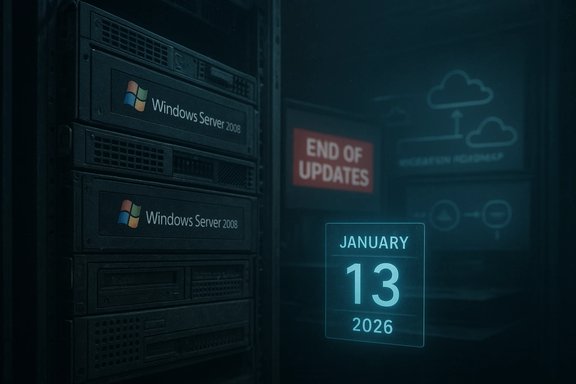
Data-center rack labeled Windows Server 2008 with an “End of Updates” sign and a January 13, 2026 calendar.Background / Overview​

Windows Server 2008 (the server sibling of Windows Vista) launched in 2008 and was built on the same NT 6.x kernel family as Vista. Over its long life it moved through Microsoft’s standard lifecycle stages — mainstream support, extended support, and then a set of time‑boxed, paid extension programs designed to give enterprise customers extra time to migrate: Extended Security Updates (ESU) and, for a narrow set of customers who purchased it earlier, Premium Assurance. The last of those paid bridges, Premium Assurance, was honored through January 13, 2026 and now stands expired. That expiration is more than a calendar event. It marks a practical, vendor‑backed line: after January 13, 2026 Microsoft will not issue Critical or Important security fixes for the Vista/Server 2008 codebase under any official Microsoft program. Organizations still running that lineage must now treat those systems as unsupported software and operate under increased security, compliance and operational risk.

Why this matters: the lifecycle in plain terms​

The staged wind‑down Microsoft used​

  • Mainstream and extended support follow the standard fixed lifecycle; Windows Server 2008’s extended support officially concluded years earlier.
  • ESU provided paid, year‑by‑year security‑only patches after extended support ended; non‑Azure ESU for Server 2008 ran through early January 2023, while an Azure‑only ESU year extended coverage to early January 2024.
  • Premium Assurance was a legacy Software Assurance add‑on that, for those customers who purchased it when available, provided an additional contractual multi‑year bridge; Microsoft honored those grandfathered commitments through January 13, 2026.

Practical meaning​

The result is binary: after January 13, 2026 there is no remaining Microsoft program that will produce security updates for Windows Server 2008 or the Vista client lineage. That is a final vendor cutoff rather than another incremental step.

What changed in Microsoft’s January 2026 servicing wave​

Two items in Microsoft’s January 2026 servicing activity are central to this story:
  • Microsoft’s ecosystem notices and security‑only updates for Premium Assurance explicitly state that Windows Server 2008 Premium Assurance ends on January 13, 2026, making that the final vendor‑supported cutoff.
  • In the same January 2026 update cycle Microsoft published cumulative/ESU updates that removed a set of long‑deprecated modem drivers from supported images (drivers such as agrsm64.sys, agrsm.sys, smserl64.sys and smserial.sys). That removal is intentional: those drivers are EOL and have been associated with privilege‑escalation exposures, and their removal eliminates a persistent attack surface — at the cost of breaking vintage modem hardware.
Both items were deliberate and carry trade‑offs: the Premium Assurance expiration removes the final safety net, while the driver removals harden current supported images but create compatibility breakage for legacy peripherals.

The technical and operational impact​

Security posture — the patch gap closes​

Without Microsoft issuing future patches for Vista/Server 2008, any newly discovered kernel, driver or platform vulnerability will remain unpatched by the vendor. Attackers frequently target unsupported platforms because they offer a static, predictable surface that can be exploited with less effort. The practical implication: external‑facing Server 2008 workloads and any systems with network exposure become high‑value targets.

Compliance, insurance and contractual risk​

Many compliance regimes and contractual relationships require supported, patched software. Running an OS with no vendor updates can:
  • Trigger audit and compliance findings (PCI‑DSS, HIPAA, and others).
  • Complicate cyber‑insurance claims or reduce coverage.
  • Put third‑party vendor certifications at risk.
Organizations should expect to document compensating controls if they continue to run unsupported systems and to consult legal/compliance teams for remediation planning.

Compatibility and reliability risks​

Hardening and servicing actions for modern Windows releases sometimes remove or disable legacy components. The removal of legacy modem drivers in January 2026 is a concrete example: while it reduces attack surface, it also means any dependent hardware will no longer function after the update. Admins must inventory peripherals and test the effects of cumulative updates, especially in environments with medical devices, industrial control hardware, or certified third‑party appliances that were built around older drivers.

The long tail: why Server 2008 lasted this long​

Several structural reasons explain the longevity of a mid‑2000s server OS in enterprise environments:
  • Complex validation cycles: mission‑critical apps in finance, healthcare, or telecoms require lengthy recertification, often measured in months or years.
  • Third‑party dependencies: bespoke applications and appliances certified on old OS versions are expensive to re‑qualify.
  • Paid extension programs: ESU and Premium Assurance explicitly existed to buy time for such migrations.
  • Cloud migration incentives: Microsoft offered Azure‑based incentives and migration tooling that pulled many workloads to the cloud, yet some on‑prem systems remained because migration costs or regulatory constraints were prohibitive.
The closing of Premium Assurance simply removes the contractual crutch that prolonged that tail.

Immediate steps for administrators — a prioritized checklist​

The situation is urgent for organizations that still host Server 2008 or Vista‑era systems. The following checklist is prioritized and actionable.
  • Inventory
  • Identify every instance of Server 2008 (and Vista client systems) in your environment, including virtual machines, appliances, embedded devices, and test systems. Use tooling that enumerates OS versions and installed updates.
  • Classify
  • Rank systems by exposure (internet‑facing, DMZ, internal critical service), business criticality, and compliance requirements.
  • Isolate and harden
  • Where migration cannot be immediate, isolate vulnerable systems via network segmentation, apply strict firewall rules, and apply application allow‑listing and EDR controls. Document compensating controls.
  • Migrate
  • Choose the migration path that matches the workload:
  • In‑place upgrade to a supported Windows Server LTSC where compatible.
  • Rehost to supported cloud VMs (Azure, AWS, GCP) or containers where feasible.
  • Refactor or replace legacy applications (containerize, replatform or replace).
  • Test and validate
  • Validate application behavior on the target platform, test drivers and peripheral functionality (the modem driver removals are a specific case where testing is crucial), and run pilot rings before mass rollout.
  • Decommission safely
  • Sanitize data, update asset registers, and retire hardware in accordance with policy.
Use the above as your triage ladder — inventory first, isolate second, migrate third.

Migration options — trade‑offs and recommendations​

  • Upgrade in‑place (pros and cons)
  • Pros: potentially fastest for simple roles; keeps data local.
  • Cons: often blocked by driver or app compatibility; may not be supported by ISVs.
  • Rehost to cloud (lift and shift)
  • Pros: rapid provisioning, potential temporary ESU/transition incentives historically offered by cloud providers, reduced hardware management.
  • Cons: licensing complexity, network and latency implications, possible vendor‑certification friction.
  • Replatform or refactor
  • Pros: long‑term maintainability, potential cost savings and performance gains.
  • Cons: requires development resources and validation cycles.
  • Appliance replacement or vendor upgrade
  • Pros: maintains vendor support chain for specialized equipment.
  • Cons: capital expense and procurement lead times.
Enterprises should select a hybrid approach: migrate most externally‑facing and high‑risk systems first, then prioritize business‑critical but internally‑isolated workloads for phased modernization.

Embedded systems, vertical markets and the hardest migration cases​

Certain sectors will find migration the most painful:
  • Industrial control systems and operational technology (OT) often require OEM recertification to update OS components, and downtime windows can be rare.
  • Medical devices and regulated equipment frequently have extensive validation and approval processes.
  • Long‑tail appliances running on embedded Server 2008 variants may embed drivers that are now EOL (the modem driver removals are emblematic of this risk).
For these environments, the only defensible approaches are vendor engagement for updates, rigorous compensating controls, or identifying vendor‑supported replacement timelines and capital budgets. Regulatory bodies will expect demonstrable risk mitigation if vendors cannot provide updates.

Practical example: the modem driver removal case​

Microsoft’s January 2026 cumulative updates removed four legacy modem drivers (agrsm64.sys, agrsm.sys, smserl64.sys, smserial.sys) from supported images to eliminate a persistent attack surface. This decision illustrates the trade‑off between security and compatibility.
  • Security rationale: these drivers were associated with known privilege‑escalation vectors and had been EOL for years. Their removal reduces the number of legacy drivers that attackers can target.
  • Compatibility impact: any hardware that depended on those soft‑modem drivers will cease to function on updated OS images, potentially disrupting third‑party appliances or telemetry solutions. Administrators must inventory dependent hardware and plan replacement or isolation for affected devices.
This is an example of a broader lesson: tightening the platform often breaks ancient functionality, and that breakage can be the practical trigger that forces migration.

What vendors and ISVs should do now​

Independent software vendors and hardware OEMs must:
  • Re‑certify and publish compatibility statements for supported OS versions.
  • Publish migration paths or updated drivers for customers still using legacy appliances.
  • Offer transition support or trade‑in programs where certification complexity is high.
  • Communicate timelines clearly to customers who have contracted long validation cycles.
ISVs and OEMs that fail to provide a migration path will accelerate forced migrations or create security liabilities for customers.

Risks and edge cases — what to watch for​

  • Undisclosed populations: there is no authoritative global count of Server 2008 instances in production; external telemetry numbers are estimates. Treat prevalence numbers cautiously and focus on your own inventory.
  • Insurance and legal exposure: post‑incident claims may hinge on whether an organization took reasonable steps to mitigate risk after vendor support ended. Maintain careful documentation of compensating controls.
  • Supply‑chain and support fragmentation: some modern tooling and security agents may stop supporting legacy kernels, reducing available defensive options over time.
If an organization simply continues to run unsupported systems without documented compensating controls, it is exposing itself to both heightened attack likelihood and potential regulatory or contractual penalties.

The broader context — Microsoft lifecycle and product strategy​

Over the last decade Microsoft has shifted lifecycle and commercial levers to balance enterprise migration needs and platform progress. Paid bridges like ESU and Premium Assurance gave customers deterministic runway, but were explicitly time‑boxed. The expiration of Premium Assurance for Server 2008 completes a multi‑year, staged sunset intended to nudge migrations and reduce the long‑tail risk to the broader ecosystem.
Meanwhile, Microsoft’s servicing strategy has become more aggressive about hardening and removing legacy code from supported images — another signal that the platform’s attack surface will continue to be reduced even as vendors cut backward compatibility. Organizations must accept that indefinite backward compatibility is not sustainable if platform security is the priority.

Bottom line and recommended timeline​

  • Immediate (next 30 days)
  • Complete inventory and classify all Server 2008 / Vista‑era systems.
  • Apply network segmentation and tighten external exposure for any still‑live instances.
  • Short term (30–90 days)
  • Begin migrations for externally‑facing or compliance‑critical systems.
  • Test for compatibility breakage introduced by the January 2026 updates (notably modem driver removals).
  • Medium term (3–12 months)
  • Complete migration of business‑critical systems and establish long‑term support plans for specialized equipment.
  • Engage vendors for remediation or replacement of certified appliances.
  • Long term (12+ months)
  • Consolidate modernization work into application replatforming, cloud adoption, or device replacement programs.
The secure, auditable, and documented migration of the remaining Server 2008 footprint is an operational priority that should be treated as a high‑impact project rather than a routine upgrade.

Conclusion​

Microsoft’s honoring of existing Premium Assurance contracts through January 13, 2026 provided one last contractual bridge for a very small set of customers. With that bridge now gone and with servicing actions that deliberately prune legacy drivers from supported images, the practical message is clear and uncompromising: the Vista/Server 2008 codeline is now a legacy platform without vendor‑backed security updates. Organizations that continue to rely on it do so at increasing security, compliance and financial risk.
The remedy is straightforward in concept and complex in execution: inventory, prioritize, isolate where necessary, migrate or replace, and document compensating controls exhaustively. The vendor lifeline is finished — what remains is a test of organizational discipline, budgeting and engineering ability to modernize before a breach or compliance failure forces a costlier, emergency migration.

Source: Neowin https://www.neowin.net/news/windows...-as-windows-server-2008-support-finally-ends/
 

Back
Top