Microsoft’s attempt to make privilege elevation in Windows 11 a true security boundary ran into a harsh reality check: decades of legacy kernel behavior are hard to rewrite safely. Google Project Zero’s James Forshaw exposed multiple privilege‑escalation bypasses against the new Administrator Protection model during preview testing, and Microsoft quietly issued patches and then temporarily disabled the feature while it addresses compatibility and design hardening.
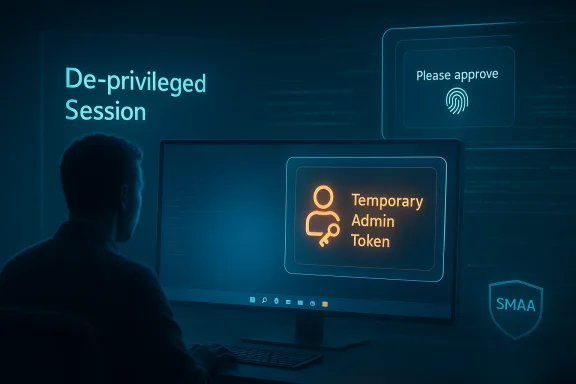
Administrator Protection is Microsoft’s next‑generation approach to replacing parts of the old User Account Control (UAC) model with a just‑in‑time, isolated elevation mechanism. Instead of granting an elevated token derived directly from the interactive user account, Windows creates a separate, system‑managed “shadow” administrator identity and issues a temporary, profile‑separated admin token for the single elevated operation. The token is ephemeral: it is issued on demand after interactive confirmation (for example, Windows Hello or credential input) and discarded when the elevated process exits. This design is intended to reduce exposure to credential theft, token abuse, and persistent auto‑elevation techniques.
The feature has been available only to Windows Insiders in experimental channels while Microsoft evaluates compatibility and telemetry; it was included in preview updates and optional rollups before a broader rollout was planned. Microsoft’s documentation and release notes describe Administrator Protection as part of a broader effort to enforce least privilege and make actual elevation events more observable to administrators.
Yet the transition from a split‑token UAC model to a shadow‑account model touches many long‑standing OS behaviors: logon session semantics, object namespace initialization, token ownership semantics, and kernel‑side object creation semantics. Forshaw’s testing—performed at Microsoft’s request and published by Project Zero—shows how a choreography of legitimate behaviors can be chained into practical local privilege escalation.
 to be mapped to a symlink the attacker controls. That redirection allows the attacker to control what files or DLLs the elevated process opens or loads, and thereby execute code in the elevated context—all without further user interaction.
However—critically—Project Zero published follow‑ups asserting that an initial fix for CVE‑2025‑60718 (the Administrator Protection elevation issue tracked publicly around the November rollup) was incomplete or did not fully eliminate the underlying attack primitives, and raised concerns about the residual attack surface. Independent coverage highlighted Project Zero’s claim that Microsoft’s patching and public communication were inadequate.
Microsoft’s own documentation later noted that Administrator Protection had been reverted in the October/November preview rollups and that the feature would roll out later after further work. Microsoft’s Administrator Protection documentation and release health pages reflect that the feature was pulled back from general availability while compatibility issues are addressed.
In parallel, other security updates intended to harden UAC and related elevation flows triggered compatibility problems for some applications and non‑admin workflows—an unrelated but operationally significant side effect that has complicated organizations’ ability to adopt preview fixes safely. Some updates caused unintended prompts and compatibility issues, leading Microsoft to provide Known Issue Rollback (KIR) guidance for enterprises.
Two design lessons stand out:
The sequence of events—disclosure, patching, public critique, and temporary rollback—should be read as the security lifecycle working: researchers find gaps; vendors patch and iterate; the ecosystem pressures compatibility testing and operational readiness; defenders adapt. The episode underscores the importance of assumption audits when you change foundational platform semantics.
For IT teams the practical takeaway is straightforward: patch promptly, avoid running preview features in production, treat elevation as a high‑risk telemetry signal, and combine least‑privilege policies with application allow‑listing and strong endpoint detection. Those controls greatly reduce the utility of any local elevation primitive—even a reliable one—by denying attackers the initial foothold or by making escalation noisy and observable.
Administrator Protection’s stumble is a sober reminder that hardening an operating system is as much about reconciling history as it is about inventing new defenses. The good news: the research was responsible, the vendor response produced fixes and operational guidance, and the conversation has pushed both implementers and defenders to be more explicit about assumptions. The bad news: until Administrator Protection’s model and the kernel’s corner cases are reconciled and the fixes prove robust across real‑world environments, organizations must rely on layered mitigations, vigilant patching, and conservative adoption policies to manage risk.
Source: Petri IT Knowledgebase Windows 11 Administrator Protection Design Flaws Exposed
 Background / Overview
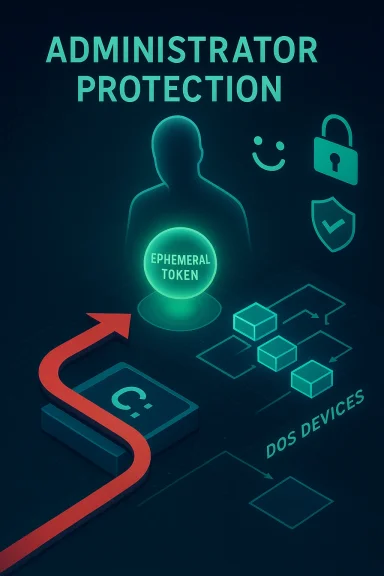
Administrator Protection is Microsoft’s next‑generation approach to replacing parts of the old User Account Control (UAC) model with a just‑in‑time, isolated elevation mechanism. Instead of granting an elevated token derived directly from the interactive user account, Windows creates a separate, system‑managed “shadow” administrator identity and issues a temporary, profile‑separated admin token for the single elevated operation. The token is ephemeral: it is issued on demand after interactive confirmation (for example, Windows Hello or credential input) and discarded when the elevated process exits. This design is intended to reduce exposure to credential theft, token abuse, and persistent auto‑elevation techniques. The feature has been available only to Windows Insiders in experimental channels while Microsoft evaluates compatibility and telemetry; it was included in preview updates and optional rollups before a broader rollout was planned. Microsoft’s documentation and release notes describe Administrator Protection as part of a broader effort to enforce least privilege and make actual elevation events more observable to administrators.
Yet the transition from a split‑token UAC model to a shadow‑account model touches many long‑standing OS behaviors: logon session semantics, object namespace initialization, token ownership semantics, and kernel‑side object creation semantics. Forshaw’s testing—performed at Microsoft’s request and published by Project Zero—shows how a choreography of legitimate behaviors can be chained into practical local privilege escalation.
What Forshaw found: design gaps that become attack primitives
James Forshaw’s writeup documents a family of bypasses—nine distinct techniques in total—that exploit subtle interactions between Administrator Protection’s new token issuance flow and legacy kernel behavior. The most important elements in the attack surface are:- Per‑logon session DOS device directories (the kernel object namespace entry that resolves drive letters like C, which Windows lazily creates for each logon session.
- The fact that Administrator Protection creates a new logon session for each shadow admin token (the shadow admin tokens are not re‑used across elevations), so freshly created admin tokens do not have a pre‑initialized DOS device object directory.
- Kernel calls that create object directory entries using Zw‑style functions can temporarily bypass certain access checks during creation, enabling an attacker to influence ownership/ACLs during that window.
- Token impersonation semantics at identification level can lead to object creation using the owner SID from the primary token instead of the impersonation token, which — when combined with the above — lets a limited process cause a per‑logon DOS devices directory to be created under attacker‑controlled owner SIDs.
to be mapped to a symlink the attacker controls. That redirection allows the attacker to control what files or DLLs the elevated process opens or loads, and thereby execute code in the elevated context—all without further user interaction. The exploit choreography (high level)
Forshaw reconstructs one particularly illustrative exploitation path as a sequence of practical steps that an attacker with local code execution can follow:- Trigger a shadow admin process to be created for an elevation operation so a new elevated process exists (Windows may start it suspended during creation).
- Before the new elevated process opens any files (i.e., before the kernel initializes its per‑logon DOS device directory), open its process handle and duplicate its primary token as an identification token.
- Impersonate that identification token and cause the kernel to create the DOS device object directory for that logon session while the attacker is impersonating the token. The object is created with owner/ACL semantics that, through the timing and impersonation quirks, grant the attacker write access.
- Create a symlink in the new per‑logon DOS device directory that redirects C: to attacker‑controlled content.
- Resume the suspended elevated process; when it later opens files or loads DLLs, it resolves C: via the attacker‑controlled symlink and ends up loading attacker code in an admin context.
How Microsoft responded (and why the debate continued)
Microsoft received Forshaw’s findings through responsible disclosure. The company published updates and rolled fixes into preview and security updates; Project Zero acknowledges that many of the reported issues were fixed in optional updates and later security bulletins.However—critically—Project Zero published follow‑ups asserting that an initial fix for CVE‑2025‑60718 (the Administrator Protection elevation issue tracked publicly around the November rollup) was incomplete or did not fully eliminate the underlying attack primitives, and raised concerns about the residual attack surface. Independent coverage highlighted Project Zero’s claim that Microsoft’s patching and public communication were inadequate.
Microsoft’s own documentation later noted that Administrator Protection had been reverted in the October/November preview rollups and that the feature would roll out later after further work. Microsoft’s Administrator Protection documentation and release health pages reflect that the feature was pulled back from general availability while compatibility issues are addressed.
In parallel, other security updates intended to harden UAC and related elevation flows triggered compatibility problems for some applications and non‑admin workflows—an unrelated but operationally significant side effect that has complicated organizations’ ability to adopt preview fixes safely. Some updates caused unintended prompts and compatibility issues, leading Microsoft to provide Known Issue Rollback (KIR) guidance for enterprises.
Why legacy Windows behaviors still matter
Windows is not a greenfield operating system; it’s an ecosystem with years of backward‑compatibility expectations and deeply entrenched kernel semantics. When a design change like Adminisers fundamental assumptions—such as how and when logon sessions are created or when DOS device directories are initialized—old corner cases can suddenly turn into new attack paths.Two design lessons stand out:
- Small changes in token/logon session lifecycle can expose previously theoretical behaviors in a practical exploit chain. The lazy initialization of DOS device directories was known but not exploitable under classic UAC because linked tokens shared logon sessions; Administrator Protection’s per‑elevation new logon sessions removed that safety for a window.
- Kernel‑side object creation semantics (Zw vs Nt variants) and owner SID assignment rules are subtle but security‑critical. The object creation path that bypassed access checks during directory creation created the crucial timing window. These are low‑level implementation details that must be considered whenever you redesign a higher‑level security boundary.
Practical impact and exploitability
- Exploit prerequisites: The documented bypasses are local elevation techniques. An attacker must already be able to execute code on the target as a limited user or otherwise place files in attacker‑writable locations that the elevation flow will enumerate. That means the bypasses are most valuable as post‑compromise escalation primitives rather than immediate remote‑attack vectors.
- Severity: Public vulnerability records and vendor advisories characterized some findings (CVE‑2025‑60718 and related work) as high severity (CVSS ~7.8), reflecting the impact of turning a low‑privilege local foothold into full administrative access.
- Real‑world exploitation: As of the public reporting, there was no widely confirmed active exploitation in the wild specifically tied to these Administrator Protection bypasses. That does not reduce the importance: elevation defects are frequently used in targeted attacks to widen access. Researchers stressed that fixes should be prioritized because these primitives materially improve the reliability of post‑exploit escalation.
Strengths and benefits of Administrator Protection (what it does right)
Before criticizing design flaws, it’s important to acknowledge why Microsoft pursued Administrator Protection:- True least‑privilege elevation — the shadow account model prevents day‑to‑day processes from carrying persistent admin tokens, reducing opportunities for malware to inherit or steal.
- Stronger authentication for elevation — tying elevation to Windows Hello or credential entry raises the difficulty of social‑engineering UAC prompts.
- Ephemeral tokens and profile separation — temporary, profile‑separated elevated sessions limit what elevated code can access in a user’s profile and reduce persistence of elevated privileges.
- Improved telemetry — Administrator Protection introduced new auditing/ETW events for elevation decisions, which helps defenders detect and investigate elevation activity.
Weaknesses, risks, and open questions
- Complexity creates fragile assumptions. Administrator Protection intersects with deep kernel semantics (logon sessions, object directories) that were not designed for rapid change. Thetion touches, the higher the chance of surprising interactions.
- Compatibility and rollout risk. Hardening elevation semantics can cause real user impact—unintended UAC prompts, broken app behaviors, or shell regressions—forcing Microsoft to slow or revert rollouts and provide KIR/workarounds. This increases operational friction for enterprise adoption.
- Patch completeness and communication. Project Zero publicly noted concerns about incomplete fixes for at least one tracked CVE, and independent reporting flagged a perceived lack of vendor response. That harms trust and slows defensive adoption. Security teams need clear, accountable vendor communication for high‑value flaws.
- Residual vulnerability classes. Some classic UAC weaknesses (untrusted search paths, DLL/executable search order issues) remain relevant even under a shadow‑admin model unless they are explicitly mitigated. CVE tracking indicates that untrusted search path problems were central to at least one high‑profile fix.
What organizations and administrators should do now
- Apply updates promptly: Install the latest cumulative and security updates relevant to your Windows 11 servicing channel. Microsoft incorporated many of the fixes in optional preview updates and subsequent security bulletins. Where a fix introduces compatibility regressions, use Known Issue Rollback (KIR) policies to maintain stability while tracking vendor guidance.
- Avoid early deployment of preview/experimental features in production: Administrator Protection began in Canary/Insider preview channels. Do not promote experimental builds or preview features to production until Microsoft confirms GA readiness.
- Enforce least privilege and reduce attack surface: Limit local administrator membership, use role‑based access controls, and consider transient admin models in enterprise tooling.
- Harden application search paths and allow‑listing: Enforce application allow‑listing (Smart App Control, App Control for Business) and minimize reliance on relative paths or writable search locations for privileged helpers. These mitigations address the untrusted search path class of issues.
- Monitor and log elevation activity: Treat elevation events as high‑risk operations—collect ETW/telemetry for admin elevation approvals/denials and integrate these signals into SIEM/EDR workflows. Administrator Protection exposes new events that defenders should ingest.
- Use endpoint detection and response: Deploy EDR capabilities that can detect abnormal process creation, token duplication, and suspicious impersonation attempts—indicators consistent with the exploitation primitives Project Zero described.
- Operational readiness for rollback/workarounds: If your organization applies hardening updates that cause functional regressions, operationalize KIR or documented workarounds while staying in close contact with vendor advisories.
Deeper technical notes for defenders and security engineers
- The attack focused on the kernel’s object namespace for DOS devices: directories under \Sessions\0\DosDevices\<auth‑id> are consulted before the global \?? directory, so a per‑logon symlink can override what a process sees as C:. Attackers who control creation or ownership of that per‑logon directory can redirect C: for processes in that logon session.
- TokenLinkedToken semantics changed: under Administrator Protection, each linked shadow admin token may represent a fresh logon session rather than a single reusable linked token, which altered expectations about pre‑existing per‑session objects. That change removed the implicit safety that had prevented DOS device hijacks under classic UAC.
- Object creation with Zw APIs and owner assignment quirks allowed privileged creation flows to complete without expected access checks, opening the timing window Forshaw exploited. Detection strategies should include monitoring sequences of token duplication, identification‑level impersonation, and unusual early manipulation of \?? entries.
Final analysis: course correction, not abandonment
Administrator Protection is still the right goal: make elevation transient, authenticated, and observable. The research that surfaced these bypasses is evidence that Microsoft’s design is raising the bar—but also that platform redesign is dangerous if it does not explicitly enumerate and harden legacy behaviors it depends upon.The sequence of events—disclosure, patching, public critique, and temporary rollback—should be read as the security lifecycle working: researchers find gaps; vendors patch and iterate; the ecosystem pressures compatibility testing and operational readiness; defenders adapt. The episode underscores the importance of assumption audits when you change foundational platform semantics.
For IT teams the practical takeaway is straightforward: patch promptly, avoid running preview features in production, treat elevation as a high‑risk telemetry signal, and combine least‑privilege policies with application allow‑listing and strong endpoint detection. Those controls greatly reduce the utility of any local elevation primitive—even a reliable one—by denying attackers the initial foothold or by making escalation noisy and observable.
Administrator Protection’s stumble is a sober reminder that hardening an operating system is as much about reconciling history as it is about inventing new defenses. The good news: the research was responsible, the vendor response produced fixes and operational guidance, and the conversation has pushed both implementers and defenders to be more explicit about assumptions. The bad news: until Administrator Protection’s model and the kernel’s corner cases are reconciled and the fixes prove robust across real‑world environments, organizations must rely on layered mitigations, vigilant patching, and conservative adoption policies to manage risk.
Source: Petri IT Knowledgebase Windows 11 Administrator Protection Design Flaws Exposed