
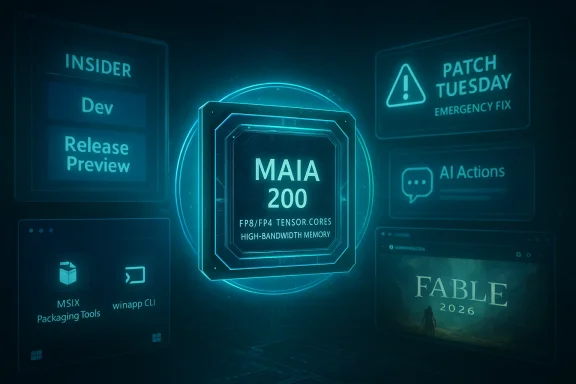
Microsoft’s ecosystem found itself in unusually turbulent territory this week: the Windows Insider program was reshuffled, Patch Tuesday went sideways and generated multiple emergency fixes, Microsoft unveiled a new in‑house AI accelerator, major AI platforms doubled down on “apps” inside chatbots, Microsoft shipped a developer CLI for Windows app creation, and Xbox refreshed its cloud gaming web front while Playground Games’ Fable moved toward a late‑2026 release. On top of all that we have another wave of tech layoffs and mixed earnings, and a clear message that 2026 will keep forcing IT pros and everyday Windows users to adapt faster than ever.
Windows, AI, and gaming—three fronts that rarely stay still—collided this week in ways that matter to IT administrators, developers, and everyday Windows users alike. The most urgent story was the fallout from January’s regular Patch Tuesday: a cumulative update introduced regressions that forced Microsoft into a pair of out‑of‑band emergency fixes within days. At the same time Microsoft’s product teams continued to rework how Windows itself will be built, shipped, and experienced: Insider channel mechanics changed, new developer tools were released, and the company’s cloud and datacenter teams announced Maia 200, a next‑generation inference accelerator intended to reshape the economics of large‑scale AI.
Beneath the surface technical details are broader questions: is the cadence of Windows updates safe for enterprises? Will the “apps inside AI” model replace native applications? Can Microsoft’s tooling and platform changes actually make life easier for developers and users, or will they create new fragmentation and risk? This article lays out the facts you need, explains what they mean in practical terms, and offers guidance for those deciding how to respond.
Practical guidance:
Key points:
A short reality check: CLI tooling is helpful, but it doesn’t rewrite developer incentives on its own. For winapp to materially increase Windows app quality and quantity, Microsoft also needs to make store economics attractive, keep APIs stable, and make the developer experience delightful across build systems. The CLI is a good tactical move; the strategic outcome depends on follow‑through.
Implications:
What to watch:
For Windows and Microsoft customers the message is both optimistic and pragmatic. Optimistic because the company is investing in tooling (winapp), silicon (Maia 200), and platform surfaces (AI Actions, refreshed cloud experiences) that could lower costs, improve developer productivity, and make Windows and Xbox more capable. Pragmatic because the update pipeline and the interaction of security hardenings with user devices are real operational risks; administrators must plan accordingly.
If there is a single, practical rule from all of this, it is simple: assume change will arrive faster, test more thoroughly, and build systems and processes that let you react quickly without amplifying chaos. The tools and silicon should help over time—but only if IT and development practices evolve to match the new tempo.
Source: Thurrott.com Windows Weekly 968: Uncharted Territory
 Background / overview
Windows, AI, and gaming—three fronts that rarely stay still—collided this week in ways that matter to IT administrators, developers, and everyday Windows users alike. The most urgent story was the fallout from January’s regular Patch Tuesday: a cumulative update introduced regressions that forced Microsoft into a pair of out‑of‑band emergency fixes within days. At the same time Microsoft’s product teams continued to rework how Windows itself will be built, shipped, and experienced: Insider channel mechanics changed, new developer tools were released, and the company’s cloud and datacenter teams announced Maia 200, a next‑generation inference accelerator intended to reshape the economics of large‑scale AI.Beneath the surface technical details are broader questions: is the cadence of Windows updates safe for enterprises? Will the “apps inside AI” model replace native applications? Can Microsoft’s tooling and platform changes actually make life easier for developers and users, or will they create new fragmentation and risk? This article lays out the facts you need, explains what they mean in practical terms, and offers guidance for those deciding how to respond.
Windows 11: Insider Program changes and what they mean
Dev and Beta take different tracks — the 26H1 testbed
Microsoft adjusted the Insider program so the Dev Channel has jumped ahead into a new build series intended to incubate platform‑level changes that look very much like the lead‑up to Windows 11 version 26H1. Practically speaking, that means:- The Dev Channel is now on a 26300 series of builds while the Beta channel remains on the 26220 series.
- In at least one recent release, the Dev build contained the same user‑facing features as the Beta build but different behind‑the‑scenes platform changes and different known issue profiles.
- Installing certain newer Dev builds closes the window to switch back to Beta without intervention — a small but important deployment detail for Insiders who like to hop between rings.
Release Preview as a preview for Patch Tuesday
Microsoft’s Release Preview updates for versions 24H2 and 25H2 continue to look like advance previews of what corporate Patch Tuesday will deliver. Administrators should consider Release Preview devices as a functional canary for the next monthly cumulative update: they’ll receive many of the same servicing and quality changes before they appear broadly, giving a window to validate line‑of‑business apps and firmware interactions.Practical guidance:
- Keep a carefully managed lab of Release Preview devices that mirror common hardware/firmware combos in production.
- Treat Dev Channel installs as true test lab entries: expect platform‑level changes and don’t use them for compatibility validation of customer‑facing systems.
Patch Tuesday meltdown: the timeline, symptoms, and administrator response
What happened (concise timeline)
- January 13: Microsoft released the monthly cumulative security rollup (the standard Patch Tuesday package).
- Within days, telemetry and community reports indicated multiple regressions: Secure Launch‑linked shutdown/hibernate failures on some devices, Remote Desktop authentication failures affecting cloud PC and AVD workflows, and later crashes/hangs in apps that interact with cloud‑backed storage locations (notably Outlook and apps using OneDrive/Dropbox).
- January 17: Microsoft published the first out‑of‑band (OOB) emergency cumulative fix to address the most urgent regressions (shutdown/Remote Desktop).
- A week later a second emergency fix was released to address additional problems (cloud‑file I/O hangs, Outlook instability, and other edge failures).
- Some systems experienced boot failures (UNMOUNTABLE_BOOT_VOLUME) after the updates; Microsoft acknowledged the investigation and advised manual recovery steps where necessary.
Symptoms and the operational impact
Reported problems included:- Devices with System Guard Secure Launch enabled restarting instead of completing shutdown/hibernate.
- Remote Desktop and Cloud PC authentication failures presenting persistent credential prompts or failing sign‑in.
- Applications that open or save files stored in cloud‑backed locations becoming unresponsive; Outlook hangs or crashes in configurations where PST files live on cloud‑synced folders.
- A subset of systems failing to boot after the update, necessitating manual recovery.
Root causes and what to check
While Microsoft’s official investigations are ongoing, the pattern suggests a few recurring themes:- Security‑ or authentication‑related hardenings in a cumulative update can interact with platform services and brokered sign‑in flows (e.g., Remote Desktop clients, tenant brokers).
- Changes touching storage, cloud‑sync layers, and the I/O stack can reveal edge cases in multi‑vendor ecosystems (OS, cloud‑sync client, firmware).
- Complexities increase where firmware/BIOS versions are older or where device OEM drivers have unusual behavior.
- Inventory which of your devices have Secure Launch enabled.
- Identify systems that host PST files or other frequently used files in cloud‑synced folders.
- Consider pausing the January cumulative update where you can’t respond quickly (use your update rings to throttle to pilot deployments).
- Test the OOB packages in a lab and ensure you have recovery media and documented WinRE rollback steps.
The quality and trust problem
Two emergency out‑of‑band updates inside a month is a sign Microsoft intentionally reserves OOB fixes for severe availability or safety regressions—but it also signals that the update pipeline and pre‑release validation are under pressure. That hurts trust in update cadence, and administrators should plan for more aggressive pre‑deployment testing and stronger rollback/runbook preparedness.Microsoft’s Maia 200: a datacenter inference accelerator that changes the calculus
Technical headline specs and deployment
Microsoft announced Maia 200, a purpose‑built inference accelerator designed to cut the cost of token generation and deliver higher performance for large models in the datacenter. Highlights Microsoft emphasized include:- Process node and architecture: Maia 200 is built on an advanced 3nm process.
- Native FP4 and FP8 tensor cores, designed specifically for inference use‑cases.
- High‑bandwidth memory subsystem: hundreds of gigabytes of HBM3e with multiple terabytes/sec of bandwidth (public coverage referenced numbers around 216GB and multi‑TB/s bandwidth).
- A sizable on‑chip SRAM reservoir (hundreds of MB) to reduce off‑chip pressure for certain workloads.
- Performance claims: significantly higher FP4/FP8 petaFLOPS targets and improved performance‑per‑dollar (Microsoft framed this as roughly a 30% efficiency improvement vs. the then‑current fleet).
- Early deployment: rolling into Azure regions (U.S. Central and U.S. West followups were in the initial rollout).
Why Maia 200 matters
- Cost control: AI inference costs are the dominant line item for many cloud AI services. Improving performance‑per‑dollar by a meaningful percent is a direct lever to lower customer costs or fund more aggressive SLAs / features.
- Differentiation: owning a generation of first‑party silicon lets Microsoft tightly optimize the Azure software stack, the Foundry marketplace, and Microsoft 365 Copilot scenarios where latency and cost matter.
- Competitive dynamics: major cloud players are already designing at‑scale accelerators; Maia 200 is Microsoft’s public answer to the same pressure that pushed Google and Amazon to build TPUs and Trainium.
- Platform implications: Maia 200 will be exposed through Azure toolchains and SDKs, meaning some model and inference optimizations will be specific to this hardware unless standardized abstraction layers evolve.
Caveats and verification
Vendor performance claims should always be taken with professional skepticism. Microsoft’s metrics are impressive and plausible; independent benchmarking will be the real proof. For organizations considering workloads that target Maia 200, prioritize:- Assessing SDK maturity and toolchain support (PyTorch/Triton integrations).
- Validating model behavior at lower precision (FP8/FP4) — not all models degrade equally with quantization.
- Reviewing cost modeling using your own workload telemetry, not vendor slides alone.
The age of "AI apps": ChatGPT apps, Anthropic, and Windows AI Actions
What changed: in‑chat apps and actions
Late‑2025 and early‑2026 saw major AI platforms add app platforms inside chat interfaces. Two clear trends:- ChatGPT (OpenAI) launched an App Directory and Apps SDK that lets developers ship interactive, context‑aware mini‑apps inside the chat experience.
- Anthropic and other providers expanded tooling compatible with the Model Context Protocol and “apps” that let models call external services, render interactive UI, and act upon user intent.
- Microsoft is exposing similar capabilities in Windows as AI Actions, which let OS components and apps surface functionality to semantic triggers and AI agents.
Why people are talking about the end of native apps
Arguments for the "end of apps" thesis typically point to:- The ability for a single, powerful conversational layer to orchestrate services and produce user‑level results without the user explicitly opening a native app.
- The democratization of app logic: creating a chat app is easier than building a traditional GUI app; composition and wiring replace heavy UI work.
- App discovery and distribution change: the conversation surface recommends apps contextually, which can bypass traditional app stores and menus.
Why that’s an overstatement — and what does change
Native applications are not suddenly obsolete, but the relationship between the user interface, application logic, and data will evolve. Expect:- A hybrid reality where conversational agents become the front door for tasks and apps provide precise capabilities and domain logic.
- Developers must design for both conversational invocation (APIs, structured outputs, permissions) and traditional GUIs.
- Security and governance complexities multiply: conversational agents will need permissions, auditing, and enterprise controls to safely call external systems and access sensitive data.
- Native apps will still be essential where local hardware access, low‑latency rendering, offline capability, or specialized interfaces are required.
Developer note: winapp CLI — the pragmatic side of the platform story
Microsoft released the Windows App Development CLI (winapp) into public preview with clear goals: remove packaging and identity friction for cross‑platform developers and accelerate the path to MSIX packaging, store submission, and Windows API access.Key points:
- One‑command environment bootstrap for common toolchains (CMake, Electron, Rust, Dart, etc.).
- Debug package identity creation so you can test APIs that require package identity without a full install cycle.
- MSIX packaging automation, manifest and certificate helpers, and CI integration.
A short reality check: CLI tooling is helpful, but it doesn’t rewrite developer incentives on its own. For winapp to materially increase Windows app quality and quantity, Microsoft also needs to make store economics attractive, keep APIs stable, and make the developer experience delightful across build systems. The CLI is a good tactical move; the strategic outcome depends on follow‑through.
Xbox and gaming: cloud polish and big games on multiple platforms
Xbox Cloud Gaming web refresh
Microsoft quietly pushed a public preview of a refreshed Xbox Cloud Gaming web experience that moves the browser UI closer to a console dashboard. Expect:- Console‑like navigation and library views.
- Smoother flows and animations designed to make streaming feel like a first‑class experience.
- A technical foundation that will allow faster, more consistent feature parity across devices.
Fable and the platform strategy
Playground Games’ Fable has been shown in a deep‑dive and is penciled for release in late 2026 across Xbox Series X|S, PC, and PS5, with a day‑one multi‑platform posture in some reporting. The game marks an important cultural and economic moment: Xbox Game Studios continues to blur the lines between platform exclusivity and broader publisher strategy.Implications:
- For players: more first‑party titles on multiple platforms means broader reach and less pressure to buy a specific console.
- For Microsoft: multi‑platform releases can maximize revenue and reduce console dependency, which is sensible if hardware margins are under pressure.
- For developers: porting and cross‑platform QA remain nontrivial; game studios need robust pipelines and tooling to ship day‑one across ecosystems.
Industry snapshot: earnings, layoffs, and the macro picture
This week’s headlines included a fresh round of layoffs at Amazon—roughly 16,000 corporate roles in a follow‑up to earlier reductions—and mixed earnings across major chipmakers and cloud players. The combination of cost‑cutting and heavy AI infrastructure investment is a defining theme: companies are pruning headcount while committing to large capex for data centers and AI accelerators.What to watch:
- How capex shapes partnerships with silicon vendors (Maia 200 is an explicit attempt to internalize inference economics).
- Whether Microsoft’s cost reductions for AI inference translate to lower prices or better margins for enterprise customers.
- How workforce changes at large cloud and retail players affect downstream developer ecosystems and vendor roadmaps.
Practical takeaways and recommendations
- For IT admins: strengthen update rollouts. Create a disciplined pilot cadence that uses Release Preview and a targeted lab to validate each Patch Tuesday before mass deployment. Maintain a tested WinRE rollback plan and keep a small group of machines offline as a recovery image pool.
- For developers: invest in filling the “AI Actions” gap. Expose capabilities as compact, permissionable actions that AI agents can call, and use the winapp CLI to streamline packaging and identity hurdles for Windows APIs.
- For CIOs and SREs: re‑model AI inference cost assumptions now that hyperscalers are deploying specialized accelerators. If your workload is cloud‑hosted, re‑benchmark costs on Maia‑class hardware as early access expands.
- For security teams: assume conversational agents will ask for permissions. Integrate granular consent, logging, and agent governance into vendor evaluations and corporate policy.
Tips and picks
- Tip of the week: choose one password manager and commit. Using multiple password managers fragments recovery, complicates secure sharing, and increases support burdens.
- App pick: Proton Pass. For most users Proton Pass is an excellent balance of privacy and practicality: a free tier that supports unlimited logins and devices, modern encryption, and an open approach to security. Pairing Proton Pass with a dedicated authenticator (Proton Authenticator or an equivalent TOTP app) simplifies MFA and recovery workflows.
- Brown liquor pick: Tullibardine 18. If you’re into single‑malt Scotch, the 18‑year Tullibardine is a considered choice: mature, balanced, and a welcome palate cleanser after a long weekend of emergency patches and release notes.
Conclusion — why this week matters
This week was a microcosm of 2026’s tech reality: rapid progress in AI hardware and platform thinking; platform complexity that can break production in surprising ways; and a continuing shift in how users will interact with software—through conversational agents, contextual “apps” inside AI, and more seamless cross‑device surfaces.For Windows and Microsoft customers the message is both optimistic and pragmatic. Optimistic because the company is investing in tooling (winapp), silicon (Maia 200), and platform surfaces (AI Actions, refreshed cloud experiences) that could lower costs, improve developer productivity, and make Windows and Xbox more capable. Pragmatic because the update pipeline and the interaction of security hardenings with user devices are real operational risks; administrators must plan accordingly.
If there is a single, practical rule from all of this, it is simple: assume change will arrive faster, test more thoroughly, and build systems and processes that let you react quickly without amplifying chaos. The tools and silicon should help over time—but only if IT and development practices evolve to match the new tempo.
Source: Thurrott.com Windows Weekly 968: Uncharted Territory
